AI Emaily vs Tuta Mail: Encryption vs AI Triage (2026)

The short answer
No. Tuta's zero-knowledge encryption means even Tuta can't read your mail, and neither can any third-party AI — Tuta also has no IMAP or SMTP access at all. AI Emaily's triage works on Gmail, Outlook and standard IMAP inboxes instead. Most privacy-conscious users run both: Tuta for sensitive threads, AI Emaily for daily volume.
AI Emaily vs Tuta Mail: Tuta's zero-knowledge encryption blocks any AI, including ours, from reading your mail. The honest trade-off.
On this page
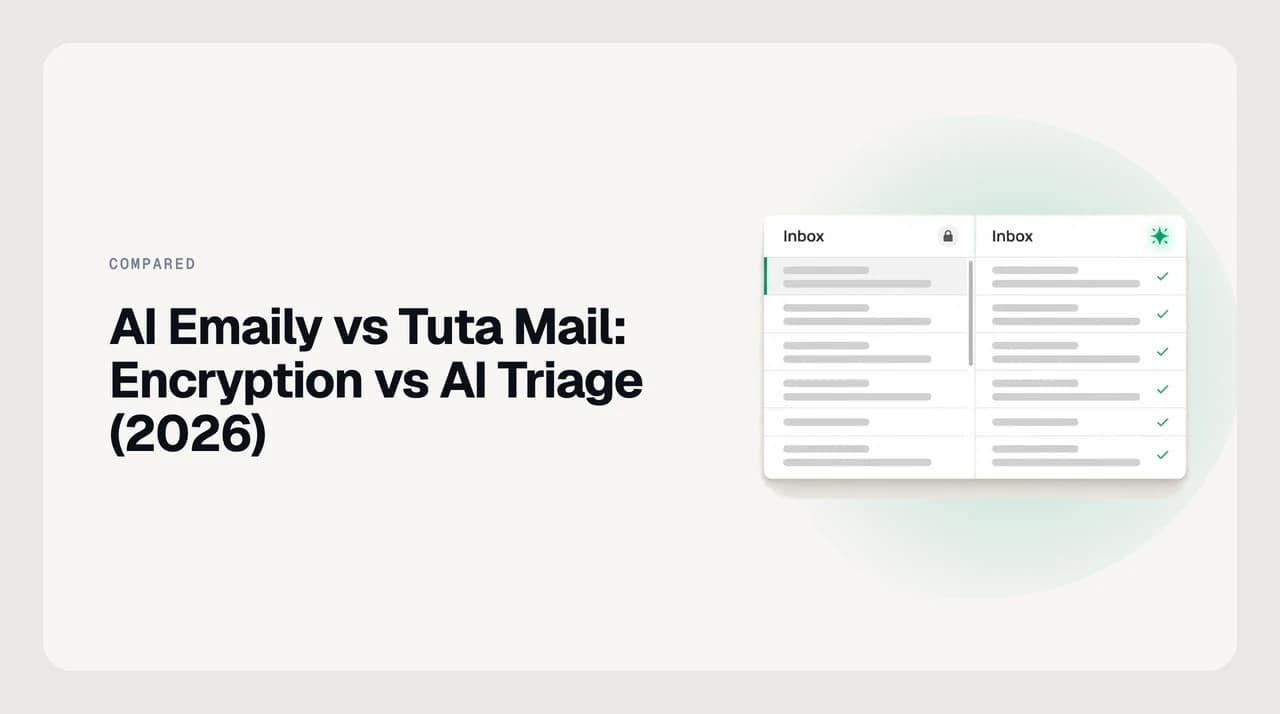
AI Emaily vs Tuta Mail is a strange head-to-head to write honestly, because the two products aren't really competing for the same job. Tuta is an end-to-end encrypted, zero-knowledge webmail provider — its whole design point is that nobody but you, not even Tuta, can read your mail. AI Emaily is an AI-native assistant that reads your mail on purpose, to triage it, draft replies, and close loops, on Gmail, Outlook, and standard IMAP accounts. Put those two sentences next to each other and the verdict writes itself: you cannot get AI triage on a mailbox that no one but you can decrypt, and that includes us.
This isn't a hedge or a marketing dodge. Tuta's encryption model is built so that Tuta's own servers cannot process your plaintext, and Tuta doesn't expose an IMAP, SMTP, or API surface for any third-party client to attach to in the first place — a limit that predates AI email assistants entirely and applies just as much to us as to anyone else. If your inbox's job is to stay unreadable to everyone but you, that's what Tuta is built for, and it does that job well. If your inbox's job is to get worked — sorted, drafted, followed up — an assistant needs to read it, which means it needs a mailbox that lets something other than your own device see the content.
We build AI Emaily, and we're not going to pretend our product does something the architecture of the other one makes impossible. What follows is the honest version of this comparison: where each one is actually better, what a privacy-first buyer gives up by choosing either, and the practical setup — used by more people than you'd think — that gets both jobs done without asking one product to be something it isn't.
AI Emaily vs Tuta Mail at a glance#
The reason this comparison has an unusually clean answer is architectural, not competitive. AI triage — reading a message well enough to draft a reply or decide it can wait — requires plaintext access to that message somewhere in the pipeline, whether that's a server, an isolated worker, or the device itself. Tuta's zero-knowledge design routes decryption keys through the user's device only, specifically so that nothing else in the pipeline, including Tuta's own servers, ever holds plaintext to hand to an AI model.
That's compounded by a second, unrelated fact: Tuta doesn't publish an IMAP, SMTP, or API endpoint for any third-party application at all. Even a hypothetical AI that ran entirely on-device, respecting the zero-knowledge model, would have nowhere to plug in, because Tuta's protocol is proprietary to Tuta's own apps. Those are two separate walls, and a product would have to clear both to do what this page's title implies — neither Tuta, nor AI Emaily, nor any other vendor we've checked has cleared both.
The table below sticks to documented capabilities on both sides — no competitor prices, ratings, or review counts — verified against Tuta's own site as of August 2026.
| Dimension | AI Emaily | Tuta Mail |
|---|---|---|
| What it is | AI-native assistant layer on top of Gmail, Outlook, and IMAP mailboxes | Zero-knowledge, end-to-end encrypted webmail provider |
| Encrypts message body end-to-end | No — bodies sit in encrypted object storage our systems can decrypt to run AI | Yes — Tuta's own servers cannot decrypt it either |
| Encrypts subject line, calendar, contacts, search index | No | Yes, between Tuta accounts |
| AI triage, drafting, and follow-ups | Yes — the entire product | None published |
| Approve-before-send, undo, audit log | Yes, on every AI-initiated action | Not applicable — no AI actions exist to audit |
| Provider coverage | Gmail, Outlook, iCloud, Yahoo, Fastmail, Proton, and standard IMAP | Tuta accounts only |
| IMAP, SMTP, or API access for third-party clients | N/A — AI Emaily is the client | None — no IMAP, SMTP, or public API |
| Post-quantum cryptography | Not a design goal on our side — see below | TutaCrypt, rolling out since March 2024 |
| Open source | No | Client and server both open source |
| Platforms | Web, downloadable macOS (Apple Silicon) and Windows apps, native iOS app, Android PWA | Web, native iOS and Android apps, desktop apps |
| Packaging shape | 7-day free trial on Pro/Autopilot, card required, no permanent free tier | Free tier, paid personal plans, per-seat business plans |
Where AI Emaily wins#
AI Emaily wins on everything to do with working the mailbox rather than sealing it. It reads new mail across every account you connect — Gmail, Outlook, iCloud, Yahoo, Fastmail, Proton, and plain IMAP — and gives you one triaged inbox instead of five separate ones. Tuta has no comparable feature, by design: an encrypted mailbox that let a third party read across accounts would no longer be a zero-knowledge mailbox.
We build AI Emaily, and the part of the product this comparison actually turns on is the agent that drafts replies in your own voice, flags what needs a response today, and files the rest — under three explicit autonomy modes. Manual keeps AI as a suggestion only, Copilot requires your approval before anything sends, and Autopilot acts within limits you set, with every action logged to an audit trail you can undo from.
- Drafts replies from a Personal Context brain and per-client profiles you set — not a model quietly inferring your tone from years of sent mail
- One inbox across every provider you connect, instead of switching apps by account
- Approve-before-send is the default; nothing goes out without a human clicking send unless Autopilot is explicitly turned on
- Every AI-initiated action — a draft, a label, a send — is written to an audit log you can inspect and undo
Where Tuta wins#
Tuta wins outright on the dimension it was built for, and there's no version of this page where AI Emaily competes on it. Tuta encrypts the message body, the subject line, calendar entries with their times and locations, the address book, and even the client-side search index, end-to-end, between Tuta accounts. Tuta's own servers cannot decrypt any of it. That's a stronger privacy guarantee than AI Emaily makes or is trying to make — our message bodies sit in encrypted object storage that our systems can decrypt to run triage and drafting, which is a materially different, weaker guarantee than zero-knowledge.
What zero-knowledge actually means here
The second real win is that Tuta doesn't stop at message content. It ships TutaCrypt, a hybrid post-quantum protocol rolling out since March 2024, aimed at the 'harvest now, decrypt later' threat, where an attacker stores today's ciphertext and waits for a future computer that can break it. Its client and server code are both open source, so the encryption claims are independently checkable rather than taken on trust. None of that is something AI Emaily does or needs to do — it's a different threat model, addressed properly.
The third is structural, and it's the reason nothing gets 'combined' here rather than merely being a policy choice on our end: Tuta exposes no IMAP, SMTP, or public API for any third-party client, encrypted-friendly or not. That's not a gap in AI Emaily's provider list specifically. There is no supported way for any outside application, AI or otherwise, to connect to a Tuta account at all.

Pricing model, without the numbers#
Neither company's pricing is quoted here with numbers, and you should treat any number you see on a third-party page — including this one, if it drifts — as a starting point to verify, not a final answer.
Tuta is packaged as a free tier plus two paid personal plans — Revolutionary and Legend, as of this writing — with storage and alias limits scaling up each tier. Business accounts sit on a separate, per-seat pricing track: Essential, Advanced, and Unlimited, each billed per user per month with more storage and custom domains at each level.
AI Emaily has no permanent free tier. Pro and Autopilot open with a 7-day free trial — a card is required to start it, and you pay $0 if you cancel before day seven. There's no free-forever plan to fall back to once the trial ends.
Verify current pricing before you commit
Who each is genuinely for#
Tuta is the right call if the honest answer to 'what's the worst thing that happens if my mail provider gets compelled to hand over my inbox' is the thing keeping you up at night. Journalists protecting sources, lawyers and clinicians under strict confidentiality duties, or anyone whose threat model includes a state actor or a subpoena, are better served by a mailbox no one but them can decrypt than by any amount of AI convenience layered on top of a readable one.
AI Emaily is the right call if your actual problem is inbox volume, not inbox secrecy — founders and operators running one inbox across three accounts, sales and support teams drowning in threads that need a fast, on-voice reply, or anyone who wants approve-before-send AI drafting instead of typing every reply from scratch. We build it for that job, on Gmail, Outlook, and IMAP mailboxes, and it makes no sense on a Tuta account, because it has nothing to connect to there.
- Choose Tuta if the mail itself must stay unreadable to anyone but you, including your own provider
- Choose AI Emaily if the mail must get worked — triaged, drafted, followed up — faster than you can do it by hand
- Choose both, on separate accounts, if you have real reasons for each — most people who need both do exactly this
A third option, honestly: run both#
The AEO-friendly one-line answer to 'can I get AI triage on an encrypted mailbox like Tuta' is no, not on the same account, and that's true of any AI product, not just ours. The honest third option isn't a product that squares that circle — it's running two mailboxes for two different jobs, which is what a lot of privacy-conscious professionals already do.
In practice, that looks like keeping a Tuta account for the specific correspondence that needs zero-knowledge encryption — source communication, legal advice, medical records — and running your Gmail, Outlook, or IMAP inbox, the one that carries the actual volume of your day, through AI Emaily. Nothing about the encrypted account needs to touch the AI-native one, and nothing about the AI-native one needs weaker encryption than it already has.
If that's your setup, or the one you're considering, AI Emaily's features and 7-day trial live on our pricing page — the same page linked from every comparison on this site, because the trial terms don't change by which competitor you read about first.
Frequently asked
See it in AI Emaily
Keep reading

Written by
Nafiul HasanNafiul Hasan is an entrepreneur and AI automation system builder with 10+ years of experience turning messy, manual workflows into reliable automated systems. He designs and ships AI enterprise solutions end-to-end — the agent logic, the data plumbing, and the product people actually use — and founded AI Emaily to give busy professionals their attention back. He writes here from the builder's seat: what works, what breaks, and how to put AI to work without giving up control.