10 Best Email Tools for Real Estate Agents in 2026 (Ranked & Tested)

The short answer
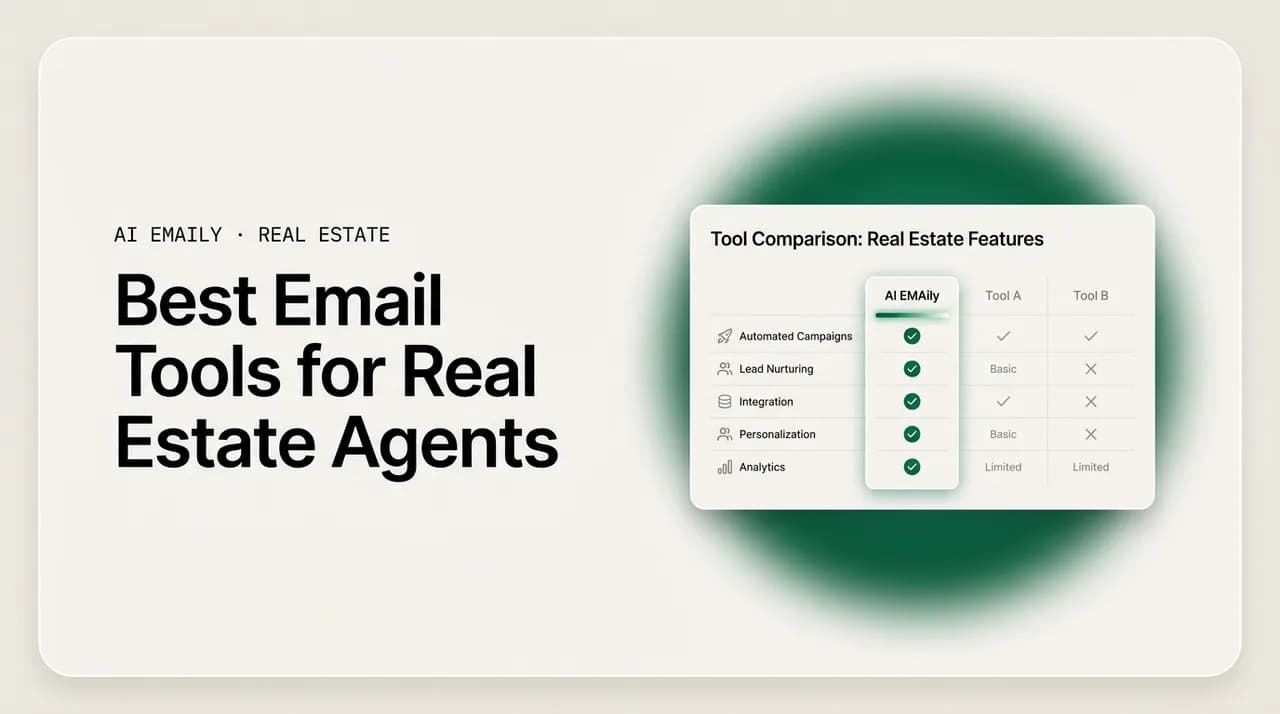
The best email software for real estate agents pairs speed-to-lead with follow-up that never slips and drafts that sound like you. AI Emaily ranks first because it acts on your inbox — triaging, drafting in your voice, and sending within your rules across every provider. Follow Up Boss and BoldTrail win on CRM depth; Superhuman on raw speed; Gmail and Outlook on price.
The best email software for real estate agents in 2026, ranked and tested. Compare AI Emaily, Superhuman, Follow Up Boss, BoldTrail, Lofty, Gmail, Outlook and more on speed-to-lead, follow-up automation, and voice-matched AI.
On this page
- 01What real estate agents actually need from email software
- 02The best email software for real estate agents at a glance
- 031. AI Emaily — best overall for agents drowning in their inbox
- 042. Superhuman — best for speed-obsessed power users
- 053. Follow Up Boss — best real estate CRM for lead follow-up
- 064. BoldTrail (formerly kvCORE) — best all-in-one platform for brokerages
- 075. Lofty (formerly Chime) — best for AI-forward all-in-one
- 086. Gmail with Gemini — best free-to-cheap option for solo agents
- 097. Outlook with Copilot — best for Microsoft-based brokerages
- 108. Shortwave — best AI triage for Gmail loyalists
- 119. Template libraries and scripts — best when you want words, not software
- 1210. Your brokerage's built-in email — best when it is already paid for
- 13How to choose the best email software for your situation
- 14Why AI Emaily takes the top spot for real estate email
- 15Putting it all together
What real estate agents actually need from email software#
Ask ten agents what the best email software for real estate agents looks like and you will get ten answers, because they are all describing the same bottleneck from different angles. The bottleneck is the inbox itself. A new lead comes in from Zillow at 9:47 p.m., a first-time buyer wants to know what "earnest money" means for the third time this week, an investor is waiting on comps, and a past client just referred their sister — and all of it lands in the same undifferentiated pile that you are supposed to answer fast, personally, and without dropping anything. Email is where deals are won and lost, and most tools built for real estate treat it as an afterthought bolted onto a CRM.
So before we rank anything, it is worth being precise about what the job actually requires. The typical Realtor closed a median of 10 transaction sides in 2024 on around $2.5 million in volume, and the agents who out-produce that number are not working more hours — they have removed the manual bottlenecks that eat the day. The right email tool is one of those bottlenecks, removed. Here is the criteria we used to test every tool on this list, in rough order of how much it moves the needle for an agent.
- Speed-to-lead. The single biggest predictor of whether a lead converts is how fast you respond. A tool that helps you acknowledge an inbound in minutes — not the next morning — earns its keep before anything else does.
- Follow-up that does not slip. Most deals need five to twelve touches. The tool has to stage, schedule, and remember follow-ups so they happen even on your busiest days, without you keeping a mental list.
- Voice-matched AI. Generated replies are worthless if they read like a robot. The draft has to sound like you — your phrasing, your warmth — or clients feel the difference and you lose the trust that closes.
- A unified inbox. Agents run on more than one address: a personal Gmail, a brokerage Outlook, sometimes an iCloud or a team alias. Juggling tabs loses leads. One inbox for all of them is table stakes for serious use.
- CRM-ish context. The tool should know who it is talking to — which client, which property, which open loop — and surface that when you open a reply, so you are not digging through the CRM mid-conversation.
- Privacy and control. You are handling clients' financial and personal details. The tool must not train AI on your mail, must encrypt what matters, and must never send something you did not intend.
Notice that speed and follow-up sit at the top, and that both are fundamentally about the same thing: not being the bottleneck. Investor clients in particular will move to a faster-responding agent without a second thought, because the relationship is transactional — they value cap rates delivered in minutes over rapport built over months. First-time buyers are the opposite kind of pressure: a constant stream of anxious, repetitive questions that each need a warm, human answer even though you have answered the same thing a hundred times. A great email tool has to serve both without you personally typing every word.
That is the lens for this ranking. We are not scoring inbox prettiness or how many keyboard shortcuts a tool has. We are scoring how much of the real estate email job each one takes off your plate — and how safely. AI Emaily ranks first, and we will make the honest case for why, but several tools below are genuinely better for specific agents, and we say so plainly. The best email software for real estate agents is the one that fits how you actually work, so read for your situation, not just the number one slot.
How we tested
The best email software for real estate agents at a glance#
Before the deep dives, here is the whole field in one comparison. "Email client" means it is a place you actually read and send mail from; "CRM with email" means email is a feature inside a real estate platform built primarily to manage leads and pipelines. Both are valid answers depending on what you need — and many agents end up running one of each.
| Tool | Type | Best for | AI drafting | Autonomous send | Every provider | Starting price |
|---|---|---|---|---|---|---|
| AI Emaily | AI email client | Agents drowning in inbox + follow-up | Voice-matched | Yes (bounded, undo + audit) | Yes | Free; Pro $12.42/mo annual |
| Superhuman | Fast email client | Speed-obsessed power users | Assisted | No | Gmail / Outlook only | ~$25/mo (annual) |
| Follow Up Boss | Real estate CRM | Teams living in a lead pipeline | Templates | Drip only | Connects Gmail / Outlook | ~$69/mo |
| BoldTrail (kvCORE) | Real estate platform | Brokerages wanting all-in-one | Templates / smart campaigns | Behavioral automation | Connects your email | Custom / brokerage |
| Lofty (Chime) | Real estate platform | Agents wanting AI + IDX + CRM | AI assistant | Automated nurture | Connects your email | Custom |
| Gmail + Gemini | General email | Solo agents on a budget | Gemini (Workspace) | No | Gmail only | Free; Workspace from ~$7/user |
| Outlook + Copilot | General email | Microsoft-based brokerages | Copilot (add-on) | No | Outlook / Exchange | Free; M365 from ~$6/user |
| Shortwave | AI email client | Gmail users wanting AI triage | AI assistant | No | Gmail only | Free; paid from ~$7/mo |
| Inspired Method / templates | Template library | Agents who want scripts, not software | Manual | No | Any | One-time / free |
A quick note on reading that table. If your problem is "I have a lead pipeline to manage and a team to keep consistent," a real estate CRM like Follow Up Boss or BoldTrail is doing a different job than an email client and may be the more important purchase. If your problem is "my inbox is a mess, leads slip, and I spend two hours a day typing replies," an AI email client is the direct fix. Plenty of agents run a CRM for the pipeline and an AI email client for the daily inbox grind, and the two coexist fine. With that framing, here is the ranked list.
1. AI Emaily — best overall for agents drowning in their inbox#
AI Emaily is an AI-native email client built around a single idea: the inbox should work for you, not the other way around. Where most tools stop at drafting a reply and handing it back for you to send, AI Emaily is designed to act — it triages the inbox, drafts replies in your voice, schedules and follows up, and, within limits you set, sends and closes loops on its own with every action reversible and logged. It calls this an autonomous chief-of-staff for your inbox, and for a real estate agent the fit is direct: the two things that decide whether a lead converts — speed and follow-through — are exactly the two things it automates.
It works on every provider agents actually use — Gmail, Outlook, iCloud, Fastmail, Proton, and any IMAP account — in one unified inbox, on web, macOS, iOS and Android. That matters because agents rarely live on a single address; a personal Gmail and a brokerage Outlook in one place means no lead falls between tabs. And because it learns how you write, the drafts come back sounding like you rather than like generic auto-reply boilerplate, which is the difference between a first-time buyer feeling cared for and feeling processed.
The part that separates it from every "AI email" tool that only drafts is the three-mode authority model. In Manual, the AI assists on demand — a summary, a search, a draft when you ask. In Copilot, triage and voice-matched drafts are staged and waiting, and you approve every send with one click; nothing leaves without you. In Autopilot, within boundaries you define, the agent sends, schedules, and closes loops on its own — with a full undo window and an audit trail of everything it did. For an agent, that maps cleanly onto risk: let Autopilot fire instant lead acknowledgments and routine first-time-buyer FAQ answers, keep the trust-building buyer conversations in Copilot where you approve them, and never worry that something went out that you did not intend.
A per-client context and variables engine loads the right details the moment you open a reply — names, numbers, open loops, and "don't forget" notes — and the AI uses the real values rather than inventing them, which is what makes it safe to automate investor deal-flow updates and status emails. On privacy, which is non-negotiable when you handle clients' financial details: it never trains models on your mail, runs cloud inference zero-retention, offers an on-device option and bring-your-own-key, and requires Copilot approval before any send in v1 with Autopilot gated behind rules you set. It starts free (no card), with Pro at $12.42/month on the annual plan and an Autopilot tier at $20.75/month annual.
- Pros: acts on the inbox instead of only drafting; voice-matched replies; works on every provider in one inbox; three authority modes (Manual / Copilot / Autopilot) with undo and audit; per-client context engine; zero-retention AI, on-device and BYOK options; genuinely free tier.
- Cons: it is an email client, not a full real estate CRM, so if you need lead-source reporting, pipeline stages, and IDX you will still run a CRM alongside it; CRM sync (HubSpot, Salesforce, Pipedrive) is on the roadmap rather than shipped today.
- Best for: established solo agents, mid-career producers, property managers, and small teams who feel the daily inbox and follow-up grind and want it handled — not just drafted.
Where Autopilot fits real estate
2. Superhuman — best for speed-obsessed power users#
Superhuman is the fastest email client most people have ever used, and that is not marketing — it is a keyboard-first, deliberately minimal experience built to get you through a full inbox in a fraction of the usual time. For a high-volume agent who lives in email and thinks in shortcuts, the speed alone can be worth the price. It has added AI features over time — it can help write and improve drafts, summarize threads, and triage — so it is no longer a purely manual tool.
The honest limits for real estate are twofold. First, it runs on Gmail and Outlook only, so if you have an iCloud or IMAP address in the mix it will not unify everything. Second, and more important, its AI assists rather than acts: you still write and send every reply yourself. It makes you faster at doing the work; it does not do the work for you or follow up on its own. For an agent whose core problem is volume they can power through, that is a great fit. For an agent whose core problem is that follow-ups slip and they cannot answer leads fast enough after hours, speed-at-the-keyboard does not solve it, because the keyboard still needs you at it.
- Pros: genuinely the fastest inbox experience; excellent keyboard control and design; solid AI drafting and triage assists; strong for high-volume power users.
- Cons: Gmail and Outlook only; AI assists but does not send or follow up autonomously; premium price with no free tier; not a real estate CRM.
- Best for: high-output agents and team leads who already move fast in email and want to move faster, on Gmail or Outlook.
3. Follow Up Boss — best real estate CRM for lead follow-up#
Follow Up Boss is not an email client; it is a real estate CRM that many top-producing teams organize their entire business around, and its reputation is built on exactly the thing agents most need: follow-up. It pulls in leads from your sources, connects to your Gmail or Outlook so your conversations sync into the contact record, and runs action plans and drip sequences so no lead goes cold. For a team that needs consistency across agents and a shared source of truth for every contact, it is one of the strongest tools in the category.
Where it differs from an AI email client is the nature of the automation. Follow Up Boss automates follow-up through templated drips and action plans triggered by lead behavior — powerful and reliable, but rule-based rather than a language model drafting a fresh, voice-matched reply to a specific question. It also sits at a team-CRM price point, typically starting around $69/month and rising with seats and features, which is a different budget conversation than a per-user email client. Many agents pair it with their day-to-day inbox tool rather than replacing one with the other.
- Pros: best-in-class lead follow-up and action plans; email syncs into contact records; built for teams and accountability; deep integrations with real estate lead sources.
- Cons: it is a CRM, not an inbox you live in; follow-up is templated drips, not voice-matched AI drafting; priced for teams; you still work leads from within its interface or a connected inbox.
- Best for: teams and serious solo agents who want a pipeline-first CRM with reliable, automated follow-up and are happy to run their email client alongside it.
4. BoldTrail (formerly kvCORE) — best all-in-one platform for brokerages#
BoldTrail, the platform formerly known as kvCORE, is an all-in-one real estate system: IDX websites, lead generation, a CRM, and behavioral marketing automation, often deployed at the brokerage level and rolled out to agents. Its email is part of a larger machine — smart campaigns and behavioral automation that react to what a lead does on your website, firing the right message at the right moment across email and text. For a brokerage that wants one system running lead capture through nurture, it is a comprehensive choice.
The trade-off is the trade-off of any large platform. It is powerful but heavy, usually sold at the brokerage or team level rather than as a simple per-agent subscription, and its automation is campaign-and-trigger based rather than an AI writing individual replies in your voice. Individual agents rarely choose it themselves; they inherit it from their brokerage. If your brokerage already runs BoldTrail, use its automation for lead nurture and consider a lightweight AI email client for the one-to-one conversations it is not built to draft.
- Pros: genuinely all-in-one (IDX, CRM, lead gen, automation); strong behavioral marketing; scales across a brokerage; consistent brand and process for a whole team.
- Cons: heavy and complex; typically brokerage-priced, not agent-friendly a la carte; automation is campaign-based, not voice-matched one-to-one drafting; a lot of platform to learn.
- Best for: brokerages and larger teams wanting one platform for websites, leads, CRM, and marketing automation under one roof.
5. Lofty (formerly Chime) — best for AI-forward all-in-one#
Lofty, previously Chime, is another all-in-one real estate platform — CRM, IDX websites, lead generation, and marketing — that has leaned hard into AI features, including an AI assistant that can help engage and qualify leads. For an agent or team that wants the completeness of a platform with a more modern, AI-forward feel than the older systems, Lofty is a strong contender in the same tier as BoldTrail.
The honest read is similar to BoldTrail's. It is a platform, not an email client, and its value is in the whole stack working together rather than in the inbox specifically. Pricing is quote-based and platform-level, so it is a bigger commitment than a per-seat email tool. Its AI is genuinely useful for lead engagement and qualification, but it operates inside the platform's workflows rather than as a client you read and send all your mail from. Treat it as a lead-nurture and CRM engine, and, as with the others in this tier, consider a dedicated AI inbox for the day-to-day one-to-one email that platforms handle least gracefully.
- Pros: modern all-in-one with strong AI lead engagement; IDX, CRM, and marketing in one place; good fit for teams that want a single vendor.
- Cons: platform-priced and quote-based; not an inbox you live in; AI is scoped to lead workflows, not general email; overlapping cost if you also want a great daily email client.
- Best for: agents and teams who want an AI-forward, all-in-one platform and value CRM plus lead gen over a best-in-class inbox.
6. Gmail with Gemini — best free-to-cheap option for solo agents#
For a new agent watching every dollar, Gmail is hard to beat on price, and with a Google Workspace subscription the Gemini AI features can help draft and refine emails right in the compose window. It is reliable, universal, works on every device, and everyone already knows how to use it. If your budget is genuinely near zero and your volume is still building, starting with Gmail and good templates is a perfectly respectable answer — many successful agents ran on exactly this for years.
The ceiling shows up as you grow. Gmail is one provider, so a second brokerage Outlook address means a second tab. Its AI drafts on request but does not triage your inbox by importance, stage follow-ups so they never slip, or send anything on its own — you are still the engine for every reply and every follow-up. And it has no concept of your client context, so it cannot load the right property details or open loops when you open a thread. It is an excellent, cheap starting point and a real bottleneck once your lead volume outgrows manual follow-up.
- Pros: free or very cheap; universal and familiar; reliable on every device; Gemini drafting with a Workspace plan.
- Cons: Gmail only; AI drafts on request but does not triage, follow up, or send autonomously; no client context; you remain the bottleneck for every reply.
- Best for: new and budget-conscious solo agents whose volume has not yet outgrown manual follow-up.
7. Outlook with Copilot — best for Microsoft-based brokerages#
If your brokerage runs on Microsoft 365, Outlook is the default, and it is a capable, mature email client with a strong calendar and, with a Copilot add-on, AI that can summarize threads and help draft replies. For agents already inside the Microsoft ecosystem, staying in Outlook keeps everything — mail, calendar, contacts, and the rest of Office — in one familiar place, and its scheduling tools are genuinely good for a business that runs on showings and closings.
As an AI email tool for real estate, though, it has the same shape as Gmail. Copilot's AI assists rather than acts: it helps you write, but you send, and it does not triage by lead priority, stage follow-ups, or automate anything on its own. It is centered on Outlook and Exchange rather than unifying every provider, and Copilot is a paid add-on on top of your Microsoft 365 subscription. For a Microsoft-based agent it is the sensible default; for one whose core pain is speed-to-lead and follow-up that slips, it is a good inbox that still leaves you doing the work.
- Pros: mature, reliable client with an excellent calendar; deep Microsoft 365 integration; Copilot AI drafting and summaries as an add-on.
- Cons: Outlook / Exchange centered, not every provider; Copilot assists but does not act; add-on cost; no real estate client context.
- Best for: agents and brokerages already standardized on Microsoft 365 who want AI drafting inside a familiar inbox.
8. Shortwave — best AI triage for Gmail loyalists#
Shortwave is a well-designed AI email client built on top of Gmail, with genuinely clever AI: it can triage and summarize your inbox, answer questions about your mail, and help draft replies. For an agent who is committed to Gmail and wants a smarter, more AI-native layer over it than Gmail's own features provide, Shortwave is one of the best options in that niche and has a free tier to start.
The two limits for real estate are that it is Gmail-only, so it cannot unify a brokerage Outlook or an IMAP alias into one inbox, and that — like the other assistants here — its AI helps you rather than acting for you: it drafts and organizes, but it does not send or run follow-up sequences on its own authority. If you are all-in on Gmail and your main wish is a sharper, AI-driven way to get through the inbox, it is a strong pick. If you need multi-provider or true autonomy, it is not the tool.
- Pros: excellent AI triage, summaries, and inbox Q&A; clean, modern design; free tier; strong for Gmail-native workflows.
- Cons: Gmail only; AI assists but does not send or follow up autonomously; no real estate context; not a CRM.
- Best for: Gmail-loyal agents who want smart AI triage and drafting over their existing inbox.
9. Template libraries and scripts — best when you want words, not software#
Not every agent wants another subscription. A well-built library of real estate email templates and scripts — for new leads, showing follow-ups, price-drop announcements, first-time-buyer explainers, and past-client check-ins — solves a real part of the problem for free or a small one-time cost. Resources like Inspired Method's agent template collections give you proven language you can paste into whatever inbox you already use, and for a new agent that is often exactly the right first move: fix the words before you buy more software.
The obvious limit is that a template library is not a tool; it does nothing on its own. You still have to remember to send, personalize each one, and track who is due for follow-up — all the manual work that a template does not remove. Templates are a floor, not a ceiling: they get your language right, and they pair naturally with any AI email client that can take that language and actually send, personalize, and follow up for you. Start here if you are early; graduate to software when the manual tracking starts costing you leads.
- Pros: free or low one-time cost; proven language that works in any inbox; a fast, low-risk way to fix your writing today.
- Cons: not a tool — no automation, no tracking, no sending; you personalize and follow up entirely by hand; nothing scales as volume grows.
- Best for: new and budget-first agents who want better email language before committing to software.
10. Your brokerage's built-in email — best when it is already paid for#
Most brokerages provide an email system, sometimes bundled inside their transaction-management or CRM platform. It is already paid for, it carries your brokerage branding, and it keeps you inside the tools your broker supports. For an agent who does not want to think about email tooling at all, using what the brokerage hands you is the path of least resistance, and there is nothing wrong with that at low volume.
The honest caveat is that brokerage-bundled email is rarely built to be a great inbox. It tends to be an afterthought inside a larger platform — functional for sending, weak on triage, follow-up automation, and AI, and often tied to the desktop. It also may not follow you if you change brokerages. Treat it as a baseline that works, and know that the moment inbox volume or missed follow-ups start costing you deals, a dedicated email client — AI-native or otherwise — is the upgrade that pays for itself.
- Pros: already included and paid for; on-brand; supported by your broker; zero setup decisions.
- Cons: usually a basic inbox inside a bigger platform; weak triage, follow-up, and AI; may not port if you switch brokerages.
- Best for: agents at low volume who want the simplest possible option their brokerage already provides.
How to choose the best email software for your situation#
The ranking is a general answer; your answer depends on the specific problem you are trying to fix. Run through these questions honestly and the right tool usually names itself.
- 1
Start with your actual bottleneck
If leads slip and you cannot reply fast enough, you need speed-to-lead and follow-up automation — an AI email client. If you have no system for tracking a pipeline, you need a CRM first. Name the pain before you shop.
- 2
Count your email accounts
One Gmail? Gmail, Shortwave, or Superhuman all work. A Gmail plus a brokerage Outlook plus an alias? You need a client that unifies every provider in one inbox, which rules out the single-provider tools.
- 3
Decide how much you want automated
If you just want faster manual work, a fast client is enough. If you want the inbox to triage, draft in your voice, and follow up — even send routine replies for you — you want an agent, not an assistant.
- 4
Match the budget to the stage
New and building? Start with Gmail plus good templates, or a free AI tier. Established or mid-career with volume? A $12.42–$30/month tool that saves an hour a day is an easy yes; a quarter of agents already spend $500+/month on technology.
- 5
Check the privacy story
You handle clients' financial and personal details. Confirm the tool does not train AI on your mail, encrypts what matters, and never sends without your control. This is table stakes, not a nice-to-have.
- 6
Do not assume you need only one
Plenty of agents run a real estate CRM for the pipeline and an AI email client for the daily inbox. The two solve different problems and coexist. Buy for the bottleneck that is costing you deals right now.
CRM or email client — which comes first?
Why AI Emaily takes the top spot for real estate email#
We put AI Emaily first not because it does everything — a full real estate CRM like Follow Up Boss or BoldTrail does pipeline and lead-source reporting it does not — but because it directly fixes the two things that decide whether a real estate lead becomes a client: how fast you respond and whether you follow up. Every other tool on this list either makes you faster at doing that work yourself, or automates it with rigid templates. AI Emaily is the one built to do the work in your voice and, within your rules, on its own.
For a first-time-buyer specialist, that means the endless repetitive "what does this term mean" questions get instant, warm, voice-matched answers on Autopilot, freeing you for the trust-building conversations that actually close. For an investor agent, templated deal-flow and status updates go out fast and accurate with real values from the context engine, so you never lose a transactional client to a faster-responding competitor. For a property manager, maintenance-request confirmations and routine lease questions handle themselves end to end. And for every agent, it works across every provider you use, on every device, with zero-retention AI and Copilot approval before any send — so speed never costs you control or privacy.
It is also honest about being an email client, not a CRM, which is why it slots in next to whatever pipeline tool you already run rather than forcing a rip-and-replace. If your inbox is the bottleneck — and for most working agents, it is — it is the most direct fix on this list. You can try it free with no card at app.aiemaily.com/signup, on the Free plan or with Pro at $12.42/month annual.
Putting it all together#
The best email software for real estate agents is not a single product — it is the tool that removes the bottleneck currently costing you deals. If that bottleneck is a disorganized pipeline, a CRM like Follow Up Boss, BoldTrail, or Lofty is the more important buy, and each is excellent at what it does. If it is raw inbox speed on Gmail or Outlook, Superhuman is unmatched. If budget is the constraint, Gmail with Gemini or a good template library gets you a long way for little to nothing.
But if the bottleneck is the daily grind that most agents actually feel — leads slipping because you could not respond fast enough, follow-ups that never happened, two hours a day typing replies that all sound the same — then you want a tool that acts on the inbox, not just one that helps you act. That is why AI Emaily leads the ranking: it triages, drafts in your voice, follows up, and, within your rules, sends and closes loops on its own across every provider, with undo and audit so you never lose control. Pick the tool that fits your bottleneck, and if the inbox is where your deals are leaking, start there.
Frequently asked
See it in AI Emaily
Keep reading
Sources

Written by
Nafiul HasanNafiul Hasan is an entrepreneur and AI automation system builder with 10+ years of experience turning messy, manual workflows into reliable automated systems. He designs and ships AI enterprise solutions end-to-end — the agent logic, the data plumbing, and the product people actually use — and founded AI Emaily to give busy professionals their attention back. He writes here from the builder's seat: what works, what breaks, and how to put AI to work without giving up control.