Email Management for Busy Real Estate Agents: The 2026 System

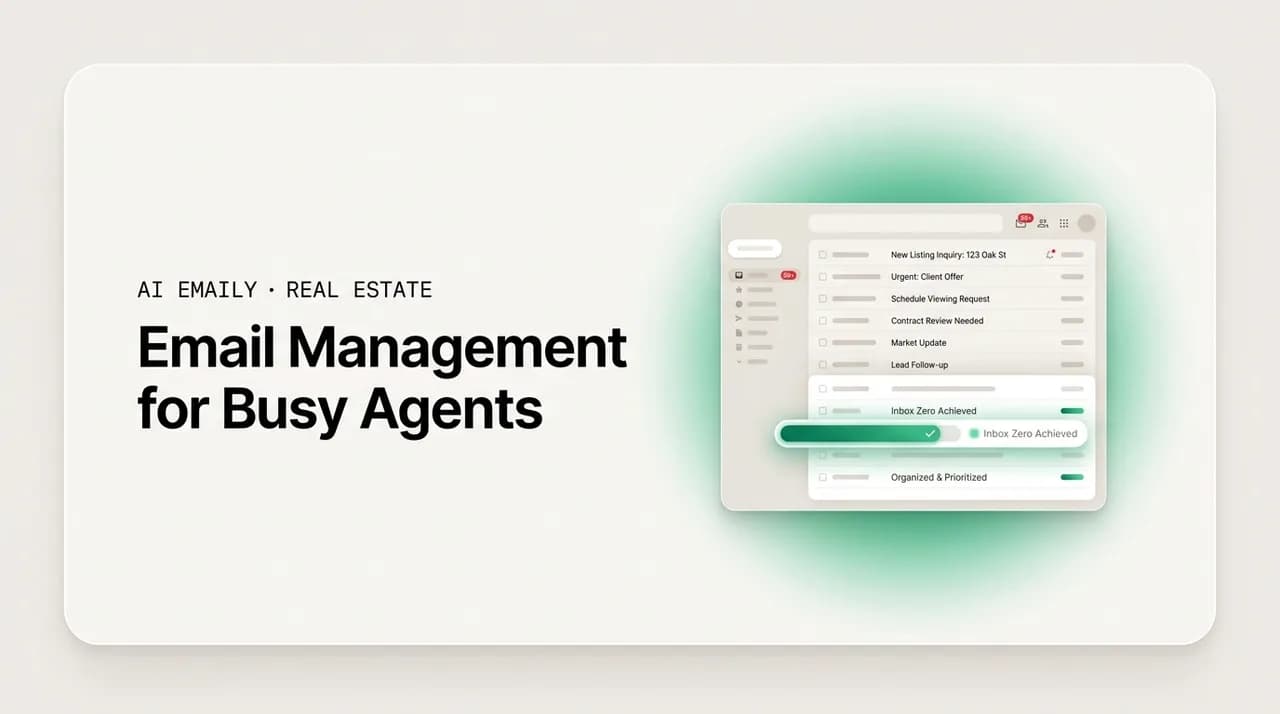
The short answer
Email management for real estate agents comes down to a repeatable system: triage every message into a small set of buckets, use labels and templates to remove repeat typing, batch and schedule your replies, and delegate the routine. The agents who stay fast as they scale stop treating the inbox as a to-do list and start treating it as a pipeline they route.
A practical email management system for real estate agents: triage buckets, labels, templates, batching, scheduling, and delegation across every account, plus how AI Emaily drafts and triages so you never miss a lead.
On this page
- 01Why email management is a real problem for real estate agents
- 02The five senders every agent's inbox has to serve
- 03An inbox triage system built for real estate
- 04Labels, folders, and a filing system that stays out of your way
- 05Templates, snippets, and killing repeat typing
- 06Batching, scheduling, and protecting your day
- 07Managing multiple accounts and a team without dropping the ball
- 08Keeping your speed as you scale
- 09Managing email on the go, between showings
- 10How AI Emaily does email management for agents
- 11A quick reference: the triage buckets at a glance
- 12Putting the system to work
Why email management is a real problem for real estate agents#
Email management for real estate agents is not a productivity nicety. It is the difference between a lead that becomes a closing and a lead that quietly signs with someone who replied first. Agents live in a channel that never empties: new leads from Zillow, Realtor.com, and your own site; buyers and sellers mid-transaction who need answers today; transaction coordinators chasing signatures; lenders confirming pre-approvals; title, inspectors, appraisers, and the other agent on every deal; plus the vendors, stagers, photographers, and referral partners who keep a practice running. Each of those is a different sender with a different urgency, and they all land in the same undifferentiated stream.
The volume alone is enough to bury a working day. A McKinsey analysis found the average professional spends about 28% of the workday reading and answering email, which works out to roughly 2.6 hours a day and 120 messages received. For an agent that number is conservative, because email is not a side task in this job; it is the job. Every showing request, counteroffer, and closing detail is an email, and the ones you miss are not abstract inbox clutter, they are money and reputation walking out the door.
There is a speed problem layered on top of the volume problem. Real estate is one of the few industries where response time is openly competitive. In the NAR Technology Survey, agents named saving time and enhancing the client experience as their top reasons for adopting technology at all, precisely because clients notice how fast you move. When a first-time buyer emails at 9 p.m. with a nervous question about closing costs, or an investor pings you for comps on an off-market unit, the agent who answers in minutes usually keeps the relationship. The one who answers tomorrow morning often does not.
This is where most agents get stuck, and it is worth naming the trap plainly. As lead volume climbs, the natural instinct is to work the inbox harder: check it more often, reply later into the night, keep more tabs open. That scales for a while and then it stops. Manual inbox work is the exact thing that caps growth for a busy agent, because there are only so many hours, and every new lead adds inbox minutes rather than removing them. You cannot out-hustle a channel that grows faster than your day does.
The agents who break through do something different. They stop treating the inbox as a bottomless to-do list and start treating it as a pipeline they route. Instead of reading every message top to bottom and reacting, they sort each one into a small number of predictable buckets, handle the routine with templates and automation, and reserve their actual attention for the conversations that close deals. That system is what this guide lays out: the triage model, the folders and labels, the templates and batching, how to run multiple accounts and a team without dropping anything, how to keep your speed as you scale, how to stay fast on your phone between showings, and finally how an AI email client like AI Emaily does most of it for you.
The core shift
The five senders every agent's inbox has to serve#
Before you build a system, it helps to see the inbox for what it actually is: five distinct streams pretending to be one. Each has a different clock and a different tolerance for delay, and a good system treats them differently rather than reading them in arrival order.
- New leads. The most time-sensitive stream and the one with the shortest window. A portal lead or a form fill is only warm for a few minutes before they email the next agent. These need an instant acknowledgment even if the full answer comes later.
- Active clients. Buyers and sellers mid-transaction, from anxious first-timers asking what a term means to sellers wanting an update on showings. High trust, high frequency, and the group most likely to notice slow replies as a sign of how the whole deal will go.
- Deal partners. Transaction coordinators, the co-op agent, escrow and title, inspectors, and appraisers. These are deadline-driven and often blocking, meaning a delayed reply from you stalls someone else's work and pushes a closing date.
- Money and financing. Lenders and loan officers confirming pre-approvals, rate locks, and conditions. Time-critical because financing timelines are unforgiving and a missed condition can sink a deal.
- Vendors and network. Photographers, stagers, home warranty reps, referral partners, and your brokerage. Rarely urgent individually, but collectively a steady drip that clogs the inbox and hides the urgent stuff underneath it.
The reason this breakdown matters is that the streams have opposite failure modes. Miss a new lead by twenty minutes and you may have lost it for good. Miss a vendor email by a day and nothing happens. Yet in an untriaged inbox they look identical, sorted by nothing more useful than what arrived last. Every minute you spend reading a warranty renewal is a minute the fresh buyer lead sits unanswered. The whole point of a system is to make sure your fastest reflexes are pointed at the fastest-decaying messages, and your slower, batched attention absorbs the rest.
An inbox triage system built for real estate#
Triage is the foundation, and it is borrowed directly from emergency rooms for a reason: when you cannot treat everything at once, you sort by urgency first and treat in that order. For an inbox, that means every message gets a fast, almost reflexive decision the moment you see it, sorting it into one of a handful of buckets. The goal is not to answer everything; it is to decide, in a second or two, what each message needs and when.
Use four buckets. They map cleanly onto the sender streams above and onto how a real estate day actually runs.
- 1
Bucket 1 — Respond now (leads and blockers)
New leads and anything blocking a deadline or another person: a portal lead, a lender waiting on a document, a TC needing a signature to hit a closing date. These get an immediate reply or at minimum an instant acknowledgment that buys you time. This bucket is small and it is sacred; protect it from everything else.
- 2
Bucket 2 — Respond today (active clients)
Real conversations with buyers and sellers in your pipeline that need a thoughtful, personal answer but not this second. Batch these into one or two focused blocks a day rather than answering each as it lands, so your day is not shredded into interruptions.
- 3
Bucket 3 — Delegate or template (the routine)
FAQs from first-time buyers, scheduling back-and-forth, document requests, status updates, and vendor coordination. These recur constantly and rarely need original writing. They belong to a template, an assistant, or automation, not to your personal attention.
- 4
Bucket 4 — Archive or defer (reference and noise)
Newsletters, brokerage announcements, receipts, and anything you might want later but do not need to act on. Archive aggressively. A message you keep in your face out of vague anxiety is a message stealing attention from bucket 1.
The discipline that makes triage work is separating deciding from doing. Most agents lose time because they open a message, start answering it, get pulled into research or a phone call, and leave the rest of the inbox unread underneath. Instead, do one fast pass where you only sort, touching nothing but the bucket, then work the buckets in order. Respond-now first, always. Then your batched client block. Then hand off or template the routine. Noise gets archived without ceremony. One pass to sort, then work by priority, is the entire method.
Two rules keep the system honest. First, an empty respond-now bucket is the real definition of inbox zero for an agent, not an empty inbox. You will never clear every message, and you should stop trying. What you can clear, every few hours, is the small pile of things that actually cannot wait. Second, if a message can be answered in under a minute and it is in front of you, just answer it, so it never has to be sorted, batched, and reopened later. Everything else waits for its bucket's turn.
Redefine inbox zero
Labels, folders, and a filing system that stays out of your way#
Triage tells you what to do with a message now. Labels and folders tell you where things live so you can find them later and so the routine sorts itself before you ever look. The mistake most agents make is building an elaborate folder tree with a folder per client, per property, per year, until filing becomes its own part-time job. A real estate filing system should be shallow, automatic, and built around how you search, not how a librarian would organize.
Start with a small, fixed set of labels that mirror your buckets and streams, and let automatic rules do the sorting. A workable set looks like this.
- Lead labels by source. Tag incoming leads by where they came from, for example Zillow, Realtor.com, Website, and Referral. Set an inbox rule so portal emails self-label on arrival. This alone surfaces your hottest stream at a glance and tells you which lead sources are worth their cost.
- Stage labels for the pipeline. A short ladder, such as New, Nurturing, Active Buyer, Active Seller, Under Contract, and Closed, lets you see where every relationship sits without opening a CRM.
- Transaction labels per active deal. One label per property address under contract keeps the TC, lender, title, and inspection threads for a given deal together, so nothing about 42 Oak Street ever hides in a general pile.
- A waiting-on label. Tag anything where the ball is in someone else's court, so you can follow up on exactly the right day instead of re-reading your whole sent folder to remember who owes you what.
- A routine or FAQ label. Mark the repeat questions and scheduling threads that belong to templates or delegation, so you can see how much of your volume is automatable and hand it off in bulk.
The principle underneath all of it: prefer rules and search over manual filing. Modern email finds messages by sender, keyword, and date in a fraction of a second, so you do not need to bury a message in a folder to retrieve it. You need it labeled well enough that the important streams stand out and the routine sorts itself. Let automatic filters do the repetitive tagging, and reserve your effort for the two or three labels that actually change what you do next, namely your lead source and your active transactions. A filing system you have to maintain by hand will be abandoned within a month; one that runs on rules survives your busiest week.
One caution specific to this business: your inbox is not your system of record. Labels and folders are for finding and routing, not for storing the authoritative history of a transaction, which belongs in your CRM and your brokerage's compliance system. Keep the inbox lean and let it point to the real record rather than becoming it.
Templates, snippets, and killing repeat typing#
Once you watch your own outbox for a week, a uncomfortable pattern appears: you are writing the same emails over and over. The first-time buyer asking what earnest money is. The listing appointment confirmation. The request for a pre-approval letter. The under-contract next-steps summary. The just-listed announcement. First-time buyers in particular email constantly because everything is new to them, so they ask about all of it, and you answer the same twenty questions across every client. Every one of those is a template you should write once and reuse forever.
Templates do two things at once. They save the minutes you would spend retyping, and, more importantly, they make your best answer your default answer. The version of the closing-timeline explanation you write carefully on a calm Tuesday is far better than the rushed one you would type at 6 p.m. between showings. A good template captures your clearest thinking and then delivers it every time, so your busiest day and your slowest day produce the same quality of reply.
- 1
Mine your sent folder
Scroll your last month of sent mail and note every email you have effectively written more than twice: FAQ answers, confirmations, document requests, status updates, follow-ups. That list is your template backlog, ranked by how often each appears.
- 2
Write each one well, once
Draft the clearest, warmest version of each repeat email when you have time to think. Leave obvious blanks for the details that change, such as the name, the address, the date, and the price, so personalizing takes seconds.
- 3
Store them where you write
Save them as saved replies, canned responses, or text snippets inside your email client so they are one shortcut away, not in a separate document you have to hunt for. Friction kills reuse.
- 4
Always personalize the top line
Open with one specific, human sentence before the templated body, referencing their property, their question, or your last call. This single line is the difference between a warm reply and an obvious form letter, and it takes ten seconds.
- 5
Prune and update quarterly
Retire templates you no longer use, fix the ones that draw follow-up questions, and add the new repeat emails that have crept in. A template library is a living asset, not a one-time project.
The one real risk with templates is sounding like a robot, and it is worth taking seriously because a canned reply that reads as canned can cost you the trust you were trying to build. The fix is not to abandon templates; it is to treat them as a strong first draft rather than a finished send. Keep the reusable body, always rewrite the opening line for this person, and cut anything that reads as generic filler. Done that way, a template makes you faster and more consistent without ever making you sound automated. Later in this guide, when we get to AI, this is exactly the seam an AI draft fills: a personalized first draft in your own voice, rather than a rigid block you paste unchanged.
Batching, scheduling, and protecting your day#
Triage and templates handle what and how. Batching and scheduling handle when, and this is where most of the reclaimed time actually comes from. The hidden cost in an agent's day is not the total time spent on email; it is the fragmentation. When you check the inbox every few minutes between tasks, each check pulls you out of a showing prep, a contract review, or a client call, and the switch back costs far more than the message did. Constant email interruption does not just spend time, it degrades the focused work you do around it.
Batching means processing email in a few defined windows instead of continuously. The catch for real estate is that you genuinely cannot ignore new leads for hours, because speed to lead is real and a warm lead goes cold fast. The resolution is to split the streams: new leads get an instant, automated acknowledgment the moment they arrive, which buys you the time to answer the substance in your next batch, while everything else waits for a scheduled window. You get the speed where speed decides the deal and the focus everywhere else.
- 1
Set two or three fixed email windows
Pick times that fit your day, for example early morning, midday between showings, and early evening. Outside those windows, the inbox is closed and notifications are off so you can prep, show, and negotiate without a running feed of email pulling at you.
- 2
Automate instant lead acknowledgment
Set an auto-response for new leads so they get a friendly, immediate reply within seconds, promising a real answer shortly. This protects your speed-to-lead without forcing you to sit on the inbox, and it is the single change that makes batching safe in this business.
- 3
Work each window by bucket
In each window, clear respond-now first, then your batched client replies, then hand off or template the routine, then archive the noise. Same order every time, so it becomes automatic rather than a fresh decision.
- 4
Schedule sends for the right moment
Draft when you have time, but schedule the send for when it lands best, such as a follow-up first thing in the morning or a check-in after a showing. Scheduling lets you clear your queue at midnight without emailing clients at midnight.
- 5
Batch follow-ups off your waiting-on label
Once a day, run your waiting-on label and nudge everyone who owes you a reply. Doing all follow-ups in one pass is far faster than reconstructing who to chase from memory throughout the day.
Scheduling deserves one extra note because it quietly solves a real estate-specific problem: timing. The best time to send a follow-up is rarely the moment you happen to write it. You might finish your admin block at 11 p.m., but a nurture email lands better at 8 a.m., and a post-showing check-in lands better a couple of hours after the showing than at midnight. Scheduled send lets you separate when you work from when your clients hear from you, so you can batch on your schedule while every message still arrives at a moment that respects theirs.
Managing multiple accounts and a team without dropping the ball#
Very few agents run a single inbox. There is the brokerage address, a personal Gmail, sometimes a dedicated leads@ address, and a team may add shared or per-agent accounts on top. Each one is a place a lead can land and a place a message can be missed, and the more accounts you juggle, the more the gaps between them become the real risk. A lead that emails your old personal address instead of your leads line does not care that it went to the wrong inbox; it just goes unanswered.
The single most valuable move here is consolidation: bring every account into one place so you triage one stream instead of remembering to check four. Whether you do that by forwarding secondary accounts into a primary one or by using an email client that connects multiple accounts into a unified inbox, the goal is the same. There should be exactly one surface you scan, so no lead can hide in an account you forgot to open that day. Split inboxes are how busy agents lose deals they never even knew arrived.
- Unify, then triage once. Route or connect every account into a single view, and run one triage pass across all of it. One place to look means nothing slips through the seam between accounts.
- Keep identities straight. When you reply from a unified inbox, make sure it goes out from the right address, so a client email from your brokerage account does not get answered from a personal one and confuse the thread.
- For teams, standardize the response. Agree on shared templates and a house voice so a lead gets the same fast, on-brand reply no matter which team member catches it. Inconsistent quality across a team is a brand risk, not just an individual one.
- Assign clear ownership. On a shared or team inbox, every incoming lead needs one named owner so two agents do not both reply, or worse, both assume the other did. A simple assignment step prevents the most common team inbox failure.
- Audit the handoffs. Periodically check that leads from every source and account are actually being answered. The messages that slip are almost always the ones in the account or the corner nobody owns.
For team leads specifically, the stakes shift from personal productivity to brand consistency. When five agents answer leads five different ways at five different speeds, the client experience becomes a coin flip, and a slow or off-brand reply from one agent reflects on the whole team. A shared template library, a unified view of who is answering what, and clear ownership on every lead turn a scattered group of inboxes into something that behaves like one responsive front door. That consistency is worth as much as the raw time savings, because it is what lets a team scale without diluting the service that earned the referrals in the first place.
Keeping your speed as you scale#
Here is the paradox at the heart of a growing real estate business: the busier and more successful you get, the harder it is to stay fast, because volume grows faster than your hours. The mid-career and established agents who feel this most are usually running near their personal ceiling already, closing a healthy pipeline, and finding that any further growth means either working more nights or removing the manual bottlenecks from their existing system. The inbox is almost always the biggest of those bottlenecks.
The way through is to change what you personally touch. Early on, doing every email yourself is fine and even preferable, because volume is low and each relationship is precious. But the same habit that built the business will cap it, because a practice that depends on you personally typing every reply cannot grow past the number of emails you can type. Scaling speed means progressively pulling yourself out of the routine so your attention concentrates on the high-value conversations only you can have.
- Automate the acknowledgment layer. Instant lead replies, showing confirmations, and receipt-style status notes should never need you. This is the highest-volume, lowest-judgment tier and the first thing to take off your plate.
- Templatize the repeatable middle. FAQs, document requests, and standard follow-ups become one-click sends, so the routine takes seconds instead of minutes and never gets skipped on a busy day.
- Delegate the coordination. Scheduling, vendor back-and-forth, and TC chasing can go to an assistant or an automated flow, freeing you from the logistics that eat hours without closing deals.
- Reserve yourself for trust. Negotiations, hard conversations, relationship-building with sellers, and the nervous first-time buyer who needs reassurance are where your time actually earns its return. Protect that time by clearing everything else off it.
Notice that this is not about caring less or answering slower. It is the opposite: by automating and delegating the routine, you free up the capacity to be faster and more present on the messages that matter, the ones a template or an assistant could never handle well. An agent who has offloaded the acknowledgment and coordination layers can give a genuinely fast, genuinely personal reply to a lead or an anxious client because they are not drowning in the other ninety percent. Speed at scale comes from doing less of the inbox yourself, not more of it.
Managing email on the go, between showings#
Real estate does not happen at a desk. A huge share of an agent's email gets read and answered from a phone, in a car between showings, at an open house, standing in a client's driveway. That reality breaks a lot of standard inbox advice, because the tidy system that works on a big screen falls apart when you are thumbing through notifications one-handed with two minutes before a walkthrough. Mobile needs its own lighter rules.
The move on mobile is to triage, not to process. On your phone, your job is the fast sort and the truly urgent reply, not a full inbox cleanup. Glance, decide the bucket, fire off the one-line acknowledgment or the templated reply a lead needs right now, and leave the thoughtful work for your next batch at a real keyboard. Trying to do deep inbox work on a phone between showings is how mistakes happen and how you lose the thread of the conversation you are actually in.
- Answer only respond-now on mobile. Acknowledge new leads instantly and unblock anything time-critical, and let the rest wait for your next windowed batch. The phone is for triage and emergencies, not for clearing the inbox.
- Lean on templates on the small screen. A one-tap saved reply is worth ten times as much on a phone as on a desktop, because typing a careful email with your thumbs is slow and error-prone. Let a template carry the weight.
- Turn off noise notifications. If every newsletter and receipt buzzes your phone, you will miss the lead in the flood, or start ignoring notifications entirely. Alert only on the streams that matter, ideally new leads and active clients.
- Do not make deal decisions from a driveway. Save contract edits, negotiation replies, and anything with legal or financial weight for a moment when you can focus. A rushed thumb-typed reply on a live deal is a risk not worth taking.
How AI Emaily does email management for agents#
Everything above is a system you can run by hand, and it works. The limitation is that it still runs on your attention: you are the one triaging, pulling templates, remembering to acknowledge leads, and keeping four accounts in view. That is exactly the manual inbox work that caps growth, and it is the part an AI email client is built to take off your plate. AI Emaily is an AI-native email client that connects to Gmail, Outlook, iCloud, Fastmail, Proton, and any IMAP account, and it runs the system for you rather than just giving you a place to run it yourself.
The features map directly onto the workflow this guide describes, so the fit is not a stretch, it is the same system with the manual parts automated.
- AI triage. Every incoming message is read and sorted the moment it arrives, so your respond-now leads and deal blockers surface at the top while newsletters and receipts fall away. The triage pass this guide asks you to do by hand happens automatically, across every account.
- One unified inbox across accounts. Your brokerage address, personal mail, and leads line come into a single view, so there is one surface to scan and no lead can hide in an account you forgot to open. The consolidation move, done for you.
- Drafts waiting for you. Instead of a blank page or a rigid template, AI Emaily writes a reply in your own voice for the messages that need one, so the routine FAQ answer or follow-up is already drafted when you open it. It is the template idea taken further: a personalized first draft, not a paste-over block.
- Instant lead acknowledgment. New leads can get a fast, on-brand reply immediately, protecting your speed to lead without you sitting on the inbox, which is what makes batching safe in a business where minutes matter.
The part that makes this usable for real estate rather than reckless is that it is built around control, not blind automation. AI Emaily runs in three modes so you decide how much rope the AI gets. In Manual, it drafts and organizes but sends nothing without you. In Copilot, it prepares replies and waits for your approval before anything goes out, which is the right default for most client-facing mail, where a human should still bless the send. In Autopilot, you let it handle clearly routine, low-risk messages on its own, such as an instant lead acknowledgment or a standard scheduling confirmation, the kind of templated reply that is safe to send without you.
Two things keep that honest. Every action is reversible, with undo on what the AI does, so an automated reply is never a point of no return. And everything it does is written to a full audit trail, so you can see exactly what was sent, drafted, or sorted on your behalf and when. That combination, approval before sends by default, undo, and a complete record, is what lets you hand off the routine without handing over your judgment or your reputation. You stay the agent; the AI just clears the busywork that was capping how many clients you could serve well.
The honest framing matters here, so it is worth being plain about it: AI Emaily is not a replacement for the trust-building conversations that actually close deals, and it does not pretend to be. It handles the repetitive, high-volume, low-judgment layer of the inbox, the acknowledgments, the FAQs, the sorting, the first drafts, so that your time and your voice go to the negotiations, the reassurance, and the relationships that only you can build. Used that way, it does not make you less present with clients; it is what finally lets you be more present, because you are no longer buried under the ninety percent of email that never needed you in the first place. You can try it free at app.aiemaily.com/signup, with a Free plan at no cost and Pro at $12.42 per month on the annual plan.
A quick reference: the triage buckets at a glance#
Here is the whole triage model compressed into a table you can keep next to your inbox until the sort becomes reflexive. Every message goes into exactly one bucket, and you work the buckets in order, top to bottom.
| Bucket | What lands here | When you handle it |
|---|---|---|
| Respond now | New leads, and anything blocking a deadline or another person (lender, TC, title). | Immediately, or an instant acknowledgment that buys time. Cleared several times a day. |
| Respond today | Active buyers and sellers needing a real, personal reply but not this second. | In one or two batched, focused windows, worked after respond-now is clear. |
| Delegate or template | FAQs, scheduling, document requests, status updates, vendor coordination. | Via saved templates, an assistant, or automation, never your original writing. |
| Archive or defer | Newsletters, brokerage notices, receipts, reference mail with no action. | Archived immediately, or deferred with a label. Never allowed to hide the top bucket. |
Putting the system to work#
Email management for real estate agents is not about willpower or checking your inbox more often. It is a system, and it is the same system whether you run it by hand or let software run it for you: sort every message into a small set of buckets, protect the respond-now stream above all, answer the routine with templates and automation, batch and schedule the rest, unify your accounts into one view, and keep your personal attention for the conversations that close deals. Do that and the inbox stops being the thing that caps your growth and starts being a pipeline you route.
Start small. Set up your four buckets and one triage pass tomorrow morning. Turn on an instant acknowledgment for new leads by the end of the week. Mine your sent folder for the five templates you write most often. Pick two or three email windows and close the inbox in between. Those four changes alone will give most agents back the better part of an hour a day and stop the leaks that were costing deals. And when you are ready to stop running the system on your own attention, an AI email client can take over the triage, the drafts, and the acknowledgments, so the pipeline routes itself and you get to do the part of the job you actually got into real estate for.
Frequently asked
See it in AI Emaily
Keep reading
Sources

Written by
Nafiul HasanNafiul Hasan is an entrepreneur and AI automation system builder with 10+ years of experience turning messy, manual workflows into reliable automated systems. He designs and ships AI enterprise solutions end-to-end — the agent logic, the data plumbing, and the product people actually use — and founded AI Emaily to give busy professionals their attention back. He writes here from the builder's seat: what works, what breaks, and how to put AI to work without giving up control.