How AI-Driven Email Management Boosts Productivity

The short answer
AI email management productivity comes from removing specific work, not magic: triage cuts reading, drafting cuts writing, follow-up tracking stops dropped balls, and autonomy clears routine threads. The bigger win is fewer interruptions, which protects deep-focus blocks. The honest range is one to two hours a day back for a heavy emailer.
How AI email management productivity actually works: where the hours go today, how AI removes each, an honest time-saved model, and where it doesn't help.
On this page
- 01Where do your email hours actually go today?
- 02How does AI triage cut your reading time?
- 03How does AI drafting cut your writing time?
- 04How does follow-up tracking stop dropped balls?
- 05How does autonomy remove the routine entirely?
- 06Why is the focus gain bigger than the minutes saved?
- 07What does an honest time-saved model look like?
- 08Where does AI email management not help?
- 09How do you measure your own productivity gain?
- 10How does AI Emaily turn these mechanisms into productivity?
- 11What does it cost, and is the productivity worth it?
- 12Frequently asked questions
Most claims about AI email management productivity skip the part that actually matters: the mechanism. A tool promises to "save you hours" without ever saying which hours, where they currently go, or how the AI removes them. That vagueness is how you end up disappointed — you adopt something on the strength of a number on a landing page, and three weeks later the inbox still owns your morning. The honest version is more useful and more boring: email productivity gains are not one big leap, they are the sum of several specific tasks the AI takes off your plate, each worth a measurable slice of time, plus one larger effect that does not show up on a stopwatch at all.
Start with where the time goes today, because that is the only thing the savings can come from. The average professional spends roughly 2.6 hours a day on email — close to a third of the working day — across a flow of about 121 messages, of which maybe one in ten is genuinely consequential. That 2.6 hours is not one activity. It is reading and sorting to find the few messages that matter, writing replies, switching contexts between mail and real work, and the quiet overhead of remembering what you owe people and chasing what they owe you. Each of those is a different kind of work, and AI removes each in a different way and by a different amount. Add them up honestly and you get a defensible estimate of what an AI email tool can give back — not the inflated number, and not nothing.
This guide is the mechanism and the math. We will walk where your email hours actually go, then take each one in turn — how AI triage cuts reading, how drafting cuts writing, how follow-up tracking stops dropped balls, how autonomy clears the routine — and put a sober time figure on each. Then the part most articles skip: the focus multiplier that is worth more than the raw minutes, an explicit time-saved model with its assumptions on the table, where AI email does not help at all, and how to measure your own gain instead of trusting ours. We build AI Emaily, so we will use it as the worked example and be plain about the trade-offs. Let's start by accounting for the hours.
Where do your email hours actually go today?#
You cannot save time you have not accounted for, and "I spend too long on email" is not an account. The 2.6-hour-a-day figure is real but useless until you break it into the activities underneath, because AI does not save "email time" as a lump — it removes specific tasks, and the size of your gain depends entirely on which tasks dominate your day. A founder who writes thirty thoughtful replies has a very different time profile from a manager who mostly reads, forwards, and tracks. Here is the breakdown that matters, in roughly the order it eats the day.
- Reading and sorting — finding the few messages that matter inside the flood that does not. With ~121 messages a day and only ~1 in 10 consequential, most of this time is spent opening, scanning, and dismissing mail that never needed you. This is usually the single largest slice, and it is almost pure overhead: you learn nothing and produce nothing, you just triage.
- Writing replies — composing the responses that do need you, from a two-line confirmation to a careful answer to a customer. For people whose job is relationships or sales, this is the biggest slice; for people who mostly receive and route, it is smaller. The cost is not just typing — it is the blank-page friction of starting each reply from nothing.
- Context-switching — the tax of bouncing between the inbox and your actual work. Every glance at email pulls you out of whatever required real focus, and getting back in is not instant. This time is invisible because it is never "in" the inbox, but it is often the most expensive slice of all, and the one raw-minute counters miss entirely.
- Follow-up and tracking overhead — the mental load of remembering what you promised to send, who owes you an answer, and which thread has gone quiet. You hold a running to-do list in your head, re-read threads to reconstruct state, and still drop things. This slice is small in minutes but large in consequence, because the dropped ball costs far more than the time spent tracking.
Your mix decides your gain
Two things about this breakdown are easy to miss and important for the math. First, the slices compound — reading and sorting is what triggers most context-switches, so cutting the reading slice quietly shrinks the switching slice too. Second, the slices have very different ceilings: writing can be cut a lot but never to zero, because some replies genuinely need your judgment and your words, while reading can be cut close to zero, because deciding what matters is exactly the pattern work AI is good at. Keep your own mix in mind below: the headline gain is whatever AI removes from your largest slices, not someone else's.
It also helps to name what this guide is not about. We are not handing you techniques for processing your inbox faster by hand — batching, folders, the two-minute rule. Those are coping strategies for doing the work yourself; our companion pieces on managing email with AI and on intelligent-inbox productivity habits cover that ground. This guide is about the work AI does instead of you — the productivity that comes from no longer touching tasks at all, rather than touching them more efficiently.
How does AI triage cut your reading time?#
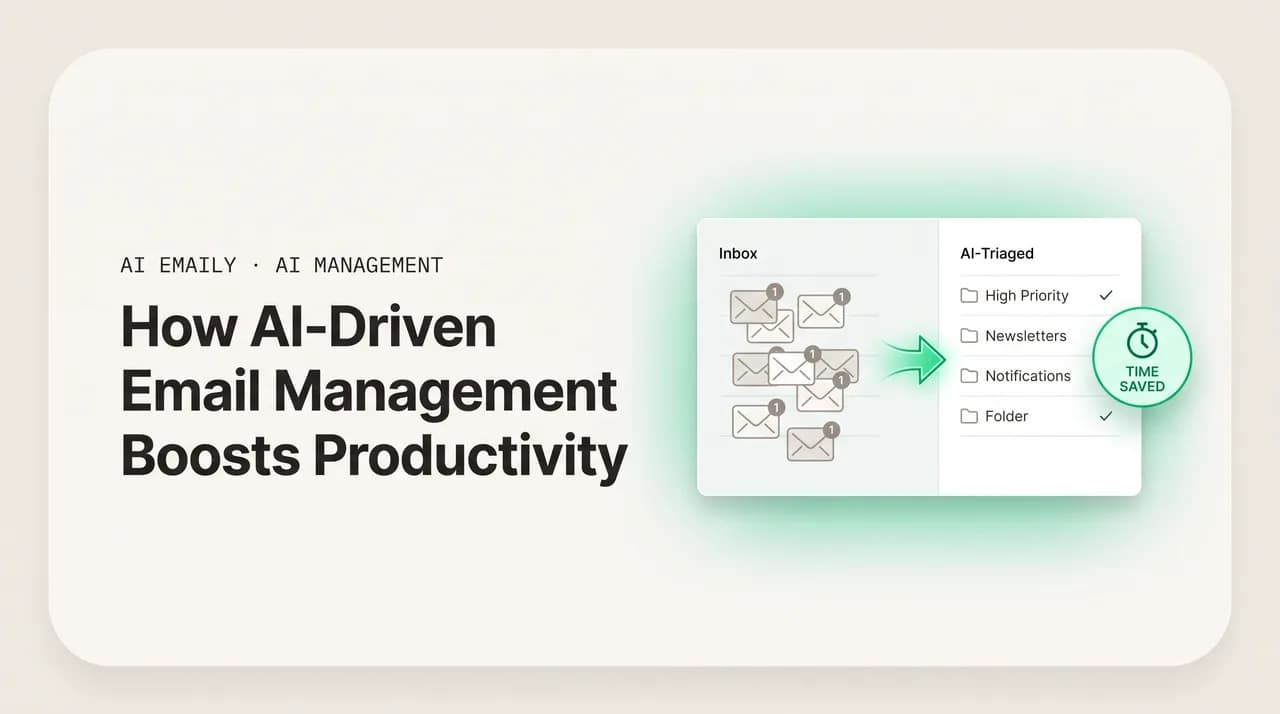
Reading and sorting is usually the largest slice, and it is the one AI removes most completely, because the underlying task — deciding what each message is and whether it needs you — is pattern recognition, and pattern recognition is what these models do. The mechanism is simple to describe. As mail arrives, the AI reads each message and classifies it: is this a genuine person who needs a response, an FYI you can skim later, a newsletter, an automated notification, or noise? It then presents your inbox already sorted by what matters, so you open it to a short list of things that need you instead of an undifferentiated pile you have to triage by hand, message by message.
The productivity gain here is not that you read the important mail faster — you read it at the same speed. The gain is that you stop reading the unimportant mail at all. If ~90% of your ~121 daily messages do not need you, and triage means you no longer open most of them to find that out, you have removed the bulk of the reading slice in one move. You still see everything; nothing is deleted or hidden. But the cognitive act of "open, scan, decide it is nothing, dismiss" — repeated a hundred times a day — is what triage collapses. That repeated micro-decision is most of where the reading time actually goes.
Triage saves attention, not just minutes
How does AI drafting cut your writing time?#
For anyone whose inbox is mostly replies — sales, support, client work, founders — writing is the biggest slice, and it is the one with the most stubborn friction: the blank page. Starting a reply from nothing is slower than it looks, because you have to recall the context, decide the structure, and find the first sentence before you write anything useful. AI drafting attacks exactly this. For each message that needs a reply, the AI produces a draft — grounded in the thread, in your past answers, and in your real facts — so you start from a near-complete response and edit, rather than from a cursor and a blank box.
The honest framing matters, because this is where inflated claims live. AI drafting does not cut your writing time to zero. Some replies need your judgment, your specific knowledge, or your words, and for those the draft is a starting point you will rework — still faster than blank-page, but not free. Where drafting wins big is the large category of replies that are routine but not quite templatable: the "yes, Tuesday works," the standard answer to a common question phrased a little differently each time, the polite decline. For those, a good draft is genuinely send-with-a-glance, and that is most of the volume for most people. The realistic effect: the writing slice shrinks substantially — you spend your writing time on the few replies that deserve it and approve the rest.
There is a quality dimension that is also a productivity dimension. A draft you have to fully rewrite has saved you nothing; it has added a step. So the entire value of drafting hinges on whether the output is good enough to send with a light edit — which depends on whether the AI writes in your actual voice with your actual facts rather than a generic, tonally anonymous reply. The productivity point is narrow: insist on drafting good enough to approve, because a draft you must author from scratch is not a time saving, it is a detour.
How does follow-up tracking stop dropped balls?#
The follow-up slice is small in raw minutes and large in consequence, which makes it the most under-counted source of productivity in the whole inbox. The work is invisible: you hold a running list in your head of what you promised to send, who owes you an answer, and which thread has gone quiet, and you periodically re-read old threads to reconstruct that state. The minutes spent are modest. The cost of getting it wrong is not — a dropped follow-up is a lost deal, a annoyed client, a deadline missed, and the value destroyed there dwarfs the time spent tracking.
AI removes this slice by maintaining the state for you. It notices when you have said you will send something, when a message you sent has gone unanswered for a while, and when a thread that needed a reply has stalled, and it resurfaces those at the right time — and can draft the nudge in your voice. The productivity gain is two-sided. The small, direct part is the minutes you no longer spend holding the list in your head and re-reading threads to rebuild it. The large, indirect part is the cost you avoid: the deals and relationships that used to leak through the cracks now get caught. For many people the indirect gain is the single most valuable thing AI does to their inbox, even though it is the hardest to put a minute figure on.
The most valuable gain is the one you can't time
How does autonomy remove the routine entirely?#
Triage, drafting, and tracking all leave you in the loop — you still approve, still send, still decide. The last lever removes you from the loop for a narrow, deliberately chosen category: the routine, low-stakes messages where your judgment adds nothing. The same FAQ answered for the hundredth time, the order-status reply, the simple acknowledgment. For these, an autonomous agent can read, draft, send, and mark the thread done without you touching it — within limits you set, and with every action logged so you can review what it did.
This is where the largest raw-time gain lives, because it removes not just the writing of a reply but the entire handling of the thread — the reading, the deciding, the sending, the closing. But it is also where the honesty has to be sharpest, because autonomy is the one lever with real downside: a wrong reply sent on its own reaches a person under your name with no one checking it first. So productivity from autonomy is only safe productivity if it is tightly scoped and reversible. The right posture is to grant it one category at a time, only after you have watched the AI handle that category well in approval mode, and keep everything else routed to a human. Done that way, autonomy clears a meaningful chunk of volume off your plate entirely; done carelessly, it trades time for risk you will regret.
| Lever | What it removes | You stay in the loop? | Realistic time effect |
|---|---|---|---|
| Triage | The act of sorting and dismissing noise | Yes — you read what's flagged | Large cut to the reading slice |
| Drafting | Blank-page friction on replies | Yes — you approve and send | Substantial cut to the writing slice |
| Follow-up tracking | Holding state in your head | Yes — you act on the resurfaced item | Small minutes; large avoided cost |
| Autonomy (gated) | The entire handling of a routine thread | No — within limits you set | Largest raw-time cut, narrowest safe scope |
Autonomy is opt-in, scoped, and logged
Why is the focus gain bigger than the minutes saved?#
If you only count minutes, you will undervalue AI email management, because the most expensive thing the inbox does to you is not consume time — it fragments attention. Every time email pulls you out of work that required real concentration, you pay twice: once for the minutes on the message, and again for the cost of getting back into what you were doing. Research on knowledge work puts the recovery time after an interruption at well over a minute, and often much more for genuinely deep tasks. A day sliced into fragments by constant inbox checks is a day in which the hard, valuable work — the work only you can do — never gets a clean block to happen in.
This is where AI email produces a gain that does not appear on any stopwatch. When the AI handles the constant low-priority flow — triaging the noise, drafting the routine, clearing the trivial autonomously — the inbox stops being a thing you have to watch continuously and becomes a thing you check in a short, deliberate window. You can leave it alone for two hours, trusting that anything urgent is surfaced and the routine is handled, and spend those two hours in the deep-focus state that real work requires. The productivity here is not the email minutes saved; it is the quality and continuity of the hours you protect by not being interrupted. For many knowledge workers that is worth more than every minute of triage and drafting combined.
- Fewer interruptions, longer focus blocks — when you trust the AI to surface the urgent and handle the routine, you stop checking compulsively and recover the long, uninterrupted stretches deep work needs.
- Lower decision load — a hundred tiny "does this matter?" judgments a day is real fatigue. Triage removes most of them, leaving more decision capacity for the work that deserves it.
- Batched, not constant — email shifts from a background hum running all day to a defined window you control, which is the single biggest change to how the inbox feels.
- Less context reconstruction — because the AI holds thread state and follow-up state, you spend less of your focus re-reading to remember where things stood, and more of it moving work forward.
Count the focus, not just the clock
What does an honest time-saved model look like?#
Here is the math, with the assumptions on the table so you can swap in your own numbers and disbelieve ours where you like. The point is not to defend a specific figure — it is to show how the figure is built, because a number you can reconstruct is worth more than a number you have to trust. We model a heavy emailer at the 2.6-hour-a-day baseline and apply realistic, not best-case, reductions to each slice. Your mix and your reductions will differ; the structure is what transfers.
- 1
Read the total as a range, not a promise
The model lands near 1.5 hours a day for a heavy emailer, which we'd honestly state as a 1–2 hour range. Lighter emailers save less in absolute terms; people whose day is mostly writing or mostly reading see the gain concentrate in that one slice. Treat ~1.5h as a defensible midpoint, not a guarantee.
- 2
Notice the assumptions doing the work
Every reduction percentage is a judgment call, and we chose conservative ones — 40% off writing, not 80%; 65% off reading, not 95%. If your drafts are great and your inbox is mostly routine, your reductions are higher. If your replies are all bespoke, lower. Swap in your own percentages and the total moves accordingly.
- 3
Remember what this table leaves out
The focus multiplier and the avoided cost of dropped follow-ups are not in this table, because they don't reduce to clean minutes — yet for many people they exceed the 90 minutes shown. The model is deliberately the floor of the value, not the ceiling.
| Activity | Baseline / day | Realistic AI reduction | Time saved / day |
|---|---|---|---|
| Reading & sorting | ~70 min | ~65% (triage removes most dismissals) | ~45 min |
| Writing replies | ~60 min | ~40% (drafting on routine majority) | ~24 min |
| Context-switching tax | ~25 min | ~50% (fewer interruptions) | ~12 min |
| Follow-up & tracking | ~15 min | ~60% (AI holds the state) | ~9 min |
| Total | ~170 min (2.8 h) | — | ~90 min (~1.5 h) |
Be suspicious of round, large numbers
Where does AI email management not help?#
A guide that only lists gains is marketing, not analysis, so here is the other side plainly. AI email management has real limits, and knowing them up front is what keeps your expectations — and your time-saved estimate — honest. None of these are reasons not to use it; they are reasons not to expect it to do things it cannot.
- Replies that are genuinely yours. Hard conversations, negotiations, anything requiring your specific judgment or relationship knowledge — the AI can draft structure, but the words and decisions stay yours. The writing slice has a floor, and these are it.
- A low-volume, well-managed inbox. If you get 20 considered emails a day and already handle them cleanly, the gains are modest — there is little noise to triage and little routine to automate. AI email pays off most where volume and noise are high.
- The decision to act on email. Reading and drafting the reply is not the same as making the call the email demands. AI gets you to the decision faster; it does not make the substantive business decision for you, nor should it.
- Discipline problems dressed as inbox problems. If the real issue is that you say yes to everything or never set boundaries, a faster inbox just lets you do that faster. AI removes volume work; it does not fix what generates the volume.
- Deeply non-standard workflows. If your work depends on idiosyncratic manual rules and edge cases the AI hasn't learned, expect a ramp-up period and a lower ceiling than a conventional inbox would see.
The gain is real where the work is repetitive
How do you measure your own productivity gain?#
Do not take our model on faith — measure your own, because your mix is the only one that determines your result. The good news is that you do not need a stopwatch or a spreadsheet; you need a baseline, a defined trial, and three honest questions at the end. The method below is simple enough to actually do, which matters more than a precise method you will never run.
- 1
Take a one-week baseline first
Before changing anything, note roughly how your email week feels: how long you spend in the inbox, how often you check it, how many times you got pulled out of focused work, and whether anything got dropped. You don't need exact minutes — a felt baseline you can compare against is enough.
- 2
Run AI in approval mode for two weeks
Connect your inbox and let the AI triage and draft, but keep yourself in the loop — approve every send. This isolates the triage and drafting gains without any autonomy risk, and gives the AI time to learn your voice. Two weeks is enough to get past the first-few-days learning curve.
- 3
Ask the three questions that matter
At the end, ask honestly: (1) Am I spending less time in the inbox? (2) Am I getting longer uninterrupted focus blocks? (3) Has anything been dropped that the old way would have caught — or fewer things? The first measures minutes, the second measures the focus multiplier, the third measures avoided cost.
- 4
Then decide on autonomy, one category at a time
Once you've seen the AI handle a routine category well in approval mode, grant it autonomy for that one category and watch the additional gain — and the audit log. Expand only as your confidence does. This is how you capture the largest raw-time lever without ever betting a relationship on it.
Trial it for free before you trust any number
How does AI Emaily turn these mechanisms into productivity?#
Everything above is the general mechanism; here is how it shows up in AI Emaily specifically, mapped to the slices it removes. The short version: it is one AI-native client that runs every provider, with triage that cuts your reading, drafting in your voice that cuts your writing, follow-up tracking that stops dropped balls, an optional gated agent that clears the routine entirely, and an approval-first posture so the time savings never come at the cost of control.
- 1
Triage across every connected inbox — cuts the reading slice
Connect Gmail, Google Workspace, Outlook, Microsoft 365, or IMAP — personal and shared addresses in one place — and the AI sorts incoming mail by what matters as it arrives. You open a triaged view, not a pile, so you read the few messages that need you and skip the manual dismissals. This is the largest slice for most people, removed most completely.
- 2
Drafting in your voice — cuts the writing slice
For mail that needs a reply, the AI drafts one grounded in your learned voice, your real facts, and the thread, so the routine majority is approve-with-a-glance rather than write-from-scratch. You spend your writing time on the replies that deserve it. Our piece on AI email workflow efficiency goes deeper on slotting this into a daily routine.
- 3
Follow-up tracking — stops the dropped balls
The AI holds the state you'd otherwise carry in your head: what you promised to send, who hasn't replied, which thread went quiet — and resurfaces each at the right time, ready to nudge in your voice. Small minutes saved, large mistakes avoided. This is the gain that doesn't fit the stopwatch but often matters most.
- 4
Smart search — cuts the reconstruction time
When you do need to find something — the attachment, the decision, the thread from three months ago — AI-native search means you describe what you remember instead of guessing keywords, so you spend seconds rebuilding context instead of minutes. Less time reconstructing state is more time moving work forward.
- 5
A gated agent for the routine — removes whole threads
For low-stakes categories you've watched and trust — common FAQs, status questions — you can hand the thread to the autonomous agent to resolve end to end. It reads, drafts in your voice, sends, and closes, within limits you set. This is the largest raw-time lever, scoped deliberately so it stays safe.
- 6
Approval-first, with undo and audit — protects the focus gain
By default replies are staged for your approval (Copilot); autonomy (Autopilot) acts only where you've allowed it, with undo and a full log. The point is that you can trust the AI enough to stop watching the inbox — which is what unlocks the focus multiplier — without ever losing control of what reaches a person.
The time savings don't cost you privacy or control
What does it cost, and is the productivity worth it?#
The productivity-per-dollar question is the one that actually decides this, so here is the pricing plainly against the time-saved model. The honest framing: if the model's ~1.5 hours a day is even roughly right for you, the cost of any of these plans is a rounding error against the value of the time — the question is not whether it pays off but how much.
- 1
Do the value math on your own number
If AI saves you even 1 hour a day, that's ~20 working hours a month. Against $12.42/mo Pro, the tool costs roughly the value of a few minutes of that time — the rest is yours. The break-even is so low that the real decision is whether the drafts and triage are good on your mail, which is what the free tier lets you check.
- 2
The agent is included, not metered
Autopilot is part of the Team plan rather than a per-message add-on, so the largest raw-time lever doesn't inflate your bill as volume grows. A tool that charges per AI-resolved message penalizes you exactly when the AI is helping most; a flat, included agent keeps the productivity-per-dollar predictable.
- 3
Prove it before you pay
Start free, run the two-week measurement from the section above, and only upgrade once you've seen the gain on real mail. That's the right way to buy a productivity tool — let it earn the seat, don't pay for a number on a page.
| Plan | Price | Best for | Autonomous agent |
|---|---|---|---|
| Free | $0 | Measuring your own gain on one inbox | Not included |
| Pro | $12.42/mo (annual) | An individual who wants the full personal-inbox AI — triage, drafting, follow-up, search | Personal AI; assisted |
| Team | $14.92/seat/mo (annual) | A team that also wants the gated autonomous agent and shared inboxes | Yes — included |
| Team, 5+ seats | Additional 10% off | A growing team | Yes — included |
Productivity-per-dollar, not just sticker price
Frequently asked questions#
The questions people ask most when they want to know whether AI email management genuinely boosts productivity — on how much time it really saves, where the gains come from, where it doesn't help, and how to measure it for themselves.
Frequently asked
See it in AI Emaily
Keep reading

Written by
Nafiul HasanNafiul Hasan is an entrepreneur and AI automation system builder with 10+ years of experience turning messy, manual workflows into reliable automated systems. He designs and ships AI enterprise solutions end-to-end — the agent logic, the data plumbing, and the product people actually use — and founded AI Emaily to give busy professionals their attention back. He writes here from the builder's seat: what works, what breaks, and how to put AI to work without giving up control.