5 AI-Powered Email Tools That Will Transform Your Inbox

The short answer
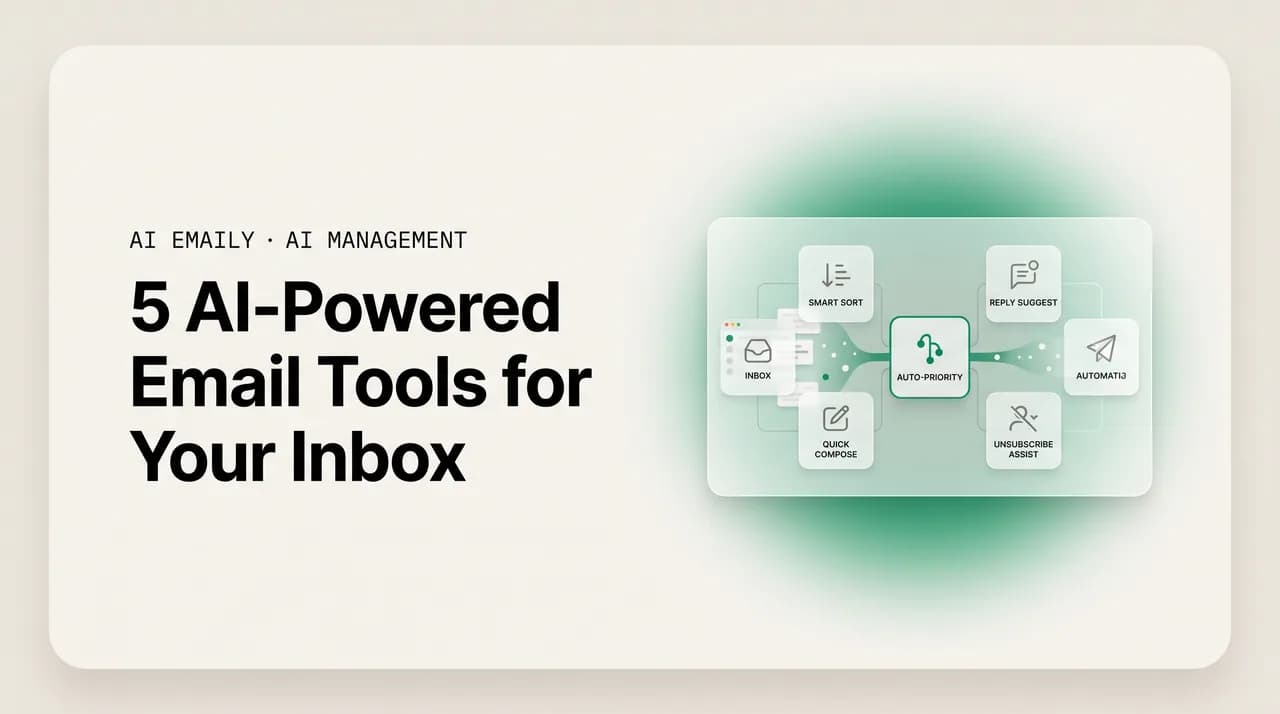
There are five types of AI-powered email tools worth adding to your inbox: AI triage that ranks what matters, drafting that writes in your voice, follow-up automation that catches what you'd forget, AI search that answers questions instead of matching keywords, and the autonomous agent that handles routine mail end to end. The strongest setups combine all five — which is how AI Emaily is built.
AI-powered email tools come in five types — triage, drafting, follow-up, AI search, and the autonomous agent. Here's what each does and how to assemble them into one inbox.
On this page
- 01Why think in tool types instead of products?
- 02Tool type 1: AI triage and prioritization
- 03Tool type 2: AI drafting and voice
- 04Tool type 3: follow-up and reminder automation
- 05Tool type 4: AI search and retrieval
- 06Tool type 5: the autonomous agent
- 07How the five tools fit together
- 08How AI Emaily combines all five
- 09Frequently asked questions
If you have gone looking for ai-powered email tools, you have probably noticed the category is a mess of overlapping promises. One product calls itself an AI assistant, another an AI inbox, a third an autonomous agent, and they all claim to save you hours. Underneath the marketing, though, most of them are really doing one or two specific jobs well and gesturing at the rest. The useful way to shop is not to rank products against each other but to understand the handful of distinct jobs an AI can do in your inbox — because once you know the jobs, you can tell what a given tool actually delivers and what it is just implying.
The pressure to do something is real. Surveys in 2026 put the average professional at roughly 2.6 hours a day on email — close to a third of the work week — handling around 121 messages daily, of which only about one in ten is genuinely important. That is a lot of attention spent finding the few messages that matter, writing replies that mostly repeat things you have written before, and trying not to drop the threads that need a follow-up. Each of those pains maps to a specific kind of AI tool, and each kind has good versions and gimmicky ones.
This guide breaks the category into five types of AI email tool you can add to your inbox: (1) AI triage and prioritization, which decides what you see first; (2) AI drafting and voice, which writes replies for you; (3) follow-up and reminder automation, which makes sure nothing falls through; (4) AI search and retrieval, which answers questions about your own mail; and (5) the autonomous agent, which handles whole messages end to end. For each, we will cover what it does, the time it saves, what separates a genuinely useful version from a gimmick, and how to adopt it without breaking your inbox.
A note on framing before we start. This is a guide to tool types — how to assemble an AI inbox — not a feature tour of one product and not a ranking of platforms. If you want a deeper look at one cohesive feature set, the companion piece on intelligent inbox features goes there; if you want products lined up against each other, the rundown of the top AI email platforms for 2026 does that. Here we are answering a different question: what are the building blocks, and how do they fit together?
We build AI Emaily, an AI-native email client that combines all five of these tool types in one place, so we will use it as a running example of what a combined setup looks like. We will be specific about where it sits and honest about the trade-offs of each tool type generally — including the ones you should be wary of. Let's start with the tool that changes your inbox the moment you turn it on.
Why think in tool types instead of products?#
Most people shop for AI email the way they shop for a phone — find the best one, buy it, done. But the inbox is not one job; it is several, and the AI techniques that do them well are genuinely different under the hood. Ranking messages by importance is a classification problem. Writing a reply in your voice is a generation problem grounded in your own writing. Tracking follow-ups is a state-and-timing problem. Answering a question about your mail is a retrieval problem. Handling a message end to end is an agent problem that strings several of those together and then acts. A tool can be excellent at one and mediocre at another, and the label on the box rarely tells you which.
Thinking in types fixes that. When you can name the five jobs, you can look at any tool — a browser extension, a plugin for your existing client, or a full replacement inbox — and ask which jobs it actually does and how well. You stop being swayed by the word "AI" on a landing page and start checking whether the triage is accurate, whether the drafts sound like you, whether the follow-ups actually surface, whether search understands meaning, and whether the agent is safe. It also tells you when you are about to buy three tools that overlap, or when a single gap (say, no follow-up) is the reason your inbox still feels out of control despite the AI you already pay for.
There is a second reason types matter: they compound. Triage without drafting still leaves you writing every reply. Drafting without follow-up means the perfect draft you never send still gets forgotten. Search without an agent answers your question but does not act on it. The value is not additive so much as multiplicative — the inbox that mostly runs itself is the one where triage feeds drafting feeds follow-up, and the agent closes the loop on the routine bulk. That is the case for a combined tool over a drawer full of single-purpose ones, and it is the lens to keep as we walk each type.
The five jobs, in one line each
Tool type 1: AI triage and prioritization#
The first and most foundational AI email tool is triage: software that reads incoming mail and decides what matters before you do. Instead of a reverse-chronological pile where a newsletter sits above a customer emergency simply because it arrived a minute later, triage ranks and groups your mail by importance, topic, sender, and urgency. You open your inbox to a short list of things that genuinely need you, with the noise — the receipts, notifications, promotions, and CC-for-awareness threads — sorted out of the way. It is the difference between scanning 121 messages to find the ten that matter and being handed the ten.
This is the tool that changes the daily experience most immediately, because the single biggest tax in email is not writing or reading — it is the constant low-grade triage you do by hand all day, deciding for each new message whether it needs you now, later, or never. An AI that does that classification reliably gives you back attention, not just minutes. It is also the foundation the other tool types build on: you cannot sensibly draft, follow up, or delegate until something has decided which messages are worth the effort. If you only add one AI tool to your inbox, this is the one that makes the rest possible.
- Ranks and groups incoming mail by importance, topic, and urgency, so the messages that need you surface and the noise recedes.
- Learns from your behavior — what you open, reply to, archive, and ignore — so its sense of "important to you" sharpens over time rather than staying static.
- Bundles low-value mail (newsletters, notifications, receipts) so you can clear or skim it in one pass instead of one message at a time.
- Surfaces a short, ordered "needs you" view at the top of the inbox, which is where the time savings actually show up.
Good triage vs. a gimmick
How to adopt triage well: turn it on, then spend a week correcting it. The single biggest mistake people make is treating triage as set-and-forget — they enable it, see one or two misranked messages, and quietly stop trusting it. The good versions learn, but only if you teach them, and the teaching is cheap: when something important lands in the low-priority bundle, mark it important; when a noisy sender keeps surfacing, tell the tool it is noise. A week of that and the ranking starts to feel like it reads your mind, because it has effectively learned your judgment. The deeper guide to organizing your inbox with AI walks the routines for this if you want to go further, but the core habit is simple: correct it early so it can be trusted later.
One honest trade-off to name: any triage tool can be wrong, and the cost of a false negative — an important message hidden in the low-priority pile — is higher than a false positive. The mitigation is to never fully hide mail, only re-rank it, so a triage mistake costs you a few extra seconds of skimming rather than a missed message. When you evaluate a triage tool, check what happens to a message it deprioritizes: is it tucked into a collapsed group you still see, or is it actually buried somewhere you will never look? The first is safe; the second is a risk dressed up as tidiness. AI Emaily's triage re-ranks and groups but never hides, precisely so a wrong guess is recoverable at a glance.
Tool type 2: AI drafting and voice#
The second tool type writes for you. AI drafting takes an incoming message and produces a reply — ideally one that sounds like you wrote it and gets your facts right — so that instead of composing from a blank box, you are editing and approving. This is where the largest block of raw time comes back for most people, because writing is slower than reading. A triage tool tells you which ten messages need a reply; a drafting tool turns each of those from a five-minute compose into a ten-second review. Across a day of repetitive replies — the same scheduling, the same answers, the same polite declines — that compounds into hours.
The whole value of AI drafting hinges on one distinction: generic versus in-voice-and-grounded. Generic drafting produces something grammatically correct and tonally anonymous — the reply that reads like a corporate FAQ and guesses at your details, getting your tone, your policies, and your specifics slightly wrong. You end up rewriting it, and the AI has saved you nothing. In-voice drafting learns from your actual sent mail and is grounded in your real information — your scheduling preferences, your prices, the way you greet people and the way you say no — so the draft is both on-voice and factually right. The gap between those two is the entire difference between a tool you use and one you abandon after a week.
The light-edit test
How to adopt drafting well: start by letting it learn, and never let it send unreviewed at first. Point the tool at your sent mail so it has real examples of your voice, then run it in a draft-and-review mode where every reply waits for your approval. For the first week, edit freely and pay attention to what you keep changing — if it consistently gets a fact wrong (a price, a policy, your availability), that is usually a sign you need to give it access to the source of truth rather than hoping it guesses. As it learns your corrections, the edits shrink, and you will find yourself approving more and rewriting less. The point at which you are mostly approving is the point the tool has paid for itself.
Two trade-offs to weigh honestly. First, drafting quality depends on having good material to learn from — if your sent folder is thin or wildly inconsistent, the early drafts will be rougher and need more correction. That is temporary, but it is real. Second, and more important, an AI-written reply carries your name, so an ungrounded draft that confidently states a wrong fact is worse than no draft, because you might approve it on a quick glance. This is exactly why the next safeguard matters: a draft is a suggestion, and a human should approve consequential sends. AI Emaily drafts in your learned voice grounded in your real information, and by default stages every reply for your approval — you glance, edit if needed, and send — so a wrong draft costs an edit, not a relationship.
Tool type 3: follow-up and reminder automation#
The third tool type is the one people forget they need until they have lost a deal to it. Follow-up and reminder automation watches your threads for the things that need a second touch — the quote you said you would send, the question you asked that never got answered, the customer who went quiet, the email you sent that needs chasing — and resurfaces them at the right time so nothing slips. It is the safety net under everything else. Triage and drafting help you handle the mail in front of you; follow-up handles the mail that has gone silent, which is precisely the category your own attention is worst at tracking because there is no new message to remind you.
The time it saves is subtle but large. The cost of a forgotten follow-up is rarely the few minutes it would have taken to send — it is the opportunity that quietly died because nobody chased it. A lead that needed one more nudge, a reply you were waiting on that you forgot to re-ping, a commitment you made in a thread three weeks ago. A good follow-up tool turns the mental load of "I need to remember to circle back on all these things" — which you carry around all day and still drop pieces of — into a system that holds it for you and surfaces each item exactly when it is actionable.
- 1
Detect commitments and open loops
The tool reads your threads and recognizes when something is waiting: you promised to send something, you asked a question that's gone unanswered, you're expecting a reply that hasn't come. The good versions infer these from the content of the conversation rather than making you tag each one manually — manual tagging is exactly the discipline that fails under load.
- 2
Track state without a new message to prompt you
This is the hard part and the real value: a silent thread produces nothing in your inbox to remind you it's pending. The tool keeps a running list of what's outstanding and how long it's been quiet, so an open loop stays visible even when there's no new email to bump it to the top.
- 3
Resurface at the right time, with a draft ready
When a follow-up comes due, the tool brings it back to your attention — and the best versions go a step further and draft the nudge in your voice, so chasing a quiet lead is a one-tap approve rather than a fresh write. Timing matters: too soon is pushy, too late is a lost deal, so look for sensible defaults you can adjust.
Good follow-up vs. a gimmick
How to adopt follow-up well: trust it with the low-stakes loops first, then widen. Let it track and resurface a category you would not mind it being slightly wrong about — say, replies you are waiting on from colleagues — and watch whether its timing and its sense of "this is still open" match your judgment. As it earns trust, hand it the higher-stakes loops like sales follow-ups. The reason to ramp rather than switch everything on at once is that follow-up tools can misjudge whether a thread is truly closed; you want to learn its quirks on mail where a mistimed nudge costs nothing before you rely on it for the threads that carry revenue.
The honest trade-off is the inverse of triage's: where triage's failure mode is hiding something, follow-up's is nagging you about something already handled, or — worse — drafting a nudge for a thread that was resolved in a channel the tool cannot see (a phone call, a Slack message). The mitigation is that a follow-up suggestion is exactly that, a suggestion you approve or dismiss, not an automatic send. AI Emaily tracks open loops across your threads and can draft the follow-up in your voice, but it surfaces the nudge for you to approve rather than firing it off on its own — so a thread that closed offline costs you a one-tap dismiss, not an awkward message to a customer who already paid.
Tool type 4: AI search and retrieval#
The fourth tool type changes how you get information back out of your inbox. Traditional email search matches keywords: you type a word, it finds messages containing that word, and you scroll through results hoping the right one is near the top. AI search and retrieval works on meaning instead. You ask a question in plain language — "what did the vendor quote for the spring order?" or "when did we agree the contract renews?" — and it understands the intent, finds the relevant messages even if they never used your exact words, and in the strongest versions answers the question directly with the source thread cited. Your inbox stops being a pile you dig through and becomes something you can query.
The time this saves is the time you currently spend hunting. Everyone knows the experience of being certain an answer is somewhere in their mail — a number, a date, a decision — and spending five frustrating minutes guessing keywords to find it. Multiply that across a week and it is a real, if invisible, drain, and it is worse for anyone whose inbox is also their de facto filing cabinet for contracts, decisions, and commitments. AI search collapses that hunt into a question, which matters most precisely when you are under pressure and need the answer now: on a call, in a negotiation, mid-reply to someone who just asked you something you know you discussed months ago.
| Keyword search | AI search and retrieval | |
|---|---|---|
| How you ask | Guess the exact words the message used | Ask a plain-language question about what you mean |
| What it matches | Literal string matches, ranked roughly by recency | Meaning and intent, including synonyms and paraphrases you didn't type |
| What you get back | A list of messages to open and read yourself | The relevant threads — and, in strong versions, a direct answer with the source cited |
| When it fails | You can't remember the wording; the answer's phrased differently | Question is genuinely ambiguous — but it can ask you to clarify |
| Best for | Finding a specific known message fast | Answering a question when you don't recall where the answer lives |
Good AI search vs. a gimmick
How to adopt AI search well: use it as your first move, not your fallback. The habit most people have to unlearn is reaching for keyword search by reflex and only trying the AI when that fails — which means you rarely build the instinct for asking questions. Flip it: when you need something from your mail, ask the question in plain language first. You will quickly calibrate what it is good at (factual lookups, decisions, commitments, "what did we say about X") and where you still want to open the thread yourself (skimming a long negotiation for nuance). The more you ask, the more it becomes the natural way you interrogate your own history. The smart-search capability is worth setting up early because, unlike the other tools, its value scales with how much mail you have — a deep archive is a liability with keyword search and an asset with AI retrieval.
The trade-off to keep honest is trust and verification. An AI that answers a question directly is enormously convenient, and that convenience can make you stop checking — which is a problem if the answer is wrong or drawn from the wrong thread. The mitigation is non-negotiable: any AI search worth using must cite its source so you can click through and confirm, especially for anything consequential like a number you are about to quote or a date you are about to commit to. A direct answer with no citation is a confident guess; a direct answer with the source thread attached is a tool you can rely on. AI Emaily's search answers in plain language and links the source threads, so you can verify the answer rather than take it on faith.
Tool type 5: the autonomous agent#
The fifth tool type is the one the whole category is moving toward, and the one to be most careful with: the autonomous agent. Where the first four tools assist you — they sort, draft, remind, and retrieve, but you still act — an agent acts. It reads a message, decides what needs to happen, drafts the response, and, when permitted, sends it and marks the thread done, all without you touching it. It is the difference between an AI that hands you a finished draft and one that handles the whole message so it never reaches you at all. For the repetitive, low-stakes mail that fills an inbox — the same FAQs, status checks, and simple confirmations answered for the hundredth time — that is the tool that finally takes the work off your plate entirely rather than just speeding it up.
An agent is really the other four types strung together and then given the ability to act: it triages a message to decide if it is in scope, retrieves whatever context it needs, drafts a reply in your voice, and closes the loop. That is why it is the most powerful type and also the one with the most ways to go wrong. The same autonomy that makes it valuable — acting without you — is exactly what makes it risky, because a mistake is not a bad draft you catch on review; it is a wrong message already sent under your name. So the entire question with an agent is not "can it act" but "is it built so you control when it acts, can see what it did, and can undo it."
- Handles whole messages end to end — reads, decides, drafts, and (when allowed) sends and files — for categories you've defined as routine and safe.
- Works best on high-volume, low-stakes mail: repetitive questions, status updates, simple confirmations — the bulk that doesn't need judgment but still eats time.
- Should always operate inside limits you set: which categories it can act on, what it must escalate to you, and where the line is between assist and act.
- Must be auditable and reversible — every action logged, and an undo window — because the cost of an autonomous mistake is higher than an assisted one.
An agent is only as good as its guardrails
How to adopt an agent well: ramp, never flip. The right way to introduce autonomy is gradual and earned. Start everything in an approval-first mode where the AI drafts and you send — so you are effectively watching the agent work without letting it act yet. Pick one routine category you have seen it handle well — order-status replies, meeting confirmations, a common FAQ — and grant it autonomy only there, within tight limits, with logging on. Watch it for a while. If it performs, widen to the next category; if it stumbles, pull it back. The mistake is treating the agent as an on/off switch for the whole inbox; the discipline is treating it as a permission you extend one safe category at a time, on evidence.
This is the tool type where the trade-offs are sharpest, so name them plainly. An autonomous mistake lands directly — a wrong answer sent, a thread closed that should have escalated, a tone-deaf reply to someone who deserved a person. There is no review step to catch it, which is why the guardrails are not optional polish but the core of whether an agent is safe to use at all. The mitigation is the whole design: approval-first by default, autonomy you grant per category, limits you set, an audit trail of every action, and an undo. AI Emaily's agent is built on exactly that posture — three modes that let you choose your level: Manual, where you do the work with AI assist; Copilot, the approval-first default where the AI drafts and you approve before anything sends; and Autopilot, where the agent acts autonomously within gated limits, fully audited and reversible. The autonomy is real, but it is something you turn on deliberately, not a default you have to defend against.
How the five tools fit together#
Laid out side by side, the five types stop looking like competing products and start looking like a stack. Each does a distinct job, each has a clear failure mode to guard against, and each gets more valuable when the others are present. The table below is the summary to keep — what each tool does, where the time comes from, and the one thing that separates a real version from a gimmick.
| Tool type | What it does | Where the time comes from | Real vs. gimmick |
|---|---|---|---|
| AI triage | Ranks and groups incoming mail by what matters | Stops you scanning everything to find the few that need you | Ranks within important mail and learns from you — not just a junk filter |
| AI drafting | Writes replies in your voice, grounded in your facts | Turns composing into editing across repetitive replies | Learns your real sent mail; you edit lightly instead of rewriting |
| Follow-up automation | Detects open loops and resurfaces them in time | Recovers the deals and replies you'd otherwise forget | Detects loops on its own — not just manual reminders you set |
| AI search | Answers plain-language questions about your mail | Collapses the keyword-guessing hunt into one question | Retrieves on meaning and cites the source — not keyword search in a chat box |
| Autonomous agent | Handles routine messages end to end | Removes the routine bulk entirely, not just faster | Approval-first, gated, audited, reversible — autonomy you grant on purpose |
Notice how the failure modes interlock with the safeguards. Triage's risk is hiding something, so the safe version re-ranks but never hides. Drafting's risk is a confident wrong fact under your name, so the safe version grounds drafts in your real information and stages them for approval. Follow-up's risk is nagging about a closed thread, so the safe version suggests rather than auto-sends. Search's risk is an unverifiable answer, so the safe version cites its source. The agent's risk is acting wrongly without a review step, so the safe version is approval-first and gated. Across all five, the same principle holds: the AI does the work, you keep control of the moments that carry consequence, and everything is visible and reversible. That is not a coincidence — it is what "trustworthy" actually means in an inbox.
The compounding is the real argument for a combined tool. With all five present and learning from the same context, triage knows which mail deserves a draft, drafting knows your voice for both replies and follow-up nudges, search feeds the agent the context it needs to handle a thread, and the agent closes the loop on the routine bulk that triage flagged as safe. Five separate tools cannot do that — they do not share context, they conflict, and you become the integration layer, copying between them. One tool that does all five turns the inbox from something you process into something that mostly runs itself, with you reviewing rather than driving.
It is worth being concrete about what "becoming the integration layer" costs, because it is the hidden tax of the do-it-yourself stack. If triage lives in one extension, drafting in another, follow-up in a reminder app, and search somewhere else, none of them know what the others know. The drafting tool cannot see that triage marked this a low-priority thread; the follow-up tool cannot tell that you already replied from the drafting tool; the search tool indexes your mail separately from everything else. So you end up reconciling them by hand — re-flagging, re-checking, re-explaining context that a single system would have shared automatically. The effort you save inside each tool, you spend again in the seams between them. A combined tool's quiet advantage is that there are no seams: one system holds the context, so the five jobs reinforce each other instead of each starting from zero.
How AI Emaily combines all five#
We built AI Emaily as one AI-native email client that does all five jobs in one place, on the mail you already use, so you are not assembling a toolkit or becoming the glue between five products. Here is how each type shows up, and where the line between assist and act sits — because that line is the whole point.
- 1
Triage that re-ranks but never hides
As mail arrives, AI Emaily reads and ranks it by importance, topic, and urgency, surfacing a short needs-you view and bundling the noise. It learns from what you open, reply to, and ignore. Crucially, it re-ranks rather than hides, so a wrong guess costs a glance, not a missed message.
- 2
Drafting in your learned voice, grounded in your facts
For mail that needs a reply, it drafts in the voice it learns from your sent mail, grounded in your real information, so you're editing lightly rather than authoring. The detailed feature breakdown of the intelligent inbox covers how this learning works if you want to go deeper.
- 3
Follow-up that catches the open loops
It tracks the commitments and silent threads you'd otherwise forget — the quote you owe, the reply you're waiting on, the lead gone quiet — and resurfaces them in time, with a nudge drafted in your voice ready to approve. The safety net under everything else.
- 4
AI search that answers and cites
Ask a plain-language question about your mail and it retrieves on meaning, not just keywords, and answers with the source thread linked so you can verify. Your archive becomes an asset you query rather than a pile you dig through.
- 5
An agent you control — Manual, Copilot, Autopilot
The autonomous agent handles routine mail end to end, but only within the mode and limits you choose: Manual (you act, AI assists), Copilot (the approval-first default — AI drafts, you approve before send), and Autopilot (the agent acts autonomously, gated and audited, with undo). Autonomy is something you grant per category, not a default.
Combined, but still private and under your control
It is also universal and quick to start, which matters when you are adding five capabilities at once: AI Emaily runs on Gmail and Google Workspace, Outlook and Microsoft 365, and standard IMAP, so you connect the mail you already use rather than migrating to a new ecosystem, and triage and drafting begin helping the same day. There is a free tier to try it on one account, Pro at $12.42/mo (annual) for the full personal-inbox AI, and Team at $14.92/seat/mo (annual) — 5+ seats save an additional 10% — with the autonomous agent (Autopilot) included in Team rather than metered as a separate add-on. If you want products lined up against each other before deciding, the roundup of the best AI email tools and the top platforms for 2026 is the place to compare; this guide's job was the building blocks.
If you want to go a level deeper on any one type, the rest of this blog has the dedicated guides: the breakdown of intelligent inbox features for how triage and drafting actually learn, the walkthrough of organizing your inbox with AI for the triage routines, the practical guide to managing email with AI for day-to-day workflow, and the platform roundup for product-versus-product comparison. This piece deliberately stayed at the level of the building blocks, because the blocks are what most people are missing — they shop for a product before they know which jobs they are buying, and end up with a tool that does one or two of the five well and leaves the rest unsolved.
The honest summary: you do not have to buy AI Emaily to benefit from thinking in these five types — the framework works no matter what you adopt, and you can assemble the five from separate tools if you prefer. What a combined tool buys you is the compounding, the shared context, and one set of trustworthy defaults instead of five you have to vet. We think that is the better trade for most people, and we built AI Emaily to be it — but the more important takeaway is the lens. Name the five jobs, check any tool against them, insist on the safe version of each, and you will end up with an inbox that mostly runs itself without ever betting a relationship on the AI being right unattended.
Frequently asked questions#
The questions people ask most when assembling AI-powered email tools — on which type to add first, how they differ, what to watch for, and how a combined tool compares to a stack of single-purpose ones.
Frequently asked
See it in AI Emaily
Keep reading

Written by
Nafiul HasanNafiul Hasan is an entrepreneur and AI automation system builder with 10+ years of experience turning messy, manual workflows into reliable automated systems. He designs and ships AI enterprise solutions end-to-end — the agent logic, the data plumbing, and the product people actually use — and founded AI Emaily to give busy professionals their attention back. He writes here from the builder's seat: what works, what breaks, and how to put AI to work without giving up control.