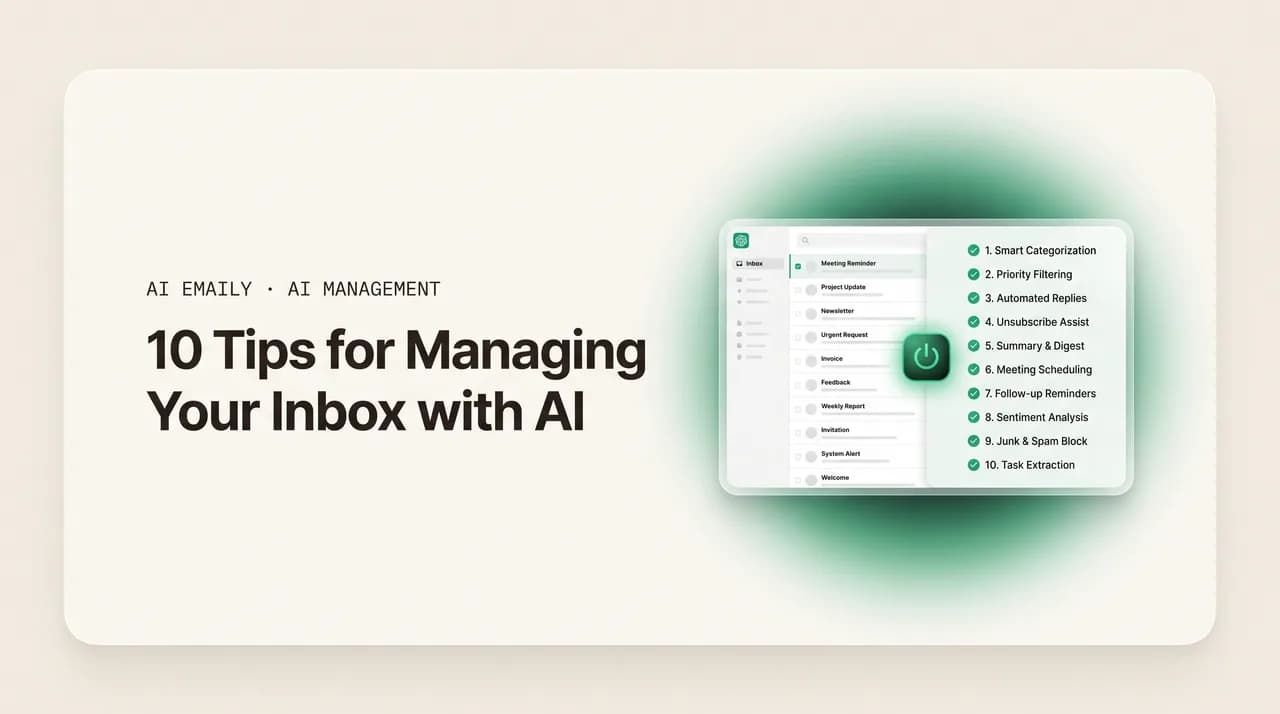
10 Tips for Managing Your Inbox with AI

The short answer
These tips for managing your inbox with AI are things you can do today: let AI triage before you read, batch replies in one reviewed window, summarize long threads, draft-then-edit instead of writing cold, track follow-ups, delegate one routine category, search in plain language, keep approval on for sensitive mail, train the voice, and review the audit weekly.
10 practical tips for managing your inbox with AI you can use today: let AI triage first, batch in a reviewed window, summarize threads, draft-then-edit, and more.
On this page
- 01Tip 1: Let AI triage before you read a single message
- 02Tip 2: Batch your replies into one reviewed window
- 03Tip 3: Use AI summaries on long threads instead of re-reading them
- 04Tip 4: Draft with AI, then edit — never write replies cold
- 05Tip 5: Set up follow-up tracking so nothing goes quiet by accident
- 06Tip 6: Delegate one routine category to the AI agent
- 07Tip 7: Keep human approval on for sensitive mail
- 08Tip 8: Search your inbox in plain language
- 09Tip 9: Train the AI's voice on your good replies
- 10Tip 10: Review the AI's audit log weekly
- 11Putting the ten tips together
- 12Frequently asked questions
Most advice about email is really advice about doing the same work a little faster — fewer folders, a cleaner filter, a tighter template. That helps at the margins, but it never changes the fundamental deal: every message is still yours to read, sort, and answer by hand. The tips for managing your inbox with AI in this guide are a different kind of advice. They are concrete, do-it-today moves that hand part of the work to an AI assistant, so the inbox stops being a thing you grind through and starts being a thing you review. None of them require an overhaul, a migration, or a productivity system you have to maintain. Each one is a single habit you can adopt this afternoon.
The reason this is worth doing is the same math it has always been. Surveys in 2026 put the average professional at roughly 2.6 hours a day on email — close to a third of the work week — handling around 121 messages daily, of which only about one in ten is genuinely important. So most of the time goes to finding the few messages that matter inside a pile that does not, and to writing replies you have written some version of before. Those are exactly the two jobs AI is now good enough to take on: separating signal from noise, and turning a blank reply box into a draft you edit. The tips below are organized around getting AI to do those jobs well, under your control, without creating new problems in the process.
A note on honesty before the list. We build AI Emaily, an AI-native email client, so several tips show how the idea works in our product specifically. We will say so each time, and we will be straight about the trade-offs — particularly the one that matters most, which is keeping a human in the loop before anything consequential leaves your name. The tips themselves are tool-agnostic; the principles hold whether you use AI Emaily, a different assistant, or whatever your provider ships. Where a tip leans on something specific — natural-language search, a learned voice, an audit log, an approval gate — we will explain the principle first and the product second. Ten tips, each with what to do, why it works, and a concrete example. Start with the one that changes the most: letting AI go first.
Tip 1: Let AI triage before you read a single message#
The most common mistake is opening your inbox and starting at the top. You read the newest message, then the next, then the next, deciding relevance one item at a time while your attention bleeds across forty subjects. By the time you reach the message that actually needed you, you have spent your freshest focus on newsletters and receipts. The fix is to invert the order: let AI read and sort the whole inbox first, then look at the result. You are not reading to triage anymore; you are reviewing a triage someone — something — already did.
This works because triage is pattern-matching, and pattern-matching is exactly what AI is good at. It can read sender, subject, thread history, and content and group mail by what it is — a real customer, a genuine lead, a vendor that needs paying, a notification, a newsletter — far faster than you can, and without the focus cost of doing it yourself. The point is not that the AI is smarter than you about your business; it is that it can do the boring sort in the background so your judgment is spent only on the handful of messages that genuinely need it. This is the foundation the other tips build on, which is why it comes first. (For the deeper mechanics of how prioritization decides what is urgent, our piece on AI email prioritization goes further than we will here.)
How to do it in AI Emaily
Tip 2: Batch your replies into one reviewed window#
Checking email continuously is the most expensive habit in the inbox, and it has nothing to do with AI — but AI is what finally makes the alternative practical. Each time a notification pulls you out of focused work, you pay more than the seconds spent reading: studies of office work put the recovery time after an interruption at well over a minute, and a day full of those fragments the deep-focus blocks you actually need to get real work done. The standard advice is to batch — check email two or three times a day in dedicated windows — but most people can't, because between windows the genuinely urgent message and the newsletter look identical, and missing the urgent one is too risky.
AI removes that risk, which is what makes batching finally stick. If the assistant is triaging continuously in the background and can surface a genuinely time-sensitive message the moment it lands, you no longer have to watch the inbox to avoid missing something — you can trust that the one thing that truly cannot wait will be flagged, and let everything else accumulate for your next window. So the tip is two habits together: turn off the constant checking, and schedule a couple of windows a day to process the triaged batch. The AI watches; you review on a schedule. This is the single change that buys back the most focus, and it is the natural payoff of Tip 1.
- 1
Turn off push notifications for ordinary mail
Disable the badge and the per-message alerts. You are deliberately removing the inbox's ability to interrupt you, because the AI is now responsible for catching anything that genuinely can't wait. Keep alerts only for the narrow category you've decided is truly urgent.
- 2
Schedule two or three review windows
Pick fixed times — say mid-morning, after lunch, end of day — and process the whole triaged batch then. Because the AI already sorted it (Tip 1), a window that used to take an hour of reading takes a fraction of that.
- 3
Trust the urgent-surface, then close the inbox
Between windows, leave email closed and do your real work. The deal is that the AI surfaces the rare can't-wait message immediately; everything else waits for the next window. That trust is what makes batching actually hold.
Why this is the highest-leverage tip
Tip 3: Use AI summaries on long threads instead of re-reading them#
Some of the worst time sinks in the inbox are not the volume of small messages but the few enormous threads — the forwarded chain with twelve replies, the project email everyone has been adding to for a week, the customer thread you got looped into halfway through. Reading the whole thing from the top to find the one decision or the one open question is slow and easy to get wrong. The tip is to ask the AI to summarize the thread before you read it: what happened, what was decided, who is waiting on what, and what (if anything) needs you.
This works because summarization is a job large language models are genuinely reliable at — condensing a long, messy conversation into the few facts that matter. It saves the obvious thing, time, but it also saves accuracy: a good summary surfaces the buried question or the commitment three replies up that you'd otherwise skim past. The honest caveat is that a summary is a starting point, not a substitute for reading when the stakes are high — for a contract or a sensitive customer issue, read the source. But for the daily flood of long-but-low-stakes threads, a summary is exactly the right altitude. Pair this with Tip 1 and your review window gets faster still: triage tells you which threads matter, and a summary tells you what each one says without the scroll.
Tip 4: Draft with AI, then edit — never write replies cold#
Writing a reply from a blank box is where the other half of the email day disappears. Even a short message takes a surprising amount of effort: you re-read the question, recall the relevant facts, decide on a tone, and assemble sentences. Multiply that by dozens of replies a day and the writing, not the reading, is often the bigger sink. The tip is to flip the default: instead of starting from blank, have the AI draft the reply first, then edit it. You become an editor, not an author — and editing a decent draft is several times faster than composing from nothing.
Why it works is partly about the blank-page tax and partly about momentum. A draft, even an imperfect one, gives you something to react to: you fix the one wrong detail, soften a line, add the specific your customer asked about, and send. The catch — and it is a real one — is that the draft has to be good enough to edit rather than rewrite. A generic, robotic draft is worse than no draft, because you end up rewriting it and the AI saved you nothing. That is why the next two tips (follow-up tracking aside) and Tip 9 specifically are about making the draft genuinely yours: grounded in your facts and written in your voice. Draft-then-edit only pays off if the draft is close.
In practice, drafting earns its keep most on a few recurring shapes of reply. Reach for it deliberately on these:
- Repeat questions you've answered before — pricing, policies, how-tos. The AI has your past answers to draw on, so the draft is usually right the first time and needs only a glance.
- Acknowledgments and short confirmations — "got it, I'll have this Thursday." These are pure blank-page tax: trivial to send, annoying to start from nothing, and ideal for a one-line draft.
- Replies where you know the answer but not the wording — you can picture the gist but composing the sentences is the slow part. Let the AI assemble; you adjust the tone.
- Polite declines and deferrals — saying no, or "not right now," in a way that stays warm. The AI gives you a graceful first pass you can soften or sharpen rather than agonizing over phrasing.
The test for whether drafting is helping
Tip 5: Set up follow-up tracking so nothing goes quiet by accident#
The most expensive emails are often the ones you never send — the follow-up you meant to do and forgot. The quote you said you'd circle back on, the customer waiting on an answer you got distracted from, the lead who went quiet and needed one more nudge. None of these show up as unread mail, so they're invisible in a normal inbox, and they're exactly where opportunities and goodwill quietly leak out. The tip is to let AI track follow-ups for you instead of holding them in your head or in a separate task list you'll stop maintaining.
This works because follow-up is a memory and timing problem, and those are precisely what an assistant can shoulder. A good system watches your sent mail for messages that expected a reply and didn't get one, notices threads where you committed to do something, and resurfaces them at the right moment — ideally with a draft nudge already written in your voice so acting on it takes seconds. The reason to automate it rather than rely on discipline is simple: discipline fails under load, and follow-up is the first thing to fall off when you're busy. Offloading it to the AI means a quiet thread gets caught by the system, not by whether you happened to remember. This is the same instinct behind broader email management techniques for busy professionals — build the safety net into the tool so it works even on your worst day.
How to do it in AI Emaily
Tip 6: Delegate one routine category to the AI agent#
Drafting (Tip 4) still keeps you in the loop on every message — you edit and send. But a slice of every inbox is so repetitive that even editing a draft is more involvement than it deserves: the same FAQ answered for the hundredth time, the routine status check, the simple acknowledgment. The tip is to pick one such category and delegate it fully to an AI agent — let it read, draft, and (when you allow) send and close the thread, so those messages never reach your review window at all. The key word is one: start narrow, with a category that is genuinely low-stakes and that you've watched the AI handle well.
Why start with just one is the important part. Handing the whole inbox to an autonomous agent on day one is how trust gets broken — one wrong reply to a sensitive message and you'll switch the whole thing off. But delegating a single, bounded, low-risk category lets you verify the agent's judgment on safe ground, build confidence, and expand deliberately. The trade-off is real and worth stating plainly: autonomy means a message can go out without you seeing it first, so you only grant it where a mistake is cheap and recoverable. Everything consequential stays in the approval flow (Tip 7). Done this way, delegation is the tip that actually shrinks the inbox rather than just speeding up how you process it.
- 1
Pick one low-stakes, high-volume category
Choose something repetitive and forgiving — a common FAQ, an order-status reply, a meeting-time confirmation. Avoid anything tied to money, contracts, complaints, or a sensitive relationship.
- 2
Watch the agent draft it in assisted mode first
Before granting send, let the agent draft replies in that category while you still approve each one. This is your audition: confirm it gets the facts and tone right consistently before you take your hands off.
- 3
Grant autonomy for that one category, with limits
Once you trust it, let the agent send and close threads in that category within tight limits you set. Everything outside it still routes to you. Expand to a second category only after the first proves out.
The trade-off, stated honestly
Tip 7: Keep human approval on for sensitive mail#
This tip is the counterweight to the last one, and it's the most important on the list. The power of AI email is that it can act — draft, send, resolve — but the right posture for anything that carries consequence is approval-first: the AI prepares the reply, and a human glances, edits if needed, and sends. The tip is to make this your default and to deliberately keep it on for any mail where being wrong is costly: contracts, money, complaints, anything to a customer relationship you can't afford to bruise, anything you can't easily walk back. Let AI do everything up to the send; you own the send itself.
Why this matters more than it might seem: an AI that's right 95% of the time is genuinely useful, but the 5% it gets wrong is not randomly distributed — it tends to be the nuanced, high-stakes message where a generic or slightly-off reply does the most damage. An approval gate costs you a few seconds per consequential message and removes the entire category of "the AI sent something wrong in my name." That is a trade almost always worth making. The mature stance is not "automate everything" or "automate nothing," but a deliberate line: autonomy for the cheap-to-be-wrong routine (Tip 6), approval for the expensive-to-be-wrong rest. Drawing that line on purpose, rather than defaulting to one extreme, is what separates using AI well from using it recklessly.
| Message type | Right mode | Why |
|---|---|---|
| Routine FAQ, status check, simple acknowledgment | Autonomous agent (Tip 6) | Low stakes, high volume, cheap to be wrong — delegation pays off |
| Standard customer reply, internal coordination | AI drafts, you approve (Copilot) | Worth a glance; a light edit catches the rare miss before it sends |
| Contract, pricing, complaint, sensitive relationship | Always human approval, often a full read | Expensive to be wrong; the few seconds of review removes the worst risk |
AI Emaily's default is approval-first
Tip 8: Search your inbox in plain language#
Finding an old email is its own daily tax. Traditional inbox search is keyword-matching: you have to remember the exact word in the message or the sender's name, and if you guess wrong you scroll through pages of near-misses. The tip is to stop guessing keywords and instead search the way you'd ask a person — "the invoice from the design contractor last month," "what did the supplier say about the shipping delay," "the thread where we agreed on the launch date." AI-powered search understands intent and context, not just literal words, so it can find the message you're describing even when you don't recall the precise terms in it.
This works because natural-language search matches on meaning. "The contractor's invoice" finds the right attachment even if the email said "statement" and the sender's name isn't "contractor" anywhere in it. Beyond retrieval, this unlocks a quieter benefit: you can ask questions of your own mail — "have I replied to everyone who asked about the refund policy this week?" — and get an answer instead of a search results page. The honest limit is that it's only as good as what's in your mail; it can't find what was never written down. But for the constant, low-grade friction of "where's that email," describing it in plain language is dramatically faster than reconstructing the keyword you used three months ago.
How to do it in AI Emaily
Tip 9: Train the AI's voice on your good replies#
Tip 4 said draft-then-edit only works if the draft is close. This is the tip that gets it close. The difference between a draft you rewrite and one you send with a glance is almost entirely about voice and facts — does it sound like you, and does it use your real details? The tip is to actively help the AI learn your voice rather than expecting it to guess: when a draft is good, send it as-is so the system learns it was right; when you edit one, your edit is itself a lesson. Over a couple of weeks of this, the drafts converge on how you actually write.
Why this works is that voice is learnable from examples, and your best past replies are the examples. An assistant that learns from your real sent mail — the way you greet people, how you say no, the phrases you reach for, your actual policies and prices — produces drafts that are both on-voice and correct, which is the combination that makes editing trivial. The practical habit is twofold: feed it good material early (point it at your existing replies, not a blank slate), and keep your edits honest rather than reflexively rewriting, so the corrections actually teach it. The payoff compounds — every tip that involves the AI writing (drafting, follow-up nudges, delegated replies) gets better as the voice improves. A small upfront investment in training makes every later draft cheaper to use.
Tip 10: Review the AI's audit log weekly#
The last tip is the one that makes all the others safe to lean on. Once AI is triaging, drafting, tracking follow-ups, and resolving routine mail, a fair question is: how do you know it's doing the right things? The answer is to review what it did, on a light cadence — a few minutes once a week looking at the log of AI actions. Not because you distrust it, but because the audit is how you calibrate: you spot a category being mis-triaged, notice a delegated reply that was a near-miss, confirm the agent stayed inside its limits, and adjust before a small drift becomes a problem.
This works because oversight is cheap when it's batched and informed by a record. An audit log — every action the AI took, what it did, when, and the ability to reverse it — turns "is the AI behaving?" from an anxious unknown into a five-minute weekly check. It also closes the loop on Tips 6 and 7: the weekly review is where you decide whether the one delegated category has earned a second, or whether something needs to move back behind approval. The broader principle, and the reason it's the right note to end on, is control. AI managing your inbox is only a good trade if you can see what it's doing and undo what you don't like. The audit is what makes the delegation reversible and the trust earned rather than assumed.
How to do it in AI Emaily
Putting the ten tips together#
Read as a set, these tips form a simple arc. The first three change how you take mail in — let AI sort it before you read (1), batch your review into windows you can trust (2), and summarize the long threads instead of re-reading them (3). The middle four change how you respond — draft then edit rather than write cold (4), let the system track follow-ups (5), delegate one routine category to the agent (6), and keep human approval on for anything sensitive (7). The last three are the support structure — search in plain language so nothing's lost (8), train the voice so the drafts are worth sending (9), and review the audit weekly so the whole arrangement stays under your control (10).
You don't need to adopt all ten at once, and you shouldn't. The fastest wins are Tips 1 and 2 together — triage plus batching — because they reclaim the most time and attention for the least effort and require no trust in the AI to write anything. Add drafting (4) and voice training (9) next, since that's where the writing time comes back. Layer in follow-up tracking (5) and search (8) as habits. Save delegation (6) for after you've watched the AI draft well, always paired with approval-first (7) and the weekly audit (10). That order builds capability and trust in step with each other, which is the whole game.
The honest summary is this. AI won't make your inbox disappear, and any tool that promises a zero-effort, hands-off inbox on day one is overselling. What these tips do is shift the inbox from something you process entirely by hand to something an assistant handles under your supervision — sorting the noise, drafting the routine, catching the follow-ups, and (where you allow it) clearing the repetitive bulk on its own, with you owning the moments that carry risk. That's a meaningfully better deal than a faster way to do all the work yourself, which is what most email advice offers. We build AI Emaily to do exactly this, approval-first and private by default, on whatever mail you already use — but the principles stand on their own. Start with the first tip tomorrow morning and let the rest follow.
If you want the whole list at a glance — what to do, why, and roughly when to adopt it — here it is in one place:
| Tip | What to do | When to adopt |
|---|---|---|
| 1. Triage first | Let AI sort the inbox before you read top-down | Day one — start here |
| 2. Batch replies | Process in scheduled windows; AI surfaces the urgent | Day one — pair with Tip 1 |
| 3. Summarize threads | Ask for a summary before reading long chains | Day one |
| 4. Draft, then edit | Have AI draft replies; you edit instead of author | Week one |
| 5. Track follow-ups | Let the AI watch for quiet threads and resurface them | Week one |
| 6. Delegate one category | Hand a low-stakes, high-volume type to the agent | After you trust the drafts |
| 7. Keep approval on | Human review before any consequential send | Always, by default |
| 8. Search in plain language | Describe the message; let search match on meaning | Anytime |
| 9. Train the voice | Feed good replies; keep edits honest | Early, then ongoing |
| 10. Review the audit | Scan the AI's action log on a weekly cadence | Once delegation is on |
Frequently asked questions#
The questions people ask most when they start using AI to manage their inbox — on where to begin, what's safe to automate, privacy, accuracy, and how the tips work in practice.
Frequently asked
See it in AI Emaily
Keep reading

Written by
Nafiul HasanNafiul Hasan is an entrepreneur and AI automation system builder with 10+ years of experience turning messy, manual workflows into reliable automated systems. He designs and ships AI enterprise solutions end-to-end — the agent logic, the data plumbing, and the product people actually use — and founded AI Emaily to give busy professionals their attention back. He writes here from the builder's seat: what works, what breaks, and how to put AI to work without giving up control.