AI Email Prioritization: Surface What Matters and Mute the Rest

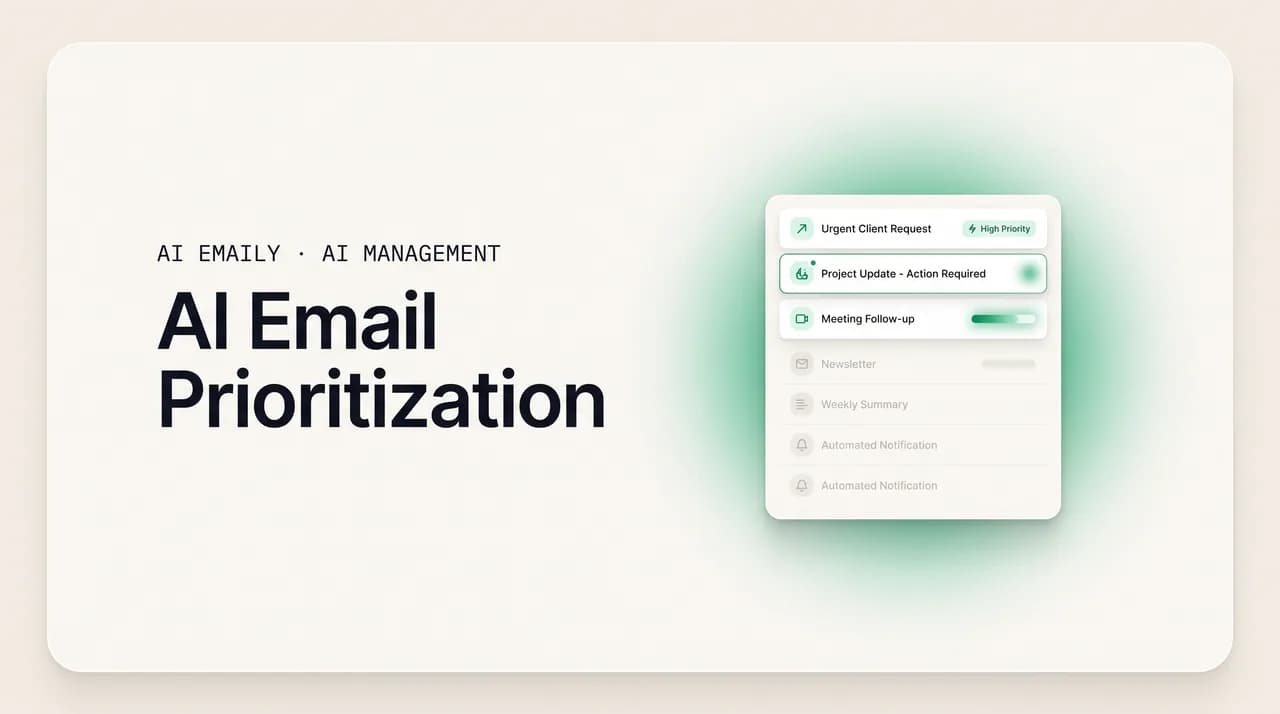
The short answer
AI email prioritization ranks importance by reading each message's signals, VIP sender, urgency, intent, your past behavior, and thread role, then surfaces what needs you and mutes the rest. The best systems hedge against missing anything important, learn from your corrections, and let you pin VIPs by rule, across every provider.
AI email prioritization: how AI ranks importance from VIP sender, urgency, intent, your behavior, and thread role, vs Gmail and Outlook, with control.
On this page
- 01Why does the important email always hide in plain sight?
- 02What should "priority" actually mean before you let AI assign it?
- 03What signals does AI use to rank an email's importance?
- 04How is this different from Gmail Important and Outlook Focused Inbox?
- 05How do you surface what needs you without burying the rest?
- 06How do you teach and correct what the AI treats as important?
- 07How does AI Emaily prioritize your inbox, and keep you in control?
- 08What is the fastest way to stop missing important email?
Why does the important email always hide in plain sight?#
Picture the email you wish you had not missed. A client wrote two weeks ago to ask whether you still wanted the contract, and the message landed at 4:42 on a Friday between a calendar invite and a shipping notification. You skimmed the inbox, your eye slid past it, and by Monday it was twenty rows down under a weekend's worth of newsletters, receipts, and notifications. Nothing flagged it. Nothing pulled it up. The medium that delivered it treated the one message that could change your quarter exactly the same as a 30%-off promotion, the same font, the same row, the same reverse-chronological pile, and the cost of finding it in time fell entirely on you.
That is the problem AI email prioritization exists to solve, and it is worth being precise about what the problem actually is, because it is not volume. Plenty of people receive a hundred or two hundred messages a day and feel fine; plenty of people receive thirty and feel buried. The thing that exhausts people and the thing that produces missed-important is not how much mail arrives but that the inbox refuses to tell you what is worth your attention right now. Every message arrives equal. The ranking, the judgment about what needs you today versus what can wait versus what you will never read, is work the inbox hands back to you, dozens of times a day, at the exact moments you have the least attention to spend on it.
Prioritization is the act of putting that judgment back into the inbox itself. Instead of a flat chronological column where the urgent client question and the loyalty-points email sit as peers, a prioritized inbox reads each message, ranks it by how much it actually needs you, and arranges the view so the mail that matters is at the top and impossible to miss while the noise sinks quietly out of the way. Done well, you open your mail and the first thing you see is the thing you would have wanted to see, and the long tail of low-stakes mail is still there, just no longer competing for the attention it never deserved.
This is a different job from sorting, and the difference matters because the two get conflated constantly. Sorting decides what a message is, a receipt, a newsletter, a real conversation, and files it accordingly. Prioritization decides how much a message matters and when it needs you, which is a separate axis entirely. A message can be perfectly well sorted into your Primary category and still be the wrong thing to read first; a newsletter you genuinely want can be lower priority than an unsorted one-off from a stranger who happens to be asking about an overdue invoice. You can have a beautifully categorized inbox and still miss the important email, because category tells you the kind of mail and priority tells you the stakes, and only priority answers the question that actually matters at 9 a.m.: of everything sitting here, what do I deal with first?
This guide is about that second axis. It walks through what priority should actually mean before you let software assign it, the specific signals AI reads to rank importance, VIP sender, urgency, intent, your own past behavior, and a message's role in a thread, how a dedicated AI priority inbox differs from Gmail's Important markers and Outlook's Focused Inbox, what it takes to surface what needs you without burying it, how you teach and correct the system so its judgment converges on yours, and how AI Emaily does all of this automatically inside whatever inbox you already use, private by default, with priority you control rather than priority imposed on you.
Sorting and prioritizing are different jobs
What should "priority" actually mean before you let AI assign it?#
Before you hand the ranking to software, it is worth deciding what you want ranked, because "priority" is a slippery word that hides at least three different ideas, and a tool that optimizes the wrong one will feel subtly wrong no matter how clever it is. The three ideas are importance, urgency, and the thing that actually matters, which is the combination of the two filtered through whether the message needs you at all. Get these straight and you can tell a good priority system from a flashy one in about a day of use.
Importance is about consequence: how much does it cost you to handle this late or not at all? A note from your biggest client is important even when it is not urgent, because getting it wrong is expensive. A newsletter is unimportant even when it screams "ENDS TONIGHT," because nothing is lost if you ignore it. Importance is largely about who and what, the sender's relationship to you and the stakes of the subject, and it is relatively stable: the same sender tends to carry similar importance across messages, which is exactly why VIP detection is such a load-bearing signal.
Urgency is about time: how soon does this need a response before the window closes? An urgent message is not necessarily important, the parking-garage reminder that your session expires in fifteen minutes is urgent and trivial, and an important message is not necessarily urgent, a strategic question from your board may matter enormously and still be fine to answer tomorrow. The mistake nearly every naive priority system makes is collapsing urgency into importance, treating loud, time-pressured language as a proxy for stakes, which is precisely the behavior marketing emails are engineered to exploit. "Act now," "final hours," "don't miss out" are urgency words with no importance behind them, and a system that ranks on urgency alone will float exactly the mail you most wanted sunk.
The thing that actually deserves the top of your inbox is the intersection: messages that are both consequential and time-sensitive, plus a third filter that is easy to forget, whether the message needs anything from you at all. A great deal of important, even urgent, mail is purely informational, the deal closed, the flight is on time, the report is attached, and while you may want to see it, it does not belong at the very top competing with the client who is waiting on your decision, because it does not require an action. The most useful priority cut is therefore not a single score but something closer to a small grid: needs-you-now in the corner that gets the spotlight, needs-you-eventually below it, good-to-know off to the side, and noise out of sight. A priority system that understands this produces an inbox you can act on; one that produces a single blended ranking produces an inbox you still have to re-read.
There is one more thing priority should mean, and it is a property of the system rather than the message: priority should be cautious in a specific direction. The two ways a ranking can be wrong are not symmetric. If it over-ranks something trivial, you lose a few seconds noticing it does not matter. If it under-ranks something important, you can lose a client, a deadline, a relationship. A priority system worth trusting is therefore deliberately biased toward visibility, it would rather show you a borderline message than risk hiding one that mattered, because the cost of a false alarm is trivial and the cost of a miss is not. Hold a tool to that standard and a lot of slick demos fall away, because surfacing the obviously-important is easy and the real test is what a system does with the message it is unsure about.
- Importance is about consequence, the cost of handling it late, and tracks who sent it and the stakes of the subject.
- Urgency is about time, how soon the window closes, and is the signal marketing mail fakes with "act now" language.
- What deserves the top is the intersection of both, filtered by whether the message needs anything from you at all.
- The best priority cut is a small grid, needs-you-now, needs-you-later, good-to-know, noise, not one blended score.
- A trustworthy system is biased toward visibility, since a false alarm costs seconds and a missed-important costs a lot.
Urgency is not importance, and marketing knows it
What signals does AI use to rank an email's importance?#
When an AI priority system decides where a message belongs, it is not guessing and it is not reading your mind; it is weighing a handful of readable signals and combining them into a judgment, much the way you would if you had unlimited patience and perfect memory of how you have handled every message before. No single signal decides on its own, and that is the point: the signals corroborate or contradict each other, and the system leans on whichever are clearest for a given message. Five families of signal do nearly all of the work, and understanding them is what turns priority from a black box into something you can reason about and correct.
The first signal is the sender, and it is the heaviest because importance is so often a function of who is asking. A message from your largest client, your manager, your co-founder, or your lawyer carries weight before a word of the body is read, while a no-reply address from a marketing platform carries almost none. The system reads the sender's relationship to you from several cues at once: whether they are in your contacts, whether you have corresponded before and how often, whether the address is a human mailbox or a bulk-sending service, and, crucially, whether you have ever marked them as someone who matters. This is what "VIP" means in practice, a sender whose mail is reliably worth your attention, and getting the VIP list right is the single highest-leverage thing you can do to make a priority inbox trustworthy, because a known-important sender should never be buried regardless of what the rest of the signals say.
The second signal is urgency, read from the actual language and structure of the message rather than from a flag the sender set. A genuine deadline, "we need your sign-off by Thursday or we miss the filing," reads differently from manufactured marketing urgency, and a model that reads the message can tell the difference between a real time constraint stated by a person and a "limited time offer" stamped on a template. Time references, explicit due dates, words like "asap" and "by end of day," and the presence of a question that blocks someone else's work all raise urgency, but a careful system weighs urgency against importance rather than letting it dominate, precisely so the loud-but-trivial does not outrank the quiet-but-consequential.
The third signal is intent, which sits a level above content: not just what the message says but what it wants you to do. This is the signal that separates mail that needs you from mail that merely informs you, and it is arguably the most useful cut in the whole inbox. A vendor confirming a meeting is an update you can note and move past; a vendor asking you to choose a time is an action that needs you, even though the two messages share a topic and a sender. Intent detection is what makes a real "needs reply" or "awaiting your decision" priority possible, because those states are defined entirely by what the sender is trying to get from you, and a model that reads intent can route the question to the top while letting the confirmation settle into good-to-know.
The fourth signal is your own past behavior, and it is what makes the system yours rather than generic. How have you treated mail like this before? If you reply to one client within the hour and let another sit for days, that pattern is data about relative priority. If you consistently archive a particular sender's updates unread, the system learns to deprioritize them no matter how official they look. The messages you open first, star, snooze, or act on are all votes, and every correction you make is the most valuable vote of all, because it tells the model exactly where its judgment diverged from yours. This is why two people with near-identical inboxes end up with different rankings: the system is not applying a fixed rulebook, it is modeling how you, specifically, allocate your attention.
The fifth signal is the message's role in its thread, which is easy to overlook and surprisingly powerful. A message is not an isolated object; it sits in a conversation, and its position in that conversation changes its priority. A direct reply to something you sent, where someone is now waiting on you, is higher priority than a fresh cold message. A message where you are on the To line and a question is addressed to you outranks one where you are merely cc'd on a thread that is really between two other people. A reply that arrives on a thread you started and have been driving deserves attention; a thread that has gone quiet with a ball in your court should resurface rather than fade. Reading thread role lets the system distinguish "someone is blocked waiting for me" from "I was looped in for visibility," which is a distinction that governs a huge share of what actually needs you.
Combine the five and you get a ranking with reasons behind it: this is top priority because it is from a VIP client, contains a direct question addressed to you, states a real deadline, sits on a thread where you owe the reply, and you have historically answered this person same-day, five signals pointing the same direction. Or this is low priority because it is a bulk sender, the urgency is template marketing language, there is no action for you, you are one of many recipients, and you archive these unread. The table below lays out the signals, what each one reads, and how it moves priority, so the ranking stops feeling like a verdict and starts feeling like something you can audit and adjust.
| Signal | What the AI reads | How it moves priority |
|---|---|---|
| VIP sender | Relationship to you, contact status, history of correspondence, and whether you have marked them important | Strongest lift; a known-important sender should never be buried regardless of other signals |
| Urgency | Real deadlines and time language in the body, weighed against manufactured marketing urgency | Raises priority when a genuine window is closing; ignored when it is template "act now" noise |
| Intent | What the sender wants, to inform, confirm, ask, or decide; whether an action is required of you | Separates needs-you from merely-informs; questions and requests rise, confirmations settle |
| Your past behavior | Who you reply to fast, what you open first, star, snooze, archive unread, or move | Personalizes the ranking to you; consistent fast-reply senders rise, ignored ones fall |
| Thread role | Reply vs cold open, To vs cc, whether the ball is in your court on a thread you drive | "Blocked waiting on me" outranks "looped in for visibility"; stalled threads resurface |
| Combined judgment | All five weighed together, with low-confidence calls hedged toward visibility | Produces an auditable ranking with reasons, correctable by adjusting the signal that erred |
No single signal decides
How is this different from Gmail Important and Outlook Focused Inbox?#
Most people's first encounter with automatic prioritization is Gmail's Priority Inbox and importance markers or Outlook's Focused Inbox, all of which are genuinely useful and all of which stop well short of what a dedicated AI priority system does. Understanding the gap is the clearest way to see why AI email prioritization became its own category of tool rather than a feature you already have for free, so it is worth walking through each honestly, including what they do well.
Gmail's Priority Inbox and its importance markers, the little yellow arrows, are a real machine-learning system, not a gimmick. Gmail predicts which messages are important to you based on your behavior, who you email and reply to, what you open and star, what you consistently ignore, and marks them, optionally splitting your inbox into Important and Unread, Starred, and Everything Else. It learns over time and the markers are private to you. The limits are real, though. The importance signal is a single binary-ish flag layered onto a chronological list rather than a true ranked, actionable view, so within "Important and Unread" you still get a pile you must re-read to find the one thing that needs you now. It does not separate needs-you from merely-informs, an important FYI and an important question both get the arrow. And it lives only in Gmail, so the moment you have mail elsewhere, its judgment does not travel with you.
Outlook's Focused Inbox takes a simpler approach: it splits mail into two tabs, Focused and Other, and learns which is which from how you interact, who you reply to, what you open quickly, what you ignore, moving messages between the tabs as it learns. The two-bucket model is clean and low-friction, and for separating probable-important from probable-not it works. But it is blunt by design. Everything that is not Focused is lumped into a single Other pile that quickly becomes its own unsorted inbox, and within Focused there is no ranking at all, just a chronological list of everything deemed important. There is no VIP concept beyond what it infers, no intent cut, no thread-role awareness surfaced to you, and like Gmail's system it is locked to one provider, so it has nothing to say about your other accounts.
The deeper limitation all three share is that they answer a coarser question than the one you actually have. Gmail's arrow and Outlook's Focused tab both tell you a message is probably important. Neither tells you whether it is the client waiting on your decision or the colleague's FYI you can read tomorrow, because they flag importance as a single bit and stop, where the useful output is a ranked, intent-aware view that puts needs-you-now at the top and lets the rest settle. They also learn slowly and silently, with little explicit control, you can train Gmail by starring and Outlook by moving messages, but you cannot easily say "this person is always a VIP and must never be buried" and have it treated as a hard guarantee rather than a soft hint. And every one of them stops at the edge of its own service.
A dedicated AI priority system adds the layers the built-in tools omit: a true ranking rather than a binary flag, an explicit VIP list you control, an intent cut that separates needs-you from merely-informs, thread-role awareness that recognizes when the ball is in your court, and hard rules you can set so the senders and topics you cannot afford to miss are pinned by guarantee rather than left to a model's slow inference. And crucially, it does all of this across providers rather than locking you into one mail service's idea of what matters, which is the difference that starts to matter the instant you have a work account in one place and a personal account in another. The table contrasts the three. None of this means the built-in tools are bad, they are a fine baseline and most people should leave them on, but a baseline is exactly what they are.
| Capability | Gmail Important / Priority Inbox | Outlook Focused Inbox | Dedicated AI prioritization |
|---|---|---|---|
| Flags probably-important mail | Yes, importance markers | Yes, Focused tab | Yes, and ranks rather than flags |
| True ranked priority view | Partial, sections not a ranking | No, chronological within Focused | Yes, needs-you-now at the top |
| Explicit VIP list you control | No, inferred only | No, inferred only | Yes, pinned by hard rule |
| Separates needs-you from informs | No | No | Yes, intent-based |
| Thread-role awareness | Limited | Limited | Yes, ball-in-your-court surfaces |
| Hard "never bury" guarantees | No | No | Yes, deterministic rules |
| Works across every provider | No, Gmail only | No, Outlook only | Yes, one system over all inboxes |
A flag is not a ranking
How do you surface what needs you without burying the rest?#
Ranking importance is only half the job. The other half is presentation, what the inbox actually shows you, and getting this wrong undoes all the cleverness of the ranking. A priority score that exists in a hidden field changes nothing; the point is to arrange the inbox so the mail that needs you is unmissable and the noise is present but quiet, and that requires a few deliberate design choices that distinguish a priority inbox you can live in from a glorified sort order.
The first move is to surface, not just sort. Surfacing means actively lifting the small number of messages that need you to a place you cannot miss them, a priority section at the very top, a dedicated view, a count you trust, rather than relying on you to scan a long list and find them yourself. The difference is subtle but decisive: a sorted inbox still demands that you read down it until the important things stop appearing, while a surfaced one hands you the short list directly. The best version is small on purpose. If the priority view contains forty messages, it is not a priority view, it is the inbox with extra steps; the whole value is in being honest that only a handful of things genuinely need you right now and showing you exactly those.
The second move is to mute without deleting. The mail that does not need you, the newsletters, the receipts, the notifications, the bulk updates, should not vanish, because some of it you do want, eventually, on your terms. Muting means it stops competing for the attention slot at the top: it is collected out of the way, in its own categories or a lower section or a digest, where you can graze it when you choose rather than have it interrupt the things that matter. This is the counterpart to surfacing and it is just as important, because an inbox that only elevates the important without suppressing the trivial still leaves the trivial in your face, and the relief of a prioritized inbox comes as much from what you stop seeing as from what you start seeing.
The third move is to respect the asymmetry of errors in the layout itself. Because a missed-important is far more costly than a noticed-trivial, the surfacing logic should err toward showing you a borderline message rather than tucking it away. In practice this means the priority view is slightly generous, it would rather include one message that turns out not to need you than exclude one that did, and anything the system is genuinely unsure about defaults to visible rather than hidden. A priority inbox that hides aggressively in pursuit of a clean, short list is optimizing the wrong thing; the goal is not the shortest possible list but the list you can trust to contain everything that mattered, which is a different and more forgiving target.
The fourth move is to make priority legible. When a message is surfaced, it helps to know why, this is here because it is from a VIP and contains a question, that is here because a deadline is near, because the reason is what lets you trust the ranking and correct it when it is wrong. A black-box priority view that elevates messages with no explanation forces you to re-evaluate each one from scratch, which defeats the purpose; a legible one lets you confirm the system's reasoning at a glance and move on, or disagree and teach it. The example below sketches what a well-designed priority surface actually looks like in practice, the short top list, the muted remainder, and the reasons attached.
Keep the priority list honestly short
How do you teach and correct what the AI treats as important?#
No priority system reads your mind on day one, and any tool that claims it nails your priorities out of the box is overselling. The honest framing is that a good system starts generic, leaning on broad patterns and your contacts, and becomes genuinely yours over a couple of weeks as you teach it, and the question that decides whether it is worth using is not whether it misranks things early but how cheaply you can correct it and whether the correction sticks. A system that learns from your nudges is worth a little patience; one that ignores them is just a fixed ranking wearing a learning costume.
There are two ways you teach a priority system, and good tools support both because they do different jobs. The first is implicit, you simply use your inbox, and the system watches: the senders you reply to fast, the messages you open first, the things you star or snooze, the mail you archive unread. This requires nothing of you beyond your normal behavior and it is how the ranking gradually personalizes without any explicit effort. The second is explicit, you directly tell the system what you think: mark a sender as VIP, bump a message up or down in priority, say "this kind of mail always matters" or "never surface this again." Explicit feedback is far more powerful per action because it removes ambiguity, an implicit signal like a slow reply could mean many things, while marking a sender VIP means exactly one thing, and a system that takes explicit instruction seriously converges on your judgment much faster.
Correction is where a priority system earns or loses trust, and the mechanics should be trivial: when something important was buried, lift it and mark the sender or the type as important; when something trivial was surfaced, push it down. The consequence should be twofold, this message is fixed now, and messages like it are handled better next time, because that second half is the entire point of a learning loop. A correction is a labeled example of where the system's judgment diverged from yours, the most valuable training data there is, and a system built around feedback folds it into future rankings so the same misjudgment fades rather than repeating. If correcting your priority inbox feels like bailing water, demoting the same newsletter every morning with no improvement, the system is not learning and you are doing the work it was supposed to remove.
The single highest-leverage form of explicit teaching is setting hard guarantees for the cases you cannot afford to get wrong. Some senders should never be buried, full stop, and that should be a rule, not a probability the model arrives at slowly. "Mail from my top three clients is always top priority" and "my co-founder is always a VIP" should fire every time, with certainty, not depend on the model having watched you long enough to infer it. The strongest setup layers explicit rules on top of learned judgment: the rules pin the handful of senders and topics that are non-negotiable, and the learning loop handles the open-ended majority underneath. That layering gives you the precision of a rule where you need it and the coverage of comprehension everywhere else, which neither approach delivers alone, and it is the difference between hoping the system figures out your VIPs and telling it.
Two habits make the biggest practical difference. First, correct at the sender or type level, not message by message, when you can: if a whole class of mail keeps landing in the wrong place, fix the rule for the sender or category rather than re-ranking each message, because one rule beats a hundred nudges. Second, front-load a little teaching early, especially on your VIPs and your never-miss categories, during the first week or two when the system is still generic, because the corrections you make then are the training data that makes the next month accurate, and the mistake is to judge a learning system by its cold-start behavior rather than by where it lands once it has watched you for a while. Do those two things and the residual misranking drops to the point where priority genuinely fades into the background, which is the only state in which it has actually solved the problem.
- 1
Use it normally
Reply, open, star, snooze, archive. Implicit behavior personalizes the ranking with no extra effort on your part.
- 2
Mark VIPs explicitly
Name the senders who always matter. Explicit feedback removes ambiguity and converges far faster than implicit signals.
- 3
Correct misranks
Lift the buried important, demote the surfaced trivial. In a learning system the fix sticks and generalizes to similar mail.
- 4
Set hard guarantees
Pin never-bury senders and never-miss topics as rules, so the non-negotiable cases fire with certainty, not probability.
- 5
Fix at the rule level
When a whole class is misranked, correct the sender or category rule rather than re-ranking each message one by one.
A system that ignores corrections is just a fixed ranking
How does AI Emaily prioritize your inbox, and keep you in control?#
Everything above describes how AI prioritization should work; AI Emaily is where it works, built in as the default behavior of the inbox rather than bolted on as a side panel. AI Emaily is an AI-native email client, your mail lives inside it, so prioritization happens on arrival, in the place you actually read, with no copy-paste loop, no separate dashboard, and no second app to check. You open your inbox and the mail that needs you is already at the top with the noise already out of the way, which is the only version of prioritization that survives contact with a busy day.
The ranking reads all five signals at once, the way this guide describes. Every message that arrives is weighed by sender, who they are to you and whether you have marked them a VIP, by urgency read from real deadlines in the body rather than manufactured marketing language, by intent, so a question that needs you outranks a confirmation that merely informs you, by your own history of who you reply to fast and what you ignore, and by its role in the thread, so the message where the ball is in your court and someone is waiting on you rises above the one where you were cc'd for visibility. Because the system reads meaning rather than matching keywords, it handles the borderline mail, the quiet message with real stakes, the loud one with none, that a single importance flag always got wrong.
VIP detection and surfacing are the core of it. You can mark the senders who always matter, and AI Emaily treats them as a guarantee: their mail is surfaced and never buried, regardless of what the other signals say, which is exactly the hard control the built-in tools never gave you. The priority view is kept honestly short, the handful of things that genuinely need you now, lifted to where you cannot miss them, with the reason attached, VIP, question, deadline, ball in your court, so you can trust the ranking at a glance or correct it. Everything that does not need you, the newsletters, receipts, notifications, and bulk updates, is muted out of the way into its categories rather than deleted, present when you want to graze it and silent the rest of the time. And the surfacing errs toward visibility, so a borderline message shows up rather than getting hidden, because missing an important email is the expensive error and a noticed-trivial one costs nothing.
Triage and rules are how the priority becomes yours rather than imposed on you. The brain is the personalization layer, it learns from how you treat your mail, which senders you prioritize, which categories you read, which you ignore, and folds every correction back in so the ranking converges on your judgment rather than a generic default. On top of that you set rules in plain language, "mail from my top three clients is always top priority," "my co-founder is always a VIP and never buried," "newsletters never surface, send them to read-later," and AI Emaily follows them with the certainty of a guarantee, combining deterministic guardrails over learned comprehension, which is the layered approach this guide recommends. The result is priority you control, your VIPs pinned, your never-miss topics guaranteed, your noise muted on your terms, rather than a slow, silent inference you cannot easily steer.
Two facts make this materially different from Gmail's importance markers and Outlook's Focused Inbox. First, it works across every provider, Gmail, Outlook, iCloud, Fastmail, Proton, and IMAP, so you get one consistent priority system, one VIP list, one set of rules, over all of your inboxes at once, instead of Google's idea of important in one place and Microsoft's in another. Second, it is private by default: the prioritization happens inside your client, grounded in your own mail, and your email is never used to train models, so you get comprehension-grade ranking without the disclosure cost of routing your correspondence through a consumer chatbot. And because AI Emaily is an agent, not just a ranker, the same understanding that prioritizes a message can act on it, the Copilot can turn a surfaced needs-reply into a drafted response, resurface a stalled thread where you owe an answer, or file what does not need you, with your approval, an undo, and an audit trail.
The plans are simple. The Free plan is $0 and includes AI prioritization, VIP surfacing, and triage, so you can put a real priority inbox on your actual mail without paying anything, mark your VIPs, surface what needs you, and mute the rest from the first day. Pro is $12.42 per month billed annually and adds the deeper automation, custom rules at scale, the full agent that can act on priority with your approval, and the cross-provider power-user features. If your inbox is a flat chronological pile where the client question hides under a weekend of newsletters, the version where it arrives already ranked, across every account you own, private by default, with the VIPs you choose pinned to the top, is a couple of minutes away at app.aiemaily.com/signup.
- AI-native client: prioritization happens on arrival, inside the inbox you read, with no copy-paste loop and no second app.
- Ranks by all five signals, VIP sender, real urgency, intent, your behavior, and thread role, reading meaning not keywords.
- VIP surfacing you control: mark the senders who matter and they are guaranteed surfaced, never buried.
- A short, honest needs-you view with reasons attached, paired with everything else muted out of the way, not deleted.
- Errs toward visibility so a borderline message shows up, because a missed-important is the expensive error.
- Plain-language rules plus a learning brain: deterministic guarantees over learned judgment, priority you steer.
- Works across Gmail, Outlook, iCloud, Fastmail, Proton, and IMAP, one VIP list and rule set over every inbox.
- Private by default, ranking runs in your client and your mail is never used to train models.
- Free is $0 with prioritization, VIP surfacing, and triage; Pro is $12.42/mo billed annually for the full agent.
Comprehension-grade priority without the disclosure cost
What is the fastest way to stop missing important email?#
If you take one thing from this guide, take this: the reason you keep missing the important email is not carelessness, it is that a flat chronological inbox refuses to tell you what is worth your attention right now and hands that judgment back to you at the worst possible moments. The fix is not more willpower or a stricter morning routine; it is putting the ranking back into the inbox itself, so the mail that needs you is surfaced and the noise is muted, which is the one change that actually addresses the cause rather than the symptom.
The mechanics are now well understood. A good priority system reads five signals together, who sent it and whether they are a VIP, whether a real deadline is closing, what the sender actually wants from you, how you have treated mail like this before, and where the message sits in its thread, then surfaces the short list that needs you, mutes the rest without deleting it, errs toward visibility on anything borderline, and folds your corrections back in so it converges on your judgment. It separates importance from urgency so manufactured marketing pressure does not outrank a quiet client, and it lets you pin your VIPs and never-miss topics by rule so the non-negotiable cases are guaranteed rather than inferred. Gmail's importance markers and Outlook's Focused Inbox are a fine baseline, but they flag rather than rank, infer rather than guarantee, and lock you to one provider, which is exactly the work a purpose-built priority system exists to finish.
AI Emaily does that work inside the inbox you already use, automatically, across every provider, private by default, with VIP surfacing you control and an agent that can act on the priority rather than just display it. The Free plan puts a real priority inbox, ranking, VIP surfacing, and triage, on your actual mail for $0, so the cost of finding out whether you stop missing the important email is nothing but the few minutes it takes to connect an account. If you are done being the person who finds the client's question two weeks late, the inbox that surfaces it the moment it arrives is waiting at app.aiemaily.com/signup.
Put the judgment back in the inbox
Frequently asked
See it in AI Emaily
Keep reading
Sources

Written by
Nafiul HasanNafiul Hasan is an entrepreneur and AI automation system builder with 10+ years of experience turning messy, manual workflows into reliable automated systems. He designs and ships AI enterprise solutions end-to-end — the agent logic, the data plumbing, and the product people actually use — and founded AI Emaily to give busy professionals their attention back. He writes here from the builder's seat: what works, what breaks, and how to put AI to work without giving up control.