How to Use AI to Summarize Emails and Long Threads in One Line

The short answer
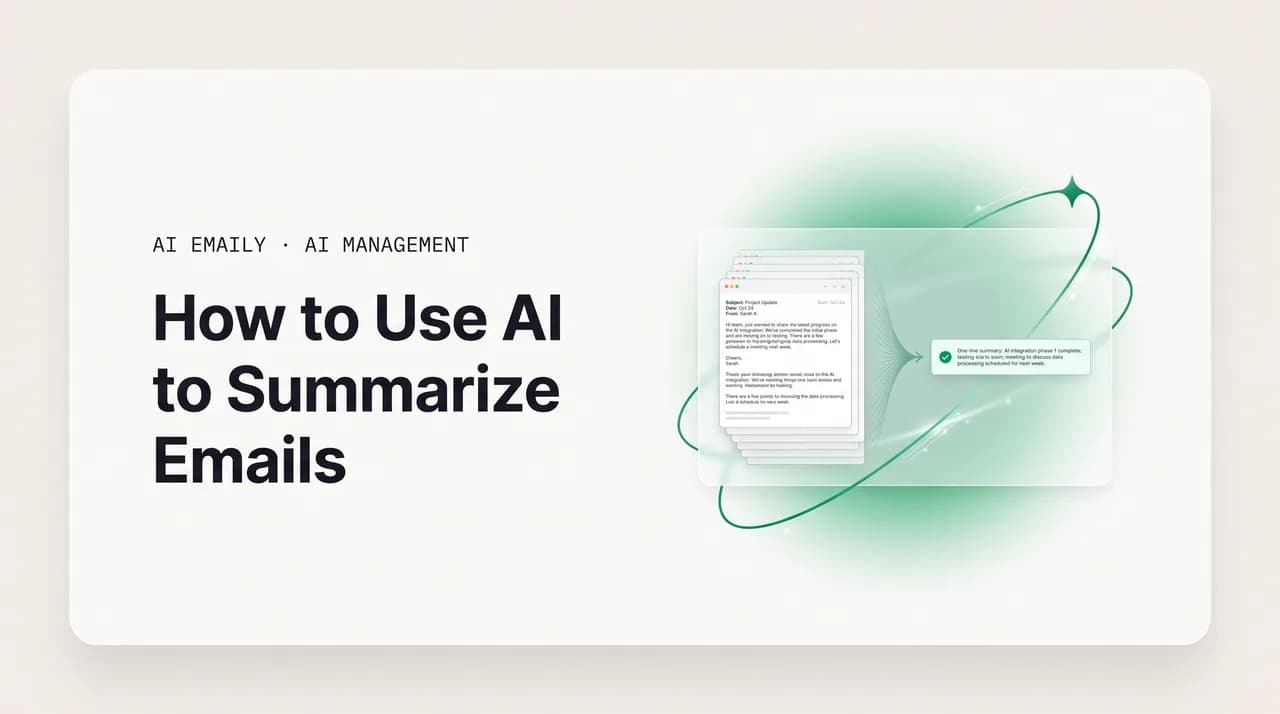
AI to summarize emails turns a single message, a 40-reply thread, or a whole day's inbox into a one-line TL;DR, a decisions log, and action items with owners. It works best inside your email client, where the model reads the full thread privately, with no copy-paste and no mail sent to a public chatbot.
Use AI to summarize emails and long threads into a one-line TL;DR, action items, and a daily brief, accurately and privately, without leaving your inbox.
On this page
- 01Why does using AI to summarize emails matter so much?
- 02What can AI actually summarize in your email?
- 03How do you summarize a single email and a long thread differently?
- 04What does a strong long-thread summary include?
- 05Auto-summaries in your email client vs pasting into ChatGPT: which is better?
- 06How do you build a daily digest or morning brief with AI?
- 07How do you extract action items and decisions you can trust?
- 08How accurate are AI email summaries, and how do you trust them?
- 09Is it safe to paste sensitive email into a public chatbot?
- 10How does AI Emaily auto-summarize every thread and brief you privately?
- 11Putting it together: a workflow for summarizing any email
Why does using AI to summarize emails matter so much?#
Most advice about email assumes the hard part is writing. It is not. For nearly everyone, reading is where the hours actually go, the long threads you scroll twice and still cannot summarize, the morning backlog of forty unread messages where you only need to act on four, the chains that someone forwarded with "thoughts?" and no context. You read far more email than you send, and reading badly arranged information under time pressure is exhausting in a way that composing a two-line reply never is. The promise of using AI to summarize emails is simple: get the meaning of a message or a thread in one glance, decide whether it needs you, and move on, instead of paying full reading cost on every item just to discover most of them did not deserve it.
A long email thread is one of the worst-designed documents you will ever be handed. It runs backwards, newest reply on top, so the story arrives in reverse. The same quoted text repeats under every message, padding a forty-line decision into four hundred lines of scroll. Three questions get tangled into one reply and half are never answered, a date gets rescheduled twice without anyone deleting the old ones, and the single sentence that commits someone to a deadline is buried in paragraph six. By the time you reach the bottom you have spent ten minutes and still cannot say what was decided, who owes what, or what you are supposed to do next. That is exactly the kind of mess a language model is good at untangling, because summarizing is not a creative act; it is extraction. The facts are all there in the text, they are just badly arranged, and the model's job is to pull them out, group them by type, and hand them back in an order a human can act on.
There is a second payoff that gets overlooked. A good summary is not only faster reading, it is better reading. When you skim under time pressure you miss things, the rescheduled date, the quiet objection in a reply you skipped, the question someone asked you three messages ago and you never answered. A model reads every message at the same attention, so a summary surfaces what your eyes slide past. Industry write-ups on inbox-overload have started putting numbers on the upside, with vendors claiming users reclaim a couple of hours a day once AI condenses threads and digests for them. The exact figure depends on your volume, but the direction is not in doubt: the bottleneck in email is comprehension, and that is the bottleneck a summary removes.
This guide covers the whole landscape: what AI can actually summarize, from a single dense message to a 50-reply thread to your entire day; the real difference between auto-summaries that live in your email client and the copy-paste-into-ChatGPT loop most people start with; how to build a daily digest or morning brief; how to extract action items and decisions you can trust; how accurate these summaries are and how to keep them honest; and the privacy question nobody wants to think about, which is that pasting your mail into a public chatbot is a disclosure of other people's words. At the end we show how AI Emaily does all of it automatically, inside your real inbox, privately, on every provider, so the summary is simply there when you open the thread.
Summaries are triage, not just shorter text
What can AI actually summarize in your email?#
"Summarize my email" sounds like one feature, but it is really four jobs with four different shapes, and knowing which one you want is most of the battle. The four are: a single message, a long thread, a daily brief across many messages, and a targeted extraction of action items or decisions. They are not interchangeable. Asking for a one-line TL;DR when you actually need every action item with an owner gives you a tidy sentence that is useless for getting work done; asking for a full action-item table when you only wanted to know whether a thread needs you wastes a paragraph on something a glance should answer. The most reliable instruction you can give any AI is to name the one output you want, because a vague "summarize this" forces the model to guess, and it usually guesses wrong.
The first job is the single message. Plenty of individual emails are long enough to need condensing on their own, a dense product update, a legal notice written in three nested clauses, a forwarded report with the actual ask buried under context. For a single message you usually want a two-line gist plus a clear statement of what, if anything, it asks of you. This is the fastest, most accurate kind of summary because there is no chronology to reconstruct and no attribution to track; the model just compresses one block of text.
The second job is the long thread, and this is where AI earns most of its keep. A thread summary has to do more than compress: it has to reconstruct the timeline, separate decisions from open questions, attribute statements to the right people, and notice when something raised early was resolved later. A good thread summary reads like a sharp chief of staff handing you a folder, the current state, the decisions made, the action items with owners, the questions still open. Tools built for this, from in-client features to standalone summarizers, advertise turning a 40-message chain into a five-bullet recap in seconds, and for everyday threads that is roughly what you get.
The third job is the daily brief, a summary not of one thread but of your whole inbox over a window of time, usually since you last looked. This is the digest your reading time really wants: one scannable list that says, across everything that arrived, here are the three things that need you, here are the ten you can ignore, here is the one waiting on a reply. It is the difference between opening your inbox to forty unread items and opening it to a one-screen brief that tells you where to start. The fourth job, extraction, is the most surgical: pull only the action items, only the decisions, only the dates and dollar figures, from one thread or many, into a list or table you can act on. We cover the brief and extraction in their own sections below, because they are where summaries stop being nice-to-read and start changing how the day runs.
| Summary job | Best output shape | When to use it | Hardest part for the AI |
|---|---|---|---|
| Single message | Two-line gist + the ask | One dense email: an update, a notice, a forwarded report | Almost none, it just compresses one block |
| Long thread | TL;DR + decisions + action items + open questions | A 10–50 reply chain you cannot reconstruct in your head | Timeline, attribution, resolving early questions answered late |
| Daily brief | Ranked one-line list across all new mail | First thing in the morning, or after time away | Prioritizing across senders, separating noise from signal |
| Action-item extraction | Task | Owner | Due date | Source list or table | Turning a thread into your to-do list and follow-ups | Not inventing owners or dates that were never stated |
Name the output, not the verb
How do you summarize a single email and a long thread differently?#
Start with the single message, because it sets the pattern. For one dense email you want two things and only two: a compressed gist and an explicit statement of the ask. The gist tells you what the email is about; the ask tells you whether you have to do anything. The reason to separate them is that a long email often buries a small request, sign here, approve this, confirm the date, under a wall of justification, and the request is the only part that changes your day. If you ask only for a summary you get the justification compressed; if you ask for the gist and the ask, you get the part you can act on pulled out and named.
The example below is the shape that works in any chatbot or in-client assistant. Note that it caps the length and forces the ask onto its own line, which is what stops the model from drifting into a three-paragraph paraphrase that is barely shorter than the original.
What does a strong long-thread summary include?#
A long thread needs a richer structure, because there is more to lose. The strongest default for a multi-reply chain is a four-part brief: an overview in a sentence or two, a decisions section, an action-items section with owners and dates, and a list of open questions. Those four headers map onto the four questions you actually have when you open a long thread, what is going on, what got settled, what do I owe, and what is still hanging. Forcing the model to fill each header separately stops the most common failure, where a discussion that never reached a conclusion gets reported as a decision, or a question someone asked gets quietly dropped because it was never answered.
The same input discipline that improves any summary matters most here. Paste or feed the model the full thread, expanded, not just the visible top reply, and keep the sender names and dates intact, because they are the raw material for owners and the timeline. Where you can, present the thread oldest-first so the model reads it as a story with a beginning; if it has to be newest-first, say so in one line so the model does not mistake the latest reply for the opening move. A thread summary built on a half-copied, attribution-stripped blob will be confidently wrong about who said what, and that is the kind of error that does real damage.
Always include an "open questions" header
Auto-summaries in your email client vs pasting into ChatGPT: which is better?#
There are two fundamentally different ways to summarize email with AI, and the difference is not the model, it is where the summary happens. In the copy-paste workflow you open a chatbot like ChatGPT, Claude, Gemini, or Copilot in a separate tab, go back to your inbox, expand and select the thread, copy it, paste it into the chat, write a prompt, read the answer, and, if you want to reply, copy something back. In the auto-summary workflow the summary is already there when you open the thread, generated inside your email client from the full conversation, with nothing copied anywhere. Both can use an excellent model. Only one of them fits into how you actually read email.
The copy-paste loop has one real advantage: flexibility. A general chatbot will summarize anything in any format you can describe, and if you want a haiku version of a contract negotiation it will oblige. But that flexibility comes with structural costs that no better prompt can fix. The first is friction: the expand-select-copy-paste-prompt-read-copy-back loop is a dozen actions per thread, which is fine once and unbearable across a morning's backlog, which is exactly when you need summaries most. The second is missing context: a pasted blob is all the model knows, so it cannot see that this thread is part of a longer relationship, cannot pull the related message from last month, and cannot draft a reply in your voice because it has never seen how you write. The third is the disclosure tax, covered in its own section below: every paste sends real names, numbers, and correspondence to a third-party server you do not control.
Auto-summaries in the client invert all three. There is no loop, because the model reads the thread where it already lives. There is full context, because it is reading your actual mailbox, not a fragment. And there is no paste, so there is no disclosure decision to make dozens of times a day. The trade is a little less novelty, you get the summary the tool is built to give rather than any format you can dream up, but for the job that matters, clearing real email faster, that is the right trade. The table makes the comparison concrete.
| Dimension | Paste into a public chatbot | Auto-summary in your email client |
|---|---|---|
| Effort per thread | Expand, select, copy, paste, prompt, read, copy back | Zero, the summary is there when you open the thread |
| Context the model sees | Only the pasted text, no inbox history | The full thread, related mail, your writing voice |
| Daily brief across all mail | Manual, paste many threads at once | Generated automatically across everything new |
| Reply afterward | Copy the answer back, switch tabs, paste | Draft proposed in place, one approval to send |
| Privacy | Mail sent to a third-party server; may train the model on free tiers | Stays inside the client; not used to train models |
| Best for | One-off, unusual formats; no inbox integration | Daily reading at volume, the actual bottleneck |
The friction is structural, not a prompting problem
How do you build a daily digest or morning brief with AI?#
The single-thread summary saves you minutes; the daily brief changes the shape of your morning. Instead of opening your inbox to a wall of unread items and triaging each one cold, you open to a one-screen digest that already says, across everything that arrived since you last looked, here is what needs you, here is what can wait, here is what is just noise. This is the feature that established inbox tools have leaned into for years, with daily-digest products that bundle low-priority mail into a single scannable summary so you scan everything at once instead of opening each message. The AI version goes further, because it can read and rank, not just bundle by sender.
A good brief does three things in order. It ranks: the messages that need a decision or a reply from you come first, the FYIs and newsletters come last or get collapsed into a count. It compresses: each item is one line, sender plus a tight statement of what it wants, not a paragraph. And it flags: anything addressed directly to you that you have not answered, anything with a deadline today, anything that has been waiting too long, gets marked so it cannot hide in the list. The result is a triage queue you can clear in a few minutes, where the reading you do is the reading that mattered.
If you are building this by hand with a chatbot, the pattern is to gather the day's threads, delimit them clearly, and ask for a single ranked digest rather than a summary of each. The prompt below produces that. The catch, and it is a big one, is that doing this manually every morning means copying a day's worth of real correspondence into a chatbot, which is the disclosure problem at its worst, your entire inbox, every day. This is precisely the job an in-client brief is built to do for you automatically, on your own mailbox, with nothing copied out.
A brief is a queue, not a newsletter
How do you extract action items and decisions you can trust?#
Reading a thread is one thing; turning it into work is another, and extraction is where a summary becomes a to-do list. The two extractions worth running on almost any working thread are action items and decisions. Action items answer "what do I, and others, now owe?" Decisions answer "what got settled, so I do not relitigate it later?" Both are high-value precisely because they are the parts of a thread most likely to be lost: a commitment made in reply four, a decision reached in a side comment, a deadline agreed and never written down anywhere durable.
Action-item extraction lives and dies on one rule: the model must not invent owners or dates. The most damaging error a task list can contain is an authoritative-looking line, "Maria to send the contract by Thursday," when nobody named Maria and nobody said Thursday. The fix is to force explicit fields and give the model a way to say it does not know. Ask for Task, Owner, Due date, and Source, one per line, and instruct it to write "Unassigned" or "No date" rather than guess. That single rule converts the output from something you have to double-check line by line into something you can mostly trust, with the unknowns clearly marked as unknowns.
Decisions need a different discipline: separating what was settled from what was merely discussed. A thread is full of "we should probably go with B" and "maybe we hold off," and only some of that hardened into an actual decision. Tell the model that a decision is something settled, not proposed, ask it to flag anything that seems agreed but was never explicitly confirmed, and ask it to capture the stated reasoning where there is one, because the reason a decision was made is what stops it from being reopened six months later by someone who was not on the thread. Tools built for thread analysis advertise exactly this, identifying participants, tracking the conversation flow, and pulling out decisions, action items, deadlines, and unresolved questions as distinct categories, because lumping them together is what makes a summary feel complete but act useless.
- Action items: force Task / Owner / Due date / Source fields, with "Unassigned" and "No date" as allowed answers.
- Decisions: tell the model a decision is settled, not proposed, and to flag anything agreed but never confirmed.
- Capture the reasoning behind a decision, it is what stops the question from being reopened later.
- Keep each extracted item linked to its source message so you can verify the load-bearing ones fast.
- Run the two extractions side by side, action items and open questions, to see both what is owed and what is stalled.
How accurate are AI email summaries, and how do you trust them?#
Honestly: good for everyday use, not perfect, and the errors are the quiet, confident kind. Capable models summarize threads reliably most of the time, but research on LLM summarization keeps finding non-trivial hallucination rates even in careful setups, and the failures in an email summary are specific and dangerous, an invented owner, a fabricated date, a decision that was only proposed reported as final. These slip past you because they are phrased with exactly the same confidence as the true facts. There is a documented behavioral risk on top of the model's own error rate: people shown an AI summary are measurably more likely to accept incorrect information than people who read the source, because the clean, authoritative format suppresses the skepticism you would apply to raw text. A smooth summary is not automatically an accurate one.
The good news is that accuracy is largely controllable, and most of the control is in how you set the task up rather than which model you pick. Three levers do the heavy lifting. First, grounding: tell the model to use only facts present in the thread and to write "none" or "unassigned" rather than fill a gap, because most fabrication happens when the model feels obliged to produce a complete-looking answer. Grounded, retrieval-style summarization, where the output is tied to the source text, has been shown to cut hallucination dramatically compared to a free-running model. Second, complete input in order: a half-copied or scrambled thread is the single biggest cause of attribution errors, so feed the whole conversation, oldest-first, with names and dates intact. Third, scale the method to the length: do not trust a single pass on a genuinely enormous thread; summarize it in chunks that carry the running state forward, then reconcile.
Then verify what is load-bearing, and only what is load-bearing. You do not need to fact-check a five-bullet recap of a routine update against the original, that defeats the purpose. But for the handful of details where being wrong is expensive, a contract figure, a deadline, a specific commitment, a name you are about to act on, take the ten seconds to confirm that one detail against the source message. This is where a summary that stays linked to its source has a decisive edge over a pasted-blob summary in a separate chat window: when the action item says "sign by Thursday," you can click straight to the message it came from and check, instead of scrolling back through a chat you can no longer match to the original thread.
Confident does not mean correct
Is it safe to paste sensitive email into a public chatbot?#
This is the question most people skip, and it is the one with the highest stakes. When you paste an email thread into a consumer AI chatbot, you are not sharing your own words, you are sending your colleagues' messages, your customers' names, contract terms, and sometimes salary figures to a third-party server you do not control, and you are usually doing it without the other people on the thread having any idea. Studies of workplace AI use have tracked this climbing sharply: by late 2025, sensitive data made up roughly a third of what employees were pasting into ChatGPT, up from around a tenth two years earlier, and the categories include source code, client records, and internal financials. An email thread is the perfect storm here, because it is exactly the kind of mixed, sensitive document where the boilerplate and the confidential are tangled together.
The retention and exposure picture is what makes it concrete. On free and standard consumer tiers, your inputs may be used to train the model unless you turn that off, and even when you use a temporary chat or disable history, providers typically retain a copy for a window, on the order of a month, for abuse monitoring before deletion. Metadata like your account ID gets logged, transcripts have been subpoenaed in litigation, and there has been at least one well-publicized incident where a bug briefly exposed private prompts to search engines. The cautionary tale that security teams still cite is the electronics maker whose engineers pasted internal source code and meeting notes into a chatbot within weeks of being allowed to use it, after which the company banned external AI tools outright. Enterprise and team tiers generally carry stronger no-training, zero-retention guarantees, which is precisely why your security team cares which tier you are on.
So treat every paste as a disclosure decision, not a convenience. Before a thread goes into a consumer chatbot, ask whether it contains anything you would not want stored or used to train a model: names you could redact, numbers you could mask, a contract clause that has no business leaving your company. Use a temporary chat, turn off history and training, and redact what you can. But notice the trap: the careful version of this workflow, redact, mask, toggle the settings, is also the slow version, and under the time pressure that made you reach for a summary in the first place, it is exactly the version people skip. The cleanest answer is not to copy the thread out of your inbox at all, which is what an AI-native client does, by summarizing the mail where it already lives, under your own account, with nothing pasted anywhere.
- A pasted thread discloses other people's words, names, and numbers to a third party, usually without their knowledge.
- On free and standard consumer tiers, inputs may train the model unless you explicitly disable it.
- Even with history off, providers often retain a copy for ~30 days for abuse monitoring before deletion.
- The safe manual workflow, redact, mask, use a temporary chat, is the one people skip under time pressure.
- Summarizing inside your email client removes the paste entirely, so there is no disclosure decision to make.
Pasting a thread is a disclosure, not a convenience
How does AI Emaily auto-summarize every thread and brief you privately?#
AI Emaily is an AI-native email client, and it treats summarizing as something the inbox does for you, not a chore you outsource to a separate chatbot. Open a long thread and the summary is already there, the TL;DR, the decisions, the action items, the open questions, generated from the full conversation without you copying a single line. There is no expand-select-copy-paste loop, because the model reads the thread where it already lives, inside your account, with the quoted history, the sender names, and the dates all intact and in order. Everything this guide has been building prompts to produce, AI Emaily produces by default, on every thread, the moment you open it.
On top of per-thread summaries, AI Emaily gives you a daily Brief: one ranked rundown of everything that arrived since you last looked, the messages that need you first, the noise collapsed at the bottom, the unanswered items aimed at you flagged so they cannot hide. That is the morning-brief workflow from the section above, except you do not assemble it by pasting a day of correspondence into a chatbot, it is generated automatically on your own mailbox. Action-item extraction is built in too: the commitments and decisions in a thread are pulled out as you read, and crucially they stay linked to the message they came from, so when you want to verify the one load-bearing date, it is one click away rather than stranded in a chat window you can no longer match to the source.
Privacy is the part that changes most. Summarizing inside AI Emaily means your email is never copied into a consumer chatbot, because the work happens within the client on your own mailbox, and your mail is not used to train models. The disclosure decision you were making dozens of times a week, redact this, mask that, toggle that setting, is simply gone, because nothing is being lifted out of your inbox in the first place. It works across every provider you connect, Gmail, Outlook, iCloud, Fastmail, Proton, and IMAP, so the summaries and the Brief are consistent whether a thread arrived in a personal account or a work one, all in one place.
The agent goes a step beyond reading. In Copilot mode it turns a summary into the next action, the reply that answers the open questions, the task created from a commitment, the meeting drafted from a "can we find time?", and it waits for your approval before anything is sent, with undo and an audit trail on everything it does. The summarize-then-reply chain that takes a dozen tab-switches in a chatbot is a single approval here, the draft already grounded in the thread. That is the difference between a chatbot that describes your thread and a client that understands it and helps you finish it, with you in control of every outbound step.
Getting started is free. The Free plan is $0 and connects your inbox with AI summaries and the daily Brief built in; Pro is $12.42 per month billed annually when you want the full agent, deeper drafting, and higher limits. You can connect an account and see your first auto-summarized thread, and your first Brief, in a couple of minutes at app.aiemaily.com/signup, with no thread to paste, no context to re-type, and no disclosure decision to second-guess.
- Every thread is auto-summarized on open, TL;DR, decisions, action items, open questions, with no copy-paste loop.
- A daily Brief ranks everything new across your inbox, action-needed first, noise collapsed, unanswered items flagged.
- Action items are extracted as you read and stay linked to their source message for fast verification.
- Private by design: your mail is summarized inside the client, never copied to a consumer chatbot and never used to train models.
- Works across Gmail, Outlook, iCloud, Fastmail, Proton, and IMAP, consistent summaries and Brief in one place.
- The Copilot agent turns a summary into a proposed reply or task, with mandatory approval, undo, and an audit trail.
The summary, the brief, and none of the chore
Putting it together: a workflow for summarizing any email#
Using AI to summarize email comes down to a few disciplines. First, pick the job: a two-line gist and ask for a single dense message, a four-part brief for a long thread, a ranked digest for the morning, or a fielded extraction when you need the action items and decisions out as a list. Naming the one output you want is the biggest lever on quality, because a vague "summarize this" makes the model guess. Second, get the input right: feed the full conversation, oldest-first, with names and dates intact, because most bad summaries are bad inputs, not bad models. Third, keep it honest: tell the model to use only facts in the thread and to write "none" or "unassigned" rather than invent, and personally verify any figure, deadline, or commitment you are about to act on, because the confident-sounding error is the one that costs you.
Then weigh where the summary happens, because that decides more than the prompt does. A public chatbot is flexible and fine for the occasional one-off, but every paste is a disclosure of real correspondence, the copy-paste loop is unbearable across a morning's backlog, and the model only ever sees the fragment you pasted. An auto-summary inside your email client removes all three problems at once: no loop, full inbox context, and nothing copied out to disclose. For the job that actually eats your time, reading email at volume, that is the version that holds up.
That is exactly the gap AI Emaily closes, by auto-summarizing every thread the moment you open it, giving you a ranked daily Brief, extracting action items that stay linked to their source, and doing all of it privately inside your real inbox, across every provider, with an agent that turns the summary into your next action under your approval. When you are tired of being the courier between the tool that understands your email and the inbox that holds it, the summary that is already waiting when you open the thread, and the Brief waiting when you start your day, are a couple of minutes away at app.aiemaily.com/signup. If you want to go deeper on the prompt craft behind manual summaries first, the companion guide on AI prompts to summarize an email thread covers the TL;DR, chunking, and decisions-log prompts in detail.
Frequently asked
See it in AI Emaily
Keep reading
Sources

Written by
Nafiul HasanNafiul Hasan is an entrepreneur and AI automation system builder with 10+ years of experience turning messy, manual workflows into reliable automated systems. He designs and ships AI enterprise solutions end-to-end — the agent logic, the data plumbing, and the product people actually use — and founded AI Emaily to give busy professionals their attention back. He writes here from the builder's seat: what works, what breaks, and how to put AI to work without giving up control.