AI Auto-Reply to Emails: Draft Replies in Your Voice, Approve in Seconds

The short answer
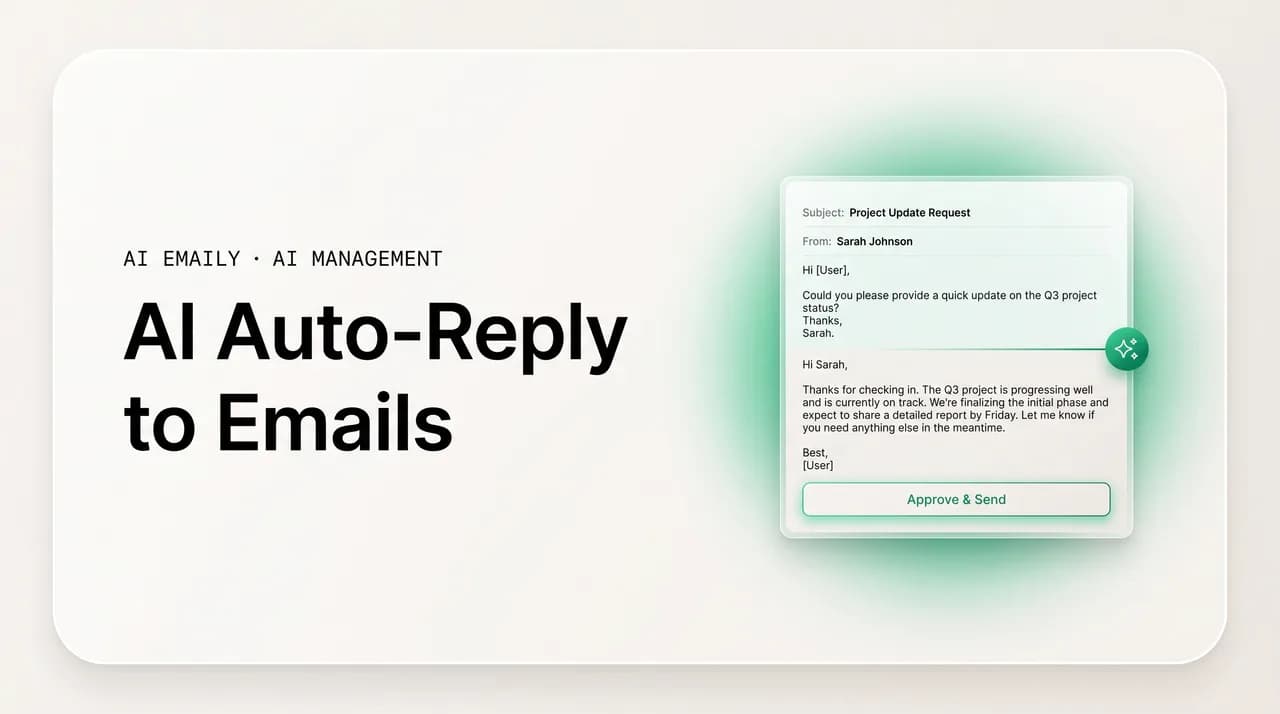
AI auto-reply to emails is not a canned vacation responder. It reads the actual thread and drafts a context-aware reply in your voice. The safe default is draft-for-approval — the AI writes, you approve before anything sends. Reserve fully automatic sending for narrow, low-risk categories, and keep undo plus an audit trail behind every reply.
AI auto-reply to emails done right: the levels from suggest to draft-for-approval to fully auto, what's safe to automate, and how to keep your voice with full undo and audit.
On this page
- 01How is AI auto-reply different from a vacation responder?
- 02What are the three levels of AI auto-reply automation?
- 03Should AI send email replies automatically, or just draft them?
- 04What's safe to automate with AI auto-reply, and what isn't?
- 05How do you set up AI auto-replies the right way?
- 06How do you keep AI replies sounding like you?
- 07What guardrails make AI auto-reply safe — approval, undo, and audit?
- 08What are the best use cases for AI auto-reply?
- 09How does AI Emaily handle auto-reply — Copilot, Autopilot, undo, and audit?
- 10Conclusion: draft by default, automate the proven, keep undo and audit
When most people hear "auto-reply," they picture the vacation responder: a single fixed message — "I'm out of office until Monday, I'll reply when I'm back" — fired at everyone who emails you, regardless of what they asked. It's a doormat note. It doesn't read the email, doesn't answer the question, and doesn't move anything forward. It just tells the sender to wait. That tool has existed for thirty years and it has not gotten smarter.
AI auto-reply is a different thing entirely, and the confusion between the two is why people are either over-trusting it or dismissing it. An AI auto-reply doesn't send a canned message. It reads the actual email — the question, the context, the thread it sits in — and writes a reply that responds to what was said. "Can you send the revised proposal by Friday?" doesn't get "I'm out of office." It gets a draft that confirms Friday, flags the one constraint you care about, and proposes the next step. The difference between a vacation responder and AI auto-reply is the difference between a fixed sign on a locked door and an assistant who actually opens the email and drafts the answer.
But "the AI writes the reply" raises the question everyone should ask next: does it send on its own, or does it wait for me? That single question is the whole ballgame, and most articles blur it. There is a wide spectrum between an AI that suggests a phrase and an AI that sends a finished reply to a client without you ever seeing it. Where you sit on that spectrum determines whether AI auto-reply is a quiet productivity win or a liability waiting to embarrass you.
This guide draws the spectrum clearly. We'll cover the three levels of automation — from suggest, to draft-for-approval, to fully automatic — and which one fits which email. We'll be honest about what is safe to automate and what is genuinely risky, how to keep replies sounding like you and staying accurate, and the guardrails — approval, undo, and audit — that make any of this responsible. Then we'll walk through the use cases where AI auto-reply earns its place: scheduling, FAQs, and acknowledgments. Finally, we'll show how AI Emaily handles all of it: Copilot drafts for your approval, Autopilot sends within guardrails you set, and every reply has undo and a full audit trail behind it.
How is AI auto-reply different from a vacation responder?#
Start here, because the rest of the article depends on it. A vacation responder and an AI auto-reply are both technically "automatic replies," but they are opposites in almost every way that matters. Treating them as the same thing is how people end up either disappointed ("it just sent a generic note") or alarmed ("it sent the wrong answer to my biggest client"). They are not the same tool, and they fail in different directions.
A vacation responder is static and blind. You write one message, set a date range, and that exact text goes to everyone, no matter what they emailed about. It cannot tell a sales lead from a spam blast from your boss asking where the report is. It doesn't read the incoming email at all — it just detects that one arrived and fires the prewritten note back. Email providers cap it (Gmail, for instance, sends it once per sender every few days) precisely because a fixed message blasted at everyone would otherwise become noise. The vacation responder's whole job is to buy you time, not to answer anything.
An AI auto-reply is dynamic and context-aware. It reads the specific email — the question asked, the tone, the details, the history in the thread — and generates a reply tailored to that message. Ask three different people three different questions and you get three different, relevant drafts, not one identical note. A good AI reply pulls the dates, names, and action items out of the conversation and reflects them back, the same way a capable assistant would. That is a categorically harder task than printing a fixed string, and it is the reason AI auto-reply is genuinely useful and the vacation responder mostly isn't.
Here's the catch that the word "auto" hides. A vacation responder always sends — that's its entire function, and because the message is harmless and generic, sending it automatically is fine. AI auto-reply is different: because it writes a real, specific answer, sending it automatically is a decision with consequences. A wrong vacation note is mildly annoying. A wrong AI reply — a confirmed date you can't hit, a price you didn't authorize, a fact the AI invented — goes out under your name and is hard to unsay. So the smartest AI auto-reply setups don't send automatically by default. They draft, and they wait for you. We'll unpack exactly why and when below.
| Dimension | Vacation responder | AI auto-reply |
|---|---|---|
| Reads the incoming email? | No — fires on any arrival | Yes — reads the question, thread, and context |
| Message content | One fixed note for everyone | A unique draft tailored to each email |
| Adapts to the sender or topic? | No | Yes — different reply per intent and history |
| Typical job | Buy time while you're away | Actually answer or move the thread forward |
| Sends automatically? | Always (it's harmless and generic) | Should depend on level — draft-for-approval is the safe default |
| Risk if it's wrong | Low (annoying at worst) | Higher (a wrong real answer goes out in your name) |
"Auto-reply" is doing two very different jobs
What are the three levels of AI auto-reply automation?#
The phrase "AI auto-reply" covers a spectrum, not a single behavior, and most of the confusion (and most of the risk) comes from collapsing the spectrum into one word. There are three meaningfully different levels of how much the AI does and how much you do. Knowing which level you're operating at — for a given email, not for your whole inbox at once — is the single most useful distinction in this entire topic.
At the lightest level, the AI suggests. You're writing the reply yourself, and the AI offers a phrase, a sentence, or a one-tap quick response while you type. You're fully in control; the AI is just speeding up your fingers. This is the Smart Compose / Smart Reply category most people have already met inside Gmail and Outlook. It's safe almost by definition, because nothing leaves your outbox that you didn't type and read.
At the middle level — and this is the one that matters most — the AI drafts a complete reply and holds it for your approval. You open the thread, a full draft is already written and waiting, you read it, edit if needed, and hit send when you're satisfied. The AI did the writing; you made the send decision. This is the level that delivers most of the time savings of automation while keeping the human in the loop on every outbound message. It is the safe default for almost everything, and it's the mode serious AI email tools center on for exactly that reason.
At the heaviest level, the AI sends fully automatically. It reads the email, writes the reply, and sends it — no stop, no review, no you. This is the only level that is genuinely "hands-off," and it's also the only level that carries real risk, because a wrong reply goes out under your name with nobody checking. Fully automatic sending has a legitimate place, but a narrow one: high-volume, well-defined, low-stakes categories where you've watched the AI handle the same kind of email correctly dozens of times and you trust it. Turning it on broadly, for everything, is how AI email goes wrong.
The mistake people make is choosing one level for their whole inbox. The right model is to assign levels per category. Your routine acknowledgments and FAQ answers might graduate to fully automatic; your client negotiations and sensitive threads stay at draft-for-approval forever; everything in between sits comfortably in the middle. The table below lays out the three levels, what each is good for, and the risk that comes with it.
| Level | What the AI does | What you do | Best for | Risk |
|---|---|---|---|---|
| 1. Suggest | Offers phrases, sentences, or quick-reply chips as you write | Write the reply; accept or ignore suggestions | Speeding up replies you're writing anyway | Very low — nothing sends unread |
| 2. Draft for approval | Writes a complete, context-aware reply and queues it | Read, edit if needed, then approve to send | Almost everything — the safe default for real replies | Low — you approve every send |
| 3. Fully automatic | Reads, writes, and sends with no review | Set the rules; review the audit trail after | Narrow, repetitive, low-stakes categories you trust | Higher — a wrong reply sends in your name |
Pick the level per category, not per inbox
Should AI send email replies automatically, or just draft them?#
This is the question that separates a tool you'll trust from one that will eventually burn you, so it's worth slowing down on. The honest answer is: for the overwhelming majority of your email, the AI should draft and wait for you — not send on its own. Draft-for-approval is the default a sensible person lands on, and it is the default the best tools are designed around.
The reason is asymmetry. The upside of fully automatic sending is a few saved seconds per email — you skip the glance and the click. The downside, when it goes wrong, is a wrong answer delivered in your name to someone who matters, with no chance to catch it. A confirmed meeting you can't actually make. A commitment you never authorized. A number the AI got subtly wrong. A reply whose tone is fine in the abstract but lands badly with this particular person given history the AI can't see. You're trading a small, certain time saving for a small chance of a costly mistake. For most email, that trade isn't worth it — the glance is cheap insurance.
Draft-for-approval keeps almost all of the benefit and removes almost all of the risk. The slow part of replying was never the clicking send; it was the staring at a blank box deciding what to say. If the AI hands you a complete, well-judged draft grounded in the actual thread, your job collapses to a quick read and an approve. You still get the speed. You just keep the one thing automation shouldn't take away: the final say over what goes out under your name. This is what "human-in-the-loop" means in practice, and it's why the phrase keeps coming up in any serious discussion of AI email — the human stays in the loop on the send.
Fully automatic sending isn't wrong — it's a tool with a narrow safe range. It earns its place for categories that are genuinely repetitive, low-stakes, and easy to verify: "got it, I'll be there," "here's the link to book time with me," "thanks, received." For those, after you've watched the AI handle the same shape of email correctly many times and trust its judgment, letting it send directly is reasonable and saves real effort. The discipline is to start everything in draft-for-approval, watch how the AI performs on a category, and only graduate the ones you'd happily sign blind. Promote earned trust; don't grant it up front.
There's a build-trust sequence implied here, and it's the right way to adopt AI auto-reply. Run in draft-for-approval first. Watch the drafts. Notice which categories the AI nails every time and which it gets subtly wrong. Graduate only the reliable, low-stakes ones to automatic. Keep everything else — and anything new, ambiguous, or high-stakes — in draft mode. That's not timidity; it's how you get the speed of automation without ever waking up to a mistake you can't take back.
The risk lives in the send, not the draft
What's safe to automate with AI auto-reply, and what isn't?#
Not all email is created equal, and the difference between a safe AI auto-reply and a dangerous one is almost entirely about the category of email, not the cleverness of the AI. The useful filter is simple: how repetitive is it, how low are the stakes, and how easy is the answer to verify? Email that scores well on all three is a candidate for heavier automation. Email that scores poorly on any of them should stay in draft-for-approval where you read every word before it sends.
Safe-to-automate email tends to be high-volume, low-variation, and factual. Confirming you'll attend a meeting. Sending your scheduling link. Acknowledging that a document arrived. Answering a question you've answered a hundred times the same way — your hours, your address, your return policy, where to find the docs. The answer is the same regardless of who's asking, the stakes of getting it slightly wrong are minor, and a quick look at the audit trail later would catch anything off. These are the emails where automation feels like relief, not risk.
Risky-to-automate email is the opposite: high-stakes, high-variation, or relationship-sensitive. Anything involving money — pricing, refunds, contracts, commitments to deliver by a date. Anything with conflict or negotiation, where tone is everything and a single word lands wrong. Anything legal, HR, or regulated, where a casual misstatement has consequences. Anything to a person where the history matters more than the words — a key client, a tense colleague, a relationship you're rebuilding. For all of these, the few seconds you spend reading the draft before it sends is the cheapest insurance you'll ever buy. These should stay in draft-for-approval indefinitely.
There's also a category most people don't think about until it bites them: anything where the AI might not have the facts. AI drafts replies from what it can see — the thread and whatever context the tool has access to. If the real answer lives in information the AI doesn't have, it can produce a confident, fluent, wrong reply, because models fill gaps rather than leave them. "Yes, that's covered under your plan" sounds great and may be false. The rule: if a correct answer depends on a fact the AI can't verify, that reply needs a human who knows the fact — it is not a candidate for automatic sending, no matter how routine it looks.
The table below sorts the common cases. Use it as a starting map, not gospel — your own inbox will have its own safe and risky pockets. The general principle holds everywhere: automate the repetitive and harmless, keep a human on the consequential and the ambiguous.
| Email type | Recommended level | Why |
|---|---|---|
| Meeting confirmations ("yes, I'll be there") | Can graduate to automatic | Repetitive, low-stakes, easy to verify |
| Sending your scheduling link | Can graduate to automatic | Same answer every time; harmless if early |
| Acknowledging a received document or request | Can graduate to automatic | Pure receipt; nothing committed |
| Common FAQs (hours, address, where to find X) | Automatic for stable answers only | Safe while the fact is fixed and known |
| Scheduling that requires picking real times | Draft for approval | Depends on your actual calendar and constraints |
| Anything involving price, refunds, or contracts | Draft for approval (always) | Money mistakes are costly and hard to retract |
| Negotiation, pushback, or conflict | Draft for approval (always) | Tone is everything; one wrong word does damage |
| Legal, HR, compliance, or regulated topics | Draft for approval (always) | A casual misstatement carries real consequences |
| Replies to key clients or sensitive relationships | Draft for approval (always) | History the AI can't see matters more than the words |
| Any answer the AI can't verify from context | Draft for approval (always) | Confident-but-wrong is the most dangerous output |
Treat incoming email as untrusted input
How do you set up AI auto-replies the right way?#
Setting up AI auto-reply well is less about flipping a switch and more about staging your trust. The goal is to reach a point where the routine, harmless replies handle themselves and the consequential ones still pass under your eyes — and to get there without a scary intermediate phase where the AI is sending things you haven't learned to trust yet. Here's the sequence that gets you there safely.
- 1
1. Start everything in draft-for-approval
Whatever tool you use, begin with the AI drafting replies and holding them for you — never with automatic sending on. This first phase is your evaluation period. You're not just saving time; you're watching how the AI writes, which categories it nails, and where it gets things subtly wrong. Resist the urge to turn on automatic sending early. Earned trust is the whole point, and you can't earn it without watching first.
- 2
2. Teach it your voice and your facts
An AI reply only sounds like you if the tool knows how you write, and it's only accurate if it knows your real constraints. Give it what it needs: examples of your actual emails so it learns your greeting, rhythm, and sign-off, and the standing facts it should rely on (your hours, your booking link, your standard terms, what you never commit to without checking). The better the tool knows your voice and your truth, the less editing each draft needs.
- 3
3. Sort your inbox into safe and sensitive categories
Decide, deliberately, which kinds of email could eventually run automatically and which must always stay in draft-for-approval. Acknowledgments, scheduling links, and a short list of stable FAQs go in the "can graduate" pile. Anything touching money, conflict, legal matters, key relationships, or facts the AI can't verify goes in the "always approve" pile. Writing this down up front stops you from over-automating in a moment of enthusiasm.
- 4
4. Watch the drafts and measure quality
Spend a week or two reading every draft before you send it, and pay attention. How often is the draft good as-is? Where does it need edits, and what kind? Is the tone right? Does it ever state something that isn't true? You're looking for categories where the AI is consistently, boringly correct — those are your candidates for graduation. Categories where it's hit-or-miss stay in draft mode.
- 5
5. Graduate only the proven, low-stakes categories
Once you'd happily sign a category's drafts blind — because you've watched the AI get them right many times and the stakes are low — let those send automatically. Keep it narrow. "Confirm I'll attend" and "here's my scheduling link" are good first graduates. Everything consequential, ambiguous, or new stays in draft-for-approval. You can always promote more later; you rarely regret promoting less.
- 6
6. Keep undo and audit on, always
No matter how much you automate, insist on two safety nets: the ability to undo a reply immediately after it sends, and a complete log of every reply the AI drafted or sent. Undo turns a mistake into a near-miss. The audit trail lets you review what the automated categories actually did, catch drift early, and pull a category back into draft mode the moment something looks off. These aren't optional extras — they're what make automation reversible and reviewable.
Graduate categories the way you'd delegate to a new hire
How do you keep AI replies sounding like you?#
The fastest way to make AI auto-reply backfire is to let it send replies that obviously weren't written by you. Recipients have gotten good at spotting the generic "AI voice" — the over-polished cadence, the stock empathy lines, the sentences that say a lot and mean nothing. A reply that reads as machine-written can do more damage than a slightly clumsy one you wrote yourself, because it signals you didn't care enough to answer personally. Keeping your voice isn't a nicety; it's what makes automated replies acceptable to the people receiving them.
Voice is learnable, and the good tools learn it from your real email rather than asking you to describe it. Your greeting ("Hi" vs. "Hey" vs. straight into it), your sentence length, your level of formality, how you sign off, the small verbal habits that make your writing yours — all of that lives in the emails you've already sent. A tool that studies them can approximate your register closely enough that a reply genuinely sounds like you dashed it off. The difference between "this sounds like me" and "this sounds like a chatbot" is almost entirely whether the tool learned from your actual writing or generated from a generic default.
Accuracy is the other half of "sounding like you," and it's the half people underrate. A reply in your perfect voice that states something untrue isn't a win — it's a confident lie in your handwriting. AI models are fluent by nature; they'd rather produce a smooth, plausible answer than admit they don't know. That tendency — the polite hallucination — is exactly why the facts in a reply have to be either verifiable from the thread or supplied by you. The voice can be automated. The truth of the specific claims needs a source, and for consequential replies, that source is you reading before you send.
Tone has to fit the moment, not just the writer. The same person writes differently to a buddy and to a board, to deliver good news and to deliver bad. A reply that's accurate and in your general voice can still land wrong if the register is off for the situation. The better tools adapt tone to context — tightening for a curt sender, warming for a thank-you, softening a hard message — but the judgment of whether the tone is right for this person, on this thread, today is still human. That judgment is a big part of why high-stakes replies stay in draft-for-approval: not because the words are wrong, but because only you know how they'll land.
The practical upshot: insist on three things from any AI auto-reply you adopt. It should learn your voice from your real emails so replies sound like you, not like a model. It should ground its claims in facts it can actually verify, and flag rather than fabricate when it can't. And it should keep you in the loop on anything where tone and stakes make the human read worth the few seconds. Voice plus accuracy plus the right oversight is what turns AI auto-reply from a gimmick into something you'd actually let speak for you.
What guardrails make AI auto-reply safe — approval, undo, and audit?#
If AI auto-reply is going to act on your behalf, three guardrails are non-negotiable. They are what separate a tool you can responsibly run on your real mailbox from one that's an accident waiting to happen. None of them is exotic; together they make the whole thing reversible, reviewable, and under your control. Any AI email tool that's missing one of these is asking you to fly without a net.
The first guardrail is approval before send — the human-in-the-loop gate. For everything that isn't a proven, low-stakes category, the AI drafts and stops, and nothing leaves your outbox until you say so. This is the guardrail that prevents the most common and most embarrassing failure: a wrong answer going out under your name because no one looked. It's not a limitation; it's the feature. The point of AI auto-reply was never to remove you from your own communications — it was to do the writing so the only thing left for you is the quick, high-leverage decision of whether to send.
The second guardrail is undo. Even with approval on, and especially for any category you've graduated to automatic, you need a window to take a reply back the instant you realize it shouldn't have gone. Undo is the difference between "I caught it" and "I have to send an apology and a correction now." It turns the scariest moments of automation — the reply you approved too fast, the automatic category that misfired on an edge case — from disasters into near-misses. A short, reliable undo behind every send is what lets you move quickly without moving recklessly.
The third guardrail is the audit trail — a complete, reviewable record of what the AI drafted, what it sent, when, and to whom. This is the guardrail that makes automation trustworthy over time rather than just at the moment you set it up. With a full log, you can review what your automatic categories actually did, spot drift before it becomes a pattern, prove what happened if a recipient queries a reply, and pull a category back into draft mode the moment it looks off. Automation without an audit trail is a black box you're trusting blindly; with one, it's a system you can actually supervise.
These three work as a set, not à la carte. Approval keeps the consequential replies under your eye. Undo gives you a reversal window when something slips through anyway. Audit gives you the long-term visibility to manage what you've automated and the evidence to reconstruct anything that went sideways. Together they let you get the speed of AI auto-reply while keeping the control, reversibility, and accountability that make it responsible. That combination — draft, approve, undo, audit — is the right shape for AI acting on your email, and it's the shape worth holding any tool to.
Approval, undo, and audit are a set
What are the best use cases for AI auto-reply?#
Theory aside, AI auto-reply earns its keep in a handful of concrete, repeated situations. These are the patterns where it reliably saves time without putting you at risk — the places to start. Three stand out because they're high-volume, low-variation, and easy to verify: scheduling, frequently asked questions, and acknowledgments. Get these humming and you've reclaimed a real slice of your day before you ever touch the harder categories.
- Scheduling and meeting coordination — the single highest-value use case for most people. "Can we meet?" emails are endless and follow a tiny number of shapes: confirm a proposed time, offer your availability, send a booking link, or reschedule. An AI auto-reply can confirm "yes, Thursday 2pm works" or surface two real slots from your calendar, drafted in seconds. Simple confirmations and link-sends can graduate to automatic; anything that commits real calendar time is better as a draft you glance at, since only you know what your week truly holds.
- Frequently asked questions — the same answers, over and over. Every inbox has a set of questions that arrive constantly and have a fixed, correct answer: your hours, your location, your turnaround time, where to find a resource, your return or refund policy. For stable facts, an AI auto-reply answers instantly and consistently, which is often better than a tired human typing the same thing for the fortieth time. The one rule: automate only the answers that are genuinely fixed and known. The moment a question's answer depends on specifics or might be out of date, it belongs in draft-for-approval.
- Acknowledgments and receipts — the lightest, safest category of all. "Got it, thanks." "Received, I'll review and come back by Friday." "Thanks for sending this through." These replies commit nothing and exist only to tell the sender their message landed and reassure them it's on your radar. Going silent makes people anxious; a prompt acknowledgment doesn't. Because there's almost nothing to get wrong, acknowledgments are usually the first thing worth letting run automatically — and they punch above their weight, since a fast "received" prevents the follow-up "did you get my email?"
- Customer support triage and first responses — for teams, a major win. Support inboxes are full of repetitive, well-defined questions that an AI can answer accurately and on-brand, freeing humans for the genuinely hard tickets. The discipline matters more here than anywhere: routine, clearly-answerable questions can be drafted (and, for the most settled ones, sent) automatically, while anything involving money, an upset customer, or a question the AI can't verify gets routed to a person. Consistency and speed are the prize; the guardrails keep it from going wrong at scale.
- Routine follow-ups and nudges — the polite chase you keep forgetting to send. "Just circling back on this" and "any update on the below?" are formulaic, low-stakes, and easy to draft. Letting AI prepare these (and surface which threads have gone quiet) means fewer dropped balls without you having to remember every open loop. Most people keep these as quick-approve drafts, since timing and tone can matter, but the drafting itself is pure time saved.
How does AI Emaily handle auto-reply — Copilot, Autopilot, undo, and audit?#
Everything above describes the ideal shape for AI auto-reply: context-aware drafts in your voice, draft-for-approval as the default, fully automatic reserved for narrow trusted categories, and approval, undo, and audit behind all of it. AI Emaily is built to that shape on purpose. It's an AI-native email client — not a chatbot you paste into and not a bolt-on — so the AI reads your real mailbox, drafts in-thread, and acts under controls you set. Here's exactly how it maps to the levels in this guide.
Copilot is draft-for-approval, and it's the heart of the product. AI Emaily reads the message you're replying to and the history around it, then writes a complete reply and queues it — and it waits. Nothing sends until you approve it. In v1, that human approval before send is mandatory: the AI does the writing, you make the send decision, every time. This is the safe default this whole article argues for, built in as the way Copilot works rather than a setting you have to remember to keep on. You get the speed of a finished draft and keep the final say on everything that leaves your outbox.
Autopilot is fully automatic sending — gated, and on your terms. For the narrow, repetitive, low-stakes categories you've decided you trust, AI Emaily can handle replies end-to-end within guardrails you define. This is the "graduate the proven categories" model from earlier, made concrete: you choose what Autopilot is allowed to handle, and it operates inside those limits rather than running loose across your inbox. Crucially, Autopilot doesn't remove the safety nets — it sends within guardrails, with undo and a full audit trail still behind every action, so even your automatic replies stay reversible and reviewable.
Voice and accuracy are handled the way they should be. AI Emaily learns how you actually write — your greetings, your rhythm, your sign-offs — and drafts replies in that voice, so what goes out sounds like you and not like a generic model. Because it works in-thread on your real mailbox, drafts are grounded in the actual conversation and the context it can find, not a snippet you remembered to paste. And because the safe default is Copilot, the consequential replies pass under your eyes before they send — voice automated, judgment retained.
Undo and audit run underneath all of it, always. Every reply — whether you approved it in Copilot or Autopilot sent it within its guardrails — can be undone immediately and is recorded in a full audit trail you can review. That's the combination this guide kept insisting on: approval where it matters, a reversal window when you need it, and a complete record so you can supervise what's automated and reconstruct anything that went sideways. Nothing leaves your outbox unseen and unrecoverable.
Two more things that matter for trusting AI with your replies. AI Emaily is private by design: because the drafting happens inside a client built for your mail, your threads aren't pasted into a public chatbot or used to train a general model. And it works across every email provider, so you bring the inbox you already have rather than migrating. On pricing, the Free plan is $0; Pro is $12.42 per month billed annually for the agent and higher limits; and the Autopilot plan is $20.75 per month billed annually when you want fully automatic handling for the categories you've chosen to delegate. You can connect your inbox and start with Copilot drafting your next reply at app.aiemaily.com/signup.
Copilot to learn it, Autopilot for the proven categories
Conclusion: draft by default, automate the proven, keep undo and audit#
AI auto-reply is not a vacation responder, and conflating the two is the root of most of the confusion around it. A vacation responder fires one fixed note at everyone and is safe to send automatically precisely because it means nothing specific. AI auto-reply reads the actual email and writes a real, specific answer — which is exactly why sending it automatically is a decision with consequences, not a free convenience. Once you see that distinction, the right approach gets clear.
The model that works is levels by category. Let the AI suggest while you write, let it draft-for-approval on almost everything real, and reserve fully automatic sending for the narrow set of repetitive, low-stakes, easily-verified categories you've watched it handle correctly and would happily sign blind. Keep money, conflict, legal matters, sensitive relationships, and anything the AI can't verify in draft-for-approval indefinitely. The few seconds you spend reading a consequential draft is the cheapest insurance you'll ever buy, and the asymmetry — small time saving versus a costly mistake in your name — is why draft-by-default is the honest recommendation.
Make voice and accuracy real, and insist on the guardrails. A reply should sound like you, ground its claims in facts it can actually verify, and pass under your eyes whenever tone and stakes make the human read worth it. And behind all of it, hold any tool to the same standard: approval before send where it matters, a reliable undo window, and a complete audit trail. That set — draft, approve, undo, audit — is what makes AI acting on your email responsible rather than reckless.
That's the standard AI Emaily is built to. Copilot drafts every reply in your voice and waits for your approval — mandatory before any send in v1. Autopilot handles the categories you've chosen to delegate, fully automatically but within guardrails you set, with undo and a full audit trail still behind every action. It's private by design and works with every provider. If you want AI auto-reply done the safe way — fast where it's harmless, checked where it counts, and reversible throughout — start free at app.aiemaily.com/signup and let Copilot draft your next reply in-thread.
Frequently asked
See it in AI Emaily
Keep reading

Written by
Nafiul HasanNafiul Hasan is an entrepreneur and AI automation system builder with 10+ years of experience turning messy, manual workflows into reliable automated systems. He designs and ships AI enterprise solutions end-to-end — the agent logic, the data plumbing, and the product people actually use — and founded AI Emaily to give busy professionals their attention back. He writes here from the builder's seat: what works, what breaks, and how to put AI to work without giving up control.