How to Automate Email Triage With AI (So You Never Triage From Zero)

The short answer
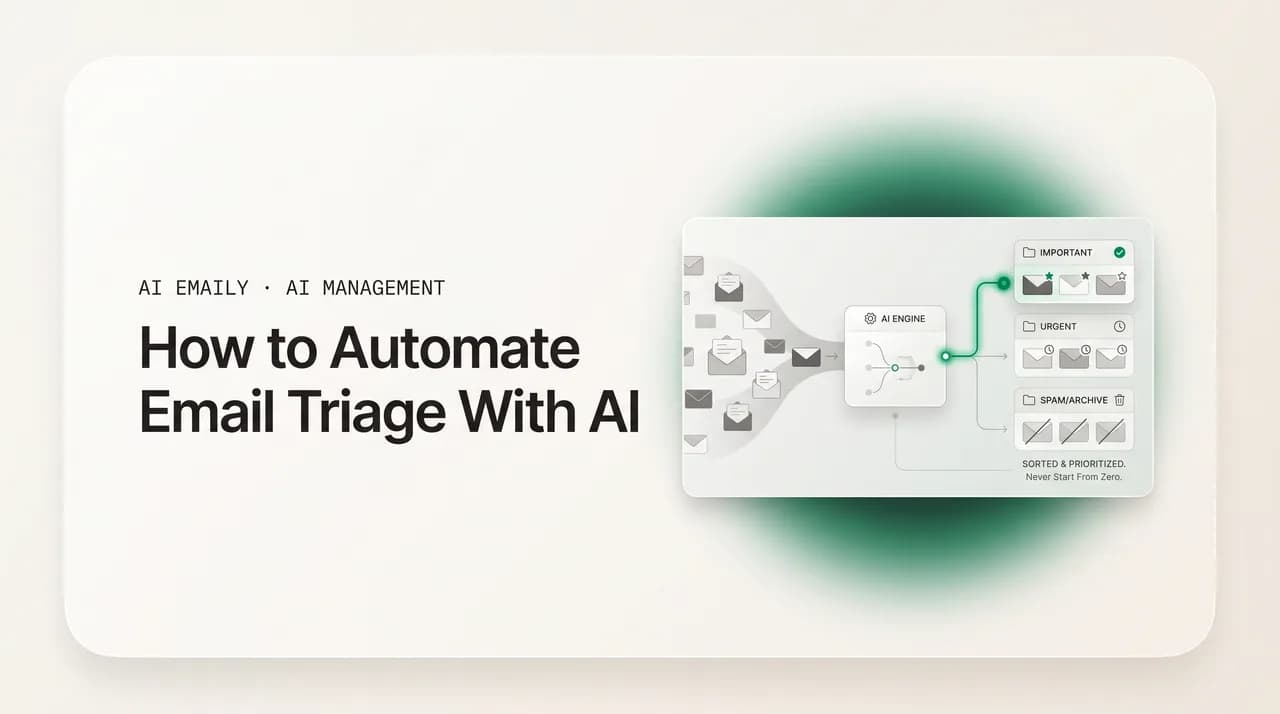
Automating email triage with AI means a model reads each new message and decides its priority, category, sender importance, and whether it needs a reply — sorting your inbox before you open it. Unlike keyword rules, AI understands intent and learns from your behavior, so what matters surfaces first. You stay in control with review and undo.
Automate email triage with AI: how AI triage sorts, prioritizes, and labels your inbox, how to set it up in Gmail or Outlook, and how to keep control.
On this page
- 01What does email triage actually mean?
- 02Why is manual triage such a relentless time sink?
- 03Rules-based filters vs. AI triage: what is the difference?
- 04What exactly does AI triage decide on each email?
- 05How does the AI actually decide what matters?
- 06How do you set up automated email triage step by step?
- 07How do you keep a human in control of automated triage?
- 08How does AI Emaily auto-triage every inbox?
- 09How do you measure the time automated triage saves?
- 10Conclusion: stop triaging from zero
Most people think the time sink in email is writing. It is not. The real tax is triage — the constant, low-grade work of deciding, message by message, what each email is, how urgent it is, whether it needs you at all, and what to do with it. You open the inbox, scan a wall of subject lines, and your brain runs a tiny verdict on every one: important or noise, now or later, reply or archive, me or someone else. You do this dozens of times a day, and you start from zero every time, because yesterday's sorting taught your inbox nothing.
The numbers explain why it feels relentless. The average office worker now receives around 121 emails a day, and McKinsey's often-cited research found knowledge workers spend roughly 28% of the workweek reading and answering email — close to 580 hours a year. Most of that is not composing thoughtful replies. It is the scanning, the deciding, the re-deciding, and the context-switching that comes from checking constantly. Studies have found that people who check email dozens of times an hour complete fewer tasks, because every glance is a fresh round of triage that pulls attention away from real work.
Automating email triage with AI attacks exactly this layer. Instead of you running the verdict on every message, a model reads each new email as it arrives and makes the first-pass decisions for you: how important it is, what category it belongs to, whether the sender matters to you, whether it actually needs a reply, and whether it can wait. The inbox you open is already sorted — what matters is at the top, the noise is bundled or filed, and the handful of things that truly need you are obvious. You stop triaging from a blank slate.
There is a second cost that is easy to miss: the mental residue. Even when a message is low-stakes, deciding about it occupies a slot in your attention. A dozen unsorted threads at the top of your inbox are a dozen open loops, each quietly demanding, "deal with me." That background hum is why a full inbox feels stressful even on a slow day — it is not the work in front of you, it is the accumulated weight of decisions you have not yet made. Triage that happens automatically closes those loops before they open, which is why a sorted inbox feels lighter even when the underlying volume is identical.
This guide is tool-agnostic and practical. We will define what email triage actually is, draw the sharp line between old keyword rules and modern AI triage, break down the specific decisions an AI makes on each message, walk through setting up automated triage step by step, and — because this matters more than any feature — show how to keep a human firmly in control with review, undo, and audit. Then we will be specific about how AI Emaily, an AI-native email client, automates triage across every inbox, and how to measure the hours it actually gives back. By the end you will know how to make your inbox sort itself, and what to watch so it sorts the way you would.
What does email triage actually mean?#
Triage is a borrowed word. In an emergency room, triage is the fast first assessment that decides who gets seen now, who can wait, and who goes where — not the treatment itself, just the sorting that makes treatment efficient. Email triage is the same idea applied to your inbox: the rapid first pass over incoming mail that determines, for each message, its topic and importance and therefore what should happen to it — which folder, which person, which workflow, which priority, and whether it needs anything at all.
Crucially, triage is not the same as answering email. Answering is the work of writing a reply, making a decision, scheduling the call. Triage is everything that happens before that — the deciding-about-the-deciding. It is figuring out that this message is a customer escalation that needs you in the next hour, that one is a newsletter you will read on the weekend, this one is a calendar invite you can accept in one click, and that one is a cold pitch you will never open. Most inboxes blur the two together, which is why email feels like more work than it is: you are paying the triage tax on every message and the answering cost only on some.
The reason this distinction matters so much is that the two activities have completely different economics. Answering scales with how much real work you have — some days you owe three thoughtful replies, some days twelve, and that is genuine output you would expect to spend time on. Triage, by contrast, scales with raw volume regardless of how much of that volume is actually relevant to you. You pay the sorting cost on the cold pitch and the notification just as surely as on the message from your biggest client. Automating answering is hard and often inappropriate, because it is judgment-laden, high-stakes work you may want to own. Automating triage is both easier and almost always appropriate, because the sorting verdict is repetitive, low-creativity, and — when done by a system that learns you — highly predictable. That is the precise wedge AI drives into your inbox: it takes the part that is pure overhead and leaves you the part that is actually your job.
Done well, triage produces a small, clear set of decisions per email. Below is the mental checklist an experienced person runs almost unconsciously on each message — and, not coincidentally, the same checklist AI triage automates.
- Priority — does this need me now, today, this week, or never?
- Category — what kind of email is this (work, finance, newsletter, receipt, social, calendar)?
- Sender importance — is this someone who matters to me (a VIP), or a stranger?
- Needs-reply — does this actually require a response from me, or is it informational?
- Disposition — reply, file, snooze for later, delegate to someone, or archive?
The hidden cost is the deciding, not the doing
Why is manual triage such a relentless time sink?#
Three things make manual triage uniquely draining, and naming them clarifies what automation is actually fixing. The first is volume. At 121 messages a day, even a two-second verdict per email adds up to real minutes, and the decisions are not all two-second decisions — some require opening the message, reading a paragraph, and weighing it against everything else competing for your day. Volume alone guarantees the work never ends; the inbox refills faster than you can sort it.
The second is repetition with no memory. You sorted the same newsletter into the same place yesterday and the day before. You decided this recurring sender was low-priority a dozen times. Yet a standard inbox makes you decide again every single time, because it does not learn. There is no carry-over, no accumulated judgment — just the same verdicts, re-rendered daily. Humans are bad at tasks that are simultaneously repetitive and require judgment, and triage is exactly that.
The third is interruption cost. Because triage feels small, people do it constantly — a glance here, a quick sort there, dozens of times an hour. But every glance is a context switch, and context switches are expensive. Research on email use has linked frequent checking to measurably lower task completion and higher stress, because the real cost is not the seconds spent in the inbox but the minutes lost reorienting afterward. Manual triage does not just take time; it fragments the rest of your day around it.
Put together, manual triage is high-volume, judgment-heavy, memoryless, and interruptive — a near-perfect description of the kind of work that should be automated. It is not that humans are bad at deciding what matters; it is that doing it 121 times a day, from scratch, while trying to do anything else, is a losing game. The point of AI triage is to let the inbox carry that load so your judgment is spent on the few messages that genuinely deserve it.
Rules-based filters vs. AI triage: what is the difference?#
If you have ever set up a Gmail filter or an Outlook rule, you have already automated a slice of triage. Rules are the original inbox automation: if the sender is X, apply label Y; if the subject contains "invoice," move to Finance. They are deterministic, transparent, and genuinely useful for clear-cut, repeating patterns. The problem is that rules match strings, not meaning — and most of triage is about meaning.
A rule looks at individual fields: sender address, a keyword in the subject, maybe a domain. It cannot read the body, weigh the thread history, or understand that "I want my money back," "this charge looks wrong," and "please reverse the transaction" all mean the same urgent thing. To catch every phrasing with rules, you would need a separate rule for each, and you would still miss the ones you did not anticipate. Rules also cannot tell that a message is angry, that a deadline is implied rather than stated, or that an email from a known sender is unusually urgent today. They see fields; they do not understand situations.
AI triage works differently. It reads the whole message — body, thread, sender relationship, and signals like tone and urgency — and classifies by intent rather than by keyword. Industry reports on teams moving from rule-based routing to AI triage describe meaningful jumps in routing accuracy and large reductions in manual triage time, precisely because the AI understands what an email is asking for instead of just what words it contains. One analysis noted that a striking share of "high-priority" emails flagged by keyword rules were not actually urgent, while genuinely time-sensitive messages slipped through — the classic failure mode of brittle rules.
There is also a maintenance story that rarely gets told. Rules are cheap to create and expensive to own. Each one you add is a small piece of logic that can go stale: the vendor changes its sending address, the subject line gets reworded, a new category of mail appears that no rule anticipated. Power users often accumulate dozens of overlapping filters that quietly conflict, mis-fire, or shadow each other, and almost nobody audits them. AI triage inverts that maintenance curve — instead of decaying until you intervene, it improves as it observes you, so the system you set up gets more accurate over time rather than less. That difference compounds: a rules-only inbox is a garden you must constantly weed, while a learning system mostly tends itself.
The honest answer is that this is not a war; it is a division of labor. Rules are perfect for the unambiguous and the mechanical — always file receipts from this vendor, always label anything from this domain. AI is for the nuanced and the variable — what is urgent, what needs a reply, what matters today. The best automated triage uses both: deterministic rules for volume reduction and clear cases, AI judgment for everything that requires reading the room. The table below lays the two side by side.
| Dimension | Rules-based filters | AI triage |
|---|---|---|
| What it reads | Individual fields — sender, subject keyword, domain | Whole message: body, thread, sender relationship, tone |
| How it decides | Exact string/condition match (if X then Y) | Understands intent and meaning, not just keywords |
| Handles new phrasing | No — needs a rule for every variation | Yes — maps different wordings to the same intent |
| Detects urgency / tone | No | Yes — reads implied deadlines, frustration, emphasis |
| Learns over time | No — static until you edit it | Yes — adapts to your behavior and corrections |
| Transparency | Total — you can read the exact condition | Explainable, but probabilistic rather than literal |
| Best for | Clear, repeating, mechanical cases | Nuanced priority, needs-reply, what-matters-today |
You do not have to choose
What exactly does AI triage decide on each email?#
"AI sorts your inbox" is vague. It is more useful to see triage as a set of specific, separable decisions the model makes on every incoming message — because each one maps to a real thing you do manually today, and each can be tuned or overridden independently. There are five core decisions, and good AI triage makes all of them in the moment a message lands, before you ever look at it.
Keeping these decisions separate matters for a practical reason: they fail and improve independently. Your priority scoring might be excellent while your category labels are still slightly off, or your VIP detection might be perfect while needs-reply is over-flagging. Treating triage as one undifferentiated "sort" hides that. Treating it as five distinct calls lets you see exactly where the system is strong and where it needs correction — and lets you grant the AI more freedom on the decisions it has nailed while keeping a closer eye on the ones still settling in.
- 1
Priority — how urgent is this?
The model scores how much the message needs your attention and how soon: now, today, this week, or low. It does this by reading content for urgency signals (short direct asks, deadlines, escalation language), weighing who the sender is, and — critically — learning from your past behavior, since what you open, star, and reply to fast teaches it what urgent looks like for you specifically.
- 2
Category — what kind of email is this?
It classifies each message into a meaningful bucket — work, client, finance/receipts, newsletter, social, calendar, notifications — so similar mail can be grouped, labeled, or bundled. This is the auto-labeling layer: instead of you applying labels by hand, the inbox is organized by type the moment mail arrives.
- 3
Sender importance — is this a VIP?
The model identifies the people who matter to you using signals like how often you email them, whether they are in your contacts, and the nature of your past exchanges. Mail from a VIP is surfaced and protected from being buried, even when the volume is high. A stranger's cold pitch and your biggest client's reply do not get treated the same.
- 4
Needs-reply — does this require a response?
Triage separates the messages that actually want something from you from the ones that are purely informational. A direct question from a colleague needs a reply; a shipping confirmation does not. Flagging needs-reply is one of the highest-value calls, because it lets you spend energy only where a response is genuinely expected.
- 5
Disposition — what should happen to it now?
Finally, the model proposes (or, where you allow it, performs) the action: surface it for reply, file it under a label, snooze it to resurface at a better time, route it to the right person, or archive it as noise. This is where triage turns from a verdict into an outcome — the inbox does not just understand the message, it does something sensible with it.
Snooze and batching are triage outcomes, not afterthoughts
How does the AI actually decide what matters?#
It is fair to be skeptical here. How does a model know that this email matters and that one does not? The mechanism is less mysterious than it sounds, and understanding it helps you trust the output and correct it well. AI triage combines three kinds of signal, and the blend is what makes it work.
The first signal is content. The model reads the actual text — the ask, the tone, the presence of a deadline, the directness of the language. Models are trained to recognize the patterns of urgency: short, action-oriented messages, explicit calls to action, escalation words, time pressure. A two-line message asking for something by Friday reads as more urgent than a long FYI, and the AI picks that up from the words themselves, including across phrasings that no keyword rule would catch.
The second signal is relationship and metadata. Who sent this, and how do you usually treat mail from them? Major platforms and dedicated tools rank messages using sender reputation, how frequently you correspond, whether the sender is in your contacts, and the history of your exchanges. A first reply from someone you email daily is weighted differently from a blast from a list you never open. This is why VIP detection works without you maintaining a list by hand — the relationship is inferred from your real behavior.
The third signal — and the one that makes AI triage feel personal — is your behavior over time. The model watches what you do: what you open, star, archive on sight, reply to immediately, or ignore for days. Every one of those actions is feedback. Open mail from a sender consistently and the system learns they are important; archive a category unread and it learns to deprioritize it. Reports on AI triage describe it starting from a general urgency model and adapting to your specific context over the first week or two, with many teams reaching high triage accuracy within two to three weeks of use. It is a feedback loop: your actions train the priority model, which makes the next day's sorting closer to what you would have done yourself.
It also helps to know what AI triage is not doing, because the failure modes are as instructive as the strengths. It is not reading your mind — it infers from patterns, so a genuinely novel situation (a first-ever message from someone who will become important) may be scored conservatively until the relationship establishes itself. It is not infallible on sarcasm, inside jokes, or context that lives entirely outside your inbox. And it is probabilistic, not literal: where a rule fires the same way every time, the AI weighs evidence and assigns a likelihood, which is what lets it generalize but also why it occasionally lands a close call differently than you would. None of this undermines triage — it just means the right posture is "trusted assistant you can correct," not "oracle you obey."
Two things follow from this. First, accuracy is not static — it climbs as the system learns you, which is the opposite of rules that decay until you edit them. Second, because it is learning from you, your corrections are not annoyances; they are the training signal. When you move something the AI mis-sorted, you are not just fixing one email, you are teaching it. That is why the human-in-the-loop design in the next section is not a safety bolt-on — it is how the system gets good.
How do you set up automated email triage step by step?#
The mechanics differ slightly between a built-in feature (like Gmail's priority sorting or Outlook's focused views) and a dedicated AI email client, but the shape of the setup is the same everywhere. Here is a tool-agnostic sequence that works whether you are turning on an AI inbox in your existing provider or connecting an AI-native client on top of it. The goal is to get useful sorting fast, then refine it so it matches how you actually work.
Before the steps, set your expectations correctly, because the most common reason people abandon AI triage is judging it too early. The first few days are calibration, not performance. The system is forming a model of you — who your VIPs are, which categories you care about, what "urgent" looks like in your world — and it cannot do that without watching you for a bit. Approach setup as training a new assistant over their first two weeks, not flipping a switch that should be perfect on contact. The payoff for a little patience and a few corrections up front is an inbox that sorts itself indefinitely afterward.
- 1
Connect your inbox and let it observe
Connect the account (Gmail, Outlook, or any IMAP provider) and give the AI read access to your existing mail so it can learn your patterns. Expect a short calibration window — typically one to two weeks — during which it builds a baseline of who you talk to, what you open, and what you ignore. Do not judge accuracy on day one; it has not learned you yet.
- 2
Define your VIPs and must-never-miss senders
Most of the value of triage is making sure the right things never get buried. Seed the system with your VIPs — key clients, your manager, close collaborators — even though it will also infer them. Tell it the senders or topics that should always surface no matter what. This anchors the priority model around your real stakes from the start.
- 3
Set a few deterministic rules for the obvious cases
Layer in rules for the mechanical, unambiguous patterns: always file receipts from a vendor, always label anything from a specific domain, always archive a known notification. Keep these few and clear — rules handle the cases that never need judgment, so the AI can focus its attention on the messages that do.
- 4
Choose your categories and what happens to each
Decide how you want mail organized — the buckets that match your work (e.g., Clients, Internal, Finance, Newsletters, Notifications) — and what disposition each gets: surface, label-and-leave, bundle, snooze, or archive. The fewer, clearer categories you use, the more consistent and trustworthy the sorting feels.
- 5
Decide how much autonomy to grant
Start conservative: let the AI sort, label, and surface, but keep destructive or outbound actions (archiving in bulk, sending replies) gated behind your approval. You can widen autonomy for low-stakes categories later. The right default is "AI proposes, you dispose" until you have watched it long enough to trust a given category.
- 6
Correct it for two weeks, then review
Treat the first fortnight as training. When the AI mis-sorts something, fix it — re-prioritize, re-label, mark as VIP — because every correction teaches the model. After two to three weeks, review: is the top of your inbox reliably the right stuff? Are VIPs never buried? Are newsletters out of your face? Tune the categories and rules that are still off, and expand autonomy where it has earned trust.
Do not grant full autonomy on day one
How do you keep a human in control of automated triage?#
Automating triage is not the same as abdicating it. The goal is to remove the repetitive verdict-running, not to lose visibility into what your inbox is doing. A triage system you cannot see, correct, or reverse is a liability — the whole point is to trust it, and trust requires control. Three mechanisms make automated triage safe to rely on, and any tool worth using should have all three.
The first is review. Sorting and labeling are low-risk and can happen silently, but anything that touches the outside world — sending a reply, forwarding to a person, mass-archiving — should be reviewable before it happens, especially while you are still learning the system's accuracy. The right model is graduated: let the AI act freely on safe internal operations, and hold consequential actions for a glance and a click. You should always be able to see what the AI decided and why, not just what it did.
The second is undo. Mistakes are inevitable in any system that makes judgment calls, including yours. What matters is that every action is reversible — a mis-prioritization re-prioritized, an over-eager archive restored, a snooze undone. Reversibility changes the psychology entirely: you can let the AI act because you know nothing it does is permanent. Undo is what makes delegation feel safe instead of scary.
The third is audit. Over weeks, you want a trail — a record of what was triaged, sorted, sent, or archived, and on what basis. An audit log lets you spot patterns (it keeps under-prioritizing this client; let me fix that), prove what happened if something goes wrong, and build justified confidence as you watch the decisions accumulate. Audit is also what makes widening autonomy responsible: you expand the AI's freedom based on a track record you can actually see, not a hunch.
There is a deeper principle worth stating plainly, because it separates trustworthy email AI from the rest: triage should be transparent by default and reversible by design. Transparent means you can always ask "why is this at the top?" and get an answer — the sender is a VIP, the message has a deadline, you usually reply to this person fast — rather than a shrug from a black box. Reversible means the cost of a wrong call is one click, never a lost message or an email sent that should not have been. When both hold, delegation stops being a leap of faith and becomes a sliding scale you control: you hand over more as the track record earns it, and you can always pull back. Tools that hide their reasoning or make actions hard to undo are asking for a trust they have not earned.
These three together — review, undo, audit — are why automated triage can be aggressive without being reckless. You are not handing your inbox to a black box; you are delegating to an assistant whose every move you can inspect, reverse, and learn from. The control is what lets you stop doing the work without losing the oversight.
Triage reads everything — so privacy is non-negotiable
How does AI Emaily auto-triage every inbox?#
Everything above describes what good automated triage should do. AI Emaily is an AI-native email client built to do exactly that — across every inbox, with control and privacy as the foundation rather than an afterthought. It is not a chatbot bolted onto the side of your mail; the AI lives inside the client and triages your real inbox the moment messages arrive, so the inbox you open is already sorted the way the five decisions above describe.
Start with the sorting itself. AI Emaily reads each incoming message and runs the full triage pass: it scores priority, assigns a category, identifies whether the sender is a VIP, flags whether a reply is needed, and proposes a disposition. The result is an inbox where what matters is surfaced at the top, the routine is grouped and labeled, and the noise is out of your way — without you running a single verdict by hand. Priority surfacing means your biggest client's reply and a colleague's urgent ask are not competing for attention with a newsletter; the important mail is lifted, and the rest is bundled or filed.
Then there is the part that makes it personal: rules and brain together. AI Emaily lets you write rules in plain English — no rigid filter builder, just describe what you want ("always label invoices from our vendors as Finance," "surface anything from my top accounts immediately," "snooze newsletters to Saturday morning") — and it also ships templates so you are not starting from a blank box. That is the deterministic layer. On top of it sits the brain: the learning model that adapts to your behavior, infers your VIPs, and gets sharper at priority every week you use it. You get the precision and transparency of rules and the understanding and adaptability of AI in one place, which is exactly the hybrid the research points to as the most reliable setup.
Most importantly, control is built in through three modes. In Manual, the AI sorts and surfaces but stays out of your way — you drive. In Copilot, it goes further: it drafts ready-to-send replies for the messages that need them and proposes actions, but every send and every consequential action waits for your explicit approval. In Autopilot, for the routine, low-stakes mail you have chosen to delegate, it can act on its own — file, label, snooze, even reply to the truly routine — within the boundaries you set. You move along that spectrum at your own pace, category by category, as trust is earned. And underneath all three, every action has undo and a full audit trail, so nothing is permanent and nothing is hidden: you can always see what was triaged and why, and reverse anything.
Two more things make it usable in the real world. It works with every email provider — Gmail, Outlook, and any IMAP account — so your triage is not trapped in one walled garden; the same sorting, the same rules-and-brain, the same control, wherever your mail actually lives. And it is private by design: your email is yours, not training data, which is the precondition for letting any AI read deeply enough to triage well. You can start free — the Free plan is $0 — and Pro is $12.42 per month billed annually for the full agent and higher limits. Connect your inbox at app.aiemaily.com/signup and watch the next message get triaged automatically — sorted, prioritized, and ready — without you deciding a thing.
Rules for the obvious, brain for the judgment, you for the verdict
How do you measure the time automated triage saves?#
If you are going to change how your inbox works, it is worth knowing what you are getting back. The savings from automated triage come from three sources, and you can estimate each one without a stopwatch. The point is not to chase a vanity number; it is to confirm the system is actually removing the work it promised to.
The first source is eliminated sorting. This is the triage tax itself — the per-message verdict you no longer run. If you handle on the order of 120 messages a day and triage took even a few seconds each plus the occasional open-and-assess, that is a meaningful chunk of every day spent just deciding. Reports on teams adopting AI triage describe large reductions in time spent on manual triage — often cited in the range of 60–80% — precisely because the sorting is done before you arrive. The cleanest way to feel this is the "inbox open" test: does opening your inbox now present a sorted, obvious set of priorities, or a wall you still have to assess?
The second source is fewer interruptions. When the important mail reliably surfaces and the rest is bundled, you stop compulsively checking, because you trust that anything urgent will be at the top when you look. That lets you batch — process mail in two or three focused blocks instead of reacting all day. Email batching on its own is commonly credited with reclaiming several hours a week by cutting the context-switching cost, and automated triage is what makes batching feasible: you can ignore the inbox between blocks because you trust it to flag a genuine emergency.
The third source is faster handling of what is left. Because needs-reply is flagged and (in tools that draft) a response is often ready, the messages that do require you take less time each. The compounding effect is what people actually feel: not just minutes saved per email, but the disappearance of the all-day low-grade drain of monitoring an unsorted inbox. The table below gives a simple way to estimate your own number.
A word of caution on the figures you will see quoted around AI email — including some in this article. Numbers like "28% of the workweek on email," "60–80% less triage time," or "several hours a week from batching" are useful directional benchmarks drawn from broad studies and vendor reports, not guarantees for your specific inbox. Your real savings depend on your volume, your role, how noisy your mail is, and how well you train the system. Treat published statistics as a reason to expect meaningful time back, then measure your own before-and-after rather than adopting someone else's number as a promise. The most credible result is the one you observe in your own week two against your own week zero.
| Savings source | Where it comes from | How to estimate it |
|---|---|---|
| Eliminated sorting | AI runs the per-message verdict you used to run | Daily message count × your average seconds-to-triage per message |
| Fewer interruptions | You batch instead of checking constantly | Count daily inbox checks before vs. after; each saved check is a saved context switch |
| Faster replies | Needs-reply flagged, drafts often ready | Time per reply before vs. after the message is pre-sorted and drafted |
| Less buried-mail rework | VIPs never lost; nothing re-surfaced late | Count missed/late-found important emails per week before vs. after |
The best metric is a feeling you can verify
Conclusion: stop triaging from zero#
The reason email feels heavier than it should is that the worst part of it — the constant, memoryless, interruptive work of deciding what each message is and what to do with it — has never been automated. You have been running the same verdicts dozens of times a day, starting from a blank slate every morning, paying a tax that no one counts because it does not look like work. Automating triage with AI is the fix that matches the problem: a model that reads each message, decides priority, category, sender importance, and needs-reply, and presents you an inbox that is already sorted.
The mechanism is sound and the line is clear. Rules are for the mechanical and the obvious; AI is for the meaning and the judgment, and it gets better the more it learns you. The best setup uses both, keeps a human in control through review, undo, and audit, and treats your mail as private because triage requires reading it deeply. Set it up by connecting your inbox, seeding your VIPs and a few rules, choosing your categories, starting conservative on autonomy, and correcting it for a couple of weeks while it learns — then widen its freedom where it has earned your trust.
That is exactly what AI Emaily is built to do: auto-triage every inbox with AI sorting and priority surfacing, plain-English rules plus a learning brain, and Manual, Copilot, and Autopilot modes with undo and audit on every action — across every provider, private by design. You keep the verdict on the few messages that deserve your judgment, and you stop running it on the hundred that never did. Connect your inbox free at app.aiemaily.com/signup and let the next message sort itself. The goal is not an emptier inbox for its own sake; it is to never triage from zero again.
Frequently asked
See it in AI Emaily
Keep reading

Written by
Nafiul HasanNafiul Hasan is an entrepreneur and AI automation system builder with 10+ years of experience turning messy, manual workflows into reliable automated systems. He designs and ships AI enterprise solutions end-to-end — the agent logic, the data plumbing, and the product people actually use — and founded AI Emaily to give busy professionals their attention back. He writes here from the builder's seat: what works, what breaks, and how to put AI to work without giving up control.