AI Email Sorting and Categorization: Label Your Inbox Automatically

The short answer
AI email sorting reads each message's sender, content, intent, and your history to sort it into categories and apply labels automatically, instead of leaving you to file by hand. The best systems learn from your corrections, support custom categories and rules, and work across every provider, so the inbox stays organized without manual filing.
AI email sorting and categorization: how AI classifies by sender, content, and intent, categories vs labels vs smart views, custom rules, and correction.
On this page
- 01Why does email sorting matter, and what is AI actually doing?
- 02Why do folders and labels break down as your inbox grows?
- 03How does AI actually sort and categorize email?
- 04Categories vs labels vs smart views: what is the difference?
- 05Can you create custom categories and your own sorting rules?
- 06How accurate is AI sorting, and how do you correct it?
- 07AI sorting vs Gmail tabs and Outlook Focused Inbox, what is the difference?
- 08How does AI Emaily sort every inbox automatically?
- 09What is the fastest way to get an organized inbox today?
Why does email sorting matter, and what is AI actually doing?#
Open any neglected inbox and you see the same thing: a single undifferentiated column of messages where a contract amendment from your lawyer sits two rows below a 40%-off promotion and one row above a LinkedIn notification. The medium treats them all as equals. Every message arrives in the same place, in the same font, in the same reverse-chronological pile, and the work of deciding what each one is, and what it deserves from you, falls entirely on you. That decision, made dozens or hundreds of times a day, is the hidden tax of email. It is not the writing that exhausts people; it is the sorting.
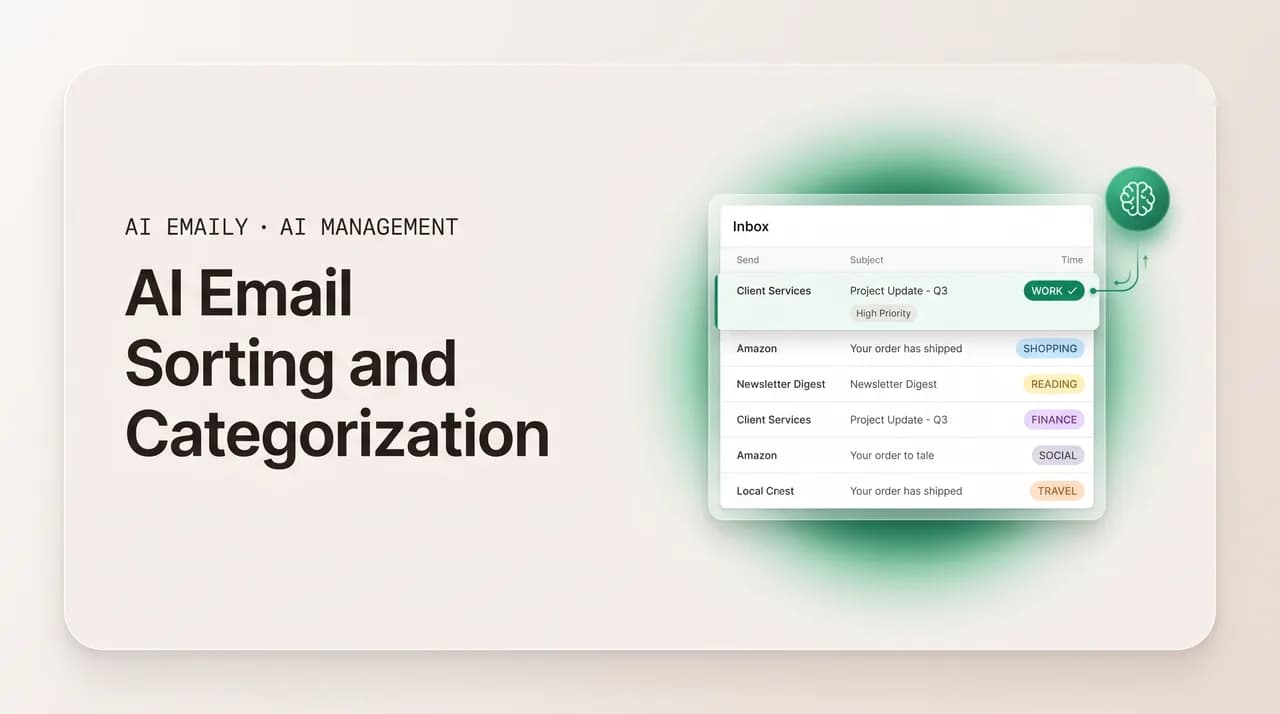
AI email sorting is the practice of having software make that first decision for you. Instead of one flat pile, incoming mail is read and assigned: this is a receipt, that is a newsletter, this is a real message from a colleague that needs a reply, that is an automated alert you can glance at later. The labels go on automatically, the categories fill themselves, and the inbox arrives pre-organized rather than as raw material you have to organize. Done well, you open your mail and the work of figuring out what is in front of you is already finished.
The phrase covers two related jobs that are worth separating. Categorization is the act of deciding what a message is, its type or class, the way Gmail decides a message belongs in Promotions rather than Primary. Sorting, more broadly, is what you do with that decision: routing the message into a category, applying one or more labels, surfacing it or muting it, filing it in a smart view. You categorize first; you sort based on the category. Most of this guide is about the categorization decision, because that is the hard part and the part AI changed most, but the payoff is always in the sorting that follows.
What makes the AI version different from the rules you may have set up years ago is that it reads the message rather than just matching its envelope. An old-fashioned filter looks at the from-address and the subject line and does exactly what you told it, nothing more, nothing less. A modern classifier looks at who sent the message, what the message actually says, what the sender seems to want from you, and how you have treated similar messages in the past, and forms a judgment. That shift, from matching strings to understanding meaning, is why AI sorting can handle the messy middle of your inbox that rigid filters always got wrong. This guide walks through why manual folders and labels break down at scale, how AI classifies mail from the signals it reads, how categories, labels, and smart views differ, how to write custom categorization rules, how to correct the AI when it is wrong, how the AI approach compares with Gmail tabs and Outlook Focused Inbox, and how AI Emaily does all of this automatically inside whatever inbox you already use.
Categorization vs sorting, in one line
Why do folders and labels break down as your inbox grows?#
Almost everyone starts the same way. You create a few folders, Clients, Receipts, Newsletters, Travel, maybe a label or two, and for a week or two it feels like control. Then the system quietly collapses, and it collapses for reasons that have nothing to do with discipline and everything to do with how manual filing works against the grain of how mail arrives.
The first problem is that filing is reactive labor performed at the worst possible moment. A message lands while you are mid-task, and to file it you must stop, read enough to classify it, decide which folder fits, and drag it there, dozens of times a day. The cost is small per message and crushing in aggregate, so almost everyone defaults to the rational shortcut: leave it in the inbox and deal with it later. Later never comes, the inbox swells, and the folders you built sit half-empty while the pile you meant to eliminate grows. The folders did not fail because they were a bad idea; they failed because they asked you to do tedious work at the exact instant you had no attention to spare.
The second problem is that a single message rarely belongs in a single place. An email can be from a client, about a project, containing an invoice, requiring a reply, all at once. A strict folder system, where a message lives in one folder and one folder only, forces you to pick a winner and lose the other dimensions; file it under Clients and you cannot find it later when you are thinking about the project. Labels were invented precisely to fix this, a message can carry several at once, but they trade the filing problem for a tagging problem: now you must remember to apply three labels by hand to every message, which is even more work than dragging it to one folder. Either way the burden lands on you, at the wrong moment, on every message.
The third problem is that static rules are brittle. The filter you wrote to catch newsletters from one address does nothing when the same publisher switches sending domains. The rule that files anything with "invoice" in the subject also files the colleague who writes "re: that invoice question" into your receipts pile, where you will never look for a conversation. Rules match patterns you anticipated; they are silent on everything you did not, and the share of your mail that fits neatly into a pattern you predicted in advance is smaller than it feels. The long tail, the one-off introduction, the vendor you have emailed twice, the message that is sort of a receipt but also sort of a support request, is exactly where manual systems leak, and the long tail is most of real email.
The fourth problem is maintenance debt. Even a system that works needs constant upkeep: senders change, projects end, a folder that made sense in March is dead weight by September, and the labels multiply until you have forty of them and use six. Pruning that structure is its own chore, one nobody schedules, so the taxonomy decays into a museum of categories you set up once and abandoned. The honest summary is that manual organization scales with effort, and your effort is finite, so past a certain volume the inbox always wins. AI sorting matters because it removes the human from the per-message decision entirely, which is the only move that actually scales.
- Filing is reactive work demanded at the worst moment, so people default to leaving mail in the inbox and the folders sit empty.
- One message belongs in several places at once; folders force a single winner, and labels just move the manual burden from dragging to tagging.
- Static filters match only the patterns you predicted; the long tail of real mail, which is most of it, slips through.
- Taxonomies rot, senders change, projects end, labels multiply, and the upkeep is a chore no one schedules.
- Manual organization scales with effort, and effort is finite, so above a certain volume the inbox always wins.
How does AI actually sort and categorize email?#
To trust AI sorting, it helps to know what the system is reading when it makes a call, because the decision is not magic and it is not a single trick. A modern email classifier weighs several independent signals at once and combines them into a judgment, much the way you would if you had unlimited patience. No single signal decides; the strength of the approach is that the signals corroborate or contradute each other, and the model leans on whichever are clearest for a given message. The four families of signal below are the ones that do most of the work.
The first and oldest signal is the sender. Who sent this, and what do you already know about them? A no-reply address from a marketing platform is almost certainly promotional; a notification address from a social network is social; a person at your own company writing from a normal mailbox is almost certainly Primary. The sender's domain, whether the address is a bulk-sending service, whether you have corresponded with this person before and how often, whether they are in your contacts, all of it narrows the field before the model has read a word of the body. Sender signal alone gets a large fraction of mail right, which is why even the crudest filters lead with it.
The second signal is content, the actual text and structure of the message, and this is where modern AI pulled decisively ahead of the rules era. Rather than matching keywords, a language model reads the message the way a person does: a body full of product imagery, a prominent unsubscribe footer, and a "shop now" button reads as a promotion regardless of who sent it; an order number, a total, and a delivery date reads as a receipt; a question directed at you with no marketing scaffolding reads as a real message that wants something. The structure carries as much meaning as the words, the ratio of links to prose, the presence of a list-unsubscribe header, the formatting that marks a template versus a typed note, and a model trained on email understands those cues natively. This is the difference between classification by envelope and classification by comprehension.
The third signal is intent, which sits a level above content: not just what the message says but what it is trying to get you to do. Two messages can share a topic and differ entirely in intent, a vendor confirming a meeting versus a vendor asking you to choose a meeting time; the first is an update you can note and move past, the second is an action that needs you. Reading intent is what lets AI sorting do something filters never could, separate the mail that merely informs you from the mail that requires you, which is the single most useful cut in any inbox. Intent detection is also what makes "needs reply" and "awaiting you" categories possible, because those are defined by what the sender wants, not by who they are or what the message is about.
The fourth signal is your history, the feedback loop that makes the system yours rather than generic. How have you treated mail like this before? If you always archive a particular sender's updates unread, the system learns to deprioritize them; if you reply quickly to one client and slowly to another, that pattern informs priority; every time you move a message from one category to another, you cast a vote that nudges future decisions. This is why two people with identical inboxes end up with different sorting, the model is not applying a fixed rulebook, it is modeling how you, specifically, treat your mail. The longer it watches, the more the categories reflect your actual behavior rather than a vendor's defaults.
Combine the four and you get a judgment with reasons behind it: this is promotional (bulk sender, heavy imagery, unsubscribe footer, and you archive these unread), or this needs a reply (known colleague, a direct question, no marketing markers, and you usually answer this person same-day). The model assigns the most likely category, applies the matching labels, and where it is uncertain it can hedge, mark a message low-confidence, leave it in a neutral state, or surface it for your call rather than guess. Understanding that the decision rests on readable signals is also what makes the system correctable: when it gets one wrong, you are not arguing with a black box, you are adjusting the weight of a signal it can be taught.
- 1
Read the sender
Domain, bulk-sender or human mailbox, contact or stranger, how often you have corresponded. Narrows the category before the body is read.
- 2
Read the content
The text and structure, link-to-prose ratio, unsubscribe headers, templates vs typed notes. Comprehension, not keyword matching, is what filters never had.
- 3
Infer the intent
What the message wants from you, to inform, to confirm, to ask, to sell. This is what separates mail that needs you from mail that merely updates you.
- 4
Weigh your history
How you have treated similar mail, archived unread, replied fast, moved categories. Every correction is a vote that personalizes future calls.
- 5
Decide and hedge
Combine the signals into the most likely category, apply matching labels, and where confidence is low, surface for review rather than guess.
No single signal decides
Categories vs labels vs smart views: what is the difference?#
People use these three words interchangeably and then get confused when a feature behaves unexpectedly, so it is worth pinning down what each one is, because AI sorting uses all three and they do different jobs. The short version: a category is the bucket a message lands in, a label is a tag you can stack, and a smart view is a saved search that gathers matching mail without moving it. They are not competitors; a well-organized inbox uses each for what it is good at.
A category is mutually exclusive in most systems, a message is in Promotions or in Primary, not both, the way Gmail's tabs and Outlook's Focused/Other split work. Categories are good for the top-level cut, the one big decision about what kind of mail this is, because exclusivity keeps the view clean: every message appears in exactly one place and nothing is double-counted. The cost of exclusivity is rigidity, a message that is genuinely two things has to be filed as one, which is the same single-winner problem that hobbles folders.
A label is additive, a single message can carry several at once, which is exactly how Gmail labels and Outlook categories (the colored tags, not folders) behave. Labels solve the multidimensional problem categories cannot: one email can be tagged Client, Project-Atlas, and Invoice simultaneously and show up under all three without being copied anywhere, because the message lives in one place and the labels are just tags pointing at it. AI auto-labeling is powerful precisely because applying three labels by hand is the chore nobody keeps up, and a classifier that reads the message can apply them all at once, consistently, on arrival.
A smart view, also called a saved search or search folder, is not a place a message lives at all, it is a live query. "Show me every unread message from a client that needs a reply" is a smart view; the messages stay wherever they are and the view simply gathers everything matching the rule and updates as new mail arrives. Smart views are the most powerful of the three because they compose, you can build a view on top of categories and labels and read signals together, and they cost nothing in filing because nothing is moved. The catch is that a smart view is only as good as the categories and labels feeding it; if the underlying classification is wrong, the view inherits the error. That dependency is why getting the categorization right is the foundation, and the views are the reward.
The table below lays the three side by side. The practical takeaway is that you do not choose one, you let AI handle the top-level category automatically, let it stack labels for the dimensions that matter to you, and read through smart views that compose both, which is the combination manual systems could theoretically build but nobody has the patience to maintain by hand.
| Concept | How it behaves | Best for | Limitation |
|---|---|---|---|
| Category | One message lives in one category (mutually exclusive), like Gmail tabs or Outlook Focused/Other | The top-level cut, what kind of mail is this | Rigid; a message that is two things must be filed as one |
| Label / tag | Additive, a message can carry several at once without being moved | Multidimensional sorting, Client + Project + Invoice on one email | Manual labeling is the chore nobody keeps up; needs automation to work |
| Smart view / saved search | A live query that gathers matching mail; nothing is moved | Composed reading, unread + client + needs-reply in one list | Only as good as the categories and labels feeding it |
| AI sorting (combined) | Auto-assigns the category, stacks labels, and powers smart views from read signals | Hands-off organization that scales without per-message effort | Needs occasional correction to stay aligned with your judgment |
You do not pick one
Can you create custom categories and your own sorting rules?#
Default categories, Primary, Social, Promotions, Updates, are designed for the average inbox, which means they fit almost no one exactly. A freelancer wants a Clients category and an Invoices category; a recruiter wants Candidates and Hiring-Managers; a founder wants Investors and Team and Customers kept distinctly apart. The whole point of AI sorting over fixed tabs is that the taxonomy bends to you, so the ability to define your own categories and the rules that fill them is where a generic sorter becomes your sorter.
There are two ways to teach a system a custom category, and good tools support both because they suit different kinds of rules. The first is by example, you point at a handful of messages and say "these are Invoices," and the model generalizes the pattern, learning that messages with totals, line items, and payment terms from your vendors belong in that bucket even when the wording varies. Example-based teaching is how you capture fuzzy categories that resist a clean rule, "things that feel like a sales pitch," "messages from people I met at the conference," because the model reads meaning and can match the spirit of the examples rather than a literal string.
The second is by instruction, you describe the category in plain language and let the AI apply it, which is the modern equivalent of writing a filter except you write it the way you would brief an assistant. "Label anything about Project Atlas as Atlas, including replies and forwards," or "file order confirmations and shipping notices under Receipts, but not promotional emails from the same stores," are instructions a comprehension-based classifier can follow because it understands the distinction you are drawing, where a keyword filter would catch the store's marketing along with its receipts. Natural-language rules are dramatically more precise than condition-and-action filters for exactly the cases that always tripped filters up, the ones that hinge on what a message means rather than what words it contains.
The strongest pattern combines AI judgment with a few hard deterministic rules, because some things you never want left to probability. "Always label mail from my accountant as Finance and never archive it" should be a guarantee, not a guess; "newsletters from this domain always go to Read-Later" should fire every time. Treat AI as the default that handles the open-ended majority and explicit rules as the guardrails for the cases where you want certainty, your VIP senders, your never-miss categories, your hard exclusions. That layering, deterministic rules on top, AI judgment underneath, gives you both the precision of a filter where you need it and the coverage of comprehension everywhere else, which neither approach delivers alone.
A good rule of thumb when designing custom categories: keep the top level small and let labels carry the detail. Five or six categories you actually look at beats twenty you ignore, and most of the richness, the projects, the clients, the priority flags, is better expressed as stackable labels than as more exclusive buckets. The example below shows the shape of a practical custom setup, a short list of categories paired with a few natural-language rules and a couple of hard guarantees.
Layer rules over judgment
How accurate is AI sorting, and how do you correct it?#
No classifier is perfect, and any tool that claims it never makes a mistake is selling you something. The honest framing is that good AI sorting is right the large majority of the time on the mail that matters and occasionally wrong on the genuinely ambiguous middle, and the question that decides whether it is worth using is not whether it errs but how cheaply you can fix it and whether it learns from the fix. A system that misfiles one message in twenty and corrects instantly when you nudge it is far more useful than one that is slightly more accurate but treats your corrections as noise.
Two kinds of errors are worth distinguishing because they cost you differently. A false positive in a low-stakes category, a real-but-minor message that lands in Promotions, is cheap; you find it when you skim that category and nothing was lost. A false negative on something important, a real message buried in a category you never check, is the expensive error, the missed client reply, the invoice that went to a folder you ignore. Sensible AI sorting is tuned to be cautious in exactly the right direction: it would rather leave a borderline message in your main view than risk hiding something that needed you, because the cost of over-filing the important stuff is far higher than the cost of under-filing the trivial stuff. When you evaluate a tool, watch how it handles uncertainty, the good ones hedge toward visibility on anything that might matter.
Correction is where the system either earns trust or loses it. The mechanics should be trivial, move a message to the right category, change a label, mark a sender as VIP, and the consequence should be twofold: this message is fixed now, and messages like it are handled better next time. That second half is the whole point of a learning loop. A correction is a labeled training example, the most valuable kind, because it tells the model exactly where its judgment diverged from yours, and a system built around feedback folds that signal into future decisions so the same mistake fades rather than repeating. If correcting a tool feels like bailing water, fixing the same misfile every week with no improvement, the model is not learning from you and you are doing the work the AI was supposed to remove.
There is a calibration period with any personalizing system, and it is worth naming so the early days do not surprise you. In the first week or two the model is generic, leaning on broad patterns and your contacts, and it will make calls that feel slightly off because it has not yet learned your particular habits, which clients are urgent, which newsletters you actually read, which alerts you ignore. This is normal and temporary; the corrections you make during this window are not wasted effort, they are the training data that makes the next month accurate. Front-load a little correction early, especially on your important categories and VIP senders, and the system converges on your judgment quickly. The mistake is to judge a learning system by its cold-start behavior rather than by where it lands once it has watched you for a few weeks.
Two correction habits make the biggest difference. First, correct at the category level, not message by message, when you can: if a whole class of mail is misfiled, say a particular sender's updates that keep landing in Primary, fix the rule for the sender rather than re-filing each message, because one rule beats a hundred drags. Second, set your guarantees explicitly rather than hoping the model infers them: name your VIPs, name your never-miss categories, name your hard exclusions, so the cases you cannot afford to get wrong are pinned by a rule instead of left to a probability that is high but not one. Do those two things and the residual error rate drops to the point where sorting genuinely fades into the background, which is the only state in which it has actually solved the problem.
- Judge a sorter by how cheaply you can fix errors and whether it learns, not by a fictional perfect score.
- A minor message in Promotions is cheap; an important one buried in an ignored category is the expensive error, good tools hedge toward visibility.
- A correction is a labeled training example; a learning system folds it in so the same misfile fades instead of repeating.
- Expect a one-to-two-week calibration period; corrections made early are training data, not wasted effort.
- Correct at the rule or sender level when a whole class is misfiled, and pin VIPs and never-miss categories with explicit guarantees.
A tool that does not learn from corrections is not worth correcting
AI sorting vs Gmail tabs and Outlook Focused Inbox, what is the difference?#
Most people's first experience of automatic sorting is Gmail's category tabs or Outlook's Focused Inbox, both of which are genuinely useful and both of which stop short of what a dedicated AI sorter does. Understanding the gap is the clearest way to see why AI email categorization became its own category of tool rather than a feature you already have for free.
Gmail's tabs, Primary, Social, Promotions, Updates, Forums, are a real machine-learning classifier and they work: they keep the bulk of marketing and social noise out of your main view, and dragging a misfiled message to another tab teaches Gmail your preference over time. Their limits are structural, not quality. The categories are fixed, you cannot add a Clients tab or an Investors tab, so the taxonomy is Google's, not yours. The tabs are mutually exclusive, so the multidimensional reality of mail, this is a client and an invoice and needs a reply, collapses to one bucket. And the cut is coarse: tabs separate broad classes of mail but do nothing to tell you which messages within Primary actually need you now versus which can wait, because they categorize by type, not by what the message wants from you. Tabs are a good top-level filter and a poor priority system, and they were never designed to be more.
Outlook's Focused Inbox is even simpler by design: it splits mail into Focused and Other, two buckets, and learns which is which from your behavior and your moves. The two-bucket model is clean and low-friction, but it is also blunt, everything that is not Focused is lumped into a single Other pile that quickly becomes its own unsorted inbox, and there is no native breakdown of Other into receipts, newsletters, and notifications the way Gmail's tabs at least attempt. It is helpful for separating probable-important from probable-not, and it stops there. Neither system gives you custom categories, neither stacks labels by reading content, and neither composes smart views from intent.
The deeper limitation both share is that they sort by type, and the more valuable cut is by intent and priority. Knowing a message is in Primary or Focused tells you it is probably important; it does not tell you whether it is the client waiting on your decision or the colleague's FYI you can read tomorrow. A dedicated AI sorter adds the layers the built-in tools omit: categories you define, labels stacked by comprehension, intent detection that separates needs-you from merely-informs-you, priority that surfaces what matters and mutes what does not, and a learning loop that personalizes all of it to you specifically. And crucially, it does this across providers rather than locking you into one mail service's idea of organization, which matters the moment you have mail in more than one place.
The table contrasts the three. None of this means the built-in tabs are bad, they are a fine baseline and most people should leave them on. It means they are a baseline, and the work they leave undone, the custom taxonomy, the multidimensional labeling, the intent and priority cut, the cross-provider consistency, is exactly the work a purpose-built AI sorter exists to do.
| Capability | Gmail tabs | Outlook Focused Inbox | Dedicated AI sorting |
|---|---|---|---|
| Auto-categorizes incoming mail | Yes, five fixed tabs | Yes, two buckets | Yes, categories you define |
| Custom categories | No, taxonomy is fixed | No, just Focused/Other | Yes, by example or instruction |
| Stacks multiple labels by reading content | No | No | Yes, auto-applied on arrival |
| Separates needs-you from merely-informs | No, sorts by type | Partial, important vs not | Yes, intent-based |
| Priority within a category | No | No | Yes, surfaces and mutes |
| Learns from your corrections | Yes, slowly | Yes | Yes, and generalizes from rules |
| Works across every provider | No, Gmail only | No, Outlook only | Yes, one system over all inboxes |
Tabs and Focused Inbox are a baseline, not a ceiling
How does AI Emaily sort every inbox automatically?#
Everything above describes how AI sorting should work; AI Emaily is where it works, built in as the default behavior of the inbox rather than bolted on as a side panel. AI Emaily is an AI-native email client, your mail lives inside it, so the sorting happens on arrival, in the place you actually read, with no copy-paste loop, no separate dashboard, and no second app to check. You open your inbox and it is already organized, which is the only version of sorting that survives contact with a busy day.
Categorization is automatic and reads all four signals at once. Every message that arrives is classified by sender, content, intent, and your history, the way this guide describes, and assigned to the right category, the broad cut that separates real conversations from receipts, newsletters, notifications, and promotions, so your main view holds the mail that is actually addressed to you and the rest is filed where you can find it without it cluttering the part of the inbox you live in. Because the classifier reads meaning rather than matching the from-address, it handles the messy middle, the receipt that is also a support thread, the newsletter from a sender you also do business with, that rigid filters always misfiled.
Labels are applied automatically and they stack. AI Emaily reads each message and tags it across every dimension that matters, client, project, invoice, needs-reply, all on one message at once, so the multidimensional reality of mail is captured without you applying a single tag by hand. That auto-labeling is the part manual systems can describe but never sustain, because applying three accurate labels to every message on arrival is precisely the chore people abandon, and it is exactly the chore a comprehension-based classifier does effortlessly and consistently.
Rules and the brain are how the sorting becomes yours. The brain is the personalization layer, it learns from how you treat your mail, which senders you prioritize, which categories you read, which you ignore, and folds every correction back in so the categories and labels converge on your judgment rather than a generic default. On top of that you set rules in plain language, "label anything about Project Atlas as Atlas," "mail from my accountant is always Finance and never archived," and AI Emaily follows them, combining the certainty of deterministic guardrails with the coverage of AI comprehension underneath, which is the layered approach this guide recommends. Smart views then compose categories, labels, and read signals into live lists, every unread message from a client that needs a reply, in one place, no manual filing, updating as new mail lands.
Two facts make this materially different from the built-in tabs. First, it works across every provider, Gmail, Outlook, iCloud, Fastmail, Proton, IMAP, so you get one consistent system of categories, labels, and rules over all your inboxes at once instead of Google's taxonomy in one place and Microsoft's in another. Second, it is private by default: the sorting happens inside your client, grounded in your own mail, and your email is never used to train models, so you get comprehension-grade categorization without the disclosure cost of routing your correspondence through a consumer chatbot. And because AI Emaily is an agent, not just a sorter, the same understanding that categorizes a message can act on it, the Copilot can turn a needs-reply into a drafted response, file or archive on a rule, or surface what needs you, with your approval, undo, and an audit trail.
The plans are simple. The Free plan is $0 and includes AI sorting and categorization, so you can put automatic, comprehension-based organization on your real inbox without paying anything. Pro is $12.42 per month billed annually and adds the deeper automation, custom rules at scale, the full agent, and the cross-provider power-user features. If your inbox is a flat pile you re-sort by hand every morning, the version where it arrives already organized, across every account you own, private by default, is a couple of minutes away at app.aiemaily.com/signup.
- AI-native client: sorting happens on arrival, inside the inbox you read, with no copy-paste loop and no second app.
- Automatic categorization from sender, content, intent, and history, so your main view holds only mail addressed to you.
- Auto-applied, stacking labels, client, project, invoice, needs-reply on one message, the chore manual systems abandon.
- Rules in plain language plus a learning brain: deterministic guardrails over AI comprehension, the layered approach done for you.
- Smart views compose categories, labels, and read signals into live lists with no manual filing.
- Works across Gmail, Outlook, iCloud, Fastmail, Proton, and IMAP, one consistent system over every inbox.
- Private by default, sorting runs in your client and your mail is never used to train models.
- Free is $0 with AI sorting built in; Pro is $12.42/mo billed annually for the full agent and power-user features.
Comprehension-grade sorting without the disclosure cost
What is the fastest way to get an organized inbox today?#
If you take one thing from this guide, take this: the reason your folders and labels never worked is not a lack of discipline, it is that manual filing asks for tedious work at the worst possible moment, on every message, forever, and that demand always loses to a busy day. The fix is not a better folder system or more willpower; it is removing yourself from the per-message decision entirely, which is the one move that actually scales, and that is what AI sorting does.
The mechanics are now well understood. A modern classifier reads sender, content, intent, and your history together, assigns the most likely category, stacks the labels that capture the dimensions a single bucket cannot, and powers smart views that compose all of it into live reading lists, hedging toward visibility on anything that might matter and folding your corrections back in so it converges on your judgment. Custom categories bend the taxonomy to you, plain-language rules give precision where filters always failed, and a few hard guarantees pin the cases you cannot afford to get wrong. The built-in tabs and Focused Inbox are a fine baseline, but they sort by type, fix the taxonomy, and lock you to one provider, which is exactly the work a purpose-built sorter exists to finish.
AI Emaily does that work inside the inbox you already use, automatically, across every provider, private by default, with an agent that can act on the understanding rather than just display it. The Free plan puts comprehension-based categorization and auto-labeling on your real mail for $0, so the cost of finding out whether an organized inbox changes your day is nothing but the few minutes it takes to connect an account. If you are done being the person who re-sorts the same pile every morning, the inbox that arrives already sorted is waiting at app.aiemaily.com/signup.
The one move that scales
Frequently asked
See it in AI Emaily
Keep reading
Sources
- Mailbird: Gmail's AI inbox categorization, what email users need to know in 2026
- Get Inbox Zero: Gmail labels vs folders, what's the difference (2026 guide)
- EmailTree.ai: Automatic email classification, signals and feedback loops
- Carly: How to categorize emails in Gmail, tabs, categories, and labels (2026)

Written by
Nafiul HasanNafiul Hasan is an entrepreneur and AI automation system builder with 10+ years of experience turning messy, manual workflows into reliable automated systems. He designs and ships AI enterprise solutions end-to-end — the agent logic, the data plumbing, and the product people actually use — and founded AI Emaily to give busy professionals their attention back. He writes here from the builder's seat: what works, what breaks, and how to put AI to work without giving up control.