Best Email Management Techniques for Busy Professionals

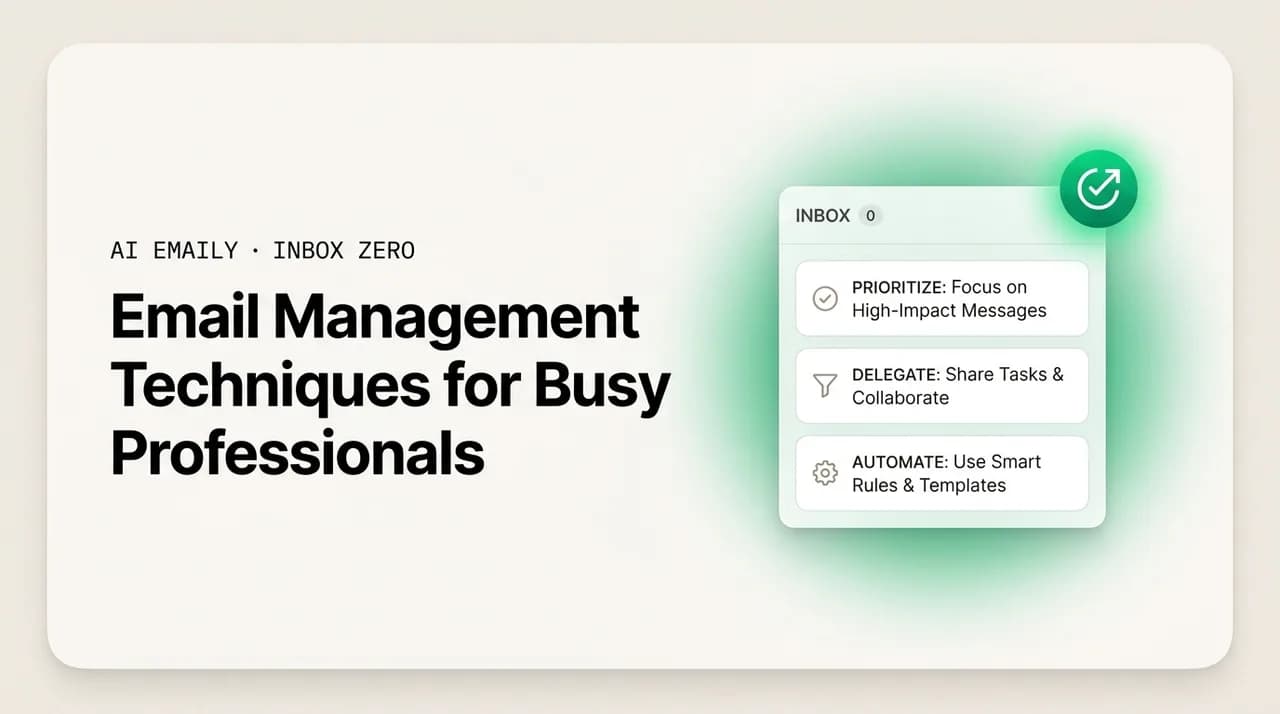
The short answer
The best email management techniques for busy professionals combine discipline — batching, triage tiers, the 2-minute rule, templates, notification control — with AI that does the actual work: triaging, drafting, and tracking follow-ups. Manual habits reduce friction; AI reduces load. AI Emaily handles the routine across every provider, with approval before anything sends.
Email management techniques for busy professionals: batching, triage, the 2-minute rule, templates, inbox zero, and where AI does the actual work.
On this page
- 01Why does email feel impossible to keep up with?
- 02What is email batching and why does it work?
- 03How do you triage email when everything looks urgent?
- 04Is the 2-minute rule actually useful for email?
- 05Do templates and canned responses save real time?
- 06How do you actually reach inbox zero — and should you?
- 07Should you turn off email notifications?
- 08Folders or search — which is the better way to organize?
- 09Where do manual email techniques stop being enough?
- 10How does AI change email management for busy professionals?
- 11What does AI Emaily do, specifically?
- 12How do you build a complete email system from all this?
- 13Frequently asked questions
If you are reading this between meetings, on your phone, with an inbox that refilled while you slept, you already know the problem these email management techniques are meant to solve. The inbox is not a side task anymore — for a lot of busy professionals it is the job that sits on top of the job, the thing you do in the gaps until there are no gaps left. You answer the urgent ones, tell yourself you'll get to the rest later, and later never arrives.
The scale is worth stating plainly, because most advice treats email as a willpower problem when it is closer to a capacity problem. Surveys in 2026 put the average professional at roughly 2.6 hours a day on email — almost a third of the working day — while a typical worker receives around 121 messages daily and only about one in ten is genuinely important. So the math you are living is real: you spend a third of your day to find and act on a tenth of what arrives, mostly by hand. No technique can make 121 messages disappear. The good ones make the handling cheaper; the AI ones take part of it off your plate entirely.
This guide is organized around that distinction, the one most listicles blur. Some techniques are coping mechanisms — they reduce the friction of doing the work yourself, but you are still doing all of it. Others actually reduce the load. We will cover the proven manual habits honestly — batching, triage tiers, the 2-minute rule, templates, inbox zero done sanely, notification discipline, and the folders-versus-search debate — then be equally honest about their ceiling and where AI changes the shape of the problem rather than just the speed.
A note on where we sit: we build AI Emaily, an AI-native email client, so we have a horse in this race and we will say so plainly when we describe our own product rather than a general technique. But the manual techniques in the first half are provider-agnostic and work whether or not you ever touch an AI tool — we would rather you leave with a system you can run tomorrow in whatever client you already use than with a sales pitch.
One framing to carry through: judge every technique by how much work it removes, not how organized it makes you feel. A color-coded label system can look impressive and save you nothing; a boring batching schedule can feel like a step backward and give you two focused hours. The goal is fewer minutes spent and fewer interruptions absorbed, so the hours go to the work only you can do. Let's start with the single habit that does the most for the least effort.
Why does email feel impossible to keep up with?#
Before the techniques, it helps to name why the inbox feels the way it does, because the diagnosis determines which fixes actually work. Email overload is not one problem; it is three problems wearing the same clothes, and most professionals try to solve all three with the same habit and wonder why it only half-works.
- 1
1. Volume — there is simply too much
At 121 messages a day, even five seconds of attention each is ten minutes of pure triage before you have replied to anything. The volume is structural: you are CC'd on threads, subscribed to updates, looped into decisions, and pitched by strangers, and almost none of it is filtered before it reaches you. Volume is the problem that pure discipline handles worst, because discipline does not reduce how much arrives — it only makes you faster at touching each item, and there is a floor on how fast a human can touch 121 things.
- 2
2. Interruption — it pulls you out of real work
The cost of email is not just the minutes spent reading; it is the focus lost every time a notification yanks you out of deep work. Studies of office work put the recovery time after an interruption at well over a minute, and a steady drip of them across a day shreds the long focus blocks that the work only you can do depends on. The inbox is a focus sink as much as a time sink, and the interruption problem is solved by changing when you look, not how fast you read.
- 3
3. Decision fatigue — every message is a small decision
Each message asks the same quiet questions: is this important, does it need me, when, and what do I say? Answered 121 times a day, those micro-decisions are exhausting in a way the raw minutes do not capture. This is why an inbox can leave you drained having accomplished nothing — you spent the day deciding, not doing. The fix here is to make the decisions in batches, by rule, or hand them to something that can decide for you.
Match the technique to the problem
These three problems have different ceilings. You can get very good at interruption control and reclaim real focus no matter how much mail arrives; you can beat decision fatigue with tiers and templates. But volume defeats willpower, because the only manual lever against it is to receive less, and you can only unsubscribe and filter so far before what remains genuinely needs you. That residual volume is exactly where AI changes the game, because it can triage and draft against it in a way no folder rule can. First, the manual system, starting with the highest-leverage habit.
What is email batching and why does it work?#
Email batching is the practice of processing email in a few dedicated blocks rather than continuously throughout the day. Instead of reacting to each message as it lands, you let mail accumulate and handle it in concentrated sessions — say, mid-morning, after lunch, and late afternoon — with the inbox closed in between. It is the single highest-leverage manual technique for a busy professional, and it works for a reason that has nothing to do with email specifically: it protects attention.
The mechanism is context-switching. Every time you flick to the inbox between tasks, you pay a switching cost — the minute-plus of refocusing — in both directions. Check email twenty times a day and you have paid forty switching costs; batch into three sessions and you pay six. The mail still gets answered; you have simply stopped letting it carve up the hours in between, which is the whole point for the deep work that is the actual job.
Time-blocking is batching's natural partner: put the email sessions on the calendar as real appointments. That guarantees the mail gets handled (so you are not anxious about ignoring it — it has a slot) and that the rest of the day is protected (because the blocks are bounded). Without a scheduled block, "I'll batch my email" quietly decays back into checking constantly, because the worry that something urgent is waiting overrides the discipline.
- 1
Pick 2–4 fixed email windows
Choose specific times — say 10am, 1pm, and 4pm — and block them on your calendar as recurring appointments. Two to four covers almost everyone; more and you are drifting back toward continuous checking. Put them after a block of real work, not first thing, so the inbox does not set the agenda for your morning.
- 2
Close the inbox completely between windows
Not minimized, not in a background tab — closed, and notifications off. The point is to remove the temptation to glance. If a true emergency needs you, people will call or message; email is asynchronous by nature, and treating it that way is the entire premise of batching.
- 3
Process, don't just read, in each window
A batching session is for finishing messages, not browsing them. Each one gets a decision — reply, defer with a clear next step, delegate, or archive — so you touch it once. Reading a message, feeling stressed, and leaving it for next time is the anti-pattern batching exists to kill.
- 4
Tell people your rhythm if it matters
If colleagues expect instant replies, a one-line note in your signature — "I check email at 10, 1, and 4" — resets expectations and removes the pressure to be always-on. Most urgency in email is assumed, not real; naming your rhythm surfaces that.
Batching is coping, not load reduction — but it's the best coping there is
How do you triage email when everything looks urgent?#
Triage is the act of sorting incoming mail by importance and urgency before you act on any of it. It directly attacks decision fatigue: instead of making a fresh, full decision on every message, you make one fast sorting decision, and the sorting tells you what to do. Most busy professionals skip it and treat the inbox as a flat, chronological list where the newest and loudest wins — which is how a low-stakes-but-recent message beats a high-stakes-but-older one for your attention all day long.
A simple priority-tier system fixes this. Define a small number of tiers — three or four, no more — and the only question you ask of each new message is which tier it belongs to. That question is far cheaper than the full "what do I do about this" decision, and once a message is tiered the response is mostly predetermined. The discipline is keeping the tiers few and the rules simple; the moment you have eleven tiers and a flowchart, you have rebuilt the decision fatigue you were trying to escape.
| Tier | What lands here | When you handle it | Typical action |
|---|---|---|---|
| Critical | Real people, real stakes, time-sensitive — a key client, your boss, a deadline today | This batching window, first | Reply now or do the 2-minute task immediately |
| Important | Needs you but not today — projects, decisions, considered replies | Today or tomorrow's window | Reply or schedule a block to handle it properly |
| Routine | FYIs, low-stakes questions, things a template answers | End of a window, in a quick pass | Template reply, quick answer, or archive |
| Noise | Newsletters, notifications, cold pitches, CC threads you don't drive | Skim or skip entirely | Archive, filter, or unsubscribe so it stops arriving |
The honest limitation of manual triage is that you are still reading every message to assign its tier — far cheaper than fully processing each one, but at 121 messages a day still real time and real decisions. This is the exact seam where AI prioritization changes things: an AI reads every incoming message and proposes the tier before you open your inbox, so you arrive to a sorted view and spend attention only on confirming and acting. The logic is the same as the manual tier system; the difference is who does the reading.
One refinement worth adopting either way: triage by sender and thread, not just subject. A message from a top client in a quiet thread is more likely critical than a loud-subject blast from a list. Most of your important mail comes from a small, stable set of people; learning that set — or letting an AI learn it — is most of triage.
Is the 2-minute rule actually useful for email?#
The 2-minute rule comes from David Allen's Getting Things Done, and it is one of the few productivity maxims that survives contact with a real inbox: if a message can be fully handled in under two minutes, do it now rather than filing it to do later. The overhead of deferring a tiny task — flagging it, remembering it, re-reading it, re-deciding — costs more than just doing it. For quick replies, confirmations, and acknowledgments, the rule keeps small things from silently accumulating into a backlog of dread.
But the rule needs a guardrail, because applied naively it masquerades as productivity. If you are in deep work and let every sub-two-minute email pull you out "because the rule says so," you have reinvented continuous checking and destroyed your focus in the name of efficiency. The fix is to scope the rule to inside your batching windows: during a session, clear the quick ones immediately; between sessions, the inbox is closed and the two-minute task waits for the next window, where it will still take two minutes.
Combine the rule with batching, not against it
Do templates and canned responses save real time?#
Yes — and for most busy professionals they are the most underused technique on this list. A large share of email is repetitive: the same questions, scheduling back-and-forth, intros, status updates, polite declines, and FAQs answered slightly differently each time. Templates (saved blocks you insert and lightly edit) and canned responses (full pre-written replies) turn a two-minute reply into a ten-second one, and across a week the savings are substantial because the repetition is relentless.
The technique has two honest limitations. First, a template is only as good as your discipline in maintaining it — stale prices and outdated links turn a time-saver into an embarrassment, so templates need occasional upkeep. Second, a template applied without editing reads as exactly what it is: impersonal and generic. The skill is to keep the structure templated and edit the specifics — the name, the detail, the one line that makes it feel addressed to this person. A template should be a strong starting draft, not a final send.
This is the precise point where AI drafting is the natural evolution of the template. A template is a static block you wrote once and reuse; an AI draft is generated fresh for the specific message, in your learned voice, grounded in your real facts. The template handles the repeated structure; the AI handles the variation too, so you edit rather than author and never sound like a form letter — which saves you most of the writing time, not just the structure. For now, build a small library of templates for your five or six most-repeated emails and you will feel it immediately.
- Write templates for your highest-frequency emails first — scheduling, intros, the weekly FAQ, the polite decline. Frequency, not difficulty, is what makes a template pay off.
- Keep the structure templated and the specifics editable. The fastest way to sound robotic is to send a template untouched; the fastest way to save time is to template everything genuinely always the same.
- Maintain them. A quarterly reminder to re-read your templates and fix anything stale — prices, links, titles — keeps them honest. An outdated template is worse than none.
- Treat them as drafts, not finals. A template gets you 80% of the way; the last 20% — the personal line — keeps the relationship intact, and AI drafting automates that last 20% in a way a static template can't.
How do you actually reach inbox zero — and should you?#
Inbox zero, coined by Merlin Mann, is widely misunderstood as "zero messages in your inbox at all times," which sounds exhausting and is. Mann's actual point was zero time spent with the inbox on your mind — the inbox as a processing queue you empty regularly, not a storage pile you stare at. The goal was psychological, not numeric. Held to that definition it is a genuinely useful target; held to the literal definition it is a treadmill.
The method that delivers Mann's version is to process each message to a decision in one pass, using a small set of verbs, so nothing sits undecided. Every message gets exactly one of: do it now (the 2-minute rule), defer it with a concrete next step and a date, delegate it, or delete/archive it. The inbox empties not because you replied to everything but because you decided about everything — and deferred items live somewhere with a clear next action, not in the inbox pretending to be handled.
- 1
Do
If it takes under two minutes and you're in a batching window, handle it completely right now and archive it. This clears the long tail of quick items that otherwise clog the inbox.
- 2
Defer
If it needs real work, give it a concrete next action and a time to do it — a calendar block or a task with a date — then get it out of the inbox. "Defer" is not "leave it sitting there"; it's "decide when and move it." An item with no next step is how backlogs are born.
- 3
Delegate
If someone else should own it, forward it with a clear ask and track that you're waiting on them. The message leaves your inbox but the obligation doesn't vanish — the follow-up is now yours to watch, which is where most delegation quietly fails.
- 4
Delete / archive
If it needs no action — most of your mail — archive it without ceremony. Modern search means you don't need to file it carefully to find it later. The fastest inbox-zero pass is mostly archiving.
Inbox zero can become its own time sink
There is a deeper limitation to inbox zero, the one that haunts every technique here: it scales with your effort. The four-verb pass works beautifully on a manageable inbox and becomes punishing on a flooded one, because you are still reading and deciding on every message to empty the queue. The four verbs are the right way to process mail; the bottleneck is that a human executes them one message at a time — which is exactly the bottleneck AI removes, by doing the first pass for you. Two more manual techniques first, because they are the ones people most often get wrong.
Should you turn off email notifications?#
For most busy professionals, yes — and it is one of the highest-return, lowest-effort changes available. Notifications are the delivery mechanism for the interruption problem: every banner, badge, sound, and buzz is an invitation to context-switch, and each switch costs more than the few seconds of reading. They also impose a false urgency that email, an asynchronous medium, was never meant to carry.
Turning notifications off is the enforcement layer for batching — without it, batching relies on willpower, and willpower loses to a buzzing phone every time. The objection is always the same: what about something genuinely urgent? Those rarely arrive only by email — they come as a call, a text, a tap on the shoulder. Email is where non-urgent things go to wait politely. If your role truly requires faster response, narrow the exception rather than abandoning the rule.
- Turn off badges, banners, and sounds for email by default. The badge count is the worst offender — a constant ambient pressure that pulls you back without even a specific message to justify it.
- Rely on your batching windows, not notifications, to stay current. If you check at 10, 1, and 4, you are never more than a few hours from any message — well within email's asynchronous expectation.
- Carve a narrow exception if your role needs one — VIP-sender alerts for a key client or your manager, nothing more. An AI that understands priority can make this smarter, flagging a genuinely critical message regardless of sender.
- Use a real urgent channel for emergencies — phone or direct message — and tell your team that's the path. This removes the anxiety that justifies leaving email notifications on.
Folders or search — which is the better way to organize?#
This is one of email's oldest debates, and for busy professionals the evidence has landed firmly on one side: search beats elaborate folders for almost everyone. The folder-everything instinct is a holdover from when search was bad. The filing itself is the cost: deciding where each message goes is a per-message decision, and worse, messages often belong in two folders at once, so you either duplicate or guess and later cannot find them. The time spent filing rarely pays back in time saved finding.
Modern search is good enough that for most retrieval you can archive everything into one bucket and search by sender, keyword, date, or attachment. The answer is not zero structure but light structure: a handful of high-value labels — not fifty — for the categories you genuinely act on as groups (a key client, an active project, tax receipts). File only when grouping has a clear ongoing payoff, and lean on search for everything else.
| Approach | Cost to maintain | Time to find later | Best for |
|---|---|---|---|
| Heavy folder tree | High — a filing decision on every message, and ambiguity when mail fits two places | Slow if you misfiled or forgot the structure | Almost no one; mostly a holdover habit from bad-search days |
| Archive + search | Near zero — archive and move on, no filing | Fast for anything you can describe by sender, keyword, or date | Most busy professionals, most of the time |
| Light structure + search | Low — a handful of labels for groups you truly act on | Fast, with quick access to the few categories you batch-process | The pragmatic default: structure where it pays, search for the rest |
There is a meaningful upgrade hiding on the search side, where AI reshapes the question. Traditional search is literal — it matches the words you type. Semantic search lets you find mail by meaning: "the contract draft legal sent before the April call" surfaces the right thread even when you recall no exact word from it. For a professional who archives aggressively and files almost nothing, that is what makes archive-everything genuinely safe — finding no longer depends on having organized in advance, so the folder-versus-search debate is increasingly settled by search getting smart enough that organizing up front stops being worth the time.
Where do manual email techniques stop being enough?#
Everything so far is real and worth doing — a professional running batching, triage tiers, the 2-minute rule, templates, notifications off, and search instead of folders has a meaningfully better relationship with email than someone running none of it. But it is worth being honest about the ceiling, because pretending these are a complete answer is how people end up disciplined and still drowning. Every manual technique shares one trait: you are still doing all of the work. They make it cheaper per message, but the work itself, all 121 messages of it, still flows through your hands.
That is fine until volume outruns discipline, which for many professionals it already has. There is a hard limit to how fast a person can read, decide, and write, and once your inbox sits above it, more technique yields diminishing returns. The manual techniques optimize the cost per message; they do nothing about the count. Past a certain volume the only levers are to receive less mail (filtering, which only goes so far) or to have something other than you do part of the touching.
The honest line between coping and load reduction
How does AI change email management for busy professionals?#
This is the genuinely new development, and why an email-techniques guide in 2026 reads differently than one from a few years ago. For most of email's history the only available labor was your own, so every technique was a coping technique. AI changed the available labor: it can triage your mail before you open the inbox, draft replies in your voice grounded in your real facts, track follow-ups you'd forget, and handle routine messages end to end. That is the first technique here that attacks volume directly, because it removes the requirement that a human touch every message.
Crucially, AI does not replace the manual techniques — batching, tiers, the 2-minute rule, and notification control are all still good practice. It sits underneath them and does the labor they required. The cleanest way to see it is technique by technique: take each manual habit you run by hand, and look at the part an AI can do instead.
- 1
Triage → AI prioritization
Instead of reading every message to assign a tier, the AI reads incoming mail and proposes the priority before you open the inbox — surfacing the critical, grouping the routine, pushing noise down. You arrive to a sorted inbox and spend attention confirming and acting, not on the sorting. Same logic as the manual tiers; the AI does the per-message reading.
- 2
Templates → AI drafting in your voice
Instead of a static template you insert and edit, the AI generates a fresh draft for the specific message, in your learned voice, grounded in your real facts. It handles both the structure a template covered and the per-message customization it couldn't, so you're editing a near-final draft rather than authoring from scratch.
- 3
Follow-up tracking → AI that never forgets
The follow-ups you mean to track manually — the reply you're waiting on, the thing you promised to send, the lead who went quiet — the AI tracks, resurfaces, and can draft the nudge for. This is where busy professionals leak the most, because follow-up is the easiest work to drop when you're busy.
- 4
Search → AI semantic search
Instead of remembering exact keywords, you describe what you're looking for by meaning — "the budget finance sent before the offsite" — and the AI finds it. This is what makes archive-everything genuinely safe: finding no longer depends on having organized in advance.
- 5
Inbox zero → AI does the first pass
The four-verb pass still applies, but the AI does the first sweep: triaging, drafting replies for the ones that need them, flagging the routine it can resolve. You're approving on a pre-processed inbox rather than executing every step, which is what makes inbox zero survivable on a heavy day.
- 6
The new technique → delegate routine mail entirely
The one with no manual equivalent: hand the repetitive, low-stakes messages — the same FAQs, status checks, simple confirmations — to an AI agent to resolve end to end. It reads, drafts in your voice, and (when you allow it) sends and files. This is pure load reduction — work that leaves your plate completely.
Keep the manual habits; let AI do the reps
What does AI Emaily do, specifically?#
Here we are describing our own product rather than a general technique, so weigh it accordingly. AI Emaily is an AI-native email client built around the load-reduction model above: the AI does the triage, drafting, follow-up, and routine resolution, while you keep control of the moments that carry risk. The point is not a tidier inbox — it is fewer messages that ever need your hands, and a clear approval gate on the ones that do.
- 1
Three modes — Manual, Copilot, Autopilot
Manual is a normal (but AI-assisted) client. Copilot — the approval-first default — drafts and stages everything for you to glance at, edit, and send, so nothing goes out unreviewed. Autopilot lets the agent act within tight limits you set, for categories you've decided are safe. You move along that spectrum deliberately, as you build trust.
- 2
Approval before anything sends, by default
Out of the box, the AI never sends a reply without your sign-off — it drafts in your voice and stages it; you approve. This is the guardrail on the load-reduction model: you get the time back without betting a real reply on the AI being right unattended. Autonomy is granted on purpose, with undo and audit.
- 3
Works on the mail you already use
AI Emaily runs on every major provider — Gmail and Google Workspace, Outlook and Microsoft 365, and standard IMAP — so you connect what you have rather than migrating. Point it at your inbox and it starts triaging and drafting the same day.
- 4
Private by default
Your mail is not used as training data, you control when the AI acts, and every action is logged and auditable. For a professional whose inbox holds client data and contracts, the safe defaults are the product's, not your homework.
How do you build a complete email system from all this?#
The techniques only help if they cohere into a routine you actually run, so here is one assembled system combining the manual habits with AI doing the labor. Treat it as a starting template to adapt, not a rigid prescription — the point is to show how the pieces fit, with coping and load reduction each doing their job.
- 1
Set your batching windows and kill notifications
Two to four fixed email blocks on the calendar; notifications off except a narrow VIP exception. This is the focus-protection layer — pure discipline, no tool does it for you — and the foundation everything else sits on, because the AI work below is wasted if you're still glancing at the inbox all day.
- 2
Process pre-triaged, pre-drafted windows with the four verbs
By the time a window opens, the AI has tiered everything that arrived and drafted replies for what needs them. Run the inbox-zero pass — do, defer, delegate, archive — on that pre-processed inbox: approve the drafted quick wins, defer real-work items to a block, archive the rest. The window goes from an hour to minutes.
- 3
Delegate the routine; let AI hold follow-ups and search
Grant Autopilot within limits for the low-stakes categories you've watched it handle well, so those threads resolve without reaching you. Stop tracking follow-ups in your head and stop filing into folders: the AI resurfaces what's waiting and semantic search finds anything by meaning.
- 4
Review, then widen the AI's lane deliberately
Periodically check the audit trail — what the AI triaged, drafted, and (where allowed) sent — and adjust. As drafts prove reliable and triage proves accurate, move more categories from Copilot toward Autopilot. The system gets lighter precisely because you've verified each step before granting more autonomy.
The shape of that system is the real takeaway, and the thing the dozen-tips listicles miss. A complete answer to email overload is not one technique; it is two layers. The discipline layer — batching, notification control, the four-verb pass — protects your focus and keeps your decisions clean, and no tool can do it for you. The load-reduction layer — AI triage, drafting, follow-up, and routine resolution — takes the actual labor off your plate, the part willpower could never solve. Run only the first and you will be organized but still buried; run only the second and you will save time but let the inbox fragment your day. Run both and the inbox finally stops being the job on top of the job — and that is exactly the load-reduction half AI Emaily is built to be.
Frequently asked questions#
The questions busy professionals ask most about email management techniques — which actually work, how AI fits, and how to keep control while getting the time back.
Frequently asked
See it in AI Emaily
Keep reading

Written by
Nafiul HasanNafiul Hasan is an entrepreneur and AI automation system builder with 10+ years of experience turning messy, manual workflows into reliable automated systems. He designs and ships AI enterprise solutions end-to-end — the agent logic, the data plumbing, and the product people actually use — and founded AI Emaily to give busy professionals their attention back. He writes here from the builder's seat: what works, what breaks, and how to put AI to work without giving up control.