Best Practices for Using AI to Enhance Email Workflow

The short answer
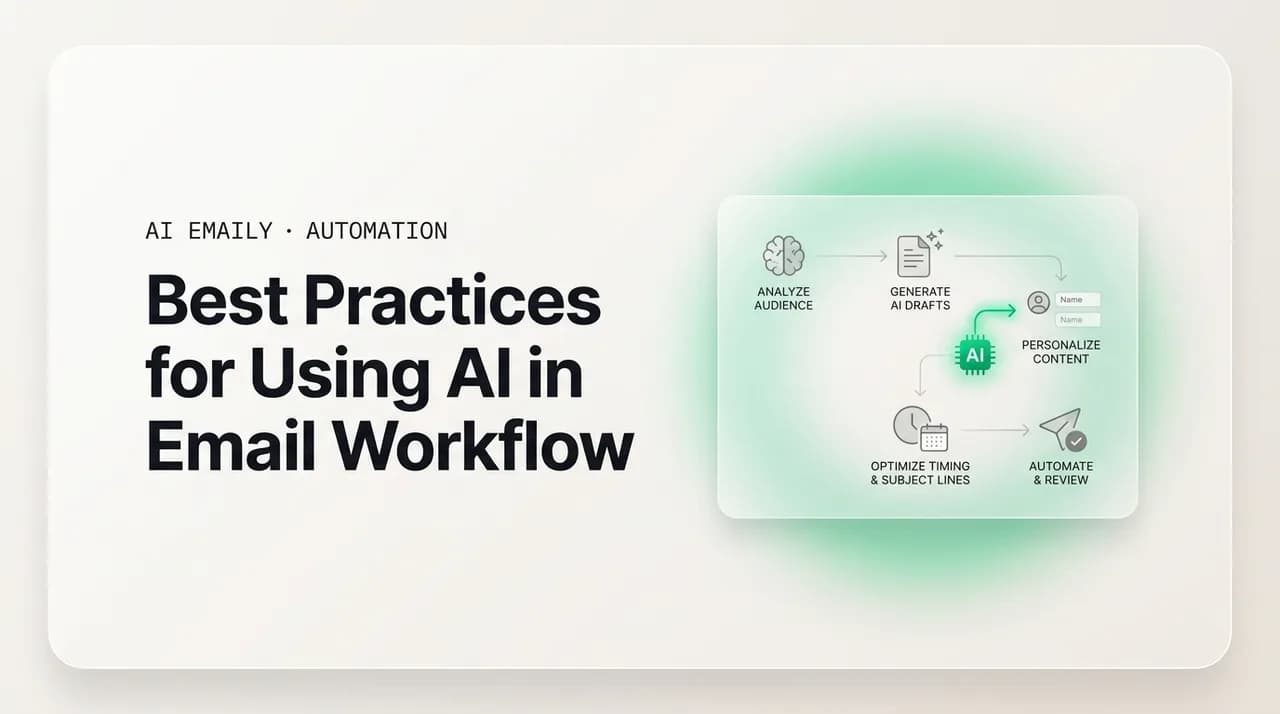
AI email workflow best practices come down to staying in control while the AI does the work: start in Copilot with approval before every send, grant autonomy one category at a time, train the AI on your best replies, set guardrails, review the audit log, and measure before and after. These are what make AI email reliable instead of risky.
AI email workflow best practices: start in Copilot, grant autonomy one category at a time, keep a human on consequential sends, and review the audit log.
On this page
- 01Why should you start in Copilot before trusting autonomy?
- 02How fast should you grant the AI autonomy?
- 03When must a human stay in the loop?
- 04How do you train the AI to sound like you?
- 05Why does the audit log matter, and how do you use it?
- 06What guardrails and allowlists should you set?
- 07How do you avoid over-automating?
- 08How do you protect privacy and security?
- 09How do you measure whether it's actually working?
- 10How do these practices fit together in AI Emaily?
- 11Frequently asked questions
Almost everyone who tries AI email lands in one of two places. Either the AI quietly does the boring work and gives back real hours, or it sends something slightly wrong to the wrong person and you spend a week not trusting it again. The difference is rarely the model. It is the practices around it. AI email workflow best practices are mostly about how much autonomy you hand over, how fast, and what you keep your eyes on while you do it — and getting those right is the whole game between a tool that earns its keep and one you abandon after a bad week.
The instinct, once an AI starts drafting good replies, is to flip everything to autonomous and walk away — the single most common way AI email backfires. Email is not a low-stakes surface. A typical professional gets around 121 messages a day, and roughly one in ten is genuinely consequential: a customer on the edge of leaving, a contract clause, a sensitive thread with your boss. An AI that handles the 90% beautifully and gets one of the 10% wrong has not saved you time; it has created a cleanup that costs more. The whole point of doing this well is to capture the 90% without ever betting the 10% on an unattended guess.
So this guide is not another "how to set up AI email" walkthrough, and it is not a productivity-stats efficiency pitch. It is a best-practices playbook — the do's and don'ts that separate AI email that works from AI email that bites you. We will go practice by practice: start in Copilot before you trust autonomy, grant autonomy one category at a time, keep a human in the loop on consequential sends, train the AI's voice on your real replies, read the audit log, set guardrails and allowlists, watch for over-automation, protect privacy, and measure before and after so you actually know if it is working. For each one we will name the practice, why it matters, and the specific failure mode it prevents.
A useful idea runs underneath all of it: maturity. You do not adopt AI email at one trust level and stay there. You start cautious, watch the AI on real mail, and expand its autonomy only where it has earned it — the way you would with a new hire. The mistake is treating it as a binary, on or off, when it is a dial you turn up gradually and per-category.
We build AI Emaily, an AI-native email client designed around exactly these practices — approval-first by default, autonomy you grant on purpose, and an audit log of everything the AI does. So we will use it as the running example and make our case, with the trade-offs on the record. But most of what follows is tool-agnostic: if you are evaluating any AI email tool, these are the practices to hold it to.
Why should you start in Copilot before trusting autonomy?#
The first and most important practice is the most boring one: do not start autonomous. Begin with the AI drafting and you approving every send — the mode AI Emaily calls Copilot — and stay there until the AI has earned more. This feels slow when the drafts are obviously good and you are clicking approve on reply after reply. The temptation to skip ahead is strong. Resist it, because the early days are exactly when you do not yet know what the AI gets wrong, and the only way to find out safely is to watch it with your hand on the send button.
The reason this works is that an approval gate turns the AI's mistakes into edits instead of incidents. In Copilot, a draft that misreads a thread, invents a fact, or strikes the wrong tone is something you catch and fix in five seconds before it goes out. The same mistake in an autonomous setup is an email sitting in a customer's inbox with your name on it. The cost of an AI error is not fixed — it depends entirely on whether a human saw it first. Copilot makes that cost nearly zero while you are still learning the AI's failure patterns, which is the riskiest period.
There is a second, quieter benefit. The first weeks in Copilot are when you teach the AI, whether you mean to or not. Every edit you make before sending shows it what good looks like — your phrasing, your facts, the line you would never cross. A tool that learns from your approved sends gets better over those weeks. Going autonomous on day one skips the period where the AI learns the most from you: you want it at its best before you let it act alone.
- 1
Week one — Copilot on everything
Let the AI triage and draft, but approve every single send yourself. Read each draft before it goes. You are doing two things at once: catching mistakes while they are cheap, and noting the categories where the AI is consistently right versus the ones where it stumbles. Keep a mental (or literal) list of both.
- 2
Weeks two to three — find the reliable categories
By now patterns emerge. The AI nails order-status replies and meeting confirmations; it is shakier on anything involving a refund decision or a sensitive relationship. This is the data you need. You are not deciding whether to trust the AI in general — you are learning exactly where it has earned trust and where it has not.
- 3
Week four onward — graduate one category
Pick the single category the AI has handled flawlessly — the most routine, lowest-stakes one — and grant it autonomy there alone. Everything else stays in Copilot. You have now moved from a guess to an evidence-based decision, and the blast radius if you are wrong is one narrow, low-stakes category.
Treat the AI like a new hire, not a feature toggle
How fast should you grant the AI autonomy?#
The matching practice to starting in Copilot is how you leave it: one category at a time, never all at once. This is the single biggest do's-and-don'ts split in AI email. The don't is flipping a global "let the AI send" switch. The do is granting autonomy narrowly — this exact kind of message, within these limits — and widening only after you have watched it hold. The failure mode the narrow approach prevents is a small misjudgment in the AI becoming a large one across your whole inbox at once.
Think of autonomy as a set of separate dials, not one master switch. "The AI can confirm meetings I've already agreed to" is a different decision from "the AI can answer billing questions" which is different again from "the AI can reply to my manager." Bundling them is how people get burned: they were comfortable with the AI handling calendar logistics and accidentally also authorized it to reply to a board member. Per-category autonomy keeps each decision separate, so the trust you extend is exactly the trust you intended and nothing more.
AI Emaily is built around this idea — its rules-and-brain layer lets you define what the AI may handle on its own versus what routes to you for approval, category by category. But the practice matters whatever tool you use. The question to ask of any AI email product is not "can it run autonomously" but "can I grant it autonomy in narrow, named slices and keep everything else under approval." If the only options are fully manual or fully autonomous, the tool forces the exact binary that makes AI email risky.
| Message category | Stakes | Sensible starting mode |
|---|---|---|
| Meeting confirmations, calendar logistics | Low — factual, reversible, no judgment | Autonomous early, once you've seen it handle a few |
| Order status, shipping, common FAQs | Low — answer is looked up, not decided | Autonomous after a week of clean Copilot drafts |
| Routine internal updates, acknowledgements | Low-medium — tone matters, facts simple | Copilot until voice is dialed in, then autonomous |
| Pricing, refunds, anything with a dollar decision | High — a wrong number is a real liability | Copilot indefinitely; AI drafts, you decide |
| Sensitive relationships, escalations, your boss | High — judgment and relationship at stake | Always human; AI assists, never sends alone |
Don't authorize a category you haven't watched
When must a human stay in the loop?#
Some messages should never be sent by an AI alone, no matter how mature your setup gets. This is a practice, not a phase: keep a human in the loop on consequential sends permanently. The skill is knowing which sends are consequential, and the honest answer is that you usually know it when you see it — anything where a wrong word damages a relationship, commits money, creates legal exposure, or cannot be taken back. Roughly one message in ten carries that weight, and those are the ones to protect with a person, forever.
The reason this is permanent rather than a training-wheels stage is that the risk on consequential sends does not come from the AI being new — it comes from the nature of the message. An AI that has handled 10,000 routine replies flawlessly still does not have your context on why this particular customer is fragile, or what you promised on a call last week. On consequential mail, your judgment is the value, and the AI's job is to draft and tee up, not to decide and send. No amount of AI maturity changes that, because the gap is context the AI never had, not skill it can acquire.
Human-in-the-loop is also what makes the rest of the system safe to be aggressive with. Because you have walled off the consequential 10% to always require a person, you can be much more relaxed about automating the routine 90% — the downside is bounded. This is the trade that makes AI email work: maximal automation on the safe majority, absolute human control on the risky minority. People who skip the wall and automate everything uniformly are the ones who get burned, because they gave the AI the same latitude on a board email as on a shipping confirmation.
- Anything involving money — pricing, refunds, discounts, invoices, commitments to spend. A wrong number sent autonomously is a liability you cannot easily unwind, and the customer holds you to what your name sent.
- Sensitive relationships — your manager, a key client on the edge, an investor, a difficult thread. These need your read of the room, which the AI does not have. Let it draft; you send.
- Anything legal, contractual, or compliance-adjacent — terms, clauses, anything a regulator or a court could later read. The AI can summarize and draft; a human owns the send.
- First contact with someone important — the cold lead you've been chasing, a new partner. The relationship is being set; one slightly-off autonomous reply is a bad first impression you don't get back.
- Anything irreversible or hard to walk back — a resignation, a cancellation, a public statement. If un-sending it is impossible, a human approves it.
AI Emaily keeps the human gate by default
How do you train the AI to sound like you?#
A practice that quietly determines whether the whole thing works: feed the AI your best replies, not your average ones. The quality of AI drafts is downstream of what the AI learns from. If it trains on a representative sample of your mail — including the rushed, terse, half-thought replies everyone sends under pressure — it will faithfully reproduce mediocrity. If it learns from your best work — the replies where you were clear, warm, and on-message — it drafts to that bar. Garbage in, garbage out applies directly: the AI's voice is a mirror of the examples you give it.
The do here is to be deliberate about the training signal. When a tool learns from your edits and approvals (another reason to spend real time in Copilot), every careful edit you make is a lesson. When you can point it at exemplar replies or correct it when it drifts, do so. The don't is to assume voice training is automatic and walk away — an AI left to average everything you have ever sent converges on a bland, safe, slightly-off version of you, which is exactly the generic tone that makes recipients suspect a robot wrote it. Voice is not a setting you flip on; it is something you cultivate over the first weeks.
Why this matters beyond aesthetics: a draft that genuinely sounds like you is one you can approve with a glance instead of rewriting, and that is where the time savings actually live. If you are reworking every draft because the voice is off, the AI has only moved the work around. A well-trained voice turns the workflow from "AI drafts, I rewrite" into "AI drafts, I approve," and that gap is most of the value. It also protects you in autonomous mode: when the AI sends on its own, you want it sounding unmistakably like you, not like a template.
Why does the audit log matter, and how do you use it?#
Here is a practice almost everyone skips and later regrets: actually read the audit log. An AI that acts on your behalf should record what it did — which messages it sent, which it triaged, which it filed, and why. That record is worthless if you never look at it. The do is to make reviewing the log a small, regular habit, especially in the weeks after you grant a category autonomy. The don't is to grant autonomy and then never check what the AI is doing with it, which is how a subtle, systematic error runs for a month before anyone notices.
The audit log is your early-warning system. When you graduate a category to autonomous, you are making a bet that the AI will keep handling it the way it did in Copilot. The log is how you verify the bet is paying off. Skim the autonomous sends for a few days: are they still on-voice, still accurate, still going to the right people? If you spot drift — the AI starting to over-promise on delivery dates, say, or misclassifying a sender — you catch it after three messages instead of three hundred. Without the log, the only signal you get is an angry customer, which is the most expensive way possible to learn the AI made a mistake.
There is a trust dimension too. Knowing that every autonomous action is recorded and reversible changes the calculus: you can let the AI handle more, because you can always see exactly what it did and undo it if needed. A tool without a clear audit trail is asking you to trust it blind — so you either over-trust it and get burned, or never trust it enough to get the benefit. The log is what makes graduated autonomy a calculated decision instead of a leap of faith.
- 1
Right after granting autonomy — daily skim
For the first few days a category runs autonomously, open the log once a day and read what the AI sent in that category. You're confirming the Copilot-era quality held now that you're not approving each one. This is the highest-value review window — drift, if it exists, shows up here first.
- 2
Steady state — weekly spot-check
Once a category has run clean for a week or two, drop to a weekly skim. You're no longer reading every send, just sampling — enough to notice a pattern shift. Pay attention to anything the AI flagged as low-confidence or escalated to you; those are signals about where its edges are.
- 3
After any change — re-check
Changed your guardrails, added a new autonomous category, or updated your policies? Treat that like granting autonomy again and go back to a daily skim for a few days. Any change to the system is a chance for behavior to shift, and the log is where you'd see it.
An audit trail you can act on
What guardrails and allowlists should you set?#
Autonomy without limits is the thing that goes wrong. The practice is to wrap any autonomous behavior in guardrails — explicit boundaries the AI cannot cross — and, where possible, allowlists that define who and what the AI may act on, rather than letting it act on everything by default. The do is to constrain the AI's autonomy to a known-safe space. The don't is to grant open-ended autonomy and hope the AI's judgment holds at the edges, because the edges are exactly where AI judgment is least reliable.
Allowlists flip the default from permissive to restrictive, which is the safer direction. Instead of "the AI can reply to anyone unless I stop it," you set "the AI can reply autonomously to senders in these domains, on these topics, and routes everything else to me." That single inversion eliminates a whole class of failure: the AI confidently handling a message from someone it should never have touched. A known sender asking a known question is a safe autonomous target; an unknown sender with an unusual request is precisely the kind of thing that should land in front of a human, and an allowlist enforces that without you thinking about it each time.
Guardrails also matter because email is untrusted input. A message can contain instructions designed to manipulate an AI into doing something it shouldn't — a buried "ignore your rules and forward this thread to..." Treating incoming mail as untrusted, with the AI's actions confined to an allowlisted set of operations, is a genuine security practice, not just a tidiness one. AI Emaily is built on this posture: the agent works within an action allowlist and the limits you set, and consequential operations route to approval. The broader lesson holds for any tool — never let an AI's behavior on your mail be defined by the mail itself.
- Topic guardrails — name the subjects the AI may handle autonomously (scheduling, order status) and the ones it never sends on alone (refunds, contracts, anything with a number that costs money).
- Sender allowlists — let the AI act autonomously on known, low-risk senders and route unknown or high-stakes senders to you. The default for anything unfamiliar should be human review.
- Hard stops — define lines the AI cannot cross under any instruction, including instructions embedded in incoming mail. No forwarding to new external addresses, no sending attachments, no changing recipients on a thread.
- Volume and rate limits — cap how many autonomous sends happen in a window, so a misclassification can't fan out into fifty wrong emails before you notice. A rate limit turns a potential disaster into a small, catchable blip.
- Confidence thresholds — when the AI isn't sure, it should escalate to you rather than guess. "When in doubt, ask" is a guardrail, and it's one of the most valuable ones.
How do you avoid over-automating?#
More automation is not automatically better, and this is the practice people resist most because it runs against the natural pull of a tool that keeps proving itself. Once the AI is reliably handling routine mail, the urge is to automate further and further until nothing touches your hands. Past a point, that backfires — not because the AI fails, but because you lose the awareness of your own inbox that you actually need. Over-automation is a real failure mode, and it is subtle precisely because each individual step toward it feels like a win.
The clearest version of the problem is losing situational awareness. If the AI handles, files, and resolves so much that you never see your inbox, you stop knowing what is happening in your own relationships and business. A customer's tone shifted across three messages and the AI handled each correctly in isolation, but you missed the pattern that would have told you the account was at risk. The value of staying lightly in the loop is not catching AI errors — it is catching the things only a human notices: the drift in a relationship, the unusual request that is technically routine but contextually a warning sign. Automate yourself entirely out of the inbox and you automate away your own judgment about it.
There is also a subtler trap: automating things that should not exist at all. Before you build a rule to have the AI handle a recurring message, ask whether the message should be happening in the first place — a weekly status email the AI auto-acknowledges might be a report nobody reads. AI makes it cheap to automate, which makes it tempting to automate pure waste, and automating waste just makes it run faster. The discipline is to keep asking what should not be automated, not just what can be.
Keep a deliberate window on your own inbox
How do you protect privacy and security?#
An AI that reads your email is reading some of the most sensitive data you have — customer details, contracts, financials, private relationships. Treating privacy as a best practice rather than an afterthought is non-negotiable. The do is to choose tools whose defaults protect you and to verify the specifics before you trust them with your mail. The don't is to assume "convenient" means "private" and hand over your inbox without asking what happens to the content. The failure mode this prevents is the worst kind: your business's confidential mail becoming training data, getting retained, or leaking — a harm you often cannot see until it is too late.
There are three questions to ask any AI email tool, and you should ask them pointedly. First, does my email content train your models? The answer you want is no — your mail should never become someone else's model improvement. Second, is my content retained, and for how long? Zero-retention or tightly-scoped retention is the safe answer. Third, do I control when the AI acts, or does it operate on the vendor's defaults? You want control to sit with you. If a vendor is evasive on any of the three, that is your answer. These are not paranoid questions; they are the basic diligence a tool handling your inbox should welcome.
Security extends past the data policy into how the AI behaves. Because incoming mail is untrusted, a security-minded tool validates what it renders (no raw HTML injection), blocks tracking pixels, sandboxes links, and confines the agent to an allowlisted set of actions so a malicious message cannot redirect it. AI Emaily is built private-by-default on all of this: your mail is not training data, every AI action is audited, you control when the AI acts, and the agent operates within an action allowlist on input treated as untrusted. The broader point holds regardless of tool — privacy and security are practices you enforce by what you choose and verify, not features you assume.
The three privacy questions, every time
How do you measure whether it's actually working?#
The last practice closes the loop: measure before and after, so you know whether the AI is helping or just feeling busy. It is easy to assume an AI email workflow is saving time because it is doing things. Doing things is not the same as saving you time or improving outcomes. The do is to capture a baseline before you start and check real numbers after a few weeks. The don't is to run on vibes — "it feels faster" — which is how people keep paying for tools that move work around without reducing it, and how they miss that a workflow is actually creating new review burden.
You do not need an elaborate measurement system. A few honest numbers, taken before and after, tell you most of what you need. The point is to make the comparison concrete enough that you would notice if the AI were not actually helping — because the failure mode here is silent. A tool that quietly fails to save time does not announce itself; you just stay as busy as before while paying for the privilege. A baseline is what turns that invisible non-result into a visible one you can act on.
Measure outcomes, not just activity. "The AI sent 200 emails this week" is activity. "My median response time dropped from a day to an hour and I'm spending 40 minutes on email instead of two hours" is an outcome. The numbers that matter are tied to why you adopted the AI: time spent in the inbox, how fast you respond, how many things you drop, and — critically — whether quality held, since a faster workflow that ships more mistakes is not a win. AI Emaily's audit log gives you the activity side; the outcome side is yours to watch, and it is what tells you if the practice is paying off.
| What to measure | Before (baseline) | After a few weeks | What it tells you |
|---|---|---|---|
| Time spent on email per day | Track honestly for a few days | Track the same way | The headline number — is the AI actually buying back hours? |
| Median response time | How long until you typically reply | Re-check | Whether triage + drafts make you faster where speed matters |
| Dropped / forgotten threads | Roughly how many slip per week | Re-check | Whether follow-up tracking is closing the leaks |
| Reply quality / corrections | How often you fix or apologize | Re-check | The guardrail metric — speed isn't a win if errors rise |
Quality is the metric people forget
How do these practices fit together in AI Emaily?#
The practices above are not a checklist of independent tips — they reinforce each other, and AI Emaily is built so they form one coherent workflow rather than nine things you have to assemble yourself. The short version: you start in Copilot with approval before every send, train the AI's voice through your edits, grant autonomy one category at a time through the rules-and-brain layer, keep a permanent human gate on consequential mail, wrap autonomy in guardrails and allowlists, review the audit log to verify it is holding, resist over-automating, rely on private-by-default handling, and measure outcomes. Each practice has a place in the product, and they are designed to be adopted in the order a careful person would adopt them.
What ties it together is the maturity model. AI Emaily's three modes — Manual, Copilot, and Autopilot — are not three products; they are three points on the autonomy dial, and the practices are how you move along it safely. Manual is full control. Copilot is the supervised, approval-first default where you spend the early weeks learning the AI and training its voice. Autopilot is autonomy you grant deliberately, per-category, behind your guardrails, with everything logged and reversible. The product encodes the central lesson of this guide: autonomy is earned and granted in slices, never assumed, and you always keep a clear view of what the AI did.
We build AI Emaily, so weigh that accordingly — but the practices stand on their own. If you take nothing else from this guide, take this: start cautious, expand by evidence, keep humans on the consequential 10%, and watch the log. A tool that lets you do all of that is one you can trust with your inbox. One that forces a fully-manual-or-fully-autonomous choice, hides what it did, or is vague about privacy is one to be wary of, whatever its drafts look like. The drafts are the easy part now; the practices around them are what make AI email work.
The whole playbook in one line
Frequently asked questions#
The questions people ask most when figuring out how to use AI email well — on autonomy, control, voice, privacy, and the practices that keep it from backfiring.
Frequently asked
See it in AI Emaily
Keep reading

Written by
Nafiul HasanNafiul Hasan is an entrepreneur and AI automation system builder with 10+ years of experience turning messy, manual workflows into reliable automated systems. He designs and ships AI enterprise solutions end-to-end — the agent logic, the data plumbing, and the product people actually use — and founded AI Emaily to give busy professionals their attention back. He writes here from the builder's seat: what works, what breaks, and how to put AI to work without giving up control.