How to Automate Your Email Workflow for Maximum Efficiency

The short answer
To automate your email workflow, map the recurring tasks in your inbox, then decide what to hand off: triage and labeling, drafting, follow-ups, scheduling, and routing. Build the simple parts with rules and the judgment parts with AI, layer in an agent for routine work under approval, and measure the hours you get back — without over-automating the messages that need a human.
How to automate your email workflow step by step: map your inbox tasks, automate triage, drafting, follow-ups and routing with rules plus AI, and measure the time saved.
On this page
- 01What does it actually mean to automate your email workflow?
- 02Step 1 — How do you map the tasks in your inbox?
- 03Step 2 — Which tasks should you automate, and which stay manual?
- 04Step 3 — How do you build the rules layer (the simple, reliable part)?
- 05Step 4 — How does AI handle the parts rules can't (triage and drafting)?
- 06Step 5 — When should you let an agent handle mail end to end?
- 07How do you automate follow-ups, scheduling, and routing?
- 08How do you measure the time your automated workflow saves?
- 09What are the most common email automation mistakes to avoid?
- 10Frequently asked questions
If you want to automate your email workflow, the first thing to accept is that the inbox is not one job — it is a dozen small jobs stacked on top of each other and doing all of them by hand, all day, is why email eats roughly 2.6 hours of the average professional's day across something like 121 messages, of which maybe one in ten is genuinely important. Sorting, labeling, deciding who handles what, writing the same reply you wrote last week, remembering the follow-up you promised, booking the call — none of those are hard individually. They are exhausting in aggregate, because each one is a small decision and you are making hundreds of them a day, mostly on autopilot in your own head. Automation is the move that takes the repeatable decisions off your plate so your attention goes to the few messages that actually need it.
This is a practical, how-to guide, not a pep talk about inbox zero. The goal is a workflow you can start building today: you will map the recurring tasks in your inbox, sort them into what is safe to automate versus what should stay manual, build the simple, deterministic parts with rules, hand the parts that need judgment to AI, and — once you trust it — let an agent handle routine messages end to end under your approval. Then you will measure what you got back, and learn to spot the line where more automation starts costing you more than it saves. Each section is a step you can act on.
A word on tools, honestly. We build AI Emaily, an AI-native email client that does rules, AI drafting, and an agent in one place, with a human-approval gate before anything sends. We will use it as the worked example throughout because it is the system we know best and it happens to map cleanly onto the playbook below. But the playbook is the point — most of it you can apply in any modern email setup, and where AI Emaily makes a specific step easier we will say so and say why, with the trade-offs on the table. If you only take the method and not the product, this was still worth your time.
The thread running through everything here is control. Email automation has a bad reputation for a reason: the old version was blunt filters that buried real messages and canned auto-replies that embarrassed you in front of customers. The version worth building in 2026 is different — it does the boring work reliably, asks you before doing anything consequential, keeps an audit trail of what it did, and lets you undo it. Efficiency that you cannot trust is not efficiency; it is a new kind of anxiety. So every step below is built so the machine earns more responsibility only as it proves it deserves it. Let's start by figuring out what your inbox is actually made of.
What does it actually mean to automate your email workflow?#
It helps to be precise, because "email automation" gets used for three different things that behave very differently. Knowing which one you are reaching for at each step keeps you from using a blunt tool where you needed a smart one, or vice versa.
The first is rules: deterministic, if-this-then-that logic. A message from a known address gets a label; anything with "unsubscribe" in it skips the inbox; receipts go to a folder. Rules are fast, free, and completely predictable — they do exactly what you said, every time, which is their strength and their limit. They cannot read intent, so they break on anything fuzzy.
The second is AI: judgment applied to language. Reading a message and deciding it is an urgent customer complaint versus a routine question; drafting a reply that fits the context and your voice; recognizing that a thread needs a follow-up even though nobody used the word "follow up." AI handles the cases rules cannot, because it understands meaning rather than matching patterns. The trade is that it is probabilistic — usually right, occasionally not — so it belongs behind a review step until you have calibrated your trust.
The third is an agent: AI that does not just suggest but acts — reads a thread, drafts, and (when permitted) sends and files it, completing a task end to end without you in the loop for each step. This is the most powerful and the one to introduce last, deliberately, and only for work you have watched it do well.
| Approach | What it does | Best for | Watch out for |
|---|---|---|---|
| Rules | Deterministic if-then logic on senders, subjects, keywords | Filing receipts, muting newsletters, labeling known senders | Brittle on anything fuzzy; silently buries mail if too aggressive |
| AI assist | Reads meaning; triages, drafts, flags follow-ups | The judgment work rules can't do — sorting, writing, prioritizing | Probabilistic; keep behind approval until calibrated |
| AI agent | Acts end to end — drafts, sends, files routine threads | High-volume, low-stakes, repetitive messages | Introduce last, scope tightly, keep an audit trail and undo |
The right tool depends on the task, not your enthusiasm
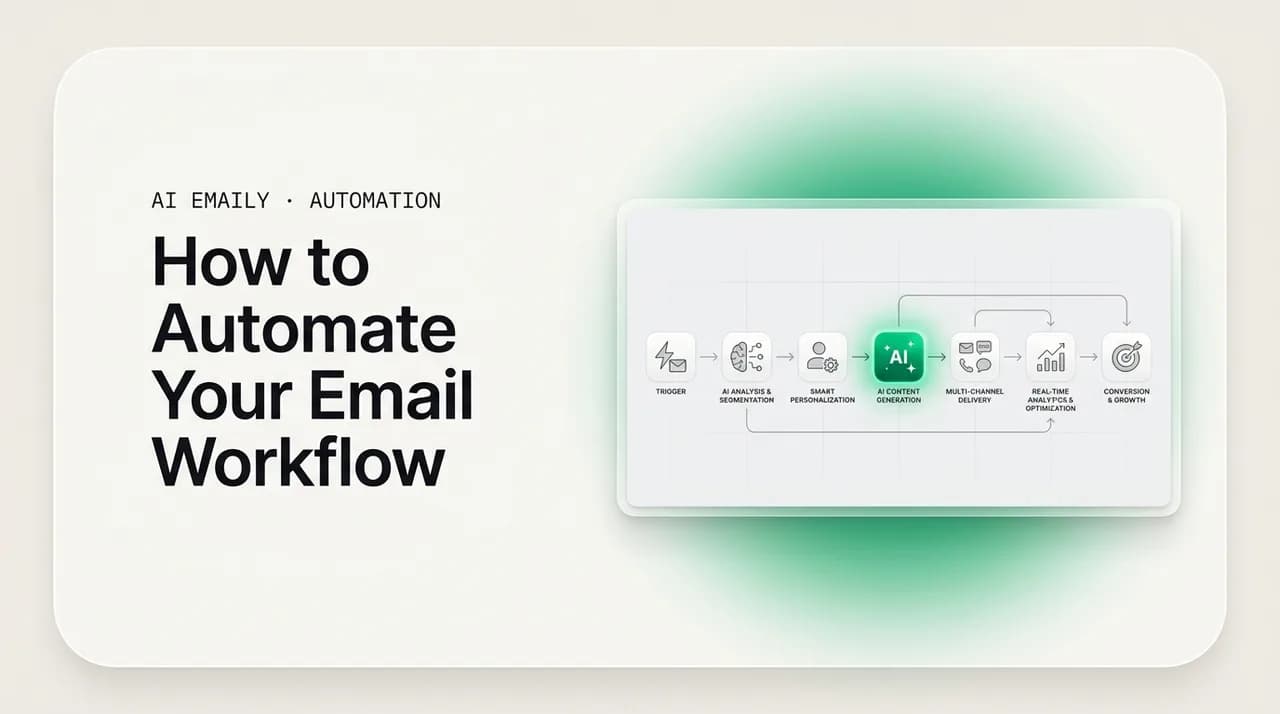
These three are layers, not rivals. The best workflows stack them: a rule files the obvious noise so AI never has to look at it; AI triages and drafts the rest; an agent closes out the narrow band of routine messages you have explicitly handed it. Each layer reduces the load on the one above it, which is why a layered system is both faster and cheaper than relying on any single approach. AI Emaily is built around exactly this stack — a deterministic rules layer (what we call the rules brain), an AI layer for triage and drafting, and an agent for delegated work — precisely so you are not forced to choose one and live with its weaknesses. We will use that structure as the spine of the playbook, but the concept is portable; if your tools keep these layers separate, you can still build the same pipeline by hand.
Keep one more distinction in mind as you read: automating a task is not the same as eliminating your involvement in it. The aim is to remove the repetitive labor while keeping you at the decision point. A rule that files a receipt removes you entirely — fine, you do not need to see most receipts. AI that drafts a reply removes the writing labor but keeps you at the send. An agent that resolves an FAQ removes you from the loop, but only for a category you chose and can audit afterward. Throughout, "automate" means "do the work," not "act behind your back." That framing is what separates automation you will actually keep from automation you will switch off after a week of near-misses.
Step 1 — How do you map the tasks in your inbox?#
You cannot automate a workflow you have not described, and almost nobody has actually described theirs — it lives as habit, not as a process. So before touching a single rule, spend a focused hour watching what you really do with email. The goal is a written list of the recurring tasks, because once they are on paper the automation candidates jump out at you. Do not skip this and start building rules from memory; memory overweights the dramatic messages and forgets the dozens of tiny repeated actions that are actually eating your day.
- 1
Log a day or two of real email actions
For one or two normal working days, jot down every distinct thing you do in your inbox: read and ignore, file, label, reply with roughly the same answer, forward to a colleague, set a reminder to follow up, schedule a meeting, escalate. Don't edit for tidiness — capture what you actually do, including the messages you open, sigh at, and close without acting. The repetition is the signal.
- 2
Group the actions into recurring tasks
Collapse the log into categories: triage and sorting, labeling and filing, drafting replies, following up, scheduling, routing to other people, and archiving noise. Most people find five to eight categories cover the overwhelming majority of their inbox time. Note roughly how often each happens and how long it takes — even a rough count tells you where the hours go.
- 3
Tag each task by how repetitive and how risky it is
For each task, mark two things: how repetitive it is (do you do it the same way most times?) and how high the stakes are if it goes wrong (would a mistake embarrass you, lose a deal, or upset a customer?). These two axes decide everything downstream. Repetitive-and-low-risk is automation gold; one-off-and-high-risk should stay firmly in your hands.
- 4
Spot the heaviest, most repetitive task first
Find the single task that is both frequent and mechanical — usually triage (sorting the inbox) or drafting the same handful of replies. That's where you'll get the biggest return for the least risk, so it's where you start. Resist the urge to automate the interesting edge case; automate the boring thing you do forty times a day.
When you finish the map, you will likely notice the same thing most people do: the tasks eating your day are not the hard, interesting ones — they are the boring, repetitive ones you have stopped noticing. That is good news, because boring and repetitive is exactly what automates well. The interesting, high-stakes messages are a small fraction of the volume, and those are the ones you want to keep your hands on anyway. The map almost always reveals that you can hand off the bulk of the volume while losing none of the judgment, which is the whole promise of automating your email workflow rather than just working faster at it.
Hold onto this map. It is your specification for everything that follows, and it is also your baseline for measuring success later. If you noted that triage takes ninety minutes a day and drafting takes forty, you now have a number to beat. We will come back to those numbers in the measurement step. For now, you have turned a vague feeling of "email is too much" into a concrete list of tasks, each tagged by how repetitive and how risky it is — which is precisely what you need to make the next decision well.
Step 2 — Which tasks should you automate, and which stay manual?#
This is the decision that determines whether your automated workflow helps or hurts, and it is where people most often go wrong by automating too much. The map from Step 1 gives you the inputs: how repetitive each task is, and how costly a mistake would be. Plot those two against each other and the answer mostly draws itself. Repetitive and low-stakes work should be automated aggressively. One-off, high-stakes, relationship-defining work should stay in your hands. The interesting middle — repetitive but with some stakes — is where AI under your approval shines, because you get the speed without surrendering the judgment.
- Automate fully when a mistake is cheap and the task is identical every time — there is no judgment to preserve, so deterministic rules are both safe and ideal.
- Automate with approval when AI's speed helps but a wrong send would cost you — triage and drafting fit here, because you keep the final say at the moment that matters.
- Delegate to an agent only for narrow, repetitive, low-stakes categories you have watched it handle correctly, and keep the audit trail so you can verify and roll back.
- Keep manual anything where the relationship, the money, or the nuance is the whole point — a faster wrong answer is worse than a slower right one, and these are a small slice of volume anyway.
| Task type | Example | How to handle it |
|---|---|---|
| Repetitive, low stakes | Filing receipts, muting newsletters, sorting by sender | Full automation with rules — no human needed |
| Repetitive, medium stakes | Triaging mail, drafting common replies, follow-up reminders | AI does the work; you approve the consequential output |
| Repetitive, low stakes, language-heavy | Answering the same FAQs, order-status questions | AI agent end to end, within limits you set and can audit |
| One-off or high stakes | Negotiations, complaints, sensitive personal mail, anything legal | Keep manual — AI may draft, but you write and send |
Over-automation is the failure mode, not under-automation
Notice that the decision is about the task, not the technology. The same email tool can fully automate one category and stay completely hands-off on another, because you scope it per category. This is exactly how AI Emaily is meant to be configured: rules handle the deterministic filing, AI triages and drafts the medium-stakes work behind an approval gate, the agent takes only the narrow routine categories you grant it, and everything else routes to you untouched. The Manual, Copilot, and Autopilot modes map directly onto this table — Manual for what stays yours, Copilot's approval-first default for the medium-stakes middle, Autopilot for the verified routine band. You are not turning automation "on" or "off" globally; you are deciding, task by task, how much the machine is allowed to do.
One practical tip for drawing the line: when unsure which side a task falls on, start it one notch more conservative than you think it needs. Put a borderline drafting task behind approval rather than handing it to the agent; keep a borderline routine category in Copilot for a week before granting autonomy. You can always loosen the leash once you have evidence; tightening it after a public mistake is more expensive. The whole system is designed to let trust grow with proof, so use that — earn your way up the ladder rather than starting at the top. With the decisions made, you are ready to build, starting with the simplest and most reliable layer.
Step 3 — How do you build the rules layer (the simple, reliable part)?#
Start with rules because they are deterministic, instant, and free of risk in the sense that they do exactly and only what you tell them. Every message a rule handles cleanly is a message your AI layer never has to think about, which keeps the smart layer focused on the genuinely ambiguous mail. Think of the rules layer as the coarse filter that removes the obvious noise and files the obvious patterns, so everything downstream is smaller and clearer. In AI Emaily this is the rules brain; in any modern client it is the filters or rules section. The build is the same everywhere.
- 1
Silence the obvious noise first
Write rules for the mail that never needs your attention: newsletters you skim at best, automated notifications, marketing you haven't unsubscribed from. Route them out of the inbox to a labeled folder you can check on your terms. This single move often clears the largest share of volume and immediately makes the inbox feel manageable, before any AI is involved.
- 2
File the predictable patterns
Receipts, invoices, calendar confirmations, shipping notices — anything that arrives in a consistent shape from a known source. Label and file these automatically so they're searchable when you need them and invisible when you don't. These are pure pattern matches, which is exactly what rules are best at.
- 3
Tag known senders and projects
Apply labels by sender, domain, or keyword so important relationships and active projects are visually distinct the moment they land. This isn't deciding what to do with them — that's the AI layer's job — it's just adding the cheap, reliable metadata that makes triage faster for both you and the AI.
- 4
Test each rule on a narrow scope, then widen
Start each rule tightly scoped (one sender, one exact keyword) and watch it for a day before broadening. The cardinal sin of rules is being too aggressive too soon and silently burying real mail. Narrow-then-widen catches mistakes while they're small and reversible.
Never let a rule delete or permanently hide mail
Resist the temptation to make rules do too much. A common trap is trying to encode judgment into ever-more-elaborate filter conditions — twelve keywords, nested exceptions, special cases — to approximate what AI does natively. It does not work; you end up with a brittle tangle that breaks on the first message that does not fit the pattern, and maintaining it becomes its own chore. Rules should stay simple and obvious. The moment you find yourself reaching for "if the message seems urgent" or "if this is probably a complaint," stop — that is a judgment call, and judgment is the next layer's job. Keeping a clean boundary between the deterministic rules layer and the AI layer is what keeps both maintainable.
Done right, the rules layer is quiet infrastructure you set up once and rarely touch. It will not be the part of your workflow you talk about, because it just works in the background, shrinking the inbox before you ever look at it. That is exactly what you want from it. With the obvious noise filed and the obvious patterns handled, the inbox that reaches your AI layer is dramatically smaller and consists mostly of mail that actually needs intelligence applied to it — which is where the real time savings begin.
Step 4 — How does AI handle the parts rules can't (triage and drafting)?#
Rules sort by pattern; AI sorts by meaning, and that difference is the whole reason to layer them. The mail that survives your rules layer is the mail that actually requires reading and judgment — and that is precisely where AI earns its place, on the two tasks that eat the most of an owner's or operator's day: triage and drafting. This is the heart of email workflow automation, because it is where you stop processing every message by hand and start reviewing what the AI has already prepared. Crucially, in this layer the AI does the work but you keep the decision; nothing consequential happens without your approval.
- 1
Let AI triage what rules left behind
The AI reads each remaining message and sorts it by what matters — genuine customer, real lead, time-sensitive request — versus what can wait. You open your inbox to a prioritized view instead of a flat pile, so the few messages that need you are obvious. This is the judgment rules can't make: it understands that 'quick question' from a key client outranks a long internal thread you were merely CC'd on.
- 2
Have AI draft the replies you write over and over
For the messages that need an answer, the AI drafts one in your voice, grounded in your real facts — past replies, policies, prices. The repetitive replies you've typed a hundred times now arrive pre-written; you edit if needed and approve. This is where the writing time, usually the bigger sink than reading, comes back.
- 3
Keep every consequential send behind an approval gate
By default, drafted replies are staged for you to review, not sent. You glance, adjust, and send — so a recipient never gets an unreviewed AI message unless you've explicitly allowed it for a specific case. This approval-first posture is what makes it safe to let AI work on real mail: the speed is automatic, the send is deliberate.
- 4
Correct it early so it calibrates to you
When the AI mis-prioritizes or a draft misses your tone, fix it and move on — those corrections are how it learns your judgment and voice. The first week or two is calibration; the drafts and triage get measurably better as it absorbs how you actually work. Treat early edits as training, not as the AI failing.
The thing to internalize about this layer is that approval is a feature, not a limitation. It is what lets you give the AI real responsibility — reading everything, drafting everything — without ever betting a relationship on it being right unattended. You get the efficiency of automation (you are no longer writing from scratch or sorting from zero) with the safety of a human decision at the one moment that carries consequences. For most people this single layer is where the majority of the time savings live, because triage and drafting are the bulk of the daily email labor, and you can adopt it without any of the nervousness that comes with fully autonomous sending. Many users run their entire workflow here — Copilot's approval-first default — and never need more.
It is also where AI Emaily's universal provider support matters in practice. Triage and drafting work the same whether your mail is on Gmail or Google Workspace, Outlook or Microsoft 365, or standard IMAP, and across your personal address and shared ones like info@ or support@. That means the workflow you build here is not tied to one ecosystem — you are automating the task, not a particular mailbox. And because the AI learns one voice across all of it, a shared inbox replied to by you, a teammate, or the AI still sounds like one coherent business. When you are confident the drafts are consistently good enough to send with a glance, you are ready to consider letting the AI close the loop itself on the safest categories.
Step 5 — When should you let an agent handle mail end to end?#
An agent is AI that completes the task rather than handing it back to you — it reads the thread, drafts the reply, and, when you have permitted it, sends and files the message without stopping at your inbox for approval. This is the most powerful layer and the one to add last, on purpose, only after the AI has earned your trust in the approval-gated layer above. The right candidates are narrow: high-volume, low-stakes, repetitive messages where the right answer is well-defined and a rare miss is cheap. The wrong candidates are anything where nuance, money, or a relationship is at stake. Get the scoping right and the agent quietly clears the routine bulk that would otherwise drown a shared inbox.
- Good agent work: the same FAQs answered for the hundredth time, order-status and "did you receive my X" checks, routine acknowledgments, simple scheduling confirmations — defined questions with defined answers, in volume.
- Bad agent work: complaints, negotiations, sensitive or legal matters, anything personal, anything where being wrong is expensive — these stay in Copilot or fully manual, no matter how repetitive they look.
- The test before granting autonomy: have you watched the AI draft this exact category correctly, under approval, enough times that you'd have approved every one unchanged? If not, it isn't ready, and neither are you.
- The non-negotiables when you do grant it: tight limits you set, every action logged in an audit trail, and the ability to undo — so autonomy is something you can inspect and reverse, never a black box.
Autonomy is granted deliberately, category by category — with undo
The disciplined way to introduce an agent is one category at a time, and to keep watching after you grant autonomy. Pick the single routine category you have seen the AI handle flawlessly under approval — say, order-status questions — and let the agent take just that. Leave everything else in Copilot. Check the audit log for a week: did it answer correctly, in your voice, every time? If yes, you have proof, and you can consider granting it the next category. If it stumbled, pull it back to approval and you have lost nothing, because the gate caught it. This is treating email content as untrusted input and the agent as something that earns scope through evidence — which is exactly how it should work, because email is full of things designed to manipulate whoever reads it, human or AI.
Be honest with yourself about how large the agent-suitable band actually is. For most people it is a real but modest slice of total volume — the genuinely routine, genuinely repetitive, genuinely low-stakes messages. That is fine. The agent is not meant to handle everything; it is meant to clear the high-frequency drudgery so your attention concentrates on the mail that needs a human, which the layers below already prepared for you. An honest automated workflow is mostly rules and approval-gated AI, with the agent handling a focused band at the bottom. If a tool promises to autonomously handle your entire inbox, be skeptical — that promise usually means it is about to send something you would not have.
How do you automate follow-ups, scheduling, and routing?#
Triage and drafting get the headlines, but three other tasks from your Step 1 map quietly leak time and money, and each automates well with the layered approach. Follow-ups are where the most revenue slips — the quote you said you would send, the lead who went quiet, the customer waiting on an answer — because remembering them is pure mental overhead that the inbox does nothing to help with. Scheduling is mechanical once a time is agreed but eats a surprising number of round-trips. Routing — getting a message to the right person — is where shared inboxes drop people. Here is how to hand each one off.
- 1
Automate follow-up tracking, not just sending
The valuable automation here is detection: the AI notices a thread that's waiting on a reply or a promise you made, and resurfaces it before it's forgotten — then drafts the nudge in your voice for you to approve. You're not relying on memory or a manual reminder you forgot to set. This is the safety net that catches the money most workflows leave on the table.
- 2
Let scheduling resolve itself, you confirm
Once a meeting is agreed in principle, the mechanical part — proposing times, sending the invite, confirming — is routine. Let the AI draft the scheduling reply with concrete times from your calendar; you approve, and the back-and-forth collapses from several messages to one click. Keep yourself at the confirm step so nothing lands on your calendar you didn't agree to.
- 3
Route by meaning, with one clear owner
In a shared inbox, the AI reads each message and proposes the right owner — by topic, by who handled the last one, by load — so mail reaches a person instead of sitting unowned. Pair it with collision warnings so two people don't reply at once. Routing by meaning is judgment work; this is the AI layer, not a brittle keyword rule.
- 4
Coordinate inside the thread, not by forwarding
When a routed message needs a second opinion, keep the discussion attached to it — a private comment or @mention the recipient never sees — rather than forwarding it out and splintering the conversation. This isn't AI work, but it's the workflow habit that keeps routing from turning into a tangle of disconnected forwards where threads get dropped.
Follow-ups are usually the highest-ROI thing to automate
These three share a pattern worth naming: the judgment part (deciding a follow-up is due, picking the right owner) is AI work, while the mechanical part (sending the nudge, booking the slot) is routine you can either approve or, once proven, hand to the agent. So they slot into the same ladder as everything else — rules for the deterministic bits, AI for the judgment, approval at the consequential moment, agent for the verified routine. You are not learning a new system for each task; you are applying the same layered method to each. That is the advantage of building the workflow as layers rather than as a pile of disconnected automations: a new task is just a question of which layer it belongs in.
It is also why doing all of this in one place matters. If your follow-up tracker, your scheduler, your routing, and your drafting live in four separate tools, you spend the time you saved gluing them together and reconciling what each one did. AI Emaily keeps rules, triage, drafting, follow-up, scheduling, and routing in a single client across all your inboxes precisely so the layers compose instead of competing — one audit trail, one learned voice, one approval gate. The method works in separate tools if that is what you have, but the friction of stitching them is real, and it is exactly the friction that makes people abandon automation projects halfway. With the workflow built, the question becomes whether it is actually saving you the time you set out to save.
How do you measure the time your automated workflow saves?#
Automation that you do not measure tends to drift — a rule quietly buries something, a category you delegated starts handling edge cases it should not, and you would not notice until it bit you. Measuring is also how you prove to yourself the project was worth it, and where to push next. You already have the baseline: the rough per-task times you noted when you mapped your inbox in Step 1. Now compare against where you are after building the layers. You are looking for two things — time recovered, and any sign of automation going wrong.
| What to measure | How to read it | What to do about it |
|---|---|---|
| Daily email time vs. your Step 1 baseline | Should drop noticeably as triage and drafting take hold | If it hasn't, your rules or triage aren't catching enough — widen them |
| Messages you touched vs. total received | The gap is what the layers handled for you | A small gap means you're under-automating the routine bulk |
| Draft edit rate (sent as-is vs. rewritten) | High as-is rate means the AI has your voice | If you rewrite most drafts, give it more correction — it's still calibrating |
| Agent actions in the audit log | Every autonomous action should be one you'd have approved | Any you wouldn't have — pull that category back to approval immediately |
| Dropped or buried real messages | Should be zero; check the noise folders periodically | Any at all means a rule is too aggressive — narrow its scope |
The honest metric is reviewed minutes, not inbox-zero screenshots
Put rough numbers to it, because numbers are what keep an automation project honest. If your map said triage took ninety minutes and drafting forty, and after a couple of weeks triage is a fifteen-minute review and most drafts go out with a light edit, you have recovered well over an hour a day — a meaningful slice of that 2.6-hour average, returned to the work only you can do. That is the return that justifies the setup, and it compounds: the AI keeps calibrating to your voice and judgment, and you keep moving proven categories down to the agent, so the recovered time grows rather than plateauing. Track it for a month and you will have a clear answer to whether the workflow is paying off.
Watch the warning signs as carefully as the wins. The audit log is your instrument here — it is the difference between automation you can trust and automation you are merely hoping about. Scan it. If every agent action is one you would have approved, expand. If even one is not, pull that category back to approval the same day; the cost of one wrong autonomous send to a customer is far higher than the convenience of leaving it on. Likewise, glance at your noise folders now and then to confirm a rule has not started burying real mail. Measurement is not a one-time check; it is the ongoing discipline that lets you safely give the machine more responsibility over time, which is the whole arc of building an efficient email workflow.
What are the most common email automation mistakes to avoid?#
Most failed email automation does not fail because the tools were weak; it fails because of a handful of predictable mistakes, all of which you can sidestep if you know them going in. They cluster around two themes: doing too much too fast, and not keeping a human at the points that matter. Here are the ones that sink people, and the simple guard against each.
- Over-automating high-stakes mail. The big one. A faster wrong reply to a complaint or a negotiation is worse than a slower right one. Guard: keep anything with money, nuance, or a relationship in it firmly manual or behind approval, no matter how repetitive it looks.
- Letting rules delete or deep-bury mail. Brittle filters fail silently, and silent failure is the dangerous kind. Guard: rules sort and label, never delete; route noise to folders you periodically scan, not to oblivion.
- Granting agent autonomy before you've watched it work. Trust without evidence is how a wrong reply goes out under your name. Guard: keep everything in approval until the AI has proven a category, then grant autonomy one category at a time, with the audit log open.
- Stitching together too many disconnected tools. Four automations that don't share state cost you the time you saved in reconciliation. Guard: prefer one system where the layers compose — one audit trail, one voice, one approval gate.
- Setting it and never looking again. Automation drifts; inboxes change. Guard: keep measuring, scan the noise folders and audit log, and adjust scope as the picture changes.
- Ignoring whether the AI trains on your mail. Convenience is not the same as privacy. Guard: confirm your content isn't training data, isn't retained, and that you control when the AI acts — before you route real mail through it.
Every one of these traces back to one rule
On the privacy point specifically, because it is the one people skip and later regret: when you automate your email workflow, you are routing your most sensitive communications — customer data, contracts, private conversations — through a system, and you owe it to yourself to know what that system does with them. The questions are simple and worth asking any vendor pointedly: does my content train your models, is it retained, and do I control when the AI acts? AI Emaily's answers are no training on your mail, your control over when the AI acts, and a full audit of every action — which is the posture you should want from anything you let into your inbox. Efficient is not worth much if it is not also private and under your control.
That is the playbook end to end: map your inbox, decide what to automate and what to keep, build the rules layer, add AI for triage and drafting under approval, fold in follow-ups, scheduling, and routing, introduce an agent for the proven routine band, and measure relentlessly while avoiding the common traps. None of it requires automating everything or surrendering control of anything that matters. Done this way, the inbox stops running your day and starts running mostly itself — with you at the few decision points that actually need a person. You can build most of this in whatever tools you already use; AI Emaily simply puts every layer in one place, under one approval gate, with the trade-offs we have kept on the table throughout.
Frequently asked questions#
The questions people ask most when they set out to automate their email workflow — on where to start, what to automate, the role of AI versus an agent, safety, and how this works in practice with AI Emaily.
Frequently asked
See it in AI Emaily
Keep reading

Written by
Nafiul HasanNafiul Hasan is an entrepreneur and AI automation system builder with 10+ years of experience turning messy, manual workflows into reliable automated systems. He designs and ships AI enterprise solutions end-to-end — the agent logic, the data plumbing, and the product people actually use — and founded AI Emaily to give busy professionals their attention back. He writes here from the builder's seat: what works, what breaks, and how to put AI to work without giving up control.