Understanding Email Workflow Automation for Better Productivity

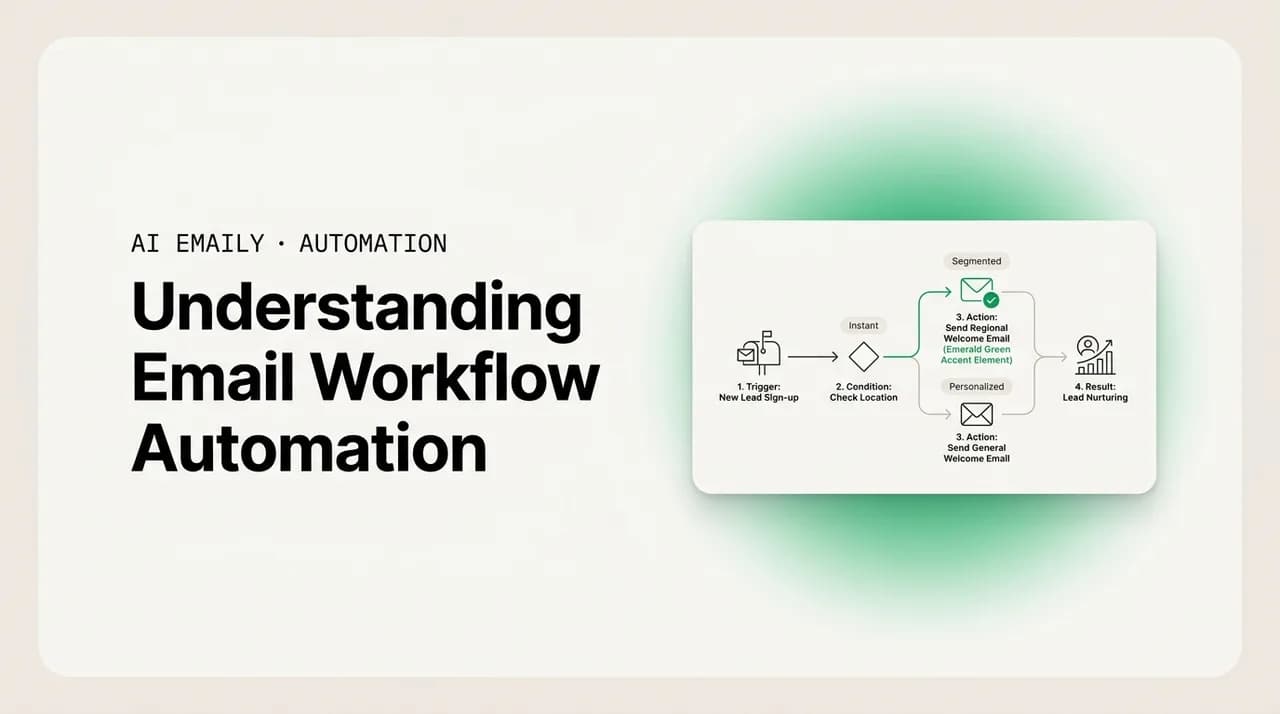
The short answer
Email workflow automation is the practice of letting software handle repeatable inbox work — sorting, routing, replying, following up — instead of doing each step by hand. It runs on four building blocks: triggers, rules, decisions, and actions. The spectrum runs from dumb filters to AI agents that read intent and act. AI Emaily combines rules, AI, and a controlled agent in one place.
Email workflow automation explained: what it is, how triggers, rules, AI decisions, and actions fit together, and how to move from simple filters to an AI agent.
On this page
- 01What is an email workflow, exactly?
- 02What are the building blocks of email workflow automation?
- 03What is the spectrum from filters to AI agents?
- 04How do dumb rules differ from AI-driven automation?
- 05Which email workflows are worth automating first?
- 06What are the real benefits — and the honest limits?
- 07How does AI Emaily combine rules, AI, and an agent?
- 08How do you start automating your email workflow?
- 09Frequently asked questions
If you spend part of every day moving messages into folders, forwarding the same kinds of mail to the same people, typing near-identical replies, and reminding yourself to chase the thread that went quiet, you are already doing email workflow automation — you are just doing it with your own hands and attention instead of handing it to software. The phrase sounds technical, but the idea underneath it is simple: an email workflow is the sequence of steps a message goes through from the moment it lands to the moment it is done, and automating that workflow means letting a system carry out the repeatable steps for you, reliably, every time, without you having to think about them.
It is worth understanding properly because the inbox is where a startling amount of the work week goes. Surveys in 2026 put the average professional at roughly 2.6 hours a day on email — close to a third of the work week — while a typical worker receives around 121 messages a day, and only about one in ten of those is genuinely important. Most of what you do with the other ninety percent is mechanical: glance, categorize, file, defer, forward, or send a short acknowledgement. Mechanical work is exactly what automation is good at. The question is not whether your inbox contains repeatable steps — it plainly does — but how much of that repetition you can safely hand off, and to what kind of system.
This is where most explanations get muddy, because "email automation" covers a huge range. At one end sit the dumb filters that have existed for decades: if the sender is this, move it to that folder. At the other end sit AI agents that read a message, understand what it is actually asking, decide what should happen, and carry it out — drafting a reply, scheduling a meeting, or routing it to the right person. These are wildly different things wearing the same label, and conflating them is how people end up either dismissing automation as "just filters" or expecting a filter to do something only an AI can. The whole point of this guide is to separate them clearly.
So we will build it up from the ground. We will define what an email workflow actually is, break automation into its four building blocks — triggers, rules, decisions, and actions — and then walk the full spectrum from simple filters through AI-assisted automation to autonomous agents, being honest about what each can and cannot do. We will cover the common workflows worth automating first, the benefits and the real limits, and how to start without breaking anything. We build AI Emaily, which combines rule-based automation, AI decisions, and a controlled agent in one client, so we will use it as a worked example — but the concepts here apply to any tool you might evaluate. Let's start with the most basic question.
What is an email workflow, exactly?#
Before you can automate a workflow, you have to see it as a workflow. Most people experience email as one undifferentiated activity — "doing email" — but if you slow down and watch what actually happens to a single message, it moves through a predictable little sequence. Something arrives. You notice it and form a quick judgement about what kind of message it is and how urgent it is. You decide what to do with it. Then you do that thing — reply, file, forward, defer, delete, or flag it to come back to. That arrival-to-resolution path is the workflow, and almost every message you handle follows some version of it.
The reason this matters is that automation does not replace "doing email" wholesale; it replaces specific, identifiable steps in that sequence. A useful way to think about it is that every workflow has a shape: a starting event, some logic about what the message is and what should happen, and one or more concrete outcomes. Once you can name those parts, you can ask a sharper question than "can I automate my email?" — namely, "which step of which workflow is safe to hand off, and to what?"
Different workflows are repeatable to different degrees, and that degree is what determines how automatable they are. Filing a newsletter is almost perfectly repeatable — the same kind of message, the same destination, every time — so it automates cleanly. Replying to a nuanced customer complaint is barely repeatable; the judgement is the whole job, and only the boring parts around it (surfacing the right context, drafting a starting point) can be helped. Most workflows sit somewhere between those poles, which is exactly why automation comes in degrees rather than as an on/off switch.
Workflow, not just "a rule"
What are the building blocks of email workflow automation?#
Every automated email workflow, no matter how simple or sophisticated, is assembled from four parts. Understanding these four is the single most useful thing in this guide, because once you can name them you can read any automation feature — in any tool — and immediately understand what it does and where its limits are. The four are: a trigger (what starts it), the logic (how it decides what to do), the action (what it actually does), and the conditions or context that shape the decision. Let's take them one at a time.
- 1
1. Triggers — what starts the workflow
A trigger is the event that kicks the workflow off. The most common trigger is "a new message arrives," but triggers can be more specific: a message from a particular sender, a message containing certain words, a message to a shared address like info@ or sales@, a thread that has gone unanswered for three days, or a time of day. Without a trigger nothing runs; the trigger is the "when" of the workflow.
- 2
2. Logic — how it decides what to do
Once triggered, the workflow has to decide what this particular message warrants. This is where the two worlds diverge sharply. Simple automation uses fixed conditions — literal matches on sender, subject, or keywords. Smarter automation uses AI to read the message and infer things a keyword match cannot: is this urgent, is it a complaint, is it a sales lead, what is it actually asking for. The logic step is the brain of the workflow, and its sophistication is what separates a filter from an agent.
- 3
3. Actions — what it actually does
The action is the concrete outcome: move to a folder, apply a label, forward, archive, mark as read, assign an owner, draft a reply, send a reply, create a follow-up reminder, or schedule a meeting. A workflow can chain several actions. Crucially, actions vary enormously in consequence — labelling a message is harmless and easily undone; sending a reply to a customer is not. That difference in stakes is why control over the action step matters so much, a theme we will return to.
- 4
4. Conditions and context — what shapes the decision
Conditions refine the logic: only run on weekdays, only for VIP senders, only if the message is the first in a thread. Context is the information the logic can draw on — the sender's history, your past replies, your policies, the rest of the thread. Dumb automation has almost no context; it sees only the literal fields you point it at. AI-driven automation can use far richer context, which is precisely why it can make decisions a rule cannot.
Read any automation feature through these four
The reason this four-part model is worth memorizing is that it makes the rest of the landscape legible. "Filters," "rules," "smart inbox," "AI assistant," "email agent" — these are all just different combinations of the same four parts, with the big differences concentrated almost entirely in the logic step and the richness of the context. A filter and an agent can share an identical trigger ("new mail arrives") and even overlapping actions ("reply"); what makes one a blunt instrument and the other genuinely useful is whether the logic can actually understand the message and whether it has the context to decide well.
It also clarifies where automation goes wrong. Most bad email automation fails at the logic step: a rule that matches on a keyword fires when it should not, or misses a message phrased differently from what you anticipated. The action was fine; the trigger was fine; the logic was too crude to tell the difference between cases. Keeping the four parts distinct in your head helps you diagnose exactly that — and it is the foundation for the next section, where we walk the spectrum from the crudest logic to the most capable.
What is the spectrum from filters to AI agents?#
Email workflow automation is not one thing; it is a spectrum defined almost entirely by how smart the logic step is. At one end, the logic is a literal match a computer could have run in 1995. At the other, the logic is an AI that reads a message the way a capable assistant would and decides accordingly. Understanding where a given capability sits on this spectrum is the difference between setting realistic expectations and being perpetually disappointed. Here are the four broad tiers, from crudest to most capable.
| Tier | How the logic works | What it can do | Where it breaks |
|---|---|---|---|
| Filters / rules | Literal matching on sender, subject, keywords | Move, label, forward, archive, auto-respond on exact matches | Blind to meaning, urgency, or intent; brittle when wording varies |
| Smart-inbox heuristics | Built-in categorization (Primary/Promotions, importance flags) | Auto-sort common categories, surface "important" mail | One-size-fits-all; can't learn your specific priorities or act |
| AI-assisted automation | AI reads and understands the message, then suggests or drafts | Triage by real intent, draft replies in your voice, propose actions | Suggests but doesn't act alone; you're still the final step |
| AI agent | AI understands, decides, and carries out multi-step actions | Resolve routine mail end to end: read, draft, send, schedule, route | Needs guardrails; a wrong autonomous action has real consequences |
The crucial thing the table makes visible is that the jump from the second tier to the third is not incremental — it is a change in kind. Filters and smart-inbox heuristics both work on the surface of a message: who sent it, what words it contains, which bucket it most resembles. They cannot tell that "I still haven't received my refund and I'm getting frustrated" is an upset customer who needs priority handling, because nothing in the literal text necessarily matches a rule you wrote, and a generic importance flag does not understand frustration. AI-driven logic can read that message and grasp the intent — a complaint, escalating, needs a human soon — which is a different category of capability, not a faster version of the same one. This distinction between dumb rules and AI-driven automation is the single most important idea for setting expectations.
The jump from the third tier to the fourth is also a change in kind, but along a different axis: not intelligence, but autonomy. AI-assisted automation reads and decides and drafts, but stops short of acting on its own — you approve the send. An AI agent closes that loop and takes the action itself. The intelligence can be identical; what differs is whether a human is in the loop before something irreversible happens. That is why the agent tier is the one that demands guardrails, and why a sensible tool lets you grant autonomy deliberately rather than switching it on wholesale. We will come back to exactly how that control should work.
None of these tiers is obsolete, which is a point worth making. Filters are still the right tool for genuinely mechanical sorting — there is no reason to involve AI in moving your bank statements to a folder. Smart-inbox heuristics are a reasonable default for people who want zero setup. The mistake is using a low tier for a job that needs a high one: trying to handle nuanced triage or drafting with keyword rules, then concluding that "email automation doesn't work." It works; you were using the wrong tier. The best tools let you use all four where each fits — rules for the mechanical, AI for the judgement — rather than forcing a single approach. That blended approach is what a tool like AI Emaily's rules brain plus AI agent is built around.
The most common automation disappointment
How do dumb rules differ from AI-driven automation?#
This deserves its own section because it is the distinction people most often get wrong, and getting it wrong leads to either wasted effort or misplaced fear. A rule-based filter and an AI-driven workflow can look superficially similar — both can sort mail, both can trigger replies — but they reason in fundamentally different ways, and that difference shows up the moment a message does not fit the pattern you anticipated.
A dumb rule is deterministic and literal. You tell it exactly what to look for — this exact sender, this exact word in the subject — and it does exactly that, no more, no less. Its great virtue is predictability: it will never surprise you, because it has no judgement to exercise. Its great weakness is brittleness: it has no idea what a message means, so it cannot handle the message you did not foresee. A rule that files anything from "newsletter@" works perfectly until a newsletter arrives from "updates@" and sails straight past. The rule did nothing wrong; it simply has no concept of "newsletter" — only the literal string you gave it.
AI-driven automation is the opposite trade. It reasons about meaning rather than matching strings, so it can recognize a newsletter it has never seen before, tell an urgent client email from a routine one, and understand that two differently worded messages are asking the same thing. Its virtue is that it generalizes — it handles the cases you did not anticipate. Its cost is that it is probabilistic rather than perfectly predictable: it is right the vast majority of the time but not literally always, which is exactly why consequential actions should stay behind human approval. The honest framing is that you are trading the rule's brittle certainty for the AI's flexible judgement, and the best systems use each where its trade-off is acceptable.
Use both — don't pick a side
Which email workflows are worth automating first?#
Not all workflows repay automation equally. The ones worth doing first share two traits: they happen often, and they follow a recognizable pattern. High-frequency, high-pattern work is where automation buys back the most time for the least risk. Here are the workflows that almost always top the list, roughly in order of how universally useful they are — and the tier of automation each one actually needs.
- Triage and sorting — deciding what each incoming message is and how urgent, then organizing accordingly. This is the highest-volume workflow of all (you do it to every message) and the one AI changes most, because real triage is about intent, not keywords. Filters handle the mechanical slice; AI handles the judgement slice. Start here, because the time it returns is the largest.
- Routing and assignment — getting each message to the right person, especially on shared addresses like info@, sales@, and support@. A rule can route by literal address; AI can route by topic, by who handled the last similar one, or by load. Done right, routing is what stops messages from being silently dropped because everyone assumed someone else had it.
- Auto-reply and acknowledgement — answering the repetitive questions that fill any inbox: hours, pricing, order status, the same FAQ for the hundredth time. Dumb auto-responders send the same canned text to everyone; AI drafting answers the actual question in your voice. This is where AI-assisted drafting saves the most raw writing time.
- Follow-up tracking — noticing the quote you said you'd send, the thread that went quiet, the customer still waiting. This is pure capacity: the follow-ups you forget are the ones that cost money, and they're forgotten precisely because tracking them by hand competes with everything else. Automation here is a safety net that catches what your memory drops.
- Scheduling — the back-and-forth of finding a time. An AI workflow can read the request, check availability, propose slots, and book — turning a five-email thread into one action. It's a narrower workflow than the others but a genuinely tedious one, and a good target once the basics are running.
Start with triage, end with sending
Notice the pattern in that ordering: the workflows you automate first are the ones where a mistake is cheap and easily reversed (mis-sorting a message costs seconds to fix), and the ones you automate last are the ones where a mistake reaches another person (an auto-sent reply cannot be unsent). This is not an accident of convenience; it is the right risk posture. You build trust in the system on the low-stakes workflows, observe that its judgement is sound, and only then extend it to the workflows where you are letting it act on your behalf. Anyone selling you fully autonomous email on day one is skipping the step where you earn the confidence to allow it.
It is also worth being clear that automating these workflows is cumulative, not isolated. Triage feeds routing — once the AI knows what a message is, it knows where it should go. Routing feeds drafting — once a message has an owner and a category, the right draft can be prepared. Drafting feeds follow-up — a sent reply is a thread to track. The value compounds when the workflows share one understanding of your mail rather than living in four disconnected tools. That shared-context advantage is a big part of why an integrated client tends to beat a pile of single-purpose automations stitched together, a point worth keeping in mind when you look at email workflow tools.
What are the real benefits — and the honest limits?#
It is easy to oversell automation, so it is worth being precise about what it actually delivers and where it genuinely falls short. The benefits are real and measurable, but they come with limits that no amount of marketing erases, and understanding both is what separates a setup that helps from one that quietly creates new problems.
| Benefit | What it really means | The honest limit |
|---|---|---|
| Time saved | Mechanical steps you no longer do by hand add up across a day | Setup and supervision take time too; net savings only after the system is trusted |
| Fewer dropped balls | Follow-ups and routing don't depend on your memory | The system only catches what you've told it (or trained it) to watch |
| Faster response | Routine replies can go out in seconds, not when you next sit down | Speed is only an asset if the reply is right — wrong-but-fast is worse than slow |
| Consistency | Same triage logic and voice applied to every message and every teammate | Consistency amplifies a bad rule as efficiently as a good one |
| Focus protected | Batching mail into a reviewed window beats a constant background hum | Over-automating can create a new chore: auditing what the system did |
The benefit that people underrate is the last one — protected focus. The cost of email is not only the minutes spent reading it; it is the way each interruption pulls you out of deeper work, with recovery time after a context switch running well over a minute. Automation that lets you batch the inbox into a short, reviewed window instead of reacting all day buys back not just time but the ability to concentrate, which for most knowledge workers is the scarcer resource. That is a real benefit and it rarely shows up on a time-saved calculation.
The limits, though, are equally real and worth stating plainly. Automation cannot exercise judgement it was never given; a workflow only handles the cases it understands, and the unusual message — the one that actually needed you — is exactly the one a crude rule fumbles. Speed without accuracy is a liability, not a feature: a wrong reply sent fast under your name damages a relationship more than a slow reply would have. And consistency cuts both ways — a system applies a mistaken rule to every message just as faithfully as a correct one, so a small error becomes a systematic one. The mature posture is not "automate everything" but "automate the repeatable, supervise the consequential, and keep a human in the loop wherever an action reaches another person."
There is one more limit that is really a design requirement: visibility. An automation you cannot see is an automation you cannot trust. If the system files, routes, drafts, or sends without leaving a clear trail of what it did and why, you have not removed work — you have removed your ability to know whether the work was done right. This is why a serious email workflow tool treats the audit trail and the ability to undo as core features, not afterthoughts. You should be able to see every action the automation took and reverse the ones you disagree with. Without that, you are trading control for convenience, which is a bad trade in an inbox that holds your relationships and your business.
Treat incoming mail as untrusted input
How does AI Emaily combine rules, AI, and an agent?#
We build AI Emaily, so here is how the pieces in this guide come together in one client — offered as a concrete example of the blended approach, not as the only way to do it. The short version: AI Emaily runs all four tiers from the spectrum in one place. A rules brain handles the mechanical, deterministic work; AI handles the logic that needs to understand a message; an AI agent can carry workflows end to end when you allow it; and a layer of control — approval before sending, limits you set, and a full audit — keeps the consequential steps under your hand. Here is how each part maps to the building blocks we covered.
- 1
Rules brain for the mechanical layer
For the genuinely deterministic work — file these receipts, archive those notifications, label mail from this domain — AI Emaily's rules brain does exactly what a good filter should: predictable, literal, instant, zero ambiguity. This is the right tier for jobs where the pattern is exact and the stakes are nil, and it keeps that mechanical noise out of the way so the AI's attention is reserved for mail that actually needs judgement.
- 2
AI for the logic that needs understanding
For triage, routing, and drafting, the AI reads each message and reasons about what it means — urgency, intent, whether it's a lead or a complaint or a routine question — rather than matching keywords. It triages by real priority, proposes the right owner on shared addresses, and drafts replies in your learned voice grounded in your actual policies and past answers. This is the AI-assisted tier: it does the understanding and the drafting; you stay the final step.
- 3
An agent that can carry workflows end to end
For the repetitive, low-stakes mail you've decided is safe — common FAQs, status checks, simple scheduling — you can hand the whole workflow to the AI agent. It reads, decides, drafts in your voice, and (when you've allowed it) sends and marks it done. This is the autonomous tier, and AI Emaily treats it as something you grant deliberately, one category at a time, after you've watched the AI handle that category well in assisted mode.
- 4
Three modes: Manual, Copilot, Autopilot
The same workflows run at the level of autonomy you choose. Manual means the AI surfaces and suggests but you do everything. Copilot — the approval-first default — means the AI drafts and stages, and you glance, edit, and send. Autopilot means the agent acts on its own within tight limits you've set. You move a workflow up this ladder only when you trust it, and you can keep different workflows at different modes.
- 5
Control on the consequential steps
By default, anything that reaches another person passes a human-approval gate — a customer never gets an unreviewed AI reply unless you've knowingly allowed it for that case. Every action the AI or agent takes is logged, and actions can be undone. The posture is approval-first; autonomy is something you turn on for specific, proven categories, not a switch you flip for everything at once.
- 6
One context across every workflow and provider
Because triage, routing, drafting, and follow-up all share one understanding of your mail — across Gmail and Google Workspace, Outlook and Microsoft 365, and standard IMAP — the workflows compound instead of fragmenting. The AI that triaged a message is the one that drafts the reply and tracks the follow-up, so you get the cumulative value an integrated client offers over a stack of disconnected single-purpose automations.
Private by default, and you control when it acts
The design intent behind all of this is the thesis of the whole guide made concrete: match the tier to the job, and keep a human in the loop wherever an action carries weight. Rules do the mechanical work because that is what rules are best at. AI does the work that needs understanding because that is what AI is best at. The agent does the routine end-to-end work you have explicitly trusted it with — and nothing else acts on its own. None of this is novel as a principle; what an integrated client adds is that the four tiers share one context and one control surface, so you are tuning a single system rather than wiring together a fragile chain of separate tools.
If you want to go a layer deeper on any one piece, the rules brain and the AI agent each have their own documentation, and there is a broader rundown of email workflow tools worth weighing against AI Emaily. The honest framing we would stand behind: a blended rules-plus-AI-plus-agent approach is the most capable way to automate an inbox in 2026, and the part that should be non-negotiable in any tool you pick — ours or anyone's — is that the consequential actions stay under your control and everything the automation does is visible and reversible.
How do you start automating your email workflow?#
Starting well matters more than starting big. The failure mode is to switch on a pile of automations at once, lose track of what each is doing, and either drown in misfires or quietly let the system send things you would not have. A measured rollout gets you the time savings without the loss of control. Here is a sequence that works regardless of which tool you use.
- 1
1. Watch your own inbox for a week
Before automating anything, notice the repeatable workflows you actually do: which mail you always file the same way, which questions you answer over and over, which threads you keep forgetting to follow up. You can't automate a workflow you haven't named. A week of paying attention surfaces the handful of high-frequency, high-pattern jobs that are worth automating first.
- 2
2. Automate the mechanical, zero-stakes work first
Start with rules for the genuinely deterministic jobs — filing receipts, archiving notifications, labelling by domain. These are safe, instantly useful, and they clear the mechanical noise out of the way. Getting a quick win here also teaches you how the tool behaves before you trust it with anything that requires judgement.
- 3
3. Turn on AI triage and drafting in assisted mode
Let the AI start sorting by real priority and drafting replies — but keep yourself as the final step (Copilot, in AI Emaily's terms). This is where the bulk of the time savings appear, and because you're still approving every send, the risk is low while you learn whether the triage surfaces the right things and the drafts are good enough to send with a light edit.
- 4
4. Watch the quality, then extend autonomy one category at a time
Once you've seen the AI handle a specific routine category well in assisted mode — say, order-status replies — you can let the agent handle that one category on its own, within limits you set. Extend deliberately, category by category, never wholesale. Each step is a decision you make because you've seen the evidence, not a default you accepted.
- 5
5. Keep the audit trail in view and adjust
Periodically review what the automation did — what it filed, drafted, sent, routed — and correct anything off. The audit trail is how you keep trust calibrated: it tells you where the logic is working and where a rule needs tightening or a category isn't ready for autonomy yet. Automation is something you tune over time, not set once and forget.
The rollout in one line
The throughline of that sequence is the same one running under this entire guide: automation is a spectrum, the tiers exist for different jobs, and the right move is almost never "automate everything" — it is "automate the right tier of the right workflow, and keep control of the steps that reach other people." Done that way, email workflow automation reliably gives back hours and protects focus without ever betting a relationship on the system being right unattended. Done carelessly — wrong tier, no visibility, autonomy switched on everywhere at once — it creates a new set of problems dressed up as a solution. The difference is entirely in how you start and how you keep control.
If you want to try the blended approach in practice, AI Emaily lets you run rules, AI, and an agent together on a free tier for one account, so you can prove out the sequence above on your real mail before committing. Start with the mechanical layer, turn on assisted triage and drafting, watch the quality, and extend autonomy only where you've earned the confidence to. That is the same advice we'd give whether or not you used our tool — it just happens to be exactly how ours is built to be adopted.
Frequently asked questions#
The questions people ask most when they're trying to understand email workflow automation — what it is, how it differs from filters, what AI changes, and how to start safely.
Frequently asked
See it in AI Emaily
Keep reading

Written by
Nafiul HasanNafiul Hasan is an entrepreneur and AI automation system builder with 10+ years of experience turning messy, manual workflows into reliable automated systems. He designs and ships AI enterprise solutions end-to-end — the agent logic, the data plumbing, and the product people actually use — and founded AI Emaily to give busy professionals their attention back. He writes here from the builder's seat: what works, what breaks, and how to put AI to work without giving up control.