First Day Welcome Email to a New Employee: 10 Templates

The short answer
A first day welcome email to a new employee should say where to be and when, who meets them, what to bring, and what the day looks like. Add one named contact, the first task, and a line saying nothing needs preparing. Send logistics the working day before, and the warm welcome on the morning itself.
A first day welcome email to a new employee: what to include, when to send it, and 10 copy-paste templates, including delayed-start and role-change versions.
On this page
- 01When should you send each onboarding email?
- 02What should a first day welcome email include?
- 03The templates
- 04Template 1: the pre-start logistics note
- 05Template 2: the paperwork and right-to-work email
- 06Template 3: the IT and access email
- 07Template 4: the day-before reminder
- 08Template 5: the day-one welcome
- 09Template 6: how do you announce a new hire to the team?
- 10Template 7: the buddy introduction
- 11Template 8: the remote day-one email
- 12Template 9: the first-week schedule
- 13What does the hard version of this email look like?
- 14Template 10: delayed start or changed role
- 15What if the new hire does not reply?
- 16Where AI Emaily fits
Most first-day emails fail in one of two ways. They are a wall of policy links that nobody reads, or they are a cheerful two-liner that leaves the new hire standing outside a locked door at 9:00 with no idea who to call.
This post gives you ten copy-paste emails that cover the whole run-up to a start date: the pre-start logistics note, the paperwork and access emails, the day-one welcome, the team announcement, the buddy introduction, the remote-setup version and the first-week schedule. The last one is the hard case, where a start date slipped or the role changed between the offer and day one.
Every template uses the same brackets: [START DATE], [ARRIVAL TIME], [MANAGER], [KIT], [FIRST TASK]. Fill those in, delete what does not apply, and send. We build AI Emaily, an email client, and there is a short section near the end on where it helps. The templates work in any mail app.
When should you send each onboarding email?#
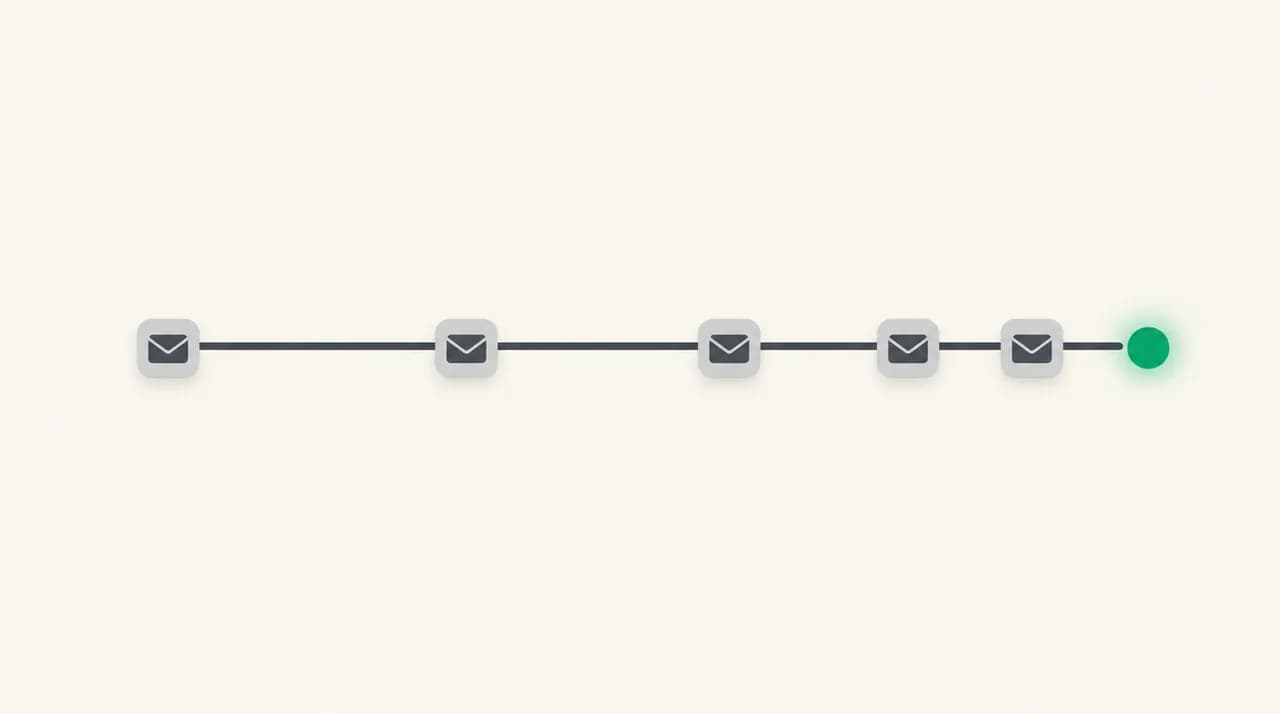
Think of onboarding as a sequence rather than one email. Each message has one job, and splitting them stops the day-one email from carrying twelve instructions.
The timings below are a sensible default, not a rule. A company with a three-month notice period will start the sequence earlier, and a same-week hire will compress it into two emails.
| Send when | From | Its one job | |
|---|---|---|---|
| 1. Pre-start logistics | 5 to 7 working days before | Manager or HR | Confirm date, time, place, dress |
| 2. Paperwork and right to work | 5 to 7 working days before | HR | List what to complete or bring |
| 3. IT and access | 2 to 3 working days before | IT or manager | Say what arrives and what to do first |
| 4. Day-before reminder | Working day before | Manager | Remove last-minute doubt |
| 5. Day-one welcome | Morning of the start | Manager | Make them feel expected |
| 6. Team announcement | Morning of the start | Manager | Introduce them to everyone else |
| 7. Buddy introduction | Morning of the start | Manager | Connect them to one named person |
| 8. Remote day-one setup | Evening before or morning of | Manager | Replace the walk-in with a call link |
| 9. First-week schedule | End of day one | Manager | Show what the week holds |
| 10. Delayed start or role change | As soon as you know | Manager or HR | Reset expectations honestly |
What should a first day welcome email include?#
A new employee reads your email with anxiety attached. They are checking whether they have the right address, whether to dress up, whether lunch is covered, and who to ask. Answer those questions before they have to ask them.
The test is simple: could they get through the first morning using only this email, with their phone off? If not, something is missing.
- Where to go or which link to join, with a floor, door or meeting ID
- The exact arrival time, and the earliest they should show up
- One named person who meets them, with a mobile number for the morning
- What to bring or have ready, and what you will provide
- What the day looks like in three or four lines
- Their first task, kept small and finishable
- A reassurance that they do not need to prepare anything
Notice what is not on the list: the handbook, the org chart and the benefits guide. Those belong in a link on day two, once the person has a desk and a login. Burying the logistics under reading material is how the logistics get missed.
Keep personal data out of the email
The templates#
Every template below is written to be shortened. If your office is informal, cut the greeting down. If your company is formal, keep it. Subject lines are included because the subject is what decides whether the email gets opened before 9:00.
Replace [Your Company] with your own company name. We have deliberately avoided real names, tools and policies, because yours will differ.
Template 1: the pre-start logistics note#
Send this a week out. It confirms the basics and, just as importantly, tells the person you are expecting them. Silence between a signed offer and day one is when new hires start doubting the decision.
Template 2: the paperwork and right-to-work email#
Paperwork is where the legal parts of onboarding live, so be exact about what is needed and how to send it. In the United States, USCIS states (as of October 2026) that every employer must complete Form I-9 to verify the identity and employment authorization of each person they hire, and E-Verify employers may be able to use a DHS-authorized remote document check instead of in-person examination. Outside the US, your equivalent is a right-to-work check; the rules vary by country, so confirm yours with HR or counsel.
Do not paraphrase the deadlines from memory. Link to your HR process and let it carry the specifics.
Template 3: the IT and access email#
New starter IT emails go wrong when they list systems rather than steps. A person who receives eleven app names has no idea which to open first. Give the order, and say what arrives physically versus digitally.
Never send a password in the same email as the username
Template 4: the day-before reminder#
This one is five lines. Its purpose is to remove the last small doubts: the time, the door, the person. Send it by mid-afternoon the working day before so there is still time to answer a question.
Template 5: the day-one welcome#
This is the email the keyword is about, and it should arrive before the person does. It is short on logistics, because Template 1 and Template 4 already covered them, and long on being expected.
A good test: a new hire should be able to forward it to a partner or friend and have it read as warm rather than administrative.
Template 6: how do you announce a new hire to the team?#
Announce on the morning of the start, not a week before. Early announcements get lost, and the person's actual first hour is when colleagues can act on the news by saying hello.
Keep the announcement about what the person will do and why they are good, not about their previous employer's logo. Add one detail that gives colleagues something to talk about at lunch.
Template 7: the buddy introduction#
A buddy is the person a new hire asks the questions they feel too small to ask a manager. The introduction email works best when it tells both people what the arrangement actually is, including how long it lasts and how much time it takes.
Template 8: the remote day-one email#
A remote hire cannot see where the kitchen is, so the email has to build the room for them. Give a single link, a backup phone number and a human to talk to in the first five minutes.
Remote starts also fail on shipping. If equipment has not arrived, say what happens next, rather than hoping they will not notice.
Template 9: the first-week schedule#
Send this at the end of day one, not before. By then the person has seen the building, met the buddy and has questions, so the schedule lands as a map rather than a list of unknowns.
Keep the first week light on meetings. Two or three learning slots a day beat a calendar packed with introductions.
What does the hard version of this email look like?#
The hardest onboarding emails are the ones you send when the plan changes. A start date slips because a background check is slow, a visa is delayed, or a project has frozen hiring. Or the role changes between offer and day one, and the person is about to arrive for a job that is not quite the one they accepted.
These emails need the same three things: say it early, say it plainly, and give the new date or the new facts. Silence is what hurts. A new hire who has resigned from their last job is exposed, and they should hear any change from you before they hear it from a calendar invite.
Template 10: delayed start or changed role#
This template has two variants. Use the first when only the date has moved, and the second when the role itself has changed. Never combine them with a vague apology. If the change is financial or contractual, check with HR before sending, and confirm anything binding in your formal documents rather than in this email.
If you are in the UK, Acas publishes free employer advice and templates on its site. It is a reasonable first stop before you write anything that touches the terms of employment.
Say what is not changing
What if the new hire does not reply?#
Silence before day one is common and usually benign. People are working out notice periods, packing up a desk, or just not checking a new employer's email on a holiday weekend. But a missed confirmation can also mean a missed start, so build in one nudge.
Send it by phone or text if you have a number, because email may be the exact channel they are ignoring. Keep it light, make it easy to answer with one word, and set a quiet deadline.
If there is still nothing two working days before the start, call. If you cannot reach them, loop in HR and keep the desk, the equipment and the team plan as they are until you have an answer. Cancelling quietly is worse than waiting a day.
Where AI Emaily fits#
We build AI Emaily, so weigh this accordingly. Onboarding is a run of near-identical emails that each need one detail changed, which is the kind of drafting an assistant can speed up. In AI Emaily you set a Personal Context describing how you write, and the AI drafting feature writes the welcome email in that voice from your brackets.
You approve every draft before it sends. It is not an HR system, it does not hold I-9 documents or run background checks, and it will not replace your onboarding checklist. It is an email client for the writing part. There is a 7-day free trial on the homepage and plan details are on the pricing page.
Frequently asked
See it in AI Emaily
Keep reading

Written by
Nafiul HasanNafiul Hasan is an entrepreneur and AI automation system builder with 10+ years of experience turning messy, manual workflows into reliable automated systems. He designs and ships AI enterprise solutions end-to-end — the agent logic, the data plumbing, and the product people actually use — and founded AI Emaily to give busy professionals their attention back. He writes here from the builder's seat: what works, what breaks, and how to put AI to work without giving up control.