Email Management for Real Estate Agents: Respond First, Win the Deal

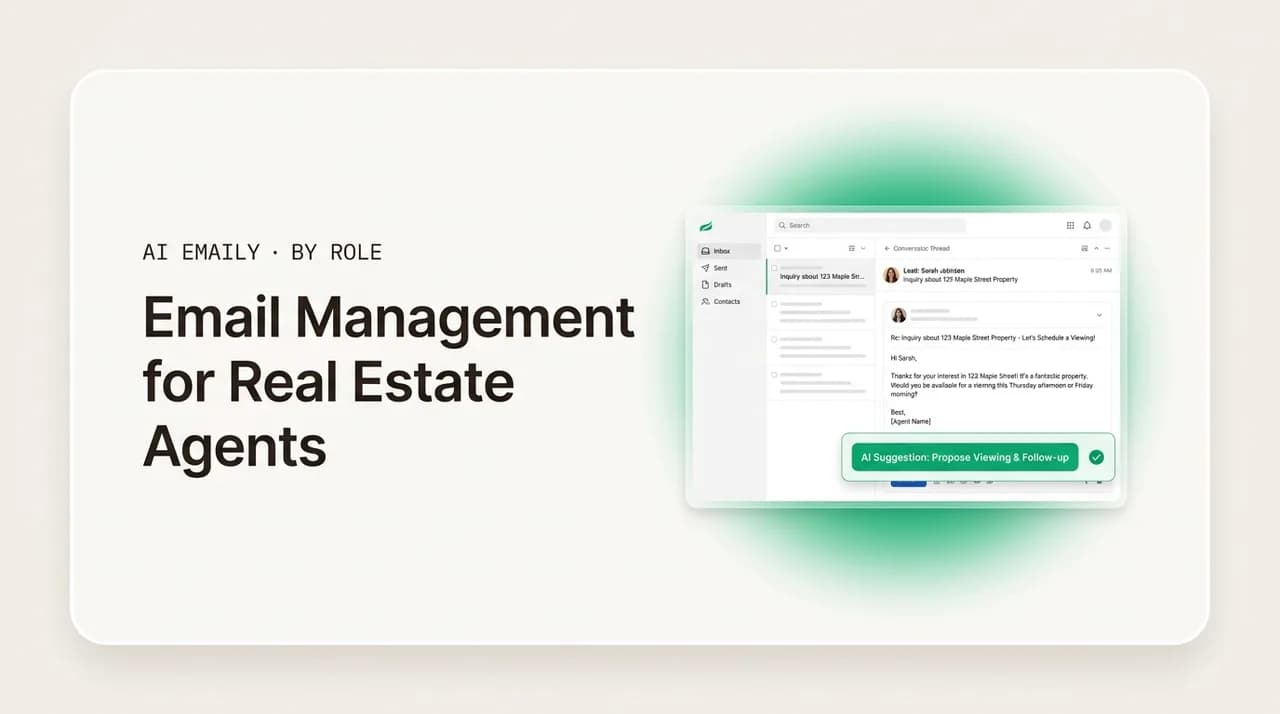
The short answer
Email management for real estate agents comes down to one rule: the fastest responder wins. Triage new leads to the top and reply in minutes, keep listing and transaction threads straight, nurture quiet leads for months, and run it all from your phone. A speed-aware inbox plus AI follow-up hands those hours back.
Email management for real estate agents: respond to leads in minutes, keep listing and transaction threads straight, nurture for months, and run it all from your phone.
On this page
- 01Why is email so hard to manage for real estate agents?
- 02How fast do real estate agents really need to respond to leads?
- 03How should agents keep listing and transaction threads straight?
- 04How do you nurture real estate leads over a months-long buying cycle?
- 05Why does a real estate inbox have to be mobile-first?
- 06How do agents keep every client's context straight?
- 07What does a real estate agent's daily email workflow look like?
- 08How does AI Emaily work for real estate agents?
- 09What should a real estate agent look for in an email tool?
- 10Conclusion: respond first, and stop losing deals to silence
In real estate, the fastest responder usually wins. That is not a motivational slogan — it is one of the most consistent findings in the business. Roughly 78 percent of homebuyers end up working with the very first agent who responds to their inquiry. An agent who replies to a new lead within five minutes is dramatically more likely to qualify it than one who waits thirty, and the odds fall off a cliff after that first window. Yet the average agent takes more than fifteen hours to respond to a new lead, according to Inman's 2025 technology survey. The gap between what wins deals and what most agents actually do is enormous — and it lives almost entirely in the inbox.
That gap is the single biggest opportunity an agent has, and it is also the cruelest. A lead fills out a form on a listing at 9 p.m., sends the same inquiry to three agents, and goes with whoever answers first. If your reply lands the next morning, the conversation already happened without you. The lead was not lost to a better agent or a lower commission — it was lost to silence. And the silence is almost never indifference; it is that you were showing a property, at a closing, driving between appointments, or asleep, while the email sat unread in a pile of forty others.
This guide is about closing that gap without chaining yourself to your phone every waking minute. It is built around the jobs that decide whether a real estate inbox wins deals or quietly loses them: responding to leads in minutes, keeping listing and transaction threads straight, nurturing leads across a months-long buying cycle, working email from wherever you happen to be standing, and keeping every client's context straight. We will lay out the system any agent can run first, then show how an AI email client like AI Emaily absorbs the repetitive parts so the inbox stops costing you business.
If you sell into businesses rather than homes, the companion guide on email management for sales reps goes deep on pipeline triage and deal follow-up. If you run a small brokerage or a solo practice with all the back-office email that comes with it, the guide on email management for small business owners covers the wider operation. This post is the one for the agent juggling buyers and sellers, listings and showings, inquiries and closings — out of a real inbox, usually from a phone, while the fastest responder takes the deal.
Why is email so hard to manage for real estate agents?#
It helps to be specific about why a real estate inbox is uniquely punishing, because the fix depends on the cause. Most inbox advice was written for a desk worker with one type of email and a predictable day. An agent has neither. The mail arrives in several shapes, each on its own clock, and the day is anything but predictable — which is why generic tidying systems collapse the moment a busy week hits.
The first reason is that the work splits into three jobs competing for one inbox. New leads need an answer in minutes or they go cold. Active transactions — a listing under contract, a buyer in escrow — generate time-sensitive threads with lenders, title companies, inspectors, attorneys, and the other side's agent, where a missed message can blow a deadline. And a long tail of leads who are not ready yet need patient nurturing over months. All three land in one undifferentiated pile, where a low-value notification sits at the same visual weight as the lead that decides next month's commission.
The second reason is timing. A large share of real estate inquiries arrive outside business hours — surveys put it around 40 percent landing evenings and weekends — precisely when an agent is least able to drop everything and reply. The lead's clock does not care that it is Saturday night. Speed-to-lead is measured from the moment they hit send, not from when you next open your laptop, so the hours away from your desk are the hours you are most likely to lose a first-responder race you did not know you were in.
The third reason is mobility. Agents do not work from a chair. They are at showings, open houses, closings, inspections, and in the car between all of them. The inbox has to be workable from a phone in a hallway, not just from a desktop at the end of the day — and a reply you can only send well from a keyboard is a reply that arrives hours late. An inbox system that assumes you are sitting down is a system that fails an agent precisely when it matters.
The fourth reason is volume and repetition. The same situations recur constantly: the listing inquiry, the showing confirmation, the document-needed nudge, the check-in with a buyer who went quiet, the status update to a seller. Agents either retype these every time or paste a stale template that does not quite fit — and the template path quietly costs them, because a canned reply reads as canned, and a lead deciding between three agents notices.
The fifth reason is context. An active agent holds a dozen relationships in their head at once — which buyer wants the three-bedroom, which seller is nervous about the appraisal, which deal closes Friday, what the lender promised on Tuesday. Reconstructing that before every reply is real cognitive work, and getting it wrong — confusing one client's situation for another's — erodes trust fast in a referral-driven business.
What ties all five together is that for an agent the inbox is not a to-do list; it is where deals are won and lost. The cost of mismanaging it is not a messy folder structure — it is a lead that went with a faster agent, a slipped deadline, a nervous seller who felt ignored, a warm lead who forgot you existed three months before they were ready to buy. The rest of this guide builds the system that prevents each of those, job by job.
The 917-minute problem
How fast do real estate agents really need to respond to leads?#
Faster than feels reasonable, and faster than almost anyone is actually doing. The research on speed-to-lead is unusually blunt for the real estate business. An agent who responds to a new inquiry within five minutes is roughly twenty-one times more likely to qualify that lead than one who waits thirty minutes. After that first window, the odds of even connecting drop sharply, and they keep falling by the hour. Wait more than an hour and your odds of a meaningful conversation can fall by an order of magnitude compared with replying in the first few minutes.
The reason is unsentimental: a lead who just filled out a form is, for those few minutes, more interested in you than they will ever be again. They are at their screen, thinking about that specific house, tab still open. Reach them then and you are talking to a warm, attentive person. Reach them three hours later and you are interrupting their dinner about a house they have half forgotten — and very possibly one another agent already called them about. The window is short because attention is short.
Stack that against how buyers actually choose, and the stakes get sharper. Around 78 percent of buyers work with the first agent who responds, and the large majority interview only one agent before committing. Responsiveness is not a tiebreaker they weigh at the end — for most buyers it is the thing that decides who they even talk to. Ninety-five percent of buyers rate responsiveness as very important in an agent. In a market where your competitors are selling the same houses at the same commissions, speed of response is one of the few levers that is entirely yours to pull.
Here is the trap, though: nobody can personally hit a five-minute window every time. You will be mid-showing, at a closing, on another call, or asleep when a lead comes in — and a meaningful share of inquiries arrive exactly then, on evenings and weekends. The answer is not to stare at your phone all day; it is to build a system where the right messages reach you instantly and the first response goes out fast even when your hands are full. That is a triage-and-automation problem, not a discipline problem, and it is the most valuable thing in this entire guide to get right.
Practically, that means three things working together. First, new leads have to be identified the instant they arrive and pulled out of the general inbox — they cannot wait for your next sweep. Second, they have to reach you on a channel you actually see in the moment, not buried among forty notifications. Third, a fast, helpful first response has to be possible from your phone in seconds — acknowledging the inquiry, answering the obvious question, proposing a next step — so the clock stops while the lead is still warm, even if the full conversation happens later. Get those three right and you win first-responder races you are currently losing without knowing it.
| When a new lead comes in | Reverse-chronological inbox | Speed-aware triage |
|---|---|---|
| Listing inquiry at 9 p.m. Saturday | Sits unread until Monday's laptop session — lead already called two other agents | Flagged instantly, pushed to your phone, fast first reply goes out the same night |
| Buyer asks about a showing time | One of forty unread; answered hours late after the slot is gone | Surfaced as time-critical so you confirm while the buyer is still deciding |
| "Is this still available?" form fill | Easy to miss in the scroll; slow reply reads as disinterest | Pulled to the top with a draft you can send in one tap |
| Lead from a third-party portal | Buried among portal notifications and digests | Detected as a real lead, separated from the noise, prioritized |
| Open-house follow-up request | Lost behind newer mail by the time you sit down | Linked to the listing and surfaced with context ready |
| Newsletter or vendor blast | Same visual weight as a hot lead | Filtered out of the priority view entirely |
The payoff of getting speed right is direct: you start winning the deals you were quietly losing to whoever happened to be at a desk. But the second-order benefit matters too. When you trust that every new lead is caught and surfaced the moment it lands, you stop compulsively checking your phone between appointments. The system watches so you do not have to, so you can be present at the showing in front of you instead of half-distracted by the inbox you cannot see. Speed and sanity, in this one case, point the same direction.
It is worth being honest about what speed does and does not require. It does not require you to write a perfect, fully researched reply in five minutes — that is impossible and unnecessary. The first response just has to be fast, human, and useful enough to stop the clock and start the conversation: acknowledge them by name, answer the obvious question, and offer a clear next step. The detailed work can follow once you are back at a keyboard. Confusing speed with completeness is what makes agents feel they cannot respond fast; separating the two is what makes it achievable.
Win the clock with a fast, human first reply
How should agents keep listing and transaction threads straight?#
Winning the lead is the start; keeping the resulting transaction from going off the rails is the next job, and it is a different kind of hard. Once a deal is live, the inbox fills with time-sensitive threads from a cast of people who do not coordinate with each other: the buyer or seller, the other side's agent, the lender, the title or escrow company, the inspector, the appraiser, sometimes an attorney. Each thread carries a deadline, and in real estate a missed deadline is not an annoyance — it can cost an earnest-money deposit, blow a financing contingency, or kill a deal outright.
The core difficulty is that the inbox organizes by time, but a transaction is organized by deal and deadline. A reply from the title company on the Maple Street closing, a newsletter, and an inspector's note on a different property all arrive interleaved, sorted by nothing more meaningful than when they landed. To act, you first have to mentally re-sort the pile back into deals — which thread belongs to which transaction, what stage each is at, what is waiting on you and by when. That re-sorting is invisible work you pay for on every reply, and it is exactly where a busy agent drops a thread.
A working system imposes the structure the raw inbox lacks: organize around the transaction and the deadline, not the sender. That can be as simple as a label or folder per active deal, so every thread about Maple Street lives in one place regardless of who sent it, plus a habit of scanning by deal rather than arrival order. It means treating every deadline-bearing message — a financing-contingency date, an inspection-response window, a signing appointment — as a tracked commitment with a reminder, not something you hope to remember. And it means a fast way to reconstruct a deal's state, because a long thread with a dozen people cc'd is brutal to re-read under time pressure.
This is where AI changes the economics of transaction email. Classifying every incoming message to the right deal by hand means reading all of them, which is most of the work. An assistant that can tag a message to the transaction it belongs to, flag the ones that carry a deadline, and summarize a sprawling thread in seconds turns the re-sorting tax into a glance. You still make every judgment call — what to agree to, when to push, how to reassure a nervous client — but you make it from an organized, summarized view instead of from a wall of interleaved messages you have to untangle first.
The second view is not just tidier — it changes what your day costs you. With deals separated and deadlines surfaced, you open the inbox and immediately see the three things that need you and by when, instead of spending ten minutes reconstructing which threads belong to which transaction. The cognitive load of holding several live deals in your head drops, because the inbox holds the structure for you. And the failure mode that scares every agent — a missed deadline that costs a client real money — gets much less likely, because the deadline-bearing messages are flagged rather than buried.
There is a relationship dividend too. Sellers especially get anxious during a transaction, and much of that anxiety is really about communication — not hearing back, not knowing the status, wondering if their agent is on top of it. An agent whose transaction threads are organized and whose deadlines are tracked is an agent who can send the timely, confident status update that keeps a client calm. The inbox system is not just protecting the deal mechanics; it is protecting the relationship that produces the next referral.
A missed transaction deadline costs more than a missed lead
How do you nurture real estate leads over a months-long buying cycle?#
Most of your future business is not ready to transact today, and treating it as if it should be is how agents burn through leads they paid good money for. The data here is striking. Only about 10 to 15 percent of real estate leads are ready to act immediately; the other 85 to 90 percent need months of nurturing before they buy or list. The median buyer searches for roughly ten weeks before purchasing, and the full journey — from first inquiry to closing — commonly runs six to eighteen months. The average online lead needs somewhere between eight and twelve touchpoints over that span before they convert.
Set that against how agents actually follow up and the leak becomes obvious. Most make a couple of attempts on a new lead, get no immediate response, and quietly let it go — moving on to the next fresh inquiry. But around 80 percent of sales happen after five or more touches, and a large share of conversions come from the later touches, not the first email. The agent who follows up patiently for months is harvesting the same leads the agent who gave up after two tries paid for and abandoned. Nurture is not a nice-to-have; it is where most of a real estate pipeline actually converts.
The reason agents do not nurture well is not that they miss its value — it is that long-horizon follow-up is brutal to sustain by hand. Checking in with a buyer six months out, on the right cadence, with something useful to say each time, across dozens of leads each on their own clock, is administrative work that falls apart the instant you get busy — and busy is the default for a working agent. The failure stays invisible right up until a lead you stopped contacting buys a house through someone else, at which point it is too late.
A working nurture system has four parts. First, every lead that is not ready now goes into a tracked nurture track rather than your memory, so it cannot fall off in a busy month. Second, the cadence is deliberate and long: frequent early touches while interest is fresh, then a steady drumbeat — every few weeks — that runs for the full months-long horizon rather than fizzling after two emails. Third, every touch brings something worth opening: a new listing that fits their criteria, a relevant market update, a useful answer to a question they raised — not a hollow "just checking in" that trains them to ignore you. Fourth, the moment a nurtured lead re-engages, they move out of the slow track and onto the speed lane, because a lead who just replied after four months is suddenly a hot lead again.
Doing all four by hand is the part that breaks. Writing one good check-in is easy; remembering the next one for forty leads, each on its own months-long timeline, each needing a fresh reason to reply, is exactly the repetitive, time-sensitive, invisible-failure work that humans do badly and software does well. This is the single best place in a real estate inbox to apply automation. The guide on email management for sales reps covers cadence design for shorter deal cycles; for real estate the principle is the same but the horizon is longer — make follow-up the default that runs whether or not you remember, and re-engage the moment a lead comes back to life.
- 1
Capture every not-ready lead into a nurture track
The 85 to 90 percent of leads who are not ready today go into a tracked sequence, not your memory, so a busy month never causes a future client to fall off the list.
- 2
Set a long, deliberate cadence
Touch frequently early while interest is fresh, then settle into a steady every-few-weeks drumbeat that runs the full six-to-eighteen-month horizon rather than fizzling after two emails.
- 3
Make every touch worth opening
Send a new listing that fits their criteria, a relevant market update, or a useful answer — never a hollow "just checking in" that trains a lead to mute you.
- 4
Move re-engaged leads to the speed lane
The instant a nurtured lead replies or clicks, treat them as hot again — pull them out of the slow drip and respond fast, because they just told you they are getting ready.
- 5
Keep the relationship warm past the close
Stay in touch after closing with periodic, useful contact — past clients and their referrals are the highest-converting leads you will ever nurture.
An AI email client changes the economics of all five steps. Instead of you maintaining a mental list of who you owe a check-in, it tracks every nurtured lead and surfaces the ones due for a touch. Instead of you retyping a generic check-in, it drafts the next message in your voice with a relevant hook — a new listing matching their criteria, a market note, a follow-up to what they last said. Instead of cadence math across dozens of months-long timelines, it times the drumbeat. And instead of a lead going cold because you got busy, it keeps the sequence alive and pulls anyone who re-engages onto the fast lane automatically.
The non-negotiable is the same as everywhere else in this system: automating the drafting and the remembering is safe and enormously valuable, while automating the sending without a glance is where relationships get damaged — a wrong name, a listing that no longer fits, a tone that misreads where someone is in their journey. The right model is leverage with a human check. The assistant does the tedious ninety percent of nurture — the tracking, the timing, the first draft — and you approve what goes out under your name. You get the consistency that converts the long tail and keep control over every message a client actually receives.
The leads you stop following up on are the ones you paid for
Why does a real estate inbox have to be mobile-first?#
Because an agent's office is wherever they are standing. You are at a showing, an open house, a closing, an inspection, or in the car between them for most of the working day. The hours you spend at a desk with a full keyboard are a minority of your week — and, crucially, they often do not overlap with the moments leads arrive and deadlines fall due. An inbox system that only works well sitting down is an inbox system that fails an agent during the exact hours that decide their business.
This is not a minor convenience point; it is structural. Speed-to-lead is measured from the moment a lead hits send, a large share of inquiries arrive on evenings and weekends, and the first agent to respond usually wins. Put those together and the conclusion is unavoidable: most of your first-responder races are won or lost on your phone, away from a desk, often after hours. A workflow that assumes you will handle leads at your next laptop session has already conceded those races. The mobile inbox is not the backup to the desktop one — for an agent it is the primary surface.
What does mobile-first actually require? More than a serviceable app. It means the priority triage works on the phone, so the new lead and the deadline-bearing transaction thread are surfaced to the top of the small screen instead of lost in a scroll you will never finish with your thumb. It means drafting works on the phone — that you can send a genuinely good, personalized first reply in a tap or two, rather than thumb-typing a paragraph or putting it off until you are at a keyboard. And it means the same context that helps you at a desk — who this is, what deal it belongs to, what was last said — travels with you, so a reply sent from a hallway is as informed as one sent from your office.
This is exactly where an AI email client earns its keep on mobile, and where a plain email app falls short. The hard parts of mobile email are reading enough to know what matters and writing enough to respond well — both slow and error-prone on a small screen. An assistant that triages so only what matters reaches the top, summarizes a thread so you grasp it at a glance, and drafts a strong reply you approve with a tap collapses both slow steps into quick ones. The phone stops being a degraded version of your inbox and becomes a fully capable one — which, for an agent, is the whole game.
Treat your phone as the primary inbox, not the backup
How do agents keep every client's context straight?#
An active agent is holding a dozen relationships in their head at once, and the cost of mixing them up is high. Which buyer is set on the three-bedroom with the yard, which seller is anxious about the appraisal coming in low, which deal closes Friday, what the lender committed to on Tuesday, which lead mentioned they were relocating for a job in the fall — getting any of these wrong in a reply does not just look sloppy. In a referral-driven business where trust is the entire product, confusing one client's situation for another's can cost you the relationship and the recommendations that flow from it.
The raw inbox does almost nothing to help here. It shows you messages, not relationships. To reply well, you reconstruct the context yourself: open the thread, scroll back through the history, cross-reference what you know about this person, and only then write something that lands as informed and personal. Across a full book of buyers and sellers, that reconstruction is constant, slow, and exactly the work that degrades when you are tired, rushed, or replying from your phone between appointments — which is to say, most of the time.
A working system keeps the context attached to the person, not scattered across your memory and a dozen threads. The disciplined version of this is a CRM, and a good real estate CRM is genuinely valuable for exactly this reason — it is a system of record for who your contacts are, where each is in their journey, and what you have promised. The honest catch is that a CRM only helps if it is current, and keeping it current means logging contact after every interaction, which is the friction that causes most agents' CRMs to drift out of date. The data is only as good as the discipline feeding it, and discipline is the first casualty of a busy week.
This is where an inbox that understands your relationships complements a CRM rather than competing with it. An assistant that lives in your mail can hold the thread of each conversation — who this is, what deal it belongs to, what was last said and promised — and surface that context the moment you open a message, so your reply is grounded without you reconstructing it. It can summarize a long history with a client in seconds and draft a reply that already references the right details. You bring the judgment about the relationship; the assistant brings the recall, so you stop mixing up the three-bedroom buyer with the relocating one and every reply lands as if this client were the only one you had.
| Context job | The manual way (error-prone) | The systematized way | Where AI helps |
|---|---|---|---|
| Remember who a contact is | Scroll back through the thread to reconstruct history | Keep a current CRM record per contact | Assistant surfaces who they are and what was promised on open |
| Know which deal a thread belongs to | Mentally re-sort interleaved messages by deal | Label or folder per active transaction | Auto-tags each message to its transaction |
| Recall the last promise made | Re-read the whole thread under time pressure | Log notes after each interaction | Summarizes the thread and flags open commitments |
| Personalize a reply to this client | Write from memory and hope it is the right person | Pull context from the CRM before replying | Drafts grounded in the real thread and history, in your voice |
| Avoid confusing two clients | Rely on recall across a dozen live relationships | Discipline plus a current system of record | Context attached to each conversation prevents the mix-up |
The thread running through this is that context is a recall problem, and recall is exactly what humans do worst under load and software does best. The agents who never seem to mix up a client are rarely relying on heroic memory — they are working from a system that keeps each relationship's history attached to the conversation, so the right details are in front of them when they reply. That is what lets a busy agent send a message that feels personal and informed to a client who, from their side, assumes they have your full attention. Protecting that feeling is protecting the referral engine that most agents live on.
An AI inbox complements your CRM — it does not replace it
What does a real estate agent's daily email workflow look like?#
Pulling the jobs together, here is a workflow an agent can actually run from a real, mobile, deal-juggling day — built around speed on new leads, structure on transactions, and a long patient cadence on nurture, with automation carrying the repetitive parts. The exact times matter less than the shape: a fast lane that catches leads the instant they arrive, focused passes for the rest, and a system that keeps nurture and follow-up running whether or not you remember.
The principle behind the schedule is that for an agent, email is not a background task you dip into all day — it is split into one thing that must happen in real time (catching and answering new leads) and several things best handled in deliberate blocks (transactions, nurture, the slower replies). Trying to do all of it continuously means you are never fully present at a showing and never fully focused on a deal. Carving out the real-time exception and batching the rest is what lets you be fast where speed wins and calm everywhere else.
- 1
New-lead fast lane (the moment they arrive)
Fresh inquiries jump the queue to your phone with a first reply ready to send in a tap, so you hit the five-minute window even mid-showing — the highest-value habit in the system.
- 2
Morning transaction pass (15–20 min)
Open the deal-aware view, handle every flagged deadline across active transactions first, and send the status updates that keep sellers calm. Bundle the noise in one sweep.
- 3
Midday reply block (20–30 min)
Work the considered replies — buyer questions, negotiation threads, document requests — from summarized threads rather than a blank page, mostly approving drafts that already sound like you.
- 4
Nurture review (10 min)
Scan the leads due for a touch, approve the next relevant message drafted on cadence, and let anyone who just re-engaged drop onto the fast lane automatically.
- 5
End-of-day sweep (10 min)
Confirm no new lead and no transaction deadline is unanswered, approve any remaining queued sends, and let the system keep nurture and follow-up running overnight.
The shape of the gain is visible in that table: in every row, the manual way loses deals or burns hours, the systematized way removes most of the friction, and AI removes most of what is left. An agent running this workflow is not working harder on email — they are working on it far less while losing fewer leads, missing fewer deadlines, and letting fewer warm leads go cold. That is the whole point of email management for a real estate agent, and it is the design AI Emaily is built to deliver.
| Job | The manual way (loses deals) | The systematized way | Where AI helps |
|---|---|---|---|
| Respond to leads fast | Reply at your next laptop session, hours late | Fast lane that surfaces new leads instantly to your phone | Detects real leads, alerts you, drafts a fast first reply |
| Manage transactions | Re-sort interleaved threads by deal every time | Folder per deal; every deadline a tracked commitment | Tags threads to deals, flags deadlines, summarizes history |
| Nurture over months | A couple of touches, then quietly give up | Long deliberate cadence into a tracked nurture track | Times the drumbeat, drafts relevant touches, re-engages automatically |
| Work from your phone | Triage on mobile but defer real replies to a desk | Full triage and drafting on the phone | Surfaces what matters and drafts strong replies on mobile |
| Keep client context straight | Reconstruct history from memory before each reply | Current CRM plus per-deal organization | Surfaces context on open; grounds drafts in the real thread |
How does AI Emaily work for real estate agents?#
AI Emaily is an autonomous, AI-native email client built around the jobs that decide a real estate agent's deals — priority triage so leads get a fast first response, organized transaction threads, never-miss follow-up for the long nurture cycle, and a fully capable mobile inbox — done inside the email account you already use rather than in a separate tab or a CRM you have to live in. It connects to your existing inbox, learns how you write and which deals are yours, and turns the inbox from the place you lose business into a workflow that mostly runs itself, with you approving the moves that matter.
Priority triage wins the clock. AI Emaily reads the whole inbox and surfaces what needs you now — a new listing inquiry, a deadline-bearing note from a title company, a showing request on an active deal — while pushing portal digests, vendor blasts, and newsletters into bundles you clear in one pass. New leads are detected the instant they arrive and pushed to your phone, so the fast first reply that wins first-responder races goes out even when you are mid-showing, not at your next laptop session.
Follow-up and nurture run on autopilot, with you in control. The part agents abandon first — tracking the 85 to 90 percent of leads who are not ready yet and writing a relevant touch on cadence for months — is exactly what AI Emaily keeps running. It tracks every nurtured lead, drafts the next message with a real hook rather than a hollow check-in, times the long drumbeat across each lead's own horizon, and pulls anyone who re-engages onto the fast lane automatically. You stop being the memory that has to remember forty months-long timelines, and you stop letting leads you paid for go cold.
Voice drafting works because AI Emaily can see what a chatbot cannot. Because it runs on your real mailbox, it has the context that makes a real estate reply land: who this client is, which deal the thread belongs to, what was last said and promised, and how you actually write. It drafts first replies, transaction updates, buyer answers, and nurture touches in your own voice — learned from your real sent mail, not a generic register — and grounds each draft in the live conversation, so the reply references the right house and the right detail instead of reading like a form letter. You never re-paste your context or your tone; the client holds them, including on your phone.
Control is the design, not an afterthought. AI Emaily runs in three modes — Manual, where you write and it stays out of the way; Copilot, where it drafts and queues every reply, follow-up, and nurture touch but each send waits for your explicit approval; and Autopilot, for the routine touches you have deliberately chosen to delegate. Every action has undo and a full audit trail, so nothing reaches a client that you did not see. For real estate — where one careless send to the wrong client, or a nurture message with a listing that no longer fits, can cost a relationship — that human check matters more than anywhere else.
Five agent jobs, one inbox, from your phone
On the CRM question, here is the honest version. AI Emaily is an AI email client, not a real estate CRM or a transaction-management platform, so it is not trying to replace your CRM as the system of record for contacts, deal stages, and commitments. What it does is remove the inbox work that usually keeps a CRM out of date — the slow lead responses, the missed follow-ups, the threads you forgot to log — so the activity your CRM tracks actually happens on time, and your records stay honest because the data is correct at the source. Many agents pair a real estate CRM for structured records with AI Emaily for the reply-driven, time-sensitive email that decides whether deals are won, and that is the right call. The guide on email management for account managers walks through the same complement for ongoing client-relationship work.
It is private and works with what you already use. AI Emaily connects to your existing inbox across every email provider, so there is no migration and no lock-in to one ecosystem, and it is built privacy-first: your mail is yours, not training data, and nothing sensitive is logged or used to train models. That matters in real estate, where your inbox holds clients' financial details and personal plans. You keep your address, your history, and your relationships — the assistant just runs on top of them, on desktop and phone alike.
Getting started is deliberately low-commitment. The Free plan is $0, so you can connect your inbox and watch the lead triage and drafting on your own real mail before paying anything. Pro is $12.42 per month billed annually and unlocks the full follow-up and nurture autopilot, voice drafting, and higher limits — the plan most agents want once they have felt a week with new leads caught and the nurture running itself. Autopilot is $20.75 per month billed annually for the deepest delegation, when you are ready to hand off the routine touches end to end. Sign up at app.aiemaily.com/signup, connect the inbox you already work from, and start by winning the next first-responder race instead of finding out you lost it.
Try it on your real inbox, free
What should a real estate agent look for in an email tool?#
If you are evaluating options, a short checklist cuts through the marketing. Most tools demo well on the easy job — writing one nice email — and the differences only show up on the hard jobs, which is exactly where a busy agent needs help. Pressure-test the following before you commit.
Does it catch new leads instantly and help you respond fast, or just file mail? Speed-to-lead is the whole game; an inbox that does not surface a fresh lead to your phone the moment it lands is missing the point. Does it work on mobile as a primary surface, not an afterthought — full triage and strong drafting from the phone, since that is where most of your deals are won and lost? Does it actually run nurture and follow-up, or just remind you? A reminder still leaves you to write and send; look for an assistant that drafts the next relevant touch on a long cadence and re-engages a lead automatically when they come back.
Does it draft in your voice, or a generic one? Ask whether it learns from your sent mail or just merges a first name into a template; conversation-aware drafting grounded in the real thread is what keeps replies personal across a full book of clients. Does it keep a human in the loop? For real estate, mandatory approval before send — with undo and an audit trail — is not a limitation, it is the feature that lets you trust automation with clients' relationships and money. Does it complement your CRM rather than trying to replace it? And does it respect privacy — is your clients' sensitive information kept out of someone's training data?
Finally, does it fit how you actually work rather than how the vendor wishes you worked? A heavyweight transaction-management suite is the right tool for a large team with a dedicated coordinator and the wrong tool for a solo agent who just needs to win leads and keep deals moving from their phone. Be honest about your practice and pick accordingly. For reply-driven, mobile, relationship-centered real estate, an AI email client like AI Emaily is the natural fit, and it coexists cleanly with a CRM and a transaction platform if you use them. The worst outcome is paying for complexity you never use, or settling for a writing aid when you needed an assistant that catches leads and acts.
And do not skip the free trial on your own inbox. Tools demo well on a clean sample account and very differently on a real, messy inbox with live deals, anxious sellers, and portal noise in it. The only honest test is to point a candidate at your actual mail for a week and watch whether new leads genuinely get surfaced fast, whether the drafts sound like you, whether transaction deadlines stop hiding, and whether the nurture touches you would have forgotten get queued. If a tool cannot earn that week, no feature list will save it; if it can, you will feel the difference the first time it wins you a lead you would have lost.
Treat inbound email as untrusted, and keep approval on every send
Conclusion: respond first, and stop losing deals to silence#
The case for getting your email under control as a real estate agent is not about a tidier inbox. It is about the unforgiving arithmetic of the business: the first agent to respond usually wins, most leads need months of patient nurture before they convert, transactions die on missed deadlines, and almost all of it happens while you are away from a desk. A system that catches new leads the instant they arrive and gets a fast first reply out, keeps listing and transaction threads organized around deals and deadlines, nurtures the long tail for months without your memory, works fully from your phone, and keeps every client's context straight is a system that stops the silent losses — the lead that went to a faster agent, the deadline that slipped, the warm lead who forgot you existed.
The jobs reinforce each other. Speed wins the lead, organization keeps the resulting transaction from going off the rails, nurture converts the 85 to 90 percent who are not ready today, the mobile inbox makes all of it possible from where you actually work, and context keeps every reply personal across a full book of clients. A real system does all of this in the inbox you already use, not in a tab you paste into or a platform you have to live in. And the non-negotiable is control: AI catches, drafts, and remembers, you approve what sends — that is how you get the leverage of automation without ever giving up judgment over what reaches a client.
If you are losing deals to slow replies and watching warm leads go cold, the move is to let the system absorb the repetitive part and keep your attention on the people. AI Emaily does exactly that — priority triage and fast first replies, transaction threads kept straight, follow-up and nurture autopilot, all on your real inbox and your phone, across every provider, every send held for your approval, privacy-first. Start free at app.aiemaily.com/signup, point it at the inbox you already work from, and win the next first-responder race instead of finding out, a week later, that you lost it.
Frequently asked
See it in AI Emaily
Keep reading

Written by
Nafiul HasanNafiul Hasan is an entrepreneur and AI automation system builder with 10+ years of experience turning messy, manual workflows into reliable automated systems. He designs and ships AI enterprise solutions end-to-end — the agent logic, the data plumbing, and the product people actually use — and founded AI Emaily to give busy professionals their attention back. He writes here from the builder's seat: what works, what breaks, and how to put AI to work without giving up control.