How Much Time Do You Spend on Email? The 2026 Numbers (and the Fix)

The short answer
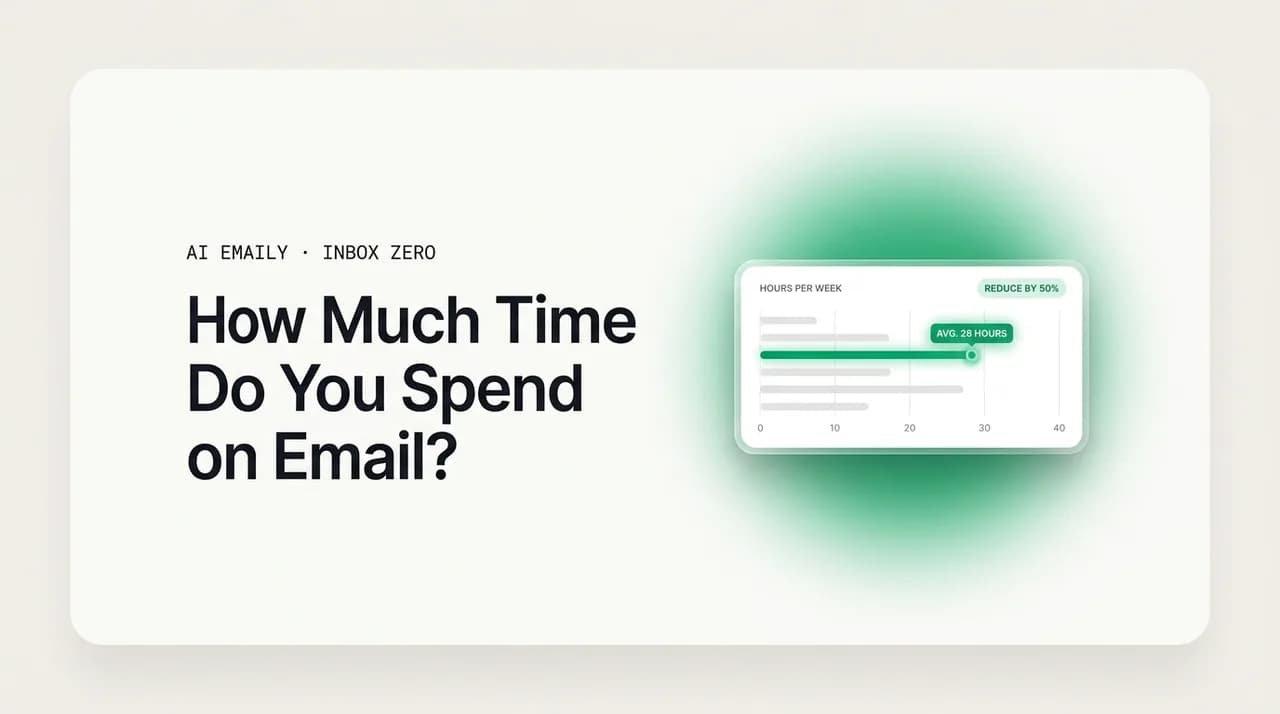
How much time spent on email? The average knowledge worker loses about 28% of the workweek — roughly 13 hours, more than a full workday — handling around 121 emails a day. Add the refocus cost of constant interruptions and email quietly becomes the largest line item in your week.
How much time spent on email? The average knowledge worker loses about 28% of the workweek — roughly 13 hours. Here are the 2026 numbers and the fix.
On this page
- 01How much time does the average person spend on email?
- 02How many emails do you send and receive each day?
- 03How much time on email does your role demand?
- 04What is the hidden cost most email statistics ignore?
- 05What does email cost you over a year — and a career?
- 06Is the time we spend on email getting better or worse?
- 07How do you measure how much time you spend on email?
- 08How does AI Emaily give those hours back?
- 09The bottom line on how much time email really takes
Here is a number that tends to stop people mid-sentence: the average knowledge worker spends about 28 percent of the workweek on email. The McKinsey Global Institute put that figure at roughly 13 hours a week — more than a full working day, every week, on a single application. Not on the work itself. On the messages about the work.
Most people guess low when you ask them. They picture the few minutes they spend firing off a reply and forget the rest: the scrolling, the re-reading, the deciding-then-deferring, the checking the phone in line for coffee, the quick glance that turns into twenty minutes. Email does not feel like 13 hours because it never happens in one block. It is distributed across the day in slivers so small that none of them seem worth counting — which is exactly why the total is so easy to miss and so large when you finally add it up.
This guide adds it up. We will go through the hard numbers on how much time you spend on email — the headline studies, the volume you are actually handling, how it breaks down by role, and the hidden cost that most statistics quietly ignore. Then we will do the annual and lifetime math, look at whether the trend is improving or getting worse, show you how to measure your own number in a single week, and close with the honest version of how AI gives a chunk of those hours back. Every statistic here is cited so you can check it yourself.
The number, up front
Two framings are worth keeping straight before we dig in, because surveys mix them and it makes the numbers look contradictory. The first is time spent on work email specifically — the messages tied to your job. The second is total time on email, work plus personal, which runs higher because it folds in newsletters, receipts, shipping updates, and the rest of your inbox life. When you see a figure quoted, the gap between studies is usually this: one is counting your job's inbox, the other is counting all of them. We will flag which is which as we go.
The second framing is the one almost nobody measures: the cost around email, not in it. The minutes you spend reading a message are only part of the bill. The larger, hidden part is the focus you lose every time a notification pulls you out of real work and you have to climb back in. That refocus tax does not show up on any timesheet, but as you will see, it may be the single biggest reason email feels so much heavier than the clock suggests. Hold that thought — it is where the real damage lives.
How much time does the average person spend on email?#
Start with the headline studies, because they anchor everything else. The most-cited figure comes from the McKinsey Global Institute, which found that the average knowledge worker spends about 28 percent of the workweek reading, writing, and responding to email. On a standard 40-hour week that works out to roughly 13 hours — and McKinsey's research also found that only about 38 percent of a typical inbox is genuinely important. In other words, the majority of those 13 hours is spent processing mail that did not really need the attention.
Other studies, measuring slightly differently, land in the same neighborhood or higher. A widely reported Adobe survey of U.S. office workers found people spending around three hours a day on work email and over five hours a day once personal email is included. A more recent reading of Adobe's data puts work email closer to four hours a day, which annualizes to roughly 676 hours — about seventeen full 40-hour weeks a year spent in the inbox. The exact hour depends on the methodology and whether personal mail is counted, but the studies converge on an uncomfortable truth: email is somewhere between a quarter and a half of the average office day.
The table below lines up the major data points so you can see the range rather than fixating on one figure. Note the column that tells you what each study is actually measuring — that is what explains the spread.
| Source | Time on email | What it measured |
|---|---|---|
| McKinsey Global Institute | ~28% of the week (~13 hrs) | Knowledge workers, reading + writing + responding |
| Adobe email survey (U.S. workers) | ~3.1 hrs/day work email | Work email only, self-reported |
| Adobe (work + personal) | ~5+ hrs/day total | Work and personal email combined |
| Adobe (later reading) | ~4.1 hrs/day (~676 hrs/yr) | Work email, annualized to ~17 work weeks |
| Microsoft Work Trend Index 2025 | 117 emails/day handled | Microsoft 365 telemetry, work email |
If you average across the credible studies and strip out the personal-email inflation, the honest central estimate for work email alone is somewhere around two to three hours a day — call it the McKinsey 28 percent as a reasonable anchor. That is the number to carry around. It means that for a typical eight-hour day, you are spending the equivalent of one full meeting-free morning, every day, on your inbox. And it is an average: high-volume roles run well past it, as the role breakdown later in this guide makes clear.
It is worth being clear about why self-reported numbers tend to run a little high and telemetry numbers a little low, because the truth sits between them. When people estimate their own email time, they often include the mental overhead — the thinking-about-it, the dread, the half-attention — which inflates the figure. When software measures it, it counts only the seconds a window is open and active, which undercounts the message you are composing in your head while staring out the window. Neither is wrong; they are measuring different things. The lived experience of email time is closer to the self-report, but the defensible, conservative figure is closer to the telemetry. We will lean conservative throughout, and the numbers are still alarming.
Why the studies disagree
How many emails do you send and receive each day?#
Time spent is downstream of volume, so the next question is how much mail is actually landing. The most-cited estimate, from the Radicati Group, is that the average business user receives about 121 emails a day and sends around 40 — roughly 161 messages in and out daily. Microsoft's own 2025 telemetry, drawn from Microsoft 365, puts received work email at about 117 a day, which lines up closely. Either way, you are processing well over a hundred messages a day, most of them scanned in under a minute and most of them not for you in any meaningful sense.
The arithmetic of that volume is brutal even at generous speeds. If you handle 121 incoming emails and give each one just 30 seconds — to open, read, decide, and move on — that is about an hour a day before you write a single reply. Add the 40 you send, at a couple of minutes each for the ones that need real composition, and you are well into a second hour. And 30 seconds per message is optimistic; long threads, attachments, and anything requiring thought blow straight past it. The raw volume alone, handled at realistic speed, produces the two-to-three-hour day the time studies report.
The composition of that inbox matters as much as the count, and it is where the time genuinely leaks. Recall McKinsey's finding that only about 38 percent of a typical inbox is important. Flip that around: roughly 62 percent of the hundred-plus messages you receive each day are newsletters, automated notifications, receipts, reply-all noise, and cold outreach that could be processed in bulk or ignored entirely. You are not spending two hours a day on a hundred urgent messages. You are spending two hours a day finding the dozen that matter inside a pile that mostly does not — and the searching is the expensive part.
There is also a sending cost that volume statistics undersell. Every email you send is a small composition task: decide what to say, choose a tone, second-guess the wording, format it, and hit send. Forty of those a day, even if most are short, is forty little context loads. The longer ones — the careful reply to a client, the message you rewrite three times because you are worried about how it lands — can each eat five or ten minutes on their own. Reading volume gets all the attention in these statistics, but for many people the writing is where the worst minutes hide, precisely because it demands judgment and not just attention.
Most of your inbox is not for you
How much time on email does your role demand?#
The 28 percent average hides enormous variation. How much time you spend on email depends heavily on what you do all day — a software engineer in deep focus and a sales rep living in their outbox are not having the same inbox experience. The roles most punished by email tend to be the ones where email is the work: coordination, relationship management, and customer-facing communication. Here is how the picture changes by role, drawn from the available research.
| Role | Email load | Why it's heavy |
|---|---|---|
| Executives / C-suite | ~24% of working time on email; 150-200+ emails/day | Hub of every decision; copied on everything, gatekeeper for the org |
| Managers | ~100-150 emails/day, heavy CC chains | Coordination role; reply-all threads and status updates pile up |
| Sales reps | ~21% of time on email + admin; ~31 hrs/month on inbox | Outreach, follow-ups, and pipeline chasing are the job |
| Customer support | High inbound volume, response-time pressure | Each ticket is an email thread; speed is the performance metric |
| Individual contributors | Closer to the ~28% average or below | Email competes with focused production work, not the reverse |
Executives are the extreme case, and the research on them is striking. A detailed study of CEO time, reported through Harvard Business Review and summarized widely, found that leaders spend around 24 percent of their working time on email — and in one closely tracked case, a chief executive logged well over a hundred hours of email across a single quarter, a large share of his unscheduled time. The reason is structural: the more senior you are, the more you sit at the intersection of decisions, and the more people route things through you. Seniority does not free you from the inbox; it buries you in it. That is part of why executive assistants and, increasingly, AI delegation exist at all.
Sales and support sit at the other heavily loaded end, for a different reason: for them, email is not overhead on the job — it is a substantial portion of the job. Research on how sales reps spend their time consistently shows email and administrative work eating a meaningful slice of the week, on the order of a fifth of their time, with roughly thirty hours a month going to the inbox. For support teams, the entire workflow often is email: every ticket is a thread, every customer is waiting, and response time is the number they are measured on. When email is the deliverable, the question is not how to spend less time on it but how to spend that time far more efficiently — which is exactly where automation and AI assistance change the economics.
The takeaway from the role breakdown is not to find your row and feel vindicated. It is to recognize that the average understates the problem for a large share of office workers. If you are a manager, a founder, in sales, or in support, your real number is very likely north of the 28 percent headline — closer to a third of your week, sometimes more. The strategies later in this guide matter more, not less, the higher your volume, because the savings compound on a bigger base. A 30 percent reduction on a two-hour-a-day habit is real; the same 30 percent on a four-hour habit is most of a workday back every week.
Seniority makes it worse, not better
What is the hidden cost most email statistics ignore?#
Every number so far has measured time in the inbox. The most expensive cost of email is the time around it — and almost no headline statistic captures it. Email does not just take the minutes you spend reading and writing. It takes the focus it shatters every time it interrupts you, and the long, slow climb back to concentration afterward. This is the hidden cost, and once you account for it, the 13-hour figure starts to look like an undercount.
The foundational research here comes from Gloria Mark at the University of California, Irvine, whose studies of workplace attention found that it takes an average of 23 minutes and 15 seconds to fully refocus after an interruption — and that knowledge workers switch tasks roughly every three minutes. Sit with that pairing. If a notification pulls you into your inbox and it takes 23 minutes to get back to where you were, then a single 30-second email can cost you nearly half an hour of effective focus. The reading time is trivial. The refocus is enormous. And it happens dozens of times a day.
A 30-second email can cost you 23 minutes
Microsoft's 2025 Work Trend Index, built on Microsoft 365 data and a survey of tens of thousands of workers, quantified the drumbeat of interruption that drives all this refocusing. It found that employees are interrupted on average every two minutes during core working hours — adding up to about 275 interruptions a day from emails, chats, and meetings combined. It also found that 40 percent of people online at 6 a.m. were already triaging email to set their priorities before the day had officially begun, and that roughly half of employees and more than half of leaders describe their work as chaotic and fragmented. Microsoft's name for this state — the "infinite workday" — captures it exactly: the inbox is not a place you visit, it is a tide that never goes out.
Put the two findings together and the arithmetic becomes almost absurd, which is the point the researchers are making. If you are interrupted every couple of minutes, and each interruption notionally costs 23 minutes of refocus, the implied lost time exceeds the hours in the day several times over. Obviously you do not actually lose 23 minutes to every single ping — what really happens is worse in a subtler way. You never reach full focus at all. You operate in a permanently shallow state, always partway back from the last interruption and bracing for the next, never sinking into the deep concentration where your hardest and best work gets done. That degraded mode is the true cost of a reactive inbox, and no clock can measure it.
This is why two people can spend the identical number of minutes in their inbox and have wildly different days. The one who checks email in two or three deliberate blocks pays the refocus tax a handful of times. The one who checks reactively, glancing at every notification, pays it dozens of times and spends the day in fragments. Same email time on the stopwatch; completely different amounts of usable focus. When you ask how much time email really costs you, the honest answer has to include this hidden layer — and for many people it is larger than all the visible inbox minutes combined.
What does email cost you over a year — and a career?#
Daily numbers are easy to shrug off. The annual and lifetime totals are harder to ignore, because email's cost is death by a thousand cuts — each day forgettable, the sum staggering. Let us do the math plainly, using conservative figures so no one can accuse the result of hype.
Take McKinsey's 28 percent, or about 13 hours a week. Over a 48-week working year — allowing for vacation — that is roughly 624 hours a year on email. At a standard 40-hour week, 624 hours is about 15.6 full working weeks. You are spending the equivalent of nearly four months of every working year on your inbox. Adobe's higher reading of the data, around four hours a day, pushes the annual figure to roughly 676 hours — about seventeen 40-hour weeks, or a third of a working year. Whichever estimate you trust, the unit of measurement for annual email time is not hours. It is months.
Stretch it across a career and the number stops being a productivity statistic and becomes an existential one. At roughly 624 hours a year over a 40-year working life, you will spend on the order of 24,000 to 25,000 hours on email — about twelve full 40-hour working years. Twelve years of your career, inside an inbox. And if McKinsey's 38-percent-important figure holds, the majority of that — call it seven of those twelve years — went to messages that did not genuinely need you. That is not a rounding error in a busy life. It is one of the largest single expenditures of professional time most people will ever make, and almost none of it was a conscious choice.
None of this means email is worthless — it is the backbone of how work coordinates, and a lot of those hours are genuinely productive. The point of the lifetime math is not to argue you should abandon email. It is to make the scale legible enough that shaving even a modest percentage off feels worth the effort. If you could give back just a fifth of your email time, that is roughly three hours a week, around 150 hours a year, and the better part of two and a half working years over a career. Framed weekly, a fifth sounds minor. Framed across a working life, it is the difference between losing twelve years to the inbox and losing closer to nine. That is the prize, and the rest of this guide is about claiming it.
Why small percentages matter
Is the time we spend on email getting better or worse?#
A fair hope is that all this is a solved problem — that smarter tools and remote-work backlash have started pulling email time down. The data does not support the optimism. By the only metric that is easy to track at global scale, the trend is up: total email volume keeps climbing, and the time follows the volume.
The Radicati Group and Statista figures tell a consistent story. Worldwide, around 376 billion emails were sent and received per day in 2025, projected to rise to roughly 392 billion in 2026 and to keep growing at about a 4 percent compound annual rate toward well over 400 billion by the end of the decade. That growth is steady and structural — driven by automated transactional mail, newsletter expansion, and the simple fact that more of the world is online — not a temporary spike. More email in the world means more email in your inbox, and the per-person volume has not fallen to compensate.
| Year | Emails sent + received per day (worldwide) | Trend |
|---|---|---|
| 2025 | ~376 billion/day | Baseline |
| 2026 | ~392 billion/day | Up ~4% year over year |
| ~2028 | ~424 billion/day | Continued ~4% CAGR |
| By 2030 | ~520+ billion/day (projected) | Steady structural growth |
Worse, the broader workday context is moving in the wrong direction too. Microsoft's 2025 research did not describe a workforce recovering from overload — it described the "infinite workday" intensifying: more after-hours email, meetings creeping into the evening, interruptions every two minutes, and a growing share of workers reporting their days as fragmented and chaotic. The tools that were supposed to streamline communication — chat, notifications, mobile email — have mostly added new streams on top of email rather than replacing it. You are not handling 2015's email load with 2026's tools. You are handling a larger load across more channels, with the same finite attention.
There is one genuine reason for optimism, and it is the exception that proves the rule: artificial intelligence is the first tool in years that attacks the time problem directly rather than adding another inbox to watch. Earlier productivity advice — folders, filters, the two-minute rule, batching — helped you process a fixed pile faster, but the pile kept growing faster than the techniques could keep up. AI is different in kind, because it can read, sort, summarize, and draft on your behalf, shrinking the work itself rather than just speeding up your handling of it. Volume is still rising; what has changed is that, for the first time, you have a way to make rising volume cost you less time instead of more. That is the shift the final sections of this guide are about.
The trend line is the argument for AI
How do you measure how much time you spend on email?#
Averages are a starting point, not your number. The only figure that should change your behavior is your own, and measuring it is simpler than it sounds. You do not need a research-grade study — you need an honest baseline you can trust and then beat. Here is a lightweight method that takes a single ordinary week.
- 1
Pick one normal week
Not a vacation week or a crisis week — a typical one, so the number reflects your real pattern rather than an outlier.
- 2
Log time in rough blocks
At lunch and end of day, jot down roughly how long you spent in email since the last note. Estimates are fine; the goal is a defensible total, not a stopwatch.
- 3
Count your check-frequency
Tally how often you open email reflexively — not full sessions, but every quick glance. This captures the hidden interruption cost the time figure misses.
- 4
Tag where the time went
Note roughly how much was reading vs. writing vs. searching vs. just sorting noise. This tells you which fix will help you most.
- 5
Add it up and annualize
Total the week, multiply by ~48 for a yearly figure, and divide by 40 to see it in work weeks. That last number is usually the one that motivates change.
Two checks keep the exercise honest. First, separate work email from personal — if you want to compare yourself to the McKinsey figure, count only your job's inbox, since the headline studies do. Folding in personal newsletters and shopping receipts will inflate your number and make any later improvement look smaller than it is. Second, do not trust the time figure alone. The check-frequency count is arguably more important, because it is the proxy for the refocus tax that does the real damage. Two hours of email handled in three blocks is a fundamentally different day from two hours handled across forty interruptions, and only the frequency number will surface that difference.
Once you have your baseline, the path to improvement is the path the rest of this guide points to: shrink the reading with summaries, shrink the sorting with automatic triage, shrink the writing with assisted drafting, and shrink the interruptions by batching what is no longer urgent. You measure again after a couple of weeks — long enough for any new system to settle and for the AI tools to learn your patterns — and compare. The gap between the two numbers is your real, personal answer to how much time email was costing you, and how much of it you can take back. That is far more convincing than any statistic in this article, because it is yours.
Track the glances, not just the minutes
How does AI Emaily give those hours back?#
Knowing the number is the easy part. Getting the hours back is the hard part — and it is where most advice falls down, because you cannot simply will yourself to spend less time on a hundred-plus messages a day. You need the work itself to shrink. That is what AI does, and it is what AI Emaily is built around: an AI-native email client that attacks the exact places this guide showed your time leaking — reading, sorting, writing, searching, and the interruptions around all of it — as one connected system rather than a drawer of disconnected add-ons.
Map it back to the cost breakdown. Reading is the largest visible slice, so AI Emaily summarizes long threads and your whole inbox into a quick digest — you read a sentence instead of a fourteen-message chain, and the reading hours collapse. Sorting eats the next chunk, so it triages every incoming message automatically, surfacing the roughly 38 percent that matter and bundling the 62 percent that do not, so you open a pre-sorted inbox instead of facing 121 undifferentiated messages. Those two changes alone hit the two biggest line items in your email day.
| Where your time goes | AI Emaily feature | What you do instead |
|---|---|---|
| Reading long threads and FYIs | Thread + inbox summaries | Read a sentence, not a chain |
| Sorting the 62% that doesn't matter | Automatic AI triage + priority senders | Open a pre-sorted inbox |
| Writing and re-drafting replies | Voice + text drafting in your style (approval-first) | Approve, don't compose |
| Hunting for a buried email | Smart natural-language search | Ask in plain English, don't guess keywords |
| Interruptions and the refocus tax | Batching + follow-up automation | Process in blocks, not all day |
Writing is the slice where the worst minutes hide, because it demands judgment, so AI Emaily drafts replies in your own voice — by text or by a quick spoken instruction. You say "decline politely, suggest next week," and it returns a complete, on-tone message with your usual greeting and sign-off; you skim, tweak a word, and approve. Crucially, it drafts — it does not send on its own. Nothing leaves your outbox in Copilot mode until you say so, which keeps you in control of tone, facts, and the basic safety of not letting an AI act on instructions buried in an email. Searching gets the same treatment: instead of guessing keywords, you ask for "the contract Sarah sent about the Q3 renewal" and smart search understands what you mean, often returning the answer pulled straight from the thread.
The interruption cost — the hidden one, the refocus tax that does the most damage — is where the system matters most. Because triage is reliably surfacing anything genuinely urgent, you no longer have to check reactively all day to avoid missing something. You can process email in two or three deliberate blocks and let follow-up automation handle the defined, low-risk work in between, so the inbox stops pulling at you every two minutes. This is the change that converts Worker A's fragmented day into Worker B's focused one — same email, far fewer interruptions, the deep-focus stretches protected.
Approval before send, and never trained on your mail
Two things make this realistic rather than aspirational. First, it works on the inbox you already have — Gmail, Outlook and Microsoft 365, or any standard IMAP account — so there is no migration and no new address; you connect your existing mail and the AI goes to work on it. Second, the savings are honest in size. We are not promising an empty inbox or that AI will make the 13 hours vanish. The realistic, repeatedly observed return is on the order of 3 to 5 hours a week for most people once summaries, triage, drafting, and batching are in consistent use — a meaningful dent in the annual total, plus the larger, harder-to-measure recovery of focus. A 2025 survey found most employees save four hours or less a week from AI overall, which is exactly the range to expect; anyone promising dramatically more is selling something.
On price, AI Emaily is structured so the highest-leverage features are reachable without a leap of faith. The Free plan is $0 and includes AI triage and summaries across every provider — enough to feel the two biggest time sinks, reading and sorting, shrink in the first week. Pro is $12.42 per month billed annually and adds the deeper voice drafting, smart search, and assistant capabilities that compound the savings further. The sensible move is to start Free, measure your own before-and-after on your real inbox using the method above, and let the arithmetic decide the rest. If the conservative end of the range holds — three hours a week — Pro works out to well under two dollars per hour reclaimed, before you even count the focus you get back.
Measure it on your own inbox first
The bottom line on how much time email really takes#
The honest answer to "how much time do you spend on email" is: far more than you think, and the visible part is the smaller part. About 28 percent of the average knowledge worker's week — roughly 13 hours, more than a full workday — goes to reading, writing, and responding to over a hundred messages a day, the majority of which never needed the attention. For executives, managers, sales, and support, the real figure runs higher still. Over a year that is the better part of four months; over a career, on the order of twelve working years. And the trend is up, not down: volume keeps climbing while the workday fragments.
But the largest cost was never the inbox minutes at all. It was the focus shattered by constant interruption — a 30-second email buying you a 23-minute climb back to concentration, dozens of times a day, until you never fully concentrate at all. That is the part no statistic puts on a timesheet and the part that hurts your work the most. The good news is that it is also the part most within reach now, because AI is the first tool that shrinks the work itself instead of just helping you handle a growing pile faster. You will not get all 13 hours back, and you should distrust anyone who says you will. But 3 to 5 hours a week, plus a workday that is no longer in pieces, is realistic — and you can prove it on your own inbox this week, for free, before you believe a word of it.
Frequently asked
See it in AI Emaily
Keep reading
Sources
- McKinsey Global Institute — time spent on email (28% of the workweek; ~38% of inbox important)
- CNBC / Adobe — hours American workers spend on email each day
- The Radicati Group — Email Statistics Report, 2024-2028 (emails sent and received per user per day)
- Microsoft Work Trend Index — Breaking down the infinite workday (2025): 117 emails/day, interrupted every 2 minutes
- Gloria Mark, UC Irvine — 23 minutes 15 seconds to refocus after an interruption
- Inc. / Harvard Business Review — CEOs spend ~24% of their time on email
- Statista — number of emails sent and received per day worldwide (2018-2028)
- eMarketer — most employees using AI save four hours or less per week (2025)

Written by
Nafiul HasanNafiul Hasan is an entrepreneur and AI automation system builder with 10+ years of experience turning messy, manual workflows into reliable automated systems. He designs and ships AI enterprise solutions end-to-end — the agent logic, the data plumbing, and the product people actually use — and founded AI Emaily to give busy professionals their attention back. He writes here from the builder's seat: what works, what breaks, and how to put AI to work without giving up control.