How to write a meeting reschedule email (polite templates and examples)

The short answer
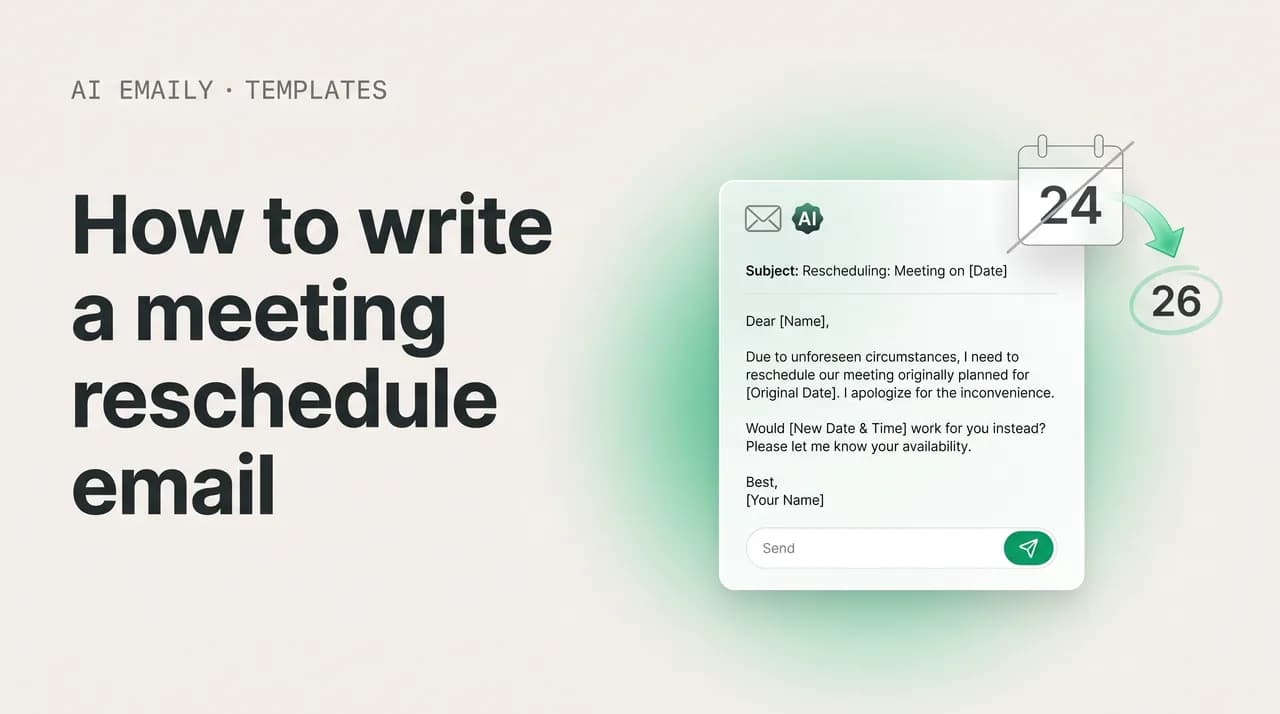
A reschedule meeting email works best when it's prompt, brief, and solution-first: name the meeting you're moving, give a short reason, and immediately propose two or three specific new times with the time zone. Apologize once — more for short notice — and promise a fresh invite. Reschedule, don't cancel, whenever you still want to meet.
How to write a reschedule meeting email that stays professional: etiquette, anatomy, 14 polite templates, a tone-and-timing table, and mistakes to avoid.
On this page
- 01Why does a reschedule meeting email matter more than you think?
- 02What is the etiquette of rescheduling a meeting?
- 03Should you reschedule or cancel the meeting?
- 04What is the anatomy of a polite reschedule meeting email?
- 05What are the best subject lines for a reschedule email?
- 0614 reschedule meeting email templates for every situation
- 071. Reschedule with advance notice (the standard)
- 082. Last-minute / same-day reschedule
- 093. Reschedule with a client
- 104. Reschedule with your boss
- 115. Reschedule because you're sick
- 126. Reschedule due to an emergency
- 137. Reschedule due to a calendar conflict (double-booking)
- 148. Propose three specific new times
- 159. Reschedule a recurring meeting (one instance)
- 1610. Reschedule a recurring meeting (change the series)
- 1711. Postpone a meeting indefinitely
- 1812. Reschedule an appointment (service or external)
- 1913. Reschedule on behalf of someone else
- 2014. Cancel a meeting (when rescheduling isn't right)
- 21How should tone and timing change with the situation?
- 22How much should you explain when you reschedule?
- 23What mistakes should you avoid when rescheduling a meeting?
- 24How does AI Emaily handle rescheduling for you?
- 25Putting it all together
Why does a reschedule meeting email matter more than you think?#
A meeting you have to move is one of the most ordinary things in working life. A conflict appears on your calendar, a flight gets delayed, a child comes home sick, a client pushes a deadline, or two priorities collide and one of them has to give. The meeting itself moving is not the problem — calendars shift constantly, and everyone you work with knows it. What people actually judge is the email you send when it happens. A clean, prompt, considerate reschedule email reads as competence and respect for their time. A vague, last-minute, or apology-soaked one reads as disorganization, even when the underlying reason is perfectly reasonable.
That is the quiet leverage in this small email. Rescheduling done well can genuinely strengthen a working relationship, because it signals that you take the other person's calendar as seriously as your own — you noticed the conflict early, you said so plainly, and you did the work of proposing new times rather than dumping that work on them. Rescheduling done badly does the opposite: it tells the recipient that their afternoon was held hostage to your indecision, that you'll explain everything except a new time, or that you only thought to mention it ten minutes before the call. The words are nearly the same in both cases. The difference is structure, timing, and tone.
It helps to be precise about what a reschedule meeting email is and is not, because that is where most of them go wrong. It is not a cancellation — rescheduling keeps the commitment alive, says "I still want to meet, just at a different time," and is almost always the better move when the conversation still needs to happen. It is not an apology letter, even though one short apology belongs in it; the moment the email becomes three paragraphs of contrition, it has lost the plot. And it is not a request for the recipient to solve your scheduling problem — "when are you free?" hands them the work and guarantees a round of back-and-forth. At its core, a good reschedule email does three things: it tells the recipient the meeting is moving, it gives a brief honest reason, and it proposes specific new times. Everything else is trimming.
There is a real cost to getting this wrong, and it is mostly the cost of friction. A reschedule email with no proposed times kicks off an exchange of four or five messages just to land on a slot you could have offered up front. A reschedule that arrives too late leaves the other person to discover the change when they're already dialing in or sitting in a room. A reschedule buried at the bottom of a long unrelated thread gets missed, and then someone shows up to a meeting that isn't happening. Each of these is a small failure of consideration, and small failures of consideration are exactly what colleagues, bosses, and clients remember about who is easy to work with and who is not.
This guide covers the etiquette that separates a good reschedule from a clumsy one — how much notice to give, when to apologize and how much, how to propose alternatives, and why brevity is a feature rather than a shortcut. It walks through the anatomy of the email step by step, then gives you fourteen copy-paste templates for the situations that actually come up: advance notice, last-minute and same-day moves, rescheduling with a client, rescheduling with your boss, calling in sick, an emergency, a calendar conflict, proposing three concrete times, moving a recurring meeting, and the case where you should cancel rather than reschedule. It closes with a tone-and-timing table, a callout on how much to explain, the mistakes that quietly undo a reschedule, and — for the days when this stops being one email and becomes ten — how an AI email client can take the scheduling work off your plate.
What is the etiquette of rescheduling a meeting?#
Before any template, it's worth internalizing the handful of principles that make every reschedule email work. They are not complicated, and they all flow from a single idea: a meeting is a shared commitment, and moving it spends a little of the other person's time and planning. Good etiquette is simply minimizing that cost and acknowledging it. Get these four things right — notice, apology, alternatives, and brevity — and the specific wording almost takes care of itself.
The first and most important rule is to send the email as soon as you know. The instant a conflict is real, tell the other person. Notice is the single biggest lever you have, because it converts your scheduling problem into something they can absorb easily rather than something they have to scramble around. Telling a colleague on Monday that Thursday's meeting needs to move is a non-event; telling them at 9:50 for a 10:00 meeting is a disruption. As a rough standard, aim to give at least a full day's notice wherever you possibly can — and when you genuinely can't, acknowledge the short notice directly rather than pretending it's normal. Early notice also signals that you were paying attention to your calendar, which is itself reassuring to the person on the other end.
The second rule is to apologize, but in proportion. One sincere line acknowledging the inconvenience is professional and humane: "Apologies for the change." Three apologies start to read as anxiety rather than courtesy, and they bloat an email that should be short. The amount of apology should scale with the disruption you're causing. A reschedule sent a week out barely needs more than a light "sorry for moving this." A same-day reschedule, where the other person may have already prepared or rearranged their day, warrants a clearer, warmer acknowledgment — "I'm sorry for the short notice" — because the cost to them is real. Calibrate the apology to the cost, and never let it crowd out the part that actually helps: the new times.
The third rule, and the one most people skip, is to propose specific alternatives. Do not ask "when works for you?" and leave it there. That sentence feels polite but is actually the least helpful thing you can write, because it transfers all the scheduling labor to the recipient and guarantees back-and-forth. Instead, offer two or three concrete options — "Would Tuesday at 2 p.m. or Wednesday at 10 a.m. work?" — and always include the time zone if there's any chance of ambiguity. Specific options show you've done the thinking, respect their time, and let them reply with a single word. If you genuinely have wide-open availability, it can help to say so and still anchor it with a couple of suggestions plus a link to your calendar, so they have a default rather than a blank.
The fourth rule is to keep it brief. A reschedule email is a logistics message, not an essay. The recipient needs to know three things — the meeting is moving, roughly why, and what the new options are — and almost everything beyond that is padding. Brevity is not rudeness here; it's a courtesy, because a short, scannable email is easier to act on than a long one. Resist the urge to over-explain the reason (more on that below), to stack apologies, or to narrate your week. Say what's happening, offer the times, thank them, and close. The discipline of keeping it short is what makes the email feel respectful rather than self-absorbed.
There's a fifth principle that sits underneath the other four and is easy to forget in the moment: close the loop. A reschedule isn't finished when you've proposed times — it's finished when a new time is agreed and a fresh calendar invite is sitting on both your calendars. The gap between "we said Tuesday" and an actual updated invite is where reschedules quietly fail: the old invite still fires its reminder, someone half-remembers the new time wrong, or two people each assume the other will resend it. The moment the recipient picks a slot, update the invite — with the new time, the agenda, and any changed video link — and the change is locked in writing rather than living in a buried email thread. It's the least glamorous step and the one that most often gets skipped.
- Send it the moment you know. Notice is your biggest lever — a day or more is the goal; same-day requires a clear acknowledgment of the short notice.
- Apologize once, in proportion. One sincere line, scaled to the disruption. Skip the triple apology; it reads as anxiety and bloats the email.
- Propose specific times, not "when are you free?" Offer two or three concrete options with the time zone, so they can reply in one word.
- Keep it brief. Three facts — moving, why, new options — plus a thank-you. Brevity is a courtesy, not a shortcut.
- Reschedule rather than cancel when you still want to meet. Moving the time keeps the commitment alive; canceling ends it.
- Confirm the new time and send a fresh calendar invite once they reply, so nothing falls through the cracks.
Notice beats apology every time
Should you reschedule or cancel the meeting?#
Before you write anything, decide which email you're actually sending, because rescheduling and canceling are different messages with different etiquette. The distinction is simple: rescheduling keeps the commitment alive — you're saying "I still want to meet, at a different time" — while canceling ends it, at least for now. Reschedule whenever the conversation still needs to happen and you intend to have it; that's the default, and it's almost always the more relationship-preserving choice because it keeps things moving forward rather than leaving them in limbo.
Cancel — rather than reschedule — when the meeting's purpose has genuinely evaporated. If a decision got made over email, if the project was shelved, if the agenda items resolved themselves, or if the meeting was a "let's sync if needed" that turned out not to be needed, then canceling cleanly is more respectful than forcing a reschedule onto everyone's calendar for a conversation no longer worth having. Pretending you'll reschedule when you have no intention to is its own small dishonesty — it leaves a phantom commitment hanging that the other person has to chase or quietly write off.
The reason the distinction matters for the email is that the two require different things from you. A reschedule must propose new times — that's its whole job. A cancellation must explain why the meeting is no longer needed, and, if anything still needs to happen, say how it will be handled instead ("I'll send the decision by email" or "let's pick this up at our regular Thursday sync"). Canceling without explanation reads as flaky; canceling with a clear reason and an alternative path reads as efficient. There's a template for the cancel-don't-reschedule case further down, because it's a genuinely common situation that people often handle as a reluctant, low-energy reschedule when a confident cancellation would have served everyone better.
Don't reschedule a meeting that should be canceled
What is the anatomy of a polite reschedule meeting email?#
A reschedule email looks trivial, and the best ones are short. But there's a reliable structure underneath the good ones that makes them land as considerate rather than careless. The framework below works for nearly any situation — advance notice, last-minute, a client, your boss, a recurring meeting — because it maps onto exactly what the recipient needs: to know the plan changed, to understand briefly why, and to be handed an easy way to lock in a new time. Work through these steps in order and the email almost writes itself. Notice how short each piece is; the whole message should usually fit in five or six lines.
- 1
Write a clear subject line that signals the change
Make the subject line do its job before the email is opened: "Request to reschedule: Q3 planning (Thursday)." Use an action word — rescheduling, moving, changing, postponing — and reference the meeting and its original day so it's instantly recognizable in a busy inbox. Keep it under about 50 characters so it survives on mobile. Avoid vague or alarming lines like "Quick question," "We need to talk," or just "Meeting."
- 2
Open with the recipient and the meeting you're moving
Greet them and name the specific meeting right away, including its current date and time: "Hi Priya — I need to reschedule our Q3 planning meeting set for Thursday at 2 p.m." Don't make them guess which of several meetings you mean. Stating it up front orients the reader instantly and signals that you're being straightforward rather than burying the news.
- 3
Give a brief, honest reason
One sentence is enough: "A scheduling conflict has come up on my end" or "I'm out sick today." You owe the recipient a credible reason, but not a detailed one — over-explaining draws more attention to the inconvenience and can sound defensive. Keep it true, keep it short, and don't manufacture an elaborate story. For sensitive reasons, "a personal matter" is a perfectly acceptable, dignified explanation.
- 4
Apologize once, scaled to the disruption
Add a single line acknowledging the inconvenience: "Apologies for the change." Scale it to the notice — a reschedule a week out barely needs it, while a same-day move warrants a clearer "I'm sorry for the short notice." One sincere apology is professional; stacking three reads as anxious and pads the email. Say it once and move to the helpful part.
- 5
Propose two or three specific new times
This is the heart of the email. Offer concrete options — "Would Tuesday at 10 a.m. or Wednesday at 3 p.m. work? (both ET)" — rather than asking "when are you free?" Always include the time zone if there's any chance of confusion. Specific options do the scheduling work for the recipient and let them reply with one word. If your calendar is wide open, say so and still anchor it with a couple of suggestions or a booking link.
- 6
Reaffirm the meeting's value and any prep
Where it helps, signal that you still want the conversation and that nothing's lost: "I still want to walk through the budget with you — just need to find a better slot." If there was an agenda or prep, note that it carries over. This reassures the recipient that the reschedule is logistical, not a soft signal that you're deprioritizing them.
- 7
Close with thanks and a promise to confirm
End with a brief thank-you for their flexibility and a commitment to lock it in: "Thanks for your understanding — I'll send an updated invite as soon as you let me know what works." Then actually do it: once they reply, send a fresh calendar invite with the new time, agenda, and any updated link, so the change is confirmed in writing and nobody shows up at the old time.
Send the reschedule as its own email
What are the best subject lines for a reschedule email?#
The subject line is the first thing the recipient sees, and for a reschedule it has one job: make the change unmistakable before the email is even opened. A good reschedule subject line names the meeting, signals that the time is moving, and ideally hints at the new plan. The most reliable formula is an action word plus the meeting plus the original day — "Rescheduling our Thursday 1:1" or "Request to reschedule: client kickoff (Wed)." Action words like rescheduling, moving, changing, and postponing instantly classify the email so the reader knows what they're dealing with.
Keep it short — under roughly 50 characters so it doesn't get cut off on a phone, where most email is first read. Where it adds clarity, you can fold the proposed new time straight into the subject line: "Moving our 2pm to Thursday at 10?" does half the work of the email before it's opened. Just don't try to cram the whole message into the subject; the body still needs to carry the reason and the options.
There are subject-line mistakes worth avoiding because they actively work against you. Vague lines like "Meeting" or "Quick note" give the reader no reason to open promptly and risk the reschedule being missed. Alarming lines like "We need to talk" or "Urgent!!!" create anxiety wildly out of proportion to a calendar change. And an empty or generic subject on a reschedule is how people end up showing up to a meeting that's been moved. The table below maps common scenarios to subject lines you can adapt — swap the brackets for your real details.
| Situation | Subject line example | Why it works |
|---|---|---|
| Advance notice | Request to reschedule: [meeting] on [day] | Clear, specific, signals the change politely |
| Last-minute / same day | Need to move our [time] meeting today | Urgent but calm; flags the timing honestly |
| With a client | Rescheduling our [project] call — new times inside | Professional, solution-forward, reassuring |
| With your boss | Quick reschedule of our [day] 1:1 | Light and direct; respects their time |
| Out sick | Out sick today — rescheduling our [meeting] | Explains and resolves in one line |
| Calendar conflict | Conflict on [day] — can we move [meeting]? | Names the cause; invites a quick fix |
| Proposing a new time | Moving our [time] to [day] at [time]? | Folds the proposed slot into the subject |
| Recurring meeting | This week's [meeting] — moving to [day] | Scopes it to one instance, not the series |
| Postponing indefinitely | Postponing [meeting] — will follow up to reschedule | Honest that no new time is set yet |
| Canceling, not moving | Canceling [meeting] — [no longer needed/handled by email] | Right-sized; doesn't pretend a reschedule |
Put the new time in the subject when you can
14 reschedule meeting email templates for every situation#
Below are fourteen templates covering the reschedules that come up most, from a relaxed week-out notice to a same-day emergency. Treat them as starting points, not scripts. Swap in the bracketed details, cut anything that doesn't fit your voice or the facts, and resist sending any of them verbatim — a reschedule reads best when it's plainly yours. Each one follows the same backbone: name the meeting you're moving, give a short reason, apologize in proportion, and propose specific new times. Keep them short; if a reschedule email runs long, it usually means the reason or the apology has crept past where it needs to be.
1. Reschedule with advance notice (the standard)#
The everyday case, and the easiest: you've spotted a conflict days ahead and you're moving the meeting with plenty of notice. Because the disruption is minimal, this email can be light — a quick heads-up, a one-line reason, a couple of new times, and you're done. This is the template to reach for whenever none of the more specific scenarios below applies.
2. Last-minute / same-day reschedule#
When you have to move a meeting on the day it's happening, the etiquette shifts: the other person may already be prepping or have rearranged their schedule, so the apology gets warmer and the email more direct. Acknowledge the short notice honestly, give a brief reason, and offer new times right away. For an important meeting on very short notice, it's worth following up your email with a quick message or call so they definitely see it before the original time.
3. Reschedule with a client#
Rescheduling with a client carries a little more weight, because you're protecting a relationship and signaling reliability. Keep it polished and confident rather than over-apologetic — clients want to feel their time is respected, not to watch you grovel. Reaffirm that you value the conversation, give a brief professional reason, and make rescheduling effortless with specific options and a calendar link.
4. Reschedule with your boss#
When you're moving a meeting with your manager, keep it short, direct, and low-drama — they have a full calendar and will appreciate efficiency over a long apology. State the conflict plainly, propose times that work around their schedule, and signal that you're on top of it. If you're rescheduling a recurring 1:1, make clear it's just this instance, not a request to drop the cadence.
5. Reschedule because you're sick#
Calling in sick and moving a meeting is one of the most common reschedules, and it should be quick and guilt-free. You don't owe anyone a symptom report — "I'm unwell today" is plenty. Keep it short, propose moving it out a day or two so you have room to recover, and don't over-apologize; being sick is not a failing. If you're too unwell to suggest times, it's fine to say you'll follow up once you're back.
6. Reschedule due to an emergency#
An emergency reschedule is the one situation where almost any brevity is forgiven. You don't need to explain the emergency — "an urgent personal matter" or "a family emergency" is enough, and most people will instantly understand. Send something the moment you can, even a single line, and offer to follow up with new times once things settle. The priority is simply letting people know you won't be there, not crafting a polished message.
7. Reschedule due to a calendar conflict (double-booking)#
Double-bookings happen to everyone, and naming the cause plainly is the most graceful way to handle it — there's nothing embarrassing about two things landing in the same slot. Keep it matter-of-fact, take ownership of the fix by offering new times, and avoid a drawn-out apology. The recipient cares far more about the new options than about how the clash occurred.
8. Propose three specific new times#
When you want to eliminate back-and-forth entirely, lead with concrete options. Offering three specific time windows — ideally spread across different days and parts of the day — gives the recipient real choice while still doing the scheduling work for them. This is the single most efficient way to reschedule, because the reply can be a one-word "Tuesday." Always include the time zone, and keep the surrounding text minimal so the options stand out.
9. Reschedule a recurring meeting (one instance)#
When you need to move a single occurrence of a standing meeting, the most important thing is to make crystal clear that you're moving just this one instance, not changing the series. Otherwise people wonder whether the regular cadence is in question. Reference the specific date, confirm the standing slot continues as normal, and propose a one-off alternative. As a rule, avoid moving recurring meetings often — doing so repeatedly undermines the whole point of having a reliable cadence.
10. Reschedule a recurring meeting (change the series)#
Sometimes the standing time itself no longer works and you need to shift the whole series. This is a bigger ask than a one-off, so give plenty of notice, explain the reason, and — because it affects everyone's recurring calendar — invite input rather than dictating. Confirm the new slot clearly once there's agreement, and update the recurring invite so the change sticks for every future occurrence.
11. Postpone a meeting indefinitely#
Occasionally you need to push a meeting without a firm new date — a project is paused, you're waiting on information, or priorities have shifted but the conversation still matters. Be honest that you're not proposing a specific time yet, explain briefly why, and commit to following up so it doesn't vanish into limbo. The key is not to leave the recipient guessing whether the meeting will ever happen.
12. Reschedule an appointment (service or external)#
Rescheduling an appointment — a demo, an interview slot, a consultation, a service booking — follows the same rules but tends to be a touch more formal, since you may not know the recipient well. Reference the appointment clearly, give a brief reason, and offer specific alternatives or a booking link. Politeness and clarity matter most when there's no existing rapport to fall back on.
13. Reschedule on behalf of someone else#
If you're moving a meeting for your boss, an executive, or a colleague, keep it clear who the meeting is with, who you're writing on behalf of, and that you're empowered to find a new time. Be efficient and gracious — you're representing someone else's professionalism as well as your own. Offer specific options from their calendar so the recipient doesn't have to wait on a second round of coordination.
14. Cancel a meeting (when rescheduling isn't right)#
When the meeting's purpose has genuinely gone away, cancel cleanly rather than forcing a reschedule. The etiquette here flips: instead of proposing new times, you explain why the meeting is no longer needed and, if anything still has to happen, how it'll be handled instead. A confident cancellation with a clear reason and an alternative path reads as efficient and considerate — far better than a half-hearted reschedule for a conversation nobody actually needs.
How should tone and timing change with the situation?#
A reschedule email isn't one-size-fits-all. The same change can need a feather-light note or a careful, warmer one depending on who you're writing to and how much notice you're giving. Two variables drive almost all of it: how much notice you have (more notice means less apology and lower stakes) and the relationship (a peer reschedule can be casual; a client or formal appointment calls for more polish). Get those two readings right and the tone follows. The table below maps common situations to the notice, tone, and apology level that fit — use it as a quick gut-check before you hit send.
The throughline is proportionality. The apology should scale with the disruption, not with your own discomfort — a week's notice barely needs a "sorry," while a same-day move warrants a clear one. The formality should scale with the relationship, not with the size of the meeting. And the urgency of delivery should scale with how soon the meeting is: an advance reschedule can sit in the inbox until they read it, but a same-day one may need a nudge by message or call to make sure it's seen in time. Match these dials to the situation and even a tricky reschedule comes across as considerate.
| Situation | Notice to aim for | Tone | Apology level |
|---|---|---|---|
| Advance reschedule (days out) | As early as possible | Light, matter-of-fact | Minimal — one brief line |
| Same-day / last-minute | ASAP + a nudge by message | Direct, warm, apologetic | Clear — acknowledge short notice |
| With a client | As early as possible | Polished, confident, reassuring | Brief and professional |
| With your boss | ASAP | Short, efficient, low-drama | Light — one line |
| Out sick / emergency | The moment you can | Honest, brief, guilt-free | Brief — no over-explaining |
| Recurring (one instance) | Early | Casual, clear it's a one-off | Minimal |
| Recurring (whole series) | Plenty of notice | Collaborative, invite input | Light — frame as finding a better slot |
| Formal appointment | As early as possible | Polite, slightly formal | Brief and courteous |
| Canceling outright | As early as possible | Confident, clear | Brief — explain why it's not needed |
Read the two dials before you write
How much should you explain when you reschedule?#
One of the most common questions about reschedule emails is how much of the reason to share — and the honest answer is: less than you think. You owe the recipient a credible reason, but not a detailed one. A single honest sentence is the sweet spot: "A conflict has come up on my end," "I'm out sick today," "An urgent matter needs my attention." Over-explaining backfires in two ways. It draws more attention to the inconvenience you're causing, and a long, detailed justification can read as defensive or even less believable — people rarely narrate the full story behind something genuinely routine.
There's also a privacy dimension. You are never obligated to disclose personal or sensitive details to reschedule a meeting. "A personal matter" and "a family emergency" are complete, dignified explanations that need no elaboration, and any reasonable person will accept them without follow-up questions. The same goes for health: "I'm unwell" requires no symptom list. Sharing more than you're comfortable with, in an attempt to seem more legitimate, almost always makes the email worse, not better.
The flip side is that vagueness with no reason at all can read as flaky — "I need to move our meeting" with zero context invites the silent question "why?" The fix isn't more detail; it's one honest, brief reason. The amount can also scale slightly with the relationship and stakes: a same-day reschedule with an important client might warrant a touch more reassurance ("an unavoidable conflict I genuinely can't move") to signal it's not casual, while a quick move of an internal sync needs nothing beyond "a conflict came up." When in doubt, give one true sentence and spend the rest of your words on the new times.
It's also worth resisting the temptation to inflate the reason to make the reschedule sound more justified. Manufacturing an elaborate excuse — a string of misfortunes, a dramatic crisis — is both unnecessary and risky: it's harder to keep consistent, it can sound rehearsed, and it sets an expectation that you'll always have a compelling story. Routine conflicts don't need a compelling story; they need a calm sentence. "Something's come up that I have to handle" is more credible than a paragraph precisely because it's the kind of plain thing busy people actually say. The reader almost never scrutinizes a brief, reasonable reason — they scrutinize an oddly detailed one. Treat the reason as a courtesy you tick off in passing, not as a case you have to win, and the whole email stays lighter and more believable.
One honest sentence is enough
What mistakes should you avoid when rescheduling a meeting?#
Most reschedule emails fail in a handful of predictable ways, and nearly all of the failures come down to making the change harder for the recipient than it needs to be — or making it about you rather than about getting to a new time cleanly. A reschedule is fundamentally a courtesy: you're spending a little of someone's time and planning, and your job is to minimize that cost. Here are the mistakes that quietly turn a routine reschedule into an annoyance, and what to do instead.
- Sending it too late. The single biggest failure. A reschedule that arrives minutes before the meeting — or after it's started — disrupts the other person's day. Send it the moment you know.
- No proposed times. Asking "when are you free?" and stopping there hands all the scheduling work to the recipient and guarantees back-and-forth. Always offer two or three specific options.
- Over-apologizing. Stacking three or four apologies reads as anxious and buries the useful part. One sincere line, scaled to the disruption, is enough.
- Over-explaining the reason. A long, detailed justification draws attention to the inconvenience and can sound defensive. One honest sentence does the job.
- Forgetting the time zone. Proposing "2 p.m." to someone in another region invites confusion or a missed meeting. Always include the zone when there's any ambiguity.
- Burying it in a long thread. A reschedule tacked onto an unrelated chain gets missed, and then someone shows up to a meeting that isn't happening. Send it as its own clearly subject-lined email.
- Being vague about which meeting. "I need to move our meeting" forces the recipient to figure out which one. Name the meeting and its original date and time.
- Rescheduling a recurring meeting without scoping it. Moving "the standup" without saying it's just this week makes people wonder whether the whole cadence is changing.
- Not confirming the new time. Agreeing on a slot and never sending an updated invite leaves the change unconfirmed. Always follow up with a fresh calendar invite.
- Rescheduling when you should cancel (or vice versa). Forcing a reschedule onto a dead meeting, or canceling one that still needs to happen, wastes everyone's time. Pick the right message.
"When are you free?" is the costliest line
How does AI Emaily handle rescheduling for you?#
Everything above is doable by hand — the catch is doing it well every time, fast, in your own voice, across the steady trickle of reschedules a normal work week produces. A conflict appears, and now you're context-switching to draft the email, check three calendars for times that actually work, write it in the right tone for that particular client or boss, and remember to send the updated invite afterward. None of it is hard; all of it is friction. That's the gap AI Emaily is built to close. AI Emaily is an autonomous AI email client that works with every provider — Gmail, Outlook, iCloud, Fastmail, Proton, and any IMAP inbox — so it fits the email and calendar you already use rather than asking you to switch.
Rescheduling is one of the clearest places it helps, because the work is so mechanical. Its scheduling agent can look at your availability, find the open windows that genuinely work, and draft a reschedule email that proposes two or three concrete times with the right time zone — already written in your voice, with the apology scaled to how much notice you're giving. Instead of you hunting across calendars and wording the note, you get a finished draft that does the considerate thing automatically: names the meeting, gives a brief reason, offers real options, and reads like you wrote it. When the other person replies with a time, it can re-propose and lock in the new slot and send the updated invite, closing the loop you'd otherwise have to remember yourself.
Because anything that touches your calendar and your contacts is sensitive, AI Emaily keeps you firmly in control. In Copilot mode, every reschedule it drafts waits for your approval before it sends — you read it, tweak the times or the tone, and send it yourself, with nothing going out behind your back. For the routine cases you'd rather not think about, you can let Autopilot handle more of the back-and-forth, and every action is backed by undo and a full audit trail, so you can always see exactly what was sent and reverse it if needed. For rescheduling, that human-approval default is exactly right: the agent does the tedious calendar work and the drafting, and you keep the final say on who you're moving and when.
AI Emaily is free to start at $0, with a Pro plan at $12.42 per month billed annually for higher volume and the full scheduling and tone toolkit. If you find yourself rescheduling constantly — juggling time zones, hunting for slots, rewriting the same polite note in a dozen variations — it's a fast way to turn each one into a glance-and-approve instead of a five-minute task. You can create an account at app.aiemaily.com/signup and let it draft your next reschedule in a couple of minutes.
Let the scheduling agent find the times
Putting it all together#
A reschedule meeting email is a small message that does a surprising amount of work on your reputation. Almost none of its value comes from clever phrasing; it comes from speed, structure, and proportion. Send it the moment you know, so your conflict becomes something the other person can absorb rather than scramble around. Name the meeting you're moving and give one honest, brief reason — not the full story. Apologize once, scaled to the disruption. And then do the part that actually helps: propose two or three specific new times, with the time zone, so the recipient can reply in a single word instead of starting a back-and-forth.
The templates here cover the situations that come up most — advance notice, last-minute, a client, your boss, sickness, an emergency, a conflict, a recurring meeting, and the case for canceling instead — but treat them as scaffolding rather than scripts. The reschedule that lands best is always the one that's brief, considerate, and plainly yours. Decide first whether you're rescheduling or canceling, read the two dials of notice and relationship to set your tone, and always close the loop with an updated invite once the new time is agreed. Whether you write each one by hand or let an AI email client find the times and draft the note, the principle doesn't change: a meeting moving is normal, and handled with a little speed and consideration, the email that moves it can leave you looking more reliable, not less.
Frequently asked
See it in AI Emaily
Keep reading
Sources

Written by
Nafiul HasanNafiul Hasan is an entrepreneur and AI automation system builder with 10+ years of experience turning messy, manual workflows into reliable automated systems. He designs and ships AI enterprise solutions end-to-end — the agent logic, the data plumbing, and the product people actually use — and founded AI Emaily to give busy professionals their attention back. He writes here from the builder's seat: what works, what breaks, and how to put AI to work without giving up control.