Inbox Zero vs Email Batching: Which System Fits How You Work?

The short answer
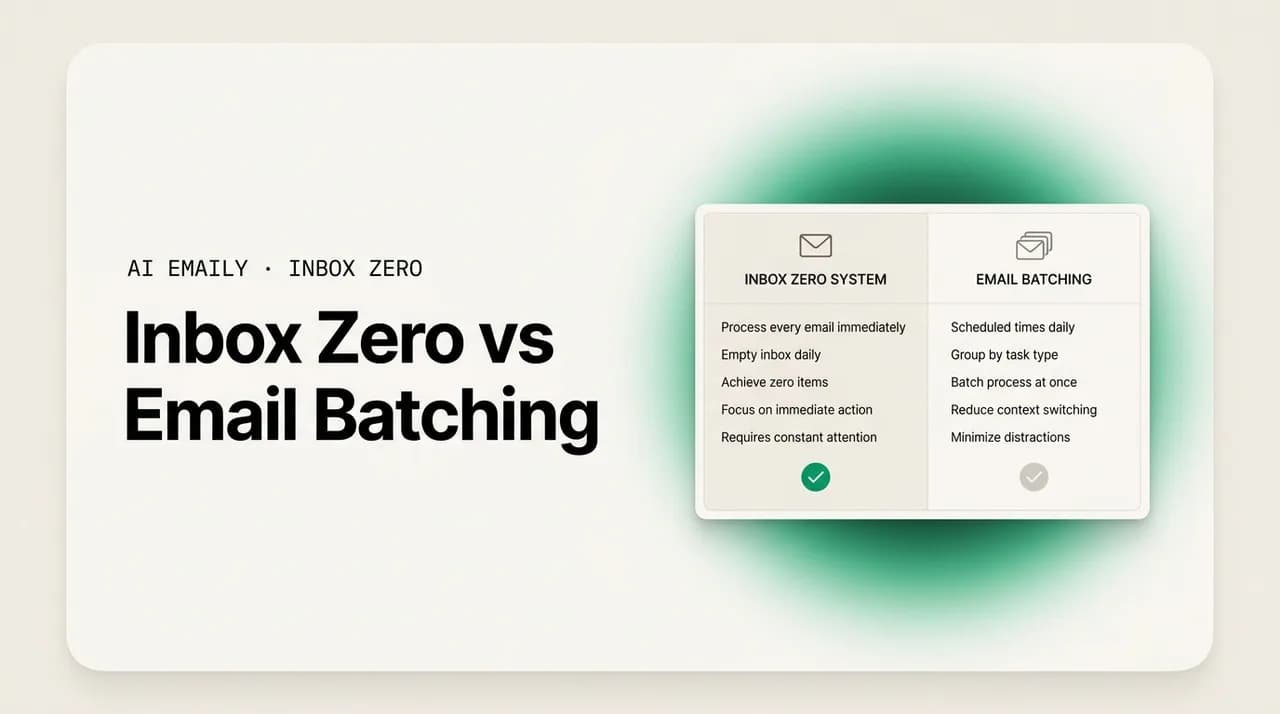
Inbox zero vs email batching is not a choice between rivals. Inbox zero is about the end state of your inbox — every message decided. Batching is about the timing of your attention — checking in a few set blocks, not constantly. They answer different questions, and the strongest system combines them: batch your processing sessions to reach zero.
Inbox zero vs email batching: how the two methods differ, the pros and cons of each, who each suits, and how to combine them by batching your way to zero.
On this page
- 01What is inbox zero, in one line?
- 02What is email batching, in one line?
- 03What are the key differences between inbox zero and email batching?
- 04Where do inbox zero and email batching overlap?
- 05What are the pros and cons of inbox zero?
- 06What are the pros and cons of email batching?
- 07Who is inbox zero best for?
- 08Who is email batching best for?
- 09Inbox zero or email batching — which one is better?
- 10Can you combine inbox zero and email batching?
- 11How do you build a combined system that reaches zero in batches?
- 12How does AI Emaily support either method, or both?
- 13AI triage makes batching safe and processing fast
- 14Bulk actions make reaching zero realistic at volume
- 15Voice and AI drafting make each block move faster
- 16The bottom line: inbox zero vs email batching
Search for a better way to handle email and two names come up again and again: inbox zero and email batching. They get mentioned in the same breath, recommended by the same productivity writers, and presented, often, as if you have to pick a side. People ask which one is better the way they might ask whether to learn Python or JavaScript first, as though choosing one closes the door on the other. So they read about both, feel a low hum of indecision, and end up doing neither, drifting back to the only method they ever really had, which is checking the inbox whenever it crosses their mind and hoping the pile gets smaller on its own.
Here is the thing almost nobody says clearly up front, and it is the single most useful sentence in this entire guide: inbox zero and email batching are not competitors. They are not two answers to the same question. They are answers to two different questions that happen to sit next to each other. Inbox zero is about the state your inbox ends up in — empty, or close to it, with a clear decision made on every message. Email batching is about the timing of your attention — when you open the inbox at all, and how often. One is about what you do with each email. The other is about when you deal with email in the first place. Once you see that, the supposed rivalry dissolves, and a far more interesting possibility opens up: you can run both at once, and the combination is stronger than either alone.
This guide is the honest, complete comparison. We will define each method in a single line, then lay them side by side across the things that actually differ: goal, cadence, how you measure success, and who each one fits. We will give a fair accounting of the pros and cons of each, including the criticisms serious people level at both, and work through who each genuinely suits with real scenarios rather than vague personas. Then we get to the part that matters most — the truth that the two methods combine, with a concrete system for batching your processing sessions to reach zero. Finally, we look at how an AI email client like AI Emaily supports either method, or both at once, because the triage, bulk actions, and drafting that modern AI brings to the inbox are exactly what makes any of these systems sustainable instead of a discipline you abandon by Wednesday. By the end you will not be asking which one to pick. You will know how to combine them, and how to make the combination keep itself.
What is inbox zero, in one line?#
Inbox zero is a method for processing email so that every message gets a decision and nothing lingers undecided — the goal being not an empty screen for its own sake, but an inbox with no open loops pulling at your attention.
That one line hides a famous misunderstanding, and it is worth clearing up before we compare anything. Most people think inbox zero means literally zero emails in the inbox: a clean, empty mailbox, the unread count sitting proudly at nothing. That is the popular version, and it is not what the term originally meant. The phrase was coined by Merlin Mann around 2006, and he was explicit that the "zero" referred to the amount of time your brain spends stuck in your inbox, not the number of messages in it. An inbox with forty messages can be at inbox zero in Mann's sense, as long as every one of those messages has been processed — decided about, scheduled, delegated, or deliberately set aside — so none of them is an open question nagging at you.
In practice, the empty inbox and the calm mind tend to arrive together, which is why the two versions blur. When you make a real decision on every message, most of them leave the inbox — archived, deleted, filed, or answered — and the screen ends up close to empty. So the popular shorthand is not wrong so much as it mistakes the side effect for the goal. The discipline at the heart of inbox zero is this: you touch each message and decide what happens to it, rather than letting it sit half-read while you circle back to it twelve times a day. The classic framing, from Mann and from David Allen's Getting Things Done before him, is a small menu of actions — delete, delegate, respond, defer, do — applied to every message until the inbox is clear. For the full treatment and its five actions, our guide to the inbox zero method goes deep; here, the one-line version is enough.
Inbox zero is about state, not count
What is email batching, in one line?#
Email batching is the practice of checking and handling your email in a few set blocks each day — usually two or three — instead of reacting to it continuously, so your attention stays on focused work in between.
Where inbox zero is about the destination, batching is about the schedule. The core move is to stop treating your inbox as a live feed that interrupts you whenever a message lands, and start treating it as a task you sit down to do at planned times. You open it, work through what arrived since the last block, and then close it again. Between blocks, the inbox is shut and notifications are off. The word borrows from the broader productivity idea of task batching: grouping similar work so you do it together rather than scattering it across the day, because switching between unlike tasks carries a hidden cost every time you do it.
The reason batching has so much evidence behind it is interruption math. Gloria Mark, a professor of informatics at UC Irvine, found that after an interruption it takes a worker an average of about 23 minutes to return to the original task. The average worker checks email dozens of times a day — research has put the number around 74 — so the cost is not the few minutes of reading, it is the constant tax of switching in and out. Batching does not make that switch cheaper; it makes you pay it two or three times a day instead of seventy. A landmark study by Kostadin Kushlev and Elizabeth Dunn at the University of British Columbia limited people to three email checks a day for a week and found significantly lower stress as a result. For the full schedule-building treatment, see our guide to email batching.
Email batching is about timing, not the inbox state
What are the key differences between inbox zero and email batching?#
Now that each method has a clean definition, the differences come into focus. The simplest way to hold them in your head is that they answer different questions. Inbox zero answers "what do I do with each email?" Batching answers "when do I deal with email at all?" One is a rule about handling; the other is a rule about timing. You can follow either without the other, which is exactly why they are not in conflict.
The table below lays out the contrast across the four dimensions that actually matter when you are deciding how to work: the goal each method pursues, the cadence it imposes on your day, how you would measure whether you are succeeding, and who each one tends to fit best.
| Dimension | Inbox zero | Email batching |
|---|---|---|
| Goal | Every message decided; no open loops left in the inbox | Protected focus; fewer interruptions across the day |
| Cadence | Whenever you process — could be once, could be often | A fixed number of set blocks, usually 2-3 a day |
| What you measure | Is the inbox processed to a decision (often, to empty)? | How many times a day did you open the inbox? |
| Core discipline | Touch each message once and make a decision | Keep the inbox closed between blocks |
| Best for | People who need closure and hate undecided items | People wrecked by constant checking and context switching |
The "what you measure" row is the cleanest way to tell the two apart. If your scoreboard is the state of your inbox at the end of a session — is it clear, is every message decided — you are thinking like an inbox zero person. If your scoreboard is how many times you cracked the inbox open across the day, you are thinking like a batcher. They are genuinely different scoreboards, and a person can be winning on one while losing badly on the other.
Picture two colleagues. The first, Maya, ends every day at a spotless inbox, not one message left undecided. But she gets there by checking email every ten minutes all day, fielding each message the instant it arrives. By the inbox zero scoreboard she is a champion; by the batching scoreboard she is a disaster, her day shredded into fragments with never a clean hour of deep work. The second, Tom, checks email only three times a day and protects long stretches of focus beautifully. But his inbox holds two hundred messages, many half-read, plenty undecided, a few important ones quietly rotting. By the batching scoreboard he is winning; by the inbox zero scoreboard he is drowning. Maya has timing wrong; Tom has handling wrong. Neither has a complete system. That gap — Maya needs batching, Tom needs inbox zero — is the entire argument for combining them.
Where do inbox zero and email batching overlap?#
For two methods that answer different questions, they share a surprising amount of DNA, and the overlap is why they pair so naturally. Both are reactions to the same underlying problem: an inbox left to run as a live, always-on feed quietly ruins your attention and your sense of control. Both reject the default of reacting to every message the moment it lands, and both ask you to be deliberate rather than reflexive about email. And both, done well, produce the same felt result — a mind that is not constantly half-occupied by the inbox.
There is also a practical mechanism they share, and it is the hinge the whole combination turns on. Inbox zero, in its original form, was never meant to be a continuous activity. Merlin Mann and the Getting Things Done lineage always described processing as something you do in dedicated sessions — you sit down, work through the inbox to decisions, and then stop. That is, almost word for word, what a batching block is. A batching block is a window set aside for email; an inbox zero processing session is a window set aside for working the inbox to a clean state. They describe the same container from two angles: batching defines its timing, inbox zero defines what you do inside it.
This is why the supposed rivalry is mostly an illusion created by people discussing each method in isolation. A pure batching article tells you when to check email but little about how to handle each message once you are in there. A pure inbox zero article tells you the five actions but often gives a vague instruction to do them "in batches" with no detail on the schedule. Each method has a hole exactly where the other is strong. Inbox zero tells you what to do but not when. Batching tells you when but not what. Snap them together and the holes disappear.
The shared container
What are the pros and cons of inbox zero?#
No method is free of trade-offs, and pretending otherwise is how people end up disillusioned. Inbox zero is genuinely powerful for the right person, and genuinely punishing for the wrong one. The honest version of its case looks like this.
On the upside, inbox zero delivers a mental closure that few other systems match. When every message has been decided, there are no open loops gnawing at the back of your mind — no half-remembered email you are pretty sure needed a reply, no creeping sense that something important is buried. For people who feel a low-grade anxiety whenever unread messages stack up, that closure is worth a great deal; the fully-processed inbox is a genuine relief, and for many it provides a small, reinforcing hit of satisfaction that makes the habit stick. It also forces a useful discipline: handling each message once, rather than reading it, leaving it, and re-reading it three more times, one of the quiet time-sinks of a neglected inbox. Done consistently, it cuts the re-handling tax that eats hours a week.
The downsides are real, and they are the source of every "inbox zero is a myth" article you have ever seen. The chase for an empty inbox can tip into the obsessive — refreshing constantly, treating any message left in the inbox as a personal failure, spending more energy maintaining the number than it is worth. At high volume it can become genuinely unrealistic: at two hundred messages a day, processing every one to a decision can eat a workday whole, and the empty inbox you achieve at 6 p.m. is gone again by 9 a.m. Critics like Cal Newport argue the pursuit of inbox zero can mistake busywork for progress, and that constant tending of an inbox is itself a form of the fragmentation it claims to solve. And a burnout pattern recurs: people hit inbox zero in a burst of motivation, find maintaining it is a harder challenge than reaching it once, and abandon the idea after a few exhausting weeks.
| Inbox zero — pros | Inbox zero — cons |
|---|---|
| Mental closure: no open loops nagging at you | Can become obsessive — emptiness treated as the goal itself |
| Relief for people anxious about unread piles | Unrealistic at very high volume; refills as fast as you clear it |
| Forces handling each message once, cutting re-reads | Maintaining it is harder than reaching it; burnout is common |
| A clear, satisfying definition of "done" | Risks mistaking inbox tidying for real, meaningful work |
The obsessive trap
What are the pros and cons of email batching?#
Batching has its own ledger, and it skews positive for most people, but it is not without friction. The honest case runs as follows.
The upside of batching is, above all, protected attention. By checking email in two or three blocks instead of seventy times a day, you reclaim the long, uninterrupted stretches that deep work depends on, and you stop paying the roughly 23-minute refocusing tax over and over. The evidence here is unusually strong for a productivity habit: the Kushlev and Dunn study tied a three-checks-a-day limit directly to lower stress and higher well-being, not just to a tidier inbox. Batching also tends to improve the quality of your replies, because you answer in a considered pass rather than firing off reflexive responses between other tasks. And it is forgiving — a single missed block does not unravel the system; you just pick it up at the next one. The discipline it asks for, keeping the inbox closed, is a single behavior, which is easier to hold than a constant stream of micro-decisions.
The cons are quieter but real. The most common is backlog anxiety: at high volume, a closed inbox fills between blocks, and the sight of fifty or eighty messages waiting at the start of a block can feel daunting even though you will clear them in one pass. Batching also does nothing, on its own, about how you handle each message — you can batch faithfully and still let messages pile up undecided, which is Tom's problem from earlier. There is the perennial fear of missing something urgent while the inbox is shut, the single most common reason people abandon batching within days. And for a small set of people — those with a strong need to respond immediately — a forced cut to a few checks a day can itself feel stressful, because they spend the gaps worrying about what is accumulating rather than enjoying the focus.
| Email batching — pros | Email batching — cons |
|---|---|
| Protects long stretches of focus; cuts the refocus tax | Backlog anxiety — the inbox fills between blocks |
| Strong evidence for lower stress (Kushlev & Dunn) | Says nothing about how to handle each message |
| Better-quality, considered replies | Fear of missing an urgent message while closed |
| Forgiving — one missed block does not break it | Hard for people with a strong need to reply instantly |
Most batching cons have one fix
Who is inbox zero best for?#
Methods do not work in the abstract; they work for particular people in particular situations. Inbox zero fits some like a glove and chafes badly on others. Here is who tends to thrive on it.
Inbox zero suits you if undecided messages genuinely bother you — if an inbox with unread or unresolved items sitting in it creates a background anxiety you cannot shake until it is cleared. For these people, the closure of a processed inbox is not a vanity metric; it is the thing that lets their mind settle. It also suits completionists, people wired to finish what they start, who find a half-done inbox more stressful than a full one they have decided about. If you procrastinate because you feel overwhelmed by a pile of undecided items, the act of deciding on each one, even if the decision is "defer" or "delete," can be the release that lets you move on.
It tends to suit moderate-volume inboxes more than firehose ones: from a handful to a few dozen messages a day, processing every one to a decision is comfortably achievable and the empty inbox is a realistic, repeatable state. It also suits people whose roles reward responsiveness within reason and who can afford the time to keep the inbox decided. And, crucially, it suits anyone willing to redefine "zero" as Mann meant it — zero open loops, not zero messages — because that version is sustainable where the literal-empty version often is not.
Who is email batching best for?#
Batching, by contrast, is the better starting point for a different profile — one that overlaps less with personality and more with the shape of your work and your distraction patterns.
Batching suits you if your single biggest problem with email is the interruption — if the constant ping of new mail, and the reflex to check it, is what is wrecking your concentration. For people whose work depends on long, unbroken focus — developers, writers, designers, analysts, anyone doing deep creative or analytical work — batching is often the highest-leverage change they can make, because it directly buys back the deep-work hours that constant checking destroys. It also suits people who catch themselves using email as a form of productive-feeling procrastination, fleeing to the inbox whenever real work gets hard; the closed inbox removes the escape hatch.
It fits high-volume inboxes better than inbox zero does, counterintuitively, because batching does not demand that you empty the inbox — only that you stop checking it constantly. Someone buried under two hundred messages a day may never hit literal inbox zero, but they can confine email to three blocks and reclaim their focus. Batching also suits anyone whose response-time expectations are looser than they fear: if a reply within a few hours is fine for most of your mail, which it is for the vast majority of people, batching costs you nothing and gives you back hours. The one group it fits poorly, without support, is people in genuinely real-time roles or those with a powerful compulsion to reply instantly — and even they can often batch with a tighter schedule and a reliable urgent path, which is where AI surfacing comes in.
Not mutually exclusive personas
Inbox zero or email batching — which one is better?#
This is the question everyone arrives with, and the honest answer is that it is the wrong question. Asking whether inbox zero or batching is better is like asking whether a recipe or a meal schedule is better. One tells you how to cook a dish; the other tells you when to eat. They are not ranked against each other because they are not doing the same job. The better question — the one that actually improves your life — is not "which one?" but "how do I use both?"
That said, if someone genuinely had to start with only one, here is the practical guidance. If your dominant pain is interruption — you cannot get a clean hour, your attention is shredded, you check compulsively — start with batching, because it attacks the timing problem that is hurting you most, and it is the one with the strongest evidence behind it for reducing stress. If your dominant pain is the mental clutter of undecided messages — you lie awake half-remembering an email you never answered, the unresolved pile makes you anxious — start with inbox zero, because it attacks the handling problem that is hurting you most. Pick the method that targets your loudest symptom first, get it stable, then add the other.
But whichever you start with, you are very likely to end up wanting the other, because each exposes the gap the other fills. Start batching and you will notice that confining email to three blocks does nothing for the undecided mess inside the inbox — so you reach for inbox zero's handling discipline to clean up each block. Start with inbox zero and you will notice that processing to empty is exhausting if you do it twenty times a day in dribs and drabs — so you reach for batching's timing discipline to confine the processing to a few sessions. The methods pull toward each other. The smart move is to skip the detour and combine them deliberately from the start, which is what the rest of this guide is about.
Start with your loudest symptom
Can you combine inbox zero and email batching?#
Yes — and not only can you, you almost certainly should. The combination is not a clever hack or an awkward compromise. It is what each method was quietly pointing at all along. The two ideas fit together so cleanly that, once you see it, running them separately starts to look like using only half of each.
The mechanism is exactly the shared container described earlier. Batching gives you a small number of dedicated email blocks at set times. Inbox zero gives you a rule for what to do inside each block: process every message to a decision, so the block ends with the inbox clear. Together you get a single, coherent practice — you open the inbox a few times a day, and each time work it all the way down to zero before closing it again. The batching schedule answers "when," the inbox zero discipline answers "what," and there is no leftover ambiguity. You are not checking email constantly (batching solved that), and you are not leaving messages to rot undecided (inbox zero solved that). Both scoreboards go green at once.
This combined approach even has named, battle-tested forms. The most popular is sometimes called the 3-21-0 method: three processing sessions a day, around twenty-one minutes each, every one ending at zero. The numbers are arbitrary — you might do two sessions of thirty minutes, or whatever fits your volume — but the shape is the point. It is batching (the three sessions) and inbox zero (the ending at zero) fused into one rule you can say in a single breath. People who run a system like this report keeping even very busy inboxes under control, because the schedule prevents the constant checking and the zero-rule prevents the undecided pile. Neither method alone gets you there. The fusion does.
The combination in one sentence
How do you build a combined system that reaches zero in batches?#
Here is a concrete, step-by-step way to run both methods as one. It borrows the timing discipline of batching and the handling discipline of inbox zero, and it is designed to survive a real workday rather than an idealized one. Treat the specifics as a starting point and bend them to your volume and role.
- 1
Pick your blocks — the batching layer
Choose two or three set times a day to process email, and protect them on your calendar. Do not make the first one first thing in the morning; your most valuable focused hour belongs to your own work, not other people's requests. A reliable default is late morning, after lunch, and late afternoon. Between blocks, the inbox is closed and notifications are off. This is the timing skeleton the whole system hangs on.
- 2
Give each block a hard end — the boundary
Set a bounded window for each session, say 20 to 45 minutes depending on your volume, and mean it. A block with no end swallows the rest of the day and quietly reverts you to constant checking. A timer helps. The point of the block is to clear the inbox, not to live in it. The end time is as important as the start time.
- 3
In each block, decide on every message — the inbox zero layer
This is where inbox zero does its work. Go through everything that arrived since the last block and make a decision on each message — do not just skim and re-read. Use the classic five actions: delete or archive what needs nothing, delegate what someone else should own, respond now to anything under two minutes, defer (snooze or schedule) what needs real work later, and do the quick task on the spot. Every message gets one of these. None gets left in limbo.
- 4
Batch similar messages within the block — the efficiency trick
Inside a session, group like with like. Knock out all the quick two-minute replies in one pass, then handle everything that needs research or thought in another, then file the reference material. Switching between unlike kinds of email mid-session carries its own small tax; clustering them keeps you in one mode at a time and noticeably speeds up the session. This is task batching applied inside the email block itself.
- 5
End every block at zero — the win condition
The session is not over because time ran out; it is over because the inbox is clear and every message is decided. If you are consistently running out of time before reaching zero, the signal is either too much incoming volume (cut it at the source with unsubscribes and filters) or too few or too short blocks (adjust the schedule). Reaching zero each block is what keeps the next block manageable instead of letting a backlog compound.
- 6
Close it completely, and trust the urgent path — the safety net
When the block ends at zero, close the tab or quit the app. The inbox stays shut until the next block. The one thing that makes this safe is a reliable path for genuine emergencies that does not require you to monitor the inbox: tell the few people who might have a real fire to call or text, and, increasingly, let an AI watch incoming mail and surface only the truly urgent. Without a trusted urgent path, the fear of missing something pulls you back to checking, and the whole system collapses.
- 7
Cut the inflow so zero stays reachable — the maintenance
A combined system is only sustainable if the volume is sane. Spend twenty minutes unsubscribing from newsletters you never read, and set up filters or rules so low-value mail skips the inbox entirely and never costs you a decision. Every message that never reaches the inbox is one you never have to process. This is what keeps reaching zero in three short blocks realistic rather than heroic. For more on speeding up the processing itself, our guide on how to process email faster lays out a triage system for high-volume inboxes.
The table below maps the combined system to three common workloads, so you can sketch a version that fits your day in a couple of minutes. The shape is always the same — set blocks, decide on everything, end at zero — but the dials change with volume.
| Setting | Light inbox | Standard inbox | High-volume inbox |
|---|---|---|---|
| Blocks per day | 2 blocks | 3 blocks | 3 blocks + short end-of-day sweep |
| Block length | 20-25 min | 25-35 min | 40-45 min, tightly timed |
| First block | Late morning | Late morning | Mid-morning |
| Handling rule | Decide on each; clear to zero | Five actions; clear to zero | Five actions + heavy filtering |
| Between blocks | Inbox closed | Closed, notifications off | Closed; AI surfaces the urgent |
| Same-day reply target | Most by end of day | Most within ~4 hours | Most within ~3 hours |
How does AI Emaily support either method, or both?#
Everything above is sound, but it has the same weak point that has dogged both methods for fifteen years: it asks a lot of your willpower and your attention. Reaching zero means making a fast, correct judgment on every message. Batching means trusting a closed inbox and resisting the constant pull to peek. The two reasons people abandon these systems are almost always the same — processing each message is more effort than they can sustain, and the fear of missing something urgent keeps dragging them back to the inbox. AI Emaily is built to remove exactly those two failure points, which is what makes either method, or the combination, finally keepable rather than a discipline you white-knuckle and then quit.
AI Emaily is an AI-native email client that connects to the inbox you already have, on any provider, and works as a layer between your email and your attention. It does not care which method you have chosen — its capabilities make all of them easier, because triage, bulk actions, and drafting are the raw materials every email system is built from. Here is how each capability maps onto the work these methods ask of you.
AI triage makes batching safe and processing fast#
The core capability is that every message is read and understood by AI as it arrives — not sorted by crude rules like sender or subject keyword, but interpreted for what it actually asks, whether it needs you specifically, and whether it carries a real deadline. This does two jobs at once, one for each method.
For batching, it solves the fear that kills the habit. Because the AI judges urgency by meaning rather than metadata, it can recognize the rare message that genuinely cannot wait and quietly surface it, while leaving the routine majority to accumulate for your next block. You can mark certain people or topics as VIPs — your manager, a key client, your family — so a message from them is treated as priority. The contract closing today and the newsletter shouting "today only" both contain the word today, and a keyword filter cannot tell them apart, but reading for intent can. That is what lets you close the inbox between blocks and mean it: the urgent breaks through, the rest stays quiet.
For inbox zero, the same understanding makes each processing session dramatically faster. When the AI has already sorted incoming mail by what it is and what it needs, you walk into a block facing a pre-triaged inbox rather than an undifferentiated heap, so deciding on each message — the central labor of inbox zero — takes a fraction of the time. The judgment about what a message is and whether it needs you, which you used to make manually on every email, is largely done before you arrive.
Triage serves both methods
Bulk actions make reaching zero realistic at volume#
The single biggest obstacle to inbox zero, and the source of most batching backlog anxiety, is sheer volume. When two hundred messages a day land in your inbox, deciding on each one individually is too slow, and the empty inbox stays out of reach. AI Emaily attacks this with bulk actions: instead of archiving, filing, or unsubscribing one message at a time, you act on whole groups of related mail at once — clear every newsletter from the last week, archive a resolved thread, unsubscribe from a sender and sweep its past messages together.
This turns reaching zero from a heroic effort into a routine one. A high-volume inbox that would take an hour message by message can often be brought to zero in a single short block when the obvious bulk — newsletters, notifications, resolved threads, low-value automated mail — clears in a few actions, leaving only the handful of messages that genuinely need an individual decision. Bulk actions are also the fastest way to cut your inflow at the source: a mass unsubscribe and a few rules mean a large slice of tomorrow's volume never reaches the inbox at all, the maintenance step that keeps any combined system sustainable. For the full playbook, see our guide to email management tips.
Voice and AI drafting make each block move faster#
The other half of processing is the replies. In any inbox zero session, the messages you choose to respond to are usually the slowest part of the block, because writing takes more time and thought than archiving or filing. AI Emaily speeds this up with drafting: it can draft a reply for you to review, in your own tone, so that responding becomes a matter of checking and sending rather than composing from a blank screen. You can also draft by voice — speak the gist of a reply and let the AI turn it into a clean, well-formed message — which is often the fastest way to clear the responding pile inside a tight block.
Crucially, this fits both methods without changing them. For inbox zero, faster drafting means the "respond" action stops being the bottleneck that makes you defer messages you could have just answered, so more of the inbox clears each session. For batching, it means each block is shorter and more productive, so confining email to a few windows a day is easier to sustain. Faster handling makes a tight schedule realistic; a tight schedule makes faster handling matter. The two reinforce each other inside the combined system.
The combination, made keepable
A few practical points matter. AI Emaily runs with every provider, so you keep the Gmail, Outlook, or other account you already use, with no migration and no new address to learn. It is private: your mail is yours, it is not used to train models, and the AI works on your behalf rather than an advertiser's. And it is accessible — a free plan at $0 to start practicing either method today, and a Pro plan at $12.42 per month billed annually for the full set of AI capabilities. You can sign up at app.aiemaily.com/signup and connect your inbox in a couple of minutes.
The point is not that AI replaces the method. The method — deciding on every message, checking in set blocks — is still the thing that works, and it would work with a paper inbox. The point is that AI removes the friction and the fear that have always made these methods hard to sustain by hand. Whether you are a strict inbox zero person, a committed batcher, or running the combined system, the same three capabilities — triage, bulk actions, drafting — make your chosen approach faster, safer, and more durable.
The bottom line: inbox zero vs email batching#
The framing that started this guide — inbox zero versus email batching, as if you had to choose — turns out to be a false choice built on a category error. Inbox zero is about the state of your inbox: every message decided, no open loops, the count in the corner beside the point. Email batching is about the timing of your attention: a few set blocks a day instead of constant checking. They answer different questions, they each have a gap exactly where the other is strong, and the moment you see that, the rivalry dissolves.
Each method earns its keep for the right person. Inbox zero gives closure to people who cannot rest with undecided mail, and works best at moderate volume and in its true sense — zero open loops, not an empty screen. Batching protects focus for people whose attention is shredded by constant checking, has the strongest evidence behind it for reducing stress, and handles high volume better because it never demands an empty inbox. If you must start with one, start with whichever targets your loudest pain. But you will very likely end up wanting both, because each exposes the hole the other fills.
The real answer is the combination: batch your processing sessions to reach zero. Open the inbox at a few set times a day, decide on every message until it is clear, then close it until the next block. Timing from batching, handling from inbox zero, fused into one rule. The modern piece that makes it stick is AI that reads every incoming message, surfaces only the genuinely urgent so a closed inbox is safe, clears volume in bulk so reaching zero is realistic, and drafts your replies so each block moves fast. To try it, start free: pick two or three blocks for tomorrow, decide on every message in each one, and connect your existing inbox to AI Emaily at app.aiemaily.com/signup so the urgent path is covered from day one. The method is what works. The AI is what keeps it working.
Frequently asked
See it in AI Emaily
Keep reading
Sources
- Kushlev & Dunn (2014), Checking email less frequently reduces stress, Computers in Human Behavior
- Mark, Gudith & Klocke (UC Irvine), The Cost of Interrupted Work (the ~23-minute refocus finding)
- Merlin Mann, Inbox Zero (Google Tech Talk) — the original framing of the method
- Deep Questions with Cal Newport, Ep. 350: Is Inbox Zero Possible? (the critique of inbox zero at volume)
- Ben Meer, The 3-21-0 Method — a named combination of batching and inbox zero

Written by
Nafiul HasanNafiul Hasan is an entrepreneur and AI automation system builder with 10+ years of experience turning messy, manual workflows into reliable automated systems. He designs and ships AI enterprise solutions end-to-end — the agent logic, the data plumbing, and the product people actually use — and founded AI Emaily to give busy professionals their attention back. He writes here from the builder's seat: what works, what breaks, and how to put AI to work without giving up control.