The AI Email Prompt Framework: Role, Context, Task, Format (with 12 Examples)

The short answer
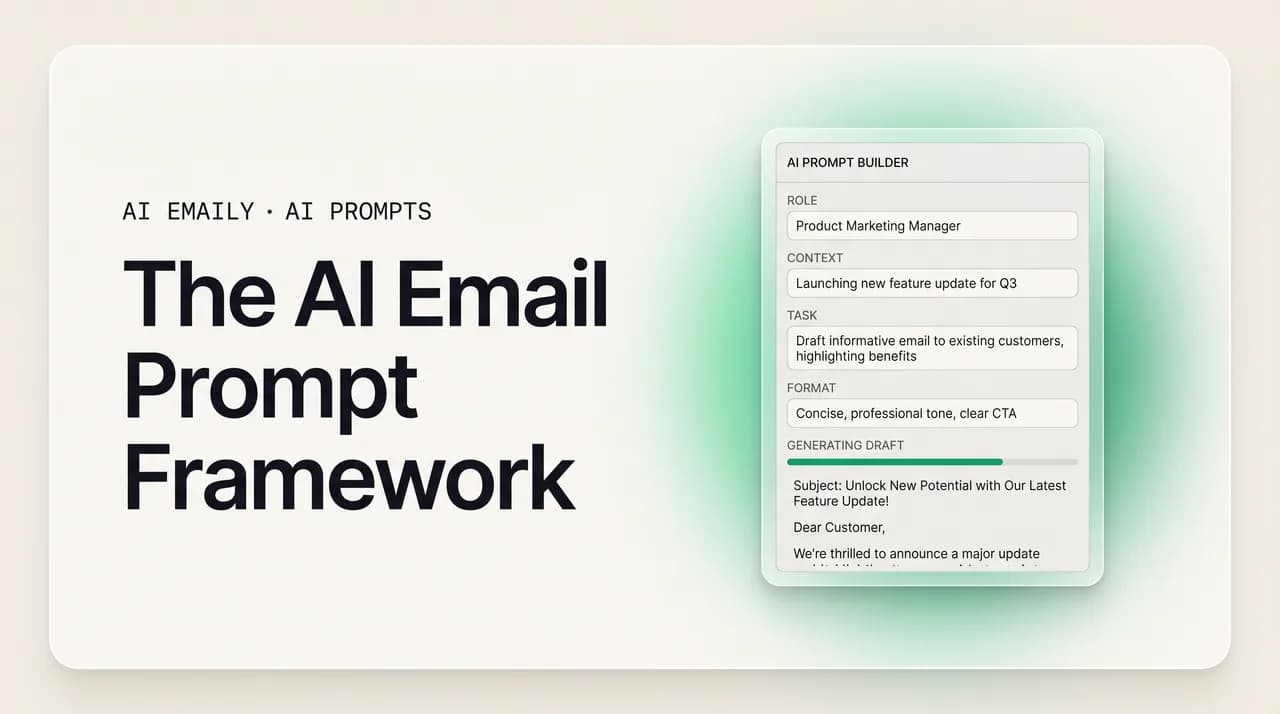
An AI email prompt framework gives the model six things in order — Role, Context, Task, Tone, Constraints, and Examples — so it drafts a usable email on the first try instead of a generic one. Add a few samples of your own writing to teach your voice, then save the winning prompts as a reusable library.
The AI email prompt framework explained: Role, Context, Task, Tone, Constraints, and Examples — with 12 prompts, a master template, and a reusable library.
On this page
- 01Why do most AI email prompts produce generic, unusable drafts?
- 02What is the 6-part AI email prompt framework?
- 03Part 1 — Role: who should the AI be?
- 04Part 2 — Context: what does the AI need to know?
- 05Part 3 — Task: what exactly should the AI do?
- 06Part 4 — Tone: how should the email sound?
- 07Part 5 — Constraints: what rules must the email follow?
- 08Part 6 — Examples: what does good look like?
- 09What does the full framework look like in one prompt?
- 10Is there a fill-in-the-blank master template I can copy?
- 11How do I teach the AI to write in my voice?
- 12How do I refine a weak first draft into a sendable one?
- 13Bad prompt vs. good prompt: what actually changes?
- 14How do I build a reusable prompt library?
- 15What is the limit of prompting — even when you do it perfectly?
- 16How does AI Emaily learn your voice once so you stop prompting?
- 17Conclusion: prompt with structure, then outgrow the prompt
You already know AI can write an email. You have typed "write a follow-up email to a client" into ChatGPT or Claude or Gemini and watched it produce three paragraphs of competent, hollow corporate prose that sounds nothing like you and needs a full rewrite before you would send it. The problem is almost never the model. It is the prompt. A vague request gets a vague answer, and "write me an email" is about as vague as a request gets.
The fix is a framework — a reliable order for the information the model needs so it can hit the target on the first pass instead of the fourth. The most useful one for email has six parts: Role, Context, Task, Tone, Constraints, and Examples. Give the AI all six and the difference is dramatic. Instead of a generic template you have to fight into shape, you get a draft that already says the right thing, to the right person, in roughly the right voice. This is the core of prompt engineering for email, and once you internalize the structure you stop guessing.
This guide walks through the framework one part at a time, with a concrete prompt and output for each. Then it hands you a fill-in-the-blank master template you can copy today, shows you how to teach the AI your own voice with a few examples, walks through refining a weak first draft into a sendable one, lays a bad prompt next to a good one so you can see exactly what changed, and shows you how to turn your best prompts into a reusable library so you are not rebuilding the wheel every morning. At the end we are honest about the one thing no prompt framework fixes — that you still have to write the prompt, paste the context, and copy the draft back, every single time — and what an AI-native email client does about that.
Everything here works in any chat-based AI tool. No theory you cannot use this afternoon. By the end you will be able to write a prompt that produces a usable email on the first try, adapt it to any situation, and build a personal system so good prompting becomes a habit instead of a daily struggle.
Why do most AI email prompts produce generic, unusable drafts?#
Before the framework, it helps to understand why the lazy version fails. When you type "write a professional email declining a meeting," you are giving the model a category, not a brief. It has no idea who you are, who the recipient is, what your relationship is, why you are declining, how long the email should be, or what you sound like. So it fills every one of those gaps with the statistical average of every email ever written. The result is technically an email and uselessly generic — the dreaded "I hope this email finds you well," the empty pleasantries, the corporate hedging that no real person uses in a one-line reply to a colleague.
There is a deeper failure too. When a prompt lacks specifics and constraints, the model does not just stay vague — it invents. Ask it to reply to a client and it will confidently fabricate a project name, a deadline, a prior conversation, or a commitment you never made. This is the most dangerous failure mode for email, because a hallucinated detail in a message you actually send is not a harmless mistake; it is a credibility problem with a real person. The thinner your prompt, the more the model has to make up, and the more it makes up, the more editing you have to do — which defeats the entire point of using AI to save time.
The third failure is overload. People swing the other way and cram one prompt with five jobs: "write an email that thanks them, addresses the pricing concern, proposes three meeting times, upsells the premium tier, and asks for a referral." The model tries to do everything and does none of it well, because no single email should carry that load and no single prompt should either. A good prompt is specific without being overstuffed — one clear task, richly described.
The framework solves all three at once. It tells you exactly which information the model is missing, so you stop leaving gaps it fills with averages or fabrications, and it keeps you to one well-defined task. Every part exists to remove a specific kind of guesswork. Skip a part and the model guesses; include it and the model knows.
The core idea in one line
What is the 6-part AI email prompt framework?#
The framework has six components, and the order matters because each one builds context for the next. You will see this same idea under different names — RTF (Role, Task, Format), RACE (Role, Action, Context, Expectation), PTCF (Persona, Task, Context, Format), COSTAR, RASCE. They are all variations on the same insight: tell the model who to be, what it is working with, what to do, how to sound, what rules to respect, and what good looks like. For email specifically, the six parts below are the complete set. You will not always need all six in every prompt — a quick internal reply needs less than a cold sales email — but knowing all six means you always know exactly what to add when a draft comes back wrong.
Here is the whole framework at a glance before we take each part one at a time.
| Part | Question it answers | What it removes guesswork about |
|---|---|---|
| Role | Who should the AI be? | Expertise level, perspective, and default vocabulary |
| Context | What does it need to know? | The situation, the recipient, the relationship, the facts |
| Task | What exactly should it do? | The one specific job, scoped and unambiguous |
| Tone | How should it sound? | Formality, warmth, and emotional register |
| Constraints | What rules must it follow? | Length, structure, what to include and avoid |
| Examples | What does good look like? | Your voice, format, and quality bar |
Part 1 — Role: who should the AI be?#
The Role tells the model what perspective and expertise to write from. It is the single cheapest upgrade you can make to a prompt, because one short clause shifts the entire register of the output. "You are a senior account manager who has handled this client for three years" produces fundamentally different writing than no role at all — calmer, more assumed-familiarity, less over-explaining. "You are a careful paralegal" produces precision and hedging. "You are a friendly founder emailing an early customer" produces warmth and informality.
The role works because it loads a whole bundle of defaults in a few words. A model asked to write as a "customer success lead" already leans toward reassurance, ownership of the problem, and next steps, without you spelling any of that out. You are borrowing a persona's instincts. Be specific: "experienced B2B sales rep" beats "salesperson," and "a recruiter who has sent hundreds of rejection emails" beats "an HR person," because the more specific role carries more useful defaults.
One caution: the role sets perspective, not facts. "You are my lawyer" does not give the model legal knowledge about your actual situation — that is the job of Context. Use Role to set the voice and stance; use Context to give it the truth to work with.
Part 2 — Context: what does the AI need to know?#
Context is where most of the quality lives, and where most prompts are starving. This is the situation, the facts, the recipient, the relationship, and the history — everything the model would need if it were a competent assistant you handed the task to. A human colleague would never write your reply without asking "who is this to, what did they say, and what is our relationship?" The model will happily write it anyway, which is exactly why the output is generic: it filled those answers with averages.
Good context answers a handful of questions: Who is the recipient and what is your relationship (cold stranger, longtime client, your boss, a peer)? What happened that prompts this email — what did they say, what did you agree to, what is the backstory? What facts must be accurate (names, dates, numbers, prior commitments)? What is the outcome you want from sending it? The more of this you supply, the less the model invents. The single highest-leverage habit in prompt engineering for email is pasting the actual thread you are replying to, so the model grounds its draft in real words instead of imagined ones.
Context is also your main defense against hallucination. If you do not want the model making up a discount you never offered, tell it the real terms. If you do not want it inventing a deadline, give it the real one — or tell it explicitly that there is no deadline yet. A model with enough true context has no reason to fabricate; a model starved of context fabricates to fill the silence.
Paste the thread, every time
Part 3 — Task: what exactly should the AI do?#
The Task is the one specific job. Not "help me with this email" but "draft a reply that declines the request and proposes a 20-minute call next week instead." The verb matters: draft, reply, summarize, rewrite, shorten, soften, translate. Pick one. The most common task failure is doing too much in a single prompt — bundling a thank-you, an objection-handle, a scheduling ask, and an upsell into one request. The model spreads itself thin and every part comes out mushy. One email, one job, one prompt.
Be explicit about the verb and the outcome. "Write an email" is open-ended; "draft a reply that confirms attendance and asks for the agenda" is a target the model can actually hit. If you have several things to accomplish, either prioritize them in one email ("acknowledge the delay, then reassure, then give the new date") or — better — run separate prompts and assemble. Scope creep in a prompt produces scope creep in the draft.
A clear task also tells the model what kind of artifact you want: a full email, just a subject line, three subject-line options, a one-line reply, an opening paragraph. Saying which one prevents the model from giving you a whole email when you wanted one sentence, or one sentence when you wanted the whole thing.
Part 4 — Tone: how should the email sound?#
Tone is the register: how formal, how warm, how direct, how much emotion. It is the difference between "Per my last email, the deliverables remain outstanding" and "Hey — just circling back on those files when you get a sec." Both say the same thing; the tone decides which relationship they fit. Skip tone and the model defaults to a bland mid-formal corporate voice that fits almost nothing exactly, which is a big reason AI drafts feel off even when the content is fine.
Describe tone in plain, concrete words and stack two or three: "warm but direct," "professional but not stiff," "firm and unapologetic," "casual and brief, like a quick note to a teammate." Concrete beats abstract — "sound like a helpful colleague, not a press release" lands better than "be professional," because "professional" is exactly the instruction that produces the stiff voice you are trying to escape. You can also anchor tone to a person or relationship: "the way you would email a coworker you like and respect" instantly calibrates formality.
Tone is also the easiest thing to fix on a second pass, so it is fine to get it roughly right in the first prompt and then nudge. "Make that warmer," "less formal," "more confident, cut the hedging," "sound less like a robot" — these one-line follow-ups reliably move the register. But getting tone into the first prompt saves a round-trip, and stacking a couple of concrete adjectives is usually enough.
Part 5 — Constraints: what rules must the email follow?#
Constraints are the hard rules: length, structure, what to include, what to avoid. They are where you turn a roughly-right draft into a precisely-right one. "Keep it under 90 words." "Use no more than two short paragraphs." "Include the order number and the new ship date." "Do not apologize more than once." "No bullet points." "End with a single yes-or-no question." "Do not invent any details I have not given you." Each constraint closes off a way the draft could go wrong.
Length is the constraint people most often forget and most often need. Left unconstrained, models tend to over-write — padding a two-line reply into four paragraphs. A word or sentence cap is the fastest way to get email-appropriate brevity. Structure constraints matter too: "one paragraph, no greeting needed, this is a quick internal reply" stops the model from wrapping a one-liner in formal scaffolding.
The most valuable email constraint in 2026 is the anti-hallucination rule: "Only use facts I have given you. If something is missing, leave a clearly marked placeholder in brackets rather than inventing it." This converts the model's instinct to fabricate into an instinct to flag, so instead of a confident made-up deadline you get "[confirm deadline]" that you can fill in. For anything you actually send, this one line is worth more than any clever phrasing.
Part 6 — Examples: what does good look like?#
Examples are the most powerful part of the framework and the most underused. This is few-shot prompting: instead of describing what you want, you show it. You paste one to a few emails — ideally ones you actually wrote — and tell the model to match their voice, structure, and length. Description gets you close; demonstration gets you there. "Write in a warm, direct tone" is an instruction the model interprets loosely; three of your real emails are a target it can imitate precisely.
Examples do something no adjective can: they capture the specifics of your voice that you could never fully describe — your sentence length, your habit of opening with a one-word line, the fact that you say "quick note" and never "I wanted to reach out," your sign-off, your comfort with a dash. Research on few-shot prompting is consistent here: two to five strong examples teach a style far better than any amount of abstract instruction, and quality matters more than quantity — three emails that genuinely sound like you beat ten that are merely similar.
There are two ways to use examples. The first is voice examples: "Here are three emails I have written. Match this voice." The second is format examples: "Use this structure — short opener, one specific ask, a one-line sign-off." Both work, and you can combine them. We will go deeper on teaching the AI your voice in its own section below, because it is the single highest-leverage move in the entire framework — and, not coincidentally, the part that is most painful to redo from scratch in every new chat session.
What does the full framework look like in one prompt?#
Now put all six parts together. The order — Role, Context, Task, Tone, Constraints, Examples — flows naturally: you set who the AI is, give it the situation, tell it the job, specify the sound, lay down the rules, and show the target. Here is a complete, real-world prompt using every part, for a moderately tricky email: replying to a client who is unhappy about a missed deadline.
You don't always need all six
Is there a fill-in-the-blank master template I can copy?#
Yes. Here is the framework as a reusable skeleton. Copy it, fill in the brackets, delete any line you do not need for a given email, and paste it into your AI tool of choice. Keep this somewhere you can grab it in two seconds — a note, a text-expander snippet, a pinned message. Over time you will stop needing to look at it because the six prompts in your head will become automatic, but until then, the template is your scaffolding.
A few notes on using the template well. Lead with Role and Context, because they do the heaviest lifting; if you are short on time, those two plus a clear Task will get you 80 percent of the way. Treat Constraints as your editing layer — it is where you say "shorter," "no greeting," "one question at the end." And invest once in a clean set of voice Examples you can reuse across many prompts; that single block of three good emails will improve every draft you generate, which is exactly why re-pasting it into every new chat gets tedious fast — a problem we come back to at the end.
How do I teach the AI to write in my voice?#
This is the move that separates AI email that sounds like a stranger from AI email that sounds like you, and it is worth doing carefully because the payoff compounds across every email you ever draft. The mechanism is few-shot prompting: you give the model examples of your actual writing and ask it to match. There are two complementary ways to do it, and the best results come from using both together — a short description of your voice, followed by real samples that prove it.
First, describe your voice in rules. Spend five minutes writing down how you actually email: "Short sentences. No corporate jargon. I open with the point, not pleasantries. I use dashes. I sign off with just my first name. I say 'thanks' not 'best regards.' I am warm but I do not over-apologize." These rules give the model a frame. But rules alone are not enough — "casual" to a model means saying "hey" and then reverting to machine prose. The rules need proof.
Second, provide the proof: paste three to five emails you genuinely wrote, ideally varied — a quick reply, a slightly longer update, a polite no. Tell the model: "These are emails I have written. Study the voice — sentence length, structure, word choice, how I open and close — and write all future drafts to match." Three real emails carry more signal than three paragraphs of self-description, because they encode the specifics you would never think to write as rules. Then keep the bar high: pick examples that are actually good and actually sound like you, because the model imitates whatever you give it, including the parts you would not want repeated.
The catch — and it is the whole reason this guide exists — is that this teaching does not persist. A standard chatbot forgets your voice the moment the session ends, or the context window fills, or you open a new chat tomorrow. So you re-describe your rules and re-paste your samples again, and again, every time you want a draft that sounds like you. You become the model's memory. That works, but it is friction you pay on every single email, forever, which is precisely the limitation we tackle in the product section below.
Quality of examples beats quantity
How do I refine a weak first draft into a sendable one?#
Treat the first output as a draft, never a final. Even a well-built prompt rarely lands perfectly on attempt one, and the people who get great results from AI are not better at writing the perfect prompt — they are better at iterating fast. The trick is to diagnose what is wrong using the framework, then fix exactly that with a short follow-up, rather than rewriting the whole prompt or settling for a draft that is 80 percent right.
The diagnosis maps cleanly onto the six parts. If the draft is too generic, you are missing Context or Examples — add the real thread or paste a sample of your voice. If it is too long or sprawling, add a Constraint — "cut to 70 words," "two sentences max." If the register is off, fix Tone — "warmer," "more confident, lose the hedging," "less corporate." If it invented something, tighten Constraints — "remove the part about the discount, I never offered that; only use facts I gave you." If it did the wrong job, clarify Task. Each fix is one sentence, and one sentence is usually all it takes.
Refine in small, single steps rather than firing five changes at once — change the tone, see the result, then trim the length, then fix the close. Single-variable edits let you see what each instruction actually did and stop when it is right. Studies on iterative prompting back this up: refining against the specific failure, instead of rewriting blindly, sharply cuts the number of attempts it takes to get a usable result. And keep the prompts that work — when a sequence of follow-ups finally nails a kind of email, that final combined prompt is a keeper for your library.
Bad prompt vs. good prompt: what actually changes?#
It is worth seeing the difference laid out part by part, because the gap between a draft you rewrite and a draft you send is entirely in the prompt. Below, the same email goal — declining a vendor's proposal while keeping the door open — written two ways. The bad prompt leaves everything to the model; the good prompt uses the framework. Read across each row to see exactly which piece of guesswork the good version removes.
| Framework part | Bad prompt (one line) | Good prompt (framework) |
|---|---|---|
| Role | (none) | You are a procurement manager with a friendly, professional relationship with this vendor. |
| Context | (none — model invents the situation) | Vendor is Lena at Boxwell; she pitched a $40k analytics tool. We like it but have no budget this quarter. We may revisit in Q3. Reply to her email below. |
| Task | "Write an email saying no to a vendor." | Draft a reply that declines for now, gives the real reason (budget timing), and keeps the door open for Q3. |
| Tone | (defaults to stiff corporate) | Warm and respectful, not cold — we want to work with them later. |
| Constraints | (none — runs long, may fabricate) | Under 90 words; one short paragraph; no 'I hope this finds you well'; name Q3 as the revisit window; invent nothing. |
| Examples | (none — generic voice) | Match the voice of these two emails I have sent: [paste]. |
| Result | Generic, over-long 'we regret to inform you' that invents details and reads like a form letter you must rewrite. | A warm, specific, on-voice 'not now, but let's talk in Q3' you can send with a glance. |
The bad prompt's hidden cost
How do I build a reusable prompt library?#
Once you have prompts that reliably work, stop rewriting them from scratch. The biggest productivity unlock in prompt engineering is not writing one perfect prompt — it is saving your best prompts as reusable, parameterized templates so you start from a tested pattern instead of a blank box every time. A prompt library does three things: it saves time (you fill in blanks instead of composing), it keeps your output consistent (the same kind of email follows the same structure and voice), and it gives you a place to refine prompts over time rather than losing the good ones in old chat logs.
Build it by use case. Think about the emails you write over and over — the follow-up, the polite no, the status update, the cold intro, the customer apology, the meeting reschedule — and create one framework-based template for each, with brackets for the parts that change. Keep your voice Examples block as a single reusable chunk you can drop into any template, since your voice is constant even when the situation is not. Store them wherever you will actually reach for them: a notes app, a shared doc for your team, or a text-expander tool that inserts a saved prompt when you type a short keyword.
A few habits keep a library useful. Version your prompts — when you improve one, note what changed and why, so you can roll back if a tweak made things worse. Name them clearly ("reply / decline / warm") so you find the right one fast. And if you work on a team, share the library: it means everyone's AI emails follow the same tested patterns and tone, which is consistency you cannot get from everyone improvising their own prompts. Start with five templates for your most common emails; you can always add more.
What is the limit of prompting — even when you do it perfectly?#
Here is the honest part. You can master every piece of this framework, build a beautiful library, and teach the AI your voice with perfect examples — and you will still be doing a surprising amount of manual labor on every single email. The framework makes the AI's output better. It does nothing about the work of operating the AI.
Walk through what actually happens when you use a chatbot to write an email. You switch tabs from your inbox to the AI tool. You copy the thread you are replying to and paste it in. You re-describe your voice or re-paste your samples, because the chatbot does not remember them from yesterday. You write the framework prompt. You read the draft, fire a couple of refining follow-ups, and wait. Then you copy the final draft, switch back to your inbox, paste it into the reply box, fix the formatting that broke in transit, and finally send. You are the integration layer — the copy-paste bridge, the memory, the context-loader — and you pay that tax on every email, all day.
Notice that none of that work is writing. It is logistics. The prompt framework is genuinely valuable — it is the difference between a usable draft and a wasted one — but a prompt is still something you compose from scratch, in a separate tool, disconnected from your actual mailbox, with no memory of who you are or what you sound like. The model that helped you yesterday starts tomorrow as a stranger. That is not a prompting problem you can prompt your way out of. It is a fundamental limit of bolting a chatbot onto the side of your inbox.
Which raises the obvious question: what if the AI lived inside your email, already knew your voice, and could read the thread without you pasting anything?
The prompt is the symptom, not the cure
How does AI Emaily learn your voice once so you stop prompting?#
AI Emaily is an AI-native email client built on exactly this insight: the best prompt is the one you never have to write. Instead of a chatbot sitting in another tab waiting for you to feed it context, the AI lives inside your inbox and already has everything the six-part framework asks you to type — because it is grounded in your real mailbox, not a blank chat box.
Start with voice. Where a chatbot forgets your samples the moment the session ends, AI Emaily learns how you write once — from your actual sent mail — and keeps it. You do not paste three example emails into every prompt; the Role and Examples parts of the framework are simply built in, permanently. When it drafts, it drafts in your voice by default, so a reply already opens with your kind of opener, runs to your length, and signs off the way you do. You stop re-teaching the model who you are every morning.
Then context. The single highest-leverage prompting habit — pasting the thread — disappears, because the AI is already reading the thread you are on. It pulls the relevant history from your real inbox, so the Context part of the framework is handled without a copy-paste. And because it works across every email provider, that grounding happens wherever your mail actually lives, not only in one walled garden. The result is that the two most laborious parts of every good prompt — supplying your voice and supplying the context — are things you never do manually again.
Most importantly, it does not just generate text in a chat window for you to ferry back to your inbox. With its agent, AI Emaily acts on your real inbox: it drafts ready-to-send replies in place, so there is no copy, no paste, no formatting cleanup, no tab-switching. The draft appears in the reply, in your voice, grounded in the thread, ready for you to glance at and send. The entire integration-layer tax described above — the part of using AI that is logistics, not writing — is what the product removes.
Control stays with you. AI Emaily runs in three modes: Manual, where you write and it stays out of the way; Copilot, where it drafts ready-to-send replies but every send waits for your explicit approval; and Autopilot, for the routine email you have chosen to delegate. Every action has undo and a full audit trail, so nothing leaves your outbox you did not approve, and you can always trace and reverse what happened. It is private by design — your mail is yours, not training data. You can start free: the Free plan is $0, and Pro is $12.42 per month billed annually for the full agent and higher limits. Sign up at app.aiemaily.com/signup, connect your inbox, and watch it draft a reply in your voice without a single prompt. Keep the framework in this guide for the chatbot in the other tab — but the goal it is reaching toward, an AI that already knows your voice and your inbox, is the thing AI Emaily is.
Framework now, no framework later
Conclusion: prompt with structure, then outgrow the prompt#
A good AI email prompt is not a magic phrase — it is a brief. Give the model the six things it needs, in order: who to be (Role), what to know (Context), what to do (Task), how to sound (Tone), what rules to keep (Constraints), and what good looks like (Examples). Lead with Role and Context because they carry the most weight, use Constraints as your editing layer, and let Examples teach your voice in a way no adjective can. When a draft comes back wrong, do not rewrite the whole prompt — diagnose which part is missing and fix that one thing in a single follow-up.
Then make it a system. Copy the master template, save your five most-used prompts as a reusable library, keep one clean block of voice examples you can drop into anything, and version the prompts that work. Within a week, the framework stops being a checklist you consult and becomes the way you think about asking, and your AI emails go from generic drafts you rewrite to usable ones you barely touch.
But keep sight of what the framework is really doing: every part is you manually handing the AI context it should already have. That is the ceiling of chatbot email — useful, but you are forever the copy-paste bridge, the memory, the context-loader, paying that tax on every message. An AI-native client learns your voice once, reads your real threads without a paste, and drafts ready-to-send replies in place. Master the prompt for the tools that need it. Then, when you want the AI to already know you, that is exactly what AI Emaily is built to do.
Frequently asked
See it in AI Emaily
Keep reading

Written by
Nafiul HasanNafiul Hasan is an entrepreneur and AI automation system builder with 10+ years of experience turning messy, manual workflows into reliable automated systems. He designs and ships AI enterprise solutions end-to-end — the agent logic, the data plumbing, and the product people actually use — and founded AI Emaily to give busy professionals their attention back. He writes here from the builder's seat: what works, what breaks, and how to put AI to work without giving up control.