AI Prompts to Make an Email More Professional (Before & After Examples)

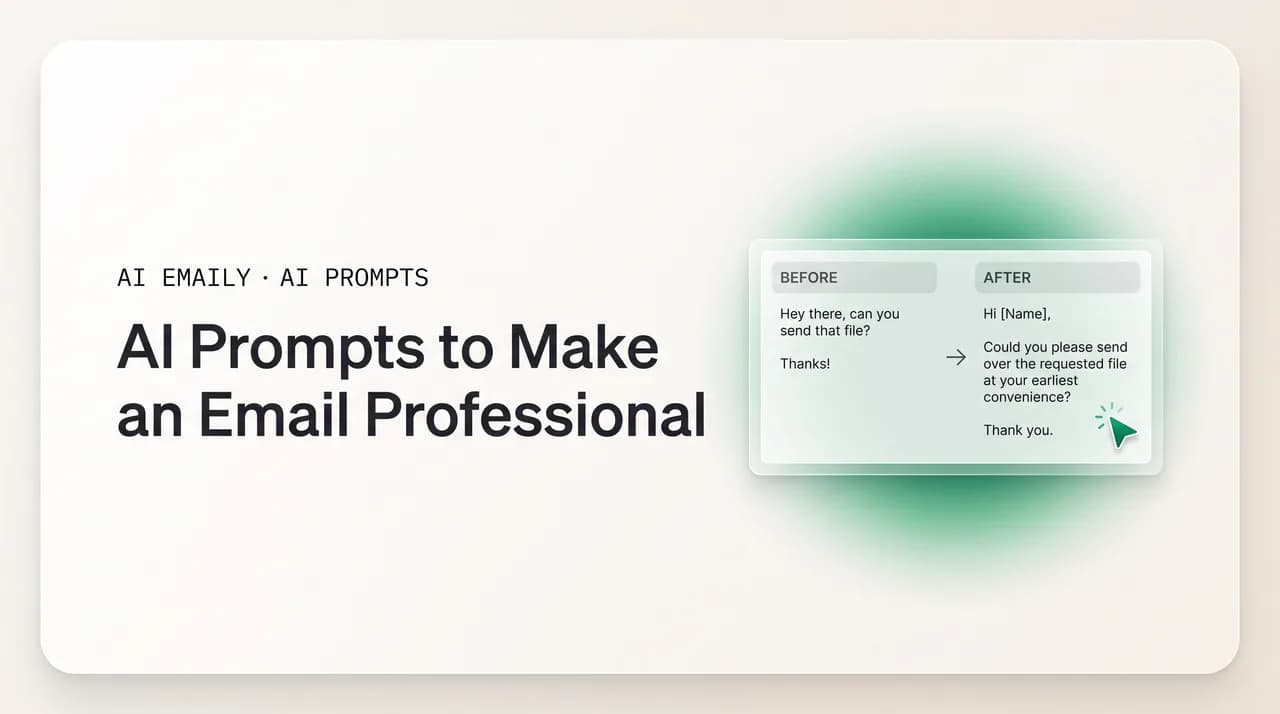
The short answer
AI prompts to make an email more professional work best when you name the goal, not just say "make it professional." Use targeted prompts for each job — casual to formal, fixing tone, tightening for clarity, fixing grammar, softening or firming up — and always paste a voice sample so the result still sounds like you, not a stiff template.
AI prompts to make an email more professional: 15+ copy-paste prompts by goal — casual to formal, fix tone, tighten, fix grammar, soften, firm up — with before & after examples.
On this page
- 01What does "professional" actually mean in an email?
- 02Why does "make this more professional" produce stiff, robotic email?
- 03How should I structure a prompt to make an email professional?
- 04How do I turn a casual email into a professional one?
- 05How do I fix an email whose tone came out wrong?
- 06How do I tighten a long, rambling email for clarity?
- 07How do I fix grammar and spelling without changing my voice?
- 08How do I add structure to a wall-of-text email?
- 09How do I soften an email so it doesn't read too harsh?
- 10How do I make a too-timid email sound firmer and more confident?
- 11How do I add executive polish for an email to leadership?
- 12What other professional-email prompts are worth saving?
- 13Is there a master prompt I can reuse for any of these?
- 14How do I choose the right level of formality for my audience?
- 15How do I make sure the polished email still sounds like me?
- 16What are the most common mistakes when prompting AI to polish email?
- 17Why is polishing every email with a chatbot still so much work?
- 18How does AI Emaily polish email to professional in one click, in your voice?
- 19Conclusion: name the goal, keep your voice, then outgrow the prompt
You wrote the email in thirty seconds. "hey can you get me those numbers by tmrw, kind of urgent, thx." It says exactly what you mean — but it is going to the VP of Finance, cc'd to your manager, and it reads like a text message. So you do what most people now do: paste it into ChatGPT, Claude, or Gemini and type "make this more professional." Three seconds later you get a paragraph that opens with "I hope this email finds you well" and closes with "I look forward to your prompt response," and somehow it sounds less like you and more like a 2009 form letter. Better than the original? Maybe. Actually good? Not really.
The problem is the prompt, not the model. "Make this more professional" is a vague instruction, and a vague instruction produces that stiff, over-formal register everyone recognizes as AI email. The word "professional" is the trap: to a model with no other guidance, it means "add formality and length," so it pads, hedges, and reaches for the most generic business phrasing it knows — the opposite of what professional writing actually is.
This guide fixes that. It gives you more than fifteen tested prompts to make an email more professional, organized by the specific job — turning a casual note formal, fixing a tone that came out wrong, tightening a rambling draft, cleaning up grammar without changing your voice, adding structure, softening a message that reads too harsh, firming up one that reads too timid, and adding the executive polish a message to leadership needs. Each comes with a real before-and-after.
We will also cover what most prompt lists skip: what "professional" actually means in email, how to choose the right formality for your audience, and the hard one — keeping the result sounding human instead of like a press release. Then we are honest about the friction nobody mentions: even with perfect prompts, you are still pasting the email out of your inbox, prompting, copying the result back, and fixing formatting, on every single message. At the end we show what an AI-native email client does about that.
What does "professional" actually mean in an email?#
Before you can prompt for it, you have to define it, because the everyday assumption is wrong. Most people equate "professional" with "formal and elaborate" — bigger words, longer sentences, more throat-clearing. That is why "make this more professional" so often produces something worse: the model gives you exactly that, stiff and bloated. Real professional writing is closer to the opposite — clear, concise, accurate, respectful of the reader's time, and pitched at the right formality for the relationship. Vocabulary is not the point; clarity is.
Communication research and every good style guide land on the same handful of traits. A professional email is clear — the reader knows what it is about in one read. It is concise — every unnecessary word cut, because padding dilutes the message. It is accurate — names, dates, and commitments correct, because a wrong detail in a sent email is a credibility problem, not a typo. It is appropriately toned — formal enough to respect the relationship, warm enough not to feel cold. And it is well-structured — a stated purpose up front and a scannable body.
Notice what is not on that list: long words, Latin phrases, "please be advised," or "I hope this message finds you well." Those are the costumes of professionalism, not the substance. A two-line reply that says exactly the right thing in plain language beats four padded paragraphs of corporate filler. This matters for prompting: if you ask AI to "make it professional" without saying which trait you want, it defaults to the costume — formality and length. The prompts here work because each targets a specific trait — clarity, concision, accuracy, tone, or structure — so you stop asking for "professional" in the abstract and start asking for the actual improvement you need.
The core idea in one line
Why does "make this more professional" produce stiff, robotic email?#
It helps to understand the failure before you fix it. When you type "make this email more professional" with nothing else, you hand the model a one-word brief and no context. It does not know who the email is going to, what your relationship is, how formal your workplace runs, or what you sound like. So it fills every gap with the statistical average of "professional email" across its training data — and that average is dominated by the over-formal, template-driven prose you are trying to escape: "I hope this email finds you well," "please do not hesitate to reach out," "I look forward to your prompt response." The model is not malfunctioning; it is giving you the most common version of what you literally asked for.
There is a second failure underneath it. The default voice of every large language model is "helpful, neutral assistant," which is not how any real person emails. Left alone, the model smooths out the rhythm, lengthens the sentences, and reaches for safe, generic phrasing that reads as competent and hollow. Without instructions otherwise, it strips out the things that made your original sound human — the short sentence, the direct ask, the bit of warmth. You asked it to make the email better and it made it blander, because bland is the safe center of its distribution.
The third failure is invention. A thin prompt invites the model to fill gaps with details it has no business adding — a deadline you never set, a meeting never scheduled, a commitment you did not make. Hand over a terse note and ask it to "make this professional," and it sometimes "helpfully" expands it with specifics that are simply wrong. In an email you actually send, a fabricated detail is a problem with a real person, not a harmless flourish, so add a rule to any polishing prompt — "do not add any facts, names, dates, or commitments I did not write" — and read the output against your original. The fix for all three failures is the same: a more specific prompt. Give the model the goal, the audience, the rules, and your voice, and it has nothing important left to guess about.
How should I structure a prompt to make an email professional?#
Every reliable prompt in this guide follows the same simple shape, so it is worth seeing once. You give the model four things: the goal (the specific improvement — clearer, more formal, tighter, warmer), the audience (who receives it and your relationship), the rules (hard constraints like length, what to keep, what to cut, what to never add), and your voice (a sample or short description so it sounds like you). Then you paste the email. Goal, audience, rules, voice, text.
The biggest single upgrade over "make this professional" is naming the goal precisely: "rewrite this to be more formal for a senior executive, under 80 words" gives the model a target it can hit, where "make it professional" gives it a category to guess at. The second is the voice sample — one or two emails you actually wrote, or a one-line description of how you write — which keeps the output from sliding into generic corporate prose. You will not need all four parts for every quick fix, but for anything that matters, the four-part shape is what separates a draft you send from a draft you rewrite. The prompts below are grouped by goal, and the master template near the end packages the shape as fill-in-the-blank.
How do I turn a casual email into a professional one?#
This is the most common reason people reach for AI: you dashed off a casual note and now it needs to go to a client, an executive, or someone outside your company, and the register is wrong for the audience. The goal is to raise formality without losing the meaning — and without overshooting into stiffness. The best prompt names both the target formality and the audience, and caps the length so the model does not pad a two-line note into four paragraphs.
Be specific about how formal. "More professional" is ambiguous; "professional but still warm, the way you'd write to a client you have a good relationship with" is a precise target. Below is the workhorse prompt, followed by a before-and-after on a genuinely casual original.
Notice what the prompt prevented. Naming the audience and capping the length raised the register just enough — proper greeting, complete sentences, a clear ask — without inflating a one-line question into a formal essay, and banning the "I hope this email finds you well" opener kept it human. Resist asking for "very formal" unless the audience truly calls for it. When you do want a sharper jump in formality — a regulator, a senior external stakeholder, a legal context — use this stricter variant.
How do I fix an email whose tone came out wrong?#
Sometimes the formality is fine but the tone is off — you read it back and it sounds colder, more irritated, or more abrupt than you meant. This happens constantly when you write quickly or while annoyed. The goal is not to change what you are saying but how it lands: name the tone problem and the tone you want instead, and tell the model to keep the substance fixed.
Be concrete about the target. "Friendlier" is vague; "warm and collaborative, like a colleague who's on their side" is a direction the model can follow. Here is the core tone-fix prompt with a before-and-after on an email that reads accidentally cold.
The rewrite says the exact same two things — missing figures, inconsistent formatting — but reads as a helpful heads-up rather than a reprimand. That is a tone fix, not a content change. If your email runs the other way and reads anxious, flip it: "This reads nervous and over-apologetic — rewrite it to sound calm and confident without being cold, stating things as facts." Tone is easy to nudge on a second pass, so if a rewrite overshoots, "a touch warmer" dials it in.
How do I tighten a long, rambling email for clarity?#
Wordiness is the most common enemy of professional email. Long, winding sentences make the reader work to find what you actually want — the opposite of professional. The goal is concision and clarity: same message, far fewer words, the ask unmissable. This is one of the highest-value prompts you can run, because tightening almost always makes an email read as more competent.
Give the model a concrete length or sentence target and tell it to lead with the point. "Make it shorter" is weak; "cut to under 70 words, lead with the request, one idea per sentence" is a real instruction. Here is the workhorse tighten-for-clarity prompt with a before-and-after on a genuinely bloated original.
The original is fifty-five words of throat-clearing wrapped around one question; the rewrite asks it in a third of the space and reads more professional for it, because clarity reads as competence. A useful follow-up: "Now cut it to two sentences and put the deadline I need in the second one." Concision is a daily job, so this is a strong candidate for a saved prompt.
Read it out loud test
How do I fix grammar and spelling without changing my voice?#
Sometimes you do not want a rewrite at all — your email is fine, you just want the typos and grammar slips cleaned up before it goes out. This is where people over-prompt and get a full rewrite they did not want, losing their phrasing in the process. The goal is the lightest possible touch: correctness only, voice untouched. The prompt has to say so explicitly, because the model's instinct is to improve everything.
The magic words are "fix only grammar, spelling, and punctuation" and "do not change my wording, tone, or sentence structure beyond what is needed for correctness" — that tells the model to act as a proofreader, not an editor. Here is the prompt with a before-and-after that shows the restraint.
Every error is fixed — the doubled "the," the missing apostrophes, "weather" for "whether," the "their/there/they're" mix — but the voice is untouched: it still opens with "just wanted to flag," still reads casual and direct. That is the difference between a proofread and a rewrite. For a light clarity pass too, soften it to "you may make small clarity improvements, but keep my voice and structure."
How do I add structure to a wall-of-text email?#
A long email with no structure — no clear ask, no paragraph breaks, several questions buried in one block — is hard to act on, and "hard to act on" is unprofessional even when the writing is fine. The goal is organization: an opening line that states the purpose, scannable structure, and the asks pulled out so the reader cannot miss them. This is especially valuable for emails with multiple points or requests.
Tell the model to lead with the purpose, group related points, and pull anything actionable into a tight bulleted list — but cap the bullets, or an over-bulleted email reads like a checklist rather than a message. Here is the structure prompt with a before-and-after on a typical wall of text.
The same information now has a stated purpose up front, the three blockers broken out, and a single clear ask at the end — the reader can act on it in one pass. That is structure doing the work of professionalism. Keep the bullet cap, though: without it, models sometimes bullet every sentence and turn a message into a form. Four is usually the right ceiling.
How do I soften an email so it doesn't read too harsh?#
Some messages have fine content but a delivery too blunt for the situation — critical feedback, a firm boundary, a disagreement with someone senior. Sent as-is, they land as aggressive or create friction you did not intend. The goal is to soften the delivery while keeping the substance fully intact: same message, gentler framing, the relationship protected. The risk is over-softening into mush, where the point gets lost under hedges.
Tell the model to soften the tone but keep the message clear and the ask unmistakable. "Diplomatic but not vague" is a useful phrase — it signals tact without losing the point. Here is the soften prompt with a before-and-after on an email that reads too harsh.
The rewrite still says the timeline and budget do not work — the point survives — but frames the concerns as observations to discuss rather than verdicts, and opens a path forward. That is diplomacy without vagueness. The guardrail ("do not hedge so much that the point gets lost") matters: ask only for "softer" and a model will sometimes bury the message under so many qualifiers the reader is not sure there is a problem at all.
How do I make a too-timid email sound firmer and more confident?#
The opposite problem is just as common and just as unprofessional: an email so hedged and apologetic you sound unsure of your own request. "So sorry to bother you, I was just wondering if maybe you might possibly be able to..." undercuts your authority and makes the reader take you less seriously. The goal is to firm it up — confident, direct, professional — without tipping into rude or demanding. This is a frequent need for anyone socialized to over-soften, and for anyone who hedges when nervous.
Tell the model to cut the hedging and apologies, state requests directly, and project quiet confidence while staying polite. "Confident, not aggressive" keeps it from overcorrecting. Here is the firm-up prompt with a before-and-after.
The rewrite makes the same request but stops apologizing for making it. It is still warm and polite — "a big help," "thanks" — but reads like someone who expects a reasonable reply rather than someone bracing for rejection. That is confidence, and it reads as professional. The "confident, not aggressive" guardrail keeps the model from overcorrecting into a curt, demanding tone. One trick that sharpens both firm-up and tighten prompts: name the specific crutch words to remove ("just," "sorry to bother," "I think," "maybe," "actually") — models follow a concrete list better than "be more confident."
How do I add executive polish for an email to leadership?#
Email to a CEO, a board member, or any senior leader has its own bar: crisp, conclusion first, respectful of limited time, competent without over-explaining. The goal is executive polish — brevity, a top-line answer up front, a confident, low-noise tone. This is where "professional" genuinely means a more elevated register, but elevated in the sense of disciplined and high-signal, not wordy.
The key instructions are "lead with the bottom line," "assume a busy, senior reader," and "cut everything that isn't decision-relevant." Executives read for the answer first and the reasoning second, so the structure inverts: conclusion up top, support below. Here is the executive-polish prompt with a before-and-after.
The original buries the news — "we're going with Vendor B" — under a paragraph of process narration. The rewrite leads with it, supports it in two lines, and says exactly what happens next and when. That is what executive readers want, and it reads as more professional than any amount of formal vocabulary — note that it made the email shorter and more confident, not longer and more formal, which is the whole point about what "professional" really means. For an especially important message, add: "Then suggest two subject-line options that state the conclusion." A subject line that previews the decision is itself an executive-polish move.
What other professional-email prompts are worth saving?#
Those eight cover the core jobs, but a few more earn a spot in your snippets. Each is a copy-paste prompt for a specific situation; add your audience and a voice sample as always, and paste your email underneath.
Is there a master prompt I can reuse for any of these?#
Yes. If you want one flexible prompt instead of memorizing eight, here is a fill-in-the-blank master that covers every job above. Choose your goal, name your audience, set your rules, drop in a voice sample, paste the email, and delete any line you do not need. Save it as a snippet so you can summon it in two seconds.
How do I choose the right level of formality for my audience?#
Every prompt above asks you to name the audience, because formality is not a single setting — it is a dial you turn based on who is reading. The common mistake is treating "professional" as one fixed register, which makes you sound stiff with close colleagues and too casual with senior clients. The right level depends on the relationship, the seniority gap, whether the contact is internal or external, how well you know them, and how sensitive the topic is.
Use a formal tone for first contacts, senior executives, clients, external partners, and sensitive subjects like complaints or anything legal. Use a friendly-professional middle register — where most business email actually lives — for ongoing client relationships and cross-team peers. Use a casual tone for close teammates and internal threads where informality is already the norm. The table below maps common audiences to a register and the prompt instruction that targets it.
| Audience | Right register | Prompt instruction to use |
|---|---|---|
| Senior executive / C-suite | Formal, brief, bottom-line-first | "Concise and executive — lead with the conclusion, no filler, confident." |
| New client or external partner | Formal but warm | "Professional and respectful, warm not cold; proper greeting and sign-off." |
| Established client (good rapport) | Friendly-professional | "Professional but warm and personable, the way I'd write to a client I know well." |
| Your manager | Professional, clear, direct | "Clear and professional, respectful but direct; lead with what they need to know." |
| Cross-team peer / colleague | Friendly-professional | "Collaborative and clear, friendly but still professional; concise." |
| Close teammate (daily contact) | Casual-professional | "Keep it casual and brief, like a quick note to a teammate — no formal scaffolding." |
| Sensitive topic (complaint, legal, conflict) | Formal, measured, careful | "Formal, measured, and diplomatic; careful wording; no slang or contractions." |
Two rules of thumb help. First, when in doubt, err slightly more formal for someone new or senior — it is easier to warm up later than to recover from being too casual with the wrong person. Second, match the other person's register once a thread is going: if a client signs off "Cheers, Mike" and drops the formalities, you can meet them there. Just change the audience line and the model recalibrates. This is also where a generic chatbot is at a disadvantage: it has no idea who you are writing to or your history with them unless you tell it every single time.
How do I make sure the polished email still sounds like me?#
This is the hard part, and the one most prompt lists ignore. Every "make it professional" rewrite risks coming back correct, polished, and devoid of your voice — it reads like the model wrote it, because the model did, using its default helpful-assistant register instead of yours. For a quick internal note that is fine. For anything that represents you to a client or a boss, an email that does not sound like you is its own kind of unprofessional, because it reads as generic and a little hollow.
The fix is the move that powers good prompting everywhere: show the model your voice with examples. Paste one or two emails you actually wrote and tell it to match their voice, sentence length, and phrasing while making the improvement you asked for. Real samples carry signal no description can — your habit of opening with the point, your comfort with a dash, your sign-off, the fact that you say "thanks" and never "best regards." Three real emails teach your voice better than three paragraphs describing it.
If you cannot paste samples, describe your voice in a few concrete rules and append them: "My voice: short sentences, lead with the point, no jargon or 'I hope this finds you well,' warm but direct, I sign off with just my first name." Then add the anti-robot instruction — "keep it natural and human, the way I'd actually say it, not a press release" — and run the read-aloud test. Below is a reusable voice block for any prompt in this guide.
What are the most common mistakes when prompting AI to polish email?#
A handful of mistakes account for most of the bad results, and all are easy to avoid once you can name them. Knowing the failure modes turns "the AI gave me something stiff" into "I left out the audience" — a fixable diagnosis instead of a shrug.
The biggest is the vague goal: "make it professional" with no specifics gets the over-formal, padded default, so always name the actual improvement and the audience. The second is skipping the voice, which leaves the model in its generic register — paste a sample. The third is over-stacking goals into one prompt, which makes every change weak — pick one per pass. The fourth is not capping length, which lets the model inflate a short note into paragraphs — give it a target. The fifth is not guarding against invention — include "do not add or change any facts." And the sixth is trusting the output blindly — never send a polished email without reading it, for invented details and for whether it still sounds human.
The pattern is obvious side by side: the good prompt works not because it is longer for its own sake, but because every added clause removes a specific way the draft could go wrong. The bad prompt feels faster — typing it takes three seconds — but the draft it returns needs a full rewrite, so counting the cleanup, it is the slow one. A little more prompt for a lot less rewriting is the whole game.
Why is polishing every email with a chatbot still so much work?#
Here is the honest part. You can master every prompt in this guide, save a perfect master template, and write a beautiful voice block — and still do a surprising amount of manual labor on every single email. The prompts make the AI's output better. They do nothing about the work of operating the AI.
Walk through what actually happens when you polish an email with a chatbot. You write the draft in your inbox. You switch tabs to ChatGPT or Claude or Gemini. You copy the draft and paste it in. You re-paste your voice samples, because the chatbot does not remember them from this morning. You type the prompt — goal, audience, rules. You read the result, fire a follow-up or two, and wait. Then you copy the polished version back, switch to your inbox, paste it into the compose box, fix the formatting that broke in transit, re-check it did not invent anything, and finally send. You are the integration layer — the copy-paste bridge, the memory, the context-loader — and you pay that tax on every email you want to sound professional.
Almost none of that work is writing or even editing — it is logistics. The prompts are genuinely valuable, but a prompt is still something you compose from scratch, in a separate tool, disconnected from your mailbox, with no memory of who you are, how you write, or who you are emailing. The model that polished your email this morning starts this afternoon as a stranger. That is not a prompting problem you can prompt your way out of; it is the fundamental limit of bolting a chatbot onto the side of your inbox. Which raises the obvious question: what if the polish happened inside your email, the AI already knew your voice, and you never had to copy, paste, or re-explain anything?
The prompt is the symptom, not the cure
How does AI Emaily polish email to professional in one click, in your voice?#
AI Emaily is an AI-native email client built on exactly this insight: the best prompt to make an email professional is the one you never have to write. Instead of a chatbot in another tab waiting for you to feed it your draft and re-explain your voice, the polish lives inside your inbox and already has what the prompts in this guide make you type by hand — because it is grounded in your real mailbox, not a blank chat box.
Start with voice. Where a chatbot forgets your samples the moment the session ends, AI Emaily learns how you write once — from your actual sent mail — and keeps it. You do not paste example emails into every prompt; the voice-matching this guide spends a section teaching is simply built in. When it polishes a draft, it polishes toward your voice by default, so the professional version still opens with your kind of opener, runs to your length, and signs off the way you do. The single biggest risk of "make it professional" — a result that sounds like a generic template — is what the product is designed to prevent.
Then context. Because the AI is inside your inbox, it knows who you are emailing and can see the thread, so the audience-calibration the formality table walks through happens without you spelling it out. You highlight your rough draft and it can tighten it, raise the formality, fix the tone, clean up the grammar, or firm it up — the same jobs as the prompts above — in place, where you are writing: no tab switch, no copy out, no paste back, no formatting cleanup. And because it works across every email provider, that polish happens wherever your mail lives, not only in one walled garden.
Most importantly, it does not just hand you polished text in a chat window to ferry back to your inbox. With its agent, AI Emaily acts on your real inbox: it can draft a reply that is already professional and in your voice, grounded in the thread, ready for you to glance at and send. The entire integration-layer tax above — the part of using AI that is logistics, not writing — is what the product removes. You go from "paste, prompt, copy, fix, send" to "glance and send."
Control stays with you. AI Emaily runs in three modes: Manual, where you write and it stays out of the way; Copilot, where it drafts and polishes but every send waits for your explicit approval; and Autopilot, for routine email you have chosen to delegate. Every action has undo and a full audit trail, so nothing leaves your outbox you did not approve — which matters when an AI is touching the words that represent you. It is private by design: your mail is yours, never used to train models. You can start free — the Free plan is $0, and Pro is $12.42 per month billed annually for the full agent and higher limits. Sign up at app.aiemaily.com/signup, connect your inbox, and watch a rough draft turn professional in your voice without a single prompt. Keep this guide for the chatbot in the other tab — but the goal it reaches toward, an AI that already knows your voice and your inbox, is the thing AI Emaily is.
Prompts now, no prompts later
Conclusion: name the goal, keep your voice, then outgrow the prompt#
Making an email more professional is not about bigger words — it is about clarity, concision, accuracy, and the right tone for the reader. That is why "make it professional" fails and targeted prompts work. Name the actual job: turn casual into formal, fix a tone that came out wrong, tighten for clarity, proofread without rewriting, add structure, soften the harsh edges, firm up the timid ones, or add executive polish. Pair every prompt with the audience and a length cap, guard against invented facts, and — the part that matters most — paste a voice sample so the result still sounds like you, not a press release.
Save the master prompt and your voice block as snippets, pick one goal per pass, and run the read-aloud test before you send. Within a week you will stop typing "make it professional" and start asking for the specific improvement you need, and your AI-polished emails will go from stiff drafts you rewrite to sharp ones you barely touch.
But keep sight of what the prompts are really doing: each is you manually handing the AI your voice, your audience, and your standards — context it should already have. That is the ceiling of chatbot email: useful, but you are forever the copy-paste bridge and the memory, paying that tax on every message. An AI-native client learns your voice once, knows who you are writing to, and polishes in place — in your voice, on your real inbox. Master the prompt for the tools that need it. Then, when you want professional email without the prompting, that is exactly what AI Emaily is built to do.
Frequently asked
See it in AI Emaily
Keep reading

Written by
Nafiul HasanNafiul Hasan is an entrepreneur and AI automation system builder with 10+ years of experience turning messy, manual workflows into reliable automated systems. He designs and ships AI enterprise solutions end-to-end — the agent logic, the data plumbing, and the product people actually use — and founded AI Emaily to give busy professionals their attention back. He writes here from the builder's seat: what works, what breaks, and how to put AI to work without giving up control.