AI Prompts to Change Email Tone: Friendlier, Firmer, or More Formal on Demand

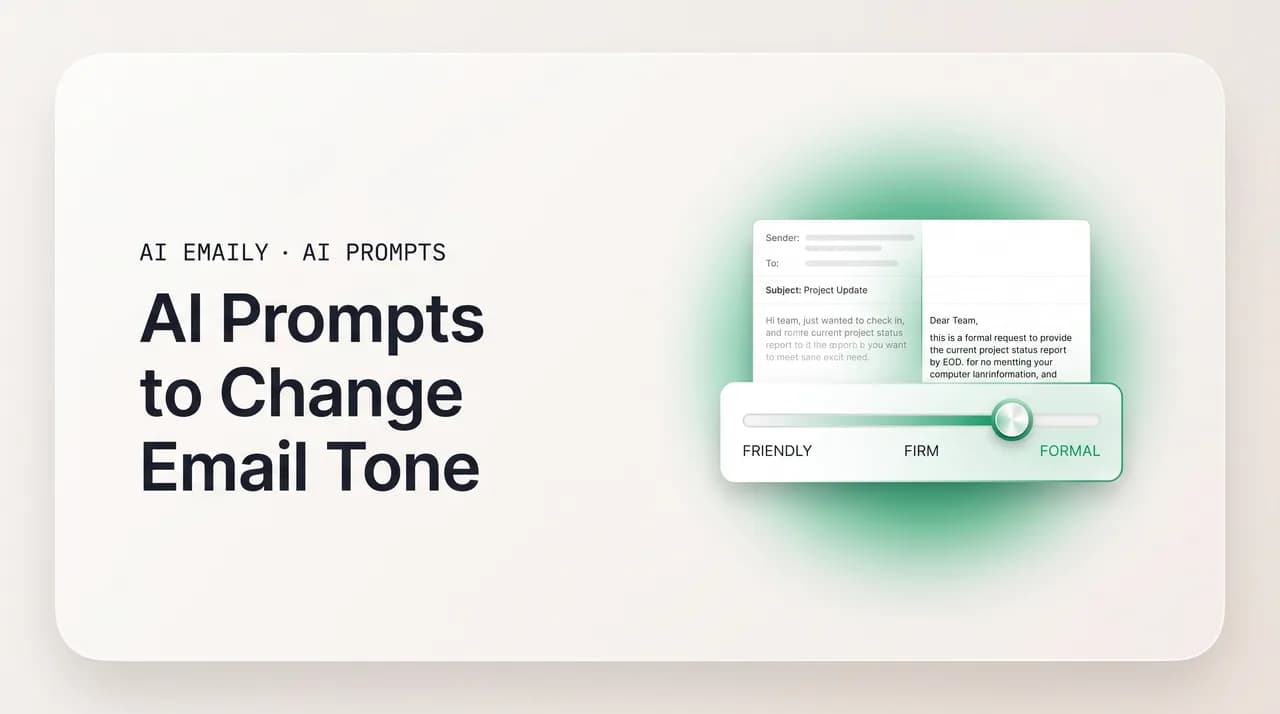
The short answer
AI prompts to change email tone work by naming the target register precisely and handing the model your exact draft. Use distinct prompts for formal, friendly, warm, firm, assertive, apologetic, enthusiastic, diplomatic, and confident. Tell the model what to keep, what to change, and how far to push, then read the result against your own voice before you send.
15+ AI prompts to change email tone — formal, friendly, warm, firm, assertive, apologetic, enthusiastic, diplomatic, confident — plus how to dial intensity.
On this page
- 01What is email "tone," and why is it so hard to fix by hand?
- 02How do you write a good prompt to change email tone?
- 03Prompts to make an email more formal
- 04Prompts to make an email friendlier
- 05Prompts to make an email warmer
- 06Prompts to make an email firmer (without being rude)
- 07What's a prompt for a warm-but-firm tone (the hardest blend)?
- 08Prompts to make an email more assertive and confident
- 09Prompts to make an email more apologetic
- 10Prompts to make an email more enthusiastic
- 11Prompts to make an email more diplomatic and neutral
- 12What's a prompt to fix passive-aggressive or unintentionally harsh tone?
- 13What does one email sound like in different tones?
- 14Which tone should you use for which recipient and situation?
- 15How do you dial tone intensity — a little vs. a lot?
- 16What are the most common tone mistakes (and overshoots)?
- 17Where does the chatbot tone-shift workflow break down?
- 18How does AI Emaily's tone control rewrite in your voice, on your inbox?
- 19Chatbot tab vs. tone control in your inbox
- 20Conclusion: name the tone, keep your voice, read before you send
You have written the email. The facts are right, the ask is clear, and yet something is off. It reads colder than you feel, or pushier, or so padded with apologies that the point disappears. You know the words are wrong but cannot quite see which ones, and rewriting by hand means staring at your sentences until they stop meaning anything. This is the moment a tone-shift prompt earns its keep: hand the draft to an AI model, name the register you want, and get the same message back in a different key in seconds.
This guide is a working prompt library for changing the tone of an email. We start with what email "tone" actually is — because you cannot ask a model to fix what you cannot name — then move into more than fifteen copy-paste prompts by target tone: formal, friendly, warm, firm, assertive, apologetic, enthusiastic, diplomatic or neutral, and confident. Each one drops into ChatGPT, Claude, Gemini, or Copilot, takes your draft, and returns a usable rewrite.
After the prompts we show one ordinary message rewritten across many tones, then cover the parts most people skip: matching the right tone to the recipient, dialing intensity so you nudge a register instead of overshooting it, and the tone mistakes that quietly sabotage good emails. Then we are honest about the friction — re-prompting the same shift every time, in a tab away from your inbox, re-teaching the model your voice each session — and how an AI-native email client like AI Emaily handles tone control where the email actually lives.
What is email "tone," and why is it so hard to fix by hand?#
Tone is the emotional pitch of your writing — how the reader feels about you while they read, separate from what you are literally saying. The same factual sentence can land as warm, cold, urgent, or passive-aggressive depending on tiny choices most writers make unconsciously. "Per my last email" and "just circling back on this" carry identical information and opposite feelings. That gap is exactly what a tone-shift prompt operates on: it keeps the meaning and rebuilds the feeling.
Tone is built from a handful of concrete levers, and naming them lets you direct an AI model precisely instead of waving at "make it nicer." The first lever is word choice. Modal verbs alone shift the temperature — "you should send the file" is a suggestion, "you must" is an order, "could you" is a request. Formal vocabulary and an absence of contractions read as distant; casual words and contractions read as human and close. Swapping "unacceptable" for "not quite what we needed" changes nothing about the facts and everything about the relationship.
The second lever is sentence length and rhythm. Short, declarative sentences move fast and read as assertive — the pace of someone who knows what they want. Longer, qualified sentences slow the rhythm and read as formal or deferential. A wall of short commands feels aggressive; a paragraph of subordinate clauses feels hesitant. Tone lives as much in the shape of the sentences as in the words.
The third lever is hedging — the cushioning language we add to soften a message. "I just think maybe we could possibly look at this" is buried under hedges; "Let's look at this" is not. A little hedging reads as polite; too much reads as unsure and undermines your own authority, which is why over-softening is its own tone failure, not the safe choice it feels like. The fourth lever is structure and framing — leading with empathy versus the ask, naming a problem as shared versus an accusation, opening warm versus straight to business. Together these are the dials a tone prompt turns; the clearer you are about which dial you mean, the closer the rewrite lands.
So why is this hard to do by hand? Because you are too close to your own draft. You know what you meant, so you read your intended tone into the words even when it is not on the page — the reader gets only the text. A model has no such blind spot: it reads the words as written, with no memory of what you were feeling, which is exactly why handing it your draft and a target tone so often surfaces the version you meant to write.
Tone is meaning held constant, feeling rebuilt
How do you write a good prompt to change email tone?#
Every prompt in this guide follows the same shape, and once you have it you can write your own. Give the model four things. Target tone: the register you want, named specifically — not just "professional" but "warm but professional, like a trusted colleague." Draft: your actual email, pasted in full, because the model can only re-tone words it can see. Keep fixed: the facts, the ask, the names, the length. Constraints: anything the new tone must avoid, like "don't add corporate filler" or "keep my contractions."
The single biggest upgrade to any tone prompt is to name the register with a comparison rather than a bare adjective. "Friendly" means a dozen things to a model; "friendly, like emailing a coworker you genuinely like — warm, a little casual, but still about work" gives it a target it can hit. The more vividly you describe how you want to come across, the less the model has to guess.
The second upgrade is to tell the model what to keep, not just what to change. Left unconstrained, a model asked to "make this warmer" will often pad your three-sentence email into five, add a greeting you did not want, and quietly soften your ask into a suggestion. Pin it down: "Keep it to roughly the same length. Don't change the request — I still need the file by Friday. Keep my plain, no-jargon style." A tone shift should move one thing and leave the rest alone.
The third upgrade is to ask for a shift from where you are, not a rewrite from scratch — and this is where naming your own voice matters. "Take my draft and nudge it warmer, keeping it sounding like me" produces something you still recognize; "write me a warm email about X" produces a generic warm email in the model's default voice, the fast road to losing what made the message yours. Later we look at how an AI email client holds your voice permanently — but even in a chatbot, asking for an edit rather than a rewrite keeps you in the email.
Prompts to make an email more formal#
A formal tone is for high-stakes, distance-keeping contexts — a first email to a senior leader, a legal matter, an external partner you do not know, anything kept on record. Formality is built from full words instead of contractions, complete sentences, precise vocabulary, and a measured structure that does not rush to the ask. The prompt below lifts a casual draft's register without making it stiff or pompous, the failure mode at this end.
Sometimes you need the very top of the formal register — a message to a board, a regulator, a formal complaint, or a letter that will sit in a file. Here precision and propriety matter more than warmth, and a slightly more conservative structure is appropriate. The next prompt pushes formality further while still guarding against the pompous, throat-clearing register that formal writing slips into when it tries too hard.
Prompts to make an email friendlier#
A friendlier tone closes distance. It is what you want for a coworker you get along with, a returning customer, a contact you have rapport with, or any message that reads as too cold for the relationship. Friendliness comes from contractions, a warm opener, lighter word choices, and a touch of personality — without tipping into unprofessional or fake-chummy. The prompt below warms a stiff draft while keeping it about work.
A common version of this is the email that reads as unintentionally cold or curt — short replies that come off as terse, a request that sounds like a demand, a note dashed off between meetings that landed harsher than you meant. You do not want to add length or gush; you just want to take the edge off. The next prompt does the minimal warming that fixes an accidentally cold email without overcorrecting into something syrupy.
Ask for the smallest change that works
Prompts to make an email warmer#
Warmth is friendliness with more genuine care behind it — the register for a thank-you, a congratulations, a message to someone going through something hard. Where "friendly" is light and easy, "warm" is sincere and a little more personal. The risk at this end is over-the-top gush that reads as insincere. The prompt below adds real warmth while keeping it grounded and genuine.
Prompts to make an email firmer (without being rude)#
This is the most-requested tone shift of all, because it is the hardest to get right by hand: you need to be firmer — about a deadline, a boundary, a repeated problem — without crossing into rude or passive-aggressive. The proven approach in 2026 is consistent: firmness is clarity, not hostility. State the reality plainly without blame, be direct about what you need, drop the over-hedging that muddies the message, and stay respectful. "Just following up again, no rush!" on the fourth attempt is not polite — it is unclear. The prompt below makes an email firmer while keeping it professional and decidedly not rude.
Firm is the absence of hedging, not the presence of harshness
A sharper version of the firm tone is the message about a repeated problem — a deadline that keeps slipping, a commitment not kept, a pattern you finally have to name. Here the skill is to name the reality without making it a character attack: "the report came in late again and it's affecting the timeline" rather than "you keep missing deadlines." The next prompt produces a firm accountability email that addresses the behavior and the impact while keeping the door open.
What's a prompt for a warm-but-firm tone (the hardest blend)?#
The single hardest register to write by hand is warm and firm at once — kind to the person while clear about a boundary or a no. It is the tone you need to chase a late payment from a client you like, hold a deadline with a friend, or decline a request without going cold. Most people collapse to one side. The prompt below asks the model to hold both at once, which it does well when you name the balance explicitly.
Prompts to make an email more assertive and confident#
Assertive and confident tones are close cousins — both about owning your message rather than apologizing for it. An assertive email states needs and positions plainly, without the self-undermining language — "I think maybe," "sorry to bother you," "just my two cents" — that quietly tells the reader not to take you seriously. A confident email goes further: it assumes the value of what it is saying and does not hedge the recommendation. The prompt below strips the self-doubt out of a draft and lets your position stand.
A specific and high-value version of this is the confident recommendation or pitch — proposing an idea, making a case, putting your work forward — where tentative language reads as "I don't believe in this myself." If you are not sold, neither is the reader. The next prompt tunes a draft to project genuine confidence in the substance without sliding into the arrogance that makes a confident email obnoxious instead of persuasive.
Prompts to make an email more apologetic#
Sometimes the tone needs to go the other way: you got something wrong and the email has to carry a genuine apology. A good apologetic tone takes real responsibility, acknowledges the specific impact, and does not hide behind non-apologies like "mistakes were made" or "I'm sorry you feel that way." But — and the 2026 guidance is firm on this — it also does not grovel. Over-apologizing buries the message and reads as insincere. The prompt below owns the mistake cleanly without collapsing.
Prompts to make an email more enthusiastic#
Enthusiasm is the register for genuinely good news — a yes, a launch, a win, a welcome, an offer you are excited to extend. Done well, it makes the reader feel your energy; done badly, it is a wall of exclamation points and "thrilled" and "amazing" that reads as hollow. Real enthusiasm comes from specifics and a lively rhythm, not punctuation. The prompt below adds genuine energy to a flat draft while keeping it professional and believable.
Prompts to make an email more diplomatic and neutral#
A diplomatic or neutral tone is for charged situations where you need to lower the temperature: a disagreement, a sensitive subject, a reply to an angry email. Diplomacy is cautious by design — it avoids assumptions and accusations, frames things as shared rather than oppositional, and keeps emotion out of the words even when there is plenty behind them. The prompt below de-escalates a charged draft into something measured and even-handed.
When the email really matters, don't send it angry — or send it blind
A close relative is the strictly neutral, just-the-facts register — for a status update, an FYI, or a policy note, where you want zero emotional color so the content speaks for itself and nobody reads a subtext into it. This is the tone hardest to write when you actually have feelings about the topic. The next prompt flattens a draft into clean, professional neutrality without making it cold or robotic.
What's a prompt to fix passive-aggressive or unintentionally harsh tone?#
One of the most useful tone shifts is the diagnostic one: you suspect your email reads worse than you intend — passive-aggressive, harsh, condescending — but cannot tell, because to you it sounds normal. Phrases that feel neutral to the writer routinely land as pointed to the reader: "per my last email," "as I already mentioned," "just to be clear," "obviously," "with all due respect." The prompt below does two jobs at once — it tells you how your draft is likely to land, then fixes it — which beats a blind rewrite because it teaches you what to watch for.
What does one email sound like in different tones?#
The fastest way to internalize how tone works is to see one message rewritten across registers. Below is an ordinary work email — a request for an overdue document — shown in several tones. The facts never change: you need the Q2 report, it was due, you want it. What changes is everything around them: the words, the rhythm, the hedging, the framing. Read them back to back and you can hear the levers move. (The original, for reference: "Hi Sam, can you send me the Q2 report? It was due Monday. Thanks.")
Dear Sam,
I am writing to follow up on the Q2 report, which was scheduled for delivery this past Monday. Could you please send it through at your earliest convenience? Please let me know if there is anything you need from me to complete it.
Thank you for your attention to this.
Best regards,
Notice what each version did and did not touch. The formal one dropped contractions and lengthened the sentences. The friendly one added a warm opener. The firm one stripped the hedging and set a clear expectation. The warm one led with care for the person. The diplomatic one removed the implied accusation by allowing the writer might have the date wrong. The apologetic one — the cautionary case — added so much cushioning that the point almost disappears: a fine tone for the right situation, a self-undermining mess for the wrong one. That is the overshoot we cover next.
Which tone should you use for which recipient and situation?#
There is no universally "best" tone — only the tone that fits the reader and the moment, and matching the two is what separates a good email from one that technically says the right thing but lands wrong. A firm deadline reminder that works for a peer reads as aggressive to a client; a casual note that delights a coworker reads as unprofessional to a regulator. Before you pick a tone-shift prompt, decide who you are writing to and what the situation calls for. The table below maps common situations to the tone that usually fits and the prompt to reach for.
| Recipient / situation | Tone that usually fits | Prompt to use |
|---|---|---|
| First email to a senior leader or external partner | Formal, professional | Prompt 1 / 2 (more formal) |
| A coworker you have rapport with | Friendly | Prompt 3 (friendlier) |
| Thank-you, congratulations, condolence | Warm, sincere | Prompt 5 (warmer) |
| Overdue task, missed deadline, boundary | Firm but respectful | Prompt 6 / 7 (firmer) |
| Stating your needs or pushing back | Assertive | Prompt 8 (assertive) |
| Proposal, pitch, recommendation | Confident | Prompt 9 (confident) |
| You made a mistake that affected someone | Sincerely apologetic | Prompt 10 (apologetic) |
| Good news, a win, a welcome, an offer | Enthusiastic | Prompt 11 (enthusiastic) |
| Disagreement, sensitive topic, angry reply | Diplomatic, de-escalating | Prompt 12 (diplomatic) |
| Status update, FYI, policy note | Neutral, matter-of-fact | Prompt 13 (neutral) |
| You suspect it reads harsh and can't tell | Clear, respectful (diagnosed) | Prompt 14 (diagnose + fix) |
A few cross-cutting rules make the matching easier. The first email in any relationship should err slightly more formal than you think you need — you can warm up later, but you cannot un-send a too-casual opener to someone who expected formality. Match the size of your tone to the size of the moment: a five-paragraph apology for a typo is as mismatched as a one-line "k" to a serious complaint. And read the tone of the email you are replying to — mirroring a sender's register within reason signals you are on the same wavelength.
How do you dial tone intensity — a little vs. a lot?#
Tone is not a switch; it is a dial. "Make this friendlier" and "make this much friendlier" should produce different results, and the most common reason a tone rewrite disappoints is that the model guessed the intensity and guessed wrong — usually too far. The fix is to tell it how far to go. Add a degree word to any tone prompt: "slightly more formal," "a bit warmer," "significantly firmer." That single qualifier is often the difference between a rewrite you can send and one you have to walk back toward your original.
An even more reliable technique is to ask for the shift on a scale, or for options at different intensities. "On a scale where 1 is my current draft and 10 is maximally formal, give me a 6" gives the model a precise target. Or: "Give me three versions — slightly, moderately, and very firm — so I can choose." Generating a few options at different dial settings and picking the one that fits is faster than re-prompting toward a moving target — you see the range and choose, rather than describing a point in the dark.
Intensity also interacts with what you keep fixed. A small nudge should change a few words; a large shift can change structure and rhythm. If you ask for a "slightly" warmer email and the model rewrites the whole thing, it has overstepped — remind it: "This is a small adjustment; keep most of my wording and change only what's needed." The lighter the intended shift, the more explicitly you should tell the model to leave your draft intact. The heaviest-handed rewrites almost always come from prompts that named a tone but never a degree.
Name the degree, not just the direction
What are the most common tone mistakes (and overshoots)?#
Most tone failures are not from missing the direction — they are from going too far in it, or from a model quietly changing things you did not ask it to. Knowing the list lets you build guards into your prompts and catch problems in your final read. Scan this before you send anything where tone matters.
- Over-softening into uncertainty. Pushing "polite" too hard buries your ask under hedges and makes you sound unsure, not kind. Confidence and warmth work together; pick a degree, not the maximum.
- Over-apologizing. More than one genuine apology, or apologizing for things that are not your fault, undercuts your credibility and reads as insincere. Own it once, then move to the fix.
- Overshooting firm into rude. Adding harsh or sharp words instead of just removing hedging tips firm into hostile. Firmness is clarity; subtract cushioning before you add force.
- Forced enthusiasm. Exclamation-point spam and a pile of 'thrilled / amazing / incredible' reads as fake. Real energy comes from specifics and rhythm, not punctuation.
- Losing your own voice. Asking the model to rewrite from scratch instead of editing your draft produces a generic email in the model's default register — recognizably AI, not you. Ask for an edit, not a replacement.
- Changing the meaning, not just the tone. A rewrite that softens your actual ask into a suggestion, or strengthens it past what you meant, has crossed from re-toning into rewriting. Pin the facts and the ask as fixed.
- Length creep. 'Make it warmer' too often becomes 'make it longer.' If you wanted a short email, say so explicitly, or the warmth arrives as padding.
- Tonal mismatch with the situation. The right tone for the wrong recipient still lands wrong — a casual note to a regulator, a firm one to a grieving client. Match the register to the reader, not just to your mood.
- Leftover AI tells. 'I hope this email finds you well,' 'I trust this message finds you,' and 'please don't hesitate to reach out' survive many rewrites. Edit them out — they signal a machine wrote it.
- Trusting the rewrite blind. The biggest risk is sending the model's version without reading it against what you actually need to say. Always read the full rewrite before it goes out.
Where does the chatbot tone-shift workflow break down?#
Everything above works — these prompts genuinely produce good tone rewrites in ChatGPT, Claude, Gemini, or Copilot. But there is an honest gap between re-toning one email in a chat window and doing it as a normal part of how you handle email all day, and that gap decides whether AI tone control saves you time or just adds a step.
The first friction is that you re-prompt the same shift every single time. Changing tone is not a one-off; it is something you do on a meaningful slice of the emails you send. With a chatbot, every instance is the full loop: leave your inbox, open the chat tab, paste the draft, type the tone instruction again, wait, copy the rewrite, switch back, paste it in, fix what the paste broke. The wording change takes a second; the shuttling around it is the cost, and it repeats forever because the chatbot remembers none of it tomorrow.
The second friction is your voice. A chatbot has no idea how you write, so unless you re-describe your style in every prompt, its rewrites drift toward its own default register — and the more you let it rewrite from scratch, the less your email sounds like you. People who lean on a chatbot to re-tone everything often end up sounding like the chatbot. Re-teaching your voice each session is the tax for keeping the rewrites yours, and most people skip it — which is exactly how the AI flavor leaks into their outbox.
The third friction is that the chatbot is nowhere near your email. It cannot see the thread you are replying to, so it cannot judge whether your tone fits the conversation or read the message that set the register you should match. It operates only on the text you hand it, then returns the rewrite as text you move yourself. You are the integration layer — ferrying drafts between a chat tab and your inbox, supplying context the model cannot see, and remembering to read before you send. That layer is fine for one email and a grind across a week of them.
The prompt is the easy part
How does AI Emaily's tone control rewrite in your voice, on your inbox?#
AI Emaily is an autonomous AI email client built to close that gap. Instead of a chatbot in a separate tab that you feed by hand, tone control lives inside your real mailbox, in the draft you are already writing. You write the email the way it comes out, then adjust the register in place — friendlier, firmer, more formal — without leaving the inbox, pasting anything, or re-typing the instruction you have typed a hundred times. The tone shift happens where the email actually is.
The piece that matters most is voice. AI Emaily drafts and rewrites in your voice, learned from how you actually write — so when you ask for firmer or warmer, it adjusts the register while keeping the result sounding like you, not like a generic AI rewrite. That is the difference between a tool that re-tones your email and one that replaces it with the model's default register. You are not re-pasting a style guide every session; the voice is held for you, so the shift moves the feeling without erasing what made the message yours.
Because it works inside your mailbox, it can do what a blind chat tab cannot: ground the rewrite in the actual conversation. It sees the thread you are replying to and pulls relevant context with smart search, so the tone you land fits the email you are answering. And control stays with you — AI Emaily runs with Copilot approval, so it drafts and re-tones, but nothing leaves your outbox until you review and approve it, with undo and a full audit trail. That is the read-before-you-send rule this guide keeps insisting on, built into the product instead of left to your memory.
Two more things make it fit real life. It works on your actual inbox across every major email provider, so you are not migrating off the address you already use. And it is private by design — your mail is yours, not training fodder. You can start free: Free is $0, and Pro is $12.42 per month billed annually. Sign up at app.aiemaily.com/signup, connect your inbox, and adjust tone in your own voice, right where you write.
Chatbot tab vs. tone control in your inbox#
Here is the same work, side by side. These prompts turn a chatbot into a capable tone-rewriting assistant — real value. But the table below shows where a chat-in-a-tab workflow makes you do the carrying, and where an AI email client like AI Emaily does it instead. The chatbot rewrites text you hand it; the AI-native client adjusts tone in your voice, inside the inbox, grounded in the thread, with a human approving every send.
| Tone task | Chatbot in a browser tab | AI Emaily (AI-native inbox) |
|---|---|---|
| Run the tone shift | Leave inbox, paste draft, type instruction every time | In place, in the draft you're writing |
| Keep it sounding like you | Re-describe your voice each session (or drift) | Rewrites in your learned voice by default |
| Fit the conversation | Blind to the thread you're replying to | Sees the thread; smart-search context |
| Get the rewrite back into the email | Copy-paste back, fix what breaks | Already in the draft, nothing to shuttle |
| Send safely | Up to you to read before sending | Copilot approval, undo, full audit trail |
| Where your mail lives | In a chat provider's window | Your real inbox, every provider, private |
Conclusion: name the tone, keep your voice, read before you send#
Changing the tone of an email is not a mystery once you know the levers. Tone is built from word choice, sentence rhythm, hedging, and framing — and a good prompt tells a model which to move, hands it your draft, pins down what must stay fixed, and names how far to go. The prompts here cover the registers you actually need: formal and friendly, warm and firm, assertive and confident, apologetic and enthusiastic, diplomatic and neutral. Use them as starting points, paste in your real email, name the degree as well as the direction, and ask for an edit rather than a rewrite so the result still sounds like you.
The honest part is that tone is something you adjust constantly, and a chat window makes you redo the same loop every time — in a tab away from your inbox, re-teaching the model your voice, copy-pasting the result back, and remembering to read it before it goes. The wording change was never the hard part. The repeated, in-the-inbox layer around it is — and it is exactly where leaning on a chatbot starts to make your email sound like the chatbot.
If adjusting tone is a regular part of your email, let the AI do it where the email actually lives — in your real mailbox, in your own learned voice, grounded in the thread you are answering, and gated by approval so you sign off on every send. That is what AI Emaily is built to do. Start free at app.aiemaily.com/signup, connect your inbox, and turn these prompts into something you do in one move, without leaving the email you are writing.
Frequently asked
See it in AI Emaily
Keep reading

Written by
Nafiul HasanNafiul Hasan is an entrepreneur and AI automation system builder with 10+ years of experience turning messy, manual workflows into reliable automated systems. He designs and ships AI enterprise solutions end-to-end — the agent logic, the data plumbing, and the product people actually use — and founded AI Emaily to give busy professionals their attention back. He writes here from the builder's seat: what works, what breaks, and how to put AI to work without giving up control.