AI Emaily vs Inbox Zero: Self-Host or Buy Managed? (2026)

The short answer
Self-host Inbox Zero if you must keep email on your own servers, want to own the model key end to end, and have engineering time for setup and upkeep. Buy a managed tool like AI Emaily if you want triage, drafting, and approve-before-send without running the infrastructure yourself. The 'free' option still costs infra, model spend, and maintenance.
AI Emaily vs Inbox Zero self-hosted AI email: own the model key and infra yourself, or buy managed. An honest total-cost-of-ownership verdict.
On this page
- 01The verdict up front
- 02At a glance: self-hosted Inbox Zero vs managed AI Emaily
- 03Two paths, one decision
- 04Where the managed pick (AI Emaily) wins
- 05Where self-hosting Inbox Zero wins
- 06What running it yourself actually costs
- 07How each one is priced
- 08Who each one is genuinely for
- 09A third option, honestly
"AI Emaily vs Inbox Zero for self-hosted AI email" is really a question about who runs the machine. Inbox Zero is open source: you can read its code, self-host it on your own server, and plug in your own model API key — Anthropic, OpenAI, Gemini, Groq, AWS Bedrock, OpenRouter, or a local Ollama model. AI Emaily is a managed service we run for you. That is the whole fork, and it is a real one.
So this is not a case of a paid product against a worse free one. Both are capable AI email tools. The decision is architectural: do you want to own the stack — the infrastructure, the model key, the upgrades, and the on-call — or do you want that handed to you as a subscription? This post prices the 'free' option honestly, because self-hosting is free like a puppy is free.
The verdict up front#
If you have a hard requirement that email content stay on infrastructure you control — a compliance rule, a data-residency policy, an air-gapped environment — self-hosting Inbox Zero is the right call, and with a local model your mail need never leave your own servers. You also get to read and audit every line of code. That is a genuine advantage no managed tool can match, and we are not going to pretend otherwise.
For everyone else, the calculus flips. If you do not have a person whose job can absorb setup, upgrades, patching, and incident response, a managed tool is almost always cheaper and calmer once you count the hours honestly. AI Emaily is the managed pick here: triage, drafting in a voice you set, and approve-before-send with undo and an audit trail — with no Postgres, Redis, or OAuth app for you to run. It also supports optional bring-your-own-key if you want to control model spend without self-hosting.
We build AI Emaily, so read this as a comparison from an interested party. The concession above is real, not a rhetorical move: for the specific reader who needs to own the whole stack, the open-source, self-hosted path wins, and we will send you there by name.
Both are legitimate — the split is 'who operates it'
At a glance: self-hosted Inbox Zero vs managed AI Emaily#
| Dimension | AI Emaily (managed) | Inbox Zero (self-hosted) |
|---|---|---|
| Who runs it | We do — managed SaaS; you sign in and connect a mailbox | You do — Docker on your own server or VPS via the self-host CLI |
| Open source | No — proprietary, closed source; you cannot read or fork the code | Yes — a public GitHub repository you can read, fork, and self-host |
| Own the model key (BYOK) | Optional — use our metered credits or bring your own model key | Required — you supply an OpenAI, Anthropic, Gemini, Groq, Bedrock, OpenRouter, or local Ollama key |
| Where your email data lives | On our managed infrastructure; no training on your mail | On infrastructure you control; with a local model (Ollama) content need never leave your servers |
| Email providers | Gmail, Outlook, and any IMAP account | Gmail, Google Workspace, and Microsoft Outlook (per its site) |
| Setup effort | Minutes — OAuth connect, no infrastructure to stand up | Hours to days — Postgres, Redis, a Google OAuth app, secrets, and a model key |
| Ongoing maintenance | Handled by us — upgrades, patches, uptime, backups | Yours — upgrades, patching, backups, on-call, OAuth app verification |
| Control before send | Manual, Copilot, and Autopilot modes, with undo and an audit trail | Rules and AI drafting; verify current review and automation controls in its docs |
| Support | Vendor support included | Community and GitHub issues; you own incidents |
| Pricing shape (verify on vendor) | 7-day free trial on paid plans, card required; no permanent free tier | Free to self-host (you pay infra plus model spend); a managed cloud tier also exists with a trial |
Two paths, one decision#
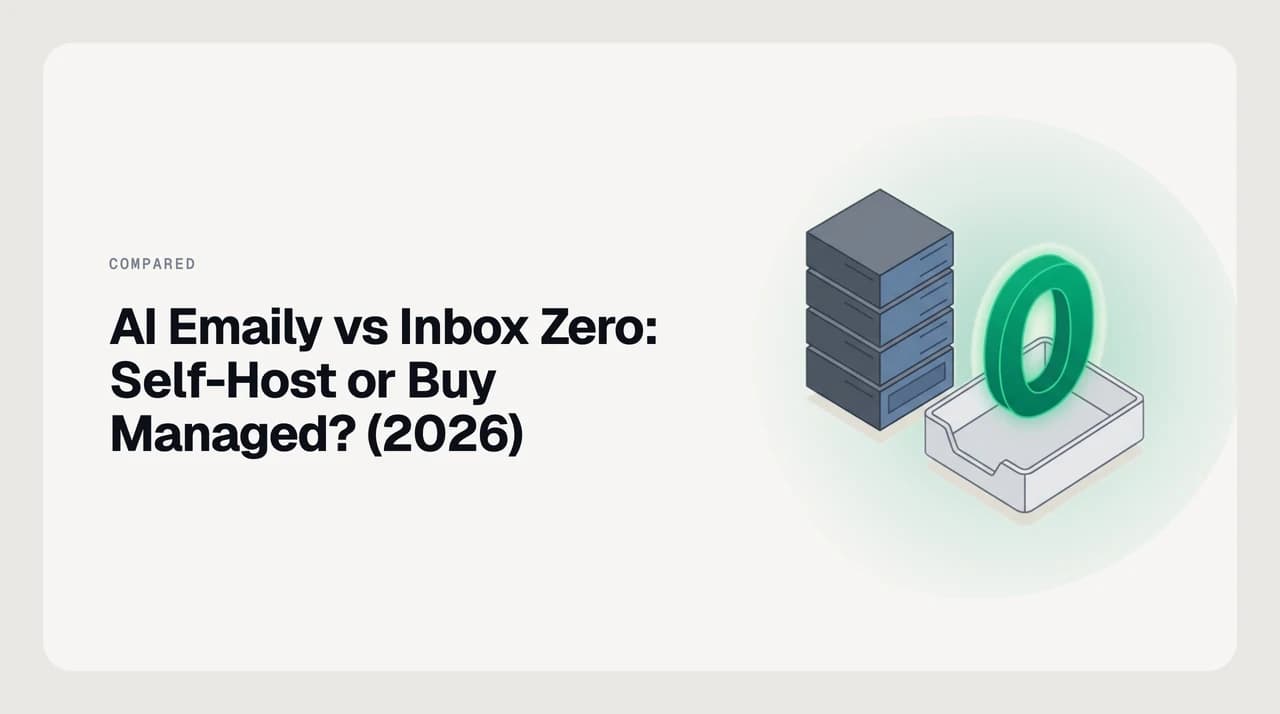
The table collapses to a single fork: operate it yourself, or pay someone to. Everything downstream — cost, setup time, security burden, who gets paged at 2 a.m. — follows from that one choice. The illustration below is the same decision in one picture.

Where the managed pick (AI Emaily) wins#
AI Emaily wins wherever you would rather use an AI email assistant than run one. Because we operate the servers, there is nothing to install and nothing to keep patched: you connect Gmail, Outlook, or any IMAP account and start triaging, drafting, and clearing the inbox the same afternoon. That IMAP support matters — it covers mailboxes that a Gmail-and-Outlook-only tool does not, including Fastmail, iCloud, Proton Bridge, Zoho, and any provider-agnostic mailbox at a domain registrar.
The features we lean on are the ones that touch real customers, where a wrong send is expensive. AI Emaily runs in three autonomy modes — Manual (draft only), Copilot (one-tap approval), and Autopilot (bounded automatic sending inside rules you define). Every action lands in an audit trail, every send has an undo, and it does not train models on your mail. Drafts are written in a voice you control through a Personal Context brain and per-client profiles that you set — not by quietly mining your sent folder.
A typical morning looks like this: the agent has already triaged overnight mail into what needs a reply, what is a notification, and what is cold outreach; drafts are waiting on the threads that need them, written in the voice your Personal Context brain defines; you scan, tweak, and one-tap send in Copilot mode. If a rule is stable enough — a standard invoice-received acknowledgement, for instance — you can promote it to Autopilot within a narrow scope, and the audit trail records every automatic action against a rule you can change or revoke.
If you want to control model spend, you do not have to self-host to do it: AI Emaily supports optional bring-your-own-key, so you can point it at your own model provider and keep the infrastructure ours. We build AI Emaily, and this is the case for it — managed convenience plus the trust controls that let you actually let go of the wheel.
- No infrastructure — no Postgres, Redis, OAuth app, or server to run and patch.
- Gmail, Outlook, and any IMAP account, not just the two big providers.
- Approve-before-send with undo and a full audit trail on anything a person will read.
- Optional bring-your-own-key to control model spend without self-hosting.
- Vendor support and upgrades included — a green build is our problem, not yours.
Where self-hosting Inbox Zero wins#
Inbox Zero wins the moment control of the stack is the point rather than a nice-to-have. Because it is open source and self-hostable, you can read every line, fork it, and run it inside your own network. If your policy says customer email cannot touch a third-party SaaS, that is not a preference you can buy your way around — it is a requirement, and self-hosting meets it directly.
The model key is the sharpest part of the win. Inbox Zero lets you supply your own provider credentials — Anthropic, OpenAI, Google Gemini, Groq, AWS Bedrock, OpenRouter, and OpenAI-compatible servers — or run a local model through Ollama. With a local model, the email content and the inference both stay on hardware you own, so nothing leaves your servers at all. For a team with strict data-residency or air-gap constraints, that is a capability a managed tool structurally cannot offer.
Concrete cases where this decides the purchase: a legal or medical practice whose data-processing agreements forbid third-party AI processing of client correspondence; a public-sector team required to keep records inside a national jurisdiction; a defense or research group operating on a network without outbound internet access, where a local Ollama model is the only inference path allowed. In each of those, a managed SaaS is not a slower or more expensive option — it is disqualified outright. Self-hosting is what makes the tool usable at all.
You also inherit the open-source posture: no vendor lock-in on the app itself, the ability to audit and modify behavior, and a community you can read before you trust. If those are your priorities, self-hosting is not a compromise — it is the feature.
- Read, audit, and fork the source; no closed-box behavior to take on faith.
- Run entirely on your own infrastructure to satisfy data-residency or air-gap rules.
- Bring any model key, or run a local model so email content never leaves your servers.
- No dependence on a vendor keeping the app alive — you hold the code.
What running it yourself actually costs#
The word "free" describes the software license, not the system. A self-hosted Inbox Zero has a real total cost of ownership, and pricing the managed option fairly means putting numbers-you-can-feel next to the ones on a pricing page. None of the lines below are hypothetical — they are the setup the docs ask for.
Infrastructure is the first line. Self-hosting requires a PostgreSQL database, a Redis instance (Upstash or your own), a server or VPS to run the Docker containers, and a domain — each of which is a monthly bill and a thing that can page you. Model spend is the second line: whichever provider key you plug in, you pay that provider directly for every token, or you pay for the hardware to run a local model. The third and largest line is time — initial setup (OAuth app, secrets, database, and the model configuration), then upgrades, patching, backups, and being the person who fixes it when it breaks.
Model spend is the line that surprises people the most, because it does not scale with seats — it scales with mail volume and how deeply the agent reads each thread. A mailbox that receives a few hundred messages a day and asks the model to summarise long threads and draft nuanced replies runs a very different bill from one that only classifies short notifications. A local Ollama model changes the shape but not the presence of the cost: you no longer pay per token, but you do pay for a GPU (or a beefy CPU host) that can run the model at usable latency, plus the electricity to keep it on. Neither path is free; they are different bills.
Security is the line people forget to cost. Self-hosting an AI tool that reads email means you own its whole risk surface: verifying your own Google OAuth app, patching the stack, and defending against the LLM-specific risks catalogued in the OWASP Top 10 for LLM Applications — prompt injection from untrusted email content, excessive agency, and sensitive-information disclosure among them. A managed vendor absorbs that work; a self-hoster signs up for it.
On-call is the hidden line under all of the above. Email is the medium your customers use to reach you, so downtime is not academic — a database that runs out of disk on a Sunday morning, a Redis instance that OOMs during a token-heavy job, or an OAuth token that silently expires all become your problem before they become anyone else's. Somebody has to notice, page in, and fix it. If your team already runs services and that person exists, the marginal cost is small. If they do not, standing that capability up for one internal tool is the cost people quietly discover after month three.
Self-hosting means you own the security work
How each one is priced#
The two options charge on different axes, so a straight price comparison misleads and we do not print competitor figures that change. Confirm the current numbers on each vendor's own page before you buy — including ours.
Self-hosted Inbox Zero has no license fee: the software is free to run, and your bill is the infrastructure plus the model spend described above. Inbox Zero also offers a managed cloud version for people who want the same open-source app without operating it; that hosted version is a paid subscription with a free trial. So Inbox Zero itself gives you the same self-host-or-buy fork this whole post is about.
AI Emaily is managed-only and priced as a subscription: a 7-day free trial on our paid plans, card required, and $0 if you cancel before day 7. There is no permanent free tier. You can see the current plans on our pricing page and what the product is on our homepage.
Verify every price on the vendor page
Who each one is genuinely for#
Choose by your constraint, not by which sounds more advanced. The self-host audience is real and specific, and if you are in it, no amount of managed polish changes the answer.
The most common mistake is picking self-host because it looks cheaper on the invoice, then discovering — after the OAuth app hits a Google review queue, after the first upgrade breaks a migration, after the Redis instance starts eating memory — that the person doing the work is also the person the tool was meant to give time back to. If the constraint is real, that cost is worth paying; if it is not, you traded a bill for a second job.
- Self-host Inbox Zero if: email content cannot legally leave your infrastructure, you want to read and modify the source, or you have engineering time to spare and prefer to own the whole stack, model key included.
- Buy AI Emaily if: you want triage, drafting, and approve-before-send today, across Gmail, Outlook, and IMAP, without standing up Postgres and Redis — and you value undo, an audit trail, and vendor support over owning the machine.
- Bring-your-own-key without self-hosting if: you want to control model spend and provider but do not want to run infrastructure. AI Emaily supports optional BYOK on the managed service.
- Consider Inbox Zero's managed cloud if: you like the open-source pedigree but do not want to operate it yourself — the middle path below.
A third option, honestly#
There is a genuine middle path, and pretending otherwise would be dishonest: Inbox Zero's own managed cloud. It is the same open-source application, hosted by the vendor, so you get the open-source lineage and the option to inspect the code without running Postgres, Redis, and a server yourself. If the open-source project is what drew you but the operational burden is what stops you, that is the option to weigh.
What it does not hand you is AI Emaily's specific trust model — the Manual, Copilot, and Autopilot autonomy modes with undo and an audit trail, plus IMAP alongside Gmail and Outlook. So the honest three-way shape is: self-host Inbox Zero to own everything; use Inbox Zero cloud for an open-source app someone else runs; use AI Emaily for managed convenience plus approve-before-send controls and broader provider coverage. Match the option to the constraint that actually binds you.
Frequently asked
See it in AI Emaily
Keep reading
Sources

Written by
Nafiul HasanNafiul Hasan is an entrepreneur and AI automation system builder with 10+ years of experience turning messy, manual workflows into reliable automated systems. He designs and ships AI enterprise solutions end-to-end — the agent logic, the data plumbing, and the product people actually use — and founded AI Emaily to give busy professionals their attention back. He writes here from the builder's seat: what works, what breaks, and how to put AI to work without giving up control.