AI Emaily vs Mailbutler: Assistant Add-On vs AI Agent

The short answer
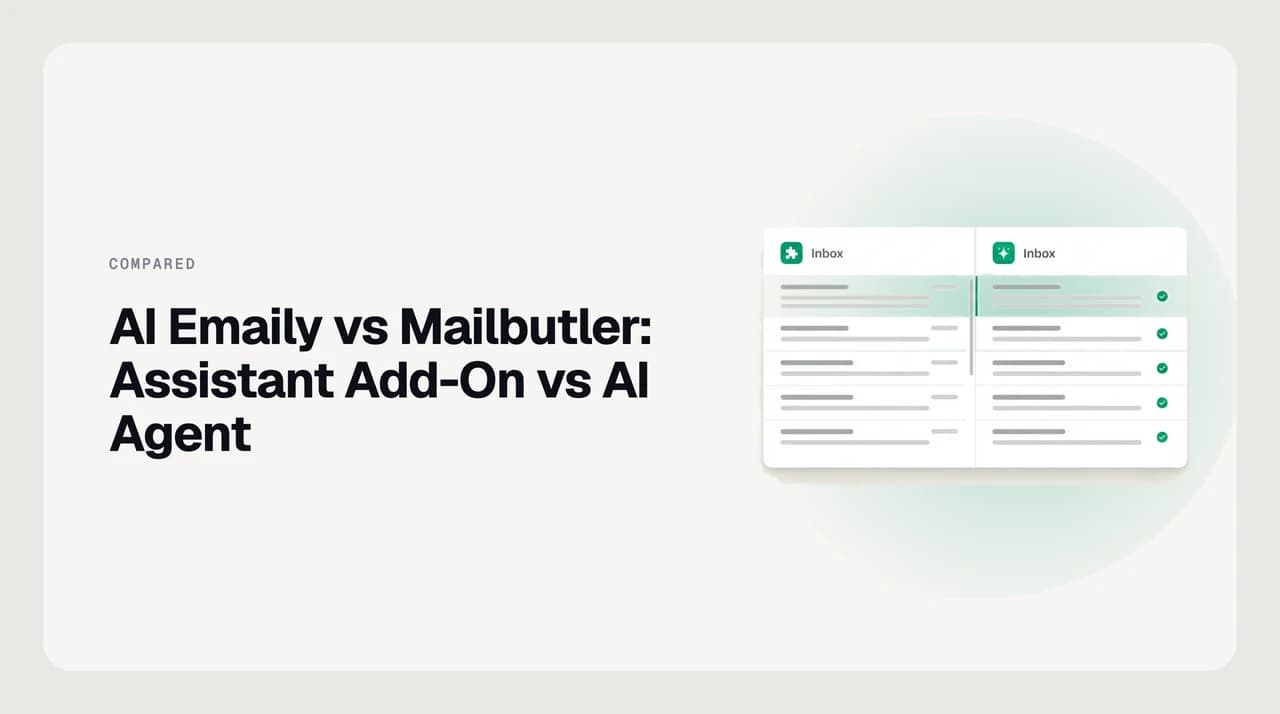
Add Mailbutler if you want to keep Apple Mail, Gmail or Outlook and get AI drafting, tracking and lightweight CRM inside them. Switch to AI Emaily if you want an agent that triages and acts across every account, with approval, undo and an audit trail. Mailbutler is genuinely capable at what it does; it just doesn't act on its own.
AI Emaily vs Mailbutler Smart Assistant: an AI agent client compared to an AI add-on for Apple Mail, Gmail and Outlook.
On this page
The real question behind AI Emaily vs Mailbutler Smart Assistant isn't which product scores higher in the abstract. It's whether you want AI bolted onto the mail app you already use, or whether you want the mail app itself to be the agent.
Mailbutler is an add-on. It installs into Apple Mail, Gmail or Outlook and layers a Smart Assistant, email tracking, tasks and contact notes on top of the inbox you already have. AI Emaily is the client — a separate app where triage, drafting and follow-ups happen inside an agent that can act with your permission, not just a panel that helps you type.
Those are different bets, and both are defensible. This comparison names where each one actually wins, states Mailbutler's AI capability accurately instead of underselling a real competitor, and ends with an honest read on who each is for. We build AI Emaily — that's on the record before the verdict, not after it.
The verdict up front#
If your mail habits are fine and you just want help writing, tracking and remembering — Mailbutler is a reasonable, low-friction add. It works inside the client you already trust, with no migration and no new app to learn.
If what's actually broken is the triage — too many threads, too many senders, no reliable system for what gets a reply today versus next week — an add-on that drafts faster doesn't fix that. It still leaves every decision, every send, and every follow-up to you. That's the gap AI Emaily is built to close: an agent with autonomy levels, an approval gate before it sends anything, and a log of what it did so nothing happens invisibly.
The honest scope: Mailbutler's Smart Assistant is a capable compose-and-summarize tool, not a weaker version of an agent. It just isn't trying to be one. The comparison below treats it as what it is.
AI Emaily vs Mailbutler at a glance#
Nine dimensions, checked against each vendor's own site as of August 2026. Packaging shape only — no competitor prices, since those change faster than a comparison page can track them.
| Dimension | AI Emaily | Mailbutler |
|---|---|---|
| Architecture | Standalone AI-native mail client — web, desktop and mobile | Add-on layered inside Apple Mail, Gmail or Outlook |
| AI capability | Agent: triages, drafts, and can take multi-step action | Smart Assistant: drafts, summarizes and improves text on request (Smart Compose, Smart Summarize, Smart Improve) |
| Autonomy modes | Manual, Copilot (approve before send), gated Autopilot | None — every AI output is a manual insert or send |
| Audit trail / undo | Agent actions are logged, with undo | No agent action log — there's no autonomous action to log |
| Account coverage | Gmail, Outlook, IMAP, iCloud and more in one inbox | Layers onto the Apple Mail, Gmail or Outlook you already run |
| Contact & CRM features | Contact context feeds drafting; not a CRM | Contact notes, tags and lightweight CRM-style fields |
| Tracking & signatures | Not a focus of the product | Per-recipient open/click tracking, mail merge, dynamic signature CTAs with UTM tags |
| Tasks | Follow-up nudges surfaced by the agent | A dedicated task list pulled out of email content |
| Packaging | No permanent free tier — 7-day free trial on Pro/Autopilot, card required | 14-day free trial for new users; the Smart Assistant needs a paid plan after that |
Where AI Emaily wins#
The gap starts with what an add-on structurally cannot do. Mailbutler only runs inside the three clients it plugs into — Apple Mail, Gmail and Outlook. If a work account sits on Fastmail, Zoho or a plain IMAP host, the assistant simply isn't there for it. AI Emaily treats every connected account the same way, so triage and drafting behave identically whether the mailbox is Gmail, Outlook or something smaller.
The bigger difference is autonomy. Smart Assistant drafts a reply and puts it in the compose window; a person still reads it, edits it, and hits send. AI Emaily has three modes: Manual behaves the same way, Copilot drafts and waits for your approval before it sends, and a gated Autopilot can act inside an allowlist you set. Copilot is the default we ship with — approval before any send is not a setting you have to remember to turn on.
That autonomy only means something with a record behind it. Every action the agent takes is logged, and you can undo it. A plugin that only ever inserts text into a compose box doesn't need an audit log, because it never acted without you — which is exactly the ceiling it doesn't get past. We build AI Emaily, and the audit trail is there because approval-before-send is a promise, and a promise needs a receipt.
The other piece is what drafting is built on. AI Emaily's voice matching runs off a Personal Context brain you set yourself, plus per-client profiles you can edit — not a black box that infers your tone by reading your sent mail. Mailbutler's tuning works the other direction: you tell Smart Compose the tone, length, style and language you want for that message, which is a real and useful control, just a different mechanism from a standing profile that carries across every draft.
It also shows up in what the two products can search and filter. Because AI Emaily sits underneath every connected account, it can run semantic search and let you ask a question of your own inbox across all of them at once — 'what did the vendor say about the renewal date' pulls from Gmail and Outlook and IMAP in one answer, not three separate searches inside three separate windows. The same reach is why a cold-email filter can work on sender behavior and domain across your whole mail history instead of one client's local rule list.
Where Mailbutler wins#
Concede this one plainly: staying inside the client you already use is a genuine advantage, and it's the whole premise of an add-on. Nothing about your folder structure, your keyboard shortcuts, or years of filed mail changes. AI Emaily can connect the same accounts, but it's still a new app — that's a real switching cost, and pretending otherwise would be dishonest.
Mailbutler's contact and task features are also more mature, because that's what the product was built around from the start. Notes, tags and lightweight CRM fields attached to a contact are a dedicated workflow, not a byproduct of something else. If a big part of the job is tracking who you've talked to and what's owed to them, that muscle shows.
Email tracking is the clearest case. Per-recipient open and click tracking, mail merge for batch sends, and dynamic signature CTAs with UTM link personalization are a specific, well-built capability with real depth behind it. AI Emaily doesn't lead with tracking as a headline feature, and for a reader whose job depends on knowing exactly who opened what, that's a real gap worth naming rather than working around.
And the Smart Assistant itself deserves a straight assessment: Smart Compose, Smart Summarize and Smart Improve, running on GPT-4o with tone, length, style and language tuning, is a genuinely capable set of tools for what it's scoped to do — write faster, summarize a long thread, clean up grammar. It's not a lesser product. It's a different kind of product.
Mailbutler also has real team features built for the client it's layered onto: shared notes and tasks on a thread, live status indicators showing a colleague already replied, and email assignments so a shared inbox doesn't get double-answered. Those are collaboration primitives Apple Mail, Gmail and Outlook don't offer natively, and Mailbutler earns credit for filling that gap without asking a team to change what they open every morning.
The overlay-vs-client line is the one that actually matters
Pricing model — verify on the vendor before you decide#
Mailbutler's own homepage doesn't advertise a lasting free plan; what it offers new users is a 14-day free trial. Its Smart Assistant page states plainly that continued AI use after the trial requires a paid plan. Third-party listings describe additional lower-cost tiers below that — verify the current tier names, what's gated behind which one, and per-seat cost directly on mailbutler.io/pricing before you commit, since none of that is stable enough to print here with confidence.
AI Emaily's shape is simpler to state because there's only one version of it: no permanent free tier, a 7-day free trial on the Pro or Autopilot plan, card required, and $0 charged if you cancel before day 7. There's no separate free tier and no per-seat trial variant.
Neither number here is a reason to decide on its own. Both companies change plan names and limits often enough that a comparison page is a lead, not a source — check both live pricing pages the week you actually buy.
The trial mechanics are also worth reading past the headline number. A 14-day trial that later requires a specific paid plan to keep the AI feature is a different commitment than a 7-day trial that's already on the plan you'd actually use day to day — one asks you to re-evaluate after two weeks of a different product shape, the other doesn't change under you once the trial ends. Neither structure is wrong; know which one you're signing up for.
Don't decide on a remembered price
Who each is genuinely for#
Mailbutler fits someone who is not looking to replace their email client at all. If you're a consultant, agency account manager or salesperson who lives in Apple Mail or Outlook, likes it, and just wants tracking, faster drafts and somewhere to keep contact notes without opening a CRM, an add-on gets you most of that with zero migration.
- You're happy with your current client and don't want to change your daily habits
- Your job leans on knowing who opened and clicked what — tracking is the feature, not a nice-to-have
- You want contact notes and mail merge more than you want an agent that acts
- You only work inside Apple Mail, Gmail or Outlook — Mailbutler's three supported clients cover you fully
AI Emaily fits the reader whose actual problem is volume and decision fatigue, not typing speed. If you run more than one account — a Gmail for one client, an Outlook for another, an IMAP catch-all — an add-on's three-client ceiling is a wall you hit immediately. And if the fix you actually want is fewer decisions, not faster typing — something that triages, drafts with approval, and remembers what it did — that's an agent's job, not a compose panel's.
A small team is the clearest version of this. Mailbutler's inbox collaboration works well for a shared team inbox that still lives in Gmail or Outlook, and it should stay there if that's genuinely enough. But once the team wants a single audit trail across everyone's connected accounts — who the agent drafted for, what got sent under Copilot approval, what got undone — that's a client-level guarantee an add-on watching one app at a time can't make for the whole team at once.
Neither answer is universally right. An add-on with real limits, used honestly, beats an agent someone doesn't trust enough to turn on.
Three checks before you decide#
- 1
Count your accounts
One Gmail or Outlook inbox you're happy with points toward Mailbutler. More than one provider, or a plain IMAP account, points toward a client that treats them all the same.
- 2
Name the actual bottleneck
If it's typing speed, drafting help — Mailbutler's lane — solves it directly. If it's the volume of decisions about what to do with each message, that needs something with permission to act, not just draft.
- 3
Decide what you need a record of
If nothing needs a paper trail because nothing acts without you reading it first, an add-on is enough. If you want to hand off some of the sending itself and still see exactly what happened, you need an audit log — which only exists where there's a send pipeline to log.
A third option, honestly#
There's a real option this comparison would be dishonest to skip: doing nothing extra at all. Gmail and Outlook both ship their own built-in AI drafting now, and if your volume is genuinely light, that free, already-installed assistant may be enough. It won't triage across accounts and it won't track opens, but for someone sending a dozen emails a day from one inbox, paying for either Mailbutler or AI Emaily may be solving a problem you don't have yet.
If you do want an overlay but Mailbutler's angle — tracking, CRM-lite, mail merge — isn't the one you need, other overlays exist with a different emphasis; Fyxer, for instance, leans harder into meeting notes and triage on top of Gmail and Outlook. It shares Mailbutler's structural ceiling of running inside someone else's client rather than being one, which is the trade-off to weigh against any overlay, not just this one.
None of these three paths is a trap. The built-in assistant costs nothing and is already there. An overlay like Mailbutler adds real capability without asking you to leave. A standalone agent asks for more trust up front and gives back more autonomy in exchange. The mistake is picking based on which one you heard about first rather than which bottleneck you actually have.

Frequently asked
See it in AI Emaily
Keep reading
Sources

Written by
Nafiul HasanNafiul Hasan is an entrepreneur and AI automation system builder with 10+ years of experience turning messy, manual workflows into reliable automated systems. He designs and ships AI enterprise solutions end-to-end — the agent logic, the data plumbing, and the product people actually use — and founded AI Emaily to give busy professionals their attention back. He writes here from the builder's seat: what works, what breaks, and how to put AI to work without giving up control.