Best AI for Writing Emails in 2026: ChatGPT vs Claude vs Gemini vs Copilot

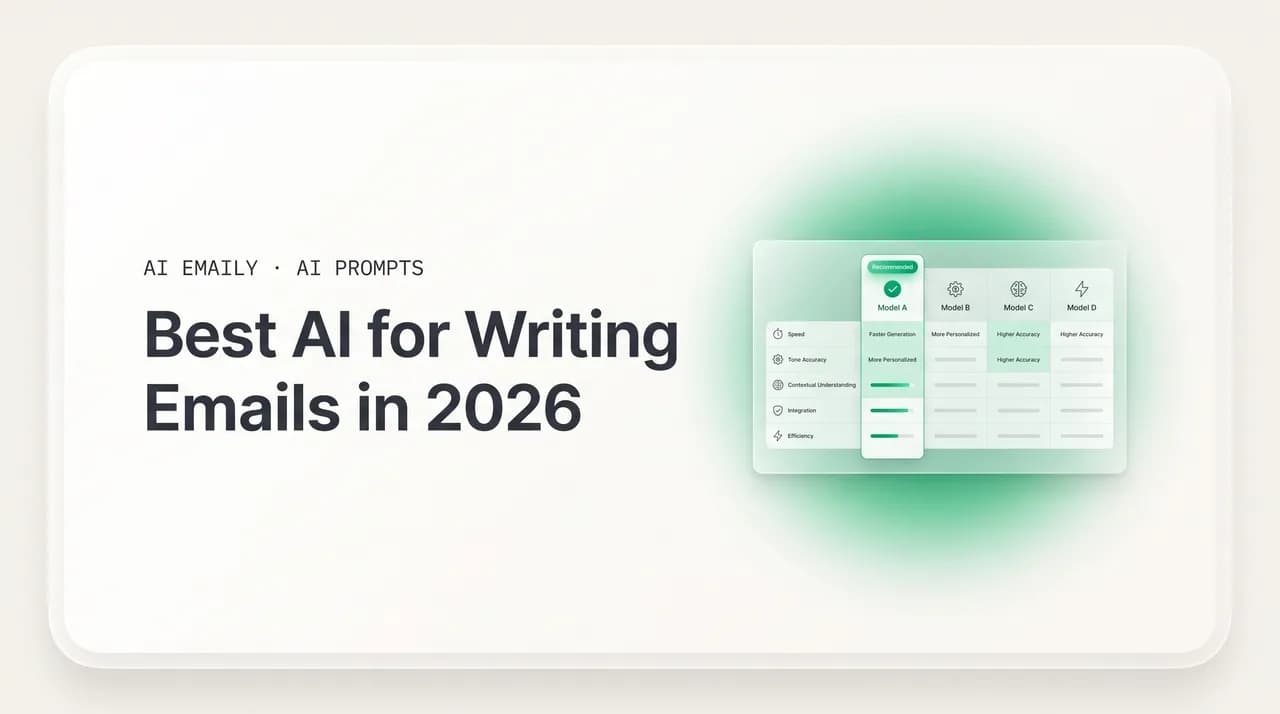
The short answer
The best AI for writing emails depends on whether you want a chatbot you paste into or an email client that acts. For quality and voice, Claude and ChatGPT lead among general chatbots. For drafts in your own voice that act on your real inbox, privately, across every provider, AI Emaily is the inbox-native pick.
The best AI for writing emails in 2026, compared: ChatGPT, Claude, Gemini, Copilot, and inbox-native tools on draft quality, voice, privacy, and price.
On this page
- 01What are the two kinds of "AI for email"?
- 02What should you judge an email AI on?
- 03How good is ChatGPT for writing emails?
- 04Is Claude better than ChatGPT for emails?
- 05Should you use Gemini for emails in Gmail?
- 06What about Microsoft Copilot for email?
- 07What general chatbots can't do with email
- 08What are the dedicated AI email tools?
- 09Which AI is best for emails? The full comparison
- 10Where does AI Emaily fit as the inbox-native option?
- 11How do you choose the best AI for your emails?
- 12The bottom line on the best AI for writing emails
Ask "what is the best AI for writing emails?" in 2026 and you will get a dozen confident answers that contradict each other. One review crowns ChatGPT. The next swears by Claude. A third says Gemini, because your mail already lives in Google. A fourth points at Microsoft Copilot, a fifth at a wave of dedicated email tools you have probably never heard of. They are not wrong, exactly. They are answering different questions and pretending they are the same one.
Here is the distinction that makes the whole topic click. There are two completely different things people mean by "AI for email." The first is a chatbot you paste into — ChatGPT, Claude, Gemini, Copilot — where you copy an email out of your inbox, paste it into a chat window, ask for a reply, and paste the result back. The second is an email client or assistant that lives inside your mailbox and can actually read your threads and act on them. They share the word "AI," and that is about all they share. One is a brilliant writer that has never seen your inbox. The other is a tool that knows your inbox and can do something about it.
This guide takes both seriously. We will define the two kinds of email AI so you stop comparing apples to forklifts. We will lay out the six criteria that actually matter — draft quality, voice matching, inbox access, privacy, price, and multi-account support — and score the tools honestly against them. We will go deep on the four big general chatbots, then survey the dedicated email tools, then put everything in one big comparison table you can scan in thirty seconds. And yes, we build AI Emaily, so we will make the case for the inbox-native approach — but we will do it with a fair table where every column is on the record, including the ones where the chatbots win.
A quick word on why this matters more in 2026 than it did even a year ago. The writing-quality gap between the top models has narrowed to the point where, for an ordinary email, any of the big four will produce something perfectly serviceable. When the models are all good enough at the writing, the deciding factor stops being who writes the prettiest sentence and becomes who removes the most friction and risk around the email — context, voice, sending, privacy, and the number of inboxes you actually run. That is a different question, and it has a different answer, which is the whole reason a comparison that only ranks writing quality leaves you no wiser than when you started.
By the end you will not need anyone to hand you a single "best." You will know which kind of AI fits your situation, which specific tool to reach for, and exactly what general chatbots cannot do no matter how good their writing gets. Let's start with the split that everyone glosses over.
What are the two kinds of "AI for email"?#
Almost every comparison you read collapses two different products into one ranking, and that is why they feel so unsatisfying. Before you can pick the best AI for writing emails, you have to know which category you are shopping in, because the winners are not the same.
The first category is general chatbots — large language models in a chat window. ChatGPT, Claude, Gemini, and Microsoft Copilot all live here. You open a tab, type or paste, and get text back. They are extraordinary writers. They can draft a cold email, rewrite a tense reply to sound calmer, summarize a wall of text, translate a message into Japanese, and adjust tone on command. What they do not have, by default, is your inbox. They cannot see the thread you are replying to unless you paste it in. They do not know what you said to this person last month. And when they hand you a finished draft, it sits in the chat window — you still have to copy it, switch back to Gmail or Outlook, paste it, fix the parts that did not fit your real situation, and hit send yourself. The AI writes; you are the integration layer.
The second category is email clients and assistants that act. This includes AI-native email apps and assistants such as Superhuman, Shortwave, Fyxer, and AI Emaily. These tools connect directly to your mailbox over a secure authorized connection. They can read the open thread without you pasting anything, draft a reply that already has the context, learn your writing style from your sent mail, and — depending on the tool — file, label, summarize, schedule, and even send on your behalf. The AI is not in a separate tab; it is in the inbox, with its hands on the actual work.
Neither category is universally "better." If you mostly want a thinking partner for the occasional hard email and you do not mind copy-pasting, a general chatbot is a fantastic, cheap, often free choice. If you live in your inbox and the bottleneck is the dozens of routine messages a day plus the copy-paste tax on every single one, an inbox-native tool is a different order of help. The mistake is choosing a chatbot when you needed an assistant, or paying for an assistant when a chatbot was plenty. The criteria below exist to keep you from making that mistake.
The one-line test
What should you judge an email AI on?#
There are six criteria that separate a genuinely useful email AI from a clever toy. Most reviews score one or two and ignore the rest, which is how you end up with a tool that writes beautifully but leaks your data, or one that is private but cannot match your voice. Score all six and the right choice for your situation usually becomes obvious.
- 1
1. Draft quality
Does the output read like a competent human wrote it, or like a template? Good draft quality means correct structure, the right length for the situation, a clear ask, and no robotic filler like "I hope this email finds you well." This is where the frontier chatbots genuinely shine — Claude and ChatGPT in particular produce drafts that need little editing. But quality without your voice is only half the job, which is the next criterion.
- 2
2. Voice matching
Does it sound like you, or like a generic AI? A draft that is well written but does not match how you actually talk still has to be rewritten before you would send it under your name. Voice matching means the tool has learned your phrasing, your level of formality, your sign-offs — usually by reading your sent mail. General chatbots can imitate a voice only if you paste examples in every session; inbox-native tools learn it once from your history and keep it.
- 3
3. Inbox access
Can the AI see the thread and your history without you pasting it, and can it act? This is the single biggest dividing line. A chatbot with no inbox access starts every email blind. A tool with inbox access already knows the conversation, the participants, and what you said before — and the best ones can file, label, schedule, and send, not just generate text. No amount of writing skill substitutes for actually being in the inbox.
- 4
4. Privacy
Where does your email content go, and is it used to train models? Email is among the most sensitive data you own — contracts, medical notes, legal threads, financial details. The questions that matter: is your content used to train the provider's models, is it retained, is it encrypted, and do you have to opt out of training or is private-by-default the baseline? "Convenient" is not the same as "private," and the gap is where most people get burned.
- 5
5. Price
What does it actually cost for the way you will use it? Free tiers are real and often enough for light use. Paid chatbot plans run roughly $20 a month. Dedicated email tools range widely — some premium clients charge $30 or more a month, some assistants in the $22 to $40 range, and some, like AI Emaily, offer a genuinely free plan with a Pro tier at $12.42/mo on annual billing. Match the price to the value you will get, not to the longest feature list.
- 6
6. Multi-account support
Does it handle all your inboxes, or just one? Most people have more than one — work and personal, a freelance address, a shared team mailbox. Some tools are single-provider (Gmail only, or Outlook only). Some are single-account. The best inbox-native tools connect every provider and every account in one place, so the AI works the same whether you are answering from your work address or your side project.
Keep these six in your head as we go through the tools. Almost every disagreement about the "best" email AI is really a disagreement about which of these six the reviewer weighted most. Someone who cares only about draft quality will tell you to use Claude. Someone who cares about privacy and getting the email actually sent will tell you something different. Both can be right for their own use, and neither is right for everyone.
How good is ChatGPT for writing emails?#
ChatGPT is the default for a reason: it is the most versatile generalist, and it writes email well. Hand it a one-line brief — "write a polite email declining a vendor demo but leaving the door open" — and it returns a clean, sensible draft in seconds. It is excellent at brainstorming variations, adjusting length and tone on command, and bouncing between email and the ten other writing tasks in your day. If you want one tool that does a bit of everything, ChatGPT's breadth is genuinely unmatched.
Where it is strong: speed, flexibility, and an enormous range of registers. It will write you a warm thank-you note, a firm overdue-invoice reminder, and a punchy cold opener without changing tools. It handles follow-ups, rewrites, and summaries competently. With memory turned on, it can remember some preferences across chats, which softens the cold-start problem a little.
Where it is weak for email specifically: it does not natively live in your inbox. As of 2026 there is no official, universal Gmail or Outlook connector built into the chat — most ChatGPT email workflows still mean copy-pasting the message in and the draft back out. Each interaction starts without memory of your prior emails with that sender, your writing style, or the rest of the thread, unless you paste it all in again. Agent and browser-based modes are expanding what it can do, but for everyday email the loop is still: copy, paste, prompt, copy, paste, edit, send. That copy-paste tax is small once and large across a hundred emails a week.
There is also a privacy footnote worth knowing. On consumer tiers, your conversations may be used to help improve the models unless you turn that off in settings, and pasting a confidential contract or a sensitive client thread into a general chat window is a habit that quietly carries risk. Business and enterprise tiers come with stronger commitments, but the free-and-Plus consumer experience that most people actually use is not private by default in the way email arguably should be. None of this makes ChatGPT a bad email writer — it is one of the best. It makes it a writer you have to feed, clean up after, and be a little careful with, rather than an assistant that sits in your inbox and quietly does the job.
The verdict: ChatGPT is the right pick when email is one of many writing tasks in your day and the volume is low enough that copy-paste does not hurt. As a thinking partner for the occasional hard message, it is superb and often free. As the engine for an inbox you actually have to clear, it leaves you doing most of the work that is not writing.
Is Claude better than ChatGPT for emails?#
For email specifically, a lot of 2026 head-to-head testing gives the edge to Claude on writing quality. It tends to produce prose that sounds more human and less templated, which matters enormously for anything client-facing. In side-by-side email-sequence tests, Claude has a habit of opening with a specific, warm line instead of a generic greeting, and its drafts often need the least editing before they sound like a real person wrote them.
Where it is strong: voice and authenticity. If your priority is output that sounds like you without heavy cleanup, Claude is frequently the best pure writer of the four. It is also strong at working with long inputs — paste a sprawling thread and it will summarize, find the action items, and draft a measured reply without losing the thread of the conversation. For long-form, nuanced, relationship-sensitive email, it is hard to beat.
Where it is weak for email specifically: same structural limit as ChatGPT. Claude is a chat window, not an inbox. It does not have a built-in, universal connection to Gmail or Outlook for everyday drafting, so the copy-paste workflow applies. It does not remember your past correspondence with a contact between sessions unless you supply it. The writing is superb; the integration with your actual mail is something you provide manually. You are still the bridge between the brilliant draft and the message that ships.
Claude does tend to have a cleaner privacy posture than the consumer chatbot default — on its paid and most standard tiers it does not train on your conversations by default, which makes it a more comfortable place to draft a sensitive message than a tool that learns from everything you type. That is a point in its favor. But the posture protects the chat, not your inbox, because Claude never touches your inbox in the first place. The privacy of your actual mail is still entirely a function of how you move content in and out by hand.
The verdict: if you judge purely on draft quality and voice, Claude is frequently the best of the four for client-facing email, and it is the one we would reach for to think through a delicate message. But it is a writer, not an operator. Pair it with the same copy-paste reality as the others: brilliant output, no inbox, no memory of your correspondence, no ability to send. For low-volume, high-stakes writing it is excellent; for running an inbox it is only the writing half of the problem.
Should you use Gemini for emails in Gmail?#
Gemini's pitch is proximity: if your mail already lives in Google Workspace, Gemini is right there in Gmail, able to draft and summarize without a separate tab. It is the best of the chatbots for research-informed writing and for anyone whose whole working life is inside Google's apps. For a Gmail-first user, the convenience is real — "Help me write" sits in the compose window, and summaries appear above long threads.
Where it is strong: native presence in Gmail for Workspace users, solid drafting and summarizing, and tight integration with Docs, Sheets, and the rest of Google. If you never leave Gmail and you only have one Google account, Gemini removes some of the copy-paste friction that ChatGPT and Claude still carry.
Where it is weak, and where the caveats live: privacy and scope. Google's position in 2026 is that Gmail content is not used to train its public Gemini models unless you opt into certain experimental features — but Gemini can still scan and process your emails, attachments, and other data to power personalization, drafting, and summaries. There was real controversy over Gemini being enabled by default across Gmail, Chat, and Meet, with users feeling the access was switched on without clear, explicit consent and the opt-out being hard to find. None of that means it is unsafe; it means "it is already in my Gmail" is doing a lot of work, and you should read the settings rather than assume private-by-default. It is also Google-centric: if your work lives in Outlook, or you juggle multiple providers, Gemini is not the natural home.
The verdict: for a single-account, Gmail-only user who is comfortable with Google holding and processing their mail, Gemini is the most frictionless of the chatbots, because there is no separate tab and less copy-paste. For everyone else — Outlook users, multi-account jugglers, anyone who wants their email content kept private by default rather than processed for features they did not switch on — the convenience is narrower than it first appears. It is a good drafter living inside one company's inbox, not a private assistant that follows you across all of them.
Read the defaults before you trust the convenience
What about Microsoft Copilot for email?#
Microsoft Copilot is the Gemini story told in Microsoft's colors: if your organization runs on Microsoft 365, Copilot is woven into Outlook and can draft, summarize, and surface context without you leaving the app. For enterprise users already paying for 365, it simplifies email workflows without bolting on an external tool, and Microsoft's data commitments are a genuine selling point — for business tenants, prompts and responses are not used to train Microsoft's foundation models, and your organization's data is not used to improve them.
Where it is strong: deep Outlook and Microsoft 365 integration, enterprise-grade data handling and admin controls, and the ability to pull context from your wider Microsoft graph — calendar, documents, contacts — when drafting. For a large company standardized on Microsoft, Copilot is the path of least resistance and the easiest to clear with IT.
Where it is weak for email specifically: it is most compelling inside the Microsoft 365 commercial license, which is a real cost and a real commitment. For a Gmail user, a freelancer, or anyone outside the Microsoft ecosystem, it is largely beside the point. And like the others, the best of its email features assume you are all-in on one provider — it is not designed to be the single AI across a Gmail personal inbox, an Outlook work inbox, and a freelance address at once.
The verdict: Copilot is the obvious choice for an enterprise already standardized on Microsoft 365, where the integration is free with the license, the data commitments satisfy IT, and Outlook is where the work already happens. Outside that world it is the wrong question. It is also a different shape of tool from a true inbox-native assistant: it drafts and summarizes inside Outlook, but it is built around Microsoft's ecosystem and its license, not around being the one private assistant that follows you across every account you own.
What general chatbots can't do with email#
Strip away the brand differences and ChatGPT, Claude, and to a large degree Gemini and Copilot outside their home turf share the same hard limit: they are writers, not operators. They generate text in a window. Understanding precisely what that excludes is the fastest way to know whether a chatbot is enough for you or whether you need something that lives in the inbox.
Here is what a general chatbot, used in its default copy-paste mode, cannot do:
- See the thread without you pasting it. Every reply starts blind. You carry the conversation into the chat by hand, and you carry the draft back out the same way.
- Remember your history with a contact. It does not know what you promised this client last quarter or how you usually sign off to your boss, unless you re-supply that context each session.
- Learn your voice and keep it. You can paste samples, but close the tab and your voice is gone. There is no persistent model of how you write.
- Actually send, file, or schedule. It writes the email; you still switch apps, paste, fix, and click send. It cannot archive the thread, label it, snooze it, or book the meeting.
- Work across all your accounts at once. It has no concept of your inboxes. It cannot answer from the right address or keep work and personal separate, because it cannot see either one.
- Run quietly in the background. It only does something when you are in the chat, prompting it. It will never triage your inbox while you sleep or draft replies waiting for you in the morning.
None of this is a knock on the chatbots' writing — it is genuinely excellent. It is a statement about the shape of the tool. A chat window is a fantastic place to think through a hard message and a poor place to run an inbox. The copy-paste workflow is fine for the occasional tricky email and quietly punishing across the volume most people actually face. That gap — between generating text and getting email done — is exactly what dedicated, inbox-native tools were built to close.
Beware the hidden copy-paste tax
What are the dedicated AI email tools?#
The second category — tools that live in your inbox and can act — has grown up fast. Instead of a chat window you paste into, these connect to your mailbox, learn from your sent mail, and put the AI where the work is. They split roughly into two groups: full AI-native email clients that replace your inbox app, and AI assistants that layer onto the inbox you already use. Here is the honest landscape in 2026.
- Superhuman — a premium, speed-obsessed email client that replaces Gmail or Outlook, famous for keyboard-first productivity and a human onboarding call. Its AI drafts and summarizes inside a beautifully fast app. It is a client, so you switch to it; pricing is at the high end, around $30 a month for the mail client and more for business tiers.
- Shortwave — an AI-first Gmail client built around AI from day one, with strong drafting, summarizing, and search. It is Gmail-only, and pricing scales with how much AI capacity you need, roughly $14 to $100 a month depending on the tier.
- Fyxer — an assistant that sits on top of Gmail and Outlook as an extension. It reads your past emails to learn your writing style, then drafts replies in your tone, and it can join video meetings to produce follow-up email drafts with action items. Pricing lands roughly in the $22 to $40 a month range on annual billing.
- Lavender, Copy.ai, and sales-specific tools — built for outbound rather than your everyday inbox. Lavender coaches and scores cold emails; Copy.ai generates high-volume outreach sequences. Excellent for SDRs, narrow for general email.
- Grammarly and writing layers — polish and correctness on top of whatever you already use. Superb at making any draft cleaner; not an inbox operator, and not a voice-from-scratch drafter.
The pattern across the genuinely inbox-native tools is the part that matters: because they connect to your mailbox, they remove the copy-paste tax and they can learn your voice from real history instead of pasted samples. The differences between them come down to the six criteria — especially inbox access depth (draft only, or draft plus act), privacy posture, how many providers and accounts they support, and price. That is exactly what the comparison table below is for.
Two trade-offs are worth naming before the table, because they shape the whole category. The first is client-versus-layer. A full client like Superhuman or Shortwave replaces your inbox app entirely — you get a polished, fast, AI-first experience, but you have to move your daily email life into a new home and, often, pay a premium for it. A layer like Fyxer leaves you in Gmail or Outlook and adds drafts on top — lower switching cost, but you are stitching an assistant onto an app that was not built for it. The second trade-off is scope: many of these tools are tied to a single provider or built primarily for one workflow, like sales outreach, which is great if that is your whole world and limiting the moment you have a second inbox or a different job to do. The right pick balances how much disruption you will accept against how much of your real email life the tool actually covers.
Which AI is best for emails? The full comparison#
Here is the whole field on one screen, scored on the criteria that decide the question. "Inbox access" means: can it see your mail and act on it without copy-paste? "Voice" means: does it learn and keep how you actually write? "Privacy" is the default posture for your email content. Prices are approximate 2026 figures and change; check current pricing before you buy. This table is meant to be fair — note the columns where the chatbots clearly win.
Read it this way: if the column you weight most is draft quality alone, a chatbot wins and you can stop there. If you weight inbox access, voice persistence, privacy, and price together — the columns that decide whether email actually gets done rather than just gets written — the inbox-native row that scores across all of them is AI Emaily.
| Tool | Inbox access | Voice matching | Privacy posture | Price (approx.) | Best for |
|---|---|---|---|---|---|
| ChatGPT | None by default — copy-paste; agent modes emerging | Only from pasted samples, not persistent | Consumer content may be used to improve models unless you opt out / use business tier | Free; ~$20/mo Plus | A versatile writing partner for occasional hard emails |
| Claude | None by default — copy-paste | Strong imitation from pasted samples, not persistent | Strong stance; not trained on your chats by default on paid/most tiers | Free; ~$20/mo Pro | The best pure writing quality for client-facing email |
| Gemini | Native in Gmail (Workspace), scans mail for features | From context it can access; Google-centric | Not trained on Gmail by default, but scans for personalization; defaults drew criticism | Free; bundled with Workspace / ~$20/mo | Gmail-only users deep in Google Workspace |
| Microsoft Copilot | Native in Outlook (Microsoft 365) | From Microsoft graph context | Business tenant data not used to train Microsoft's models | Bundled with M365 commercial license | Enterprises standardized on Microsoft 365 |
| Superhuman | Full — AI-native client, drafts + acts (you switch apps) | Learns from your mail | Standard commercial data handling | ~$30/mo and up | Power users who want a fast premium client |
| Shortwave | Full — AI-first Gmail client | Learns from your mail | Standard commercial data handling | ~$14–$100/mo by tier | Gmail users who want an AI-first inbox |
| Fyxer | Layered on Gmail/Outlook, drafts replies + meeting notes | Learns your style from past emails | Standard commercial data handling | ~$22–$40/mo | Gmail/Outlook users wanting auto-drafts on top |
| AI Emaily | Full — reads your real inbox and acts (Manual / Copilot / Autopilot, with undo + audit) | Drafts in your own voice, learned from your mail | Private — no training on your mail; encrypted; private by default | Free $0; Pro $12.42/mo annual | Drafts in your voice + acts, privately, across every provider |
Where does AI Emaily fit as the inbox-native option?#
We build AI Emaily, so read this section knowing that — but the table above is on the record, and the case rests on the columns, not on adjectives. The short version: AI Emaily is the inbox-native option that drafts in your voice and actually acts on your real mailbox, privately, across every provider, with a real free plan. It is built for the exact gap the chatbots leave open.
Drafts in your voice. AI Emaily learns how you actually write from your sent mail — your phrasing, your formality, your sign-offs — and drafts replies that sound like you, not like a generic assistant. You do not paste samples every session and you do not re-teach it your voice. It is learned once and kept, which is the thing a chat window structurally cannot do.
Acts on your real inbox, at the level of control you choose. This is the line the chatbots cannot cross. AI Emaily reads the open thread without you pasting it, and then it can act — file, label, summarize, schedule, draft, and send — at one of three levels you set. In Manual, it suggests and you do everything. In Copilot, it prepares the action and waits for your one-click approval, so nothing sends without you. In Autopilot, it handles defined routine work on its own. Every level has undo and a full audit trail, so you can always see what happened and reverse it. You get the speed of automation without giving up control.
Private by default. Your email is sensitive, so the posture is strict: AI Emaily does not train on your mail, content is encrypted, and privacy is the default rather than a setting you have to discover and switch on. Instead of "we do not train on your data unless you opted into the thing you did not notice," the baseline is simply that your mail is yours.
Every provider, every account. AI Emaily connects Gmail, Outlook, and other providers in one place, so the same AI works whether you are answering from your work address, your personal inbox, or a freelance account. You are not locked into a single ecosystem the way you are with Gemini-in-Gmail or Copilot-in-Outlook, and you are not stuck with a Gmail-only client.
And the price is honest: a genuinely free plan at $0, with Pro at $12.42/mo on annual billing — below the cost of the premium clients and in line with a single chatbot subscription, except you are paying for an assistant that gets email done, not just a window that writes.
How do you choose the best AI for your emails?#
You do not need a single global "best." You need the best for how you work. Walk the six criteria against your own situation and the answer falls out. The two questions that settle it fastest are: how much email do you actually send in a week, and how many inboxes do you run? Low volume in a single account points you toward a free chatbot; high volume across several accounts points you toward an inbox-native tool, because that is exactly where the copy-paste tax and the account-switching cost compound. Here is the decision in plain terms.
- 1
If you write the occasional hard email and don't mind copy-paste
Use a general chatbot, and use the free tier first. For pure writing quality on client-facing email, reach for Claude. For an all-purpose generalist that also does everything else in your day, reach for ChatGPT. You will be pasting threads in and drafts out, but for low volume that is a fine, cheap, often free workflow.
- 2
If your entire working life is inside one ecosystem
If you never leave Gmail and have a single Google account, Gemini's in-inbox presence is convenient — just read the privacy defaults first. If your company runs on Microsoft 365, Copilot in Outlook is the easiest path and the cleanest with IT. Both assume you are all-in on one provider.
- 3
If your bottleneck is volume and the copy-paste tax
Move to an inbox-native tool. If you want a fast premium client and don't mind switching apps and paying for it, look at Superhuman (or Shortwave if you are Gmail-only). If you want auto-drafts layered on your current inbox, look at Fyxer.
- 4
If you want drafts in your voice, real action, privacy, and every account
This is the AI Emaily case. You get drafts that sound like you, an agent that acts on your real inbox with Manual/Copilot/Autopilot plus undo and audit, a private-by-default posture with no training on your mail, support for every provider, and a free plan to start. It is the inbox-native pick when you want all six criteria at once rather than trading one for another.
The cheapest way to decide
The bottom line on the best AI for writing emails#
The best AI for writing emails in 2026 is not one product — it is the right product for your bottleneck. If your problem is the occasional difficult message and you are happy to copy and paste, the general chatbots are superb and largely free. Claude tends to be the best pure writer for client-facing email; ChatGPT is the most versatile all-rounder; Gemini and Copilot are the obvious picks if your work lives entirely inside Google or Microsoft, with the caveat that you should read what their AI does with your mail by default.
But the chatbots all share one ceiling: they write words in a window and leave you to be the integration layer. They cannot see your inbox without a paste, cannot keep your voice between sessions, cannot send, file, or schedule, and cannot work across all your accounts. For the occasional email that ceiling does not matter. Across the real volume most people face, it is the whole problem.
It is worth being honest about why this distinction is so easy to miss. When you try a chatbot on one impressive email, the result is genuinely dazzling, and it is tempting to extrapolate that experience to your whole inbox. But a single great draft and a cleared inbox are different achievements. The first is a writing problem, which the models have largely solved. The second is a workflow problem — context, voice, sending, filing, follow-up, and privacy, repeated across dozens of messages and more than one account — which a chat window was never built to solve. Judge an email AI by the second standard, not the first, and the field reorganizes itself around who actually removes the work rather than who writes the prettiest paragraph.
That is the gap AI Emaily was built to close. It drafts in your own voice and actually acts on your real inbox — Manual, Copilot, or Autopilot, always with undo and a full audit trail. It is private by default, with no training on your mail. It works across every provider and account. And it starts free, with Pro at $12.42/mo on annual billing. If you want help writing the words, a chatbot will do nicely. If you want the words plus the inbox actually handled — in your voice, privately, everywhere — that is the inbox-native answer. Start at app.aiemaily.com/signup.
Frequently asked
See it in AI Emaily
Keep reading
Sources
- Tactiq — Claude vs Gemini vs ChatGPT: which AI writes best in 2026
- Aeralis — Shortwave vs Superhuman in 2026: AI-first email clients compared
- Aeralis — Fyxer AI vs Superhuman: pricing, features, privacy
- Fyxer — 7 best email assistants in 2026 for your inbox
- Ayari — ChatGPT email integration: why copy-paste isn't enough
- Runbox — Are AI tools such as Gmail's Gemini accessing your emails?
- IntuitionLabs — AI data classification: what is safe for ChatGPT, Copilot & Gemini

Written by
Nafiul HasanNafiul Hasan is an entrepreneur and AI automation system builder with 10+ years of experience turning messy, manual workflows into reliable automated systems. He designs and ships AI enterprise solutions end-to-end — the agent logic, the data plumbing, and the product people actually use — and founded AI Emaily to give busy professionals their attention back. He writes here from the builder's seat: what works, what breaks, and how to put AI to work without giving up control.