ChatGPT Prompts for Recruiters: Outreach, Rejection & Offer Emails That Work

The short answer
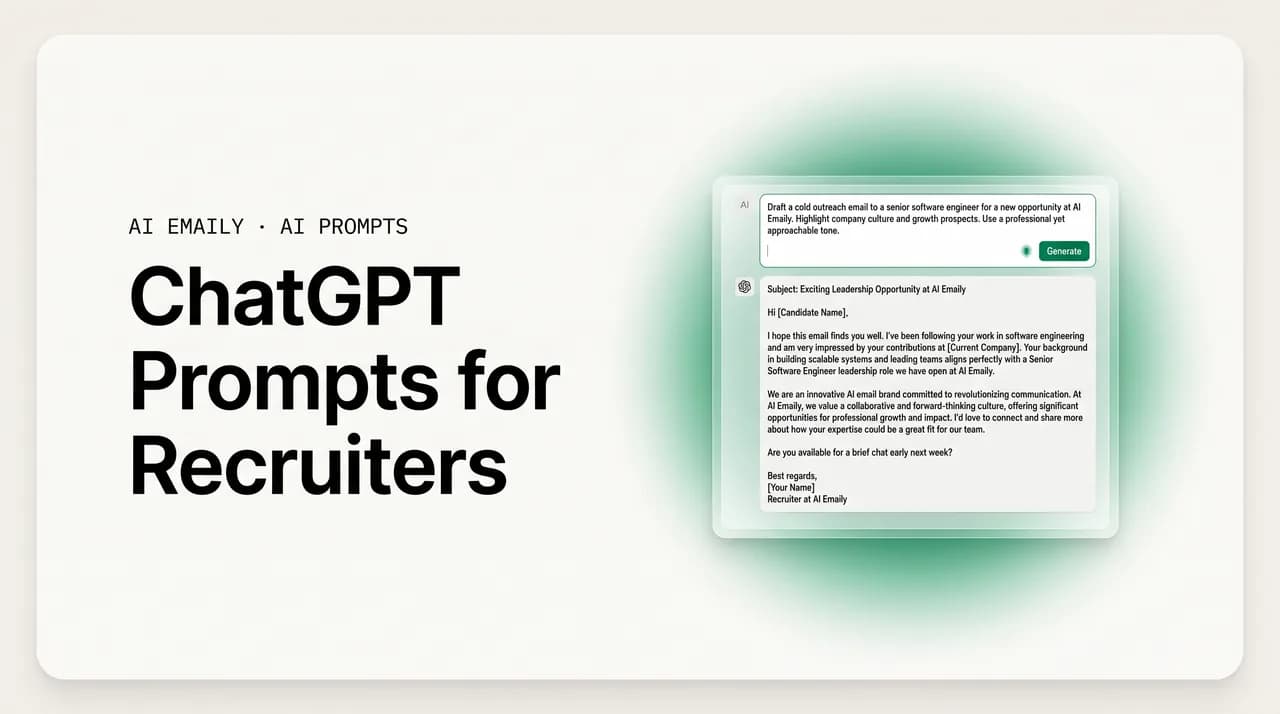
ChatGPT prompts for recruiters work best when you give them a role, real candidate details, and a clear task and tone. Use stage-specific prompts for cold outreach, follow-ups, interview scheduling, rejection, offers, and reference requests. Always paste the candidate's actual profile so the draft is personal, then edit before sending.
20+ ChatGPT prompts for recruiters by stage: candidate outreach, follow-ups, scheduling, rejection, offer, references, and re-engagement, with personalization tips.
On this page
- 01Why are recruiters leaning on ChatGPT for email?
- 02What makes a recruiting prompt actually work?
- 03What is the best ChatGPT prompt for cold candidate outreach?
- 04How do you make ChatGPT personalize an email from a candidate's profile?
- 05What ChatGPT prompt should you use for a follow-up to a candidate who went quiet?
- 06How can ChatGPT help with interview scheduling emails?
- 07What is a good prompt for a post-interview status update?
- 08How do you write a kind rejection email with ChatGPT?
- 09What prompt works for sending an offer email?
- 10How do you ask for references with a ChatGPT prompt?
- 11What prompt re-engages a past candidate for a new role?
- 12How do you nurture a talent pipeline with AI prompts?
- 13Quick-reference: which prompt for which stage?
- 14How do you personalize at volume without writing every email yourself?
- 15How do you keep a human tone in rejections and sensitive emails?
- 16What are the most common recruiter email mistakes AI can make worse?
- 17Where does the copy-paste chatbot workflow break down for recruiters?
- 18How does AI Emaily handle high-volume recruiter email in your voice, on your inbox?
- 19The bottom line: prompts win the draft, your inbox wins the pipeline
Why are recruiters leaning on ChatGPT for email?#
A recruiter's day is mostly writing. Not the strategic, high-impact kind of writing, but the same nine messages over and over, slightly different each time. The reach-out to a passive candidate who looks perfect on paper. The follow-up to the one who opened your first note and went quiet. The scheduling email, the reschedule, the re-reschedule. The update that says the team is still deciding. The rejection you have written four hundred times and still hate sending. The offer you want to land. The reference request. The note to a strong candidate you passed on last quarter who might fit the role that just opened. Multiply that across an active req load and you are looking at a few hundred outbound emails a week, almost all of them variations on a theme.
That is exactly the kind of work large language models are good at: producing a competent, on-tone draft from a short brief in a couple of seconds. So it is no surprise that recruiters were among the earliest professional adopters of ChatGPT, Claude, Gemini, and Copilot. The pitch is simple and mostly true. You describe the candidate and the situation, the model writes the email, you tweak it and send. Industry write-ups in 2026 routinely claim recruiters who use AI for sourcing, outreach, and content work several times faster than those who do not, and the response-rate data backs up the underlying idea: targeted, personalized outreach reliably outperforms generic mass sends, often by a wide margin.
But there is a catch that most prompt listicles skip, and it matters more in recruiting than almost anywhere else. The whole reason personalized outreach beats a blast is that it feels personal. A candidate can smell a template at fifty paces. The instant a message reads like it was generated, it gets the same two-second skim and the same swipe to the trash as every other mass email. So the value of an AI draft is entirely downstream of how much real, specific context you feed the prompt and how carefully you edit what comes back. A prompt that says "write a recruiting email" produces a form letter. A prompt that includes the candidate's actual work, the actual role, and your actual voice produces something a person might answer.
This guide is built around that reality. It gives you more than twenty prompts organized by the stage of the hiring conversation, from the first cold note through the offer and the post-decision relationship, and each one is written to pull specifics out of you rather than let you get away with a generic ask. It also covers the parts the prompt lists usually ignore: how to personalize at volume without writing each email from scratch, how to keep a human tone in the messages that most need one, the mistakes that quietly tank reply rates, and the friction that shows up when you try to run this workflow for real across a full pipeline. We will end on where a chatbot stops being the right tool and an email client that actually knows your inbox takes over.
One framing note before the prompts. ChatGPT is a writer, not a recruiting system. It does not know who you have already contacted, what stage each candidate is at, or what you said to this person three weeks ago, unless you tell it, every single time. It cannot see your inbox, your applicant tracking system, or your calendar. Everything it produces is only as informed as the text you paste into the box. Hold onto that, because it explains both why the prompts below are so detailed and why, past a certain volume, the copy-paste loop becomes the bottleneck.
What makes a recruiting prompt actually work?#
Before the stage-by-stage prompts, it helps to understand the shape of a prompt that produces a usable draft, because once you see the pattern you can build your own for any situation. Nearly every strong recruiting prompt does four things, and weak ones skip one or more.
First, it assigns a role. "You are an experienced technical recruiter" or "Act as a warm, senior in-house recruiter at a mid-size SaaS company" tells the model what voice and judgment to bring. Second, it supplies real context: the candidate's background, the role, the company, and anything specific you know about why this person might care. This is where personalization lives, and it is the single biggest lever on quality. Third, it states the task precisely: the type of message, the goal, and the call to action you want. Fourth, it constrains the format: length, tone, structure, and what to avoid. "Under 120 words, warm but not gushing, no buzzwords, one clear ask, no fake urgency" will save you more editing than any other instruction.
Keep two more habits. Give the model your own writing to imitate when voice matters: paste two or three emails you have actually sent and say "match this voice." And ask for options when you are not sure: "give me three versions with different opening lines" lets you pick rather than re-prompt. The prompts below bake these patterns in, but you should feel free to bend them. The bracketed placeholders are the parts you must replace with real specifics every time. The more you fill in, the less the output reads like it came from a machine.
The four-part recipe
What is the best ChatGPT prompt for cold candidate outreach?#
The first touch is the highest-stakes message you will write, because everything else depends on getting a reply. A passive candidate who is happy in their job owes you nothing and will give your email two seconds. The job of a cold outreach prompt is to force the specifics that earn a third second: a real reason you are reaching out to this person, a quick and honest read on what is in it for them, and a low-pressure ask. Generic flattery ("your impressive background") is worse than nothing; it signals a blast.
Here is a strong general-purpose cold-outreach prompt. Notice how much it asks you to supply. That is the point.
Two things make this prompt work. The "specific reason" line is non-negotiable; if you cannot fill it in, you have not done the homework that makes outreach land, and no model can invent genuine relevance. And the explicit ban on "I came across your profile" and fake urgency removes the two tells that scream automated outreach. Asking for three versions is a small move that pays off, because the opening line is where most cold emails live or die and seeing options is faster than re-prompting.
If you are sourcing in volume and want a tighter, more scannable note, here is a leaner variant aimed at a single crisp hook.
How do you make ChatGPT personalize an email from a candidate's profile?#
The most powerful move in all of recruiting outreach is also the simplest: paste the candidate's actual profile into the prompt and tell the model to ground the email in it. This is the difference between a message that mentions a generic "strong background" and one that references the specific system they built or the conference they spoke at. The model is genuinely good at finding the one detail worth leading with, as long as you give it the raw material.
Copy the candidate's LinkedIn About section, their recent experience, a portfolio blurb, or a bio, and drop it straight into the prompt. Then ask the model to do the selecting for you.
That last instruction, asking the model to explain which detail it picked, is a quiet quality check. If it chose well, you ship. If it latched onto something trivial or misread the profile, you know before the candidate does. It takes the model a sentence and saves you from sending a note that gets the personalization subtly wrong, which is worse than no personalization at all because it proves you skimmed.
A word of caution that recruiters learn the hard way. The model will personalize from whatever you give it, including things it should not assume. Do not paste in anything you would not be comfortable referencing directly, and never let it infer protected characteristics, personal life details, or anything off-limits in hiring. Keep the personalization to professional, public, role-relevant facts: work, projects, skills, public talks, writing. The model has no judgment about what is appropriate to mention in a hiring context; that judgment is yours, and it is one of several reasons every draft needs a human read before it sends.
Personalize on professional facts only
What ChatGPT prompt should you use for a follow-up to a candidate who went quiet?#
Most replies do not come from the first email. They come from the second or third. A good follow-up is short, adds a sliver of new value or context rather than just nagging, and keeps the door open without guilt-tripping. The instinct to write "just bumping this to the top of your inbox" is understandable and almost always weak; it adds nothing and reads as pressure. A better follow-up gives the candidate a fresh reason to engage.
The strongest move is to generate the whole sequence at once so the messages build on each other instead of repeating. Ask for spacing, too, so you have a cadence to schedule against.
The third email matters more than recruiters expect. A clean, no-pressure sign-off ("I will leave it here, but if the timing changes, my door is open") often gets the reply the first two did not, precisely because it removes the pressure. And it leaves the relationship intact for the next role, which is the long game in recruiting. You will source the same people for years; how you exit a non-conversation determines whether they pick up next time.
When you only need a single follow-up rather than a full sequence, a quick variant keeps it simple: "Write a 40-word follow-up to [name], a [title] I reached out to about [role] five days ago. Add one new detail: [detail]. Friendly, no pressure, one-line ask. Reply on the original thread." The constraint that does the heavy lifting is "add one new detail," because a follow-up that only repeats the original is the most common reason candidates keep ignoring you.
How can ChatGPT help with interview scheduling emails?#
Scheduling is the most mechanical writing a recruiter does and the easiest to automate, but it is also where small wording choices either reduce back-and-forth or multiply it. The trick is to offer concrete options and make the next step a single click or a single reply, rather than asking the open-ended "when are you free?" which kicks off a tennis match of availability emails.
Here is a scheduling prompt that minimizes round-trips.
Two more scheduling prompts cover the situations that actually eat your time. The reschedule, when the candidate or the panel needs to move, where the tone should be gracious and the new options immediate: "Write a short, warm reschedule email. We need to move [name]'s [interview] originally set for [date/time]. Apologize lightly, give three new slots with time zone, make it a one-click pick. Don't over-apologize." And the confirmation-plus-prep note that quietly improves your candidate experience: "Write a confirmation email for [name]'s [interview] on [date/time]. Confirm the time and link, list who they'll meet with titles, and give two specifics to help them prepare. Warm and reassuring, under 100 words."
That prep note is underused and pays off out of all proportion to its cost. A candidate who walks in knowing who they will meet and how to get ready has a better interview and a better impression of your company, and it costs you one extra generated paragraph. Small touches like this are what separate a process candidates recommend from one they tolerate.
What is a good prompt for a post-interview status update?#
The silence after an interview is where candidate experience goes to die. People remember being left hanging far longer than they remember a fast no. A status update, even one that says "we are still deciding," is one of the cheapest ways to keep a candidate warm and your employer brand intact. The hard part is writing something honest that does not over-promise, and ChatGPT is good at threading that needle if you tell it the real situation.
Use a prompt that names exactly where things stand, including the awkward parts.
The instruction not to imply an undecided outcome is doing important ethical and practical work. It is tempting to write something warm that a hopeful candidate reads as "you have got it," and then you have to walk it back. A good status update is warm about the person and neutral about the decision. Naming a real date you can hit, even a soft one, is the single thing candidates value most, because the not-knowing is the worst part. If you cannot commit to a date, say that honestly too: "I do not have a firm timeline yet, but I will check in again by Friday regardless."
How do you write a kind rejection email with ChatGPT?#
The rejection is the email recruiters write most and dread most, and it is where AI both helps the most and risks the most. It helps because writing a fresh, humane rejection from scratch for every candidate is genuinely draining, and a good prompt produces a warm, specific draft in seconds. It risks the most because a rejection that reads as obviously templated is uniquely insulting; it tells someone who invested hours that they did not warrant a real sentence. The goal is a rejection that is kind, specific enough to feel real, clear that it is a no, and free of false hope.
The single biggest quality lever here is a real, specific detail. A rejection that says "we were impressed by your experience" is a form letter. One that says "your work on the billing migration was exactly the kind of thing we are after" lands as human. Feed the model that detail.
A few things in that prompt are deliberate. Deliver the no early: candidates skim, and burying the rejection under a paragraph of praise is crueler than it feels, because it makes them re-read to figure out what just happened. Ban the clichés: "it was a tough decision with many qualified candidates" is the precise phrasing that marks a message as mass-produced, and candidates have read it a hundred times. And gate the "stay in touch" line on whether it is actually true, because a hollow invitation to reconnect is worse than none; if you would genuinely consider them later, say so and mean it, otherwise leave it out.
For high-volume rejections to candidates you did not interview, a lighter prompt is appropriate and honest: "Write a brief, respectful rejection to an applicant we are not moving forward with at the resume stage for [role]. Kind and clear, under 70 words, no false specifics, no feedback we can't back up. Thank them for applying." The mistake to avoid is faking specificity at the resume stage, where you genuinely do not have a personal detail. A short, clean, honest no is more respectful than an invented compliment. Candidates can tell the difference, and the invented version reads as patronizing.
Specificity is the whole game in rejections
What prompt works for sending an offer email?#
The offer email sits at a strange intersection: it is the most exciting message you send and one of the most consequential, because it often contains numbers and commitments that carry legal weight. ChatGPT is excellent for the warm, human framing around the offer and should be nowhere near the binding terms themselves without close review. Use it to make the candidate feel wanted and to set up the formal details; let your formal offer letter, vetted by the people who vet those, carry the actual contractual specifics.
Here is a prompt for the offer email that accompanies or precedes the formal letter.
The instruction not to restate exact comp, equity, or legal terms in the body is there for a reason. An offer's binding details belong in a reviewed document, and a generated paragraph that paraphrases them can introduce a number or a phrasing that does not match the letter, which is the kind of discrepancy that causes real problems later. Let ChatGPT handle the warmth, the "we would love to have you," the specific reason the team was excited, and the clear next step. Let your formal process handle the rest. The two jobs are different and should stay separate.
How do you ask for references with a ChatGPT prompt?#
The reference request is a small email with two failure modes: it can feel transactional and cold, or it can be so vague that the candidate does not know what you actually need. A good prompt produces a note that respects the candidate's time, is precise about what you are asking for, and makes it easy to say yes. There are two versions worth keeping, one to the candidate asking for references and one to the reference once they have agreed.
Framing the reference request as a positive, standard final step matters, because some candidates read a reference check as a sign of doubt when it is usually the opposite. The companion prompt is the note to the reference once the candidate has supplied them: "Write a brief, professional email to a reference for [candidate], who has given me their details. Introduce myself and the role, ask for [a short call / written responses to a few questions], offer to work around their schedule, and thank them. Under 100 words, easy to say yes to." The point is to make a busy stranger's life easy, because a reference is doing you a favor, and how you ask shapes whether they bother to do it well.
What prompt re-engages a past candidate for a new role?#
Some of your best hires are people you have already talked to. The strong candidate who came second last quarter, the finalist who took another offer, the person who was a great fit but the timing was wrong. Re-engaging them is far more efficient than sourcing cold, because you have history and they have context. The delicate part is acknowledging the previous interaction gracefully, especially if it ended in a no, without dwelling on it or making it awkward.
The prompt below threads that needle by naming the history honestly and pivoting fast to why this time is different.
The "no over-apologizing" instruction is the key. If the last interaction was a rejection, the worst thing you can do is reopen it at length; a single warm, matter-of-fact acknowledgment ("I really enjoyed our conversation about the [old role] last spring") and an immediate pivot to the new opportunity is exactly right. Candidates appreciate being remembered and approached for something genuinely better; they do not want to relitigate a past no. Done well, re-engagement has some of the highest reply rates in recruiting precisely because the relationship already exists.
How do you nurture a talent pipeline with AI prompts?#
Nurture is the long game: keeping candidates you are not hiring right now warm so that when a role opens, you reach into a pool of people who already know and like you rather than starting from zero. In 2026 this has become a defined discipline, with talent teams running multi-touch sequences across email and other channels and, increasingly, leaning on AI to keep them consistent. The writing challenge is staying genuinely useful and human across many touches without sliding into newsletter spam.
A nurture prompt should produce content the candidate would actually want, not just a reminder that you exist.
The line to internalize is "useful, not salesy." A nurture email that opens with "just checking in to see if you are open to new roles" is a thinly veiled ask and gets treated like one. A nurture email that opens with "saw this and thought of our conversation about [topic]" is a gift, and it keeps you welcome in the inbox. Over a year of occasional, genuinely useful touches, you build the kind of relationship that turns a cold market into a warm one. The prompt can draft the note, but the "something worth sharing" has to be real; the model cannot manufacture relevance you do not have.
Quick-reference: which prompt for which stage?#
Here is the full set at a glance, so you can grab the right one without scrolling. Each assumes you fill in the bracketed specifics; the more real detail you add, the less the output reads like a template.
| Stage | What the prompt should force | The one constraint that matters most |
|---|---|---|
| Cold outreach | A real, specific reason for reaching out to this person | Ban "I came across your profile" and fake urgency |
| Personalize from profile | Pick the single best detail from a pasted profile | Ask it to explain which detail it chose |
| Follow-up | A three-email sequence, each adding something new | "Add one new detail" — never just re-ask |
| Scheduling | Three concrete slots and a one-click next step | Offer options, never "when are you free?" |
| Status update | An honest status and a real next-step date | Don't imply an undecided outcome |
| Rejection | A clear no, early, plus one genuine strength | No clichés; specificity or honest brevity |
| Offer | Warm framing; terms live in the formal letter | Don't restate comp or legal terms in the body |
| Reference request | Exactly what and how many references | Frame it as a positive, standard final step |
| Re-engage | A graceful nod to history, fast pivot to the new role | No over-apologizing about the past outcome |
| Nurture | Something genuinely useful to share | "Useful, not salesy" — never "just checking in" |
How do you personalize at volume without writing every email yourself?#
Everything above produces one excellent email at a time. The recruiter's actual problem is producing two hundred excellent emails a week. This is where personalization at scale becomes the central craft, and where the naive approach (write a great prompt once, then paste in candidate after candidate by hand) quietly becomes the bottleneck it was supposed to solve.
The technique that scales is the variable template. Instead of asking for one finished email, you ask the model to build a structure with clearly marked merge fields and a short note on which fields to personalize, so you can reuse the skeleton across many candidates while still customizing the parts that matter. The structure stays constant; the personal hooks change per person.
With a template like this, the work per candidate collapses to filling in the hook and the obvious fields, which is fast, while the email still opens with a genuinely personal line. You can batch it further: give the model five candidate profiles at once and ask it to draft five personalized versions of the template, each with its own real hook. "Here are five profiles. Using the template above, draft five personalized emails, each opening with a real, specific hook from that candidate's profile. Keep the rest of the structure consistent." That single prompt can produce a morning's worth of outreach in one pass.
Even so, batching in a chatbot has a hard ceiling, and it is worth being honest about where it is. You are still copying profiles in and drafts out, one batch at a time, with no memory of who you already contacted, no connection to your inbox or applicant tracking system, and no record of what was sent to whom. The drafts are good, but they are stranded in a chat window; getting them to candidates is still manual labor, and keeping track of the whole pipeline is entirely on you. The personalization scales; the workflow does not. That gap is the real subject of the next two sections.
Batch profiles, but watch the ceiling
How do you keep a human tone in rejections and sensitive emails?#
Volume and warmth pull in opposite directions, and nowhere is the tension sharper than in rejections, status updates, and any message landing on a person at a vulnerable moment. The faster and more templated your process, the more these emails risk reading as machine-stamped, which is exactly when they wound. A few habits keep AI-assisted messages on the right side of human.
First, always inject one real, specific detail into sensitive emails, even when you are working at volume. It is the single fastest way to prove a person was involved. For interviewed candidates you will have one; use it. Second, read every sensitive email before it sends, out loud if you can. The model occasionally produces a phrasing that is technically polite but subtly off, too breezy for a rejection, too effusive for an undecided outcome, and your ear catches what your eye skims. Third, ban the tells. The clichés that mark mass mail ("tough decision," "many qualified candidates," "reach out if you have any questions") should be on a permanent block list in your prompts.
Fourth, and most important, match your own voice. The fastest way to make AI drafts sound like you is to show the model how you write. Paste two or three real emails you have sent and instruct it to imitate them.
The catch with voice-matching in a chatbot is that you have to do it again every session, because the chat forgets you the moment you close the tab. You re-paste your samples, re-explain your tone, re-establish the constraints, every morning, forever. It works, but it is friction that compounds: a small tax on every single drafting session, paid in the same thirty seconds of setup you paid yesterday. Hold that thought, because it is the clearest example of the structural problem we turn to now.
What are the most common recruiter email mistakes AI can make worse?#
Used carelessly, AI does not just fail to fix bad recruiting email; it can industrialize it. If your process was sending generic blasts, a chatbot lets you send generic blasts faster, and the candidate experience and your reply rate both suffer. The mistakes below are the ones AI most readily amplifies, and they are worth naming so you can steer around them.
- Generic personalization. The classic tell: an email that claims to admire the candidate's "impressive background" without naming a single specific thing. Candidates clock it instantly and it reads worse than an honest, plain note. The fix is real detail, every time.
- Volume without throttling. Spam systems in 2026 watch behavior and engagement, not just keywords, and a sudden surge of similar emails from one sender tanks deliverability. Sending more, faster, can mean fewer messages actually landing in inboxes.
- Inconsistency the candidate can see. Because a chatbot has no memory, it is easy to contradict yourself across messages — a different tone, a forgotten earlier promise, a detail that does not match what you said last week. Candidates notice, and it reads as carelessness.
- Hollow specifics in rejections. Faking a personal compliment in a resume-stage rejection, or inventing feedback you cannot back up, is worse than a short honest no. It reads as patronizing and invites follow-up questions you cannot answer.
- Over-promising in status updates. Warm phrasing that a hopeful candidate reads as a yes, then has to be walked back. Be warm about the person, neutral about the decision.
- Restating binding terms in offer bodies. Paraphrasing comp or legal terms in a generated email can drift from the formal letter and create discrepancies. Keep terms in the reviewed document.
- Losing the thread. Drafts that live in a chat window, disconnected from the inbox, make it easy to lose track of who got what and when — the kind of dropped follow-up that costs you a candidate.
Notice the common root. Almost every one of these mistakes traces back to the same two structural facts about chatbots: they have no memory of your history with a candidate, and they have no connection to your actual inbox, your sent mail, or your applicant tracking system. The personalization problems come from no memory. The deliverability and lost-thread problems come from no inbox connection. You can work around both with discipline, re-pasting context and tracking everything yourself, but discipline does not scale to a few hundred emails a week. That is the friction worth looking at squarely.
Where does the copy-paste chatbot workflow break down for recruiters?#
The prompts in this guide genuinely work. The friction is not the writing; the models write well. The friction is everything around the writing, and for a recruiter running real volume it adds up fast. It is worth being specific about what the loop actually costs, because the cost is hidden in small moments that do not feel like work until you tally them.
Start with the loop itself. To use a chatbot for a single piece of outreach, you switch to a separate tab, paste in the candidate's profile, paste in the role, re-establish your voice and constraints (because the chat forgot them since this morning), read the draft, copy it, switch back to your email client, paste it in, fix the formatting that broke in transit, add the candidate's address and your signature, and send. Then you do it again for the next candidate. The model wrote the email in two seconds; the surrounding choreography took two minutes, and you pay it on every message.
Then there is the missing context, which is the deeper problem. The chatbot has no idea who this candidate is to you. It cannot see that you already emailed them three weeks ago, what you said, whether they replied, what stage they are at, or what the hiring manager noted after the call. All of that lives in your inbox and your applicant tracking system, and the chatbot is sealed off from both. So you become the integration layer: you paste in the history by hand, every time, hoping you remembered all of it, because the moment you forget a detail the draft contradicts something you already said.
Then there is voice, re-taught every session, because the chat is amnesiac by design. And there is the tracking problem, the one that actually loses candidates: drafts stranded in a chat window, no record of who got what, the dropped follow-up that falls through a crack you did not see. None of these is fatal on its own. Together, across a full req load, they are the reason the time-savings promised by AI never quite materializes in a recruiter's week. The drafting got fast; the workflow stayed slow.
The model writes in seconds; the choreography takes minutes
How does AI Emaily handle high-volume recruiter email in your voice, on your inbox?#
Everything the copy-paste loop fights against, AI Emaily is built to remove, because the AI does not live in a separate chat tab. It lives inside your actual email client, connected to your real inbox. That one architectural difference closes most of the gaps above at once.
Because the drafting happens where your mail already is, there is no tab-switching and no copy-paste. You are reading a candidate's reply or looking at a thread, and the AI drafts the next message right there, in place, ready to edit and send. The choreography that ate two minutes per email simply is not there; the draft appears in the compose window you were already in, with the recipient and your signature already attached.
Because it is grounded in your real mailbox, it has the context a chatbot never can. It can see the thread you are in, find what you said to this candidate three weeks ago, and pull the history into the draft without you pasting anything, through smart search across your own mail. The recruiter stops being the integration layer. The email knows what you already said because it can read what you already sent.
Because it learns your voice from the mail you have actually written, you do not re-teach it every morning. It drafts in your tone by default, the warm-but-direct register you use for outreach and the careful one you use for rejections, without a fresh paste of samples at the start of every session. Your voice persists because the tool persists.
And because there is an agent, not just a text generator, it can do more than hand you a draft. With your approval, it can handle the high-volume, repetitive parts of the job, drafting outreach across a list, queuing the follow-ups that otherwise fall through the cracks, keeping a thread moving, always with you in control. Every action is reviewable, with undo and an audit trail, so nothing goes out that you did not approve. For recruiting, where a single send carries your employer brand, that human-in-the-loop guarantee is the point: the agent does the volume; you keep the judgment.
- High-volume drafting and follow-up — outreach across a list and the follow-ups that keep candidates warm, drafted for you, approved by you.
- In your voice, learned from your real sent mail — no re-pasting samples every session.
- On your real inbox, grounded in your actual threads and history via smart search — not a sealed-off chat window.
- Private by design — your mail is yours; sensitive candidate communication stays under your control, audited, with undo on every action.
- Works with every provider — Gmail, Outlook, iCloud, Fastmail, Proton, and IMAP, so your whole recruiting inbox lives in one place.
- A shared inbox for teams — so recruiting coordinators and hiring partners can work the same pipeline without forwarding chaos.
The honest framing is this. ChatGPT and its peers are excellent writing tools, and the prompts in this guide will make your recruiting email faster and better starting today. Keep using them. But a chatbot is a writer bolted onto the side of your real work, and a recruiter's job is not writing in the abstract, it is running a live pipeline of real people through a real inbox over time. AI Emaily is the same drafting power moved inside that inbox, so the writing, the context, the voice, and the sending stop being four separate manual steps and become one. You can keep pasting into a chat tab, or you can have the same capability where your candidates actually are.
AI Emaily has a Free plan at $0 to start, and a Pro plan at $12.42 per month billed annually for the full agent and high-volume features. If you live in your recruiting inbox, it is worth seeing the difference between a chatbot you visit and an assistant that already knows the conversation. You can sign up at app.aiemaily.com/signup.
The bottom line: prompts win the draft, your inbox wins the pipeline#
ChatGPT prompts are a real upgrade for recruiters. They turn the blank-page tax of cold outreach, follow-ups, scheduling, status updates, rejections, offers, references, re-engagement, and nurture into a two-second draft, and the stage-by-stage prompts in this guide are built to pull the specifics out of you that separate a personal note from a form letter. Use the four-part recipe, paste real profiles, feed every rejection one genuine detail, and ban the clichés that mark mass mail. Do that and your reply rates and your candidate experience both improve.
But keep the limits in view. A chatbot writes well and remembers nothing. It cannot see your inbox, your sent mail, or your applicant tracking system, so you become the integration layer, pasting context and tracking the pipeline by hand, every time. That works at low volume and breaks at the scale recruiters actually operate. The drafting got fast; the workflow around it stayed slow.
If your recruiting email has outgrown the copy-paste loop, the fix is not a better prompt, it is moving the same capability inside the inbox where your candidates already are. AI Emaily drafts in your voice, grounded in your real threads, handles the high-volume and follow-up work with your approval, keeps everything private and auditable with undo, works across every provider, and offers a shared inbox so a recruiting team can run one pipeline together. It is free to start, with a Pro plan at $12.42 per month billed annually. Win the draft with prompts; win the pipeline by giving the AI the one thing a chat tab can never have, your actual inbox.
Frequently asked
See it in AI Emaily
Keep reading
Sources

Written by
Nafiul HasanNafiul Hasan is an entrepreneur and AI automation system builder with 10+ years of experience turning messy, manual workflows into reliable automated systems. He designs and ships AI enterprise solutions end-to-end — the agent logic, the data plumbing, and the product people actually use — and founded AI Emaily to give busy professionals their attention back. He writes here from the builder's seat: what works, what breaks, and how to put AI to work without giving up control.