How to Declutter Your Inbox for Good: 15 Tactics That Stick

The short answer
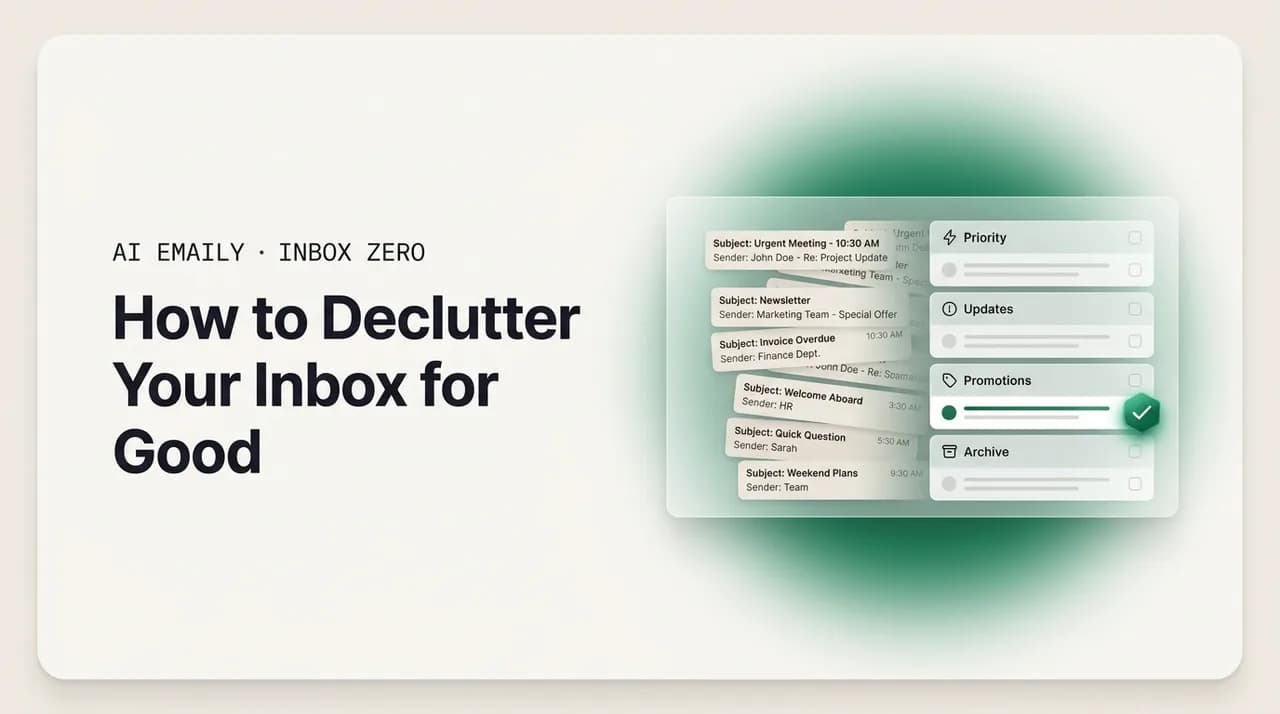
Decluttering your inbox is mostly about reducing what comes in, not heroic sorting. Unsubscribe from the flood, turn off notifications, simplify to a handful of folders, and process each message once. Then let rules and AI triage keep the noise out so a calm, minimal inbox maintains itself.
Declutter your inbox for good: cut what comes in, simplify folders, process once, and keep it calm. A minimalist email system that actually sticks.
On this page
- 01Why does a cluttered inbox feel so stressful?
- 02Why is decluttering mostly about reducing what comes in?
- 03How do you cut what comes into your inbox?
- 04How do you simplify your folder system?
- 05What is one-touch email processing?
- 06How do you build a calm, decluttered inbox? (step by step)
- 07How do you keep your inbox minimal over time?
- 08How does AI Emaily keep a calm, decluttered inbox automatically?
- 09Frequently asked questions
- 10What is the fastest way to declutter my inbox?
- 11Why does decluttering my inbox matter for stress?
- 12Should I turn off all my email notifications?
- 13What is a minimalist inbox, exactly?
- 14How many folders should I have?
- 15What is one-touch email processing?
- 16Is it better to archive or delete to declutter?
- 17How do I stop my inbox from getting cluttered again?
- 18Can AI keep my inbox decluttered for me?
- 19Will I miss important emails if I unsubscribe and mute everything?
- 20Does decluttering work the same for Gmail and Outlook?
- 21Do I have to pay to keep my inbox decluttered?
- 22A calmer inbox, by design
Open your inbox and notice how you feel in the first half-second — before you have read a single subject line. For most people it is a small clench. A faint dread. The unread count is high, the list is long, and somewhere in it are things you should have answered, things you meant to read, and a lot of things you do not remember signing up for. You have not done anything yet, and you are already a little tired. That feeling has a name in the research now — email anxiety, the low-grade tension a crowded inbox produces just by existing — and it is not a character flaw. It is what clutter does to attention. A cluttered space, physical or digital, keeps a part of your mind permanently occupied with the things you have not dealt with, and an inbox is the most relentless cluttered space most of us own, because it refills itself every hour of every day.
Here is the reframe this whole guide turns on, and it is the part most advice gets backwards. Decluttering your inbox is not mostly about getting better at sorting. It is mostly about reducing what arrives. The popular image of a tidy inbox is someone with the discipline to file every message into the perfect folder, achieving a kind of zen through sheer organization. That image is a trap. If a hundred-plus emails land in your inbox every day and most of them are automated noise, no filing system on earth will keep up — you will just be a very organized person who is still drowning. The people with genuinely calm inboxes are not better filers. They simply receive less. They cut the inflow at the source, so there is far less to sort in the first place, and the small amount that remains is easy to handle.
This is the core idea behind email minimalism, an offshoot of the broader digital-minimalism movement, and it is less about aesthetics than about reclaiming attention. The minimalist treats the inbox not as a warehouse to manage efficiently but as a small, protected space reserved for messages that actually need a human — somewhere to connect, decide, and act, not a dumping ground for every newsletter, promo, and notification that wants a piece of you. Less email, the minimalists argue, is not just tidier; it is more focus, less stress, and a clearer head, because the inbox stops being a background source of unfinished business.
So this guide is organized around that priority. We start with why clutter is the stress it is, and why reducing input beats heroic sorting. Then the bulk of the work, in order: cut what comes in — unsubscribe, turn off notifications, kill the alerts; simplify your folder system, because less structure is easier to keep; and process each message once, so nothing piles up while you decide. Then a concrete calm-inbox setup you can build in an afternoon, the light habits that keep it minimal, an honest look at how AI Emaily keeps a decluttered inbox automatically, and a long FAQ. If your problem right now is a five-figure backlog of old messages, the companion guide on how to clean up your inbox is the better starting point; this one is about getting calm and staying calm. And because the highest-leverage move here is unsubscribing, the deep piece on how to mass unsubscribe from emails goes further on that single tactic than we can.
Why does a cluttered inbox feel so stressful?#
It is worth being precise about why a full inbox weighs on you, because the mechanism tells you what a real fix has to do. The stress is not about storage — nobody loses sleep over a hard drive that is 80 percent full. It comes from what an inbox represents: a visible, ever-growing list of unfinished business, each item quietly asking for a decision you have not made yet. Psychologists have a name for the underlying effect — the tendency for unfinished tasks to occupy the mind more than finished ones. An unanswered email is an open loop, pulling at a thread of your attention even when you are doing something else, and a hundred open loops produce a constant low hum of obligation. That hum is the real cost of clutter: not the time the emails take to read, but the mental space they occupy while unread.
Volume turns that hum into a roar. The decision tax on a single email is trivial — reply, file, delete, defer, ignore — but multiply it across hundreds and it becomes exhausting. Decision fatigue is real and measurable: the more small choices you make, the worse and slower your choices get, and an overflowing inbox is a machine for generating small choices. That is why people stop processing partway through and let things accumulate. It is not laziness; it is the predictable result of asking a tired brain to make four hundred micro-decisions in a row.
Then there is the interruption cost, which compounds everything else. Each time a notification pulls you to your inbox mid-task, you lose not just the seconds spent reading the email but the far longer stretch it takes to rebuild your concentration afterward. Studies on attention put the recovery cost of a single interruption at well over twenty minutes, and the typical knowledge worker checks email a dozen or more times a day, much of it triggered by an alert rather than a conscious decision. So the inbox does not only stress you when you look at it; it fragments your focus all day, one ping at a time. Put those three together — open loops, decision fatigue, and interruption — and you can see why decluttering matters beyond tidiness, and why all three are driven by volume and interruption: the fix is to reduce what comes in, not to get marginally faster at processing what does.
Why is decluttering mostly about reducing what comes in?#
If clutter is driven by volume, the math of decluttering is simple: the most powerful thing you can do is shrink the volume. Yet almost all popular email advice skips this and jumps straight to processing — be faster, be more disciplined, use this clever folder trick. That advice is aimed at the small end of the problem while ignoring the large end. Look at what actually lands in a typical inbox. The average professional receives well over a hundred emails a day, and the great majority are not personal messages from real people. They are automated: newsletters you subscribed to once, marketing from every store you have bought from, app and tool notifications, receipts, shipping updates, social and calendar pings, and outright spam, which alone makes up close to half of all email sent worldwide. The genuine human messages that need you — a reply you owe, a question from a colleague, a note from a client — are usually a small fraction of the daily flood, just buried in it.
This is the insight that changes everything. If most of your inbox is automated noise, then most of your decluttering work is not sorting — it is turning off taps. Every newsletter you unsubscribe from is not one fewer email; it is one fewer every week, forever, plus the small mental cost of dismissing it each time. The leverage in reducing input is enormous precisely because it compounds: a single unsubscribe saves you hundreds of future emails and the attention they would have cost, while a single message you delete saves you that one message. The two moves are not in the same league. The analogy from physical decluttering holds — if your house is always cluttered, the durable fix is not more bins and shelves, it is bringing in less stuff. A minimalist inbox is built on consumption control first, organization second.
The table below makes the leverage gap concrete. Every high-leverage move is about reducing input or interruption; every low-leverage move is about processing the input you already let in. The strategic point is to spend your effort at the top of the table, not the bottom.
| Move | What it changes | Leverage | Type |
|---|---|---|---|
| Unsubscribe from a high-volume sender | Removes that sender's mail forever, weekly or daily | Very high — compounds indefinitely | Reduce input |
| Turn off non-essential notifications | Eliminates a recurring interruption all day | Very high — protects focus continuously | Reduce interruption |
| Route a category out of the inbox with a rule | Keeps a whole class of mail out of your main view | High — set once, runs forever | Reduce input |
| Mute a noisy group thread | Stops a single conversation from pinging you | Medium — one loop closed | Reduce interruption |
| Archive an old message | Removes one message from view | Low — one-time, one message | Process input |
| File a message into a folder | Tidies one message after the fact | Low — and adds ongoing decision cost | Process input |
Turn off taps before you mop the floor
How do you cut what comes into your inbox?#
This is the heart of decluttering, so we will be specific. There are three taps to turn off, in rough order of leverage: the subscription flood, your notifications, and the steady drip of low-value alerts. Work through them in order and the volume hitting your inbox — and your attention — drops dramatically before you have touched a single folder.
- 1
1. Unsubscribe from everything you do not actually read
This is the highest-leverage move in email, full stop. Go through the recurring senders flooding you — newsletters, store promos, digests, daily app summaries — and ask one honest question of each: when this arrives, do I actually open and act on it? Not "might I someday," but "do I, in practice." If the answer is no, unsubscribe. Be ruthless; you can always resubscribe to the rare one you miss. To make it stick, spend fifteen minutes a day for a week rather than doing it all at once. The companion guide on how to mass unsubscribe from emails covers the bulk approach and the edge cases — senders who ignore the unsubscribe link, the difference between unsubscribing and blocking — in depth.
- 2
2. Turn off email notifications — all but the essential
Notifications are the mechanism that turns a full inbox into an all-day interruption. Every banner, badge, vibration, and ding pulls you out of whatever you were doing, and the recovery cost dwarfs the email itself. The minimalist default is aggressive: turn off email push on your phone entirely, silence desktop pop-ups, and remove the sound. You will not miss anything urgent — genuinely urgent things reach you another way — and you will check email when you decide to, not when an algorithm decides for you. If going fully dark feels too bold, narrow notifications to a tiny VIP list (your manager, key clients) and silence the rest. Either way: stop letting your inbox set the agenda for your attention.
- 3
3. Kill the low-value alerts at their source
A surprising amount of inbox clutter is alerts that other services generate by default — every "someone commented," "your weekly report is ready," "you have a new connection," and social-network digest. The durable fix is not to filter these after they arrive but to turn them off where they originate: open the notification settings in each tool — your project software, social accounts, shopping sites — and switch email alerts down to only what you need. It takes an afternoon once and pays off forever. The same goes for group threads you have been CC'd onto but do not need to follow: mute the thread and it stops generating mail without you leaving the conversation.
Notice that all three of these are reduce-at-the-source moves, and all three are mostly one-time. You unsubscribe once and that sender is gone for good; you turn off a notification once and that interruption never returns; you disable a service's alerts once and the drip stops. This is the opposite of filing, which you repeat for every message, forever. An afternoon spent turning off taps buys you a quieter inbox for months; an afternoon spent filing buys you a tidy inbox until tomorrow morning. And the natural worry — won't I miss something important if I cut all this? — does not hold up in practice. Genuinely urgent things almost never arrive only as a silent newsletter or a default app notification. A real person who needs you emails you directly, and that message is exactly what you see when you check on your own schedule. You are cutting the noise that was drowning those messages, not the signal; reducing the volume makes the important mail more visible, not less.
You will not miss the urgent stuff
How do you simplify your folder system?#
Once you have cut the inflow, the second principle of a decluttered inbox is that less structure is easier to keep than more. This runs against instinct. Faced with a messy inbox, the natural urge is to build an elaborate filing system — a folder for every project, client, topic, and category — on the theory that a place for everything means everything in its place. In practice, complex folder systems are one of the most reliable ways to recreate clutter, just hidden inside folders instead of sitting in the inbox.
The problem is that every folder is a decision you have to make on every message. "Does this go in Clients, Client-Acme, Projects-Q3, or Reference?" That hesitation is friction, and friction is what makes people abandon a system. Worse, the more folders you have, the more often a message could plausibly live in two or three of them — so later, when you go looking, you have to remember which one you chose. A filing system that is hard to file into and hard to retrieve from is not organization; it is a second clutter problem wearing a tidy costume.
The minimalist alternative is to lean on search instead of structure. Modern email search is genuinely good — you can find almost any message by sender, keyword, or date in seconds — which makes the elaborate folder tree largely obsolete. This is the logic behind the "archive everything, search for anything" school: instead of filing each message into a precise location, you archive it into one searchable store and trust search to retrieve it. The inbox stays empty, nothing is lost, and you spend zero seconds deciding where things go. If you do want some structure — and a little is useful — keep it to a handful of folders that map to actions or broad states, not topics: one for things waiting on someone else, one for things to read later, and one reference archive. The test for whether a folder earns its place is simple: does it change what you do, or just where something sits? "Waiting" changes what you do; "Newsletters from 2019" does not.
The table below contrasts the two approaches: a few action-based folders plus good search beats a sprawling topic tree on every axis that matters. To go deeper, the companion guide on how to organize your inbox lays out the full system, and the piece on folders versus labels weighs the trade-offs.
| Axis | Many topic folders | Few action folders + search |
|---|---|---|
| Filing a message | Slow — pick from many; agonize over overlap | Fast — 2 to 4 choices, or just archive |
| Finding a message later | Slow — recall which folder you chose | Fast — search by sender, keyword, or date |
| Ongoing decision cost | High — a sorting decision on every email | Low — most mail just gets archived |
| Odds you keep it up | Low — friction makes people abandon it | High — almost nothing to maintain |
| What it is good for | Almost nothing email search cannot do | Action states: waiting, read-later, reference |
Folders for actions, not topics
What is one-touch email processing?#
The third principle is about how you handle the mail that does reach you, and it is the simplest of the three to state: handle each message once. The idea has a name — the OHIO rule, for "Only Handle It Once" — and it is one of the most effective small disciplines in email, because it attacks the open-loop problem directly. The rule is this: when you open an email, you commit to deciding its fate right then, before you move on. You do not read it, feel a flicker of "I'll deal with this later," and leave it sitting there as one more open loop. You open it, you act, you are done.
The reason this works is that re-reading is pure waste. When you open a message, register what it needs, and then close it without acting, you have spent the attention to understand it and gotten nothing in return — and you will have to spend that attention all over again the next time you open it. People who let messages sit often read the same email five or six times before they finally act on it, paying the comprehension cost each time. One-touch processing collects that cost once. You read it, you decide, the loop closes, and the message never demands your attention again.
In practice, every email you open has one of a small number of fates, and the discipline is to pick one immediately:
- 1
Do it now — if it takes under two minutes
If the message needs a reply or action you can finish in roughly two minutes, do it immediately. A quick yes, a short answer, a forward — handle it on the spot rather than filing it as a task for later. The two-minute threshold is the classic line: anything faster to do than to track is not worth tracking. Reply, and the loop is closed.
- 2
Defer it deliberately — if it needs real work
If the message needs more than a couple of minutes — a considered reply, a task, a decision you need time for — do not leave it in the inbox as a vague reminder. Move it out: snooze it to a day you will actually handle it, or turn it into a task in whatever system you use. The key word is deliberately. You are not avoiding it; you are scheduling it. Either way it leaves the inbox now.
- 3
File it — if you only need to keep it
If the message needs no action but you may want it later — a receipt, a confirmation, a reference — archive it (or drop it in your one reference folder) and move on. No agonizing over where; archive plus search handles retrieval. The loop closes the moment it leaves your inbox.
- 4
Delete it — if you will never need it
If the message needs nothing and you will never want it again, delete it. Most clutter is this. And if it is a recurring sender you keep deleting, do not just delete this one — unsubscribe, so you never touch another one. Deleting closes one loop; unsubscribing closes all the future ones.
The discipline that ties one-touch processing together is that an empty inbox is the goal of each session, not a state you white-knuckle all day. You do not process email continuously — that is just being interrupted with extra steps. You process it in a few dedicated sessions: open the inbox, handle every message once using the four fates above, drive it to empty or near-empty, then close it until the next session. Between sessions the inbox can fill up; that is fine, because you are not watching it. This pairs naturally with turning off notifications — without pings, nothing tempts you to check between sessions. One-touch processing also reinforces the first two principles: committing to handle each message once makes you feel the cost of every junk email, which makes you far more willing to unsubscribe, and because it leans on "archive and move on" rather than "file precisely," it works best with the minimal folder system. The three principles are not a menu; they are one system. Reduce what comes in, keep the structure light, and handle what is left exactly once.
How do you build a calm, decluttered inbox? (step by step)#
Here is the whole thing assembled into a setup you can build in an afternoon. The order matters: cut input first because it has the most leverage, then lighten the structure, then install the processing habit. Done in sequence, each step shrinks the work the next has to do.
- 1
Step 1 — Do a one-time unsubscribe sweep
Block out thirty to sixty minutes and go through your recurring senders, unsubscribing from everything you do not genuinely read and act on. Use the honest test — do I open this in practice, not might I someday. This is the single biggest lever, so do it first and do it boldly; you can resubscribe to anything you actually miss. Pair it with a quick archive of the existing backlog from those senders so the past clutter goes with the future clutter.
- 2
Step 2 — Turn off notifications and source alerts
Switch off email push notifications on your phone, silence desktop pop-ups, and remove sounds — or narrow them to a tiny VIP list if going fully dark feels like too much. Then spend twenty minutes in your other tools (project apps, social accounts, shopping sites) turning their email alerts down to essentials only. Mute any group threads you are CC'd on but do not need to follow. This stops the all-day interruptions and the low-value drip in one pass.
- 3
Step 3 — Collapse your folders to a handful
Resist the elaborate tree. Keep three or four action-based folders — something like Waiting (on someone else), Read Later, and Reference — and plan to archive everything else into one searchable store. If you already have a sprawling folder system, you do not need to dismantle it today; just stop filing into it and start archiving instead. Trust search to find things. Less structure is less to maintain.
- 4
Step 4 — Set a few rules to auto-route the rest
For the recurring mail you want to keep but not see in your main inbox — newsletters you genuinely read, receipts, confirmations — set simple rules that route each category to its folder automatically as it arrives. Each rule is a decision you make once and never again, and together they keep whole classes of mail out of your face without any filing. This is the bridge between a one-time declutter and an inbox that stays decluttered.
- 5
Step 5 — Adopt dedicated processing sessions
Pick two or three times a day to process email — for example, mid-morning, after lunch, and before you log off. In each session, handle every message once with the four fates (do, defer, file, delete) and drive the inbox to empty or near-empty. Outside those windows, with notifications off, leave it closed. This is the habit that turns the setup into a routine instead of a one-off cleanup.
How do you keep your inbox minimal over time?#
This setup does not promise that no email ever arrives — it promises something more useful: the volume hitting your attention is a fraction of what it was, nothing pings you between sessions, the small amount left is easy to handle, and almost none of it requires filing. But it is not a state you achieve once; it is one you maintain, because the same forces that cluttered the inbox are still running the day after you tidy it. If you cut the inflow properly, maintenance is genuinely light. If you skip it entirely, the pile rebuilds, because new subscriptions creep in and new tools start emailing you. The goal is a small, repeatable upkeep that keeps the system honest without becoming a chore.
The first habit is to keep unsubscribing as you go — decluttering input is a posture, not a one-time event. Whenever a newsletter or promo lands that you are not going to read, do not just delete it; take the extra three seconds to unsubscribe so you never see another. This is the most important maintenance habit, because it keeps the highest-leverage lever active. Think of it as the digital-minimalist "one in, one out": every time something new starts emailing you, decide whether it earns a place, and cut it on the spot if it does not.
The second habit is a brief periodic review — five minutes, weekly. Glance at what your rules routed to confirm nothing important was misfiled, scan for any new recurring sender that has started cluttering your inbox and unsubscribe, and check that your sessions are still driving the inbox to empty. This is not a deep clean; it is a tune-up that catches drift before it accumulates. The argument for it is the contrast in cost: a few minutes regularly versus a brutal multi-hour cleanup when the backlog forces your hand.
The third habit is to protect the boundary. The calm holds because you check email on your schedule rather than continuously, so the thing most likely to erode it is turning notifications back on "just for now" or glancing at the inbox between sessions out of habit. If you find yourself drifting back to constant checking, the fix is to recommit to the sessions and the silence — not to add more folders. Here is a simple cadence; none of it is heavy — together it is a few minutes a week, the entire ongoing cost of an inbox that stays calm.
| Cadence | What to do | Why it matters | Time |
|---|---|---|---|
| As it happens | Unsubscribe from any unwanted recurring sender instead of just deleting | Keeps the highest-leverage lever always on | 3 seconds |
| Each session | Handle every message once; drive the inbox to empty | Stops loops from accumulating between sessions | Built into checking |
| Weekly | Scan rules for misfiles; cut any new clutter sender | Catches drift before it becomes a backlog | ~5 minutes |
| Ongoing | Keep notifications off; check on your schedule, not continuously | Protects the focus boundary the calm depends on | Free |
Declutter is a habit, not an event
How does AI Emaily keep a calm, decluttered inbox automatically?#
Everything above is a manual system, and it works — people have kept calm inboxes this way for years. But it still asks something of you: the unsubscribe sweep, the rules, remembering to keep cutting new senders, and running the sessions. AI Emaily is an email client built to do most of that work for you, so the calm inbox maintains itself instead of depending on your discipline. We make it, so treat this as the vendor's case — but the underlying method is the same one this guide describes; AI Emaily just automates the parts that are tedious to keep up by hand.
The core of it is AI triage that hides the noise and surfaces what matters — the decluttering principle applied automatically to every incoming message. Instead of you writing a rule for each category, the AI reads each message, understands what it is, and routes the automated noise out of your main view while surfacing the messages from real people and priority senders at the top. Newsletters, receipts, marketing, and app notifications are quietly set aside; the email from your boss or a client is right where you will see it. It is the calm-inbox view from the manual setup without the work of building it — and because the AI understands content rather than matching fixed patterns, it handles the one-off promo from a sender you have never seen, the kind no static rule would catch.
On cutting input, AI Emaily does the two highest-leverage moves directly. One-click unsubscribe surfaces the recurring senders flooding you and cuts each with a single click, using the standard unsubscribe mechanism where senders honor it and filtering the rest so they stop reaching your inbox even when they ignore the request — the whole sweep, compressed into a few minutes. And quiet notifications mean the client is not pinging you all day; instead of a banner for every message, you check a calm, triaged inbox on your own schedule — exactly the focus boundary the manual method asks you to build. Together these are the "reduce input, reduce interruption" half of decluttering, handled for you.
Three things make this trustworthy rather than just convenient. It is private by default: your email content is never used to train models, the work happens over your own authorized connection, and any action the AI takes is just an instruction to your own mailbox — the same archive, route, or unsubscribe you could do by hand. It works with every provider — Gmail, Outlook, and other inboxes in one place — so your work and personal accounts get the same treatment instead of one tool per provider. And you stay in control of how much it does: in Manual mode it suggests and you act, in Copilot mode it prepares actions for your one-click approval, and in Autopilot mode it handles defined routine sorting on its own — always with undo and a full audit trail, so nothing it does is invisible or irreversible.
On price, the math is simple. AI Emaily has a genuinely free plan at $0 that covers keeping a calm, triaged inbox for ordinary use, and a Pro plan at $12.42/mo on annual billing for the heavier automation, multiple accounts, and the more autonomous agent features. That sits below the premium AI email clients and roughly in line with a single chatbot subscription — except instead of a window you paste email into, you get a client that keeps your real inbox decluttered, day after day. Start free at app.aiemaily.com/signup and have a calmer inbox by the end of the day.
Where AI Emaily fits the method
Frequently asked questions#
Short, direct answers to the questions people ask most about decluttering an inbox — reducing what comes in, notifications, minimalism, folders, and keeping it calm.
What is the fastest way to declutter my inbox?#
Start by cutting what comes in, not by sorting what is already there. The highest-leverage move is to unsubscribe from every recurring sender you do not genuinely read, because each unsubscribe removes not one email but every future one. Pair that with turning off notifications, then process what remains by handling each message once. Sorting first is the slow way; reducing input first is the fast way. If you also have thousands of old messages, the companion guide on how to clean up your inbox covers the backlog, and AI Emaily's one-click unsubscribe compresses the sweep into a few minutes.
Why does decluttering my inbox matter for stress?#
Because a full inbox is a visible list of unfinished business, and unfinished tasks occupy the mind far more than finished ones. Every unread message is an open loop tugging at your attention, and hundreds of them produce a constant low hum of obligation researchers now describe as email anxiety — compounded by decision fatigue and the focus you lose to every interruption. Decluttering removes that drain. A calm inbox is not a cosmetic win; it is the removal of a background stressor that follows you all day.
Should I turn off all my email notifications?#
For most people, yes — or very nearly. Notifications turn a full inbox into an all-day interruption, and each one costs far more than the email itself because of the time it takes to refocus. The minimalist default is to turn off email push on your phone, silence desktop pop-ups, and remove sounds, then check email on your own schedule in a few sessions. You will not miss anything urgent, because urgent things reach you another way. If full silence feels too bold, narrow notifications to a small VIP list and silence the rest. AI Emaily's quiet-notifications approach is built around exactly this calm, check-when-you-choose model.
What is a minimalist inbox, exactly?#
A minimalist inbox treats your inbox as a small, protected space for messages that actually need a human — to connect, decide, and act — rather than a warehouse for every newsletter and notification that wants your attention. It is an offshoot of digital minimalism, and the core idea is consumption control first, organization second: reduce what comes in aggressively, keep only a handful of folders, and let search do the finding. The payoff is reclaimed attention — less email means more focus, less decision fatigue, a clearer head. It is not about an empty inbox for its own sake; it is about an inbox that no longer drains you.
How many folders should I have?#
Fewer than you think — usually three or four, built around actions rather than topics. A folder for every project and client backfires, because each one is a decision on every message, and that friction makes people abandon the system. A good minimal set is Waiting, Read Later, and Reference, with everything else archived into one searchable store. The test for any folder is whether it changes what you do or just where a message sits. Modern search finds almost anything in seconds, so the elaborate tree is largely obsolete. The companion guide on how to organize your inbox covers the full system.
What is one-touch email processing?#
One-touch processing — the OHIO rule, for "Only Handle It Once" — means that when you open an email, you decide its fate immediately rather than leaving it for later. Every opened message gets one of four outcomes: do it now if it takes under two minutes, defer it deliberately if it needs real work, file it (archive) if you only need to keep it, or delete it if you will never want it again. It works because re-reading is wasted attention — a half-handled message costs you its comprehension again every time you reopen it. Handle it once and the loop closes for good. It pairs best with dedicated sessions: drive the inbox to empty, then close it.
Is it better to archive or delete to declutter?#
For decluttering, archive is the safe default and delete is for obvious junk. Archiving removes a message from your inbox but keeps it searchable in your account forever — it hides rather than destroys, so it carries no risk of losing something you later need. That makes it ideal for the minimalist "archive everything, search for anything" approach: the inbox stays empty, nothing is lost, and you spend no time deciding where things go. Reserve delete for things you will never want — expired promos, spam, dead notifications. And if you keep deleting mail from the same sender, unsubscribe instead. The rule of thumb: when in doubt, archive.
How do I stop my inbox from getting cluttered again?#
Keep cutting the inflow and keep the focus boundary intact. Whenever a new recurring sender starts cluttering your inbox, unsubscribe in the moment instead of just deleting, so the highest-leverage lever stays active. Do a five-minute weekly review to catch drift, and leave notifications off so you check email on your schedule rather than constantly. Clutter rebuilds only when you stop cutting input and start monitoring the inbox again. AI Emaily automates the heaviest parts — its AI triage keeps routing noise out of view, and one-click unsubscribe makes cutting new senders trivial — so the inbox stays decluttered without manual upkeep.
Can AI keep my inbox decluttered for me?#
Yes — it is one of the things AI does genuinely well. The decluttering principle is to reduce what reaches your attention, and AI triage applies it automatically: it reads each incoming message, hides the automated noise, and surfaces the messages from real people and priority senders. Because it understands content rather than matching fixed rules, it handles the one-off promos and new-sender clutter that static filters miss, and it learns from how you work. AI Emaily does this across every provider, privately — your content is never used to train models — and adds one-click unsubscribe and quiet notifications so the whole reduce-input method runs for you, with Manual, Copilot, and Autopilot control plus undo.
Will I miss important emails if I unsubscribe and mute everything?#
Almost certainly not. Genuinely urgent, important messages do not usually arrive as a silent newsletter or a default app ping — a real person who needs you emails you directly, and that message is exactly what you see when you check on your own schedule. What you cut by unsubscribing and muting is the automated noise that was burying those messages, not the signal. In practice, reducing the volume makes important mail more visible, not less. If you are still nervous, keep a tiny VIP notification list for a handful of critical senders and cut everything else.
Does decluttering work the same for Gmail and Outlook?#
Yes — the method is provider-agnostic; only the buttons differ. Reducing input, simplifying folders, and one-touch processing work identically on Gmail, Outlook, or anything else, because they are habits and structure, not provider features. The one wrinkle is that running both a work and a personal inbox on different providers means doing it twice in two interfaces. That is one reason AI Emaily works across Gmail, Outlook, and other providers in one place: every account gets the same AI triage, one-click unsubscribe, and calm, quiet-notification view, so you declutter all your inboxes with one tool instead of learning each provider's quirks.
Do I have to pay to keep my inbox decluttered?#
Not to start. The manual method costs nothing — unsubscribing, turning off notifications, simplifying folders, and one-touch processing are free habits. If you want the work done for you, several tools have a free tier, including AI Emaily, whose free plan at $0 covers keeping a calm, triaged inbox for ordinary use. Paid plans unlock heavier automation, multiple accounts, and more autonomous features — AI Emaily's Pro plan is $12.42/mo on annual billing, below the premium AI email clients and roughly the price of one chatbot subscription, except you get a client that keeps your real inbox decluttered. Start free, build the calm, and upgrade only if you want the deeper automation.
A calmer inbox, by design#
The dread you feel opening a crowded inbox is not a verdict on your discipline, and it is not solved by becoming a better filer. It is what clutter does to attention — a wall of open loops, each one an unmade decision, refilling itself every hour. You were never going to organize your way out of a hundred-plus daily messages that are mostly automated noise. The way out is to receive less.
That one idea reorders everything. Cut what comes in first, because it has the most leverage: unsubscribe from the flood, turn off the notifications, kill the source alerts. Then keep the structure light — a handful of action folders and good search beat an elaborate tree you will abandon. Then handle what is left exactly once, in a few dedicated sessions, so nothing piles up while you decide. Less arriving, less interrupting, faster closing — that is a decluttered inbox. And it is not a one-time achievement but a light habit: keep cutting new senders, do a five-minute weekly tune-up, and guard the boundary that lets you check on your own schedule. Build the system around reducing input and the calm becomes close to self-sustaining, because when less comes in there is less to maintain.
If you would rather not run the sweep and write the rules yourself, that is what we built AI Emaily to handle: AI triage that hides the noise and surfaces what matters, one-click unsubscribe to cut the flood, and quiet notifications to protect your focus — the whole reduce-input method, automated, across every provider, private by default, with undo and full control. Start free at app.aiemaily.com/signup and let a calmer inbox keep itself that way.
Frequently asked
See it in AI Emaily
Keep reading
Sources
- Leave Me Alone — The benefits of email minimalism
- Cleanfox — Digital minimalism for your inbox: less email, more focus
- EmailAnalytics — How to manage email overload at work
- Clean Email — How to turn off email notifications
- Routine — The complete guide to the OHIO method (Only Handle It Once)
- Calm — Email anxiety: 10 ways to clean up your inbox and feel better
- The Sweet Setup — Setting up a calm inbox view for distraction-free email

Written by
Nafiul HasanNafiul Hasan is an entrepreneur and AI automation system builder with 10+ years of experience turning messy, manual workflows into reliable automated systems. He designs and ships AI enterprise solutions end-to-end — the agent logic, the data plumbing, and the product people actually use — and founded AI Emaily to give busy professionals their attention back. He writes here from the builder's seat: what works, what breaks, and how to put AI to work without giving up control.