Email Management for Customer Support Teams: Faster, Calmer, Auditable

The short answer
Email management for customer support teams runs on a shared support@ inbox with assignment, collision detection, status, and SLA tracking — so every ticket has one owner and nothing is double-answered. AI Emaily adds brand-voice drafting, escalation without forwarding, and a full audit trail across every provider, with a human approving every send.
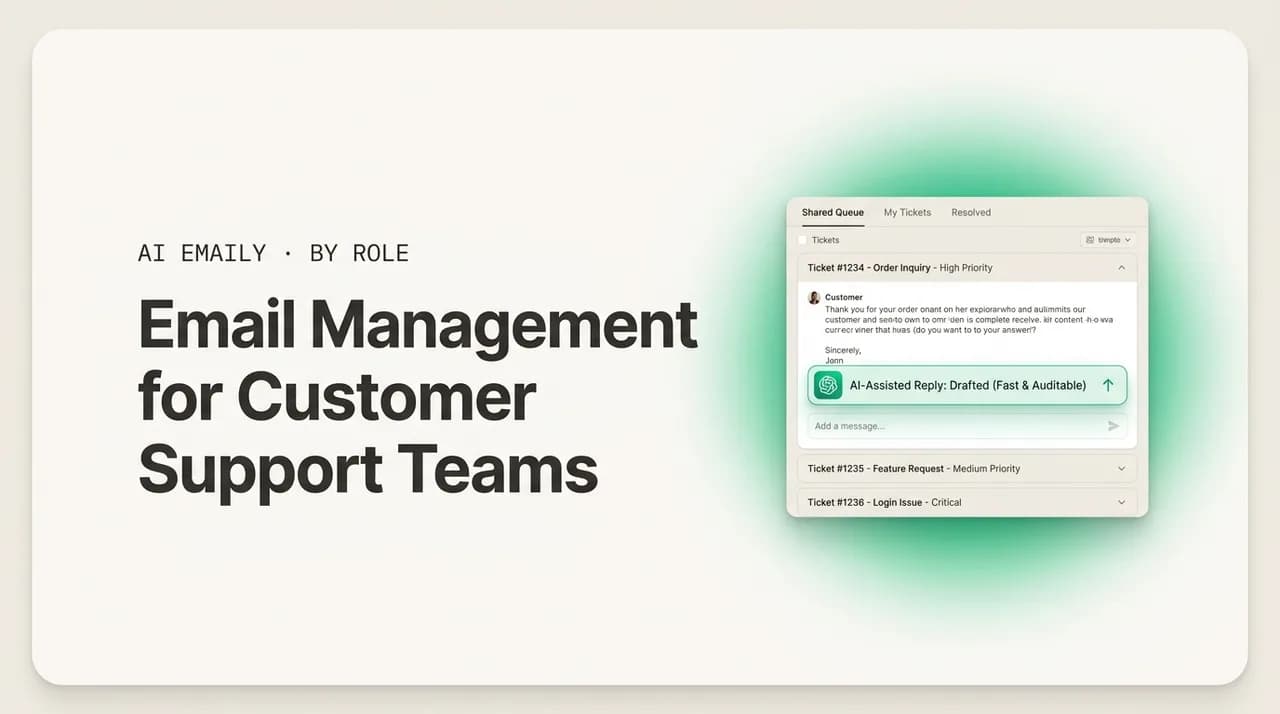
Email management for customer support teams: a shared support@ inbox with assignment, collision detection, SLAs, brand-voice AI drafts, escalation, and CSAT — done right.
On this page
- 01Why is email so hard for a customer support team?
- 02How do you run a shared support@ inbox the right way?
- 03Can AI draft support replies in your brand voice — with approval?
- 04How do you triage and prioritize support email by urgency and SLA?
- 05How do support teams escalate and collaborate without forwarding?
- 06How do you measure support email — response time and CSAT?
- 07What does a complete support email workflow look like?
- 08How does AI Emaily run a customer support inbox?
- 09What does AI Emaily cost for a support team?
- 10Frequently asked questions
- 11Conclusion: faster, calmer, and auditable
Customer support runs on a shared inbox. Not on the individual mailbox a single person owns, but on a single address — support@, help@, hello@ — that an entire team works out of together. Tickets land there in a stream that never really stops, several people pull from the same queue, and the whole operation lives or dies by how well that one inbox is coordinated. Get the coordination right and support feels fast and calm: every customer gets a quick, accurate, on-brand answer, nothing falls through, and the team keeps up without burning out. Get it wrong and the same inbox becomes a source of constant low-grade chaos — duplicate replies, dropped tickets, contradictory answers, and a backlog that grows faster than anyone can clear it.
The difference between those two outcomes is almost never the quality of the people. Support teams are usually staffed by patient, capable agents who genuinely want to help. The difference is the system around the inbox: how tickets get assigned, how the team avoids stepping on each other, how response-time targets get met under load, how replies stay consistent across a dozen agents, how hard cases escalate without losing context, and whether anyone can actually see how the whole thing is performing. A great agent in a broken inbox still drops tickets, because the failure mode of support email is not bad writing — it is bad coordination. Two people answer the same ticket. A reply nobody owned never went out. An angry customer waited eleven hours because their message blended into the stream.
This guide lays out email management for customer support teams in 2026, end to end — the system that turns a shared support@ inbox from a chaotic pile of mail into a fast, calm, auditable operation. We start with the specific problem support email creates: the collision of high volume, a speed expectation customers hold firmly, and a consistency bar that gets harder to clear as the team grows. Then we build the system piece by piece: running a shared support@ inbox with real assignment and collision detection, drafting replies in your brand voice with a human approving each one, triaging and prioritizing by urgency and SLA, escalating and collaborating without the forwarding mess, and measuring what actually matters — response time and CSAT. We close with a concrete workflow, a clear-eyed look at how AI Emaily runs a support inbox, what it costs, and the questions support leads ask most.
If you want the assistant-level view of this same problem — what an AI agent can and cannot safely do inside a support inbox — our companion guide on the AI email assistant for customer support goes deep on that, and our guide on the AI email assistant for teams covers the shared-inbox mechanics for any team. This post is the operational layer: the workflow that coordinates a whole support team's email, and the tooling that enforces it. Let's start with why support email is uniquely hard.
Why is email so hard for a customer support team?#
Support email is hard for a specific reason: it is the collision of three pressures that pull against each other, and most teams can only manage two at a time. The first pressure is volume. A support inbox does not get a trickle of mail — it gets a flood, often hundreds or thousands of messages a week, arriving unpredictably and spiking with launches, outages, billing cycles, and seasonal surges. The second is speed. Customers do not treat support email like normal correspondence they will hear back on eventually; they treat it as a problem they need solved, and they expect a fast answer. The third is consistency. Every reply represents the company, so the answers have to be accurate, on-policy, and on-brand no matter which of a dozen agents happens to pick up the ticket — and that bar gets harder to hold as the team grows.
Any one of those is manageable. The trouble is that they actively fight each other. Going faster tempts agents to cut corners on accuracy and tone. Holding the consistency bar high slows everyone down as they hunt for the right policy and wording. Handling the volume by hiring more agents makes consistency harder, because now there are more voices and more chances for two people to give a customer two different answers. A team that optimizes only for speed ends up fast but sloppy and off-brand; one that optimizes only for consistency ends up accurate but slow, with a backlog that never clears. The whole job of a support email system is to hold all three at once — fast, consistent, and at volume — which no amount of individual effort can do without the right structure underneath.
The speed expectation is worth being precise about, because it is steeper than most teams assume and the gap between expectation and reality is wide. The widely accepted target for standard email support is a first response within four hours, and best-in-class teams answer within one hour; Zendesk's own framing treats under twelve hours as merely acceptable, under four as good, and under one as best-in-class. Yet the typical company falls badly short: large-scale studies have found average email first-response times running well past eight hours — one classic SuperOffice study of a thousand companies clocked an average over twelve hours. That gap is the problem in a sentence: customers expect four hours, most teams deliver eight to twelve, and the cost of that gap is measured directly in satisfaction and retention.
And the cost is not abstract. Response time has a nearly linear relationship with satisfaction: sub-five-minute responses correlate with CSAT around 92%, while a day-long wait drags it down toward the low 50s, with each hour of delay shaving off roughly a point and a half of CSAT. The retention picture is just as stark — sub-one-hour email responses are associated with retention around 71%, versus closer to 48% when a reply takes a day, a gap of more than twenty points driven by speed alone. Support email is hard because the stakes are high and the three pressures are real, and because the failures are usually invisible until they show up as a churned customer or a sagging CSAT number nobody can fully explain. The rest of this guide is about building the system that closes that gap.
The numbers that define the problem
How do you run a shared support@ inbox the right way?#
Almost every support team starts the same way: a shared address — support@ — that everyone logs into with the same password, or a distribution list that fans copies out to several people. It works for a week. Then volume climbs and the bare shared mailbox becomes the source of every problem in this guide, because it has no concept of who owns what. Everyone sees every message and nobody owns any of them, so tickets sit while each agent assumes a colleague has it. Two agents open the same message and send two different replies an hour apart. There is no way to mark a ticket handled, no place to discuss a hard case without forwarding it around, and no record of who did what — so a manager has no idea how the inbox is actually being run. The shared address is the right instinct, one stream the whole team can see, implemented in a way that guarantees dropped and double-handled tickets.
Running it right means adding the coordination layer the bare mailbox lacks, and three features do most of the work. The first is assignment: every ticket that needs a human gets exactly one owner, visible to the whole team, and unassigned tickets are visibly unassigned rather than silently blending into the stream. Assignment is what turns a pile of mail into an accountability system — it kills the diffusion of responsibility that makes shared inboxes rot. Tickets can be assigned manually by a triaging lead, automatically by rules (round-robin to balance load, by topic, by language, by customer tier), or proposed by AI and confirmed by a person; what matters is that the assignment happens fast and every ticket lands on one named owner within seconds, not hours.
The second feature is collision detection, and it is the small thing that prevents a disproportionate amount of embarrassment. Collision detection is a real-time signal that a teammate is already viewing or replying to the ticket you just opened — so two agents never send the same customer two contradictory answers in the same hour. Without it, duplicate and conflicting replies are not an occasional accident; they are a structural certainty whenever more than one person works the same queue. With it, the second agent sees the warning, backs off, and the customer gets one coherent answer from one owner. It is a feature so quietly essential that its absence is the single clearest sign a team is running a raw mailbox rather than a real shared inbox.
The third is status, the lightweight workflow that tells everyone at a glance what is handled and what is not. Every ticket carries a state — open, assigned, pending (waiting on the customer or another team), resolved — so anyone glancing at the inbox can see the true backlog instead of a wall of mail where read and unread mean nothing reliable. Status is the best defense against the two classic shared-inbox failures: the ticket everyone assumed was handled but wasn't, and the resolved ticket that keeps drawing attention because nothing marked it done. Add an audit trail behind all of it — who was assigned, who replied, what was said, when it resolved — and the shared inbox becomes a legible, accountable workspace. A shared inbox with assignment, collision detection, status, and audit is an operation; a shared mailbox without them is a free-for-all that happens to share a password.
| Approach | Ownership | Collision risk | Visibility | Verdict |
|---|---|---|---|---|
| Raw shared mailbox (one password) | None — everyone sees, nobody owns | High — duplicate and conflicting replies are routine | None — read/unread is unreliable; no audit | Breaks the moment volume climbs |
| Distribution list / forwarding to individuals | Implicit and fuzzy at best | High — copies fan out, replies splinter | Low — no shared state, threads fragment | Hides tickets in personal mailboxes |
| Shared inbox tool (assignment + collision + status) | One visible owner per ticket | Low — collision detection warns in real time | High — status + full audit trail | The baseline a support team needs |
| AI-native shared inbox (rules + AI triage on top) | One owner; routine tickets can go to an agent | Low — plus AI avoids re-touching handled threads | High — audit covers human and AI actions | Baseline plus speed and consistency built in |
One design decision sits underneath all of this: should the support inbox be a separate helpdesk tool, or live in the email client the team works in? Much of support is reply-driven conversation handled one thread at a time, so a shared support@ that lives in the same client where agents handle mail removes the switching cost of bouncing between tools and keeps individual and shared mail under one set of coordination features. That is the design AI Emaily makes. The sales-team version of this same shared-inbox problem is covered in our guide on the best email workflow for sales teams, if your team straddles both motions.
Can AI draft support replies in your brand voice — with approval?#
For decades the answer to the speed-versus-consistency tension was the macro: a library of canned responses agents paste in for common questions. Macros are not nothing — they save real time on repetitive tickets and keep the high-stakes wording (refund policy, security details, legal language) consistent. But macros are static snippets a human has to find, paste, and then adapt to the actual ticket, and that is where they fail under load. A rushed agent pastes the macro and sends it without adapting, so the customer gets a generic wall of text that does not quite answer their specific question and reads as obviously canned. Or the agent can't find the right macro and writes from scratch, slowly, in their own slightly different voice. Macros optimize consistency at the cost of feeling human, and the more an agent leans on them under pressure, the more robotic support sounds.
AI-drafted replies are the 2026 evolution of the macro, and they resolve the tension macros could not. Instead of a static snippet the agent hunts for, an AI drafting layer reads the actual ticket, pulls the relevant approved policy and help-center content, and writes a tailored reply in the team's brand voice — fitted to this customer's specific question, not a generic template. The agent gets a draft that is already on-brand and grounded in the right facts, and their job shifts from writing or hunting-and-pasting to reviewing and refining. That is faster than writing from scratch and more consistent than a library of macros, because the consistency lives in the learned voice and the grounded facts rather than in whether the agent picked and adapted the right snippet. The substance stays consistent; the delivery stays personal and human.
Brand voice is the part that makes this work for support specifically, because support replies are the company talking to a customer at a moment of friction, and tone matters enormously. A good AI drafting layer learns the team's voice from its own best past replies and the materials you point it at — the help center, the style guide, the policies — so the draft sounds like your company, uses your approved terminology, and follows your policies. The newest agent's first reply sounds like the company's hundredth. And when a policy or a product detail changes, you update the source and new drafts reflect it immediately, instead of half the team sending last quarter's answer because nobody updated their personal macros. That is the maintenance win macros never delivered: one source of truth the whole team's drafts draw from.
The non-negotiable part is the approval gate, and for support it is not optional. An AI draft is a draft until a human approves it — the agent reads it, edits if needed, and sends. This matters because email from customers is untrusted input: a message can contain content an automated system should not blindly act on, an edge case the AI misreads, or a situation that needs human judgment and empathy the model can't supply. Letting AI draft is a force multiplier; letting AI send unsupervised is a liability that, at support volume, ships mistakes under your brand before anyone notices. The right posture — and the one AI Emaily takes — is AI drafts and queues, a human approves, and there is undo and a full audit trail behind every send. Our deep dive on the AI email assistant for customer support covers exactly where the line between draft and send should sit.
Macros vs. AI drafts — the practical difference
How do you triage and prioritize support email by urgency and SLA?#
Not every ticket is equal, and treating them as a flat first-in-first-out queue is one of the most expensive mistakes a support team makes. A customer reporting a system outage, a churning enterprise account threatening to cancel, and a one-line question about a feature are not the same priority — but in a raw shared inbox they sit in the same undifferentiated stream, and the urgent ticket waits behind the trivial one simply because it arrived later. Triage is the discipline of sorting incoming tickets by what they are and how urgent they are, so the team works the right things first. Without it, your worst-case waits — the angry customer, the high-value account, the genuine emergency — are at the mercy of arrival order, which is exactly the wrong thing to leave to chance.
Good triage sorts on a few clear dimensions. Urgency: is this an outage, a billing failure, a blocked workflow — or a non-time-sensitive question? Sentiment: is the customer calm, frustrated, or about to churn? An angry message deserves to jump the queue before frustration hardens into a cancellation or a public complaint. Customer tier: a high-value or at-risk account may warrant faster handling than the SLA's default. Topic and complexity: a simple FAQ can be resolved fast or even automated, while a technical issue needs to route to someone who can actually solve it. The point of triage is to make sure the inbox is worked in the order that protects customers and the business, not the order messages happened to land — and to surface the tickets that need a human's attention now rather than letting them blend in.
SLAs are how triage becomes accountable rather than a vibe. A service level agreement sets concrete response-time targets — for example, first response within one hour for urgent tickets, four hours for standard, and tighter targets for premium tiers — and an SLA-aware inbox tracks every ticket against its clock. The value is that it makes the urgent visible before it breaches: a ticket approaching its deadline gets surfaced and escalated automatically, so a high-priority message can't quietly age past its target while buried in the stream. SLA tracking turns response time from something you measure after the fact, in a monthly post-mortem, into something you manage in real time — the team can see what is at risk right now and act before a breach turns into a churned customer. Given the data on response time and retention, an SLA you can see and defend is one of the highest-leverage things a support team can put in place.
Triage done by hand is exactly the work that slips under load. Asking each agent to manually read, categorize, gauge urgency, check the customer's tier, and prioritize every incoming ticket is slow and inconsistent, and it is the first thing to break during a spike — precisely when triage matters most. This is where AI triage earns its place: an AI layer reads each incoming ticket, classifies it by topic, reads sentiment, flags urgency, checks the SLA clock, and proposes a priority and an owner — so agents work a pre-sorted, pre-prioritized queue instead of triaging from a blank wall of mail. Rules handle the clear-cut cases (this sender always routes here, this keyword is always urgent) and AI proposes priority and routing for the rest. The team still decides; the triage just stops being a manual bottleneck that collapses exactly when volume is highest. For the broader mechanics of automated prioritization, our companion guides on the AI email assistant for teams and for customer support go deeper.
| Priority tier | Typical example | Suggested SLA target | How it should be handled |
|---|---|---|---|
| Critical / urgent | Outage, billing failure, security concern, blocked account | First response within ~1 hour | Surfaced and escalated immediately; jumps the queue |
| High / at-risk | Frustrated customer, churn-risk or high-value account | First response within ~1-2 hours | Prioritized above standard; route to a senior agent |
| Standard | Typical how-to question, account change, normal request | First response within ~4 hours | Worked in order; AI-drafted reply for speed |
| Low / routine FAQ | Common repeat question with a known, settled answer | Within the standard window or faster | Candidate for AI draft or, deliberately, automation |
How do support teams escalate and collaborate without forwarding?#
Most support tickets are handled by one agent start to finish, but the hard ones aren't — and how a team handles the hard ones separates a calm support operation from a chaotic one. A complex technical issue needs an engineer's input. A billing dispute needs a manager's sign-off. A bug needs to reach the product team. The instinct, in a raw inbox, is to forward: the agent forwards the ticket to a colleague with "can you help with this?", the colleague replies in a separate thread, and the original ticket sits showing as unanswered while two people quietly work different fragments of it. Forwarding is how shared inboxes die — it splinters the conversation across mailboxes, loses the context, breaks ownership, and leaves the customer waiting on a thread nobody is clearly driving. Every forward is a small act of fragmentation, and at support volume those small acts compound into chaos.
The fix is to move collaboration inside the ticket, where the customer never sees it. Internal comments and @mentions let an agent ask a colleague a question, loop in an engineer, or get a manager's approval right on the ticket — a private side-channel attached to the conversation rather than scattered across separate emails. The engineer reads the full context because it is right there, answers in the comment, and the agent — who still owns the ticket — sends the customer one coherent reply. Nothing splinters, ownership stays clear, and the customer experiences one continuous conversation instead of being passed between strangers. Internal notes are the single most important collaboration primitive a support inbox has, because they let a team work a hard ticket together without forwarding it apart.
Escalation is collaboration with a direction and a handoff, and it has to carry context to work. When a ticket genuinely needs to move to another person or team — tier-1 to tier-2, support to engineering, agent to manager — the escalation should transfer the whole thread, the customer's history, and the internal discussion so far, not just a forwarded fragment with a hasty note. The receiving person inherits the full picture and can act immediately, instead of re-asking the customer questions they already answered or restarting the investigation from zero. Escalation that keeps the context attached feels seamless to the customer — they don't even know it happened. Escalation by forwarding feels to the customer like being bounced around a company that doesn't talk to itself, which is its own kind of bad support experience layered on top of whatever the original problem was.
The same principle covers everyday collaboration that isn't a formal escalation. A new agent unsure how to phrase a sensitive reply pings a senior colleague in a comment before sending. Two agents shape a careful response to a delicate complaint together on the ticket. A lead spot-checks a junior agent's draft on a high-stakes account before it goes out. Status keeps all of this legible — pending-internal, waiting-on-customer, escalated — so a glance at the inbox shows not just who owns each ticket but where it is in its life. A support inbox with comments, @mentions, status, and context-carrying escalation is a place a team can genuinely work together; one without them forces every collaboration through the forwarding mess — slower, lossier, and invisible to everyone who isn't on the forward.
How do you measure support email — response time and CSAT?#
A support inbox you can't measure is one you can't improve, and most teams measure far too little — they know roughly how busy they are and not much else. The metrics that actually matter for support email are concrete and worth tracking deliberately. First response time (FRT): how long a customer waits for the first human reply, the metric most tightly correlated with satisfaction. Resolution time: how long until the issue is actually fixed, not just acknowledged. SLA compliance: the percentage of tickets handled within their targets. Backlog and volume: how many open tickets, trending which way, so you can see a surge before it buries you. And per-agent and per-topic breakdowns, so you can see where time is going and which issues recur. These are the vital signs of a support operation, and a team flying without them is reacting to problems only after they've cost a customer.
CSAT — customer satisfaction — is the outcome metric that ties the operational numbers to whether customers are actually happy. Measured by the simple post-resolution "how would you rate the support you received?" survey, CSAT is the closest thing support has to a North Star, and its relationship to response time is direct and well-documented: faster first responses produce higher CSAT, almost linearly, with sub-five-minute replies up near 92% and day-long waits down in the low 50s. That linearity is the most actionable fact in support email, because it means the single most reliable lever you have on satisfaction is speed — and speed is exactly what a well-run shared inbox with triage, SLAs, and fast drafting delivers. Track CSAT alongside FRT and you can see the cause and the effect together: tighten response time, watch satisfaction rise.
The reason to measure is not dashboards for their own sake; it is that visible metrics let a lead manage the inbox proactively instead of forensically. With FRT, SLA risk, and backlog visible in real time, a manager can see response time slipping before it costs a CSAT point, spot the backlog growing before it becomes a crisis, catch tickets approaching their SLA deadline, and notice the recurring issue that — if fixed at the source or documented in the help center — would stop generating tickets entirely. Visibility converts support management from after-the-fact post-mortems ("why did CSAT drop last month?") into in-the-moment intervention ("these tickets are about to breach, let's clear them now") — the difference between a team that's always firefighting and one in control of its inbox.
Measurement also makes coaching specific and fair, and that depends on seeing the actual replies, not just the aggregate numbers. A lead who can review an agent's real replies can coach on the substance — this answer was accurate but cold, this one buried the resolution, this escalation lost the customer's context — which is far more useful than "your CSAT is low, improve it." The best teams turn their own strongest replies into the standard everyone learns from, and when those replies become the source material the team's drafts draw from, the inbox becomes a self-improving system. The honest framing is that this visibility exists to improve the workflow and the writing, not to surveil people — a lead who uses the numbers to debug the system ("is our triage routing urgent tickets fast enough?") earns the team's trust; one who uses them only to catch individuals loses it.
| Metric | What it tells you | Healthy direction | Why it matters |
|---|---|---|---|
| First response time (FRT) | How long a customer waits for the first reply | Toward under 1 hour; under 4 at minimum | Most tightly correlated with CSAT and retention |
| Resolution time | How long until the issue is actually fixed | Down, with no quietly-stalled tickets | Acknowledgment isn't resolution; customers want the fix |
| SLA compliance | Percent of tickets handled within target | Up, toward consistent on-time handling | Makes response targets accountable, not aspirational |
| CSAT | Whether customers are actually satisfied | Up; tracks inversely with response delay | The outcome metric; rises almost linearly with speed |
| Backlog / volume trend | Open tickets and which way they're trending | Stable or shrinking; surges spotted early | Lets you see a flood before it buries the team |
What does a complete support email workflow look like?#
Pull the pieces together and the support email workflow becomes a clear, repeatable sequence — the path every ticket follows from the moment it lands to the moment it's resolved and measured. Writing it down is what stops it depending on memory: the team agrees on these steps once, encodes them in whatever tool enforces them, and then every ticket gets the same treatment no matter who is on shift or how slammed the queue is. Below is the workflow as a set of steps, followed by a table that maps each component to the specific failure it prevents — so you can read it as a checklist against your own team's current setup and see exactly which gaps you're still exposed to.
- 1
Land in a real shared inbox, not a raw mailbox
Every customer email arrives in a shared support@ inbox with assignment, collision detection, status, and an audit trail — one live stream the whole team sees, where ownership and state are explicit. This is the foundation; every later step depends on the inbox being coordinated rather than a shared password.
- 2
Triage and prioritize by urgency and SLA
Incoming tickets are classified by topic, sentiment, urgency, and customer tier, and tracked against SLA clocks. Rules handle the clear cases and AI proposes priority and routing for the rest, so the urgent and at-risk tickets surface immediately instead of waiting behind trivial ones.
- 3
Assign to exactly one clear owner
Each ticket gets one visible owner — by rule, by triage, or by AI proposal confirmed by a person — within seconds. Unassigned tickets are visibly unassigned. Routine, settled-answer tickets can be deliberately routed to an AI agent; anything needing judgment goes to a human.
- 4
Draft fast, in your brand voice
The owner answers quickly with an AI draft grounded in your real policies and help center, written in the team's learned voice — fast and consistent without being a robotic pasted macro. Collision detection ensures no one else is replying to the same ticket.
- 5
Collaborate and escalate in the thread
Hard tickets get internal comments and @mentions; engineers and managers are looped in on the ticket itself; status (pending, escalated, waiting) keeps it legible. Escalation carries the full thread and context — never a forward that fragments the conversation.
- 6
Approve every send
AI drafts and queues; a human reviews, edits if needed, and sends — with undo and a full audit trail. Routine categories the team has deliberately chosen can run on Autopilot within set limits, but consequential replies are gated by human approval by default.
- 7
Resolve, then measure and improve
Tickets are marked resolved so the backlog reflects reality, and FRT, resolution time, SLA compliance, CSAT, and the real replies are visible to a lead — who coaches from examples and fixes the recurring issues and routing gaps that generate avoidable tickets.
The table below is the diagnostic version of that sequence. Each row pairs a component with the specific failure it prevents — so you can read it straight down as an audit of your own setup. If you're exposed to a failure in the middle column, the component on the left is the fix.
| Workflow component | The failure it prevents | What good looks like |
|---|---|---|
| Real shared inbox (assignment + collision + status) | Tickets sit unowned; two agents answer the same one differently | One visible owner per ticket; collision detection; legible status |
| Triage + SLA tracking | Urgent and at-risk tickets wait behind trivial ones, then breach | Tickets worked in priority order; SLA risk surfaced before it breaches |
| Brand-voice AI drafting | Slow writing, or robotic pasted macros; voice drifts across agents | Fast, on-brand, policy-grounded drafts; one voice, updated once |
| In-thread collaboration + escalation | Forwarding fragments the conversation and loses context | Comments, @mentions, and context-carrying escalation inside the ticket |
| Approval gate + audit trail | An unattended AI reply goes out wrong, under your brand, at volume | AI drafts, a human approves, undo and full audit behind every send |
| Response time + CSAT measurement | The inbox is a black box; problems surface only after a customer churns | FRT, SLA, CSAT, and real replies visible and coachable in real time |
How does AI Emaily run a customer support inbox?#
Every component above describes a workflow. The remaining question is what enforces it — because a workflow written on a wiki that depends on each agent remembering it is exactly the kind that breaks during a surge. AI Emaily is an autonomous, AI-native email client built to run this whole support workflow in one place: a shared inbox with assignment and collision-safe collaboration, AI triage and prioritization, brand-voice drafting, escalation that carries context, and full audit and measurement — across every email provider, with a human approving every send. It is not a heavyweight helpdesk you migrate onto and live inside, and not a bolt-on; it is the email client the team works in, with the support coordination layer built into it.
The shared inbox plus assignment is the foundation. Point AI Emaily at support@, help@, or any address, and the whole team sees the same live stream — no password-sharing, no tickets hiding in a personal mailbox. AI triage reads each incoming ticket, classifies it by topic, reads sentiment and urgency, and proposes a priority and an owner by topic, sender, and load, so agents work a pre-sorted queue instead of triaging from a blank wall of mail. Every ticket has exactly one visible owner, and because delegation can go to a human or an AI agent, a routine, settled-answer ticket — a common how-to, a standard account change — can be handed to the agent to draft or resolve, while anything needing judgment routes to a person, with reassignment a click away when the first owner isn't the right one. Collision detection means no two agents ever step on the same ticket.
Brand-voice drafting is the macro library without the paste-and-pray tax. AI Emaily learns the team's voice from the inbox's own best replies and the materials you point it at — help center, style guide, policies — and grounds each draft in your real policies and the live thread, so the reply is on-brand and correct, not a generic snippet someone has to rewrite. The newest agent's first reply already sounds like the company's hundredth, and when a policy changes you update the source and new drafts reflect it: consistent substance, personalized per ticket, no agent hunting for the right macro. This is the speed-and-consistency win that resolves the core tension of support email, and it is exactly what our guide on the AI email assistant for customer support explores in depth.
Collaboration and escalation live in the thread, never in a forward. Internal comments and @mentions let an agent loop in an engineer or get a manager's sign-off right on the ticket, where the customer never sees it; status (open, assigned, pending, escalated, resolved) keeps ownership and state unambiguous; and escalating a ticket to another agent or team is a reassignment that carries the full thread, the customer's history, and the internal discussion with it, so the receiving person inherits the context instead of re-asking the customer. The AI participates in the same space: its drafts land as staged drafts the team can comment on and refine before approval, so human collaboration and AI assistance share one surface rather than living in separate tools.
Control is the design, not an afterthought, and on a support inbox handling untrusted customer email it matters more than anywhere. AI Emaily runs in three modes — Manual, where agents write and the AI stays out of the way; Copilot, where it triages, drafts, and queues every reply but holds each send for a human's explicit approval; and Autopilot, for the routine, settled categories a team has deliberately chosen to delegate within set limits. Every action has undo and a full audit trail, so a lead can reconstruct any ticket — who was assigned, who replied, what the agent drafted, who approved it, and when. That audit trail is also the measurement layer: first response time, SLA compliance, resolution, and CSAT signals are legible, so coaching is grounded in real examples and the inbox is something you can debug rather than a black box. For the team-wide shared-inbox view of all this, our guide on the AI email assistant for teams goes deeper.
Customer email is untrusted input — so AI drafts, humans approve
On where AI Emaily fits against a dedicated helpdesk, here is the honest version. AI Emaily is an AI-native email client with a shared inbox built in, not a full ticketing platform — so if your support operation depends on deep CRM integrations, multi-channel ticketing across chat, phone, and social, complex automation rule trees, and a knowledge-base CMS, a Zendesk or a Help Scout covers those surfaces in ways an email client doesn't try to. What AI Emaily does is run the email side of support — the shared support@ inbox, the triage, the brand-voice drafting, the collision-safe collaboration, the escalation, the approval and audit — in the client your team already works in, across every provider, without the migration, the per-resolution metering, or the heavyweight setup a full helpdesk demands. For a team whose support is primarily email, that is often the whole job, done faster and more simply. For a side-by-side against the shared-inbox and helpdesk tools teams usually weigh, see our comparison page.
And it is private and works with what you already use. AI Emaily connects to your existing inboxes across every email provider — Gmail and Google Workspace, Outlook and Microsoft 365, standard IMAP — so a team with a Gmail support address and an Outlook one runs both in one place, with no migration and no lock-in. It is built privacy-first: your team's mail and your customers' messages are not training data, the AI agent operates under your control with consequential sends gated by approval, and nothing sensitive is logged. You keep your support address, your history, and your relationships — the workflow just runs on top of them. The only honest test is to run it on your real support@ for a week, where a messy live queue reveals what a clean demo hides.
What does AI Emaily cost for a support team?#
Team pricing is built for shared inboxes and priced predictably, not as a per-ticket or per-resolution meter — which matters enormously for support, where volume is exactly the thing that spikes. The Team plan is $14.92 per seat per month on annual billing, and teams of five or more seats get an additional 10% off. Critically, Autopilot — the autonomous agent capability that can resolve routine tickets end to end — is included in the Team plan, not gated behind a separate AI add-on and not charged per AI-resolved ticket. The agent handling your repetitive volume does not inflate the bill, so cost stays predictable whether the support queue is quiet or slammed by a launch-day surge.
That positioning is deliberate against the category norm, and it is the single biggest cost difference for a support team specifically. Helpdesk tools commonly price either per agent with AI locked behind higher tiers, or — increasingly — per ticket or per AI resolution, which means the more tickets you get and the more value the AI delivers, the more your bill climbs, and budgeting becomes a guessing game tied directly to inbox volume. For a support team, whose volume is unpredictable and spiky by nature, per-resolution AI pricing penalizes you for exactly the surges where the automation helps most. AI Emaily folds the agent into the seat price, so a team adopting AI triage and agent-assisted resolution is not taxed for using the features that save it the most time.
| What a support team gets on Team | Included |
|---|---|
| Shared support@ inbox across every provider (Gmail, Outlook, IMAP) | Yes |
| AI triage: classify, read sentiment, flag urgency, track SLA | Yes |
| Assignment with collision detection and status | Yes |
| Delegate a ticket to a human or an AI agent | Yes |
| Brand-voice AI drafting grounded in your real policies | Yes |
| Internal comments, @mentions, context-carrying escalation | Yes |
| Copilot approval gate before any send | Yes |
| Autopilot (autonomous agent, within your limits) | Yes — included |
| Full audit log + response-time and CSAT visibility | Yes |
| Per-seat price (annual) | $14.92/seat/mo |
| Teams of 5+ seats | Additional 10% off |
A practical way to think about the value: the Team plan replaces both the coordination layer a team buys shared-inbox software for and the AI layer — brand-voice drafting plus an agent that triages and clears the routine bulk — in one tool, at one predictable seat price, with the agent included rather than metered. For a support team losing CSAT and customers to slow first response, double-handled tickets, and forwarding-fragmented escalations, the math is usually simple: if the workflow tightens FRT toward the under-one-hour band where retention and satisfaction are highest, keeps replies consistent across every agent, and stops escalations from losing context, you have protected revenue that was quietly churning — without betting your brand on unattended automation. When you're ready, connect your support@ inbox and watch the workflow run. Check current pricing on the pricing page before committing a team budget, since plans and inclusions change.
Autopilot is included — not metered per ticket
Frequently asked questions#
The questions support teams ask most when setting up email management — on shared inboxes, SLAs, brand voice, escalation, measuring CSAT, how AI Emaily compares to a helpdesk like Zendesk, and how to get started.
Conclusion: faster, calmer, and auditable#
Customer support runs on a shared inbox, and the quality of that inbox's coordination decides whether support feels fast and calm or like constant low-grade chaos. The components aren't exotic: a real shared support@ inbox with assignment, collision detection, and status so every ticket has one owner and nothing is double-answered; triage and SLA tracking so urgent tickets surface before they breach; brand-voice drafting so the team is fast and consistent without sounding robotic; in-thread collaboration and context-carrying escalation so hard tickets get solved without the forwarding mess; an approval gate and audit trail so AI accelerates the team without sending mistakes under your brand; and measurement of response time and CSAT so the inbox is something you can improve. What makes them a system rather than a wish list is that they're enforced by the tooling, not left to each agent's memory during a surge.
That last point is the whole game. Every one of these components works in theory and fails in practice for the same reason: under load, the coordination slips, and it slips invisibly — a double-answered ticket, a dropped escalation, an urgent message that aged past its SLA all leave no trace until they show up as a sagging CSAT number or a churned customer nobody can fully explain. The teams that deliver fast, consistent support are the ones that move these guarantees out of individual willpower and into a system that holds when the queue is slammed, which is exactly when it matters most. Given how directly response time drives satisfaction and retention, closing that gap is one of the highest-leverage things a support organization can do.
AI Emaily is built to be that system: a shared support@ inbox with AI triage and assignment, collision detection, brand-voice drafting, in-thread collaboration and escalation, full audit, and response-time and CSAT visibility — across every provider, with a human approving every send and a complete audit trail behind it. It runs the whole support email workflow in the client your team already works in, so the coordination, the consistency, and the speed happen by default instead of by heroics. Start free to set it up on your real support@ inbox at app.aiemaily.com/signup, watch AI triage route and draft your first tickets, and turn support email into an operation that's faster, calmer, and fully auditable — rather than a backlog you're always fighting to clear.
Frequently asked
See it in AI Emaily
Keep reading

Written by
Nafiul HasanNafiul Hasan is an entrepreneur and AI automation system builder with 10+ years of experience turning messy, manual workflows into reliable automated systems. He designs and ships AI enterprise solutions end-to-end — the agent logic, the data plumbing, and the product people actually use — and founded AI Emaily to give busy professionals their attention back. He writes here from the builder's seat: what works, what breaks, and how to put AI to work without giving up control.