Email Management for Project Managers: Turn Threads Into Action

The short answer
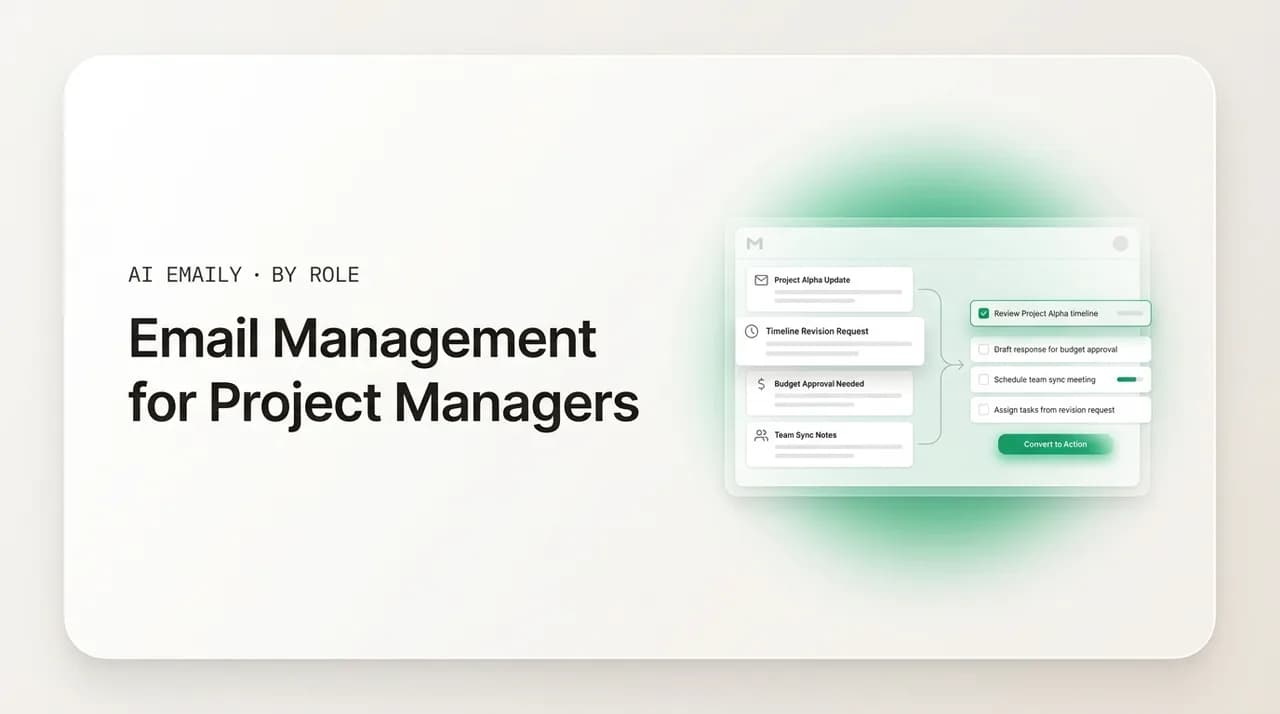
Email management for project managers means turning threads into tracked work. Extract action items and decisions with AI summaries, send tight stakeholder updates, log approvals, and route email into tasks per project. A daily Brief keeps every project moving without rereading the inbox.
Email management for project managers: extract action items from threads, send clean stakeholder updates, track approvals, and turn email into tasks with AI.
On this page
- 01Why is email so hard for project managers specifically?
- 02How do you extract action items and decisions from email threads?
- 03How do you keep stakeholders updated without drowning in writing?
- 04How do you track approvals and decisions made over email?
- 05How do you juggle email across multiple projects without losing the thread?
- 06How do you turn email into tasks instead of leaving it in the inbox?
- 07What does a complete PM email workflow look like?
- 08How does AI Emaily work for project managers?
- 09How is this different from filters and folders in Gmail or Outlook?
- 10Frequently asked questions
- 11Conclusion: stop reading email, start converting it
A project manager does not own an inbox so much as a junction. Every status update, every change request, every approval, every scope question, and every quietly buried action item passes through your email on its way somewhere else. You are the point where the client's expectations meet the team's capacity, where the deadline meets reality, and where a one-line reply can unblock five people or, if it never gets sent, stall a release for a week. The volume is real, but the volume is not the hard part. The hard part is that everything that matters about a project, who promised what, what got decided, what is still open, arrives as prose in a thread and then disappears under the next forty messages.
Most email advice aimed at busy professionals treats the inbox as a pile to clear. For a PM that framing misses the point entirely. Your problem is not that the pile is big; it is that the pile is also your project record, your task list, your decision log, and your risk register, all at once, none of it structured, all of it interleaved. The action item that determines whether Friday's milestone slips is sitting in paragraph three of a reply-all thread titled Re: Re: Fwd: quick question. Inbox zero does nothing for you if reaching zero means you have archived the one sentence you needed to turn into a task.
This guide is about the version of email management that actually fits the job. It starts with the specific shape of the PM email problem, then works through the moves that matter most: pulling action items and decisions out of long threads, sending stakeholder updates that land without drowning you in writing time, tracking approvals and decisions so they hold up later, juggling several projects without losing the thread on any of them, and turning email into tasks instead of leaving it as unread guilt. It ends with how AI Emaily runs that whole system, because the honest truth is that done by hand it is a second job, and the modern version is not.
One reframe is worth establishing up front, because it changes every decision that follows. For most roles, an email is a message to read and maybe answer. For a project manager, an email is an input that needs to be converted into one of a few things: a task with an owner, a decision on the record, an update someone is waiting for, or a risk to flag. The skill is not reading faster. It is conversion, reliably turning unstructured thread into structured project state, so that nothing that was agreed in writing falls through the gap between your inbox and your plan.
Why is email so hard for project managers specifically?#
The generic version of email overload is a time story: too many messages, not enough hours. Knowledge workers give roughly a quarter to a third of the workweek to email and adjacent communication, and one widely cited finding is that people are interrupted every couple of minutes during core hours by some mix of email, chat, and meetings. That tax is bad for everyone. For project managers it compounds, because the role layers four distinct pressures on top of raw volume, and each one turns the inbox from a nuisance into a source of project risk.
The first pressure is that the inbox is the project's unofficial system of record, and it is a terrible one. Decisions get made in email. Scope changes get agreed in email. The client signs off on the new date in email. None of that is structured, none of it is searchable in any reliable way, and all of it is mixed in with newsletters and calendar spam. When a dispute surfaces two months later, who approved the extra week, what exactly did we agree to deliver, the answer is buried in a thread nobody can find. The PM is the one who has to find it, and the cost of not finding it is measured in rework and blame.
The second pressure is action-item leakage. A project moves on commitments: someone will do something by some date. In email, those commitments arrive embedded in prose, often as a single clause in a long message, and they do not announce themselves. A reply that says sure, I can have the API spec to you by Thursday is an action item with an owner and a deadline, but it looks exactly like every other sentence in the thread. If you do not catch it and convert it into tracked work, it does not exist as far as your plan is concerned, and Thursday arrives with nothing delivered and no record that anything was promised.
The third pressure is that you are coordinating people who do not share your context. A developer cares about their tickets; a client cares about their launch; an executive sponsor cares about the one number that reaches the board. You are the only person holding the whole picture, and email is where you assemble it from fragments. Every thread is a partial view from one stakeholder's seat, and your job is to reconcile them into a single coherent state of the project. That reconciliation is cognitively expensive, and an unsorted inbox makes it harder by hiding which fragments belong to which project.
The fourth pressure, and the one that quietly does the most damage, is context switching across projects. Most PMs are not running one project; they are running several. Industry surveys consistently put the majority of project managers at two to five simultaneous projects, and a large share run even more. Your inbox does not respect those boundaries. A client escalation on Project A lands one message above a routine status reply on Project B, and reading them back to back forces your brain to tear down and rebuild context each time. Rebuilding project context can take real minutes, and after enough switches the day is gone and no project got a focused block. The cost is not just lost time; it is the errors and dropped threads that creep in when you are never fully loaded into any one project.
It is worth being concrete about what this costs in aggregate. Suppose you run four projects and field eighty emails a day across them. If you spend even forty-five seconds on each message simply deciding which project it touches and what it implies, before doing anything about it, that is an hour of pure sorting daily, five hours a week given to triage rather than to managing. Add the rereads, the searches for that one approval, the rebuilt context after each switch, and email quietly consumes the largest single block of a PM's week. None of that time produced a delivered milestone. It was overhead, and most of it is removable.
The core insight
Hold those four pressures in mind, because every technique below exists to relieve one of them. Action-item and decision extraction attacks leakage and the record problem. Tight stakeholder updates attack the writing-time tax and the context-reconciliation problem. Approval tracking attacks the dispute-two-months-later problem. Per-project routing attacks context switching. And turning email into tasks is the move that connects your inbox to the place work actually gets tracked. A real PM email system is not one trick; it is a small set of moves that, together, convert a chaotic junction into a managed flow.
How do you extract action items and decisions from email threads?#
This is the move that matters most, because it is where projects silently break. An action item that never becomes a task is a missed deliverable waiting to happen, and a decision that never gets recorded is a dispute waiting to be reopened. The whole reason email is dangerous for a PM is that both of these live inside prose, undifferentiated from the chatter around them, and the volume means you cannot reliably catch them by rereading every message.
Start by being precise about what you are hunting for, because action items and decisions are not the same animal and they need different handling. An action item is a future commitment: a who, a what, and ideally a when. A decision is a settled question: a choice the project will now proceed on, made by someone with the authority to make it. A thread can contain several of each, plus a lot of discussion that is neither. The skill is reading a thread and separating the binding parts, what was agreed and what was promised, from the deliberation that produced them.
Doing this manually on every long thread is the bottleneck. Reading a forty-message reply-all from the start, holding the open questions in your head, and noting each commitment as it appears is slow, and it is exactly the kind of careful reading that gets skipped when you are behind. This is where AI thread summarization changes the economics. A good summary of an email thread does not just shorten it; it pulls out the structure: the core question, the decisions made, the action items with their owners, and the questions still open. What took ten minutes of careful reading becomes a glance.
The point of an extraction-focused summary is not to save reading time for its own sake. It is to make the conversion reliable. When the action items are listed explicitly, with owners, you can turn each one into a tracked task in seconds, and you can see at a glance whether anything was promised that you have not captured. When the decisions are pulled out, you have the start of a decision record without writing it from scratch. The thread stops being a wall of prose you have to mine and becomes a structured input you can process.
- Decisions made: the questions the thread settled, who made the call, and what the project now proceeds on. This is your decision log, sourced straight from the thread.
- Action items: every future commitment, with the owner and the deadline where stated. Each of these should become a tracked task, not stay as a sentence in an inbox.
- Open questions: what is still unresolved and waiting on someone. These are the things that need a nudge, a meeting, or a decision you have to drive.
- Risks and changes: anything that moves scope, date, or budget. These need to reach your plan and, usually, a stakeholder, before they harden into surprises.
- Noise: the acknowledgments, thanks, and discussion that are neither commitment nor decision. A good summary lets you skip these without rereading them.
There is a discipline that makes extraction far more reliable, and it is worth stating plainly: capture the commitment the moment you see it, not later. The temptation is to read the thread, think I will turn that into a task after this meeting, and move on. By the time the meeting ends, the thread has slid down the inbox and the commitment is gone from working memory. The PMs who do not leak action items are the ones who convert on contact, every promise becomes a task, every decision goes on the record, in the same pass that they read the message.
Worth naming a specific trap here. AI summaries are reliably good at the factual layer, dates, owners, explicit commitments, decisions, and that is exactly the layer a PM most needs extracted. They are weaker at subtext: the politics, the unspoken reluctance, the tone that tells you a stakeholder is unhappy even though the words are polite. Use the summary to capture the structure fast, but read the actual message yourself when the thread is sensitive, an escalation, a tense client, a personnel issue, because that is where the human signal lives and where a missed nuance costs you. The summary handles the mechanical extraction; your judgment handles the political reading. For the deeper mechanics of pulling structure out of long threads, our guide on how to use AI to summarize emails walks through it in detail.
How do you keep stakeholders updated without drowning in writing?#
Stakeholder communication is half a project manager's job, and status updates are the most repetitive, most time-consuming, and most under-leveraged part of it. A good update aligns everyone, prevents the where are we anxiety that generates more email, and creates a paper trail of progress. A bad update, or no update, breeds exactly the kind of one-off where-do-things-stand messages that fragment your day. The problem is that writing good updates well, for the right audience, on a regular cadence, takes time most PMs do not have, so updates slip, and the slippage costs more email than it saved.
The first principle is that a status update is a structured document, not a freeform note. The formats that work share a skeleton: where the project stands, what got done, what is coming next, and what is at risk or blocked. Stakeholders learn the shape and can scan it in seconds, which is the entire point. The second principle is that the audience determines the depth. A sponsor wants the headline, the date, and the one risk that could derail it; the working team wants the detail. Sending one update to both means either burying the executive in detail or starving the team of it.
| Audience | What they need | Cadence | Length |
|---|---|---|---|
| Executive sponsor | On track or not, the date, the one material risk | Weekly or biweekly | Five lines |
| Client | Progress, what is next, anything you need from them | Weekly | Short, scannable |
| Working team | Tasks, blockers, owners, this week's focus | Twice weekly or standup | Detailed |
| Wider org / FYI | Milestones hit, headline status only | On milestone | Headline only |
The reason updates eat so much time is that PMs rebuild them from scratch each cycle: open the plan, scroll the threads, remember what changed, reconstruct what got decided, then write it all into prose for each audience. Most of that is reassembly of information you already have, scattered across the inbox and the plan. The leverage is in not reassembling it by hand. If the action items and decisions are already being extracted from your threads as they arrive, the raw material for the update already exists; the update becomes a matter of selecting and phrasing, not researching and remembering.
Voice is the other unlock, and the one PMs skip most. The friction in writing an update is the typing, especially when you are doing it for the third audience that week. Speaking the update is far faster than writing it: you talk through where things stand the way you would in a standup, and let the system turn that into a properly structured, written update for the audience you are sending to. A ninety-second spoken brain-dump becomes a clean five-line executive note and a detailed team update, in your voice, without you typing either. Once producing an update costs seconds of talking instead of fifteen minutes of writing, the cadence stops slipping, which is what actually keeps stakeholders calm.
There is a subtler win here. Consistent, well-structured updates reduce inbound email. When stakeholders trust that an update is coming on a known cadence and contains what they need, they stop sending the anxious one-off where-are-we messages that interrupt you. A reliable update is not just communication; it is interruption prevention. The PMs who are calmest are usually the ones whose updates are so dependable that nobody feels the need to chase them.
Write the update once, target it per audience
How do you track approvals and decisions made over email?#
Email is where a startling share of project governance actually happens. The client approves the new scope in a reply. The sponsor green-lights the extra budget in a one-liner. The stakeholder signs off on the design in a thread. Each of these is a binding decision with real consequences, and each one is, by default, recorded nowhere except in a message that will be buried within days. When a dispute surfaces, and on projects of any size it will, you need to produce the approval, with who said yes, to what, and when. Finding it should not require an archaeology dig through your sent folder.
The first discipline is to recognize an approval the moment it arrives and treat it as a record event, not just a message. An approval has a shape: a specific thing was approved, by a specific person with the authority to approve it, at a specific time. The moment you read approved, looks good, go ahead, or yes, ship it on something that matters, that is the trigger to capture it, the decision, the approver, the date, and a link back to the thread, into wherever your project's decision record lives.
The second discipline is to make approvals unambiguous when you request them, so they are easy to capture and hard to dispute. A vague are you okay with this? invites a vague reply that you cannot later point to. A precise request, confirming we move the launch to Aug 14 and cut feature X from this release, reply approved to confirm, produces a clean, quotable approval. The clarity you build into the request is the clarity you get back in the record.
| Governance event | What to capture | Why it matters later |
|---|---|---|
| Scope change approved | What changed, who approved, when, thread link | Prevents the we never agreed to that dispute |
| Date / timeline sign-off | New date, approver, conditions attached | Protects you when the deadline is questioned |
| Budget / spend green-light | Amount, approver, what it covers | Audit trail for finance and the sponsor |
| Deliverable acceptance | What was accepted, by whom, any caveats | Closes the loop, blocks reopened scope |
| Decision the project proceeds on | The choice, the rationale, who made it | Stops the same question resurfacing repeatedly |
A practice worth adopting: document the decisions you reject, too, not just the ones you approve. One of the most exhausting patterns in project management is the same settled question resurfacing every few weeks because nobody recorded that it was already decided and declined. A short decision log that captures rejections with their rationale, we considered adding feature X and decided against it for this release because of the date, ends the loop. The next time it comes up, you point at the record instead of relitigating it.
This is where AI extraction and approval tracking converge. If decisions and approvals are being pulled out of threads as they arrive, your decision log is being assembled as a byproduct of normal email, rather than as a separate documentation chore you never get to. The thread that contains the approval is summarized into a structured decision the moment it lands; you confirm and it is on the record. The governance trail that protects you in a dispute stops being something you wish you had kept and becomes something the system keeps for you.
An unrecorded approval is a future argument
How do you juggle email across multiple projects without losing the thread?#
The defining feature of a PM's inbox is that it is several projects at once, interleaved by arrival time rather than by what they belong to. A client escalation on one project sits directly above a routine logistics note on another, and processing them in arrival order forces a context switch on every message. Rebuilding the mental model of a project, who is involved, what is open, where it stands, is not free; it takes real attention, and doing it dozens of times a day across four projects is how a full day evaporates with nothing finished.
The fix is to stop letting arrival order dictate your attention and start processing by project. Instead of working top to bottom through a mixed inbox, you load one project, clear everything related to it in a focused block, then load the next. You pay the context-rebuild cost once per project instead of once per message. This requires that mail actually be organized by project, which is the first piece of infrastructure a multi-project PM needs and the one most people never build properly.
- One lane per project: every message lands in the project it belongs to, automatically, so you never sort by hand or guess which client a Re: Re: thread is about.
- Process by project, not by arrival: clear one project's mail in a focused block, then switch, so you pay the context cost once instead of on every message.
- A per-project state at a glance: what is open, what is waiting on you, what is at risk, for each project, without reconstructing it from the threads each time.
- Cross-project urgency that still surfaces: a genuine escalation on any project should reach you immediately, even while you are heads-down in another.
- A clean handle on the long tail: the FYIs and cc threads filed under their project, summarized, never cluttering the lane that holds the live work.
The naive way to build per-project organization is hand-made filters and folders: a rule per client, a folder per project, maintained forever as projects start, change scope, and wind down. It works, barely, and it is brittle. A new stakeholder emails from an address your rule does not know, a thread changes subject line, a project gets renamed, and the routing quietly breaks. The better approach reads the content and the participants to know which project a message belongs to, so a message from a new contact on a known project still lands in the right lane, and a thread that drifts off its original subject still routes correctly.
The deeper benefit of clean per-project lanes is that they make the daily question, what is the state of each of my projects, answerable without an inbox archaeology session. The most stressful thing about running several projects is the nagging sense that something is slipping on the one you have not looked at today. When each project has a current, trustworthy state you can glance at, that anxiety has somewhere to go. You are not relying on memory and a scroll through a mixed inbox; you are reading a per-project picture that the system keeps current. The patterns that help account managers keep many client threads tight apply directly here, and our guide to email management for account managers covers that overlapping ground.
Cross-project routing has the same two-axis subtlety that catches a lot of systems. Priority is not the same as project. A low-stakes note on your most important project does not need to interrupt you, and a genuine escalation on a minor project does. A system that routes only by which project a message belongs to misses the urgent escalation that arrives on the project you are not focused on today. The routing has to hold both axes at once: which project this touches, and how urgent it actually is, so that focus blocks stay protected while real fires still reach you regardless of which lane they start in.
Per-project, not per-priority alone
How do you turn email into tasks instead of leaving it in the inbox?#
The single most consequential habit shift for a project manager is to stop treating the inbox as a to-do list. An email is not a task; it is, at most, the trigger for one. Leaving actionable mail sitting unread or starred as a reminder is how the inbox becomes a low-grade anxiety machine, a list of obligations you have to rescan constantly because none of them are actually tracked anywhere you trust. Every actionable email needs to become a real task, with an owner and ideally a date, and then leave the inbox.
The mechanics are simple to state and hard to sustain by hand. When a message implies work, you extract the action, who does what by when, create a task for it in whatever system your project actually runs in, and archive or file the email. The thread is no longer a thing you have to remember; it is a task you can track. The friction is that doing this manually, copy the gist, switch to the task tool, create the task, set the owner, link back to the email, archive, is enough steps that under pressure you skip it and let the email sit. And once one email sits as a pseudo-task, the inbox-as-task-list habit reasserts itself.
The same extraction that pulls action items out of threads is what makes email-to-task conversion fast enough to actually do every time. If the action items are already identified, with owners and dates, turning them into tracked tasks is a confirmation rather than a transcription. The gap between reading a commitment and having it tracked shrinks from a multi-step chore to a single step, which is the difference between a habit you keep and one you abandon the first busy week.
- 1
Read for the action, not the whole message
Identify what the email actually requires: a task, a decision to log, an update to send, or nothing. Most messages resolve into one of these, and a summary makes the answer obvious fast.
- 2
Extract the who, what, and when
Pull the commitment into its parts: the owner, the deliverable, the deadline. If any part is missing and it matters, that is itself a follow-up to send before you can track it cleanly.
- 3
Create the task where work lives
Put the task in the system your project actually runs in, with the owner and date set and a link back to the source thread, so the context is one click away when it is needed.
- 4
Log it if it is a decision
If the message settled a question or recorded an approval, capture it in the decision log instead of, or in addition to, a task. Governance and work are different records.
- 5
Archive the email
Once the action is tracked or the decision is logged, the email leaves the inbox. The inbox holds only what is genuinely unprocessed, never things you are using as reminders.
A note on tools, because PMs ask which task system to use. The system here is deliberately tool-agnostic: it works whether your project runs in a dedicated project management tool, a shared board, or a simple task list. The point is not which tool holds the task; it is that the task lives somewhere structured and tracked, and not in your inbox. The inbox is the worst possible task manager because it has no owners, no dates, no states, and no way to see what is in flight, it has only an ever-growing list of messages, and treating that as your work queue is the root of most PM email stress.
The deeper reason email-to-task discipline matters is that it is what finally lets you close the inbox. As long as actionable mail lives only in the inbox, you have to keep the inbox open and keep rescanning it, because it is the only place your obligations exist. Once every action is converted to a tracked task and every decision to a logged record, the inbox holds nothing you are afraid to lose, so you can close it and work from your actual plan. That is the endgame: the inbox becomes a processing queue you visit on a schedule, not a worry list you live inside.
The inbox is a queue, not a list
What does a complete PM email workflow look like?#
Pulling the pieces together, a project manager's email system is a conversion pipeline. Mail comes in unstructured and interleaved across projects; it leaves as tracked tasks, logged decisions, sent updates, and flagged risks, sorted by project, with nothing actionable left behind. None of the individual moves is novel. The leverage comes from running them as one flow, so that processing email is the same act as keeping every project's state current.
Here is the workflow as a repeatable pass. Run it the same way every time and it becomes the thing you do instead of doom-scrolling a mixed inbox.
- 1
Process by project, in blocks
Load one project's mail and clear it before moving to the next, so you rebuild context once per project instead of once per message. Let real cross-project escalations break through; everything else waits for its block.
- 2
Summarize the long threads
For any thread of substance, read the structured summary first: decisions made, action items with owners, open questions, risks. Open the raw thread yourself only when it is sensitive and the subtext matters.
- 3
Convert on contact
Turn every commitment into a tracked task and every approval or decision into a logged record, in the same pass you read the message. Never leave an action sitting in the inbox as a reminder.
- 4
Send the updates that prevent inbox chaos
On cadence, send each audience its version of the status update, derived from the project state you have been capturing, not rebuilt from scratch. Use voice to produce them in seconds.
- 5
Close the inbox and work the plan
With everything converted, tracked, and logged, the inbox holds nothing you are afraid to lose. Close it and manage from your plan until the next scheduled pass.
| Layer | What it does | What it relieves |
|---|---|---|
| Per-project routing | Sorts every message into the project it belongs to | Context switching across projects |
| Thread summarization | Extracts decisions, action items, open questions, risks | Action-item leakage and slow rereading |
| Email-to-task | Converts commitments into tracked tasks with owners | The inbox-as-to-do-list trap |
| Decision log | Captures approvals and decisions as they arrive | Disputes over what was agreed |
| Status updates | Derives audience-targeted updates from project state | The writing-time tax and inbound chasing |
The honest problem with this workflow is that, built by hand, it is close to a part-time job. Hand-made project filters rot. The decision log lives in a doc nobody updates. Summarizing every long thread manually is the first thing dropped when you are behind. Writing targeted updates for three audiences each week is real labor. You end up maintaining the system that was supposed to give you time back, and the day you stop maintaining it, it decays and the action items start leaking again. This is exactly the gap that AI now closes, and it is why the modern version of this workflow does not run on rules you maintain by hand.
How does AI Emaily work for project managers?#
AI Emaily is built around the exact problem this guide describes: a project manager does not need a faster inbox, they need their inbox converted into structured project state, automatically, across every project they run. It connects to the email you already use, every major provider including Gmail and Outlook, so there is no migration and no asking stakeholders to change anything, and it runs the conversion pipeline above as a single AI agent that works the way an excellent project coordinator would.
Start with summarization and extraction, the move that matters most. The moment a thread of substance arrives, the agent reads it and pulls out the structure: the decisions made, the action items with their owners and deadlines, the open questions, and anything that touches scope, date, or budget. A thirty-message reply-all becomes a glance instead of ten minutes of careful reading, and the action items are surfaced explicitly so nothing buried in paragraph three slips past you. Because the extraction is reliable on the factual layer, dates, owners, commitments, decisions, you can trust it for the mechanical part and reserve your own reading for the sensitive threads where subtext matters.
On top of that sits triage and per-project routing. The agent sorts mail by the project it belongs to, reading content and participants rather than relying on brittle From-line rules, so each project has its own clean lane and you process one context at a time. Genuine escalations still break through regardless of which project they land on, so closing the inbox to focus on one project does not mean missing a fire on another. The result is that the daily question, what is the state of each of my projects, becomes something you read rather than something you reconstruct.
Manual, Copilot, Autopilot
Then the drafting and updates, where the time actually comes back. AI Emaily drafts replies in your voice and can produce stakeholder updates from the project state it has been capturing, so the weekly executive note and the detailed team update both come from the same source instead of being rebuilt from scratch. Voice drafting means you can talk through where a project stands the way you would in a standup and let the agent turn it into a properly structured, written update for whichever audience you are sending to, which is what keeps your update cadence from slipping. The same voice flow works for replies, so you can clear mail on mobile by speaking intent instead of thumb-typing.
Tying it together is the daily Brief. Instead of opening a mixed, multi-project inbox cold, you get one summary: what arrived across every project, what the agent already handled, what is waiting on a decision from you, the new action items and approvals it extracted, and the risks worth your attention. It is the per-project state you wish you had, made permanent and current, and it is how a PM stays on top of four projects in a few minutes a day instead of an hour of triage. You read the Brief, confirm the tasks and decisions it pulled out, approve the drafts and updates that are waiting, and close the inbox knowing every project's state is captured and auditable.
On safety, because project inboxes carry client commitments and approvals that matter: AI Emaily treats email as untrusted input and defends against prompt injection, so a malicious or manipulative message cannot trick the agent into taking an action you did not authorize. In Copilot mode, the default for most PMs, nothing sends without your approval, and every action is logged with undo. It blocks tracking pixels and sandboxes links, it is private by design, your mail is never used to train models, and the most sensitive credentials are encrypted and never exposed. The agent is useful precisely because it operates inside guardrails, not around them.
How is this different from filters and folders in Gmail or Outlook?#
Plenty of project managers have built a respectable system on native Gmail or Outlook: a folder per project, filters for the regulars, flags for follow-ups. It works, and if it is genuinely working for you, the bar for changing anything should be high. The difference is not that AI Emaily has folders and rules too. It is that the sorting, summarizing, extracting, and drafting are done for you by an agent that understands what a message means, rather than configured by you as static rules that match text and then quietly fall out of date as projects change.
Filters match strings. They cannot read a thread and tell you the three action items and the one decision inside it. They cannot turn a buried commitment into a task, assemble a decision log as mail arrives, or derive an executive update from the week's threads. They cannot tell that a message from a new stakeholder belongs to a known project, or that an escalation on a minor project is more urgent than routine mail on a major one. A native setup makes you the operator who maintains the system; AI Emaily makes you the person the system works for. If your rules-and-folders approach is something you maintain rather than something that maintains itself, and if action items still slip through it, that is the gap worth closing.
Frequently asked questions#
Common questions project managers ask about managing email across projects: extracting action items, sending status updates, tracking approvals, turning email into tasks, and using AI to keep every project moving.
Conclusion: stop reading email, start converting it#
A project manager's inbox will always be a junction. The volume is a permanent feature of the role, and so is the fact that everything that matters about a project, the decisions, the commitments, the approvals, the updates, arrives there first, as prose, interleaved across projects, before it ever becomes structured work. What you can change is what happens to it. A real system, summarize the threads, extract the action items and decisions, convert them to tracked tasks and a logged record, route by project, and send updates derived from the state you have been capturing, turns a chaotic junction into a managed flow and a few minutes a day instead of an hour of triage.
The reason to let AI run that system is that, built by hand, it is a job you have to keep doing, and the day you stop, action items start leaking and the decision log goes stale. Built on an agent that reads your mail, extracts the structure, and works inside your approval, it maintains itself. AI Emaily summarizes the long threads, surfaces the action items and approvals, drafts updates in your voice, sorts every message by project, and hands you a daily Brief, so you spend your attention on managing the projects and not on mining the inbox. The work is too important to lose in a thread. For the role-adjacent playbook on keeping many client engagements tight, our guide to email management for consultants covers the overlapping ground.
Frequently asked
See it in AI Emaily
Keep reading

Written by
Nafiul HasanNafiul Hasan is an entrepreneur and AI automation system builder with 10+ years of experience turning messy, manual workflows into reliable automated systems. He designs and ships AI enterprise solutions end-to-end — the agent logic, the data plumbing, and the product people actually use — and founded AI Emaily to give busy professionals their attention back. He writes here from the builder's seat: what works, what breaks, and how to put AI to work without giving up control.