Email Management for Executives: A 2026 Guide to Inbox Control

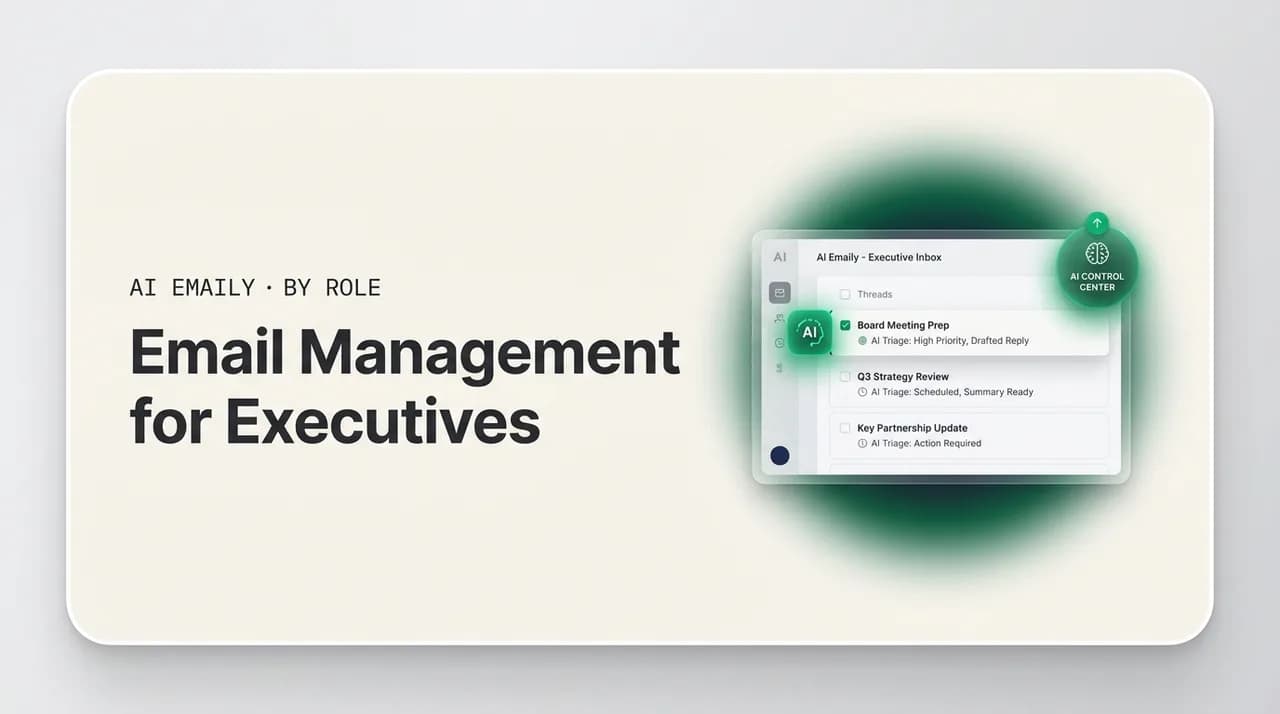
The short answer
Email management for executives means seeing only what needs you, fast. Triage by sender and stakes, route VIPs to the top, delegate the rest to an assistant or an AI agent, and protect strategic time. A daily Brief and priority filtering keep you in control without living in the inbox.
Email management for executives in 2026: triage, VIP routing, EA delegation, mobile, and an AI system that protects your time.
On this page
- 01Why is email management so hard for executives specifically?
- 02How should an executive triage email?
- 03How often should an executive check email?
- 04How does an executive work with an assistant on email?
- 05What is VIP and priority routing, and how do you set it up?
- 06How should executives handle email while traveling?
- 07How do executives protect deep and strategic time?
- 08What does a complete executive email system look like?
- 09How does AI Emaily work for executives?
- 10How does this compare to a Gmail or Outlook setup with filters?
- 11Frequently asked questions
- 12Conclusion: control the inbox, protect the role
An executive inbox is not a list of messages. It is a standing demand on the one resource you cannot manufacture more of: your attention. Every unread email is a small request to look, decide, and respond, and they arrive faster than any single person can clear them. C-suite leaders routinely receive 150 or more emails a day, and on heavy weeks the count pushes past 200. The volume is not the real problem. The real problem is that those messages are not sorted by how much they matter, so the three that genuinely need you sit in the same flat list as the ninety that do not.
Most advice aimed at executives treats this as a discipline issue. Wake up earlier, batch your replies, declare inbox zero, touch each message once. The mechanics are sound, but they assume you have time to apply them to every email. You do not. The thing that actually changes an executive's relationship with email is not more willpower applied to a bigger pile. It is a system that decides, before you ever open the inbox, what deserves a human and what does not, and then routes everything else to the right place automatically or to the right person.
This guide lays out that system. It starts with the specific shape of the executive email problem, then walks through triage, working with an assistant, priority and VIP routing, handling mail while traveling, and protecting the deep time your role actually depends on. It closes with how AI Emaily turns the whole thing into something that runs on its own. The goal is not a tidier inbox for its own sake. The goal is a leader who spends minutes a day on email instead of hours, and who never misses the message that mattered.
One framing is worth establishing up front, because it changes every decision that follows. For most professionals, email is a task: a thing on the list to get through. For an executive, email is an interface. It is the surface through which the organization asks you to make decisions, the channel by which the outside world reaches the top of your company, and the place where a surprising share of leadership actually happens, one short reply at a time. Treating that interface as a chore to grind through, rather than as a control surface to manage deliberately, is the root mistake. You would not run your calendar by accepting every invite in the order it arrived. You should not run your inbox by reading every message in the order it landed either.
Why is email management so hard for executives specifically?#
The generic version of email overload is a volume story: too many messages, not enough hours. Knowledge workers spend roughly 28 percent of the workweek on email, more than eleven hours, and email overload is estimated to cut productivity by as much as 40 percent once you account for the cost of context switching. Those numbers are bad for everyone. For executives they compound, because the role layers three distinct pressures on top of raw volume.
The first is signal-finding. An individual contributor's inbox is mostly relevant to their work by default. An executive's inbox is the convergence point for an entire organization plus its outside world: direct reports, the board, investors, customers, partners, recruiters, press, vendors, and the long tail of people who email leaders because leaders can unblock things. The ratio of must-see to can-ignore is worse, not better, the higher you go. Finding the three messages that need a decision means scanning past dozens that are status updates, cc courtesy copies, or polite asks that can wait a week.
The second is that executive mail is decision-heavy. A salesperson's inbox is full of replies that move a known process forward. A leader's inbox is full of forks: approve or decline, escalate or delegate, commit budget or hold, intervene or let the team handle it. Each of those carries weight, and each costs more cognitively than a routine reply. The inbox is not asking you to type sentences. It is asking you to make calls, often with incomplete context, all day.
The third is that you are the bottleneck by design. When a thread stalls because it is waiting on you, work downstream stalls with it. A deal slips, a hire cools, a launch waits. The asymmetry is brutal: a message that takes you ninety seconds to clear might have been blocking three people for two days. That is why executives feel guilty about email in a way other roles do not. It is not just your time at stake. It is everyone waiting on your reply.
There is a fourth pressure that is less obvious but quietly the most corrosive: the expectation of speed. Because leaders are the bottleneck, the people around them learn to expect fast answers, and that expectation hardens into an always-on culture where any delay reads as a problem. The result is a leader who checks email at dinner, in bed, and in the back of cars, not because each message is urgent, but because the cost of being seen as slow feels higher than the cost of never being off. That trade is almost always wrong. A leader who answers every email within minutes but cannot think clearly about the company's direction is optimizing the wrong variable. Reclaiming control over the inbox is, in large part, reclaiming permission to be unreachable for the hours that matter most.
It is worth being concrete about what these pressures cost in aggregate. If an executive receives 150 emails a day and spends even forty seconds per message simply deciding what to do with it, before writing a single reply, that is an hour and forty minutes of pure sorting, every working day, roughly eight hours a week given to deciding rather than doing. Add the actual replies and the context-switching tax of checking constantly, and it is easy to see how email quietly consumes a quarter of a senior leader's week. The numbers are not an exaggeration; they are the default outcome of an unmanaged inbox at the top of an organization.
The core insight
Hold those three pressures in mind, because every technique below exists to relieve one of them. Triage attacks signal-finding. Delegation and priority routing attack the bottleneck. Protecting deep time attacks the decision fatigue that comes from making calls in a stream of interruptions. A real executive email system is not a single trick. It is a small set of moves that, together, change what reaches you and when.
How should an executive triage email?#
Triage is the act of sorting before you act. For an executive, the rule that matters most is that triage and response are two different jobs, and mixing them is what eats the day. When you open an email, read it, think about it, half-draft a reply, get pulled away, and come back to re-read it an hour later, you have paid the reading cost twice and the context-switch cost once for nothing. The discipline of touching each email once exists for exactly this reason: decide its fate on first contact, then move on.
But for an executive, even single-touch triage on 150 messages is too much. The better model is to triage by stakes and by who can handle it, not by order of arrival. Every incoming message resolves into one of a small number of outcomes, and most of them should not involve you at all.
- Needs you, now: a decision only you can make, time-sensitive, from someone who matters. This is the small pile that justifies your attention. Usually a handful per day.
- Needs you, later: requires your judgment but not today. Goes to a held or scheduled list you clear in one focused block, not as it arrives.
- Needs a reply, not from you: scheduling, routine confirmations, intros, status acknowledgments. An assistant or an AI agent can handle these in your voice.
- Needs reading, no reply: FYIs, reports, newsletters, cc threads. These should be summarized or filed, never sitting in the primary inbox demanding a click.
- Needs nothing: notifications, receipts, marketing. Auto-archived or filtered out before you ever see them.
If you sort honestly, the first bucket, the one that truly needs you now, is shockingly small relative to the inbox. Most leaders are spending the bulk of their email time on buckets three through five, which is precisely the time a system should give back. The whole game of executive triage is shrinking what reaches your eyes down to buckets one and two, and pushing everything else to a person, a summary, or the trash.
Here is a triage pass that holds up under volume. It is fast because it never lingers on a single message, and it never lingers because the decision is always one of the same five outcomes. Run it the same way every time and it becomes muscle memory.
- 1
Scan the VIP tier first
Open the messages from your highest-priority senders before anything else. These are the most likely to contain the decisions that matter, and clearing them first means the rest of the pass is lower-stakes.
- 2
Decide fate, do not reply
For each remaining message, make a single decision: needs me now, needs me later, delegate, file, or archive. Do not start drafting. Drafting mid-triage is what turns a ten-minute pass into an hour.
- 3
Delegate in the moment
Anything that needs a reply but not from you goes straight to your assistant or AI agent with a one-line instruction. The point of triage is to move work off your plate, not to make a list of things you will do later.
- 4
Hold the laters together
Messages that genuinely need your judgment but not right now go to a single held list. You clear that list in one focused block, not scattered across the day, so the decision cost is batched.
- 5
Act only on bucket one
What remains, the handful that truly need you now, is the only thing you actually respond to during the pass. Everything else has already been routed, held, filed, or archived.
The reason this works is that it separates the two expensive operations, deciding and composing, and refuses to do them at the same time. Deciding is cheap when you do it in a batch and never reopen the question. Composing is fast when you do it in a dedicated block with a real keyboard and full context. It is the constant toggling between the two, prompted by an inbox you keep peeking at, that turns email into the thing that eats the day. An executive who triages in five-outcome passes and composes in a separate block is doing the same work everyone else does, in a fraction of the time and with far less fatigue.
There is one trap worth naming. The temptation, especially for high-performers, is to handle the easy ones immediately because they are easy: the quick yes, the two-word reply, the fast intro. This feels productive and it is the enemy. Those easy messages are exactly the ones an assistant or AI agent should be handling, and clearing them yourself, one quick reply at a time, is how you end up doing the low-value work and running out of attention before you reach the decisions that actually needed you. Resist the easy-win reflex. If it is easy, it is delegable.
How often should an executive check email?#
Constant monitoring is the most expensive habit an executive can have, and it feels like the most responsible one. Every glance at the inbox is a context switch, and research consistently puts the cost of regaining focus after an interruption at over 23 minutes. Check email twenty times between meetings and you have not been responsive. You have shredded your capacity for the deep thinking your role is actually paid for.
The pattern that works for most leaders is scheduled passes rather than ambient checking: a morning sweep, a midday pass, and a late-afternoon clear. Three deliberate sessions where you triage and respond, and the rest of the day the inbox is closed. This sounds slower. It is dramatically faster, because you are batching the reading cost and never paying the re-entry tax on focused work.
The obvious objection is the genuinely urgent message that cannot wait three hours. That objection is real, and it is exactly what priority and VIP routing solve, covered below. The point is not to be unreachable. It is to make sure that the only thing capable of interrupting your focus is a message that truly warrants it, not the constant low hum of an open inbox.
How does an executive work with an assistant on email?#
For executives who have an assistant, the inbox is the single highest-leverage thing to delegate, and the single most commonly botched. Done well, delegating email back to an experienced executive assistant reclaims 10 to 14 hours a week. Done badly, it creates a second job: re-checking everything the assistant did, which is slower than not delegating at all. The difference is not the assistant's skill. It is whether you have given them a clear, written set of boundaries to operate inside.
Email delegation runs on three documents that you write once and refine over the first month: what the assistant handles autonomously, what they always escalate to you, and what waits for a scheduled review. Without those, your assistant has to guess at every message, and guessing means either over-escalating, which defeats the purpose, or under-escalating, which is how a board email gets a generic reply. The rules remove the guesswork.
The deeper reason delegation fails is almost never competence. It is that the executive has never actually externalized the model in their own head for what matters. You know instantly when you read a message whether it is yours to answer, but that knowledge is tacit, and you cannot delegate tacit knowledge. The act of writing the rules is the act of making your judgment legible to someone else. It is uncomfortable at first, because you have to articulate things like which customers count as VIP and what dollar figure makes a decision yours, but that articulation is the entire unlock. Once your judgment is written down, it can be executed by a person, by an AI, or by both, without you in the loop for every message.
| Category | Assistant handles | Always escalate to you |
|---|---|---|
| Scheduling | Books, reschedules, confirms, holds tentative slots | Conflicts with protected time or family commitments |
| Routine replies | Acknowledgments, intros, logistics, info requests | Anything implying a commitment or a number |
| Internal team | Status questions, document requests, FYIs | Direct reports raising people or performance issues |
| External / VIP | Polite holding replies, routing to the right owner | Board, key investors, top customers, press, legal |
| Vendors / inbound | Declines, deferrals, filing under projects | Contracts, anything touching spend or risk |
The mechanics matter too. An assistant should not be logging into your account with your password and sending as you with no trace. The right setup is delegated access: the assistant works inside your inbox under their own identity, sends on your behalf in a way that is auditable, and you can see exactly what was done. This protects you, protects them, and means a departure or a mistake is a permission change, not a security incident. Reserve the most sensitive threads, the ones the table above marks escalate, for your eyes only.
Voice is part of delegation too, and it is the part executives most often skip. The friction of delegation is usually the briefing: stopping to type out what you want said takes nearly as long as writing the reply yourself, so you do not bother and the message stays on your plate. Spoken instructions remove that friction entirely. A ten-second voice note, handle this, decline politely, offer next Tuesday instead, is enough for a capable assistant or a good AI agent to produce a finished, on-voice reply. Once briefing costs seconds instead of minutes, the share of mail you are willing to hand off rises sharply, which is the whole point.
Reserve a few categories for yourself permanently, no matter how good the delegation gets. Direct, personal messages from your most important relationships, a key board member, a founder you have backed, your CEO, deserve to be read and answered by you, and the relationship is part of the point. The goal of delegation is not to put a wall between you and everyone who emails. It is to clear the routine and the low-stakes so that the messages you do answer personally get your full attention instead of being squeezed into the gaps between a hundred things that never needed you.
Treat delegation as an evolving system
There is one more move that makes delegation far more powerful, and it is where AI changes the picture. Not every executive has a full-time assistant, and even those who do have an EA who is offline at 11pm or on their own vacation. The boundaries you write for a human, what to handle, what to escalate, are exactly the instructions an AI agent can follow. The same rules that run your assistant's day can run an AI that drafts, sorts, and holds replies around the clock, with the same approval-before-send safety. You can delegate to a person, to an AI, or to both, and they hand work back and forth without you managing two separate systems. We will come back to this once the rest of the system is in place. For the deeper assistant-side playbook, see our guide to email management for executive assistants.
What is VIP and priority routing, and how do you set it up?#
Priority routing is the mechanism that lets you close your inbox three-quarters of the day without fear. It works by deciding, automatically, which senders and which kinds of messages are allowed to reach you immediately, and routing everything else into a holding pattern. VIP filtering recognizes that a message from your board chair, your biggest customer, or your CEO carries disproportionate weight compared to a vendor newsletter, and it treats them differently the moment they arrive.
A workable priority system has three tiers, and the discipline is keeping the top tier small. If everyone is a VIP, no one is, and you are back to a flat inbox with extra steps.
| Tier | Who / what | Treatment |
|---|---|---|
| VIP | Board, key investors, top customers, direct reports, family | Breaks through, notifies, surfaces at the top of every triage pass |
| Standard | Internal team, known contacts, active threads | Lands in the inbox, triaged in your scheduled passes |
| Low | Newsletters, receipts, notifications, cold inbound | Auto-filed or auto-archived, summarized weekly, never notifies |
The naive way to build this is hand-written filters: a rule for each VIP sender, a rule for each newsletter, maintained forever as people and projects change. It works, barely, and it is brittle. The moment a new key contact appears or a known one emails from a different address, the rule misses. The better approach reads intent, not just the From line, so a genuinely urgent message from an unknown sender can still surface, and a low-stakes note from a VIP does not trigger a 2am alert. That is the difference between rules that match strings and a system that understands what a message is actually asking for.
Priority routing is also what makes the batched-checking schedule safe. With a real VIP tier in place, you are not gambling that nothing urgent arrives between your midday and late-afternoon passes. You have explicitly defined what is allowed to interrupt you, and everything outside that definition can wait by design. The inbox stops being a thing you have to watch and becomes a thing that taps you on the shoulder only when it should.
The low tier is doing more work than it gets credit for. Newsletters, receipts, system notifications, calendar confirmations, and cold inbound make up a large share of an executive's raw volume, and almost none of it needs to be seen in real time, if at all. Routing it out of the primary inbox is not about tidiness; it is about removing the visual noise that makes the inbox feel overwhelming and that hides the few messages that matter. A weekly digest of the low tier, glanced at once and discarded, replaces dozens of individual interruptions. Most of what feels like email overload is this tier, and it is the easiest to eliminate.
Worth saying plainly: priority is not the same as urgency, and conflating them is a common error. A message can be from a VIP and still not be urgent, and a message can be urgent and come from someone you have never heard from. A vendor's invoice due today is time-sensitive but not important; a board member's casual thought is important but not time-sensitive. A good system holds both axes at once, surfacing what is genuinely time-critical regardless of sender while still giving your key relationships standing visibility. Systems that route on the From line alone get this wrong constantly, which is why intent-aware routing matters.
Keep the VIP list ruthless
How should executives handle email while traveling?#
Travel is where most executive email systems break. The structured day collapses, the deep-work blocks vanish, and you are processing mail in the cracks: a taxi, a lounge, fifteen minutes before a dinner, a hotel room at midnight in the wrong time zone. The instinct is to either go dark and return to a thousand-message backlog, or to compulsively check the inbox on your phone and lose the trip to your screen. Both are bad. The fix is to change what you do on mobile, not just where.
On a phone, you are in triage mode, not composition mode. The screen and the thumb keyboard are wrong for drafting anything substantial, but they are perfectly fine for deciding fate: this needs me, delegate this, hold this, archive this. The goal of mobile email while traveling is to keep the inbox sorted, not to clear it. You make the decisions on the go and let the actual drafting happen through delegation or wait for a real keyboard.
- Triage, don't compose: on mobile, sort and delegate. Save substantial replies for a laptop or hand them to your assistant or AI agent.
- Lean on voice: dictating a reply or an instruction is far faster than thumb-typing, and it works in a taxi. Speak the intent, let the system draft the email.
- Trust the brief: instead of scrolling the whole inbox, read one summary of what came in and what needs a decision. Decide from the brief, not the raw list.
- Tighten the VIP tier for travel: when your time is fragmented, only the genuinely critical should break through. Everything else holds until you land.
- Pre-delegate the trip: tell your assistant or AI agent the dates and the rules before you leave, so routine mail is handled without you in the loop at all.
Voice deserves a specific call-out, because it is the single biggest mobile speed unlock for executives and almost nobody uses it well. Typing a thoughtful three-paragraph reply on a phone is miserable and slow. Speaking it out loud takes thirty seconds. When the system can turn spoken intent into a properly written email, ready for you to glance at and approve, travel email stops being a chore done badly and becomes a few minutes of talking between other things. You describe what you want said. The draft writes itself.
Time zones add their own failure mode. Travel across enough of them and your inbox and your contacts fall out of sync: you are awake when they are asleep, and a reply you fire off at 2am local time lands at the top of someone's morning looking like you never stop working, which quietly raises the always-on expectations you are trying to lower. The fix is to let the system hold and time-shift non-urgent replies, and to lean on delegation so the routine keeps flowing on a normal schedule without you sending at strange hours. What needs to go out now goes out; what does not can wait until it makes sense for the recipient.
The broader principle for travel is that the system should already be running before you leave. If your triage, priority routing, and delegation are only in your head, they collapse the moment your routine does. If they live in an agent and a set of rules that operate whether you are at your desk or in transit, travel is just another context the system handles. The executives who travel well are not the ones with superhuman discipline on the road. They are the ones whose inbox was already mostly running without them, so a week of travel changes very little about what reaches them.
The travel brief
How do executives protect deep and strategic time?#
Email is not just a time cost. It is an attention cost, and the two are not the same. The reason a reactive inbox is so damaging for executives is that strategic thinking, the work that actually justifies the role, requires uninterrupted blocks, and email is the single most effective destroyer of uninterrupted blocks ever invented. Every notification is an invitation to context-switch, and each switch carries that 23-minute refocus tax plus a measurable rise in stress and perceived workload after repeated interruptions.
Protecting deep time is therefore not a luxury or a productivity-blog indulgence. For an executive it is the core of the job. The strategy work, the hard people decisions, the long-range bets, none of it happens in the fifteen-minute gaps between emails. It happens in protected hours, and protecting those hours means making the inbox incapable of interrupting them.
This is where everything in this guide connects. Batched checking gives you the blocks. Priority routing makes the blocks safe, because only a true VIP can break through. Delegation, to a person or an AI, means the inbox keeps moving while you are heads-down, so closing it does not mean falling behind. The system is what lets you treat email as something you visit on your schedule, rather than something that lives in your peripheral vision and taxes your focus all day. An inbox you control is the precondition for the deep work your title is actually about.
The hardest part is psychological, not technical. The fear underneath compulsive checking is that something will go wrong while you are not looking, and that you will be blamed for missing it. That fear is reasonable, which is why the answer is not willpower but architecture. When you can point to a system that surfaces anything genuinely urgent, handles the routine, and shows you exactly what happened while you were heads-down, the fear has somewhere to go. You are not gambling that nothing important arrived during your deep block. You have built something that guarantees the important things will find you and the rest will wait. That guarantee is what finally makes it possible to close the inbox and think.
It helps to name what deep time is actually for, because email expands to fill whatever is not explicitly protected. For an executive, the protected blocks are where strategy gets set, where the difficult personnel call gets thought through properly instead of fired off between meetings, where the long memo that aligns the company actually gets written. None of that survives an inbox checked every ten minutes. The math is stark: an hour of deep work fragmented by six email checks is not an hour of reduced quality, it is closer to no deep work at all, because the refocus tax consumes the gaps. Protecting the block whole, or not at all, is the only version that produces anything.
Untrusted by default
What does a complete executive email system look like?#
Pulling the pieces together, an executive email system is five moves operating at once. None of them is novel on its own. The leverage comes from running them together, so that what reaches your attention is already filtered, sorted, and partly handled before you spend a second on it.
| Layer | What it does | Who does it |
|---|---|---|
| Triage | Sorts every message by stakes and by who can handle it | AI agent, refined by your rules |
| Priority / VIP | Decides what reaches you now vs. what holds and what is filtered | Automated, kept ruthless by you |
| Delegation | Drafts and sends routine replies in your voice, holds the rest | Human EA, AI agent, or both |
| Batched checking | Concentrates your involvement into a few scheduled passes | You, three times a day |
| Protected time | Keeps deep-work blocks free of interruption | The whole system, by design |
The honest problem with this system is that, built the old way, it is a part-time job to maintain. Hand-written filters rot. Delegation rules live in a shared doc nobody updates. The VIP list drifts. You end up spending time managing the system that was supposed to give you time back. This is exactly the gap that AI now closes, and it is why the modern version of this system does not run on rules you maintain. It runs on an agent that learns your patterns and does the sorting, drafting, and routing for you.
How does AI Emaily work for executives?#
AI Emaily is built around the exact problem this guide describes: an executive does not need a faster inbox, they need a smaller one, and they need the rest handled. It connects to the email you already use, every major provider including Gmail and Outlook, and runs the five-layer system above as a single AI agent that works the way an excellent chief of staff would.
Start with triage. The moment mail arrives, the agent reads it the way you would, by stakes and intent, not just by sender, and sorts it into what needs you now, what can wait, what needs a reply that isn't from you, and what needs nothing. Priority and VIP routing are part of the same pass: the few senders and messages that genuinely warrant breaking your focus surface at the top and can notify you, while newsletters, receipts, and cold inbound are filed or archived before they ever reach your eyes. You stop scanning a flat list of 150 and start looking at a short list of what matters.
Then delegation, which is where the chief-of-staff comparison becomes literal. AI Emaily can draft replies in your voice and, for routine mail, handle the whole exchange under rules you set, the same what-to-handle and what-to-escalate boundaries you would give a human EA. And you genuinely can delegate to either: route an inbox or a category to a human executive assistant working with delegated access, to the AI agent, or to both, with the AI handling the high-volume routine and your EA owning the sensitive threads. Voice drafting means you can speak a reply or an instruction on the move and let the agent write the actual email, which is what makes mobile and travel finally workable.
Manual, Copilot, Autopilot
Tying it together is the daily Brief. Instead of opening the inbox cold, you get one summary: what arrived, what the agent already handled, what is waiting on a decision from you, and what your VIPs sent. It is the travel brief from earlier, made permanent, and it is how a leader spends a few minutes a day on email instead of hours. You read the Brief, make the handful of calls only you can make, approve the drafts that are waiting, and close the inbox knowing the rest is handled and auditable.
On safety, because executives are high-value targets and the stakes are real: AI Emaily treats email as untrusted input, defends against prompt injection, blocks tracking pixels and sandboxes links, and never sends anything sensitive without your approval in Copilot mode. It is private by design, your mail is not used to train models, and the most sensitive credentials are encrypted and never exposed. The agent is powerful precisely because it operates inside guardrails, not around them.
How does this compare to a Gmail or Outlook setup with filters?#
Plenty of executives have built a respectable system on native Gmail or Outlook: VIP filters, folders, rules, an assistant with delegated access. It works, and if it is working for you, the bar for switching should be high. The difference is not that AI Emaily has folders and rules too. It is that the sorting, drafting, and routing are done for you by an agent that understands messages, rather than configured by you as static rules that match text and then slowly fall out of date.
Filters match strings. They cannot tell that an unknown sender's message is genuinely urgent, or that a VIP's note is just an FYI that does not warrant an alert. They cannot draft a reply, summarize a thread, or hold a response for your approval. They certainly cannot give you a daily Brief. The native setup makes you the operator of the system; AI Emaily makes you the person the system works for. If your current rules-and-folders approach is something you maintain rather than something that maintains itself, that is the gap worth closing. For a side-by-side look at tools and setups, see our breakdown of the best email setup for busy executives.
Frequently asked questions#
Common questions executives and their teams ask about managing a high-volume inbox, delegation, priority, and mobile.
Conclusion: control the inbox, protect the role#
An executive inbox will never be quiet. The volume is a permanent feature of the role, and no amount of discipline changes the fact that more messages arrive each day than any one person can read. What you can change is what reaches you. A real system, triage by stakes, ruthless priority routing, clean delegation to a person or an AI, batched checking, and fiercely protected deep time, turns a 150-message-a-day demand on your attention into a few minutes of decisions and a closed inbox the rest of the day.
The reason to let AI run that system is simple: built by hand, it is a job you have to keep doing, and the day you stop maintaining it, it decays. Built on an agent that learns your patterns and works inside your approval, it maintains itself. AI Emaily does the triage, surfaces your VIPs, drafts in your voice, delegates the routine to an AI or your EA, and hands you a daily Brief, so you spend your attention on the handful of calls only you can make and nothing else. That is the difference between living in your inbox and using it. The role is too important to spend on sorting email.
Frequently asked
See it in AI Emaily
Keep reading

Written by
Nafiul HasanNafiul Hasan is an entrepreneur and AI automation system builder with 10+ years of experience turning messy, manual workflows into reliable automated systems. He designs and ships AI enterprise solutions end-to-end — the agent logic, the data plumbing, and the product people actually use — and founded AI Emaily to give busy professionals their attention back. He writes here from the builder's seat: what works, what breaks, and how to put AI to work without giving up control.