Email Management for Executive Assistants: Run the Inbox Like a Pro

The short answer
Email management for executive assistants means running someone else's inbox at volume: set up delegated access safely, triage on their behalf, draft in their voice, kill scheduling back-and-forth, and flag only what they must decide. A good EA handles most email independently. AI Emaily acts as a second assistant that does the same work.
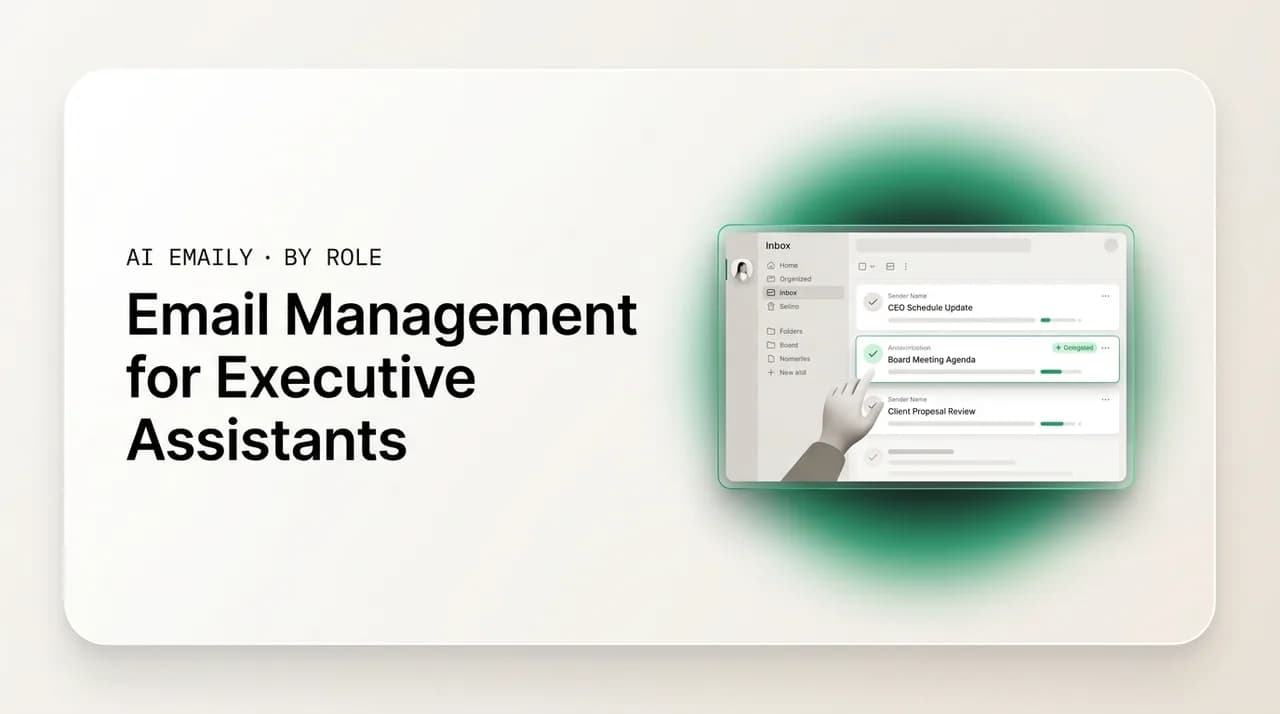
Email management for executive assistants: delegated access, triage on the exec's behalf, drafting in their voice, scheduling, and flagging what only they can answer.
On this page
- 01Why is managing someone else's inbox so hard?
- 02How do you set up delegated and shared access safely?
- 03How do you triage email on the executive's behalf?
- 04How do you draft email in your executive's voice?
- 05How do you handle scheduling without the back-and-forth?
- 06How do you flag the few things only the executive can answer?
- 07What does a complete EA email workflow look like?
- 08How does AI Emaily make an EA faster — or act as a second assistant?
- 09Conclusion: be the firewall, let the system carry the volume
An executive assistant is the firewall between an executive and their inbox. Everything addressed to the executive — the board chair's note, the vendor's third follow-up, the conference invite, the internal CC nobody needed to send — lands first in front of the EA, who decides what reaches the principal, what gets handled without bothering them, and what waits. When that firewall works, the executive opens their inbox to a short, ordered list of things that genuinely need them and trusts that everything else has been dealt with. When it does not, the executive is back to wading through a flat pile of two hundred messages, and the EA's job has quietly failed at the one thing it exists to do. The inbox is where an assistant either earns the title or drowns in it.
The hard part is that you are managing someone else's email, at someone else's volume, to someone else's standard — and you have to make calls on their behalf all day without being them. You have to know which sender outranks which, what your executive would say to a polite decline, when a thread is routine and when it is a landmine, and where the line sits between a message you handle yourself and one you must escalate. None of that is on the screen. It lives in your read of the executive, the protocol you have agreed, and the judgment you build over months. The mechanics of email — labels, filters, delegation settings — are the easy half. The judgment is the real job, and it is the half this guide spends the most time on.
This is the practical playbook for running an executive's inbox like a professional. We cover the EA email problem honestly, then walk through the moves in order: set up delegated and shared access safely, triage on the executive's behalf, draft in their voice, handle scheduling without the endless back-and-forth, and flag the few things only they can answer. Then we give you a complete EA email workflow as steps and a table, and show how AI Emaily can act as a second assistant — doing the triage, drafting, and follow-up at machine scale so you can spend your judgment where it counts. If you also want the executive's own view of the same inbox, our guide to email management for executives frames it from their side, and our piece on the best email setup for busy executives is the configuration you would actually build for them.
Why is managing someone else's inbox so hard?#
Managing your own inbox is a discipline problem. Managing an executive's is a judgment problem, and that is a different and harder thing. With your own mail, you know instantly what matters because you have all the context — you sent the earlier email, you know the relationship, you remember the promise. With your executive's mail, you are reconstructing that context from the outside on every message: who is this sender to my principal, does this thread reference something I was not part of, is this the polite-but-urgent kind of email or the urgent-looking-but-routine kind? You are making the executive's calls without the executive's head, and you are making a lot of them, fast, all day.
The volume compounds it. A senior executive routinely receives well over a hundred emails a day, and on a heavy week the count pushes past two hundred. As the assistant, you are the first human eyes on every one of those, which means your triage decision happens at the full volume of their inbox, not yours. And the stakes are not symmetric: most messages do not matter much, but the few that do matter enormously, and they are buried in the same flat list as the noise. A missed newsletter costs nothing; a missed note from the board chair costs your credibility. You are scanning a high-volume stream for low-frequency, high-consequence signals, on someone else's behalf, where the cost of a false negative is severe. That is a genuinely difficult cognitive task, and pretending it is just 'checking email' is why so many assistants burn out on the inbox.
Then there is the voice problem. When you reply on your executive's behalf, the message has to sound like them, not like you. Their correspondents should not be able to tell the difference — the warmth, the brevity, the way they sign off, the things they would never say. Getting someone else's voice right is a skill that takes months to develop and is easy to get subtly wrong in ways that erode trust. And underneath all of it sits the accountability question: it is the executive's name on every reply and the executive's reputation on every decision, but it is your hand on the keyboard. You carry the work without owning the authority, which is exactly why the protocol between you matters so much. The rest of this guide is about turning that hard, ambiguous job into a system — clear access, clear triage rules, a captured voice, clean scheduling, and a sharp line for what to escalate — so the judgment gets easier and the volume stops winning.
The number that defines the job
How do you set up delegated and shared access safely?#
Before you can triage, draft, or send on your executive's behalf, you need proper access to their inbox — and the single most important rule is to do it through real delegation, never a shared password. Sharing a login is the thing assistants and executives reach for because it is fast, and it is a mistake on every axis: it breaks the moment the executive changes their password or enables two-factor, it sends your replies out with no record that you sent them, it gives you all-or-nothing access you may not want the liability of, and it is a security hole that a serious organization will not tolerate. Both Gmail and Outlook have built delegation features for exactly this purpose. Use them. They let you read, sort, draft, and reply on the executive's behalf without ever knowing their credentials, and they keep an honest record of who did what.
The two platforms work a little differently, and it is worth knowing which you are on. In Gmail (and Google Workspace), the executive grants you delegate access from their account settings; you then see their inbox alongside your own, and anything you send shows transparently as sent by you on behalf of the executive. That on-behalf-of marker is a feature, not a flaw — it is honest, it protects you, and most recipients neither notice nor mind. In Outlook and Microsoft 365, the executive grants delegate access with a permission level: a reviewer can only read, an author can read and create, and an editor can read, create, and modify. Outlook can also be configured so mail you send appears to come directly from the executive's address rather than as on-behalf-of, if the principal prefers that. Pick the access level deliberately — start lower and raise it as trust builds, rather than starting at full control.
Whatever the platform, set the access up in stages rather than all at once, because trust and competence both take time to establish. A sensible progression is to begin with read-and-sort access so you can triage and label without yet sending, prove your triage quality for a week or two, then add drafting (you compose, the executive approves and sends), and only then move to full send-on-behalf for the categories you have both agreed are safe. This staged approach mirrors how any good delegation works and it protects everyone: the executive sees your judgment before handing over the keys, and you are never on the hook for a send you were not ready to make. The steps below are the clean way to stand the access up.
- 1
Use the platform's delegation, not a password
In Gmail, the executive adds you under Settings, Accounts, Grant access to your account. In Outlook or Microsoft 365, they grant Delegate Access at a chosen level — reviewer, author, or editor. Both let you work the inbox without ever seeing their login, and both keep a record of activity. Never accept a shared password; it is brittle, untraceable, and a security liability.
- 2
Choose the right access level for the stage
Start with read-and-sort so you can triage and label safely, then add drafting, then full send-on-behalf once trust is established. In Outlook, map this to reviewer, then author, then editor. Raising access deliberately as you prove your judgment is far safer than starting at full control on day one.
- 3
Confirm how your sent mail appears
Know whether replies go out as 'on behalf of' the executive (Gmail's default, and honest) or directly from their address (an Outlook option). Agree which the executive wants, and make sure threading and the correct send-from identity are right before you send anything that matters.
- 4
Agree a review and security rhythm
Set a periodic check that the executive reviews who has delegate access and at what level, and remove access cleanly when arrangements change. Keep the activity record intact. Delegated access is a standing trust; treat it with the same care as any key to the building.
A shared password is not delegation — it is a liability
How do you triage email on the executive's behalf?#
Triage is the core of the job: deciding, for every message in your executive's inbox, whether it needs them, needs you, or needs nobody right now. Done well, triage is what lets the executive open their inbox to a short, ordered list instead of a flat pile, and it is the mechanism by which you handle the majority of their email without them ever seeing it. The discipline is to sort by what the message requires, not by when it arrived — because a default reverse-chronological inbox treats a board note and a newsletter identically, and your entire value is in refusing to.
The cleanest model is a small set of tiers, applied to every message. The first tier is needs the executive: messages that genuinely require their decision, their voice, or their relationship — a peer executive, a key client, a board member, a question only they can answer. These you surface and, ideally, tee up so the executive's part is as small as possible. The second tier is handle it yourself: the routine that needs a response but not the executive's response — scheduling logistics, standard answers to recurring questions, polite declines on things you know they decline, confirmations, vendor coordination. This is the tier that should be the largest, because growing it is how you push toward handling most of the inbox independently. The third tier is informational: things the executive may want to be aware of but need not act on, which you summarize rather than forward in full. And the fourth is noise: newsletters, automated alerts, CCs nobody needed — filed, labeled, or archived so they never touch the executive's attention.
The categories only work if they are written down and agreed, not held in your head. Sit with your executive and document the protocol: which specific senders always reach them immediately, which categories you own outright, what your standard responses are, and what your default is when you are genuinely unsure. A documented protocol is what turns triage from a daily guessing game into a reliable system — it lets you act with confidence, it gives the executive a clear picture of what you will and will not handle, and it is the thing you revise as you learn rather than relearning the same judgment call every week. The table below is a starting frame for that protocol; adapt it to your principal.
| Tier | What belongs here | What you do with it |
|---|---|---|
| Needs the executive | Peers, board, named key clients, questions only they can answer, sensitive calls | Surface to the top and tee it up — summarize the thread, draft the reply, make their part one decision |
| Handle yourself | Scheduling, standard recurring answers, polite declines you know they make, confirmations, vendor coordination | Reply on their behalf using the agreed protocol — the tier you grow over time toward most of the inbox |
| Informational | Things the executive may want awareness of but need not act on | Summarize in the daily update rather than forwarding the full thread; no action needed from them |
| Noise | Newsletters, automated alerts, receipts, CCs nobody needed | File, label, or archive with rules so it never reaches the executive's attention at all |
Triage in batches, not all day
How do you draft email in your executive's voice?#
When you reply on your executive's behalf, the message has to sound like them. Their correspondents should not be able to tell the email came from the assistant — the same warmth or brevity, the same turns of phrase, the same way they open and sign off. Getting another person's voice right is one of the harder skills the role asks for, and it is also one of the most valuable, because it is what lets you move from 'drafting things the executive sends' to 'sending things on the executive's behalf' — the shift that actually frees their time. An assistant who can write convincingly as their principal is worth far more than one who can only sort.
Voice is learnable, and the fastest way to learn it is to study the executive's sent folder, not to invent a style from scratch. Their outbox is the honest record of how they actually write: how long their typical reply is, how formal, how they handle a decline, what they say when they are pleased and when they are not, the specific phrases they reach for. Read it deliberately and you will start to internalize the patterns. From there, build a small library of their common responses — the way they confirm a meeting, decline an invitation, acknowledge a thank-you, ask for more time — so you are adapting a known-good pattern rather than composing cold each time. Early on, lean on those templates; as your ear sharpens, move off the canned versions and draft in their voice freely, which is where the real fluency and the real time savings live.
The workflow that builds voice safely is draft-then-approve before send-on-behalf. At first, you compose the reply and the executive approves or lightly edits it before it goes — every edit they make is a free lesson in their voice, and after enough of them you will predict the edit before they make it. Watch for the things that are uniquely theirs and uniquely easy to get wrong: the level of formality with different audiences, the jokes or warmth they would or would not use, the topics they handle personally versus delegate, the hard limits they never cross in writing. Once you can draft a category of email that the executive consistently approves without changes, that category is ready to graduate to you sending it directly. The goal is not to impersonate — it is to represent, accurately and consistently, so the inbox sounds like one coherent person whether the executive or the assistant is at the keys.
How do you handle scheduling without the back-and-forth?#
A large share of an executive's inbox is not really email — it is scheduling wearing email's clothes. 'Are you free Tuesday?' 'Tuesday's bad, how about Thursday?' 'Thursday afternoon?' 'Can we do morning?' Each of these is a round trip, and a busy principal generates dozens of them a week. For the assistant, scheduling is often the single biggest consumer of inbox time, and it is also the most automatable, because the back-and-forth exists only because two calendars cannot see each other. Kill the round trips and you reclaim a huge fraction of the time the inbox costs you.
The fix is to stop negotiating times in prose and start offering availability directly. The simplest version is to propose concrete options up front — 'Alex has Tuesday at 2, Wednesday at 10, or Thursday at 4; which works?' — which collapses a five-email negotiation into one exchange because you have done the calendar-checking in advance instead of trading guesses. The more powerful version is a scheduling link: a page that shows the executive's real, filtered availability and lets the other party book a slot that drops straight onto the calendar, with no round trips at all. Used well, a scheduling link turns 'find a time' from an email thread into a single click for the other person and zero emails for you. The art is in the filtering — the link should only ever expose the times the executive would actually accept, which is exactly the judgment the assistant supplies.
Scheduling on someone else's behalf is also where the assistant's protection of the executive's time is most concrete, so it pays to encode their preferences into the calendar itself rather than holding them in your head. Block their focus time and protect it so the scheduling link never offers it; honor their meeting-free days and their hard stops; build in buffers between meetings and around travel; respect time-zone realities so you never book a 7 a.m. call you will have to apologize for. And like triage, scheduling is best done in a couple of concentrated passes a day rather than reactively all day — review the requests, batch the bookings, and protect your own focus while you protect theirs. The bullets below are the configuration that makes scheduling-on-behalf clean.
- Offer concrete times or a filtered scheduling link instead of negotiating in prose — collapse the five-email round trip into one exchange or zero.
- Encode the executive's preferences into the calendar itself: protected focus blocks the link can't touch, meeting-free days honored, buffers between meetings, time zones respected.
- Batch scheduling into one or two passes a day rather than reacting to every request as it lands, so the back-and-forth stops eating your attention in fragments.
- Always confirm and add the logistics — agenda, dial-in or location, the right attendees — so a booked meeting is a finished meeting, not a half-arranged one the executive has to chase.
The scheduling link is the EA's highest-leverage tool
How do you flag the few things only the executive can answer?#
The flip side of handling most of the inbox yourself is knowing precisely what you must not handle — the small set of messages that genuinely require the executive's own decision, voice, or relationship. Getting this line right in both directions is the heart of the job. Escalate too much and you become a forwarding service that adds no value and clutters the executive's inbox with things they pay you to absorb. Escalate too little and you eventually make a call that was not yours to make, on a message that mattered, and that single miss can cost more trust than months of good triage earned. The skill is calibrating the line so the executive sees exactly what needs them and nothing else.
Some categories almost always need the executive and should be flagged without hesitation: a genuine decision with real consequences, anything touching money or legal commitment above a threshold you have agreed, messages from a defined set of senders who always reach them directly (the board, peer executives, named top clients), anything sensitive or relationship-critical, and anything where you are genuinely unsure and the cost of guessing wrong is high. The instinct when uncertain should be to surface, not to suppress — a quick 'do you want to handle this or shall I?' costs the executive five seconds and protects you both. Other categories you should confidently keep off their plate once the protocol is set: routine scheduling, standard recurring answers, the polite declines you know they make, confirmations, FYIs you can summarize. The boundary between these two lists is the most important thing you and your executive ever agree on, and it should be explicit and written, not improvised.
How you flag matters as much as what you flag, because the executive's time is the thing you are protecting even in the act of escalating. Do not simply forward a raw thread and make them reconstruct it — that pushes the work back onto them and defeats the purpose. Tee it up: a one-line summary of what the thread is and what it needs, your recommendation if you have one, and a draft reply ready to approve so their entire involvement is a yes, a no, or a small edit. The best escalation is one where the executive makes the decision and you have done everything else around it. That is the difference between an assistant who flags problems and one who flags decisions with the solution already attached — and it is the difference that makes an executive trust you with more of the inbox over time.
The dropped escalation is the mistake that costs trust
What does a complete EA email workflow look like?#
Pulling the pieces together, here is the daily and weekly rhythm of running an executive's inbox as a system rather than a scramble. Treat it as a workflow with a shape: concentrated triage passes rather than constant reaction, a clear protocol governing every decision, scheduling handled in batches, and a short, teed-up list surfaced to the executive at predictable times. The steps below are the loop; the table after them is the at-a-glance version you can adapt into your own written protocol with your principal.
The point of formalizing it is the same point that runs through this whole guide: judgment under volume gets easier when it runs on a system. A documented protocol and a steady rhythm mean you are not re-deciding the same calls every day, the executive knows what to expect from you, and the inevitable edge cases stand out clearly against the routine you have already automated in your habits. Build the loop, write down the protocol, and revise both as you learn your executive — that is what running the inbox like a professional actually looks like.
- 1
Morning triage pass
Work the overnight inbox into tiers: surface what needs the executive (teed up with summaries and drafts), handle the routine yourself, summarize the informational, and file the noise. The executive's morning view should be a short, ordered list, not a pile.
- 2
Handle and draft the middle tier
Reply on the executive's behalf to everything in the handle-yourself tier using the agreed protocol and their captured voice. Draft the replies for anything not yet graduated to direct send, and queue them for their approval.
- 3
Batch the scheduling
Process all meeting requests in one pass: offer filtered times or send scheduling links, book against protected focus blocks and buffers, and confirm logistics so each meeting is finished, not half-arranged.
- 4
Surface the short list to the executive
Deliver the needs-you tier at a predictable time — a clean list of decisions, each with a summary and a draft ready to approve. Their involvement should be a series of small yeses, nos, and edits, not a reconstruction job.
- 5
Midday and end-of-day sweeps
Run lighter passes to catch what came in, keep the executive's view current, and clear anything held. Genuine urgencies arrive via priority notifications on the top tier between passes; everything else waits for the sweep.
- 6
Weekly review and protocol tune-up
Once a week, review triage quality with the executive, note any escalation calls that were too aggressive or too conservative, graduate newly trusted categories to direct send, and update the written protocol. The system improves only if you maintain it.
| Stage | What the EA does | What the executive sees |
|---|---|---|
| Access | Real delegated access at the right level — never a shared password | An inbox run by a trusted assistant with an honest activity record |
| Triage | Sort every message into needs-you, handle-yourself, informational, noise — in batches | A short, ordered top tier instead of a flat chronological pile |
| Handle | Reply on their behalf to the routine using the protocol and their captured voice | Most of the inbox dealt with without ever reaching them |
| Schedule | Offer filtered times or links, protect focus blocks, confirm logistics, batch it | Meetings booked cleanly with no back-and-forth landing in their inbox |
| Flag | Surface only what truly needs them, teed up with a summary and a draft | A small list of decisions, each one a single yes, no, or edit |
| Review | Weekly protocol tune-up; graduate trusted categories; recalibrate the escalation line | A firewall that gets steadily more accurate and trustworthy over time |
How does AI Emaily make an EA faster — or act as a second assistant?#
Every move in this guide describes work that one person does by hand: reading the whole inbox to triage it, learning a voice from a sent folder, drafting the routine replies, chasing the follow-ups, batching the scheduling, and teeing up the short list for the executive. It is real, skilled work, and a good assistant does it well — but it is also a lot of repetitive labor sitting on top of the judgment that is the actual point of the role. AI Emaily is built to take that repetitive layer off the assistant's plate. For an EA who has one, it makes you dramatically faster at the inbox; for an executive who does not have an EA, it does the same chief-of-staff jobs itself. Either way, it is a second assistant that never sleeps and never drops a follow-up.
It starts where the workflow starts: with triage at scale. AI Emaily is an autonomous, AI-native email client that connects to the executive's existing accounts across every provider — Gmail, Outlook, and the rest — in one unified inbox, then reads and triages the whole thing with AI. It learns who matters to the executive (it can build the VIP list from how they actually correspond), reads the context of each message, and surfaces what needs attention while routing the routine down or into batches. That is the morning triage pass done in seconds across the entire inbox, so the assistant starts from a sorted, prioritized view instead of a raw feed — and the noise is already filed, not waiting to be cleared.
Then it does the part that takes an assistant months to learn: drafting in the executive's voice. AI Emaily drafts replies that match how the executive actually writes — the same job you do by studying their sent folder, done automatically and consistently. For the EA, that means the routine replies in the handle-yourself tier arrive pre-drafted in the right voice, ready to review, approve, and send rather than composed from scratch. It tracks the follow-ups that have gone quiet and has the nudges drafted and waiting, so the chasing that quietly eats an assistant's week becomes a queue of one-click approvals. And it delivers a daily Brief — what needs the executive, one-line summaries of long threads, the follow-ups due, what was handled automatically — which is precisely the short, teed-up list this guide tells you to surface, generated for you.
Crucially, it maps onto the same staged, controlled handoff a good EA already practices, through three modes. In Manual, AI Emaily helps only when asked. In Copilot, it triages and drafts everything in the executive's voice but holds every send for explicit approval — the natural home for an assistant who wants the labor done but keeps a human on every send, exactly the draft-then-approve workflow described above. In Autopilot, it handles the specific routine categories that have been deliberately delegated, end to end. Whether you are an EA using it to move faster or an executive using it in place of one, you delegate to it the way you would onboard an assistant, moving along the gradient at your own pace — with undo on every action and a full audit trail, so everything done in the executive's name is visible and reversible. That audit trail is the same accountability an EA lives by, made automatic.
A second assistant for the inbox
Privacy matters here more than almost anywhere, because an executive's inbox is among the most sensitive information in any organization, and an assistant — human or AI — sees all of it. AI Emaily is built privacy-first: the mail is the executive's, not training data, nothing sensitive is logged where it should not be, and no other person reads the inbox. That last point is a real distinction worth naming — a private-first AI agent can offer something a human assistant, however trusted, by definition cannot: no second person seeing the principal's correspondence at all. Sensitive material is encrypted with tightly scoped access, and the agent treats incoming email as untrusted input with a strict action allowlist and a human in the loop on anything consequential — the same caution a careful assistant applies to a suspicious request, enforced by design.
Getting started is deliberately low-commitment, whether you are an assistant trialing it on a principal's inbox or an executive trying it on your own. The Free plan is $0 — connect the accounts and watch the unified inbox, the AI triage, the voice-matched drafting, and the daily Brief work on real mail before paying anything. Pro is $12.42 per month billed annually and unlocks the full setup most users want: follow-up autopilot, voice drafting, the daily Brief, and higher limits. For an assistant supporting several executives, or a small team sharing the work, the Team plan is $14.92 per seat per month billed annually. Sign up at app.aiemaily.com/signup, connect the inbox you already manage with no migration, and see the workflow this guide describes running on real messages within the hour.
Try it on a real inbox, free
Conclusion: be the firewall, let the system carry the volume#
The executive assistant's job at the inbox is not to read every email faster — it is to be the firewall that decides what reaches the executive, handle most of it without them, and surface only what genuinely needs them, teed up so their part is small. That is a judgment job, and judgment is exactly what should not be spent on the repetitive labor that surrounds it: the sorting, the voice-matching, the chasing, the scheduling round trips. Run the inbox as a system — real delegated access, a written triage protocol, a captured voice, clean batched scheduling, and a sharp escalation line — and the volume stops winning. That is what running an executive's inbox like a professional means.
The moves are concrete and they reinforce each other: set up delegation safely instead of sharing a password, triage every message into needs-you, handle-yourself, informational, and noise, draft in the executive's voice from their sent folder, kill scheduling back-and-forth with filtered times and links, and flag only what truly needs them with the decision teed up. Document the protocol, run it in concentrated passes rather than constant reaction, and tune it weekly. Do that and you push the share of email you handle independently up toward the majority an excellent assistant manages — without ever dropping the one message that mattered.
AI Emaily takes the repetitive layer off your plate, or fills the role where there is no assistant at all: it triages the whole inbox in seconds, drafts the routine in the executive's voice, tracks and drafts every follow-up, and hands you the teed-up daily Brief this guide tells you to build — all with undo and a full audit trail, privacy-first, across every provider. Pair with it as an EA and spend your judgment where it counts; use it as an executive and get the inbox half of an assistant. Start free at app.aiemaily.com/signup, point it at the inbox you already manage, and let the system carry the volume so you can carry the judgment.
Frequently asked
See it in AI Emaily
Keep reading

Written by
Nafiul HasanNafiul Hasan is an entrepreneur and AI automation system builder with 10+ years of experience turning messy, manual workflows into reliable automated systems. He designs and ships AI enterprise solutions end-to-end — the agent logic, the data plumbing, and the product people actually use — and founded AI Emaily to give busy professionals their attention back. He writes here from the builder's seat: what works, what breaks, and how to put AI to work without giving up control.