Email Management for Freelancers: A Lean Inbox System for 2026

The short answer
Email management for freelancers means running sales, delivery, and admin from one inbox with no assistant — replying to inquiries fast enough to win the gig, sending proposals and invoices quicker, chasing late payments without nagging, and keeping each client's context straight. The system that works: triage by client, draft from a starting point, and automate follow-up so nothing slips.
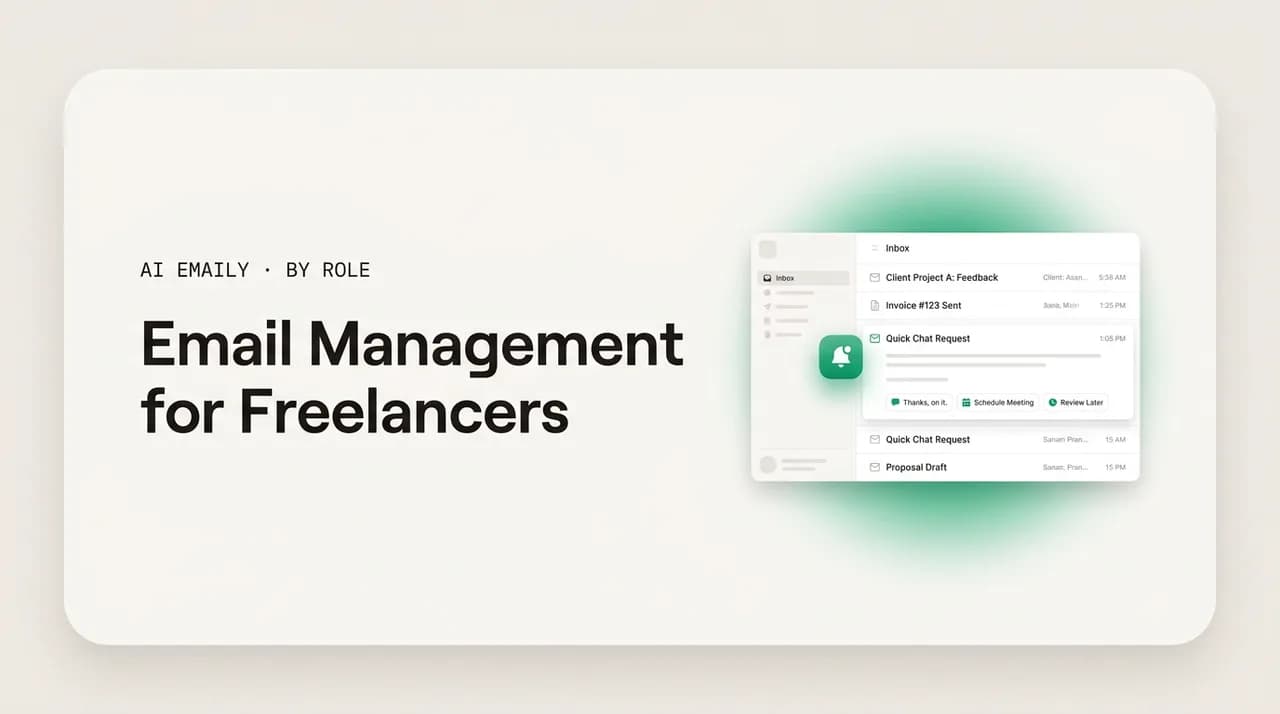
Email management for freelancers, done lean: reply fast to inquiries, send proposals and invoices quicker, chase late payments automatically, and run every client thread solo.
On this page
- 01Why is email such a hard problem for freelancers specifically?
- 02What actually lands in a freelancer's inbox?
- 03How do freelancers respond to inquiries fast enough to win the gig?
- 04How can freelancers send proposals and quotes faster?
- 05How do freelancers invoice and chase late payments without it taking over?
- 06How do freelancers juggle multiple clients without dropping a thread?
- 07How do freelancers set boundaries and manage scope over email?
- 08What does a freelancer's email workflow look like?
- 09What email tools do freelancers use, and where do they fall short?
- 10How is AI Emaily the assistant a freelancer can't afford to hire?
- 11Which AI Emaily plan fits a freelancer?
- 12Key takeaways for freelancers
- 13Conclusion: run the inbox like a business, not an afterthought
Freelancers wear every hat in the business, and email is where most of those hats land at once. You are the sales team answering an inquiry before it goes cold, the account manager keeping three clients happy in parallel, the operations person sending the proposal and the invoice, and the collections department chasing the payment that is two weeks late — and all of it runs through one inbox that nobody else is watching. There is no front desk to field the first email, no project manager to keep client threads from tangling, no bookkeeper to send the reminder when an invoice ages out. You are the filter, the writer, and the follow-up system, on top of doing the actual work you get paid for.
That is the part generic productivity advice misses about a freelancer's inbox. The problem is not that you get thousands of messages a day — most freelancers do not. The problem is that the messages you do get are load-bearing in a way they are not for someone on a salary. A slow reply to an inquiry is not just impolite; it can be the difference between landing a project and watching it go to whoever answered first. A proposal that takes you three days to send is a proposal a faster competitor already beat. An invoice you forgot to follow up on is income sitting in someone else's bank account. When you are the whole company, every dropped email has a price, and you are the one who pays it.
The stakes are not abstract. The U.S. independent workforce reached roughly 72.9 million freelancers in 2025, and the ones who do well are not necessarily the most talented — they are often the ones who run the business side cleanly, which for a solo operator means running the inbox cleanly. Speed wins work: proposals sent within 24 hours of the first conversation close at meaningfully higher rates, and on freelance marketplaces the earliest applicants see reply rates several times higher than late ones. Follow-up wins money: most overdue invoices get paid once someone actually chases them, and for a freelancer that someone is always you. The inbox is not a chore on the side of the business. For a freelancer, it is a large part of the business.
This guide lays out a lean email system built for the reality of freelancing in 2026 — one person, several clients, no assistant, and a day that is mostly billable work you cannot interrupt. We will cover why a freelancer's inbox is its own kind of hard, how to respond to inquiries fast enough to win the gig, how to send proposals and quotes quicker, how to invoice and chase late payments without it eating your week, how to juggle multiple clients without dropping a thread, how to set boundaries and manage scope over email, a concrete workflow you can run by hand, and how AI Emaily fills the role of the assistant a freelancer cannot yet afford to hire — with every send held for your approval until you decide otherwise.
Why is email such a hard problem for freelancers specifically?#
Everyone complains about email, so it is worth being precise about why a freelancer's inbox is a distinct and harder problem than an employee's. The difference is that a freelancer's inbox carries the entire business across three different jobs at once, with no one to share the load. An employee's email is mostly one job — their function inside a company that has other people handling sales, billing, and operations. A freelancer's email is sales, delivery, and admin braided together in a single stream, and the same person has to switch between selling, doing the work, and getting paid, often within the same ten minutes.
The first reason email taxes freelancers is that you are the entire sales funnel, and the funnel runs on response speed. Inquiries do not wait. A prospect emailing about a project is almost always emailing two or three other freelancers about the same project, and the one who replies first, clearly, and warmly has an outsized advantage before the work is even discussed. There is no SDR to catch the lead while you are heads-down on a deliverable. If you are deep in client work and an inquiry sits unanswered for a day, you have likely already lost it — and you will rarely find out that the delay was the reason.
The second reason is that delivery and admin compete with each other for the same hours. The work you actually get paid for — writing, designing, building, advising — requires long, uninterrupted focus. Email is the enemy of that focus: every client question, scope clarification, and scheduling message is an interruption, and research on task switching finds it takes the average knowledge worker around 23 minutes to fully refocus after one. A freelancer juggling four clients who lets the inbox interrupt them all day can lose well over an hour just to context recovery, on top of the time spent reading and replying. The inbox does not just take your minutes; it fragments the deep-work blocks that your income depends on.
The third reason is that the cost of a dropped thread lands directly on you, with no buffer. In a company, a forgotten email is usually caught by someone else or absorbed by a process. For a freelancer, a forgotten inquiry is lost revenue, a forgotten proposal follow-up is a dead deal, and a forgotten invoice is unpaid work. There is no safety net underneath you — you are the safety net, and on a busy week the net has holes. Pipeline and income leak quietly through those holes, and the leak only shows up later as a slow month you cannot fully explain.
The fourth reason is the absence of any infrastructure most businesses take for granted. No assistant screens your inbox. No CRM remembers which client said what. No accounts-receivable system nudges late payers. No project manager keeps Client A's thread from bleeding into Client B's. You are expected to hold all of that context in your head while also producing the work, and the inbox is where the lack of infrastructure hurts most — because email is exactly the place a real business would have systems and a freelancer has only memory and good intentions.
A freelancer's inbox runs the whole business, solo
What actually lands in a freelancer's inbox?#
To build a system, you first have to name what is in the inbox, because the right response is different for each kind of mail. A freelancer's stream is a blend of three business functions — winning work, doing work, and getting paid — plus the same noise everyone gets. Sort by what job a message belongs to rather than by when it arrived, and the chaos starts to resolve into a handful of recognizable categories that each deserve a different speed and a different handling.
Inquiries and leads sit at the top of the stakes ladder, because they are where future income is decided. A new prospect asking about availability, a referral reaching out, a marketplace message about a posted project — these are the threads where speed is worth the most money. The cost of delay here is the gig itself: respond in an hour and you are in the running, respond in two days and the work is usually gone. For a freelancer, an unanswered inquiry is not a missed message; it is a missed paycheck, which is exactly why it cannot be allowed to sit in the same undifferentiated pile as everything else.
Active client threads are the second pillar and the largest by volume. These are the day-to-day exchanges with the clients you already have — questions about the work, feedback and revisions, scheduling, scope clarifications, status checks. Each one belongs to a specific client with a specific history, and the danger is not any single message but the cross-talk: replying to Client B with context from Client A, or letting one client's thread go quiet while you are buried in another's. Keeping each client's conversation straight, with the right history at hand, is the part of the job that has no infrastructure behind it for a solo operator.
Proposals, quotes, and contracts are the third category — the threads that convert an inquiry into paid work. A prospect who is interested wants a proposal, and how fast and how cleanly you turn it around shapes whether they say yes. This is followed closely by the money stream: invoices going out, payment confirmations coming in, and — the one freelancers dread — the follow-ups on invoices that have aged past due. Finally there is the genuine noise: newsletters, tool notifications, receipts, and platform updates that demand attention without ever deserving a reply. The table below maps each category to its stakes.
| Category | What lands | Cost of delay | What the freelancer needs |
|---|---|---|---|
| Inquiries / leads | New-project asks, referrals, marketplace messages | The gig itself — first to reply often wins | Reply within hours, warm and specific |
| Active client threads | Questions, feedback, revisions, scheduling | Cross-talk and quiet threads erode trust | Per-client context kept straight and at hand |
| Proposals / quotes | Scope discussions, estimates, contracts | A faster competitor sends theirs first | Turn around quickly without starting cold |
| Invoices / payments | Invoices out, confirmations in, overdue chasing | Unpaid work — income sits in someone else's account | Follow-up that runs without you remembering |
| Noise | Newsletters, notifications, receipts, platform mail | Attention and focus, drop by drop | Filtered out of the priority view entirely |
Look at that list and a pattern jumps out: every category that decides whether the business succeeds — inquiries, proposals, invoices, client trust — depends on either speed or follow-up, and both are exactly the things that slip when you are a busy solo operator doing the actual work. The noise, meanwhile, is most of the volume and needs almost none of you. The whole game of managing a freelancer's inbox well is making the income-critical threads fast to find and impossible to forget, while the low-value majority fades into the background. That is the reordering a good system performs, and it is precisely what a reverse-chronological inbox refuses to do.
How do freelancers respond to inquiries fast enough to win the gig?#
If a freelancer fixes only one thing about email, it should be inquiry speed, because it is the cheapest way to win more work without being a better freelancer. The evidence is consistent: on freelance marketplaces, the first handful of applicants get several times more views than anyone who applies after the first hour, and early responders see reply rates in the 15 to 25 percent range against a platform average closer to 5 percent for late bids. Off-platform it is the same dynamic — a prospect emailing about a project is comparison-shopping in real time, and the freelancer who answers first sets the tone for the whole conversation. Speed is not a tiebreaker; it is often the deciding factor before skill is even assessed.
The first move is to make sure inquiries are never buried. A new-project email looks identical to a newsletter in a reverse-chronological inbox — same visual weight, same line in the list — so the one message that could pay your rent competes for attention with mail that deserves none. The fix is a priority layer that recognizes an inquiry the moment it lands and surfaces it above the noise, so the question "is there a lead I haven't answered?" has a one-glance answer instead of requiring you to scroll and hope. For a freelancer, that surfacing is worth more than any folder system, because the danger is missing the lead, not losing it once you have seen it.
The second move is to remove the blank-screen delay from your first reply. Most freelancers know roughly what a good inquiry response looks like — acknowledge the project, show you understood it, ask the one or two questions you need, and propose a next step — but writing it from scratch each time, while context-switching out of client work, is what turns a five-minute reply into a same-day-if-you-remember reply. Start from a template or an AI draft grounded in the inquiry, then personalize the specifics. Starting at 80 percent and sharpening the last 20 is the difference between answering in minutes and answering tomorrow.
The third move is to set expectations even when you cannot reply in full immediately. If you are mid-deliverable and genuinely cannot write a proper response for a few hours, a fast acknowledgment — confirming you received the inquiry and will follow up by a stated time — keeps you in the running and signals professionalism. Silence reads as disinterest; a prompt "got it, I'll send you a detailed reply by this afternoon" reads as someone who runs their business well. The acknowledgment is not the answer, but it buys you the time to give a good one without losing the lead to a competitor's speed.
The fourth move is to follow up on inquiries that go quiet on the prospect's side. Plenty of leads email, get your reply, and then disappear into their own busy week — not because they lost interest, but because answering you dropped down their list. A single, well-timed follow-up a few days later recovers a real share of these, yet most freelancers never send it because remembering to is one more thing on an overloaded plate. Attach a reminder or an automatic follow-up to every inquiry the moment you reply, and you stop leaving warm leads to die in silence.
Acknowledge in minutes, answer in full when you can
How can freelancers send proposals and quotes faster?#
Once an inquiry is warm, the proposal is the next bottleneck, and it is a bigger one than most freelancers admit. The data is blunt: freelancers using general-purpose tools like Google Docs or Word typically spend 30 to 60 minutes per proposal on formatting alone, while those with a repeatable system get it down to under 20. And speed matters here too — proposals sent within 24 hours of the first conversation close at up to 25 percent higher rates, and a large share of won proposals are accepted within a day of the client first opening them. A proposal that takes you three days to assemble is competing against one a faster freelancer already sent, while the prospect's enthusiasm was still high.
The first lever is to stop writing every proposal from a blank page. The overwhelming majority of your proposals share the same bones — your introduction, how you work, your relevant experience, your terms, and a clear next step — with only the scope, the price, and a few client-specific lines changing each time. Keep a strong proposal skeleton you reuse, or let an AI draft the first version from the inquiry thread, and spend your time on the parts that are genuinely bespoke rather than rebuilding the boilerplate. The goal is to start at 80 percent finished and personalize the last 20, not to compose the whole thing fresh while the lead cools.
The second lever is to handle the scope-and-price conversation in email cleanly, because that is where proposals stall. Prospects often reply with questions, ask for adjustments, or go quiet while they decide — and each of those is a thread that needs a prompt, clear response to keep momentum. Drafting those replies fast, in a consistent and confident voice, keeps the proposal alive. A prospect who has to wait two days for an answer to a simple scoping question reads it as a preview of what working with you will be like, and acts accordingly.
The third lever is to build a buffer into every quote so the proposal protects you later. Experienced freelancers add 15 to 20 percent to flat-fee estimates specifically to absorb the revisions and small scope expansions that almost always come. Writing that buffer in at the quote stage is far easier than renegotiating mid-project, and it makes the boundary conversation later much simpler because the expectation was set in writing from the start. The fastest proposal is worth little if it underprices the work and sets up a scope fight you will lose.
The fourth lever is to never let a sent proposal sit without a follow-up. A proposal that goes out and hears nothing back is not a no — it is usually a maybe that got buried on the client's side, and a single polite follow-up a few days later recovers a meaningful share of them. Yet the proposal follow-up is one of the most commonly dropped emails in freelancing, because it depends on you remembering which proposals are outstanding and when each one went out. Attach an automatic follow-up to every proposal at the moment you send it, and you convert the deals you would otherwise have lost to silence.
How do freelancers invoice and chase late payments without it taking over?#
Getting paid is the part of freelancing that quietly steals the most time and causes the most stress, because it combines two things freelancers find hard: staying on top of admin and being firm about money. Late payment is endemic — a large share of freelance invoices are paid late, and most of those only get paid once the freelancer actually chases them. The chasing is the job nobody hired for, and for a solo operator there is no accounts-receivable department to do it. The good news is that payment follow-up is the single most automatable part of the inbox, which makes it the highest-leverage thing to systematize.
The first principle is to make follow-up a sequence, not a one-off act of willpower. The reliable cadence is well established: send a polite reminder one to three days after the due date, follow up again with a firmer, direct message if there is no response within five to seven days, and request a specific payment date if it continues. The reason most freelancers do not run this sequence is not that they do not know it — it is that each step depends on remembering which invoices are outstanding, how old each one is, and when the last nudge went out. Take memory out of the loop with reminders or an automated sequence, and the chasing happens whether or not you have the bandwidth that week.
The second principle is that tone should be polite but firm, and consistency beats apology. Research and practitioner consensus agree that overly apologetic payment requests get worse results than direct, businesslike ones — "I'm following up on the overdue payment for invoice #1024, originally due on the 5th" lands better than a paragraph of hedging. The trouble for many freelancers is the emotional cost of writing that message about a client they like and want to keep. Drafting it from a consistent template, or letting an AI draft it in a calibrated tone, removes the friction of composing it fresh each time and keeps the message firm without it feeling personal.
The third principle is to tie payment to your boundaries from the start. Build payment milestones into longer projects, take a deposit up front, and where appropriate do not deliver final files until payment clears. This is not adversarial; it is the structure a real business runs on, and it dramatically reduces how much chasing you have to do at all. It also matters for scope, because — as freelancers learn the hard way — you cannot credibly push back on scope creep while you are still waiting on an unpaid invoice from that same client. Clean payment terms protect both your income and your leverage.
The fourth principle is to escalate channels when email stops working. Sometimes a two-minute phone call does what three polite emails cannot, and a freelancer should not let an unpaid invoice live in email purgatory indefinitely. The point of automating the email sequence is not to avoid harder conversations forever; it is to handle the routine 80 percent of follow-up without thinking about it, so that the rare invoice that genuinely needs a call or a firmer step is the only one that reaches your personal attention. Automate the predictable, escalate the exceptions.
Make the late-payment chase a sequence, not a decision
How do freelancers juggle multiple clients without dropping a thread?#
Most freelancers run two to four active clients at a time, and many find that beyond three, none of them gets your best work. The constraint is not just hours — it is context. Each client has a different project, a different history, a different tone, and a different set of open threads, and you are holding all of it in your head with no CRM and no account manager to keep them separate. Client conversations scatter across personal accounts, business addresses, and platform notifications, and the failure mode is not dramatic: it is a slow leak of small mistakes — replying with the wrong context, missing a question buried in a long thread, letting one client go quiet while you are deep in another's work.
The first move is to organize the inbox by client, not by time. A reverse-chronological stream interleaves every client's mail into one undifferentiated list, which is precisely the layout that causes cross-talk and dropped threads. Grouping mail by client — with rules, labels, or an assistant that tags each message to the right client automatically — means that when you sit down to work on Client A, you can see Client A's entire open conversation in one place, with the relevant history at hand, instead of reconstructing it from a scattered stream. This single change is what a project manager would do for you, and it is the foundation of juggling clients cleanly.
The second move is to batch by client rather than grazing across all of them. Context switching is expensive — the average refocus after an interruption runs around 23 minutes, and switching between four clients all day can cost well over an hour in pure recovery time. Processing one client's threads in a focused pass, then moving to the next, keeps you in a single context long enough to actually be in it. It also reduces the error rate: most cross-talk mistakes happen when you are bouncing between clients fast and the wrong context bleeds into the wrong reply.
The third move is to keep per-client context retrievable instead of memorized. The reason a freelancer drops a thread is rarely carelessness; it is that no human can hold the full state of four projects in working memory while also doing the work. The fix is to make context something you can pull up rather than something you have to remember — a quick summary of where each client thread stands, what was last said, and what is outstanding. When the context comes to you on demand, you can switch into any client conversation cold and respond accurately, which is exactly what an assistant who knew your accounts would enable.
The fourth move is to guarantee that no client thread goes quiet on your side. Juggling clients fails most visibly when one of them does not hear from you for a week because you were absorbed in another's deadline. A surfacing layer that flags client threads waiting on your reply — and nudges you when one has aged past a threshold — turns "I think I'm on top of everyone" into a checkable fact. For a freelancer, a client who feels forgotten is a client who does not refer you and may not rehire you, so keeping every active thread warm is not politeness; it is retention.
The dropped thread is rarely carelessness — it is missing infrastructure
How do freelancers set boundaries and manage scope over email?#
Scope creep is the freelancer's chronic disease, and email is where it spreads. It rarely arrives as a single big ask; it arrives as a steady drip of small ones — "could you also just tweak this," "one more quick revision," "while you're in there" — each one reasonable on its own, all of them adding up to unpaid work and a project that runs long. Because freelancers want to be liked and want the repeat business, the path of least resistance is to say yes by email and absorb the cost. The fix is not to be combative; it is to handle the boundary conversation calmly, consistently, and in writing, so that managing scope becomes a normal part of the work rather than a confrontation you dread.
The first principle is that the contract and the quote are your boundaries, set in advance. The reason scope creep is so hard to push back on mid-project is that the boundary was never written down, so every new ask feels negotiable. A clear scope in the proposal, a stated revision limit, and the 15 to 20 percent buffer built into the price give you something concrete to refer back to. "That's a great addition — it's outside the scope we agreed, so let me send a quick quote for it" is a far easier email to write when there is an agreed scope to point at. The boundary you set at the proposal stage is the boundary you can enforce by email later.
The second principle is to make the out-of-scope reply a calm, repeatable move rather than an agonized one-off. When a client asks for something beyond the agreement, the professional response is consistent: acknowledge the request warmly, note that it is outside the current scope, and offer to handle it as an add-on with its own small quote or in a next phase. The hard part is not knowing what to say — it is the emotional friction of writing it to a client you like, every single time, while worrying about the relationship. Drafting that reply from a template, or letting an AI draft it in a tone that is warm but firm, removes the friction and keeps your boundary consistent across clients and across moods.
The third principle is to protect your own time boundaries, not just your scope. Freelancers train clients in how available they are by how fast and at what hours they reply. If you answer emails at 11 p.m. and on weekends, clients learn to expect that, and the boundary erodes until you are on call for everyone all the time. Setting and signaling working hours — through when you actually send, through scheduled sends that land in business hours, and through a stated response-time expectation — keeps clients respecting your time without a single awkward conversation. The boundary is taught by behavior, so make the behavior deliberate.
The fourth principle is to keep boundaries decoupled from your need to be paid. As noted earlier, you cannot push back on scope while you are still chasing an unpaid invoice from the same client — the leverage is gone, and you will cave to keep the relationship intact long enough to get paid. Clean payment terms, deposits, and milestones are therefore boundary tools as much as cash-flow tools: when you are not financially hostage to a client, you can hold the line on scope calmly and from a position of strength. Boundaries and getting paid are the same problem viewed from two angles.
You cannot enforce scope while you are owed money
What does a freelancer's email workflow look like?#
A system is only useful if it survives a real freelancer's day — one that is mostly billable work, with maybe two or three honest windows to touch email and a constant temptation to check it between tasks. The workflow below is built for that reality. It assumes you cannot sit in your inbox all day, that you process it in tight batches, and that the income-critical threads — inquiries, proposals, payments, and the clients who are waiting on you — have to come to you rather than hiding in the stream. Read it as a default to adapt to your practice, not a rigid prescription.
The goal across all of it is to convert the inbox from a thing you react to all day, fragmenting your billable focus, into a thing you process deliberately a few times a day, with only the genuinely urgent — a hot inquiry, a client blocked on your reply — interrupting you in between. That shift, from continuous reaction to batched, prioritized processing, is where a freelancer wins back both the largest block of focus and the response speed that wins work.
- 1
Separate the noise from the business once, and keep it separated
Get newsletters, platform notifications, receipts, and automated mail out of your main view permanently with rules, or let an AI assistant categorize them automatically. Your primary view should hold only mail a real client or prospect sent you — so an inquiry or a client question never competes with marketing for your attention.
- 2
Organize the inbox by client and by job
Tag or label mail by which client it belongs to, and recognize the income-critical jobs — inquiries, proposals, invoices — as their own lanes. This is the CRM and account manager a freelancer does not have: when you work on a client, their whole open conversation is in one place, and leads and overdue invoices are never buried in the general stream.
- 3
Surface inquiries and waiting clients to the top
Make sure a new inquiry and any client thread awaiting your reply jump to the top of the priority view regardless of when they arrived. For a freelancer the danger is missing the income-critical thread, so the question "is there a lead or a waiting client I haven't answered?" should have a one-glance answer, not a scroll-and-hope one.
- 4
Process in two or three fixed batches a day
Pick set windows and process the inbox in tight passes instead of grazing it between tasks. In each pass, handle inquiries and blocked clients first, then anything under two minutes, then queue the rest. Batching protects your billable deep-work blocks while still keeping response times short enough to win work.
- 5
Draft from a starting point, never a blank screen
For inquiry replies, proposals, scope responses, and payment reminders, start from a template or an AI draft grounded in the thread, then personalize. Starting at 80 percent and sharpening the last 20 is the single biggest lever on how long each email takes — and it is what makes a same-day reply realistic on a day full of client work.
- 6
Attach follow-up to everything that needs it, automatically
Every inquiry, every sent proposal, and every invoice gets a reminder or an automated follow-up the moment you handle it. Freelance pipeline and income leak almost entirely because follow-up depends on memory. Take memory out of the loop — the lead gets nudged, the proposal gets chased, the invoice gets a reminder — whether or not you have bandwidth that week.
- 7
Do a thirty-second sweep before you close the laptop
End each day by checking the priority view: any unanswered inquiry, any client waiting on you, any invoice now overdue? This is the safety net that catches the one income-critical thread that got buried during a head-down day, while it still costs you nothing to fix.
Two minutes is the threshold, not the average
Notice that almost every step in that workflow is something an assistant or a small back office would otherwise do for you: screening the inbox, keeping client files straight, surfacing the leads, starting your drafts, and chasing the follow-ups. The workflow works manually — plenty of disciplined freelancers run a version of it by hand with rules, templates, and reminders. The trouble is that the manual version is fragile. It depends on you having the discipline to triage every thread and set every reminder on a week when you are slammed with three deadlines, and the moment you are too busy — which is exactly when the most work is coming in — the system quietly stops protecting you. That fragility is the whole case for handing the workflow to an AI assistant that runs it the same way whether your week is calm or chaotic.
What email tools do freelancers use, and where do they fall short?#
Freelancers reach for a range of tools, and most help with one slice of the problem while leaving the others open. The honest way to evaluate them is against what a solo operator actually needs — fast inquiry response, per-client context, follow-up that does not depend on memory, and real help drafting — plus a requirement that matters more for freelancers than almost anyone: does it work in your real inbox across whatever providers and accounts you use, without forcing a migration or a per-seat price built for teams. The table below maps the common categories against those needs.
Plain Gmail or Outlook is where most freelancers start, and both are capable mail clients with rules, filters, and labels. What they lack is any native sense of which thread is an income-critical inquiry versus noise, any per-client organization beyond labels you build and maintain by hand, and any follow-up engine — "reminders" mean you remembering to snooze something. They are a fine foundation but leave the hardest parts, surfacing the leads and chasing the payments, entirely to you, which is exactly the part a busy freelancer drops first.
Speed-focused clients like Superhuman rebuilt the experience around keyboard shortcuts, fast triage, reminders, and a polished interface, and for a freelancer who processes a lot of mail they genuinely make clearing the inbox faster. They have added AI features over time. The gaps for a freelancer are that the core value is speed of manual processing rather than work taken off your plate, the pricing runs high — commonly in the thirty-to-forty-dollar-per-month range, which is a real line item for a solo budget — and the model still assumes you are the one doing every reply, just faster. They make you a faster operator; they do not chase your invoices or draft your proposals.
AI-native clients such as Shortwave reimagine the inbox with bundling, thread summaries, and AI assistance, and they lean harder into automation than the speed-first tools. The trade-offs to weigh are provider coverage — some are Gmail-only, which is a hard stop if you carry a Microsoft account or several inboxes across clients and platforms — and how far the automation actually goes toward the freelancer's specific jobs: surfacing inquiries, keeping per-client context, and running payment follow-up with the safeguards you want before trusting it on a client. They are a real step up on triage and drafting; the question is whether they cover the sales-to-payment workflow a freelancer lives in.
Standalone AI writers and browser extensions can draft and rewrite well, but they live beside your inbox rather than running it. You paste an email in, get text out, and paste it back — which speeds up composition but does nothing for triage, surfacing inquiries, organizing clients, or following up. For a freelancer whose core problem is winning leads fast and never dropping a payment or a client thread, a tool that only helps once you have already opened the right email is solving the easy half. The hard half — getting you to the right thread and keeping the rest from slipping — is untouched.
| Tool category | Inquiry speed | Per-client context | Follow-up engine | Works in every inbox |
|---|---|---|---|---|
| Plain Gmail / Outlook | Manual; leads get buried | Labels you maintain by hand | You remember to snooze | Native to one provider |
| Speed clients (e.g. Superhuman) | Fast manual triage | Limited; not client-aware | Reminders you set manually | Gmail + Outlook |
| AI-native clients (e.g. Shortwave) | Fast, AI-assisted | Partial; varies by tool | Some automation | Often Gmail-only |
| Standalone AI / extensions | Faster composing only | None — sits beside the inbox | None | Wherever you paste |
| AI Emaily | AI surfaces inquiries first | Per-client context, kept straight | Follow-up autopilot for leads + invoices | Every major provider |
Read down the table and the pattern is clear: most tools solve one column well. Speed clients win the speed column but leave per-client context and follow-up thin, at a price built for someone with a salary. AI-native clients improve drafting and triage but often narrow on provider coverage and stop short of running the payment-and-follow-up loop a freelancer needs. Standalone writers help you compose but never get you to the right thread. For a freelancer, the requirement is all of it at once — inquiries surfaced fast, client context kept straight, follow-up that runs itself, and coverage across every inbox and account you touch — which is the combination AI Emaily is built around, at a price a solo operator can actually carry.
How is AI Emaily the assistant a freelancer can't afford to hire?#
The freelancers who run a clean business used to be the ones who could afford help — a virtual assistant to screen the inbox, a bookkeeper to chase invoices, a project coordinator to keep clients straight. Most freelancers cannot justify any of those hires, especially early on, and so they do all of it themselves in the cracks between billable work. AI Emaily is built to be exactly that help for a fraction of the cost: an AI-native email client that screens, drafts, organizes, and follows up the way an assistant would, inside the real inbox you already use. It works across every major provider — Gmail, Outlook and Microsoft 365, and any standard IMAP account — and supports several accounts at once, so the personal address, the business address, and the client mail can all run in one place with no migration and no separate app to paste into.
On triage and inquiries, AI Emaily reads the inbox the moment mail arrives and sorts it by what it is and how much it needs you, not by when it landed. A new inquiry is recognized and surfaced to the top of your priority view, so the lead that could pay your rent is never buried under newsletters — and an unanswered-thread safety net brings an inquiry or a waiting client back to you before a delay costs you the work. The noise is categorized out of the priority view automatically. This is the front desk a freelancer does not have, built in rather than bolted on, and it is what makes a same-day reply realistic on a day full of client deadlines.
On writing, AI Emaily learns your voice from your real sent mail and drafts replies grounded in the actual thread — inquiry responses, proposals, scope pushbacks, and payment reminders that read like you rather than a template. You can dictate the gist and let it write the full email (voice drafting), or let it propose a complete reply you approve with a glance or sharpen in a line. The voice fidelity matters because clients are reading you, not a form letter, and it is the difference between a draft that saves you time and one you end up rewriting. The hardest emails to write — the firm-but-warm scope reply, the polite-but-direct overdue-invoice nudge — get noticeably easier when you are editing a calibrated draft instead of composing from a charged blank screen.
On juggling clients and following up, AI Emaily keeps per-client context so you can switch into any client thread cold and respond accurately — the project coordinator a solo freelancer lacks. And follow-up runs on autopilot within your limits: the inquiry that went quiet gets nudged, the proposal that heard nothing gets chased, and the overdue invoice gets its reminder sequence — without you holding any of it in your head. This is the single highest-leverage thing a freelancer can automate, because pipeline and income leak almost entirely through forgotten follow-up. Behind all of it sit graduated levels of control — Manual, Copilot, and Autopilot — so you decide how much leaves your plate, with a mandatory human approval before any send that matters, an undo window, and a full audit trail of every action.
On privacy, the model is straightforward and matters for a freelancer handling other people's business: AI Emaily does not train on your mail, and sensitive content — client work, contracts, financials — is handled with that constraint built in. The combination is what makes it an assistant rather than just a faster client: works in every inbox across every account, surfaces inquiries and protects against dropped threads, keeps per-client context straight, drafts in your voice, runs follow-up on the leads and invoices that otherwise leak, and does it all under your approval with no training on your mail — for a price a one-person business can actually afford.
| Mode | What the AI does | What you keep | Best for |
|---|---|---|---|
| Manual | Triages, organizes by client, surfaces inquiries, summarizes | All writing and sending | Freelancers who want clarity first and full control |
| Copilot | Drafts replies, proposals, and reminders in your voice | Final approval on every send | The bulk of real client and prospect mail |
| Autopilot | Runs follow-up sequences on leads and invoices within limits | Boundaries, undo window, and audit trail | Payment chasing, inquiry nudges, routine follow-up |
Delegation without losing control
Which AI Emaily plan fits a freelancer?#
Pricing should match how much of the inbox you want to hand off, and for a freelancer it should fit a solo budget rather than a company one. AI Emaily has tiers built around how far down the delegation ladder — Manual, Copilot, Autopilot — you want to go, not around team size or seats.
Free, at $0, is the place to start. It connects your real inbox, gives you AI triage and the priority view, and lets you feel the difference of a clean inbox with inquiries and waiting clients surfaced — before paying anything. For a freelancer who wants to confirm that the surfacing and per-client organization genuinely change the daily experience, this is the no-risk entry point, and many run here while they build trust in the assistant.
Pro, at $12.42 per month on annual billing, is the tier most working freelancers land on, and it is priced to be an easy line item for a one-person business. It is built around Copilot: AI drafting in your voice for inquiries, proposals, scope replies, and payment reminders, fuller priority and per-client control, the unanswered-thread safety net, and follow-up on leads and invoices — with every send still held for your approval. Against the thirty-to-forty-dollar-per-seat pricing common among speed-first clients, it does more of the actual work for less, which is the right trade for a freelancer whose tools come out of their own margin. You can start free and move up at app.aiemaily.com/signup.
For freelancers ready to let the assistant run whole categories on its own, the Autopilot tier handles bounded, routine sequences — invoice chasing, inquiry nudges, standard acknowledgments — within limits you set, backed by the undo window and audit trail. For most freelancers, the highest-value automation is exactly this: payment follow-up that runs itself, so getting paid stops competing with billable time. The sensible pattern is to keep anything a client reads closely in Copilot and let Autopilot own the predictable follow-up, then widen the boundaries as you trust it. Start free at app.aiemaily.com/signup and move up a tier as you delegate more.
Key takeaways for freelancers#
Before the FAQs, here is the system compressed to the few things that actually move the needle. A freelancer's email problem is not volume; it is that one person runs sales, delivery, and admin through a single inbox with no assistant, and the income-critical threads are exactly the ones that slip when you are busy. Fix the surfacing and the follow-up, and the rest follows.
- Win on inquiry speed — the first to reply usually wins the gig. Surface inquiries above the noise and acknowledge in minutes even when the full reply comes later.
- Send proposals from a skeleton, not a blank page, with a 15–20% buffer built into the quote, and follow up on every sent proposal automatically.
- Make late-payment chasing a sequence that runs without you: a reminder at the due date, a firmer note at day 5–7, a specific-date request after that.
- Organize the inbox by client and keep per-client context retrievable, so you can switch into any thread cold and never cross-talk or drop one.
- Set boundaries in writing at the proposal stage and keep them decoupled from getting paid — you cannot enforce scope while you are owed money.
- Automate the fragile parts with an assistant you can afford. AI Emaily surfaces leads, drafts in your voice, and runs follow-up — free to start at app.aiemaily.com/signup.
Conclusion: run the inbox like a business, not an afterthought#
The freelancers who thrive are not always the most talented; they are often the ones who run the business side cleanly, and for a solo operator that means running the inbox cleanly. Email is where the work is won, where clients are kept, and where you get paid — three jobs that a company spreads across a sales team, an account manager, and a back office, and that a freelancer does alone in the gaps between billable hours. Treated as an afterthought, that inbox quietly costs you leads, deals, and unpaid invoices you never fully account for. Treated as a system, it becomes one of your sharpest business advantages.
The shape of the answer does not change with the tooling: surface the income-critical threads so a lead or a waiting client is never buried, reply fast and in your own voice, set boundaries in writing, and automate the follow-up so no inquiry, proposal, or invoice ever dies in silence. Run it by hand if you have the discipline to keep it up on your busiest weeks. Most freelancers do not, because the busiest weeks are precisely when the most work is coming in and the system is needed most — which is the case for handing it to an assistant that runs it whether your week is calm or on fire.
If you want to run your inbox that way without hiring help you cannot yet afford, AI Emaily is built for it — AI triage with inquiries surfaced first, per-client context kept straight, drafting in your voice, and follow-up on leads and invoices that runs on autopilot, inside the real inbox you already use across every provider, with a human approval before anything important goes out and no training on your mail. Start free at app.aiemaily.com/signup, feel the difference of a prioritized inbox, and delegate more as you trust it. For adjacent playbooks, read our guides to email management for solopreneurs and email management for consultants.
Frequently asked
See it in AI Emaily
Keep reading
Sources

Written by
Nafiul HasanNafiul Hasan is an entrepreneur and AI automation system builder with 10+ years of experience turning messy, manual workflows into reliable automated systems. He designs and ships AI enterprise solutions end-to-end — the agent logic, the data plumbing, and the product people actually use — and founded AI Emaily to give busy professionals their attention back. He writes here from the builder's seat: what works, what breaks, and how to put AI to work without giving up control.