Email Management for Consultants: Bill More, Email Less (2026 Guide)

The short answer
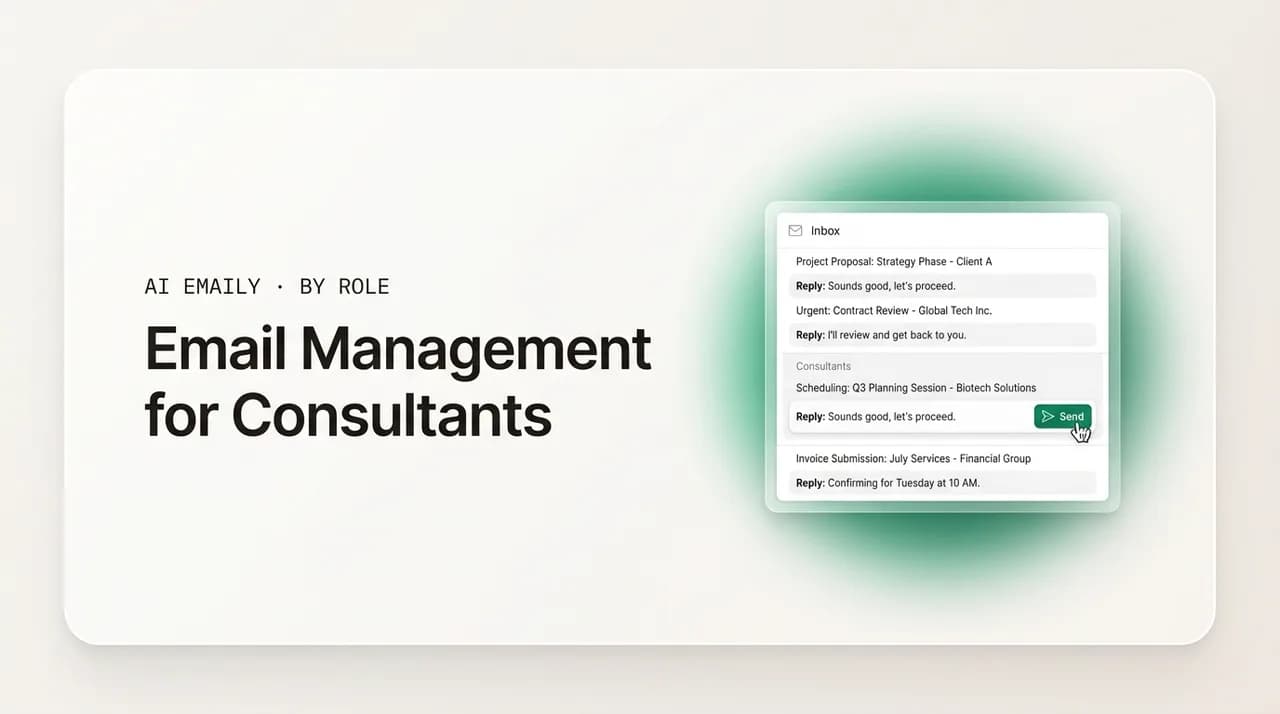
Email management for consultants means keeping each client's context separate, replying fast on proposals and billing, and protecting billable time. Use a per-client system, templates for repeat threads, scheduling links, and an AI assistant that drafts in your voice and chases follow-ups so the inbox stops eating your week.
Email management for consultants: keep every client's context straight, send proposals and follow-ups faster, and stop billable hours leaking into your inbox.
On this page
- 01Why is email so hard for consultants specifically?
- 02What does a consultant's inbox actually contain?
- 03How do you keep each client's context straight?
- 04How should you handle proposals and scoping replies?
- 05How do you schedule calls without endless back-and-forth?
- 06How do you follow up on billing and get paid on time?
- 07How do you set boundaries and response expectations?
- 08What does a complete consultant email workflow look like?
- 09How does AI Emaily work for consultants?
- 10Where should you start?
Consulting is sold over email, and then it is delivered over email. The proposal that wins the engagement, the scoping reply that sets expectations, the status update that keeps the client calm, the invoice nudge that gets you paid — all of it moves through your inbox. For most independent consultants and small firms, email is not a side channel to the real work. It is where a large share of the real work happens.
That is also why it quietly becomes the thing you resent most. You did not start consulting to spend your mornings triaging a folder of half-read threads. You started it to do the work you are good at and to be paid well for it. But the inbox does not care about your zone of genius. It fills up with proposal questions, calendar pings, scope creep dressed as quick questions, vendor invoices, and the slow drip of clients who owe you money. Each message looks small. Together they take a serious bite out of your week.
Studies of knowledge workers consistently put email at around a quarter of the workweek — close to eleven hours for many people, and often more for anyone whose job is mostly client-facing. The average professional receives well over a hundred business emails a day, and only a minority actually need a thoughtful reply. For a consultant, that ratio is brutal in a specific way: the few messages that do need you are usually high-stakes (a proposal decision, a worried client, a payment that is overdue), buried under a pile of messages that do not.
This guide is about fixing that. Not with another rule about checking email twice a day — that advice ignores how client work actually flows — but with a system built for the real shape of consulting: many clients at once, each with their own context, history, and tone; work that is sold and re-sold continuously; and a one-person or small-team reality where there is no assistant to hand the inbox to. We will cover how to keep each client's context straight, how to handle proposals and scoping without writing every reply from scratch, how to kill scheduling back-and-forth, how to chase billing without feeling like a debt collector, and how to set boundaries that protect your billable time. Then we will show how an AI email assistant changes the math on all of it.
A quick framing before the tactics. The instinct, when email gets overwhelming, is to look for a productivity trick — a keyboard shortcut, a folder scheme, a clever filter. Those help at the margins, but they treat email as a sorting problem when, for consultants, it is really a memory-and-momentum problem. You are not drowning because messages are hard to file. You are drowning because each message asks you to remember a relationship and to keep a deal or a project moving, and you are doing that across more relationships than any one mind can hold comfortably. Keep that distinction in view: the system that works is the one that carries memory and momentum for you, not the one with the prettiest folders.
Who this guide is for
Why is email so hard for consultants specifically?#
Plenty of people complain about email. Consultants have a harder version of the problem, and it helps to name exactly why. The difficulty is not volume alone. It is the combination of volume with context-switching, high stakes, and no buffer between you and the client.
First, you are holding multiple engagements in your head at once. A staff employee mostly lives inside one company, one set of projects, one vocabulary. You move between a retail client's pricing project, a SaaS client's go-to-market review, and a nonprofit's board deck — sometimes within the same hour. Every time you open a thread, your brain has to reload the right context: who this person is, what we agreed, where we are in the work, what tone this relationship runs at. That reload is expensive, and the inbox forces you to do it dozens of times a day in whatever random order messages happen to arrive.
Second, the stakes per message are uneven and hard to see at a glance. A one-line reply from a prospect can be the difference between a signed engagement and a dead lead. A clipped sentence from a client can be the first sign that a relationship is going sideways. Mixed in are genuinely low-stakes messages — newsletters, tool notifications, scheduling confirmations. The cost of treating a high-stakes message like a low one is large, but your inbox presents them all in the same flat list.
Third, you are the buffer. In a larger company, layers of people absorb and route email before it reaches a senior person. As an independent consultant or in a small firm, you are the inbox. The proposal questions, the invoice disputes, the project pings, the vendor noise — it all lands on you, and you are the one who decides what matters and what waits.
Fourth, consulting income is directly tied to how you handle email, in two opposite directions. Slow or sloppy email loses deals and frays client trust. But time spent in the inbox is, almost by definition, time you are not billing. So you are caught between two failure modes: under-investing in email and losing business, or over-investing in email and shrinking your billable capacity. The whole point of a good system is to escape that trade-off — to be fast and present in email while spending far less time there.
There is a fifth factor that compounds the rest: there is no clean separation between selling and delivering. A salaried employee can often draw a line between the work and the business development. A consultant cannot. The same week, in the same inbox, you are pitching next quarter's engagement, delivering this quarter's, and collecting on last quarter's. The threads interleave, the contexts overlap, and the inbox makes no distinction between a message that earns you money and one that merely costs you attention. That blending is unique to running your own book of client work, and it is why generic inbox advice — written for people with one job and one employer — tends to miss the mark for consultants.
What does a consultant's inbox actually contain?#
Before fixing the system, it helps to see what is really in there. Most consultant inboxes are a blend of a handful of recurring message types, and almost every one of them maps to a specific workflow you can streamline. When you sort your inbox by type rather than by date, the path forward gets obvious.
Here is the typical breakdown, and what each category demands from you.
| Message type | Examples | What it needs | How often it repeats |
|---|---|---|---|
| New business | Inbound inquiry, referral intro, RFP, proposal question | Fast, tailored reply; momentum | Constantly, varied |
| Scoping and contracting | Scope questions, SOW redlines, terms, kickoff logistics | Precision; a paper trail | Per engagement |
| Active delivery | Status pings, document requests, feedback, quick questions | Right context; the right tone | Daily, per client |
| Scheduling | Find-a-time, reschedules, calendar confirmations | Speed; no back-and-forth | Daily |
| Billing | Invoices sent, payment confirmations, overdue nudges | Politeness; persistence | Monthly, per client |
| Relationship | Check-ins, thank-yous, light touchpoints with past clients | Warmth; consistency | Periodic |
| Noise | Newsletters, receipts, tool notifications, cold pitches | Bulk handling; ignore | Constant |
Two things jump out of that table. The first is how much of a consultant's email is repetitive in shape even when the details differ. You write a version of the same proposal follow-up over and over. You answer a version of the same scoping question across engagements. You send a version of the same overdue-invoice nudge every month. Repetition is an opportunity: anything you write repeatedly can be templated, drafted by an assistant, or partly automated.
The second is that the highest-value categories — new business and billing — are exactly the ones that punish delay and reward consistency. A prospect who waits three days for a proposal answer cools off. An invoice that nobody follows up on simply does not get paid on time. These are not areas where being busy is an acceptable excuse. They are areas where a system has to carry the load when you cannot.
Run the audit once
How do you keep each client's context straight?#
The single hardest part of consulting email is not writing — it is remembering. With several engagements running at once, the cost of context-switching is the tax you pay on every reply. Solve that, and email gets dramatically easier; ignore it, and no amount of templates or inbox-zero discipline will save you.
The goal is what we will call a client brain: a place where each client's essential context lives, so that you are never reconstructing it from a scroll through old threads. A client brain is not a CRM full of fields nobody updates. It is a lightweight, living memory of the things you actually need at your fingertips when an email from that client lands.
At minimum, a client brain holds: who the people are and their roles; the scope and current phase of the engagement; the commercial terms (rate, retainer, payment cadence); the tone this relationship runs at (formal board member vs. casual startup founder); key decisions and commitments made; and the open loops you owe them or they owe you. When all of that is one glance away, replying to any client takes a fraction of the mental effort.
There are three levels at which you can build this, and most consultants should aim for the third over time.
- 1
Level 1 — Separate the channels
At a bare minimum, give each client a label, folder, or filter so their threads cluster together. When you open the client's space, you see only their conversation history, not the firehose. This is the floor, not the ceiling — folders organize messages but they do not remember anything for you.
- 2
Level 2 — Keep a one-page client note
For each active client, maintain a single living note: people, scope, terms, tone, decisions, open loops. Update it right after meaningful calls and emails. Before you reply to anything important, glance at the note. This is low-tech and it works, but it depends on your discipline to keep it current.
- 3
Level 3 — Let the system hold the context
Use an email assistant that builds and maintains a per-client context profile automatically — reading the thread history, surfacing who this person is and what you agreed, and using that context when it drafts. The memory becomes a property of your inbox, not a chore you have to perform. This is where AI email for consultants earns its keep.
The reason Level 3 matters so much for consultants specifically is that your context is scattered across dozens of threads and months of history. A human assistant would spend hours reconstructing it. A discipline-based note depends on you never falling behind. A system that maintains per-client context profiles from your actual correspondence removes the reconstruction step entirely — which is the step that makes consulting email feel exhausting.
It is worth being concrete about what the reconstruction step actually costs, because it is invisible until you measure it. Say you handle email for eight active clients in a morning, and each thread requires thirty to sixty seconds of mental reloading before you can write a sensible reply — who is this, what did we agree, what is the open question, how formal is this relationship. That is several minutes of pure context retrieval before a single useful word is written, repeated every day, and it does not show up anywhere on your calendar. Worse, it is cognitively draining in a way that pure typing is not, because switching between clients forces your brain to drop one mental model and load another. By the time you have cycled through everyone, you are tired and you have produced nothing billable. A persistent client brain collapses that retrieval cost to near zero, which is why consultants who adopt it describe the change less as saving time and more as the inbox finally feeling calm.
The cross-wire risk
How should you handle proposals and scoping replies?#
New business is the category where email speed most directly converts to income, and it is also where consultants tend to be slowest — because every proposal and scoping reply feels like it needs to be crafted from a blank page. It does not. The structure of these messages is remarkably stable across engagements; only the specifics change.
Start by separating two distinct jobs: the proposal itself (the document or detailed message that lays out the work, approach, and price) and the proposal email (the reply that delivers it, the questions that follow, and the nudges that keep it alive). The document deserves real thought. The surrounding email is where speed and a system pay off.
For the scoping conversation that precedes a proposal, your job is to ask the right clarifying questions quickly and to write them down so nothing gets lost. Consultants lose deals not because they ask too many questions but because they take too long to ask them and let momentum die. Keep a reusable scoping checklist — objectives, success criteria, constraints, timeline, budget range, decision process — and turn it into a clean, tailored email within hours of an inquiry, not days.
Once a proposal is out, follow-up is not optional and it is not pushy — it is part of the job. The research-backed cadence is simple and worth committing to memory.
| Stage | When | What to say | Goal |
|---|---|---|---|
| Inquiry reply | Within a few hours | Acknowledge, ask the key scoping questions, propose a call | Keep momentum, qualify |
| Proposal delivery | When ready | Deliver the proposal, summarize the value, state the next step clearly | Make the decision easy |
| Follow-up 1 | 3 to 5 business days later | Light check-in, offer to clarify, restate one core benefit | Stay top of mind |
| Follow-up 2 | About a week after #1 | Add a new angle or a relevant case point; ask an open question | Re-engage on value |
| Follow-up 3 | About a week after #2 | Clear, low-pressure ask; offer to close the loop either way | Get a decision |
Most professionals send two to four follow-ups after a proposal, spaced about a week apart, and three is a reliable sweet spot. The problem is rarely knowing this — it is doing it consistently while running active engagements. Follow-ups are precisely the kind of task that falls through the cracks when you are busy, which is exactly when they matter most because your pipeline is what feeds you after the current work ends.
Each follow-up should do a small amount of real work: reference something specific from the proposal or an earlier conversation, restate the value in the client's terms, and make a clear, low-pressure ask. Generic ping me when you have a chance messages are easy to ignore. Specific, value-anchored notes get replies. This is why a drafting assistant that knows the engagement context produces better follow-ups than a static template — it can pull the right detail rather than leaving you a blank to fill.
One more point on scoping, because it is where engagements quietly go wrong. The trap is not pricing too low or too high; it is leaving the boundary of the work fuzzy in the early emails and then absorbing scope creep one quick favor at a time. The discipline that protects you is writing the scope down clearly the moment it is agreed — in an email the client can see and confirm — and then treating that written scope as the reference point whenever a request drifts beyond it. You do not have to be rigid; you have to be explicit. A short message that says happy to take that on — it is outside the current scope, so let me send a quick add-on so we both have it in writing keeps the relationship warm and your margins intact. The paper trail is not bureaucracy. For a consultant, the email record is the contract's working memory, and a clear one prevents the slow, unbilled expansion that erodes the profitability of otherwise good engagements.
Templates plus context beats either alone
How do you schedule calls without endless back-and-forth?#
Scheduling is the most avoidable time sink in a consultant's inbox. The classic pattern — Does Tuesday work? Actually, can we do Thursday? Morning or afternoon? Let me check and get back to you — can stretch a single meeting into a six-message thread spread across two days, multiplied by every client and prospect. None of it is billable. All of it is pure friction.
The fix is well known but underused: a scheduling link. Put a booking link in your signature, your proposal emails, and your follow-ups so that anyone who wants time with you can grab it directly against your real availability, with no negotiation. This single change removes more low-value email than almost anything else you can do.
The objection consultants raise is that a raw scheduling link can feel impersonal or presumptuous with a senior client. That is a real concern, and the answer is framing, not avoidance. You can offer the link warmly — here is my calendar if it is easier, or just tell me a couple of windows and I will send an invite — so the client chooses. The point is to make booking the default path while leaving room for the human touch where the relationship calls for it.
Three practices make scheduling nearly invisible:
- Protect your calendar first. Define focus blocks and buffer times in your calendar so the booking link can only offer slots that actually protect your billable and deep-work hours. The link is only as good as the availability behind it.
- Let drafts include the offer. When you reply to set up a call, the message should already contain a natural booking offer rather than asking you to remember to paste a link every time.
- Handle reschedules without re-negotiating. Reschedule requests should route straight back to the booking flow, not into another thread of proposing times. The fewer human decisions per scheduling event, the better.
An email assistant helps here in a quiet but meaningful way: it recognizes scheduling intent in an incoming message and prepares a reply that includes your booking offer, so you are not the one noticing and not the one pasting. Over a month of client work, eliminating the find-a-time dance gives you back hours you can either bill or simply not spend.
How do you follow up on billing and get paid on time?#
Getting paid is the part of consulting email that people most dislike and most neglect, and the neglect is expensive. An invoice that is sent and then never followed up on is, functionally, a loan you are extending to your client at zero interest and with no due date you are willing to enforce. For an independent consultant, cash flow is survival, and the difference between net-30 in practice and net-whenever often comes down to whether anyone actually sends the reminders.
The discomfort is understandable. You are an advisor, not a collections agency, and the relationship matters. But framing payment follow-up as rude is a mistake. Done well, it is simply professional administration — the same posture you would expect from any vendor you hire. The clients worth keeping respect a consultant who runs a tight, predictable billing process. The ones who are offended by a polite reminder for money they owe are telling you something useful.
A clear cadence removes the emotion. Decide it once, then run it the same way for every client so you are never deciding in the moment whether to chase a specific person — which is where the awkwardness lives.
| Timing | Tone | Core message | Include |
|---|---|---|---|
| On invoice date | Neutral, routine | Invoice for this period is attached; due in 30 days | Payment link or portal |
| A few days before due | Friendly heads-up | Quick reminder this is coming due on the date | Amount, due date, link |
| 1 to 3 days overdue | Light, assume oversight | Just checking this did not slip through — link below | Direct payment link |
| About a week overdue | Polite, firmer | Following up on the outstanding invoice; let me know if there is a holdup | Invoice number, link |
| Two-plus weeks overdue | Direct, clear next step | Need to get this settled; can we resolve by a date? | Specific resolution ask |
The two practices that matter most are cadence and the payment link. Weekly follow-ups after the due date keep you top of mind without souring the relationship; smaller clients often respond best to shorter intervals, while larger organizations and government clients have slower internal cycles and need a little more patience. And every single message about money should contain a direct way to pay — a link or portal URL — because friction is the most common reason invoices sit unpaid. Do not make a busy client hunt for how to send you money.
This is another area where consistency is the whole game, and consistency is exactly what slips when you are deep in delivery. Payment reminders are unglamorous, easy to forget, and emotionally easy to avoid — which makes them an ideal candidate for a system that tracks which invoices are outstanding and drafts the next reminder on schedule, so you only have to approve and send rather than remember, decide, and write.
It also helps to depersonalize the language. The reminders that work read as routine process, not as personal pursuit. Wording like a quick reminder that invoice number such-and-such is now past due — the payment link is below if it slipped through lands very differently from a plaintive did you get a chance to pay me. The first is a vendor running a normal accounts-receivable process; the second reads as a favor you are begging for, and it invites the client to keep treating payment as optional. Pick neutral, slightly impersonal phrasing, attach the invoice number and a link every time, and let the cadence do the work. The consultants who get paid fastest are rarely the most aggressive; they are the most consistent and the most boring about it, because predictable process is exactly what a client's finance team is equipped to respond to.
Separate billing from delivery threads
How do you set boundaries and response expectations?#
Without boundaries, consulting email expands to fill every waking hour, because there is always one more thread you could answer. The clients who email you at 11pm are not trying to abuse you; they are simply responding to the signal you have set. If you reply to everything instantly, at all hours, you have trained them to expect that — and you have made your own focus time impossible.
The most effective consultants set expectations explicitly, and they do it at the start of the engagement rather than trying to reset them mid-stream. Onboarding is the moment to say how you work: what your typical email response time is, which channel to use for what (email for substantive items, a quick call for anything urgent or ambiguous), and when you are generally reachable. Clients overwhelmingly respect clear expectations. What frustrates them is uncertainty — not knowing whether you have seen their message or when they will hear back.
Three boundaries are worth setting deliberately:
- 1
Set a stated response time
Tell clients you reply to email within one business day (or whatever is honest for you). A predictable 24-hour response is far better for the relationship than an erratic mix of instant and silent. It also gives you permission to batch email instead of reacting to every ping.
- 2
Define channels by urgency
Make clear that email is for normal-course items and that genuinely urgent issues warrant a call or text. This stops the inbox from being treated as a real-time emergency line and keeps true fires from being lost in a thread.
- 3
Protect deep-work and delivery time
Block the hours when you do the actual consulting work, and do not let email leak into them. The work your clients are paying for is the deliverable, not your reply speed at 9:47 in the morning. Triage and batched replies protect that.
Boundaries hold better when your system enforces them quietly. If your inbox surfaces only what genuinely needs you now and lets the rest wait in an organized state, you can step away from email for a focus block without the nagging fear that something important is rotting unseen. The anxiety that keeps consultants checking email constantly is usually not love of email — it is fear of missing the one message that matters. Remove that fear with reliable triage, and the boundaries become easy to keep.
There is also a quality argument for boundaries. Replies dashed off between meetings, half-distracted, are where mistakes and curt tone creep in. A consultant who answers email in focused batches, with the right context in front of them, writes better, clearer messages — which clients notice and which compounds into trust over the life of an engagement.
Boundaries are a service, not a wall
What does a complete consultant email workflow look like?#
Pull the pieces together and you get a repeatable daily workflow that keeps every client thread tight while protecting the hours you actually bill for. The aim is not inbox zero as a trophy; it is a calm, current inbox that takes a small, predictable slice of your day instead of an unbounded one.
Here is a workflow that scales from a handful of clients to a small firm. Adjust the timing to your reality, but keep the shape.
- 1
Triage first, in one pass
Open the inbox with the goal of sorting, not solving. Identify what genuinely needs you today (new business, anything time-sensitive, worried clients, overdue money), what can wait, and what is noise to clear in bulk. Do not start writing until the whole inbox is sorted — context-switching mid-triage is what burns time.
- 2
Handle new business immediately
Reply to every inquiry and live proposal thread first, while attention is fresh. Speed here is revenue. Use a scoping skeleton for inquiries and your follow-up cadence for live proposals so these never get crafted from scratch.
- 3
Clear the two-minute replies
Knock out the short, low-ambiguity responses — confirmations, quick answers, scheduling offers — in a batch. These clog the inbox and the brain if left to linger, and each one is cheap to close once you are in motion.
- 4
Block time for substantive replies
The few emails that need real thought — a strategy question, a tricky client situation, a detailed scoping note — get a dedicated, focused block with the client's context in front of you. Quality matters more than speed for these, and rushing them is how trust erodes.
- 5
Run the follow-up and billing sweep
Once a day or a few times a week, check what is owed you (proposal follow-ups due, invoices overdue) and send the next message in each cadence. This is the sweep that protects your pipeline and your cash flow, and it is the one most likely to be skipped — so make it a fixed step, not a someday.
- 6
Close the loop and step away
Make sure nothing important is left unacknowledged, then leave the inbox. The deliverables are the work; email is the connective tissue. Once the connective tissue is current, return to the work clients actually pay for.
The bottleneck in this workflow, for almost every consultant, is the first step and the fifth. Triage eats time because you are making a hundred-plus micro-decisions about what matters, in a flat list, with no help. The follow-up and billing sweep gets skipped because it is unglamorous and easy to defer when you are busy. Those two steps are exactly where an AI email assistant changes the economics — by doing the triage for you and by never forgetting a follow-up.
The table below maps each workflow step to the friction it creates and to what removes that friction. It is the bridge from a manual system you have to run on willpower to one that mostly runs itself.
| Workflow step | The friction | What removes it |
|---|---|---|
| Triage | 100+ micro-decisions in a flat list | Priority triage that surfaces what needs you |
| New business | Slow, from-scratch replies lose deals | Context-aware draft replies and scoping skeletons |
| Two-minute replies | Many small messages clog attention | Drafted replies you approve in a batch |
| Substantive replies | Reloading client context is expensive | Per-client context profiles at hand |
| Follow-up and billing | Skipped when busy; costs money | Follow-up tracking that drafts the next nudge |
| Close and step away | Anxiety about missed messages | Reliable triage so nothing important hides |
How does AI Emaily work for consultants?#
Everything above is doable by hand. The honest problem is that doing it by hand, consistently, while running multiple engagements, is precisely the part that fails. The triage takes too long, the per-client context lives in your head until it does not, and the follow-ups get skipped on your busiest weeks — which are the weeks the follow-ups matter most. AI Emaily is built to carry that load so the system runs even when you are deep in client work.
It is an AI-native email client that works across your existing accounts — every major provider, whether you run Gmail, Outlook, or something else — so there is no migration and no new address to hand out. You connect the inboxes you already use, and the assistant layers on top. For a consultant juggling a personal-brand domain, a firm address, and the occasional client-issued account, that universal reach matters.
Four capabilities map directly onto the consultant's hardest problems.
- Per-client context profiles — the client brain, built for you. AI Emaily maintains a living context profile for each client from your actual correspondence, so the assistant knows who this person is, what you agreed, where the engagement stands, and the tone the relationship runs at. You stop reconstructing context on every reply, and the system guards against cross-wiring one client's details into another's thread.
- Voice drafting that sounds like you. Replies, proposal follow-ups, scoping notes, and payment reminders are drafted in your voice using the right client context — not generic boilerplate. You review and send, so every message is still yours, but you are editing a strong draft instead of facing a blank page a hundred times a day.
- Follow-up autopilot for the money categories. The assistant tracks what is owed you — proposals awaiting a decision, invoices past due — and drafts the next message in the cadence on schedule, so pipeline follow-ups and payment nudges stop slipping. This is the step manual systems lose, automated.
- Priority triage that surfaces what needs you. Instead of a flat list of a hundred-plus messages, you see what genuinely requires you now — new business, time-sensitive client issues, overdue money — with the noise organized and out of the way. Triage that took the front of your morning takes minutes.
The control model is built for client work, where a wrong send is costly. You decide how much autonomy to grant. In the most hands-on mode, the assistant drafts and you approve every send. As you build trust, you can let it handle more of the routine — confirmations, scheduling offers, standard follow-ups — within limits you set, while anything sensitive still comes to you. You are never handing the keys to a black box; you are delegating the parts you choose, with everything visible and reversible.
That graduated trust matters because consultants are, reasonably, cautious about anything that sends email on their behalf. The right way to adopt a tool like this is the same way you would onboard a junior team member: start by reviewing everything, watch how the drafts read against your own judgment, and hand over more only as the quality earns it. Most consultants find the natural progression is to keep proposals and any delicate client situation under full review indefinitely, while letting the genuinely mechanical messages — scheduling confirmations, routine acknowledgments, the standard rhythm of a payment reminder — flow with lighter oversight. You are not choosing between doing everything yourself and trusting a machine blindly. You are choosing, message type by message type, where your judgment adds value and where it is just overhead.
Privacy is non-negotiable for a profession built on client confidentiality, and it is a first-class commitment here: your mail is not used to train models. The assistant reads your email to help you, not to feed a training set. For a consultant bound by NDAs and handling sensitive client material, that is the baseline that makes any AI email tool usable at all.
Put concretely, here is the shift for a typical consulting day. Without help, you open a flat inbox of a hundred-plus messages, reload context client by client, write every reply from scratch, and hope you remember the follow-ups. With AI Emaily, you open a triaged inbox that shows the handful of things that need you, each with the right client context and a draft already written in your voice, while the follow-ups and payment nudges queue themselves for your approval. The first version costs you a chunk of your billable day. The second costs you minutes.
Built for confidential client work
On cost, the math is easy to run against your own rate. The Free plan is $0 and a fair way to feel the triage and drafting on your real inbox. Pro is $12.42 per month billed annually and adds the depth most working consultants want day to day. Autopilot is $20.75 per month billed annually for the fullest hands-off automation, where the follow-up and billing sweeps largely run themselves. Set any of those against what an hour of your time bills at: if the system saves even an hour or two a week — and triage plus follow-up automation tends to save far more — it pays for itself many times over, in time you can bill or simply reclaim.
If your situation looks a little different from the independent-consultant default, two neighboring guides go deeper on adjacent realities. If you are earlier-stage or project-based, the approach in our guide on email management for freelancers maps closely, with more on lean tooling and a one-person inbox. If you sit inside a client-services relationship and own ongoing accounts, the playbook in email management for account managers covers keeping every client thread tight at scale. The core idea is the same across all three: keep context per relationship, reply fast where it earns money, and let a system carry the parts that fail when you are busy.
Where should you start?#
You do not have to overhaul everything at once. The fastest path to relief is to fix the two steps that cost consultants the most: triage and follow-up. If you do nothing else this week, set up per-client separation so your threads stop blurring together, commit to the proposal and billing cadences in the tables above, and put a scheduling link in your signature. Those three moves alone will calm the inbox measurably.
Then make the system carry what willpower cannot. The whole argument of this guide is that consulting email is not hard because you lack discipline — it is hard because the work itself fragments your attention across clients and crowds out the unglamorous follow-ups exactly when they matter. A manual system fixes that only as long as you have the slack to run it. An AI email assistant that maintains per-client context, drafts in your voice, automates the follow-ups, and triages the noise fixes it on the weeks you do not.
The promise in the title is literal: bill more, email less. Every hour you claw back from triage and from writing the same proposal follow-up for the tenth time is an hour you can spend on the work clients actually pay for — or not spend at all. That is the trade consultants should be making, and it is now a setting you can turn on rather than a habit you have to white-knuckle. Connect your existing inbox, keep your address, and let the system run the parts of email that have been running you.
Frequently asked
See it in AI Emaily
Keep reading

Written by
Nafiul HasanNafiul Hasan is an entrepreneur and AI automation system builder with 10+ years of experience turning messy, manual workflows into reliable automated systems. He designs and ships AI enterprise solutions end-to-end — the agent logic, the data plumbing, and the product people actually use — and founded AI Emaily to give busy professionals their attention back. He writes here from the builder's seat: what works, what breaks, and how to put AI to work without giving up control.