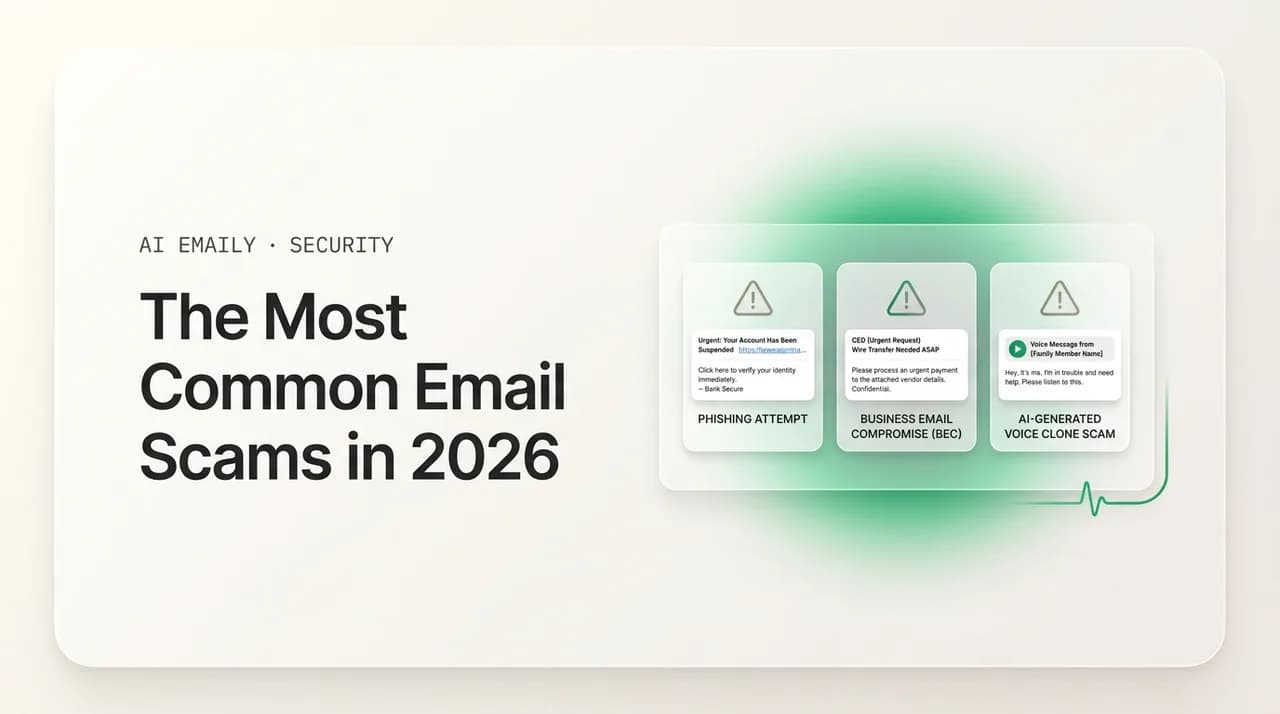
The Most Common Email Scams in 2026 (and How to Avoid Every One)

The short answer
Email scams cost Americans billions every year, and most fall into a short list: phishing, business email compromise, advance-fee and lottery cons, romance fraud, sextortion, fake invoices, tech-support pop-ups, job and check overpayment, crypto, gift cards, fake deliveries, charity, subscription renewals, and QR-code lures. Learn the tell for each and they stop working.
A field guide to the most common email scams in 2026 — phishing, BEC, sextortion, fake invoices, crypto, and more — with the tell for each and how to avoid them.
On this page
- 01How do email scams generally work?
- 02What is the difference between a phishing email and a scam email?
- 03What is a phishing email scam?
- 04What is business email compromise (CEO fraud)?
- 05What is the advance-fee scam (419, lottery, and inheritance)?
- 06What is a romance scam?
- 07What is the sextortion email scam?
- 08What is the fake invoice scam?
- 09What is the tech-support scam?
- 10What is the job-offer and check-overpayment scam?
- 11What is the crypto-investment scam?
- 12What is the gift-card scam?
- 13What is the fake package-delivery scam?
- 14What is the charity scam?
- 15What is the subscription-renewal scam?
- 16What is the QR-code email scam (quishing)?
- 17What red-flag patterns repeat across every email scam?
- 18What should you do if you've been targeted or scammed?
- 19How AI Emaily flags scams and phishing automatically
- 20The bottom line on avoiding email scams
Email is still the front door for fraud, and the numbers are not subtle. The U.S. Federal Trade Commission reported that consumers lost more than $12.5 billion to fraud in 2024 — a 25% jump over the prior year — and for the second year running, email was the most common way people said scammers first reached them. The FBI's Internet Crime Complaint Center (IC3) tracked an even larger figure across all internet crime: over $16.6 billion in reported losses in 2024, the highest total it has ever recorded. A great deal of that begins with a single message in an inbox.
The good news hidden inside those grim totals is that email scams are not infinite. They come in a manageable number of recognizable shapes, and almost all of them lean on the same psychological levers: a sense of urgency, a trusted-looking sender, a story that is just plausible enough, and one action that hands over money, credentials, or access. Once you can name the script, the next variant of it announces itself — even when the writing is polished and the logo is perfect.
This guide is a field catalog of the most common email scams in 2026. We will walk through more than fifteen of them, one short section each, and for every scam we will cover three things: how it works, the tell that gives it away, and a concrete example or a list of red flags you can screenshot. Then we will pull back to map the patterns that repeat across all of them, lay out exactly what to do if you have been targeted or have already lost money, and explain — honestly — where an email client like AI Emaily can help and where it cannot.
If you want to go deeper on the single most common category, our companion guides cover real email phishing examples line by line and the red flags for how to spot a phishing email. For the high-dollar version aimed at companies, see our breakdown of business email compromise. This page is the wide-angle view: the whole rogues' gallery, in one place.
How do email scams generally work?#
Strip away the branding and the backstories and nearly every email scam runs through the same four stages. Understanding the machine matters more than memorizing any single con, because the scams change costumes constantly while the machine stays the same.
Read the stages in order. The earlier you interrupt the sequence, the safer you are — and the very first stage, the bait landing in your inbox, is the cheapest one for an attacker to send to millions of people at once.
- 1
The bait — a message engineered to be opened
A subject line and sender designed to provoke curiosity, fear, greed, or a sense of duty. It impersonates a brand, an authority, a love interest, or a colleague. The cost of sending is near zero, so scammers blast enormous volumes and only need a tiny fraction to bite.
- 2
The hook — an emotional lever that stops you thinking
Urgency ("your account closes in 24 hours"), fear ("we recorded you"), authority ("this is your CEO"), or reward ("you've won"). The hook exists to move you from your slow, skeptical brain to your fast, reactive one. A calm person checks; a rushed person clicks.
- 3
The ask — one specific action that compromises you
Almost every scam funnels you toward one of a few moves: log in here, pay this, buy gift cards, send a wire, share a code, open this file, or call this number. Map the ask to reality. No bank fixes fraud by having you type your full password into an emailed link.
- 4
The cash-out — fast, anonymous, and hard to reverse
Scammers prefer payment rails you cannot claw back: gift cards, cryptocurrency, wire transfers, and peer-to-peer apps. Once the money moves through one of these, recovery is difficult. The whole script is built to get you to this step before you can verify anything.
The one mindset that defeats most email scams
What is the difference between a phishing email and a scam email?#
People use the terms interchangeably, and the overlap is large, but the distinction is useful. Phishing is a technique: an email that tries to trick you into revealing something — usually login credentials or financial details — often by sending you to a fake page that captures whatever you type. A scam is the broader category of any fraud that aims to separate you from your money or data.
So phishing is one (very common) species of email scam, but not all scams are phishing. A sextortion email that demands Bitcoin contains no fake login page; an advance-fee "inheritance" con persuades you to send money voluntarily; a romance scammer builds trust over weeks before asking for anything. The practical takeaway is that you cannot rely on a single trick — like "check the link" — to catch everything. You need to recognize the whole family, which is what the rest of this guide is for.
What is a phishing email scam?#
Phishing is the most common email scam of all, and it is the entry point for a large share of the others. The classic version impersonates a brand you trust — Microsoft, Google, PayPal, Apple, a bank, a delivery carrier — and claims there is a problem with your account: it is locked, a payment failed, a sign-in looked suspicious, your password is expiring. A button takes you to a near-perfect copy of the real login page, and whatever you type flows straight to the attacker.
Phishing remains the single most reported cybercrime type to the FBI, with nearly 200,000 complaints in 2024. The 2026 versions are visually flawless and, increasingly, written by AI, which has erased the spelling and grammar mistakes that used to give them away. The tell is no longer bad English — it is the mechanics: the real sender address behind the friendly display name, the true destination of the link, and an ask that does not fit how the real company behaves.
- The tell: a lookalike sender domain (paypal-account-review.com is not paypal.com) and a login link off the real site.
- Vague "unusual activity" with no specifics, plus a countdown to suspension.
- What to do: never log in from a link in an email — open the official app or type the address yourself and check there.
The reflex that defeats most phishing
What is business email compromise (CEO fraud)?#
Business email compromise (BEC), often in its CEO-fraud form, is the most expensive email scam by a wide margin. An employee in finance, HR, or an executive assistant role receives a short, urgent note that appears to come from a senior leader or a known vendor, asking for an unusual favor: wire a payment to a new account, change a vendor's banking details, buy gift cards, or send over employee payroll data. There is no malicious link to scan — just a believable request that fits the rhythm of a normal workday.
The FBI tracked $2.77 billion in BEC losses in 2024, ranking it the second-costliest crime category, and has tied roughly $8.5 billion to BEC over a recent three-year span. What makes it work is social engineering, not malware: the message leans on authority, urgency, and secrecy. The tell is the combination of an unusual money or data request with a reason you cannot verify it right now — the "boss" is in meetings, the deal is confidential, the deadline is today.
- The tell: an executive's name on a free email account, plus urgency and secrecy that block your usual checks.
- A request that bypasses normal approval steps for payments, payroll, or vendor banking details.
- What to do: verify any money or account change on a second channel you already trust — a known phone number or in person — never by replying. See our full guide on business email compromise.
BEC defeats inbox-only checks
What is the advance-fee scam (419, lottery, and inheritance)?#
The advance-fee scam is the ancestor of modern email fraud — the "Nigerian prince" con, formally known as a 419 scam after the section of Nigerian law it violates. The setup is always a large sum of money you can receive — a hidden fortune, a lottery you somehow won, an inheritance from a distant relative, a businessman who needs help moving funds — if you first pay a smaller sum to unlock it. The fees never end: processing charges, legal documents, taxes, bribes, transfer costs. Each payment buys only the next obstacle.
The FBI's IC3 logged over 7,000 advance-fee complaints totaling more than $102 million in reported losses in 2024, and while much of this activity has migrated to social media and messaging apps, the email versions persist. The tell is the core illogic: no real lottery requires you to pay to collect winnings, and you cannot inherit from or win money you never entered into. Unsolicited wealth that demands an upfront payment is, without exception, a scam.
- The tell: you "won" a lottery you never entered, and you must pay a fee before you can be paid.
- Pressure to keep it secret and act within a short window, paid by wire transfer.
- What to do: delete it. Legitimate prizes, inheritances, and windfalls never require an advance payment to release them.
What is a romance scam?#
Romance scams — which the FBI files under confidence fraud — start with a connection, not a request. The scammer poses as a potential partner, often initiating contact through a dating app or social media and then moving the conversation to email or private messaging. Over weeks or months they build genuine-feeling intimacy and trust, sometimes with stolen photos and a detailed invented life. Only once the emotional bond is real do they introduce a crisis: a medical emergency, a stranded trip, a customs fee, a sudden investment opportunity they want to share with you.
These are among the most financially and emotionally devastating scams, and they rank near the top of the categories harming older adults; cryptocurrency "investment" pitches woven into a romance (sometimes called pig-butchering) have driven losses into the billions. The tell is structural: the relationship moves fast and deep, the person always has a reason they cannot meet or video-call, and eventually — always — money needs to flow in one direction, frequently via gift cards, wire, or crypto.
- Red flag: a fast, intense online relationship with someone you have never met in person.
- Red flag: repeated excuses for why they cannot video-call or meet — they are traveling, working offshore, deployed, or the camera is broken.
- Red flag: a turn from affection to a financial emergency, an "opportunity," or a request for help moving money.
- Red flag: requests for gift cards, wire transfers, or cryptocurrency, often escalating once you have paid once.
- What to do: never send money or crypto to someone you have not met in person, no matter how real the bond feels. Run a reverse image search on their photos and talk to someone you trust before acting.
What is the sextortion email scam?#
The sextortion scam is pure psychological blackmail, and it is almost always a bluff. The email claims the sender hacked your device, recorded you through your webcam while you visited an adult website, and will send the footage to all of your contacts unless you pay — typically $500 to $2,500 in Bitcoin within 48 hours. To seem credible, the message often includes a real password of yours (harvested from an old data breach), spoofs your own email address to look like it was "sent from your account," or even pastes a photo of your home pulled from online maps.
The fear is real but the threat usually is not. In the overwhelming majority of cases the scammer has no video and no access to your computer — they are blasting the same template to millions of addresses, betting that a small number will panic and pay. The tell is the demand itself: untraceable cryptocurrency, a tight deadline, and "proof" that is actually just public breach data or a street-view image, never an actual recording.
- The tell: an old, breached password used as fake "proof," a spoofed from-address, and a demand for untraceable Bitcoin.
- A short deadline and a threat to message your contacts, designed to make you pay before you think.
- What to do: do not pay and do not reply. Delete it. Change any password that still matches the one quoted, turn on multi-factor authentication, and report it to IC3.gov.
If a sextortion email quotes a real password
What is the fake invoice scam?#
The fake-invoice scam attaches or links to a bill for something you do not remember buying, then offers a phone number or link to "dispute" the charge. Often there is no real attachment at all — just a number to call, which routes you to a fake support agent. This hybrid is known as callback phishing, and it is rampant: brands like Geek Squad, Norton, McAfee, and PayPal are impersonated constantly.
The cleverness is reverse psychology. The email does not ask you to pay — it bets you will panic at being charged for something you never bought and reach out to cancel it, handing your card details or remote access to your computer to the "agent" on the other end. The tell is that the only way to resolve the charge is through contact details inside the email itself, rather than your real account dashboard.
- The tell: a phone number or link to "dispute" a charge, instead of a real account portal.
- A charge you do not recognize, a round dollar amount, and a 24-hour deadline.
- What to do: ignore the contact details in the email. If you have an account with the company, open a new tab, type the address yourself, and check your billing there.
What is the tech-support scam?#
The tech-support scam convinces you that your computer is infected or compromised and that you must call a number for urgent help. It arrives as an email "security alert" — often impersonating Microsoft, Apple, or your antivirus brand — or as a full-screen browser pop-up with a blaring warning and a toll-free number. When you call, a "technician" talks you into installing remote-access software, then either steals data, demands payment for fake repairs, or empties your bank account while you watch.
Tech-support fraud is consistently one of the top scams targeting older adults, and the refund variant is especially nasty: a follow-up claims you are owed a refund, has you log into your bank to "receive" it, then tricks you into thinking they over-refunded you so you wire the difference back. The tell is universal — real companies do not put a phone number in a pop-up or email and ask you to grant remote control of your device.
- The tell: an alarming warning with a phone number, urging you to call and grant remote access.
- Threats that your device will be locked or your data stolen if you do not act this instant.
- What to do: never call the number or install remote-access software. Close the pop-up, run your own trusted antivirus, and contact the company through its official site if worried.
What is the job-offer and check-overpayment scam?#
Job scams have surged alongside remote work. A "recruiter" emails about a flexible, well-paid position — often vague roles like "online assessor" or "product reviewer" — with little detail about the actual work. After a quick, easy "interview," you are hired. Then the fraud begins: you are sent a check to buy equipment or are "accidentally" overpaid and asked to refund the difference. The check is fake; it can take a bank weeks to discover that. By then you have wired back real money, and the bank reclaims the full bounced amount from you.
A related variant is the task scam, where you earn small amounts liking videos or rating products to build trust, then are pressured to "invest" your own money to unlock higher-paying tasks. The FTC received roughly 31,000 job-and-employment text-scam reports in the first quarter of 2026 alone, with the average victim losing over $2,000. The tell is simple: a legitimate employer never sends you a check and asks you to send part of it back, and you should never have to pay money to make money at a real job.
- Red flag: a job offer with high pay, vague duties, and no real interview, often arriving unsolicited.
- Red flag: being asked to deposit a check and wire back a portion, or to buy gift cards or equipment up front.
- Red flag: "invest your own money" to unlock more tasks or higher earnings.
- Red flag: communication only over text, chat, or personal email, never a verifiable company channel.
- What to do: never send money back from a check that has not fully cleared (weeks, not days), and never pay to get a job. Verify the company and recruiter independently.
"The funds are in your account" does not mean the check is good
What is the crypto-investment scam?#
Investment fraud was the single costliest crime category the FBI tracked in 2024, with $6.57 billion in reported losses — and cryptocurrency was the heart of it, accounting for the large majority. Email plays a starring role: unsolicited "opportunity" messages promising guaranteed high returns, fake giveaways claiming a celebrity or exchange will double any crypto you send, phishing for your wallet seed phrase, and invitations to slick trading platforms that show fake gains to lure bigger deposits.
The most insidious version is investment fraud that grows out of a relationship — the scammer befriends or romances you, then introduces a "can't-lose" crypto platform. Early small withdrawals work, building trust, until you deposit a large sum and the platform vanishes or demands ever more "taxes" and "fees" to release your money. The tell is the promise itself: guaranteed returns do not exist, no legitimate platform asks for your seed phrase, and no one doubles free money you send to a wallet.
- The tell: "guaranteed" returns, a promise to double or match crypto you send, or a request for your wallet seed phrase.
- Urgency ("today only," "first 500") and pressure to deposit more after small early "profits."
- What to do: never send crypto to claim a giveaway, never share a seed phrase, and treat any unsolicited investment pitch as a scam. Verify platforms independently before depositing anything.
What is the gift-card scam?#
The gift-card scam is a fast, focused con that can be wrapped in many disguises. The message impersonates a boss, a family member, a pastor, a school principal, or a government agency, and claims they urgently need you to buy gift cards — for a client gift, an emergency, a bill, a fine — and to read the codes off the back and send them over. The instant you share the codes, the value is drained and effectively unrecoverable.
Gift cards are the perfect fraud instrument: anonymous, instant, and irreversible. That is exactly why no legitimate employer, agency, utility, or institution will ever ask you to pay a debt, bill, or favor with gift-card codes. The request itself is the entire tell. The FTC has reported gift cards among the most common payment methods scammers demand, precisely because the money cannot be recalled.
- The tell: any request to buy gift cards and share the codes is fraud, no matter who appears to be asking.
- A familiar name on the wrong address, an excuse for being unreachable, and a secrecy framing.
- What to do: do not buy the cards. Verify with the real person on a known number. No real institution collects payment in gift cards.
What is the fake package-delivery scam?#
Delivery scams exploded with online shopping and have not slowed. The message claims a package could not be delivered because of an "incomplete address" or an "unpaid customs fee," and asks you to click to reschedule or pay a tiny charge. The fee is small on purpose — a dollar or two feels too trivial to be a scam — but the real prize is the card details and personal information you enter on the fake carrier site, which can then be used for far larger fraud.
These arrive as both emails and texts (smishing), often impersonating USPS, FedEx, UPS, or Amazon, and a parallel wave of fake "unpaid toll" texts has spread nationwide. The single most useful fact: the major carriers and toll agencies do not send unsolicited messages with payment links unless you specifically signed up for alerts. The tell is a delivery problem or fee you were not expecting, tied to a link or tracking number you cannot match to a real order.
- The tell: a carrier name on an unofficial domain, plus a small "redelivery" or "toll" fee paid by link.
- A package or tracking number you cannot tie to an order you actually placed.
- What to do: do not click. Track any real package by typing the carrier's official site yourself and entering the number there.
What is the charity scam?#
Charity scams prey on generosity, and they spike after disasters — hurricanes, wildfires, earthquakes, conflicts — when people most want to help. The email poses as a relief organization or a personal appeal, complete with heart-wrenching imagery and an urgent plea to donate now. The money goes straight to the scammer, and any details you enter feed identity theft. Some versions impersonate well-known charities; others invent plausible-sounding ones.
The defining tactic is emotional urgency layered over an untraceable payment method: scam charities push for donations by gift card, wire, cash app, or cryptocurrency, and resist any pause for verification. The tell is pressure to give immediately to an organization you did not seek out, especially via a payment rail you cannot reverse. Real charities are happy for you to take a day, check their registration, and give through their official site.
- Red flag: an unsolicited donation appeal that pressures you to give right now, especially after a disaster.
- Red flag: requests for gift cards, wire transfers, or crypto instead of a normal, traceable donation.
- Red flag: a charity name that is vague, brand-new, or a near-copy of a famous organization's.
- What to do: never donate via the link or payment method in the email. Look the charity up independently (for example through a charity-rating service), and give through its official website.
What is the subscription-renewal scam?#
Subscription-renewal scams are a close cousin of the fake invoice, usually impersonating antivirus brands (Norton, McAfee, Geek Squad) or popular services and confirming that your plan has "auto-renewed" for a hefty annual fee. As with fake invoices, the renewal you never authorized is the bait, and a phone number or link to "cancel or dispute" the charge is the trap — calling reaches a fake agent who walks you through installing remote-access software or reading out your card number for a "refund."
Antivirus brands are favored impersonations for a cynical reason: the lure plays on your sense of security. "You're protected, and here's the bill" feels routine, so the only surprising part is the price. The tell is that the only path to fix the charge is the contact details in the email, never your real account. Genuine cancellations and refunds always happen inside the account you actually hold with the company.
- The tell: a brand name on an off-brand domain, plus a number to "cancel" instead of your real account portal.
- A renewal and a large charge you do not remember, with a 24-hour window to call.
- What to do: ignore the number. Check the subscription inside your real account, and dispute any genuine charge with your card issuer.
What is the QR-code email scam (quishing)?#
QR-code phishing — "quishing" — swaps the clickable link for an image of a QR code, and it has become a favorite precisely because it sidesteps the link scanning that catches ordinary phishing. The email asks you to scan the code to view a voicemail, reset a password, complete a mandatory MFA "re-enrollment," pay a parking or toll charge, or read a "secure document." Because the malicious URL is encoded inside an image, many email filters never see it — and you complete the scan on your phone, often a less protected device than your work computer.
Quishing is exploding: Microsoft's analysis of billions of email threats found QR-code phishing surged 146% in a single quarter of 2026, and the IRS added QR-related lures to its 2026 "Dirty Dozen" list of top scams. Attackers even print fake QR stickers over real ones on parking meters and pay stations. The tell is the format itself — an unexpected QR code in an email, pushing you to act on a phone, is a link you cannot inspect, so treat it exactly like a suspicious link.
- The tell: a QR code in place of a normal link, which slips past many email scanners.
- Pressure to complete the action on your phone, away from work-device protections, with a tight deadline.
- What to do: do not scan unexpected QR codes in email. Reach the service directly by typing its official address on a trusted device.
Why a QR code is more dangerous than a link
What red-flag patterns repeat across every email scam?#
Lay all of these scams side by side and the disguises fall away. Almost every one combines the same ingredients: a sender pretending to be someone trusted, a single emotional lever, an ask that compromises you, and a payment or action that is hard to reverse. The table below maps each scam to its core lure and its sharpest tell — a quick-reference you can screenshot and keep.
| Email scam | Pretends to be | Emotional lever | Sharpest red flag |
|---|---|---|---|
| Phishing | A brand or bank | Fear of losing access | Login link off the real domain |
| BEC / CEO fraud | Your executive or vendor | Authority + urgency | Money or banking change you can't verify now |
| Advance-fee / lottery | A windfall or official | Greed + reward | Pay a fee to unlock a prize you never entered |
| Romance scam | A love interest | Affection + trust | Never meets, then needs money |
| Sextortion | A hacker who "recorded" you | Fear + shame | Bitcoin demand backed by a breached password |
| Fake invoice | A retailer or service | Surprise charge | A number to "dispute," not a real account |
| Tech support | Microsoft, Apple, antivirus | Fear of infection | Call a number and grant remote access |
| Job / overpayment | A recruiter | Easy money | Deposit a check, wire part back |
| Crypto investment | An exchange or expert | Greed + FOMO | Guaranteed returns or "double your crypto" |
| Gift card | A boss or authority | Helpfulness + secrecy | Buy gift cards and send the codes |
| Fake delivery | USPS, FedEx, a toll agency | Missed package | A fee or link for a delivery you can't match |
| Charity | A relief organization | Compassion + urgency | Donate now via gift card, wire, or crypto |
| Subscription renewal | Norton, McAfee, etc. | Surprise charge | A number to "cancel," not your account |
| QR / quishing | IT or a service | Mandatory deadline | A QR code instead of an inspectable link |
Three takeaways carry across the whole table. First, the sender's display name is theater; the real address is the evidence. Second, urgency is engineered — almost every scam invents a deadline, because a calm person verifies and a rushed person acts. Third, the dangerous move is nearly always one of a few: log in here, pay this, buy gift cards, send a wire or crypto, share a code, or open this file. If a message combines a pretend-trusted sender, a manufactured deadline, and one of those asks, treat it as a scam until you have proven otherwise on a separate channel.
What should you do if you've been targeted or scammed?#
Spotting the scam is half the job; a calm, repeatable response is the other half. The steps differ slightly depending on whether you caught it in time or already engaged, so work through the sequence below in order. The most important move at every stage is to stop and slow down — scams depend on speed, so removing the urgency removes most of the danger.
- 1
Do not engage — don't click, reply, call, or scan
Treat every link, button, phone number, attachment, and QR code in the message as hostile. Replying confirms your address is active; calling reaches the scammer's "support"; scanning loads the payload on your phone.
- 2
Verify through a channel you already trust
If the message claims to be from a company or person you know, contact them independently — type the website yourself, use the number on the back of your card, or call a colleague or relative on a known number. Never use the contact details inside the suspicious message.
- 3
If you paid or shared details, act fast
Call your bank or card issuer immediately to stop or reverse a payment and replace the card. For a wire, ask the bank about a recall. If you shared a password, change it from a different trusted device and turn on multi-factor authentication. Gift-card and crypto payments are hard to recover, but report them anyway and contact the card issuer.
- 4
Report it to the FTC and the FBI
In the United States, report scams and fraud to the FTC at ReportFraud.ftc.gov, and report any cyber-enabled crime or financial loss to the FBI's Internet Crime Complaint Center at IC3.gov. For brand impersonations there are often dedicated addresses (IRS-themed scams go to [email protected]). Forward unwanted spam texts to 7726 (SPAM). Reporting helps shut campaigns down for everyone.
- 5
Watch for the follow-up "recovery" scam
Falling for one scam often triggers a second wave: a fake "fund recovery" service, a bogus official, or a law firm offering to get your money back for a fee. Treat any unsolicited follow-up about the incident as another scam, because it almost always is.
Where to report, at a glance
How AI Emaily flags scams and phishing automatically#
Knowing every scam in this guide is the durable defense, but no one wants to forensically dissect each message before breakfast — and the whole point of these cons is to catch you in the one rushed moment when you don't. That is the gap AI Emaily is built to close: it reads incoming mail with the same instincts you have just learned and surfaces the risky ones before they reach the part of your brain that reacts to a deadline.
AI Emaily is an AI-native email client that works with every provider — Gmail, Outlook, iCloud, Yahoo, or any IMAP account — so you can keep your existing address and add a layer of judgment on top of it. The goal is not to replace your attention but to give it a head start.
- AI scam and phishing detection that reads each message for the exact signals in this guide — lookalike senders, urgency framing, mismatched links, and risky asks like gift-card requests, wire instructions, or password re-entry — and flags the suspicious ones.
- Plain-language suspicious-email warnings: instead of a silent score, you get a clear note on what looks off ("this sender domain doesn't match the brand it claims"), so you stay in control of the decision.
- Spoofing flags that catch forged senders — including the "sent from your own address" trick used in sextortion — so a faked from-line doesn't slip past unnoticed.
- Automatic tracking-pixel blocking, so the invisible images that confirm your address is live — and feed follow-up scam waves — don't load by default.
- Private by design: AI Emaily never trains its models on your email. Your messages are yours, used only to help you triage your own inbox, across every account you connect.
Pricing is straightforward. The Free plan is $0 and includes the core AI-assisted inbox, so you can try the detection on your own mail at no cost. Pro is $12.42/month billed annually for people who want the full assistant across all their accounts. You can connect an account and start in a couple of minutes at app.aiemaily.com/signup.
AI Emaily is not a silver bullet, and we will not pretend it is — the strongest protection is always an alert person plus a tool that flags what slips through. Some scams, like a BEC wire request written in clean language with no malicious link, are designed to look like ordinary email; for those, the out-of-band verification habit in this guide is irreplaceable. But pairing that habit with automatic detection means the next fake invoice, locked-account lure, or QR-code prompt is far more likely to arrive pre-labeled as suspicious than to catch you mid-rush.
Detection assists judgment — it doesn't replace it
The bottom line on avoiding email scams#
More than fifteen scams, one lesson: email fraud is a small set of scripts wearing different costumes. A locked account, a CEO in a hurry, a lottery you never entered, a love interest who needs money, a blackmail threat, a fake invoice, a virus warning, a too-good job, a guaranteed crypto return, a gift-card favor, a package on hold, a disaster appeal, a surprise renewal, a QR code to scan. Strip the branding away and you find the same skeleton every time — a trusted-looking sender, a manufactured urgency, and one action that hands over money, credentials, or access.
You do not need to recognize every scam to be safe; you need to recognize the moves. Check the real sender address. Read the link before you visit it. Notice when a message is trying to rush you. Refuse to pay in gift cards or crypto on someone else's say-so. And keep one rule sacred: never log in, pay, send money, or share a code from a link in an email — go to the source yourself, and verify any unusual money request on a second channel. That handful of habits defeats the overwhelming majority of what is in this guide.
From here, go deeper with our worked email phishing examples and the red flags for how to spot a phishing email, and read up on business email compromise if you handle money at work. And if you would like your inbox to flag the suspicious ones before you even open them, you can try AI Emaily's scam and phishing detection free at app.aiemaily.com/signup — clear warnings, spoofing flags, tracking-pixel blocking, every provider, and no training on your mail.
Frequently asked
See it in AI Emaily
Keep reading
Sources

Written by
Nafiul HasanNafiul Hasan is an entrepreneur and AI automation system builder with 10+ years of experience turning messy, manual workflows into reliable automated systems. He designs and ships AI enterprise solutions end-to-end — the agent logic, the data plumbing, and the product people actually use — and founded AI Emaily to give busy professionals their attention back. He writes here from the builder's seat: what works, what breaks, and how to put AI to work without giving up control.