How to write a sick leave email (templates for calling in sick)

The short answer
A good sick leave email tells your manager you are unwell, whether you will be reachable, and when you expect to return. Keep it to three or four sentences, send it as early as you can, and skip the symptoms. You are never required to disclose a diagnosis for a normal sick day.
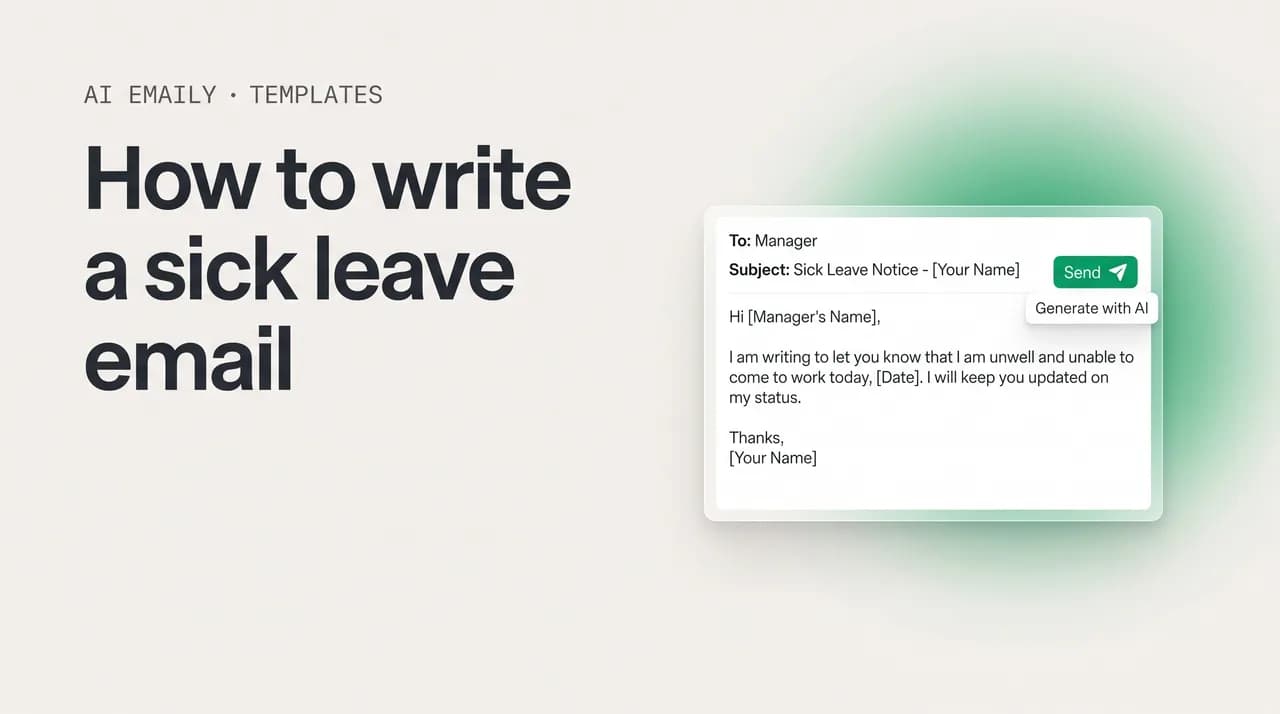
How to write a sick leave email that is clear and professional, plus 14 copy-paste templates for calling in sick, multi-day, doctor's visits, and more.
On this page
- 01What is a sick leave email and what should it actually say?
- 02When and who should you tell when you are sick?
- 03What should a sick leave email include?
- 04What is the best sick leave email for a single day off?
- 05How do you write a sick email for multiple days off?
- 06What do you write when you are calling in sick the morning of?
- 07How do you write an email for a doctor's appointment or to leave early?
- 08What should you write when your child or family member is sick?
- 09Can you send a sick leave email for a mental health day?
- 10What do you write when you are contagious or offering to work from home?
- 11How do you write an email for extended or medical leave?
- 12What is the difference between emailing a manager and a team?
- 13How much should you disclose in a sick leave email?
- 14How do you hand off work before a sick day?
- 15What are the most common sick leave email mistakes?
- 16Sick leave email do's and don'ts at a glance
- 17Can AI Emaily write and send your sick leave email for you?
- 18Putting it all together
What is a sick leave email and what should it actually say?#
A sick leave email is the short message you send to tell your manager that you are unwell and will not be working, either today, for a few days, or for a longer stretch. It is sometimes called a sick day email, a calling-in-sick email, an out-sick note, or a medical leave email, but the job is identical in every version: let the right people know you are out, set expectations for when you will be back, and hand off anything that genuinely cannot wait. It is one of the most common emails anyone writes at work, and one of the easiest to overthink.
The thing most people get wrong is treating it like a confession. You do not owe your manager a symptom-by-symptom account of your illness, a diagnosis, or a defense of why you deserve the day. A sick leave email is a notification, not a request for permission and not a doctor's note. The reader has exactly three questions: Are you working today or not? When will you be back? And is anything urgent covered while you are gone? Answer those three clearly and you are done.
How little you can disclose surprises people. "I am feeling unwell and need to take a sick day" is a complete, professional sentence. So is "I am not well enough to work today." You can stop there. Career and HR writers are consistent on this point: for a normal short-term illness, no reputable guide expects you to name what is wrong with you, and in many places your specific health information is legally protected. The instinct to over-explain usually comes from guilt, not from any real requirement, and over-explaining can actually make the email read as less confident, not more honest.
There is a reason this small email carries weight. When you go quiet without a word, a manager is left guessing, a teammate stalls on something only you can unblock, and a client wonders why their thread went cold. The sick leave email closes that gap in one move. It tells your team you are out so they stop waiting on you, it routes the one or two things that matter to someone who can act, and it protects your reputation as someone who communicates even on a bad day. A person who sends a clean three-line note while feeling awful looks more reliable, not less, than someone who simply vanishes.
This guide walks through who to tell and how fast, the anatomy of a message that does its job, and then fourteen copy-paste templates grouped by situation: the one-day cold, the multi-day flu, the morning-of scramble, the doctor's appointment, the sick child, the mental health day, the contagious-so-staying-home note, the work-from-home offer, the extended medical leave, the recurring condition, and versions aimed specifically at a manager and at a team. After the templates you will find a plain table on exactly how much to disclose, a coverage and handover checklist, the mistakes that quietly make a fine email land badly, and a short note on letting your email client draft and send the whole thing for you when you are too foggy to write.
When and who should you tell when you are sick?#
Speed matters more than polish. The single most useful thing you can do is tell the right person as early as possible, ideally before the workday starts and before anyone is counting on you to show up. If you wake up at 6 a.m. knowing you are not going in, send the email then; do not wait until 9:05 when a meeting you were supposed to run is already starting. The earlier the notice, the more time your team has to shuffle coverage, push a deadline, or reassign a task, and the less your absence costs anyone.
If you knew the night before, say the night before. Feeling a flu coming on at 10 p.m.? A short heads-up that evening, followed by a confirmation in the morning, is the considerate move and saves your manager from planning around someone who is not coming. There is no prize for waiting until the last possible second to be sure; a quick "I am not feeling well and may need to be out tomorrow, I will confirm first thing" costs you nothing and helps everyone.
Who you tell, and how, depends on your workplace, so check the norms before you default to email. Run through this quick list.
- Follow your company's stated process first. Some employers want a call, some a text, some an entry in an HR or time-off system, and some are fine with email. If there is a written policy, follow it; an email on top is still a good paper trail.
- Tell your direct manager. They are the person who needs to know first and who will decide what gets covered. Address the email to them, not to a general inbox, unless your policy says otherwise.
- Loop in anyone directly affected. If you have a meeting, a shift, or a handoff today, the people relying on you should know, either copied on the note or told separately so they are not left waiting.
- Copy HR or use the leave system if required. For anything beyond a day or two, or wherever your company tracks sick time formally, log it the way they expect so your absence is recorded correctly.
- Notify a backup for urgent work. If something cannot wait, name the colleague who can handle it, and give them a quick heads-up directly so they are not blindsided by a stranger forwarding them your tasks.
One more timing note for multi-day or open-ended absences: do not promise a return date you cannot keep. If you genuinely do not know whether you will be back tomorrow, say you will send an update by a specific time, for example "I will let you know by tomorrow morning whether I can be in." A vague "see you soon" leaves your manager planning blind; a concrete "I will update you by 9 a.m." gives them something to work with and buys you room to rest without a string of follow-up emails chasing you.
The three-question test
What should a sick leave email include?#
Strip away the wording and every good sick leave email contains the same few parts. You do not need a paragraph for each; the best ones fit all of this into three or four sentences. Here is the anatomy, in the order it usually reads best.
- 1
A clear subject line
Make it scannable so your manager sees it without opening the email: "Sick day, [Your Name]" or "Out sick today, [Your Name]." For multiple days, "Sick leave, [dates]." A clear subject means the message does half its job in the inbox preview.
- 2
A direct opening that says you are out
Lead with the headline: "I am feeling unwell and will not be able to work today." This one line carries the message. Everything after it is detail. Do not bury it under apologies or backstory.
- 3
How long you expect to be out
Say whether this is one day, a few days, or uncertain, and give a return date if you have one: "I expect to be back tomorrow, Thursday." If you do not know, promise an update by a specific time instead of guessing.
- 4
Whether you will be reachable
Set expectations on contact. Either "I will be offline and resting today" or "I will check email a couple of times for anything urgent." Only promise availability you actually intend to honor; if you are truly out, say so.
- 5
Coverage for anything urgent
If something time-sensitive is on your plate, name who is handling it: "Priya has the client deck and can field any questions at [email protected]." This is the part that turns your absence from a problem into a non-event.
- 6
A brief, optional reason and a courteous close
A general reason is plenty: "feeling unwell," "a stomach bug," "a migraine." You can skip it entirely. Close with a simple "Thank you for understanding" or "I will keep you posted." Warm, short, done.
Notice what is not on that list: your symptoms in clinical detail, a diagnosis, the name of your condition, a description of your bathroom, or a long apology. A sick leave email gets shorter and more professional the less of that it contains. The reader is your manager, not your doctor, and the goal is to inform them and let them get on with their day, not to make a case. If you find yourself writing a fourth or fifth sentence, ask whether it is carrying information or just guilt.
The length really is the discipline. Two to four sentences is the sweet spot for a one-day absence, and even an extended-leave email rarely needs more than a short paragraph. Keeping it brief forces you to lead with what matters, which is exactly what a busy manager skimming their inbox first thing in the morning needs from you.
What is the best sick leave email for a single day off?#
The one-day sick email is the most common version and the easiest to get right. You are out today, you expect to be back tomorrow, and there is rarely much to hand off for a single day. Keep it short, confirm the basics, and send it early. Here are several versions at different levels of detail; copy the one that fits and swap in your details.
Start with the short, all-purpose version that works for almost anyone:
If you want a slightly warmer version that also reassures your manager that nothing will slip, the one below adds a quick line about coverage. Use it on a day when you actually have something on your plate that someone might ask about.
And if your team is informal and you prefer the briefest possible note, this stripped-down version is completely fine. It says everything that matters in two lines and nothing it does not.
How do you write a sick email for multiple days off?#
When one day will not be enough, the email changes in two small ways: you give a range instead of a single day, and you do a little more to cover your work, because a longer gap is more likely to leave something stranded. The flu, a bad cold, or a recovery that needs real rest all fall here. Be specific where you can, and if the end date is genuinely uncertain, say you will check in rather than naming a day you might miss.
A clean multi-day version:
If you do not yet know how long you will be out, do not invent a date. Give a rough sense of it and, more importantly, commit to a specific moment when you will provide an update. This keeps your manager informed without forcing you to predict your own recovery.
Update by a time, not "soon"
What do you write when you are calling in sick the morning of?#
The morning-of email is the one people send while half-asleep and feeling terrible, which is exactly when brevity helps most. You woke up sick, work starts soon, and you need to get the word out fast. Do not labor over it. State that you are out, give your best guess at a return, and send it. You can sort out coverage details in a follow-up once you are a little more functional if you need to.
The fast morning-of version:
If you are missing something specific that was on the calendar for today, such as a meeting you were running, add one line so the people counting on you are not left waiting. A short note here prevents a much more awkward silence at the start of a call.
How do you write an email for a doctor's appointment or to leave early?#
Not every health-related email is a full day off. Sometimes you need a couple of hours for a doctor's or dentist's appointment, or you need to leave partway through the day. These are partial-absence emails, and they read a little differently: you are usually still working around the gap, so the useful detail is the window you will be away and whether you will make the time up or be reachable. As always, you do not need to say what the appointment is for.
A simple appointment heads-up:
If you start the day fine but need to head out early because you have started feeling ill, a short note as soon as you know is the right move. It is the same idea as a morning-of email, just mid-shift.
What should you write when your child or family member is sick?#
When you are out because a child or family member is ill rather than you, the email is much the same, with one shift in framing: you are caring for someone, so it helps to signal, briefly, that you have a handle on the situation. You still do not need to name the person, describe their illness, or explain your family arrangements. "A family health matter" or "my child is unwell" is all the context any workplace needs. Keep the reason general and put the focus on your plan for the day.
A straightforward version for staying home with a sick child:
If the situation is more serious or open-ended, such as caring for a family member through an illness, treat it like an extended-leave note: keep the reason general, commit to an update, and point to coverage. You can share more with your manager privately if you choose, but the written email does not need it.
Can you send a sick leave email for a mental health day?#
Yes, and you do not have to label it as one. Mental health is health, and a day to recover from burnout, anxiety, or simply being run down is a legitimate use of sick leave in most workplaces. The privacy principle is exactly the same as for a physical illness: you are telling your employer you need time off, not asking permission, and you are never required to specify that it is a mental health day. "Feeling unwell," "a health day," or "a personal day" communicates everything your manager needs to plan around.
If you would rather keep it fully general, this version works and gives nothing away:
If your workplace is openly supportive of mental health and you feel comfortable being direct, you can name it. Some people find that naming it, plainly and without apology, is both honest and a small way of normalizing it for others. Use your judgment about your own manager and culture.
A mental health day is a sick day
What do you write when you are contagious or offering to work from home?#
Two situations sit between a full day off and a normal workday: when you are contagious and should stay away from colleagues, and when you are unwell but well enough to work from home rather than take the day entirely. Both deserve a quick, considerate note, and both are good for your team, you are protecting coworkers in one case and keeping work moving in the other.
If you are contagious, framing it as a courtesy to the team lands well, you are not just out, you are being responsible:
If you are mildly unwell and would rather work from home than burn a sick day, offer it as an option and make clear you can still do the job. Many managers will happily take a productive remote day over a full absence, but let them decide.
Working from home is not a free pass to skip rest
How do you write an email for extended or medical leave?#
An extended absence, a surgery and recovery, a longer illness, or a stretch of medical leave, calls for a more structured note than a single sick day, because someone will need to fully cover your work and your team will plan around your absence for weeks rather than hours. The reason can still stay general, but the coverage and timeline details matter much more. The goal is to make it unmistakable that you are not monitoring email and that your responsibilities are in good hands until you return.
A clean extended-leave version:
If you have a recurring or chronic condition that occasionally takes you out, you do not need to re-explain it every time, and you certainly do not owe anyone a medical history. A short, matter-of-fact note that references an existing arrangement keeps things simple and avoids making each absence feel like a fresh negotiation.
Know your leave protections before a long absence
What is the difference between emailing a manager and a team?#
Most sick leave emails go to one person, your direct manager, and that is the right default. They are the one who needs to know first and who decides what gets covered. The email to a manager is the detailed one: it can name your projects, your backup, and your expected return, because your manager is responsible for the work and benefits from the full picture.
Sometimes, though, you will also send a lighter note to your team or copy a few colleagues, especially if you work closely with people who will hit a wall the moment you go quiet. The team note is shorter and less about coverage logistics, which your manager is handling, and more about a simple heads-up so nobody waits on you. Think of it as the difference between telling the person in charge and telling the people standing next to you.
Subject: Sick day, Maria Lopez
Hi Daniel, I am feeling unwell this morning and will not be able to work today. I expect to be back tomorrow.
Priya has agreed to cover the Henderson account and the client call at 11 a.m.; I have given her what she needs. I will be offline but reachable by phone if something truly urgent comes up.
I will let you know first thing tomorrow if anything about my return changes. Thank you for understanding.
If you only have the energy for one email, send it to your manager and let them decide who else needs to know. A manager would much rather get a clear note from you and pass the word along than have you spend a sick morning composing a second message to the whole team. When in doubt, tell the one person who is responsible, cover the one thing that is urgent, and go back to bed.
How much should you disclose in a sick leave email?#
This is the question that trips people up most, so here is the whole thing in one place. The short answer is: far less than you think. For a normal sick day, a general statement that you are unwell is enough, and you are under no obligation to share a diagnosis, symptoms, or the nature of an appointment. The more serious or longer the absence, the more your employer may legitimately need to know about timing and documentation, but even then the medical specifics usually go to HR through a formal process, not into a casual email to your manager. The table below maps common situations to roughly how much detail is appropriate.
| Situation | What's appropriate to say | What you can leave out |
|---|---|---|
| One-day illness | "I am feeling unwell and will be out today." A general reason like "a cold" is optional. | Symptoms, diagnosis, how you caught it, or any medical detail. |
| Multi-day illness | The expected length or an update time, plus who is covering. A general reason is fine. | A clinical description; "the flu" or "a stomach bug" is more than enough. |
| Doctor's appointment | The time window you will be away and whether you are reachable. | What the appointment is for or which specialist you are seeing. |
| Mental health day | "Feeling unwell," "a health day," or "a personal day." Name it only if you want to. | Any explanation of what you are dealing with or why. |
| Sick child or family | "A family health matter" or "my child is unwell," plus your plan for coverage. | Who exactly is ill, their condition, or your family arrangements. |
| Contagious illness | That you are staying home to avoid spreading it; framing it as a courtesy. | A detailed account of symptoms beyond "a cold" or "a bug." |
| Extended or medical leave | Start and end dates, coverage, and that you will not be checking email. | The medical specifics, which generally go to HR through a formal process. |
| Recurring or chronic condition | A brief reference to an existing arrangement and your expected return. | A repeat of your medical history every time it flares up. |
The throughline across every row is the same: say enough to let your manager plan, and no more. Over-disclosing does not make you look more honest or more committed; it just hands over private information you are entitled to keep and can make the email read as anxious rather than professional. If you are ever unsure whether a detail belongs in the email, leave it out. You can always share more in a private conversation if you choose to, but you can never un-send a paragraph about your symptoms to your manager and whoever they forward it to.
How do you hand off work before a sick day?#
The difference between an absence that is a non-event and one that creates a scramble usually comes down to handover. You do not need an elaborate plan, especially for a single day, but a few minutes of pointing people in the right direction before you go offline saves everyone hours of guessing. The goal is simple: anything that is time-sensitive should have a clear owner and the context they need to act, so that work does not stall just because you are out.
Run through this quick coverage checklist before you log off, scaled to how long you will be gone.
- Name a backup for urgent items. Decide who handles the one or two things that genuinely cannot wait, and say so in the email with their name and contact.
- Give your backup a heads-up directly. Do not let them learn they are covering for you from a forwarded email. A quick message or call so they are not blindsided is the considerate move.
- Flag anything on today's calendar. Meetings, calls, shifts, or deadlines you were on the hook for should be reassigned or pushed, not left to fail silently.
- Point to where things live. "The deck is in our shared drive, the client thread is in my inbox under Henderson." Context is what lets a backup actually help instead of just receiving a problem.
- Set your own auto-reply for longer absences. For multi-day or extended leave, turn on an out-of-office reply so the rest of the world, not just your manager, knows you are out and who to contact.
- Resist over-engineering a one-day handoff. For a single sick day, a single line of coverage is usually plenty. Save the detailed handover notes for leave measured in days or weeks.
Pair your sick email with an out-of-office reply
What are the most common sick leave email mistakes?#
Most sick leave emails fail in small, avoidable ways rather than dramatic ones. Here are the mistakes that come up again and again, with what to do instead.
- Over-explaining your illness. The biggest one. A detailed account of your symptoms is unnecessary, occasionally uncomfortable for the reader, and makes the email read as defensive. Keep the reason general or skip it.
- Apologizing too much. One brief "sorry for the short notice" is plenty. A string of apologies makes a routine sick day sound like a major failing, which it is not. You are allowed to be ill.
- Asking permission instead of informing. "Would it be okay if I maybe took a sick day?" undercuts you. You are notifying your manager that you are unwell, not requesting their approval to be sick. State it plainly.
- Sending it too late. An email that lands after the workday has started, or after you have missed something, defeats the purpose. Send it as early as you possibly can, ideally before anyone is counting on you.
- Promising availability you will not deliver. "I will be checking email all day" sets a trap if you then sleep for twelve hours. If you are truly out, say you will be offline and mean it.
- No coverage for urgent work. Leaving time-sensitive items with no owner turns your absence into someone else's emergency. Name a backup, even if it is just for the one thing that matters today.
- A vague or missing return plan. "Out for a bit" tells your manager nothing. Give a return date, or if you do not know, promise an update by a specific time.
- A confusing or missing subject line. If your manager cannot tell from the inbox that you are out sick, the email is working too hard. Lead the subject with "Sick day" or "Out sick" and your name.
- Sending it to the wrong place. A sick note buried in a group thread or sent to a general inbox may be missed. Address it to your direct manager, and follow your company's process if one exists.
- Forgetting the follow-up. If you said you would update by Thursday morning, do it. A promised check-in that never arrives erodes the trust your prompt first email earned.
Do not work yourself sicker to seem committed
Sick leave email do's and don'ts at a glance#
Here is the whole guide compressed into a quick reference you can scan before you hit send. When a habit on the left is tempting, the column on the right is what to do instead.
| Do | Don't |
|---|---|
| Send it as early as you can, ideally before the workday starts. | Wait until the last minute or until after you have already missed something. |
| Keep it to three or four short sentences. | Write several paragraphs that bury the key facts. |
| State plainly that you are unwell and will be out. | Ask permission as if you might not be allowed to be sick. |
| Keep the reason general; "feeling unwell" is enough. | Describe your symptoms, diagnosis, or appointment in detail. |
| Give a return date, or promise an update by a specific time. | Leave your return open-ended with a vague "see you soon." |
| Name a backup for anything urgent and tell them directly. | Leave time-sensitive work with no owner while you are out. |
| Only promise availability you actually intend to honor. | Say you will be reachable all day, then disappear to rest. |
| Lead the subject line with "Sick day" or "Out sick" and your name. | Use a vague subject your manager cannot read at a glance. |
| Address it to your direct manager and follow company process. | Bury it in a group thread or send it to a general inbox. |
| For longer leave, set an out-of-office reply too. | Rely on the manager email alone while clients email into silence. |
Can AI Emaily write and send your sick leave email for you?#
The hardest moment to write a clear, professional email is the exact moment you need a sick leave email, when you are foggy, achy, and would rather not be looking at a screen at all. This is the kind of small, repetitive task an AI email client is built to take off your plate. AI Emaily is an AI-native email client that connects to Gmail, Outlook, iCloud, Fastmail, Proton, and any IMAP account, and it can draft your sick note in seconds so you are not composing one from a blank page while feeling terrible.
Because it learns how you actually write, the draft comes back in your own voice rather than as generic boilerplate. You tell it you are out today and roughly when you will be back, and it produces a clean, appropriately brief message, keeps the reason general so you are not oversharing, and addresses it to your manager. It works the way the rest of the product does, with Manual, Copilot, and Autopilot modes, so you stay in control: review and approve the draft yourself, or let it handle the routine note on its own, always with undo and a full audit trail of what it did.
It can also handle the part people forget. For a multi-day or extended absence, it will set an out-of-office auto-reply across every account you connect, in your voice, and schedule it to switch off on your return, so the wider world knows you are out while your manager gets the personal note. The same idea runs through the rest of the app, which acts as an autonomous chief of staff for your inbox, drafting replies, triaging, and handling the busywork so you can actually rest when you are sick instead of managing email from bed. You can try it free at app.aiemaily.com/signup, with a Free plan at no cost and Pro at $12.42 per month on the annual plan.
Putting it all together#
A sick leave email is one of the simplest emails you will ever write, and the most common mistake is making it harder than it is. You are not confessing, apologizing, or asking permission. You are telling your manager three things: you are unwell and will be out, here is roughly when you will be back, and here is who handles anything urgent. Three or four sentences, sent as early as you can, and you are done. Keep the reason general, because you are never required to disclose a diagnosis for a normal sick day, and the email reads more professionally the less of that it contains.
The patterns barely change from one situation to the next. A single day keeps it short, multiple days add a coverage line and an update time, a morning-of note prioritizes speed over polish, a doctor's appointment gives the time window, a sick child or family matter stays general and shows a plan, a mental health day is just a sick day you need not label, contagious or work-from-home days protect the team, and extended leave spells out coverage and dates while making clear you are offline. Across all of them, lead with the fact that you are out, point urgent work at a named backup, and for anything longer than a day, set an out-of-office reply so the rest of the world is covered too.
Grab whichever template above fits your situation, swap in your details, and send it. And if you would rather not stare at a blank email while you feel awful, let your email client draft it in your voice and set your auto-reply for you, the same way it can handle the rest of the inbox while you recover. Either way, the goal is the same: tell the right people clearly, hand off what matters, and then actually rest.
Frequently asked
See it in AI Emaily
Keep reading
Sources

Written by
Nafiul HasanNafiul Hasan is an entrepreneur and AI automation system builder with 10+ years of experience turning messy, manual workflows into reliable automated systems. He designs and ships AI enterprise solutions end-to-end — the agent logic, the data plumbing, and the product people actually use — and founded AI Emaily to give busy professionals their attention back. He writes here from the builder's seat: what works, what breaks, and how to put AI to work without giving up control.