AI Email Assistant for Teams: Shared Inboxes, Triage, and Handoffs

The short answer
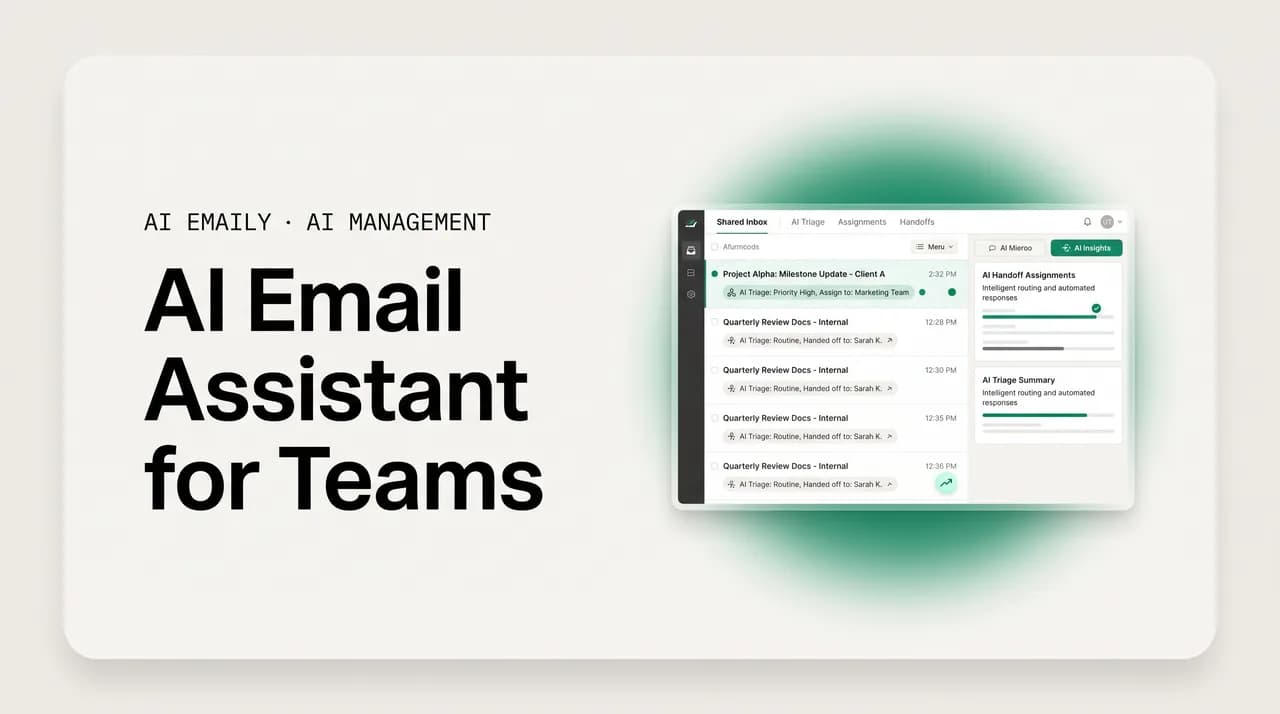
An AI email assistant for teams turns a shared inbox like support@ or sales@ into an accountable workspace: it triages and assigns mail, drafts replies in your brand voice, and lets you hand a thread to a teammate or an AI agent. AI Emaily adds comments, status, Copilot approval, and a full audit log across every provider, privately.
An AI email assistant for teams that runs shared inboxes: triage, assignment, comments, and handoffs to a human or an AI agent, with Copilot approval and audit.
On this page
- 01What does an AI email assistant for teams actually need to do?
- 02How do today's shared inbox tools compare?
- 03What's the new wedge: delegate to a human or an AI agent?
- 04Why does keeping a human in the loop matter for agents?
- 05How do teams collaborate on email without forwarding?
- 06How does AI drafting hold one brand voice across a whole team?
- 07How does AI Emaily run the team inbox?
- 08What does AI Emaily cost for a team?
- 09Frequently asked questions
A shared inbox starts as a convenience and quietly becomes a liability. The team sets up support@, or sales@, or hello@, gives everyone the password, and for a while it works. Then the volume climbs. Two people reply to the same customer with two different answers. A refund request sits for three days because everyone assumes someone else has it. A hot lead goes cold over a weekend because nobody owned it. Nobody is lazy; the inbox simply has no idea who is doing what, and neither does anyone reading it.
This is the problem an AI email assistant for teams is built to solve, and it is a different problem from the one a personal AI inbox solves. A personal assistant helps one person clear their own mail faster. A team assistant has to coordinate several people around one stream of messages: it has to make ownership obvious, stop two replies from colliding, let the team discuss a tricky message without forwarding it around, draft answers that sound like the company rather than like five different individuals, and keep a record of who did what so a manager can actually see how the inbox is being run. Speed matters, but accountability matters more — a fast inbox that drops threads is worse than a slow one that never does.
The category that grew up around this is shared inbox software: Front, Missive, Help Scout, Hiver, and a long tail of helpdesk tools. They added the coordination layer email never had — assignment, collision detection, internal notes, automation rules, SLA tracking. In 2026, all of them added AI on top: smart prioritization, drafted replies, thread summaries. Those AI features used to be a differentiator. They are now table stakes — every serious tool in the space has them, which means the interesting question has moved on.
The interesting question is no longer "does it have AI." It is "what can the AI actually do, and who stays in control when it does it." There is a real and useful split opening up between tools that use AI to help a human reply faster and tools that let you hand an entire thread to an AI agent that resolves it end to end — and a second split between assistants that bolt onto your existing mail and platforms that try to replace it. This guide walks the whole landscape: what a team assistant must do, how today's shared inbox tools compare, the new wedge of delegating to a human or an agent, how teams collaborate without forwarding, how AI drafting holds one brand voice across a whole team, and where AI Emaily fits. We build AI Emaily, so we will make our case — but in tables and specifics, with the trade-offs on the record.
If your team runs even one shared address and you have ever asked "wait, who's handling this?" out loud, this is written for you. Let's start with what the inbox actually needs.
What does an AI email assistant for teams actually need to do?#
It is easy to buy a long feature list and still end up with a shared inbox that drops threads. The features that matter for a team are not the same as the ones that matter for a solo user, because the bottleneck is different. For one person, the bottleneck is the time it takes to read and reply. For a team, the bottleneck is coordination — knowing who owns what, not stepping on each other, and being able to prove afterward what happened. A team assistant earns its keep on five jobs. If a tool is missing any of them, the gap shows up as a dropped customer within a week.
- 1
1. A real shared inbox, not a forwarding hack
Everyone on the team sees the same support@ or sales@ stream, in real time, with one source of truth — not a tangle of forwards and BCCs where half the team is missing context. New mail appears for everyone at once; a reply anyone sends shows up in the thread for everyone. This is the foundation. Without it, the other four jobs have nothing to stand on.
- 2
2. Assignment and ownership
Every message that needs a human has exactly one owner, and everyone can see who it is. Assignment turns an inbox into an accountability system: there is no ambiguity about who is responsible, and unassigned mail is visibly unassigned rather than silently ignored. The AI should propose the right owner automatically — by topic, by sender, by load — so triage is not a manual chore someone has to remember to do.
- 3
3. Collision detection
When two people open or start replying to the same thread, the tool warns them before they send. Shared mailboxes have no collision detection by default, which is exactly how a customer gets two contradictory answers from the same company in the same hour. A real-time presence indicator — "Dana is replying" — is a small feature that prevents a disproportionate amount of embarrassment.
- 4
4. AI drafting in one brand voice
The assistant drafts replies that sound like the company, not like whoever happens to be on shift. That means learning the team's tone, pulling the right facts from past threads and help docs, and producing a consistent answer a teammate can approve in seconds. Drafting is where AI saves the most raw time on a team — but only if the draft is good enough to send with light edits, not a generic template someone has to rewrite.
- 5
5. Accountability and audit
A manager can answer "what happened to this thread" and "how is this inbox being run" without interviewing the team. Who was it assigned to, who replied, when, and — if AI acted — what it did and who approved it. SLA tracking, response-time visibility, and a tamper-evident audit log turn the inbox from a black box into something you can actually manage and improve.
The two-minute test for any team tool
Notice that only one of those five jobs — drafting — is the thing people usually mean by "AI." The other four are coordination, and they are where shared inboxes have always failed. The best team assistants in 2026 do both: they use AI to make the drafting fast and the triage automatic, and they keep the coordination layer that makes a team inbox trustworthy. A tool that nails the AI but skips the coordination is a faster way to produce conflicting replies. A tool that nails the coordination but bolts on weak AI leaves your team writing every word by hand. You want both, and you want to stay in control of when the AI acts on its own — which is the thread that runs through the rest of this guide.
How do today's shared inbox tools compare?#
The shared inbox category is mature and crowded, and the tools cluster into recognizable shapes. It helps to see them side by side before deciding what you actually need, because the names get used interchangeably even though the products solve subtly different problems. Below is an honest map of the main players in 2026, what each is good at, and roughly what it costs per seat. Prices move and most vendors gate AI behind add-ons or higher tiers, so treat these as orientation, not a quote — always check the current pricing page before you commit.
| Tool | Shape | Strength | AI today | Rough price / seat |
|---|---|---|---|---|
| Front | Omnichannel inbox + helpdesk | Heavyweight rules engine, high volume, many channels in one view | Copilot (assist) + Autopilot (autonomous resolution); AI often add-on | ~$25+/mo, AI extra |
| Missive | Collaborative team email + chat | Real-time collaboration, email + chat + tasks together, lightweight | AI drafting and summaries built in | ~$14-18/mo |
| Help Scout | Help desk with shared inbox | Integrated docs/knowledge base, self-service deflection | AI Summarize + AI Assist included; AI Answers per-resolution pricing | ~$29-50+/mo |
| Hiver | Shared inbox inside Gmail | No new app to learn, clear ownership, SLA tracking | AI triage and drafting; learning curve low | ~$15-49/mo |
| Helpdesk/ticketing | Ticket queue (Zendesk-style) | Heavy support workflows, reporting, large queues | AI deflection and agent assist, varies by vendor | ~$25-115+/mo |
| AI Emaily | AI-native email client + agent | Shared inbox, human-or-agent delegation, Copilot approval, audit, every provider | Triage, brand-voice drafting, agent that acts, gated by approval | $14.92/mo (annual) |
A few honest notes on this table, because the one-liners flatten real differences. Front is the enterprise heavyweight — if you push thousands of messages a day across email, SMS, and social and you need a deep rules engine, it earns its price, though the AI layer is frequently a separate line item and the platform can feel heavy for a small team. Missive is the collaboration-first choice and genuinely pleasant for teams that want email, chat, and tasks in one place without a helpdesk's weight; it is the closest in spirit to a modern team email app. Help Scout leans on its knowledge base and self-service deflection, which is powerful for support but is a support tool first, not a general team inbox. Hiver's pitch is "don't make us leave Gmail," which is its biggest strength and its ceiling — you get coordination inside Gmail's constraints. The ticketing systems are built for support queues at scale and feel like overkill for a five-person team running one shared address.
Two things are true across the whole category. First, the AI features really have converged — drafting, summaries, and prioritization are everywhere now, so the AI checkbox tells you almost nothing on its own. Second, most of these tools are layers on top of your existing mail or a dedicated support silo. That is fine, and often exactly right. But it means the AI lives in a support tool rather than in the email client your team actually works in all day, and the autonomy story — can the AI resolve a thread end to end, and who approves it — varies wildly from tool to tool. That second point is where the next, more interesting distinction lives.
Prices and AI tiers change — verify before you buy
What's the new wedge: delegate to a human or an AI agent?#
Here is the shift that actually matters in 2026, and it is bigger than "the AI got better at writing." For years, the only thing you could do with a thread in a shared inbox was assign it to a person. Triage meant routing work to humans. The AI, if there was any, helped that human reply faster. The human was always the one doing the resolving.
The new capability is that delegation now has two destinations. You can still hand a thread to a teammate — that is unchanged and still essential. But you can also hand a thread to an AI agent that resolves it end to end: reads the message and the history, drafts the answer, and, when it is allowed to, sends it and updates the status, without a person touching it. The inbox stops being purely a queue of work for humans and becomes a queue you can route to either a human or an agent, message by message, based on how routine or how sensitive the message is.
This is a genuinely useful split because most team inboxes are bimodal. A large share of the volume is repetitive and low-stakes — password resets, "where's my order," pricing questions, scheduling, the same five FAQs answered for the thousandth time. Industry analyses in 2026 describe AI agents resolving a large majority of routine email automatically and in minutes, while the small remainder that genuinely needs judgment goes to a person. The win is not that the AI replaces the team. The win is that the AI clears the repetitive bulk so the team spends its human attention on the messages that actually deserve it — the angry customer, the complex deal, the edge case no script covers.
But this is exactly where teams get nervous, and they are right to. "An AI that sends email to our customers on its own" is a sentence that ends careers if it goes wrong. The fear is not unreasonable: an autonomous agent that hallucinates a refund policy, promises something the company can't deliver, or replies confidently to a message it misread is a real risk. So the question is not whether agent delegation is powerful — it plainly is. The question is whether you can adopt it without handing the company's voice to a black box. That is entirely a matter of how the control layer is built, which is the next section, and then the section after.
Why does keeping a human in the loop matter for agents?#
The difference between an AI agent that is a force multiplier and one that is a lawsuit is a single design choice: whether a human approves the consequential actions before they happen. There is a spectrum here, and where a tool sits on it should be a conscious decision, not a default you discover after the agent has already emailed three hundred customers something wrong.
At one end is pure assist — the AI drafts, a person reads every draft and clicks send. Safe, but it caps the time savings, because a human still touches every message. At the other end is full autonomy — the AI sends without anyone looking, which is fast but is where the horror stories come from. The useful middle is an approval gate you control: the AI does the work and proposes the action, and a person approves it before anything leaves the building — with the option to widen autonomy gradually for the categories you've learned to trust, and to keep a tight leash on the ones you haven't.
AI Emaily's model is built around exactly this gate, and it is worth being precise about it because it is the whole answer to the "black box" fear. Replies run through Copilot by default: the AI reads the thread, drafts the response in your brand voice, and stages it for a human to approve. A teammate skims it, edits if needed, and sends — fast, but with a person accountable for every message that reaches a customer. For the categories a team has decided are safe and repetitive, Autopilot can take the next step and act within tight, explicit limits, and even then every action is logged. The default posture is human-approves-first; autonomy is something you grant deliberately, per category, not the setting you wake up to.
This matters more for a team than for an individual, for a simple reason: the blast radius is bigger. When a solo user's AI sends a slightly-off reply, one relationship takes a small hit. When a team's shared-inbox agent sends a wrong answer, it goes out under the company's name, to a customer, and there may be hundreds of them before anyone notices. The approval gate is not bureaucratic friction — it is the thing that lets a team adopt agent delegation at all without betting the brand on the model being right every single time. Treat any tool that offers autonomous sending without a clear, configurable approval step and a complete audit trail as a risk, not a feature.
Approval-first is the safe default for shared mail
How do teams collaborate on email without forwarding?#
Forwarding is how shared inboxes die. The pattern is familiar: a message comes in, someone forwards it to a colleague with "can you handle this?", the colleague replies in a separate thread, context splinters across three mailboxes, and now the original shared inbox shows the message as unanswered while two people quietly work different versions of it. Forwarding turns one conversation into several disconnected ones, and the disconnection is exactly where threads get dropped.
The fix that the whole category converged on is collaboration that lives inside the thread instead of around it. Three primitives do most of the work, and an AI assistant should support all three natively rather than treating them as an afterthought:
- Internal comments and @mentions — a private side-channel attached to the thread itself. You can ask a colleague "do we offer this refund?" or loop in the account owner with an @mention, and the discussion sits with the message, invisible to the customer, instead of fragmenting into forwarded email. The customer never sees it; the team never loses it.
- Status and ownership — a clear, shared state on every thread: open, assigned, waiting, resolved. Anyone glancing at the inbox can see what is handled and what is not, which is the single best defense against the "I thought you had it" failure. Status plus assignment is what turns a pile of mail into a workflow.
- Shared drafts — a reply two people can shape before it goes out, so a junior teammate can write and a senior one can approve inside the same thread, with no copy-paste and no "send me what you've got" email chain.
AI Emaily treats these as first-class. A teammate can drop a comment or @mention on any thread, set its status, and hand off ownership without a single forward — and crucially, the AI participates in the same space. When the assistant drafts a reply, it lands as a staged draft the team can comment on and refine together before approval, not a finished email that has already left. The agent's proposed actions are visible in the thread with the same status vocabulary the humans use, so there is no separate "AI zone" the team has to mentally reconcile with the real work. Collaboration and automation share one surface.
The deeper benefit is that this collaboration layer is what makes agent delegation safe to adopt in the first place. Because comments, status, and shared drafts already live in the thread, handing a message to the AI is just another routing decision inside the same workspace — and pulling it back to a human is equally easy. You are never choosing between "the team handles it" and "the AI handles it" as a permanent setting. You are routing each message to the right destination, watching the AI's work in the open, and stepping in the moment something looks off. That is collaboration and delegation as one continuous motion, not two separate products bolted together.
How does AI drafting hold one brand voice across a whole team?#
On a personal inbox, voice matching means "sound like me." On a team inbox, the problem inverts: the goal is for five or fifteen people to sound like one company. A customer emailing support@ should get the same tone, the same level of warmth, and the same answers whether the reply comes from the person who has been there three years or the one who started on Monday. Inconsistency is not just cosmetic — it reads as disorganization, and on a sales or support inbox it costs trust and deals.
A team AI drafting engine earns its keep by enforcing that consistency without flattening it into robotic sameness. It does this by learning from the right material: the team's best past replies, the help docs and knowledge base, the approved answers to common questions, and the house style — how the company greets people, how it apologizes, how it says no, what it never promises. New drafts inherit that voice automatically, so the newest hire's first reply already sounds like the company's hundredth, and a manager is not rewriting everyone's email to make it consistent.
There is a real difference between an AI that writes a generic-but-competent reply and one that writes in your brand voice with your facts. The generic reply is what most tools produce out of the box — grammatically fine, tonally anonymous, and quietly wrong on the specifics because it is guessing your refund window or your delivery times. The branded reply pulls from your actual policies and your actual past answers, so it is both on-voice and correct. That gap is the difference between a draft a teammate sends with a glance and one they have to substantially rewrite, which determines whether the AI actually saves time or just moves the work around.
AI Emaily learns a shared team voice from the inbox's own history and the materials you point it at, and applies it whether a human is drafting with Copilot's help or the agent is handling a routine thread on its own. Because the same voice model drives both paths, the customer cannot tell — and should not be able to tell — whether a given reply was written by a person with AI assistance or by the agent under approval. The brand sounds like itself across the entire inbox, which is the actual point of having a shared address at all.
How does AI Emaily run the team inbox?#
Here is how the pieces come together in AI Emaily, end to end, for a team running one or more shared addresses. The short version: it is a real shared inbox with AI triage and brand-voice drafting on top, delegation that can go to a human or an AI agent, collaboration that lives in the thread, a Copilot approval gate before anything sends, and a complete audit log behind all of it — across every email provider, kept private. The longer version walks each stage of a thread's life.
- 1
Connect the shared inbox — any provider
Point AI Emaily at support@, sales@, hello@, or any team address. It works across every major provider — Gmail and Google Workspace, Outlook and Microsoft 365, and standard IMAP — so a team with a Google support inbox and an Outlook sales inbox runs both in one place, with no migration and no forwarding hacks. The whole team sees the same live stream.
- 2
AI triages and proposes an owner
As mail arrives, the assistant reads and sorts it — by topic, urgency, and sender — and proposes who should own each thread, so nobody triages from a blank queue. Routine, repetitive messages are flagged as agent-eligible; anything sensitive or ambiguous is routed toward a human. Triage that used to be a manual chore happens automatically, every time.
- 3
Delegate to a human or an AI agent
For each thread, you choose the destination. Hand it to a teammate as the clear owner, or hand it to the AI agent to resolve end to end. The decision is per message and reversible — pull a thread back to a human the instant it needs judgment. This is the core wedge: one inbox, routed to people or to an agent based on what the message actually needs.
- 4
Collaborate in the thread — comments, @mentions, status
Discuss tricky messages with internal comments and @mentions that the customer never sees, set status (open, assigned, waiting, resolved) so ownership is never ambiguous, and shape shared drafts together — all inside the thread, with zero forwarding. The AI's work appears in the same space, using the same status vocabulary, so collaboration and automation share one surface.
- 5
Draft in the team's brand voice
Whether a human is replying with Copilot's help or the agent is handling a routine thread, the draft is written in one learned brand voice and grounded in your real policies and past answers. The newest hire's reply sounds like the company's; the agent's reply sounds like the company's. Consistency without anyone hand-editing for tone.
- 6
Approve with Copilot before anything sends
By default, replies are staged for human approval — a teammate reviews the draft, edits if needed, and sends. For categories a team has explicitly decided are safe, Autopilot can act within tight limits you set. The posture is approval-first; autonomy is granted deliberately, per category. A real customer never receives an unreviewed AI reply unless you have chosen, knowingly, to allow it for that case.
- 7
Audit everything
Every action — who was assigned, who replied, what the agent did, who approved it, and when — is recorded in a tamper-evident log. A manager can reconstruct any thread, see SLA and response-time performance, and prove how the inbox is being run. The agent is never a black box, because its every move is on the record.
Step back and the design intent is consistent: AI does the heavy lifting — triage, drafting, resolving the routine bulk — while humans keep control of the moments that carry risk, and everything the AI does is visible and reversible. That is deliberately the opposite of a black-box autoresponder. It is also the opposite of a pure assist tool that makes a human touch every message and caps the time saved. AI Emaily aims at the useful middle, where the agent clears the repetitive volume under an approval gate and the team's attention goes to the messages that genuinely need a person.
It is worth naming what is different about this versus the shared inbox tools in the table earlier. Those are, for the most part, coordination layers on top of mail or dedicated support silos, with AI added on. AI Emaily is an AI-native email client — the AI and the agent are not a feature bolted onto a helpdesk; they are the center of how the inbox works, with the team coordination layer (shared inbox, assignment, comments, status, audit) built around them. And it runs on every provider with a privacy posture suited to email's sensitivity: your mail is not training data, and the agent operates under your control rather than someone else's defaults. If your team wants the AI to do real work without giving up the accountability that makes a shared inbox trustworthy, that is the gap this is built to close. That holds whether the shared address lives on Google Workspace or Microsoft 365 — the same tool is an AI email assistant for Outlook and a Gmail one, because the mailbox it sits on is a connector setting, not a different product.
Start in Copilot, widen autonomy as trust builds
What does AI Emaily cost for a team?#
Team pricing is straightforward and built for shared inboxes rather than priced as a per-resolution meter. The Team plan is $14.92 per seat per month on annual billing, and teams of five or more seats get an additional 10% off. Critically, Autopilot — the autonomous agent capability — is included in the Team plan, not gated behind a separate AI add-on or charged per AI-resolved message. You are not nickel-and-dimed every time the agent handles a thread, which is exactly the volume you want it handling.
That positioning is deliberate against the category norm. Several shared inbox and helpdesk tools land in a similar or higher per-seat range and then add AI as a separate line item, or meter it per AI resolution — which means the more value the AI delivers, the more your bill climbs, and budgeting becomes a guessing game tied to inbox volume. AI Emaily folds the agent into the seat price, so the cost is predictable whether the agent resolves ten threads a day or a thousand.
| What you get on Team | Included |
|---|---|
| Shared inbox across every provider (Gmail, Outlook, IMAP) | Yes |
| AI triage + proposed assignment | Yes |
| Delegate to a human or an AI agent | Yes |
| Comments, @mentions, status, shared drafts | Yes |
| Brand-voice AI drafting | Yes |
| Copilot approval gate before sending | Yes |
| Autopilot (autonomous agent, within your limits) | Yes — included |
| Full audit log of every action | Yes |
| Per-seat price (annual) | $14.92/seat/mo |
| Teams of 5+ seats | Additional 10% off |
A practical way to think about the value: the Team plan replaces both the coordination layer (the reason teams buy shared inbox software at all) and the AI layer (drafting plus an agent that resolves the routine bulk) in one tool, at one predictable seat price, with the agent included. For a small team drowning in a shared support or sales inbox, the math is usually simple — if the agent clears even a meaningful slice of the repetitive volume under your approval, you have bought back hours of human time a week per seat, and you have done it without betting the brand on unattended automation. When you are ready, the next step is to connect a shared inbox and watch it run.
Autopilot is included — not a metered add-on
Frequently asked questions#
The questions teams ask most when evaluating an AI email assistant for a shared inbox — on collaboration, accountability, agent safety, providers, and how this compares to the tools they already know.
Frequently asked
See it in AI Emaily
Keep reading

Written by
Nafiul HasanNafiul Hasan is an entrepreneur and AI automation system builder with 10+ years of experience turning messy, manual workflows into reliable automated systems. He designs and ships AI enterprise solutions end-to-end — the agent logic, the data plumbing, and the product people actually use — and founded AI Emaily to give busy professionals their attention back. He writes here from the builder's seat: what works, what breaks, and how to put AI to work without giving up control.