AI Email Management for Small Business: One Inbox to Run It All

The short answer
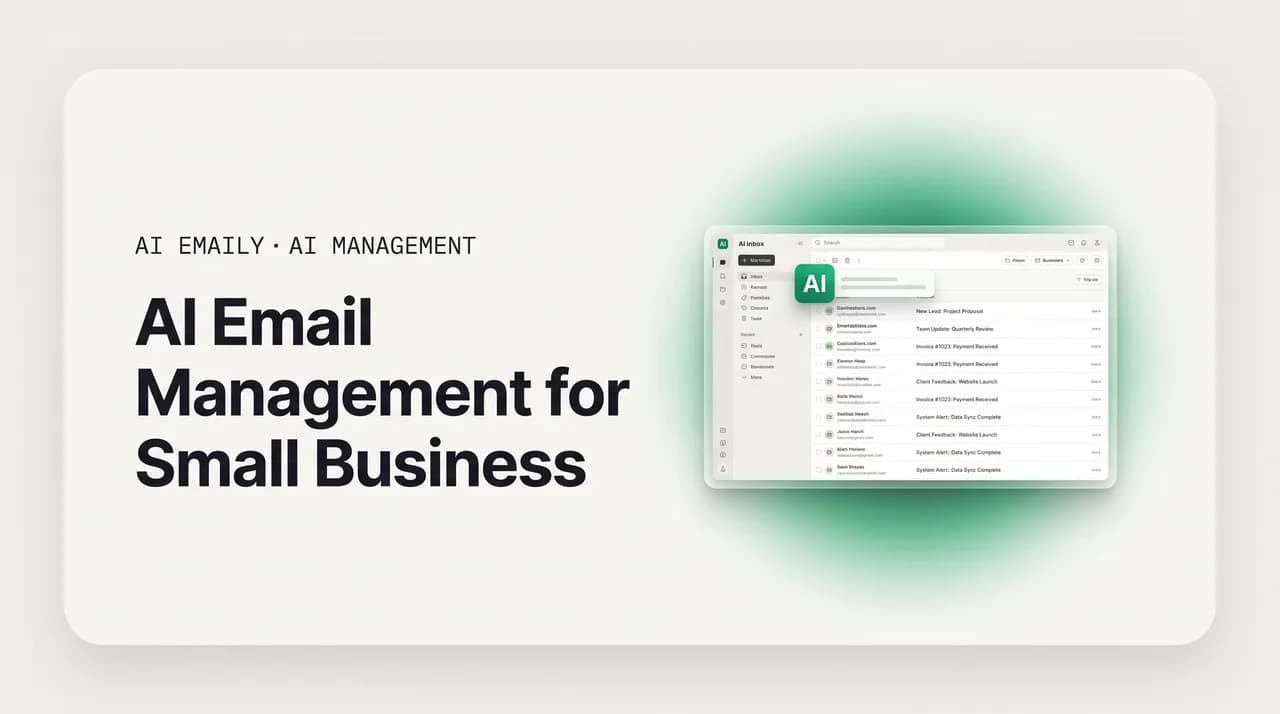
AI email management for small business makes the inbox mostly run itself: AI triages what matters, drafts replies in your business's voice, and tracks follow-ups — across your personal address and shared ones like info@, sales@, and support@. AI Emaily does this on every provider, with no IT setup and an approval gate before anything sends.
AI email management for small business: one inbox for personal and shared addresses, with AI triage, brand-voice drafting, and follow-up — affordable, no IT.
On this page
- 01Why is email so hard for a small business specifically?
- 02What does a small business actually need from AI email?
- 03How do you run info@, sales@, and support@ the right way?
- 04Can AI really draft email in your business's voice?
- 05Why do enterprise email tools fail small businesses?
- 06How does AI Emaily fit a small business?
- 07What does AI Emaily cost for a small business?
- 08Frequently asked questions
Most small-business owners did not start a company to answer email. They started it to sell a product, run a service, build something. And yet the inbox is where a huge slice of the week quietly goes. You are the founder, the salesperson, the support desk, the bookkeeper, and the person who replies to the supplier at 11pm — often all in the same afternoon. The mail does not care which hat you are wearing. A customer question, a vendor invoice, a cold pitch, and a refund request all land in the same place, and all of them feel like they need you.
The numbers back up the feeling. Surveys in 2026 put the average professional at roughly 2.6 hours a day managing email — close to a third of the work week — while a typical worker receives around 121 messages daily and only about one in ten of those is genuinely business-critical. For a small-business owner with no assistant, no support team, and no IT department, that math is brutal: you are spending the equivalent of more than a full workday every week reading and sorting mail, most of which does not move the business forward, and you are doing it during the exact hours you should be selling or building.
The instinct is to look for a tool. But the tools that dominate the conversation were mostly built for somebody else. Enterprise email and helpdesk platforms are designed for large support teams with dedicated admins, governance requirements, and budgets to match. They are powerful, and they are also expensive, complicated to set up, and full of features a five-person company will never touch. A small business that buys one usually ends up paying for scale it does not have and configuring software it does not have time to configure. The fit is wrong, and the wrong fit is worse than no tool at all.
What actually changed in 2026 is that AI got good enough to do the work, not just suggest it. AI can now read incoming mail and sort it by what matters, draft a reply that sounds like your business rather than a robot, remember the follow-up you would otherwise forget, and — when you let it — handle the routine messages end to end. Done well, that collapses the email day from "process every message myself" to "review what the AI staged for me." The catch is that it has to be done in a way a small business can actually adopt: affordable, simple enough to set up without an IT person, and trustworthy enough that it never emails a customer something wrong in your name.
This guide is for the owner, the solopreneur, and the small team who run the business out of their inbox. We will walk the small-business email problem honestly — the many hats, the shared addresses, the no-IT reality — then cover what an SMB actually needs from AI email, how to run info@, sales@, and support@ without dropping anyone, how AI drafting holds your business's voice, why right-sized AI beats enterprise tools for a company your size, and where AI Emaily fits. We build AI Emaily, so we will make our case — but with the trade-offs on the record and the specifics in tables. Let's start with the problem.
Why is email so hard for a small business specifically?#
Email is hard for everyone, but it is hard for a small business in a particular way, and the particulars are what most tools miss. A large company has people whose job is the inbox — a support team, a sales ops person, an EA for the executives. A small business has the owner and maybe a few others, each doing four jobs at once. The constraint is not just volume; it is that there is no one to hand the volume to. Three structural problems stack on top of each other, and together they turn the inbox into the thing that runs the owner instead of the other way around.
- 1
1. You wear every hat, so every email is yours
In a small business, the same person is sales, support, operations, and finance. There is no triage layer between the world and you — the cold pitch, the angry customer, the vendor chasing payment, and the genuine lead all arrive in one undifferentiated stream, and you are the only filter. Context-switching between those roles all day is exhausting and slow, and the cost is not just time; it is the focus you needed for the work only you can do.
- 2
2. Shared addresses with no one clearly in charge
Almost every small business runs at least one shared address — info@, sales@, support@, hello@, bookings@. They start as a convenience and become a liability. Everyone can see them, so no one owns them. Two people reply to the same customer with two different answers, or a message sits for three days because each person assumed someone else had it. A bare shared mailbox has no idea who is doing what, and neither does anyone reading it.
- 3
3. No IT department, no time to configure software
A small business has no admin to set up rules, no one to run a migration, and no appetite for a tool that needs a week of configuration before it helps. Whatever you adopt has to work the day you connect it, on the mail you already use, without forcing the team onto a new platform. Enterprise tools assume an IT function that a small business simply does not have, which is why so many of them get bought, half-configured, and abandoned.
- 4
4. Slow replies cost real money here
When a large company is slow to reply, a process absorbs it. When a small business is slow, a deal dies or a customer leaves a one-star review. Response time is a competitive edge for a small business — the lead who emails three vendors often buys from whoever answers first and best. But the owner answering at midnight between everything else cannot reliably be fast, which means slow replies are not a discipline problem; they are a capacity problem.
The core small-business email tension
Notice that none of these are about being disorganized or working harder. They are structural. A small business is, almost by definition, a few people doing the work of many, and the inbox is where that mismatch becomes visible and painful. You cannot solve a capacity problem by trying harder — you have already tried harder, which is why you are reading at midnight. You solve it by adding capacity, and the only affordable way for a small business to add inbox capacity in 2026 is AI that does real work under your control. That is what the rest of this guide is about: not a tidier inbox, but more hands on it.
It is also why the generic advice — "set up folders," "check email twice a day," "use templates" — never quite lands for a small business. Those are coping strategies for a volume problem you are still handling entirely by hand. They reduce the friction of doing the work yourself; they do not do any of the work for you. AI email management is a different category of answer. It is the first thing that actually takes mail off your plate rather than just helping you process it faster. The question for a small business is no longer "how do I get through my inbox quicker," but "what can I stop touching at all."
There is a hidden cost in all of this that rarely shows up on a spreadsheet but matters most to a small-business owner: attention. Every time the inbox pulls you out of the work only you can do — closing the sale, finishing the project, talking to the customer in front of you — it costs more than the minutes spent reading the message. Studies of office work put the recovery time after an email interruption at well over a minute, and a string of those across a day fragments the deep-focus blocks a small business depends on to actually build anything. For an owner, the inbox is not just a time sink; it is a focus sink, and focus is the scarcest resource a small business has. Anything that lets you batch the inbox into a short, reviewed window instead of a constant background hum is buying back not just hours but the ability to do your real job well.
What does a small business actually need from AI email?#
It is easy to buy a long feature list and still end up with an inbox that owns you. The features that matter for a small business are not the ones marketed at enterprises, because the constraints are different — no admin, no big budget, no patience for setup. A small business needs AI email that earns its keep on four jobs and clears four bars. Miss any of them and the tool becomes one more thing you bought and abandoned.
- Affordable and predictable — priced for a company without an enterprise budget, with no surprise per-message AI charges. A small business needs to know what it will pay this month and next, not a bill that swells every time the AI does its job. Per-resolution AI metering, common in helpdesk tools, is exactly the kind of unpredictable cost a small business cannot plan around.
- Simple to set up, no IT required — it has to work the day you connect it, on the providers you already use, with no admin to configure rules or run a migration. If adoption requires a project, a small business will never finish it. The right tool is connect-and-go: point it at your mail and it starts helping in minutes.
- Triage, drafting, and follow-up — the three jobs that eat an owner's day. AI should sort what matters from what does not, draft replies in your business's voice so you are editing rather than writing from scratch, and never let a needed follow-up fall through the cracks. These are the time sinks; this is where AI has to deliver.
- Shared inboxes handled properly — info@, sales@, and support@ need ownership, no double-replies, and a way for a small team to coordinate without forwarding mail around. A tool that only manages your personal inbox leaves the shared addresses — where customers actually reach the business — as the same free-for-all they always were.
The one-question test for any small-business email tool
There is a fifth thing that is not a feature but a non-negotiable: it has to be trustworthy with your mail. A small business's inbox holds customer data, contracts, invoices, and the relationships the whole company runs on. "Convenient" is not the same as "private," and an AI that trains on your mail or acts without your control is a risk dressed up as a feature. We will come back to this, because for a small business the downside of an AI mistake — a wrong answer sent to a customer under your name — is not absorbed by a process the way it is at a big company. It lands directly on the relationship and the review page.
Put those together and the shape of the right tool is clear: cheap enough to be a no-brainer, simple enough to run without IT, capable enough to do triage, drafting, and follow-up across both your personal mail and your shared addresses, and trustworthy enough that you stay in control of what it sends. Most tools hit one or two of those. The interesting question for a small business is which tool hits all of them at a price you can actually justify — which is where the comparison later in this guide goes. First, the address where small businesses leak the most customers: the shared inbox.
One more framing helps before we go there. A small business should judge an AI email tool not by how many features it lists but by how much of the inbox it can take off your plate without you having to think about it. A long settings panel is a tax, not a benefit, for a company with no admin — every option is something you have to understand, configure, and maintain. The right-sized tool inverts that: it does the obvious right thing by default (sort the noise, draft the routine reply, flag the follow-up) and asks you to make a decision only when a decision genuinely matters, like whether to let the AI send a particular category of mail on its own. Sane defaults over endless knobs is the difference between a tool a busy owner actually uses and one that sits half-configured. Keep that test in mind as we walk the rest.
How do you run info@, sales@, and support@ the right way?#
Shared addresses are where a small business meets the world, and they are also where it quietly drops people. The setup is almost universal: the company creates info@ or sales@ or support@, gives the two or three people who need it access, and for a while it works. Then volume climbs, and the cracks show. A customer emails support@ and gets two replies with two different answers because two people opened it. A lead emails sales@ on Friday and hears nothing until Tuesday because everyone assumed someone else was watching it. An invoice question to info@ sits for a week because info@ is nobody's actual job. None of this is anyone being lazy. The mailbox simply has no concept of who owns what.
The reason this hurts a small business more than a big one is that there is no safety net. A large support team has overlapping coverage and a manager watching a queue. A three-person company has three people each assuming the others have it. So the shared address — the one place customers are told to write to — becomes the least reliable part of the business. Fixing it does not require an enterprise helpdesk. It requires four things, and AI can supply or accelerate all of them.
- 1
One real shared inbox, not a forwarding tangle
Everyone who works info@ or support@ sees the same live stream, in one place — not a mess of forwards and BCCs where half the team is missing context. New mail appears for everyone at once; any reply shows up in the thread for everyone. This is the foundation. Without a true shared view, the other three fixes have nothing to stand on, and you are back to forwarding messages around and losing the thread.
- 2
Clear ownership on every message
Every message that needs a person has exactly one owner, and everyone can see who it is. Ownership turns a shared address from a free-for-all into an accountability system — unassigned mail is visibly unassigned rather than silently ignored. AI should propose the owner automatically (by topic, by who handled the last one, by load) so a small team is not doing manual triage on top of everything else.
- 3
No double-replies
When two people open or start replying to the same message, the tool warns them before they send. A bare shared mailbox has no collision detection, which is exactly how a customer gets two contradictory answers from the same small business in the same hour — the kind of thing that reads as chaos to the customer and is invisible to you until they mention it. A simple "someone else is replying" indicator prevents a disproportionate amount of embarrassment.
- 4
Coordinate without forwarding
When a message needs a second pair of eyes, the team should discuss it inside the thread — a private comment or @mention the customer never sees — rather than forwarding it out and splintering the conversation across three mailboxes. Forwarding is how shared inboxes die: it turns one conversation into several disconnected ones, and the disconnection is where threads get dropped. Keeping the discussion attached to the message keeps context in one place.
The important point for a small business is that you do not need separate software for each shared address, and you definitely do not need a heavyweight helpdesk to get ownership and collision detection. What you need is one place that treats info@, sales@, and support@ as shared inboxes with AI on top — triage that proposes owners, drafting that handles the routine questions, and a private side-channel so the team can coordinate without forwarding. That is the difference between a shared address that loses customers and one that quietly catches every one of them. And because a small business's shared addresses are often where the actual revenue conversations happen, getting this right is not housekeeping — it is directly protecting the pipeline.
AI Emaily treats your personal mail and your shared addresses as one workspace, which matters for a small business specifically: the owner who is also the salesperson and the support desk does not want to bounce between a personal inbox and a separate helpdesk tool. Connect your own address and info@, sales@, support@ — across any provider — and run them all in one place, with AI triage, ownership, drafting, and in-thread collaboration on every one. We will cover exactly how that works later. The next piece is the one that saves the most raw time: drafting that sounds like your business.
Can AI really draft email in your business's voice?#
This is the feature small-business owners are most skeptical of, and the skepticism is earned. Most AI email drafting out of the box produces something grammatically fine and tonally anonymous — the kind of reply that sounds like it came from a corporate FAQ rather than from a person who runs the business. For a small business, that is worse than no draft, because your voice is part of what customers buy. People deal with small businesses partly because they feel like they are talking to a human who cares, and a generic AI reply throws that away. If the draft sounds like a robot, you have to rewrite it, and the AI has saved you nothing.
But there is a real and widening gap between an AI that writes a generic-but-competent reply and one that writes in your voice with your facts. The generic version guesses your refund window, your delivery times, and your tone, and gets all three slightly wrong. The good version learns from the right material — your best past replies, your actual policies, the way you greet people and the way you say no — and produces a draft that is both on-voice and correct. That second kind is what a small business needs, because it is the difference between a draft you send with a glance and one you substantially rewrite. The whole value of AI drafting hinges on which side of that gap a tool sits.
For a small business, voice consistency does double duty. On your personal mail, it means the AI sounds like you — your warmth, your directness, your way of phrasing things — so a customer cannot tell you used AI. On your shared addresses, it means everyone sounds like one business: the customer emailing support@ gets the same tone and the same answers whether the reply comes from you, your one employee, or the AI. A small business's voice is a real asset, and inconsistency across people reads as disorganization. AI drafting that holds one learned voice across every person and every address is how a tiny team sounds like a coherent company.
Drafting is where the hours come back
There is one more thing drafting unlocks that small businesses underrate: it makes a fast, good reply possible at the moment a slow one would have cost you. The lead who emails three vendors on a Tuesday night buys from whoever replies first and best. If the AI has a solid draft waiting — in your voice, with your real pricing — you can approve and send in under a minute from your phone, instead of letting it wait until you are back at your desk and the lead has already chosen someone else. For a small business competing on responsiveness, that is not a convenience; it is how you win business you would otherwise have lost to a faster competitor. Drafting plus triage is what turns the inbox from a place where opportunities go to wait into a place where you close them.
Why do enterprise email tools fail small businesses?#
When a small business goes looking for serious email software, it usually lands on tools built for someone much larger — full helpdesk platforms and enterprise inboxes designed for big support teams with admins and budgets. They are genuinely capable. They are also the wrong fit for a company of one to ten people, and the mismatch is not cosmetic. It shows up as money spent on scale you do not have, time lost to setup you cannot spare, and complexity that makes the daily experience worse, not better. It helps to see the two approaches side by side before deciding what you actually need.
| What a small business needs | Enterprise email / helpdesk tools | Right-sized AI email |
|---|---|---|
| Setup effort | Admin to configure rules, roles, routing; often a migration; days to weeks | Connect your existing mail and go — minutes, no IT |
| Pricing | Higher per-seat tiers, plus AI often a separate add-on or metered per resolution | Affordable flat per-seat price with the AI agent included, not metered |
| Complexity | Deep feature set built for large queues; most of it unused by a small team | Triage, drafting, follow-up, shared inboxes — the jobs an owner actually has |
| Personal + shared mail | Usually a support silo separate from your everyday inbox | Your personal address and info@/sales@/support@ in one workspace |
| Who it assumes you are | A support or sales team with dedicated staff and an IT function | An owner or small team wearing every hat, with no IT |
| Cost of an AI mistake | Absorbed by process and a large team | Lands on the relationship — so an approval gate before sending is essential |
The point of the table is not that enterprise tools are bad — they are excellent for the companies they were built for. The point is fit. A 200-person support operation needs the deep rules engine, the role-based permissions, the SLA dashboards, and the dedicated admin to run them, and it has the budget and the staff to make all of that pay off. A five-person business has none of those things and does not need most of them. Buying enterprise software for a small business is like renting a warehouse to store a closet's worth of inventory: you pay for the space, you spend time managing it, and the actual job would have been done better by something the right size.
Right-sized AI email inverts every row. Setup is connect-and-go because there is no admin to configure anything. Pricing is a flat, predictable per-seat number with the AI included, because a small business cannot plan around a bill that swells with usage. The feature set is the four jobs an owner actually has — triage, drafting, follow-up, shared inboxes — not a thousand settings for queues you do not run. And it treats your personal mail and your shared addresses as one place, because the owner is also the support desk and does not want two tools. The lesson for a small business is to stop trying to shrink an enterprise tool to fit and instead pick something built for your size from the start.
Watch the AI pricing model, not just the sticker price
How does AI Emaily fit a small business?#
Here is how the pieces come together in AI Emaily for a small business — the owner, the solopreneur, or the small team running the company out of the inbox. The short version: it is one AI-native email client that runs your personal mail and your shared addresses together, on every provider, with AI triage and brand-voice drafting on top, follow-up that never slips, the option to delegate routine mail to an AI agent, a Copilot approval gate before anything sends, and no IT setup to get going. The longer version walks each piece in the order a small business meets it.
- 1
Connect everything — personal and shared — on any provider
Point AI Emaily at your own address and at info@, sales@, support@, or any shared address. It runs on every major provider — Gmail and Google Workspace, Outlook and Microsoft 365, and standard IMAP — so a business with a Gmail personal inbox and an Outlook support address runs both in one place. No migration, no forwarding hacks, no admin. You connect, and it starts working the same afternoon.
- 2
AI triages so you don't sort from zero
As mail arrives across every connected inbox, the AI reads and sorts it — by topic, urgency, and sender — separating the genuine customer, the real lead, and the vendor that needs paying from the newsletters and noise that make up most of the volume. You open your inbox to a triaged view, not an undifferentiated pile, so the few messages that actually need you are obvious and the rest stop demanding your attention.
- 3
Drafts replies in your business's voice
For the mail that needs a reply, the AI drafts one in your learned voice — grounded in your real policies, prices, and past answers — whether it's your personal address or a shared one. On shared addresses, it holds one consistent voice across you and your team, so the business sounds like itself no matter who (or what) replies. You edit if needed and approve; you are rarely writing from scratch.
- 4
Runs shared inboxes properly
info@, sales@, and support@ get real ownership, collision warnings so no two people double-reply, status on every thread, and a private side-channel — comments and @mentions the customer never sees — so a small team coordinates inside the thread instead of forwarding mail around. The shared address stops being the place customers fall through and becomes the place they get caught.
- 5
Never drops a follow-up
The follow-ups an owner forgets between everything else — the quote you said you'd send, the customer waiting on an answer, the lead who went quiet — the AI tracks and resurfaces, and can draft the nudge in your voice. Follow-up is where small businesses leave the most money on the table; this is the safety net that catches it without you holding it all in your head.
- 6
Delegate routine mail to an AI agent — under your control
For the repetitive, low-stakes messages that fill a shared inbox — the same FAQs, status checks, and simple questions answered for the hundredth time — you can hand the thread to the AI agent to resolve end to end. It reads, drafts in your voice, and (when you allow it) sends and marks it done. You choose what's safe to delegate; everything else routes to a person.
- 7
Approve before anything sends — and keep an audit trail
By default, replies are staged for your approval — you glance, edit if needed, and send — so a customer never gets an unreviewed AI reply unless you have knowingly allowed it for that case. For categories you've decided are safe and routine, the autonomous agent (Autopilot) can act within tight limits you set, and every action is logged. The posture is approval-first; autonomy is something you grant on purpose.
Your mail stays private and you stay in control
Step back and the design intent is consistent with what a small business actually needs. AI does the heavy lifting — triage, drafting, follow-up, and resolving the routine bulk — while you keep control of the moments that carry risk, and everything the AI does is visible and reversible. It is one workspace for personal and shared mail, so the owner-who-is-also-everything is not juggling tools. It runs on every provider, so you are not forced to migrate or pick an ecosystem. And it sets up in minutes with no IT, because a small business does not have an IT function and should not need one to get an AI to handle its inbox.
What is deliberately different from the enterprise tools earlier is the starting assumption. Those are built for a support or sales team with staff and an admin, and they make a small business shrink to fit. AI Emaily assumes you are a few people wearing every hat with no one to delegate to — so the AI is the thing you delegate to. The shared inbox, ownership, and audit are there when you need them, built around an AI that does real work, rather than a thousand settings built for queues you do not run. If you want the inbox to mostly run itself without giving up control of what reaches your customers, that is the gap this is built to close.
What does AI Emaily cost for a small business?#
Pricing is built to be a small-business no-brainer, not an enterprise negotiation. There is a free tier to start, a Pro plan for an individual owner who wants the full personal-inbox AI, and a Team plan for a small team running shared addresses — and critically, the autonomous agent (Autopilot) is included in the Team plan rather than gated behind a separate AI add-on or charged per AI-resolved message. You are not nickel-and-dimed every time the AI handles a thread, which is exactly the volume you want it handling. For a small business that has to plan its costs, the bill stays predictable whether the agent resolves ten messages a day or a thousand.
| Plan | Price | Best for | AI agent (Autopilot) |
|---|---|---|---|
| Free | $0 | Trying it on one inbox; light personal use | Not included |
| Pro | $12.42/mo (annual) | A solo owner who wants full personal-inbox AI — triage, drafting, follow-up | Personal AI; assisted |
| Team | $14.92/seat/mo (annual) | A small team running info@, sales@, support@ together | Yes — included |
| Team, 5+ seats | Additional 10% off | A growing small business | Yes — included |
A practical way for a small business to think about the value: the Team plan replaces both the coordination layer you would otherwise buy a shared-inbox tool for and the AI layer — drafting plus an agent that clears the routine bulk — in one tool, at one predictable seat price, with the agent included. For an owner drowning in a shared support or sales inbox, the math is usually simple. Recall the starting figure: the average professional loses something like 2.6 hours a day to email. If AI triage, drafting, and an agent under your approval claw back even a fraction of that per person, you have bought back hours a week of the time you actually need for the business — for less than the cost of a single hour of hired help. And you have done it without betting a customer relationship on unattended automation.
The free tier exists so you do not have to take any of this on faith. Connect one inbox, watch the AI triage and draft for a week, and see whether the drafts are good enough to send with a glance and whether the triage surfaces the right things. If it earns its place on one inbox, the upgrade to handle your shared addresses and add the agent is an easy call. That is the right way for a small business to adopt a tool — prove it on real mail first, then expand — and it is exactly how AI Emaily is meant to be tried.
The agent is included — not a metered add-on
Frequently asked questions#
The questions small-business owners and small teams ask most when evaluating AI email management — on cost, setup, shared inboxes, privacy, and how this compares to the enterprise tools they keep being pointed at.
Frequently asked
See it in AI Emaily
Keep reading

Written by
Nafiul HasanNafiul Hasan is an entrepreneur and AI automation system builder with 10+ years of experience turning messy, manual workflows into reliable automated systems. He designs and ships AI enterprise solutions end-to-end — the agent logic, the data plumbing, and the product people actually use — and founded AI Emaily to give busy professionals their attention back. He writes here from the builder's seat: what works, what breaks, and how to put AI to work without giving up control.