AI Email Assistant for Sales: Triage Leads, Draft Follow-Ups, Update the CRM

The short answer
An AI email assistant for sales triages the inbox so hot leads surface first, drafts personalized replies and follow-ups in your voice, and runs sequences without dropping a thread. The best ones act inside your real inbox across every provider, keep a human approval before each send, and hand reps back the hours they lose to admin.
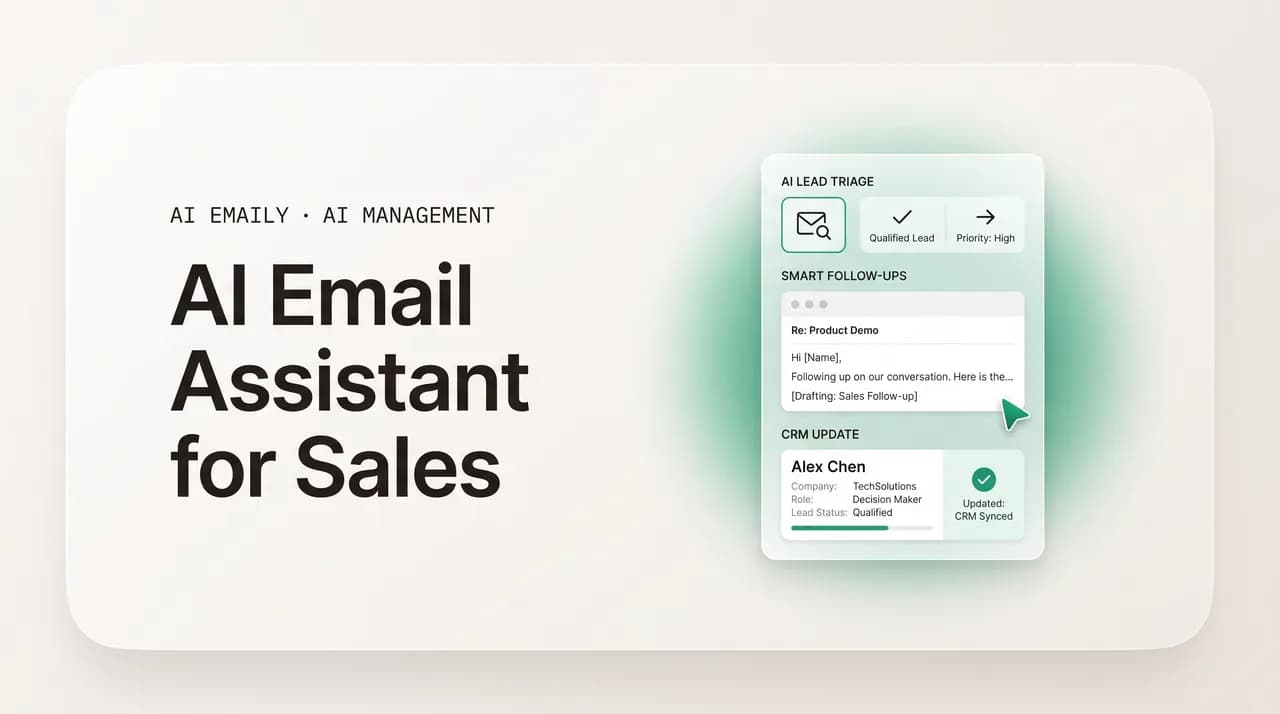
The AI email assistant for sales that triages hot leads, drafts follow-ups in your voice, and runs sequences on autopilot — on your real inbox, every send approved.
On this page
- 01What does an AI email assistant for sales actually need to do?
- 02Why do sales reps lose so much time in the inbox?
- 03How do sales email and AI tools compare in 2026?
- 04How does AI drafting and personalization work at scale for sales?
- 05How can AI make sure you never miss a sales follow-up?
- 06How does AI prioritize a sales inbox so hot leads come first?
- 07How does AI Emaily work as an AI email assistant for sales?
- 08What should you look for when choosing an AI sales email assistant?
- 09Conclusion: spend the day selling, not in the inbox
Here is the uncomfortable math of modern selling. Sales reps spend only about 30 to 40 percent of their time actually selling. The rest — 60 to 70 percent — goes to admin: logging activity in the CRM, sitting in internal meetings, researching prospects, and working the inbox. Email and admin tasks alone eat roughly 14 percent of a rep's week, and for a team of ten that adds up to thousands of hours a year spent doing everything except talking to buyers.
Most of that inbox time is not high-value work. It is reading a thread to remember where a deal stands, retyping the same follow-up for the fifth prospect this week, scrolling past newsletters and calendar noise to find the one reply that actually moved a deal, and trying to remember which of last week's emails never got a response. None of it closes business. All of it has to happen.
This is exactly the work an AI email assistant for sales is built to absorb. Not a chatbot in a separate tab you paste prospects into, and not a mass-blast tool that sends generic sequences from a throwaway domain — but an assistant that lives in your real inbox, knows your deals, drafts in your voice, surfaces the leads that matter first, and keeps the follow-up running so nothing slips. The goal is simple: less time in the inbox, more time selling, and not a single hot lead dropped because you got busy.
This guide covers what a sales AI assistant actually needs to do, how the current tools stack up, and how the three jobs that matter most — personalized drafting, never-miss follow-up, and priority triage — work in practice. Then we show how AI Emaily does all three inside your existing inbox. If you want the writing side in more depth, our companion guides on AI prompts for cold email and AI prompts for follow-up emails go deep on the drafting craft; this post is about the assistant that runs the whole inbox, not just the words.
What does an AI email assistant for sales actually need to do?#
The phrase "AI email assistant" gets stretched to cover everything from a spell-checker with a brain to a fully autonomous outbound machine. For a salesperson, the definition is narrower and more demanding. A real sales assistant has to do four jobs well, because those four jobs are where reps lose the most time and the most revenue.
First, it drafts. Not boilerplate, but replies and follow-ups that sound like you wrote them, grounded in the actual thread and the actual deal. A reply that ignores what the prospect said two emails ago is worse than no reply, because it tells the buyer you are not paying attention. Drafting that works has to be personalized to the conversation, not just the contact's first name.
Second, it follows up. The single most common reason deals die is not rejection — it is silence. The rep got busy, the follow-up never went out, and a warm lead cooled to nothing. A sales assistant has to track who has not replied, draft the next touch with a fresh angle rather than a limp "just bumping this," and keep the cadence going whether or not the rep remembers.
Third, it triages and prioritizes. A sales inbox is a flood: prospect replies, internal threads, tool notifications, calendar invites, newsletters, and the occasional fire. The assistant has to read that flood and pull the few messages that need a human now — the hot-lead reply, the pricing question, the "can we talk Thursday?" — to the top, and push the noise down. Selling time is reclaimed mostly by deciding what not to look at.
Fourth, it keeps the system of record honest. When a prospect replies, books a call, or goes cold, the CRM should reflect it without the rep stopping to type. The assistant does not have to be the CRM, but it has to play nicely with it, so the pipeline data reps and managers trust is actually true. We will be honest later about where AI Emaily fits on this fourth job versus a dedicated sales-engagement platform — but it belongs on the list.
Drafting alone is not an assistant
Why do sales reps lose so much time in the inbox?#
It helps to be specific about where the hours go, because the fix depends on the cause. Inbox time for a salesperson breaks into a few recurring buckets, and almost all of them are repetitive rather than skilled — which is precisely why they are automatable.
The first bucket is reading to re-orient. Before a rep can reply to a thread, they have to remember the deal: who this is, what was promised, what objection came up, what the last email said. On a long thread with several people cc'd, that is two or three minutes of scrolling and re-reading before a single word gets typed. Across a full pipeline, that re-orientation tax is enormous and produces nothing on its own.
The second bucket is repetitive drafting. The same five situations come up constantly — the intro reply, the pricing follow-up, the "checking in after the demo," the scheduling back-and-forth, the polite nudge to a quiet prospect. Reps either retype these from scratch every time or paste a stale template that does not fit the specific conversation. Both are slow, and the template path quietly lowers reply rates because buyers can smell a canned message.
The third bucket is follow-up tracking. Keeping a mental or spreadsheet list of who owes you a reply, who is on touch two versus touch four, and when each next touch is due is genuinely hard administrative work. It is also the first thing to fall apart in a busy week, which is why so much pipeline leaks here.
The fourth bucket is sorting signal from noise. A sales inbox gets hammered with low-value mail — tool alerts, internal FYIs, newsletters, calendar churn. Each one is a small interruption, and collectively they bury the messages that actually need a fast human reply. The cost is not just time; it is the slow response to a hot lead because it was sitting three screens down behind a pile of notifications.
What ties these four buckets together is that none of them is the work reps were hired to do. Nobody joins a sales team to retype follow-ups or maintain a tracking spreadsheet. The skilled part of selling — reading a buyer, framing value, handling an objection, knowing when to push and when to wait — is a small fraction of the inbox; the rest is logistics. And because the logistics are urgent and constant, they crowd out the skilled work rather than the other way around. The rep ends the day having cleared the inbox and feeling busy, but the pipeline barely moved.
There is a second, sneakier cost: context switching. Every time a low-value email pulls a rep's attention mid-task, it takes minutes to get back to where they were. A day chopped into dozens of small inbox interruptions is a day with very little deep selling time in it, even if the total minutes look reasonable on paper. Reclaiming selling time is therefore as much about protecting attention as about saving minutes — and an assistant that batches the noise so it interrupts you once instead of forty times does both.
How do sales email and AI tools compare in 2026?#
The market is crowded and the categories blur together, which makes it hard to tell what a given tool actually does. It helps to sort the options by their core job rather than their marketing. Broadly, there are sales-engagement platforms built for high-volume outbound, AI writing coaches that score and improve drafts, CRM-native assistants bolted onto Salesforce or HubSpot, general chatbots people repurpose for sales, and AI-native email clients that run the inbox itself.
Each category solves a real problem, and none of them is wrong. The question is which problem you have. A 50-rep outbound team blasting thousands of sequenced emails has different needs than an account executive or founder-led seller working a smaller set of high-value conversations out of their primary inbox. The table below maps the landscape honestly, including where AI Emaily fits and where it does not.
| Category | Examples | Core job | Best for | The gap |
|---|---|---|---|---|
| Sales-engagement platforms | Outreach, Salesloft, Apollo | High-volume multi-channel sequences (email, phone, LinkedIn) with deep CRM sync | Dedicated SDR/BDR teams running outbound at scale | Heavy to set up; built around a separate sequencing UI, not your day-to-day inbox; overkill for reply-driven selling |
| AI email coaches | Lavender and similar | Score and improve a draft in real time before you send | Reps who want better individual emails and coaching | Improves the email you write; does not triage your inbox, run follow-ups, or act on its own |
| CRM-native AI | Einstein, HubSpot Breeze | Suggest and draft inside the CRM, summarize records | Teams already living in Salesforce or HubSpot | Strong on CRM data, weaker on inbox triage and voice; personalization depth and conversation-awareness vary |
| General chatbots | ChatGPT, Claude, Gemini | Write or rewrite an email when you paste in context | Ad hoc drafting and brainstorming | Lives in a separate tab; cannot see your inbox, remember your voice, track replies, or send follow-ups |
| AI-native email client | AI Emaily | Triage, draft in your voice, and run follow-ups inside your real inbox, every send approved | AEs, founders, and reps who sell from their primary inbox and want hours back | Not a bulk-cadence outbound platform; pairs with a CRM rather than replacing it |
Two patterns are worth pulling out of that table. The first is the line between assistants that suggest and agents that act. Coaches and CRM helpers mostly suggest — they score your draft or offer a starting paragraph, but you still do the work of opening the right email, writing the reply, and remembering the follow-up. Agents act — they triage the inbox, draft the reply for you, and run the sequence, with you approving. For a rep drowning in admin, the act side is where the hours come back.
The second pattern is where the tool lives. Sequencing platforms live in their own interface; you go to them to do outbound. Chatbots live in a browser tab; you ferry context in and answers out. The thing a busy salesperson actually stares at all day is their inbox. An assistant that runs inside that inbox removes the switching cost entirely — there is no separate place to go, no copy-paste tax, no second system to keep in sync. That is the design AI Emaily is built around, and it is the reason it fits reply-driven selling so well.
It is also worth noticing how many of these tools assume cold outbound is the whole job. A large slice of revenue — especially for AEs, founders, and anyone selling a considered product — comes from inbound replies, warm introductions, and nurturing deals already in flight. That work does not happen in a sequencing tool; it happens in the inbox, one thread at a time, and it is exactly the work a general chatbot cannot help with because it never sees the thread. The category that fits this reply-driven motion is the AI-native email client, and it is the least crowded part of the market precisely because it is the hardest to build: it requires running safely inside a real mailbox, not just generating text on the side.
Match the tool to how you sell
How does AI drafting and personalization work at scale for sales?#
Drafting is where most people first reach for AI, and where most people are quietly disappointed. The disappointment is rarely the model's fault — it is that a generic tool has no idea who you are or what this deal is about, so it produces a generic email. "Personalization" that just merges in a first name is not personalization; buyers stopped being impressed by that years ago. Real sales personalization is conversation-aware: it references what the prospect actually said, where the deal actually stands, and what outcome actually matters to them.
That requires two things a chatbot in a separate tab does not have: the context of the real thread, and a model of how you write. A good sales assistant draws on both. It reads the conversation so far so the reply picks up the objection from two emails ago instead of ignoring it. And it learns your voice from your real sent mail — your sentence length, your level of formality, the way you open and close — so a draft sounds like you on the first email and the fortieth, not like a corporate press release.
Personalizing at scale is the part that breaks down by hand. Writing one genuinely tailored email is easy; writing forty before lunch, each one specific, is where reps either burn out or fall back on templates. The shift that works in 2026 is from firmographic personalization — industry, company size, the stuff anyone could guess — to signal-based personalization, which references something the prospect or their company actually did: a post they wrote, a role they posted, a launch, a funding round. Signals consistently out-pull firmographics on reply rate because they prove you looked.
The way an AI assistant makes that scalable is by doing the reading and the first draft, then leaving you the judgment. Instead of starting from a blank reply, you start from a draft that already references the right signal and the right thread, in your voice, and you tweak the one line that needs your taste. That is the difference between AI writing your email and AI handing you a strong first draft to finish — and the second is what actually saves time on a real pipeline.
Voice is the part most teams underestimate. Two reps selling the same product should not sound identical, and a buyer who has exchanged three emails with you will notice instantly if the fourth reads like it came from a different person — or a machine. A generic AI register, however polished, flattens that voice into corporate neutral. An assistant that learns from your real sent mail keeps your cadence, your level of formality, and the small verbal habits that make an email feel like you. The test is simple: a colleague who knows how you write should not be able to tell which replies you typed and which the assistant drafted.
There is also a consistency dividend that compounds over a quarter. When every draft starts from the right context in the right voice, your whole pipeline gets a more even quality of communication — the prospect on touch four gets the same considered, on-brand treatment as the one you emailed fresh this morning, even on a chaotic day. That evenness is hard to sustain by hand and easy to lose under pressure, which is exactly when deals are won or dropped. Offloading the first draft to an assistant is less about any single email and more about never letting a busy week degrade how you show up to buyers.
The second draft works because it is grounded. It names the specific question, references the prospect's actual constraint, narrows to what is relevant, and closes with a low-friction either-or rather than a generic 30-minute ask. No amount of clever prompting gets a context-blind chatbot to write that, because the chatbot never saw Tuesday's email. An assistant that lives in the inbox did — which is the whole point. For the prompt-craft behind drafts like this, our guide on AI prompts for cold email breaks down the parts of a high-reply message; here the assistant is doing that work for you, with the context already in hand.
Never let AI invent a fact to fill a personalization slot
How can AI make sure you never miss a sales follow-up?#
If you fix only one thing in a sales inbox, fix follow-up. The data is blunt: most deals that die, die from silence, not from a no. A large share of replies come from the second, third, and fourth touch — not the first email — which means the rep who stops after one or two messages is leaving the majority of their potential replies on the table. And the reason reps stop is almost never a decision; it is that the follow-up fell off the list in a busy week.
Follow-up is the perfect job for automation precisely because it is the part humans are worst at sustaining. It is repetitive, time-sensitive, and easy to forget — and the cost of forgetting is invisible until the quarter closes light. An AI assistant changes the equation by making follow-up the default instead of the thing you do if you remember. It watches every thread for a reply, and when one does not come, it drafts the next touch and times it on cadence.
The craft matters here as much as the consistency. A follow-up that just says "just bumping this to the top of your inbox" adds nothing and trains the prospect to ignore you. A good follow-up brings something new each time — a different angle on the problem, a relevant proof point, a useful resource, a reason this is worth a reply now. A capable assistant drafts each touch with a fresh angle drawn from the conversation, not a recycled nudge. Our deep dive on AI prompts for follow-up emails covers the angle-per-touch approach in detail; a sales assistant bakes that pattern into the sequence so you do not have to think about it.
The other half of never-missing is knowing when to stop. Follow-up that keeps going after a prospect replies, books, or asks you to stop is not persistence — it is a bad look that can cost you the deal. An assistant worth using detects the reply or the meeting and pulls that thread out of the sequence automatically, so the only follow-ups that go out are the ones that should.
Cadence is its own small craft, and getting it wrong is costly in both directions. Too aggressive — daily nudges on a cold thread — and you train the prospect to mute you or mark you as spam, which hurts the deal and your sender reputation. Too passive — a single follow-up a week after the first email — and you simply blend into a busy inbox and never get the reply that a well-timed third touch would have produced. The sweet spot is a sequence that spaces touches sensibly, brings something new each time, and tapers gracefully rather than stopping abruptly. An assistant that handles the timing frees the rep from doing this math thread by thread.
It is worth being precise about why follow-up is so well suited to AI specifically. The job has three traits that map exactly onto what software is good at and humans are bad at sustaining: it is repetitive, so consistency beats inspiration; it is time-sensitive, so a reliable scheduler beats human memory; and its failure mode is invisible, so it is the first thing to silently slip when a rep is busy. Hand those traits to an assistant and you convert your weakest, most-forgotten activity into your most reliable one — without losing the human judgment on what each touch actually says.
- 1
Detect the non-responders
The assistant watches every sent thread and flags the ones that have gone quiet past your follow-up window, so nobody falls off the list because you got busy.
- 2
Draft the next touch with a new angle
For each quiet thread, it drafts the next message in your voice with a fresh reason to reply — a different angle, a proof point, a resource — never a hollow "just checking in."
- 3
Time the cadence sensibly
Touches are spaced on a sensible cadence rather than fired all at once, so you capture the replies that follow-ups generate without hammering the prospect.
- 4
Stop the moment they engage
When a prospect replies, books a call, or asks you to hold off, the assistant removes that thread from the sequence automatically. No awkward follow-up after a yes.
- 5
Hold each send for your approval
Drafted follow-ups queue for a human check before anything leaves your outbox, so you keep judgment over tone and timing while the assistant does the remembering.
That last step is what separates a follow-up assistant you can trust from a fire-and-forget blaster. Automating the drafting and the remembering is safe and hugely valuable. Automating the sending without a look is where reputations and relationships get damaged — a wrong name, a stale detail, a tone that misreads the moment. The right model is leverage with a human check: the assistant does the tedious 90 percent of follow-up, you approve the send. You get the consistency of automation and keep control of what actually goes out.
Follow-up is the highest-ROI thing to automate first
How does AI prioritize a sales inbox so hot leads come first?#
Drafting and follow-up assume you have already found the email worth acting on. In a real sales inbox, finding it is half the battle. The inbox does not arrive sorted by importance — it arrives in reverse-chronological order, which means a hot-lead reply and a calendar notification get the same visual weight, and the message that could close a deal sits behind a wall of noise until you scroll to it. Slow response to a warm lead is one of the quietest ways to lose business, and it usually happens because the lead was simply buried.
AI triage fixes the ordering problem. Instead of reading top-to-bottom, the assistant reads the whole inbox and classifies it by what it is and how urgent it is for you specifically. A reply from an open opportunity is not the same as a newsletter, and a pricing question from a deal in late stage is not the same as an internal FYI. Good triage understands those differences and surfaces the few messages that need a human now, while pushing the rest down or into bundles you can clear in a batch later.
What makes sales triage different from generic inbox triage is that it is deal-aware. It is not enough to know an email came from a person rather than a mailing list; the assistant should weight a message higher because it is from a contact on an active deal, because it contains a buying signal like a pricing or scheduling question, or because the thread has been waiting on you. Priority for a salesperson is about revenue proximity, not just sender type.
The payoff is a workday that starts with the three emails that move pipeline instead of the forty that do not. You reply to the hot lead in minutes instead of hours because it was at the top, not buried. You clear the low-value mail in one pass instead of letting each one interrupt you. And you spend the reclaimed attention on selling, which is the entire point of the exercise.
Triage also quietly improves your forecast and your morale. When the inbox is an undifferentiated pile, it is easy to lose track of which deals are waiting on you, and a thread that needed a same-day reply can sit for two days simply because it was never seen. A prioritized inbox makes the state of your pipeline legible at a glance — what is hot, what is waiting, what is noise — so you spend less mental energy worrying about what you might be missing. The relief of opening your inbox and trusting that the important things are already at the top is hard to overstate for anyone who has felt the dread of a four-figure unread count.
| Inbox message | Without AI triage | With deal-aware triage |
|---|---|---|
| Pricing question from a late-stage deal | Sits mid-inbox behind newer, lower-value mail | Surfaced to the top as urgent — needs a reply now |
| "Can we talk Thursday?" from an open opp | Easy to miss in the scroll; slow reply cools the lead | Flagged as a scheduling signal on an active deal |
| Reply from a prospect who went quiet last week | Lost unless you remember the thread | Linked to the stalled deal and pulled forward |
| Tool notification or internal FYI | Same visual weight as a hot lead | Pushed down or bundled to clear in one batch |
| Newsletter or marketing blast | Adds to the scroll between real messages | Filtered out of the priority view entirely |
Triage, drafting, and follow-up are not three separate features so much as three stages of one workflow: find what matters, respond to it well, and keep the conversation alive until it converts. A tool that does one but not the others leaves a gap you fill by hand. The reason an inbox-native assistant is powerful for sales is that it can do all three in the place you already work, in sequence, without you switching tools or re-supplying context at each step. That is the design behind AI Emaily, which we will walk through next.
How does AI Emaily work as an AI email assistant for sales?#
AI Emaily is an autonomous, AI-native email client built around the three jobs that drain a sales rep's day — priority triage, voice drafting, and never-miss follow-up — done inside your real inbox rather than in a separate tab or a sequencing platform you have to live in. It connects to the email account you already use, learns how you write and what your deals are, and turns the inbox from a chore you manage into a workflow that mostly runs itself, with you approving the moves that matter.
Voice drafting works because AI Emaily can see what a chatbot cannot. Because it runs on your real mailbox, it has the context that makes a sales reply land: who you have emailed, what was said in this thread, and how you actually write. It drafts replies, follow-ups, and outreach in your own voice — learned from your real sent mail, not a generic corporate register — and grounds each draft in the live conversation, so the reply picks up the prospect's last point instead of ignoring it. You never re-paste your context or your tone each session; the client holds them.
Follow-up runs on autopilot, with you in control. The part reps abandon first — tracking who never replied and writing a fresh touch on cadence — is exactly what AI Emaily keeps running. It watches every thread for a reply, drafts the next touch with a new angle rather than a hollow nudge, times the sequence so you capture follow-up replies, and pulls a thread out the moment the prospect engages. You stop being the spreadsheet that remembers who is on touch three, and you stop losing deals to silence.
Priority triage puts the revenue at the top. AI Emaily reads the whole inbox and surfaces the messages that need you now — the hot-lead reply, the pricing question, the scheduling ask on an active deal — while pushing notifications, newsletters, and internal noise down or into bundles you clear in a batch. Your day starts with the few emails that move pipeline instead of the forty that do not, which is where the reclaimed selling time comes from.
Control is the design, not an afterthought. AI Emaily runs in three modes — Manual, where you write and it stays out of the way; Copilot, where it drafts and queues every reply and follow-up but each send waits for your explicit approval; and Autopilot, for the routine touches you have deliberately chosen to delegate. Every action has undo and a full audit trail, so nothing leaves your outbox that you did not see. For sales — where one careless send can cost a relationship or a deal — that human check matters more than anywhere else.
Three sales jobs, one inbox, zero copy-paste
On the CRM question, here is the honest version. AI Emaily is an AI email client, not a sales-engagement platform, so it is not trying to replace Salesforce or HubSpot as your system of record. What it does is remove the inbox work that usually keeps your CRM out of date — the slow replies, the missed follow-ups, the threads you forgot to act on — so the activity your CRM tracks actually happens on time. If you run a dedicated outbound motion with thousands of sequenced cold emails, keep your cadence platform for that; AI Emaily is the assistant for everything that lands in your primary inbox and the reply-driven selling that happens there. Many reps run both, and that is the right call.
It is private and works with what you already use. AI Emaily connects to your existing inbox across every email provider, so there is no migration and no lock-in to one ecosystem, and it is built privacy-first: your mail is yours, not training data, and nothing sensitive is logged or used to train models. You keep your address, your history, and your relationships — the assistant just runs on top of them.
Getting started is deliberately low-commitment. The Free plan is $0, so you can connect your inbox and see the triage and drafting on your own real mail before paying anything. Pro is $12.42 per month billed annually and unlocks the full follow-up autopilot, voice drafting, and higher limits — the plan most reps want once they have felt a week with the inbox running itself. Autopilot is $20.75 per month billed annually for the deepest delegation, when you are ready to hand off routine touches end to end. Sign up at app.aiemaily.com/signup, connect the inbox you already sell from, and start with the hot leads at the top and the follow-ups handled.
Try it on your real pipeline, free
What should you look for when choosing an AI sales email assistant?#
If you are evaluating options, a short checklist cuts through the marketing. Most tools demo well on the easy job — writing one nice email — and the differences only show up on the hard jobs, which is exactly where a busy rep needs help. Pressure-test the following before you commit.
Does it work in your real inbox, or in a separate place? An assistant you have to leave your inbox to use adds a switching cost that erodes the time it saves. The best ones run where you already work, across the provider you already use, with no migration. Does it draft in your voice, or a generic one? Ask whether it learns from your sent mail or just merges a first name into a template; conversation-aware drafting is the whole game for sales. And does it cover the mailbox you actually sell from? A Gmail-only tool is no use to a rep who needs an AI email assistant for Outlook.
Does it actually run follow-up, or just remind you? A reminder still leaves you to write and send. Look for an assistant that drafts the next touch with a new angle, times the cadence, and stops when the prospect engages. Does it keep a human in the loop? For sales, mandatory approval before send — with undo and an audit trail — is not a limitation, it is the feature that lets you trust automation at all. And does it respect privacy? Your pipeline and your relationships should never become someone's training data.
Finally, does it fit how you sell rather than how the vendor wishes you sold? A bulk-cadence platform is the right tool for a high-volume SDR team and the wrong tool for an AE working a focused pipeline from their inbox. Be honest about your motion and pick accordingly. For reply-driven, inbox-centered selling, an AI email client like AI Emaily is the natural fit; for industrial outbound, a sequencing platform is. The worst outcome is paying for complexity you do not use, or settling for a writing aid when you needed an assistant that acts.
One practical way to run the evaluation is to score each tool against the actual time sinks from earlier in this guide — re-reading threads, repetitive drafting, follow-up tracking, and noise sorting — rather than against a feature list. A tool that demos a slick AI draft but does nothing for the other three only solves a quarter of the problem, and it is usually the quarter you were least slowed down by. The tools that move the needle are the ones that take real work off your plate across all four buckets, because that is where the hours actually live.
And do not skip the free trial on your own inbox. Sales tools demo well on a clean sample account and very differently on a real, messy, four-thousand-message inbox with live deals in it. The only honest test is to point a candidate at your actual mail for a week and watch whether your day genuinely starts with the right emails, whether the drafts sound like you, and whether the follow-ups you would have forgotten get queued. If a tool cannot earn that week, no feature list will save it; if it can, you will feel the difference long before the trial ends.
Treat inbound email as untrusted, and keep approval on every send
Conclusion: spend the day selling, not in the inbox#
The case for an AI email assistant in sales is not about writing fancier emails. It is about the brutal arithmetic of where a rep's time goes — most of it on admin, a sizable chunk of that in the inbox, almost none of it the kind of work that closes deals. An assistant that triages the flood so hot leads come first, drafts replies and follow-ups in your voice grounded in the real conversation, and keeps the follow-up running so silence stops killing deals hands those hours back to the only activity that pays: talking to buyers.
The three jobs reinforce each other. Triage finds the email worth acting on, voice drafting lets you respond well in seconds, and follow-up keeps the conversation alive until it converts — and a real assistant does all three in the inbox you already use, not in a tab you paste into or a platform you have to live in. The non-negotiable is control: AI drafts and remembers, you approve what sends. That is how you get the leverage of automation without ever giving up judgment over what goes out under your name.
If your week is more inbox than pipeline, the move is to let the assistant absorb the repetitive part and keep your attention on the deals. AI Emaily does exactly that — voice drafting, follow-up autopilot, and priority triage on your real inbox, across every provider, every send held for your approval, privacy-first. Start free at app.aiemaily.com/signup, point it at the inbox you already sell from, and see your day start with the hot leads at the top and the follow-ups handled.
Frequently asked
See it in AI Emaily
Keep reading

Written by
Nafiul HasanNafiul Hasan is an entrepreneur and AI automation system builder with 10+ years of experience turning messy, manual workflows into reliable automated systems. He designs and ships AI enterprise solutions end-to-end — the agent logic, the data plumbing, and the product people actually use — and founded AI Emaily to give busy professionals their attention back. He writes here from the builder's seat: what works, what breaks, and how to put AI to work without giving up control.