AI Prompts to Lengthen an Email: Add Detail & Context Without Padding

The short answer
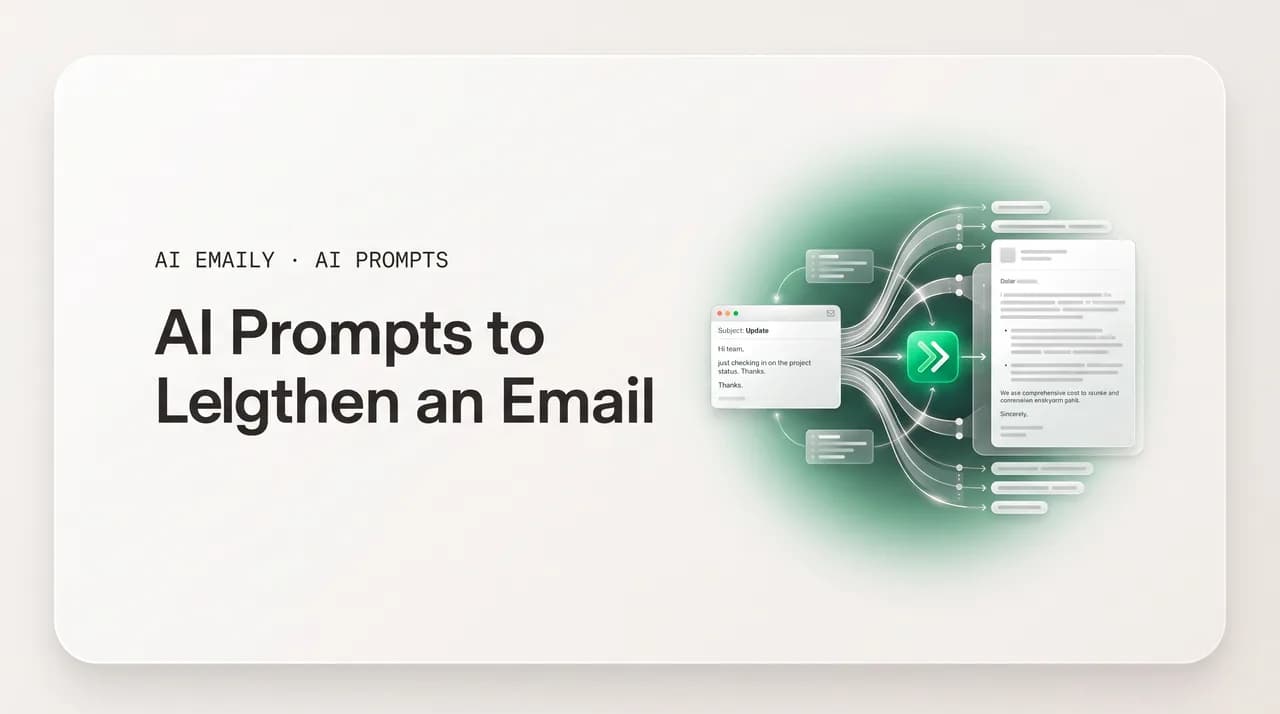
AI prompts to lengthen an email work best when you feed the model the missing substance, not just the instruction to add words. Give it your bullets, your notes, the recipient, and the reason, then ask it to expand into a full email with context and rationale. The goal is more meaning, never more padding.
AI prompts to lengthen an email: turn bullets and notes into a full message, add context, warmth, and rationale, expand an outline, and flesh out a one-liner without padding.
On this page
- 01When does a longer email actually help, and when is it just padding?
- 02How long should the expanded email actually be?
- 03What is the best prompt to turn bullet points into a full email?
- 04What does a good bullets-to-email expansion look like?
- 05How do you turn messy notes from a call into a clean email?
- 06How do you flesh out a terse, blunt draft into a full message?
- 07What is the best prompt to add context to an email?
- 08How do you add rationale or justification so people say yes?
- 09How do you expand an outline into a full email?
- 10How do you flesh out a one-liner into a real email?
- 11Are there reusable prompts for the most common expansions?
- 12How do you add substance instead of filler?
- 13How do you keep a longer email skimmable?
- 14What are the most common mistakes when lengthening an email?
- 15What's the catch with doing all this in a chatbot?
- 16How does AI Emaily expand from a few notes into a full email in your voice?
- 17How should you actually use these prompts, end to end?
When does a longer email actually help, and when is it just padding?#
Most advice about email tells you to cut. Be brief, get to the point, respect the reader's time. It is good advice. But there is a quieter, equally real problem the cut-everything orthodoxy ignores: the email that is too short to do its job. You jotted three bullets, fired off a one-line reply, forwarded a note that says "thoughts?" and assumed the recipient could fill in the rest. They could not. The reply comes back asking the three questions you should have answered the first time, or worse, no reply comes at all because the reader could not tell what you wanted, why it mattered, or what they were supposed to do.
Length is not the goal. Clarity is, and sometimes clarity needs more words, not fewer. A request that affects someone's budget needs the rationale attached, or they cannot say yes. Bad news needs enough framing that it does not land as a slap. An introduction to a stranger needs context they do not have: who you are, why you are writing, what the ask is. A decision you are announcing needs the reasoning behind it, or people relitigate it in the replies. In every one of these cases the two-line version is not crisp; it is incomplete, and the incompleteness costs you a round trip, a misunderstanding, or a no.
So this guide is about a specific, useful job: turning something too short into something complete. That means starting from raw material, bullets you scribbled, notes from a call, a terse draft, an outline of points you want to hit, and using AI to expand it into a full email that carries the context, detail, and rationale a reader needs. Done well, the result is not longer for the sake of length; it is longer because it now contains everything the short version was missing.
The danger is the opposite failure, and it is worth naming up front because it is the one everybody fears. Ask a model to "make this longer" with no other instruction and it will pad: a throat-clearing opening, your point restated three ways, filler transitions, four hundred words that say what your forty words said, only slower. Padding is worse than the original because now the reader has to wade through it. The entire craft of expanding an email with AI is the craft of adding substance instead of padding, and almost all of it comes down to one move: give the model the missing material so it has something real to expand into, rather than asking it to invent volume from nothing.
The one rule that separates expansion from padding
How long should the expanded email actually be?#
Before you reach for a prompt, decide what "long enough" means, because the number you give the model changes the output completely. The research on email length is consistent here. Studies of reply rates find messages land in a sweet spot rather than improving the longer they run: very short notes of a sentence or two underperform because they read as careless, effectiveness climbs as you add the context a reader needs, then falls off once the reader has to work to find the point. For most working email, the productive band sits around a few tight paragraphs, long enough to carry rationale and detail, short enough to read on a phone.
That gives you a practical rule: you are not writing the longest possible email, you are writing the shortest email that is still complete. The target is the point at which a reader has everything they need to act, and not one sentence more. When you set length in a prompt, set it as a range with a ceiling, "expand to roughly three short paragraphs, no more," rather than an open "make it longer," which has no natural stopping point and is exactly how padding creeps in.
The type of email moves the target. A routine status update or a follow-up nudge belongs at the short end; the reader already has the context, so adding paragraphs only slows them down. An introduction to a stranger, a proposal explaining a new service, sensitive news, or a decision that needs its reasoning attached belongs at the longer end, because the reader genuinely lacks the context and the email's whole job is to supply it. Match the length to how much the reader does not yet know, and you will rarely overshoot.
| Email type | Why length helps (or doesn't) | Rough target |
|---|---|---|
| Routine follow-up / nudge | Reader already has context; extra paragraphs slow them down | 2–4 sentences |
| Reply with a clear answer | Add just enough rationale to preempt the next question | 1–2 short paragraphs |
| Request that needs a yes | Rationale and stakes are what unlock the approval | 2–3 short paragraphs |
| Introduction to a stranger | Reader lacks all context; you must supply who, why, and the ask | 2–3 short paragraphs |
| Proposal / explaining a new offer | Reader needs to understand value before deciding | 3–5 short paragraphs |
| Sensitive news or a decision | Framing and reasoning prevent it landing badly or getting relitigated | 3–4 short paragraphs |
Aim for the shortest complete email, not the longest
What is the best prompt to turn bullet points into a full email?#
This is the most common reason people want to lengthen an email, and the most rewarding, because bullets are the ideal raw material. They already contain your real points; what they lack is the connective tissue, the greeting, the framing, the transitions, the close, that turns a list into a message a person can read. When you hand a model genuine bullets, you are not asking it to invent content; you are asking it to package content you supplied. That is the difference between expansion and padding in one move.
The prompt below does three things that matter. It names the recipient and the relationship so the model can set the register. It states the purpose so the email has a spine. And it hands over the bullets as the substance, with an explicit instruction not to invent anything beyond them. That last line is the guardrail: without it, a model will happily fabricate a deadline, a name, or a commitment to fill out the paragraph, and a confident fabrication in an email you send is far more dangerous than a slightly thin one.
What does a good bullets-to-email expansion look like?#
Seeing the transformation makes the principle concrete. Below, the "before" is a raw bullet list, the kind you might paste into a draft and then stare at, unsure how to make it sound like a message. The "after" is what a well-prompted model returns: the same four facts, now with a one-line opener that orients the reader, a paragraph that groups the progress, a paragraph that names the risk and the ask, and a close that points to a next step. Nothing was invented. The email got longer because it got complete, not because it got padded.
Read the after carefully and notice what it does not do. It does not open with "I hope this email finds you well." It does not restate each bullet three times. It does not add a paragraph of throat-clearing about how busy everyone is. Every added sentence is doing a job, orienting, grouping, framing the ask, or pointing forward. That is the test you apply to any expansion: can you delete a sentence without losing meaning? If yes, it was padding. If no, it earned its place.
The delete test
How do you turn messy notes from a call into a clean email?#
Notes are bullets' messier cousin. After a meeting or a call you are left with fragments, half-sentences, a name, a number, an arrow, a thing someone said that you typed too fast. They are full of substance but they are not in any order, and some of them are private reminders to yourself that should never reach the recipient. Expanding notes into an email is therefore a two-part job: extract the parts that belong in a message, then expand only those into prose. A good prompt tells the model to do both, and to ask rather than guess when a fragment is ambiguous.
The prompt below adds a line you will come to rely on for anything built from rough notes: an instruction to flag gaps instead of filling them. Notes are inherently incomplete, you were there, so you did not write down the obvious, and the model was not, so the obvious is invisible to it. Telling it to mark uncertainty with a placeholder you can fill in yourself turns a risky guess into a visible blank. That single instruction is the difference between an email you can trust and one you have to fact-check line by line.
How do you flesh out a terse, blunt draft into a full message?#
Sometimes you already have a draft, but it is too curt to send. You wrote it fast, or you wrote it annoyed, and now it reads as terse, even cold, when the situation calls for more. This is a different job from the bullets case: you are not adding new points, you are adding the human and contextual layer the blunt version stripped out, a bit of acknowledgment, a line of reasoning, a softer frame on a hard ask, without changing what the email actually says.
The key instruction here is to preserve meaning while adding warmth and context, and to keep the additions honest. A terse "No, we can't do Friday" can become a fuller, kinder message that still says no, by adding the reason and an alternative, but it must not become a wishy-washy maybe just because the model padded it with hedges. Tell the model explicitly: keep the decision, keep the facts, add the framing. That keeps the expansion in service of clarity rather than turning a clear no into an ambiguous one.
Warmth is added framing, not hedging
What is the best prompt to add context to an email?#
A short email often fails because it assumes context the reader does not have. You know why the deadline moved, you know what the last meeting decided, you know who the new person is, so you leave it out, and the reader is left guessing. Adding context is one of the highest-value expansions because it is the difference between an email that makes sense on its own and one that forces the reader to dig through old threads or reply asking for background.
The honest constraint with context is that the model does not know your situation. It can add the structure for context, but it cannot supply the facts; only you can. So the productive prompt is one where you hand over the background in a few lines and ask the model to weave it into the email naturally, in the right place, not dumped in a wall of preamble. The prompt below shows the pattern: give the model the bare email plus the context it lacks, and let it integrate.
How do you add rationale or justification so people say yes?#
There is a well-known finding in behavioral psychology that people are far more likely to grant a request when it is accompanied by a reason, even a thin one. The same principle governs email. A bare ask, "Can you approve the extra budget?" gives the reader nothing to weigh, so the safe default is to delay or decline. The same ask with its rationale attached, "Can you approve the extra budget? Without it we miss the launch window, and the cost of slipping a quarter is far higher than the overage," hands the reader the argument they need to say yes. Adding rationale is the single most useful expansion for any email that asks for something.
The prompt below is built around supplying the rationale rather than asking the model to manufacture it. You know why the ask matters, the stakes, the trade-off, the cost of saying no, so you feed those in and let the model arrange them into a persuasive, non-pushy paragraph. The instruction to lead with the ask and then justify it, rather than burying the request under a long windup, matters: readers want to know what you want before they read why, so they can decide how closely to read.
Lead with the ask, then justify it
How do you expand an outline into a full email?#
An outline sits between bullets and a draft: it has structure, an order, maybe section headers or a logical flow, but the sentences are not written yet. Outlines are common for longer, more considered emails, a proposal, an announcement, a detailed update, where you thought through the argument before you wrote a word. Expanding an outline is the lowest-risk expansion of all, because the outline already encodes your intended structure; you are just asking the model to write the prose for each beat.
Because the structure is already decided, the prompt should tell the model to honor it, one paragraph per outline point, in the given order, rather than reorganizing. The risk with outlines is over-elaboration: a model handed a five-point outline can return five fat paragraphs when five tight ones would do. Cap the length per point, and you keep the expansion proportional. The example below shows an outline for an announcement and the instruction set that keeps it disciplined.
How do you flesh out a one-liner into a real email?#
The hardest expansion is the one with the least to work with: a single line. "Following up on this." "Can we talk?" "Thoughts on the attached?" A one-liner is barely an email; it is a notification that you want something, with none of the substance attached. Expanding it well is the most demanding case precisely because the model has almost nothing to go on, which means you have to supply more in the prompt than the original line contains. If you do not, the model will guess, and the guess will be generic.
So the move with a one-liner is to treat the prompt itself as the real input. The single line tells the model the intent; you provide the rest, who, why now, what specifically you want them to do. The example below shows how a throwaway "Can we talk?" becomes a complete, considerate email once you feed the model the context the line omitted. Notice that almost all the substance comes from the prompt, not the original line, which is exactly right: a one-liner cannot be expanded, only rebuilt from the intent it gestures at.
Are there reusable prompts for the most common expansions?#
Once you have done a few expansions you will notice the same handful of jobs recurring, and you can keep a small set of reliable prompts on hand rather than writing each one fresh. The table below collects the workhorses by the input you are starting from. Each is a starting point you adapt by pasting your real material; the value is in remembering which shape fits which situation, so you are never staring at a blank prompt box wondering how to begin.
Notice that every prompt in the set carries the same two guardrails in some form: supply the substance, and forbid invention. Those are the constants. The variable is the framing, what register, what structure, what the email is for, which is what you tune per situation. Master the constants and the variable becomes easy.
| Starting from | What to type (adapt with your material) |
|---|---|
| Bullet points | "Expand these bullets into a complete email to [recipient]. Use only these facts; don't invent details. [bullets]" |
| Rough notes | "Turn these notes into a [warm/formal] email. Flag anything unclear as [GAP] instead of guessing. [notes]" |
| A terse draft | "Flesh this out into a fuller, warmer email. Keep every point and decision; just add framing. [draft]" |
| Missing context | "Add this background to the email naturally, not as preamble: [context]. Here's the draft: [draft]" |
| A bare request | "Add the rationale to this ask so it's easy to approve. Lead with the ask. Why it matters: [reasons]" |
| An outline | "Write a full email from this outline, one short paragraph per point, in order. Don't reorder. [outline]" |
| A one-liner | "Rebuild this one-liner into a full email. Recipient: […]. Why now: […]. The ask: […]. Tone: […]" |
How do you add substance instead of filler?#
Everything so far has circled one principle, and it is the whole game: substance comes from you, filler comes from the model guessing. When an expansion feels thin or generic, the cause is almost always that you asked the model to add length without giving it anything real to add. Having nothing, the model reaches for the only thing it can generate without facts, words that sound like an email: pleasantries, restatements, transitions, hedges. No prompt-tuning fixes that, because the problem is upstream, in the input.
The fix is to front-load substance into the prompt. Before you ask for expansion, ask what the short version was actually missing. The reason? Add the reason. The context? Add the context. A specific detail, a number, a name, an example, that would make it concrete? Add the detail. The most reliable single technique, drawn from how the best cold-email writers work, is to include one specific detail the model could never have generated on its own, because one concrete fact carries more weight than a paragraph of generic warmth and instantly signals a human wrote this.
A discipline of revision keeps substance high. After the model returns the expanded email, read it once with a red pen in mind: does each sentence add information, or just words? Information stays; words go. And a final, human step no prompting replaces: rewrite a sentence or two in your own voice. The model gives you a complete, well-structured draft; a couple of sentences in your real register turn it from a competent template into something that sounds like you, which is what makes the reader trust it.
- Diagnose what the short version was missing, reason, context, or a concrete detail, and add exactly that.
- Include one specific fact the model could not invent, a name, a number, a real reference, to anchor the email.
- Forbid invention explicitly so gaps get flagged, not filled with plausible fiction.
- Apply the delete test: cut any sentence whose removal does not lose meaning.
- Rewrite one or two sentences in your own voice so the email reads as human, not generated.
"Do not invent details" is a safety instruction, not just a style one
How do you keep a longer email skimmable?#
A longer email carries a risk the short version did not: it is harder to skim, and most people skim. The reader opens it on a phone, scans for what concerns them, and acts on what they catch in the first few seconds. If your expanded email is a dense block, the substance you carefully added gets missed anyway, and you spent words for nothing. So the second half of expanding well is structuring well, making a longer email as fast to navigate as a short one.
The levers are familiar from any good writing, and you can fold them straight into your expansion prompt. Lead with the bottom line so a reader who reads only the first sentence still gets the point. Break the body into short paragraphs, each on one idea. Use a short bulleted list for three or more parallel items, options, steps, asks, because lists are the most skimmable structure there is. Put the single most important action on its own line where the eye lands. And keep sentences short; a longer email made of short sentences reads faster than a short email made of long ones.
You can instruct the model to do all of this in one line appended to any expansion prompt: "Structure it to be skimmable, lead with the bottom line, short paragraphs, a bulleted list if there are parallel items, and the key action on its own line." That single instruction often does more for the reader's experience than the expansion itself, because it ensures the added substance is findable, not buried.
What are the most common mistakes when lengthening an email?#
The failure modes of expansion are predictable, and once you can name them you can catch them in seconds. The first and most common is waffle: the email is longer but says nothing more, because the model added pleasantries and restatements instead of substance. The tell is that you can cut it back to the original in one pass without losing a single fact. The cause is always an under-specified prompt, "make this longer" with no material, and the fix is upstream: give the model substance to expand into.
The second mistake is invention. The model, asked to flesh things out, supplies a detail you never gave it, a date, a figure, a name, a commitment, that sounds plausible and is wrong. This is the dangerous one, because it ships in an email you send under your name. The guardrail is the "use only these facts" instruction in every prompt, plus a habit of scanning the output specifically for any claim you did not supply. The third is over-softening: in adding warmth, the model buries a clear decision under so many hedges that the reader cannot tell what you decided. The fix is the explicit instruction to keep the decision firm and add only framing.
The fourth is register drift, the expanded email sounds nothing like you, too formal, too chirpy, full of phrases you would never use. This is unavoidable with a generic model and is exactly why the human pass matters: rewrite the opener and the close in your voice, and the whole thing snaps back to sounding like you. The fifth, quieter mistake is expanding when you should not have, padding a follow-up that should have stayed two lines because longer felt more thorough. Length is not thoroughness; completeness is. If the short version was already complete, leave it short.
| Mistake | The tell | The fix |
|---|---|---|
| Waffle | Longer but no new facts; cuts back to the original cleanly | Front-load real substance into the prompt; apply the delete test |
| Invention | A date, name, or number you never supplied appears | "Use only these facts"; scan output for unsupplied claims |
| Over-softening | A clear decision is now buried in hedges | Tell the model to keep the decision firm, add framing only |
| Register drift | Doesn't sound like you, too formal or too chirpy | Rewrite the opener and close in your own voice |
| Expanding when you shouldn't | Padding an email that was already complete | Match length to what the reader doesn't know; leave complete emails short |
Longer is not the same as more thorough
What's the catch with doing all this in a chatbot?#
Every prompt in this guide works. You can paste your bullets into ChatGPT, Claude, Gemini, or Copilot right now and get a competent expansion back. But step back and look at the workflow you are running, because the friction is real and compounds with every email. To expand one email you switch from your inbox to a separate tab, paste or retype the bullets, type out the recipient and relationship and purpose because the chatbot has no idea who you are emailing, paste the context it lacks, wait for the draft, copy it, switch back, paste it into the compose window, and fix the formatting that broke in the round trip. That is a dozen steps to lengthen one message.
Then you do it again for the next email, and the chatbot has forgotten everything, your voice, your recipients, the thread, so you re-supply all of it from scratch. The model that wrote a perfect three-paragraph expansion an hour ago has no memory it ever met you. Every expansion starts cold. The deeper limitation is that the chatbot cannot see your inbox: it does not know what the original message said, who is on the thread, what was already discussed, or how you write, so you become the integration layer, the human who ferries context between two tools that cannot talk to each other.
There is the privacy cost on top. Each time you paste an email, or the notes from a sensitive call, into a consumer chatbot, you send that content to a third-party server. On free and lower tiers your inputs may be used to train the model unless you have found and disabled the setting, which is easy to forget when moving fast. For routine drafts this is minor; for anything with a name, a number, or a confidential detail in it, the paste is a disclosure you did not quite mean to make. The whole loop, switch, retype context, wait, copy back, re-teach voice, re-disclose, is the tax you pay for using a general chatbot as an email tool that was never built to live in your inbox.
You are the integration layer
How does AI Emaily expand from a few notes into a full email in your voice?#
AI Emaily is an AI-native email client, which means the expand-an-email job lives inside the inbox instead of in a separate browser tab. You do not copy your bullets out to a chatbot and paste a draft back. You start the email where you already are, in the compose window, give the assistant a few notes or bullets, and it drafts the full email in place, on your real account, with no switching, no retyping, no round trip. The dozen steps collapse into one: jot the substance, ask it to expand, edit, send.
The difference that matters most is context. Because AI Emaily is grounded in your actual mailbox, it already has what a chatbot makes you paste. When you expand a reply, it can see the thread you are replying to, so you do not retype what was discussed. It learns how you write from your sent mail, so the expanded draft comes back in your voice, your phrasing, your sign-off, rather than a generic default you have to rewrite. The most tedious part of the chatbot loop, re-teaching the model who you are and what the conversation is about, simply does not happen, because the client never forgot.
It works across every account you connect, Gmail, Outlook, any IMAP provider, in one place, so the same expand-from-notes capability is there whether you write from your work address or a personal one. And because it runs on your inbox under your account, your email content is not pasted into a public consumer tool; it stays private to your mailbox by design, the right default for the calls, numbers, and names that show up in real work email. The point is not that it writes a longer email than a chatbot would, it is that it does the same expansion you would do by hand, grounded in your real context and real voice, without making you the courier between two tabs.
Getting started is free. The Free plan is $0 and lets you connect your inbox and use AI drafting to turn notes into full emails; Pro is $12.42 a month billed annually when you want the higher limits and the full agent. Sign up at app.aiemaily.com/signup and expand your first email from a few bullets in the same window where you will send it, which is the whole idea, the AI lives where the email does.
- Expand bullets or notes into a full email inside the compose window, no separate tab, no copy-paste round trip.
- Drafts come back in your voice, learned from your sent mail, instead of a generic chatbot default.
- Grounded in your real inbox: when expanding a reply it can see the thread, so you don't retype context.
- Works across Gmail, Outlook, and any IMAP provider in one place.
- Private by design, your email stays in your mailbox rather than being pasted into a public chatbot.
- Free plan at $0 to start; Pro at $12.42/mo billed annually for higher limits and the full agent.
Try the expand-from-notes flow
How should you actually use these prompts, end to end?#
Pull the threads together into a workflow you can run on any email that feels too short. Start by diagnosing, not expanding: ask what the short version is missing. If the answer is "nothing, it's just brief," stop, the email is done, and length would only hurt it. If the answer is a reason, context, a detail, or the connective tissue around a list of points, you have a real expansion to do, and you know exactly what to add.
Then pick the prompt that matches your input. Bullets get the bullets-to-email prompt; rough notes get the notes prompt with the gap-flagging guardrail; a curt draft gets the warm-it-up prompt; a bare ask gets the rationale prompt; an outline gets one-paragraph-per-point; a one-liner gets rebuilt from the intent it gestures at. In every case, supply the substance and forbid invention, those are the two constants. Set a length ceiling so the expansion stops at complete, and add the skimmability instruction so the added substance is findable.
Finally, edit like a human. Apply the delete test to strip any sentence that added words without meaning. Scan once for any fact the model invented and cut it. Rewrite the opener and close in your own voice so the email sounds like you. That last pass takes thirty seconds and is the difference between sending something competent and something unmistakably yours. Run this loop a few times and it becomes automatic, and the moment it starts to feel like too many steps is the moment to let an AI-native client do the ferrying for you, so the expansion happens in your inbox, in your voice, without the tab-switching tax.
The expansion checklist
Frequently asked
See it in AI Emaily
Keep reading

Written by
Nafiul HasanNafiul Hasan is an entrepreneur and AI automation system builder with 10+ years of experience turning messy, manual workflows into reliable automated systems. He designs and ships AI enterprise solutions end-to-end — the agent logic, the data plumbing, and the product people actually use — and founded AI Emaily to give busy professionals their attention back. He writes here from the builder's seat: what works, what breaks, and how to put AI to work without giving up control.