How to Use AI to Unsubscribe From Emails and Stop the Newsletter Flood

The short answer
AI unsubscribes from emails by finding every list you are on, then unsubscribing in bulk — one click per sender — via the standard List-Unsubscribe header legitimate senders honor, and filtering the ones that ignore it. Far faster than hunting footer links by hand, and with a privacy-first tool it never sells your data or trains on your mail.
Use AI to unsubscribe from emails: detect every subscription, bulk unsubscribe via the List-Unsubscribe header, and stop the flood — privately.
On this page
- 01Why is unsubscribing from emails by hand so slow?
- 02How does AI find your subscriptions and unsubscribe in bulk?
- 03How does one-click unsubscribe work, and when should you mark spam instead?
- 04What is the privacy catch with free unsubscribe services?
- 05What is the AI clean-subscriptions playbook, step by step?
- 06How do you keep your subscriptions clean once you have cut them?
- 07How does AI Emaily unsubscribe in one click and in bulk, privately?
- 08Frequently asked questions
- 09Can AI really unsubscribe me from emails automatically?
- 10How does AI unsubscribe from emails in bulk?
- 11Is it safe to let AI unsubscribe from my emails?
- 12What was the Unroll.me privacy problem?
- 13Should I unsubscribe or mark as spam?
- 14Does AI unsubscribe work for spam emails?
- 15What is the List-Unsubscribe header and one-click unsubscribe?
- 16Will I still get emails after unsubscribing?
- 17How is using AI different from a tool like Unroll.me?
- 18Can AI unsubscribe across both Gmail and Outlook?
- 19Do I have to pay to unsubscribe from emails with AI?
- 20Will unsubscribing hurt my own email deliverability?
- 21Stop the flood at the source
Open the promotions folder of any inbox that has been alive for a few years and you are looking at a slow-motion disaster. A clothing store you bought one pair of socks from in 2021 emails you four times a week. A newsletter you signed up for during a free-trial paywall sends a daily digest you have never once read. A SaaS tool you stopped using two jobs ago still announces every feature release. A webinar you attended once now treats you as a lead to be nurtured forever. None of it is spam, exactly — you technically opted in, somewhere, at some point — but together it is a constant, low-grade flood that buries the handful of emails that actually matter and makes the whole inbox feel like a chore you are losing.
The obvious fix is to unsubscribe. And you have tried. You scroll to the bottom of one email, find the tiny gray unsubscribe link, click it, wait for a page to load, sometimes confirm on a second screen, occasionally get told to log in to an account you do not remember creating — and then you have dealt with exactly one sender, out of the dozens flooding you, and the next one arrives an hour later. Manual unsubscribing is technically possible and practically hopeless. It is the inbox equivalent of bailing a boat with a teaspoon: you can do it, the water is still rising, and you will quit long before you are dry.
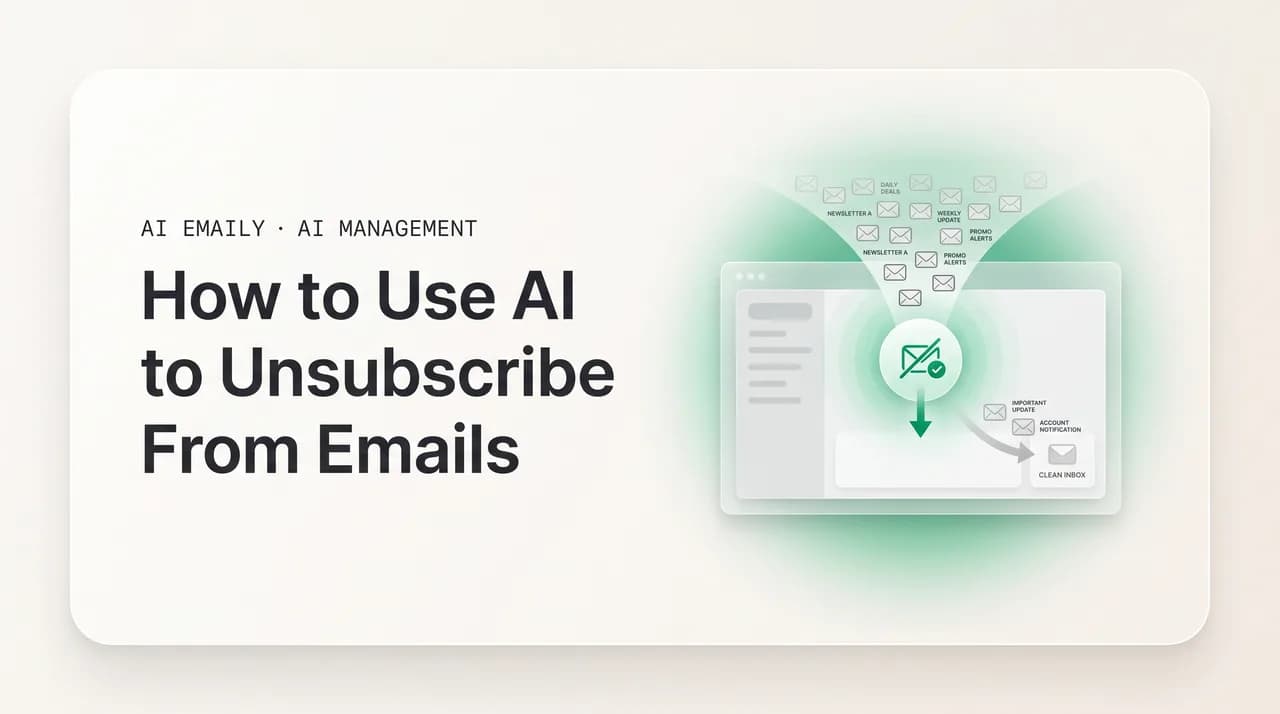
This is the gap AI fills. The work that defeats you here is not hard, it is just voluminous and tedious — finding every list you are on, locating each unsubscribe mechanism, and firing it off one by one across dozens or hundreds of senders. That is exactly the kind of bulk, repetitive task a machine does in seconds and a human abandons in frustration. An AI unsubscribe tool scans your inbox, detects every recurring sender and subscription you have accumulated, and lets you unsubscribe from them in bulk — one click per sender, or a whole batch at once — using the standard mechanism built into the email itself. The flood you could never out-click by hand gets cut off at the source in an afternoon.
This guide is the practical, no-hype version of how that works and how to do it without making things worse. We will start with why manual unsubscribing is so slow that it is barely worth doing, then exactly how AI finds your subscriptions and unsubscribes in bulk. We will cover the one mechanism that makes one-click unsubscribe possible — the List-Unsubscribe header — and when you should mark something as spam instead of unsubscribing, with a table to make the choice obvious. Then the part nobody likes to talk about: the privacy catch with free unsubscribe services, including the well-documented case of one that sold its users' inbox data. After that, a step-by-step playbook to clean up your subscriptions, how to keep them clean so the flood never rebuilds, an honest look at how AI Emaily does all of this in one click and in bulk without selling your data, and a long FAQ. By the end you will have a method you can actually run, not just a vague resolution to unsubscribe more.
Two quick orientations before we start. First, this guide is specifically about unsubscribing — cutting off the recurring flood at its source. If your problem is broader than subscriptions — a five-figure backlog of all kinds of mail — the companion guide on using AI to clean up your inbox covers the full cleanup, and unsubscribing is one move inside it. If you want the mail you keep sorted into folders rather than just reduced, the guide on using AI to organize your inbox picks up there. And if you are specifically in Gmail and want the manual mechanics, the walkthrough on how to unsubscribe from emails in Gmail covers the built-in tools step by step. Second, the rule that runs through everything here: unsubscribing should be both effective and safe. Effective means the mail actually stops. Safe means you do not confirm your address to a spammer, and you do not hand your entire inbox to a company that will quietly monetize it. Both halves matter, and the rest of this guide is about getting both.
Why is unsubscribing from emails by hand so slow?#
Before reaching for AI, it is worth understanding precisely why the manual approach fails, because the friction points are exactly what an automated tool is built to remove. Unsubscribing by hand is not slow because any single unsubscribe is hard. It is slow because the process is multiplied across far more senders than you realize, and each one carries a small tax that adds up to an hour of joyless clicking that you will, predictably, never finish.
Start with the scale problem, which is the one people underestimate most. You do not have five subscriptions you would like to cancel. The typical long-lived inbox is subscribed to dozens — often well over a hundred — newsletters, promotional lists, product updates, and notification streams, accumulated one careless checkbox at a time over years. Every store you bought from defaulted you into marketing. Every gated download, every webinar signup, every "create an account to continue" added a list. You never consciously subscribed to most of them, which is exactly why you have no idea how many there are. Unsubscribing from five feels achievable; unsubscribing from a hundred and forty, one footer link at a time, does not — and the hundred and forty is closer to the truth.
Then there is the per-unsubscribe friction. In the best case, you scroll to the bottom of an email, find a small unsubscribe link deliberately styled to be hard to see, click it, and a confirmation page loads telling you that you are unsubscribed. That is the easy version, and it still takes fifteen or twenty seconds and a context switch out of your inbox. The hard versions are worse: a preference center that makes you uncheck a dozen categories individually; a page that demands you log in to an account you forgot you had; a "we're sorry to see you go" survey before it will let you leave; or a link that loads a broken page and does nothing. Multiply even the easy version across a hundred-plus senders and you are looking at the better part of an hour. Multiply the hard versions and you simply stop.
On top of the friction sits a quieter problem: discovery. To unsubscribe from a list by hand, you have to be holding an email from it — but the worst offenders are often the ones you have trained yourself to ignore: the sender you delete on sight, the daily digest that auto-archives, the promotions piling up in a folder you never open. You cannot unsubscribe from what you are not looking at, so the manual approach only ever touches the subscriptions in front of you at the moment you feel motivated. The long tail quietly flooding an ignored folder never gets addressed, which is why manual unsubscribing, even when you do it, never clears the problem.
Finally, manual unsubscribing has no memory and no leverage. Each unsubscribe resolves exactly one sender and teaches your inbox nothing — there is no "and do this for everything like it," no record of who you have already left, no guard against the same company adding you to a slightly different list next quarter. You are doing piecework forever, against an industry that adds you back faster than you can remove yourself. You cannot win a volume game one item at a time, and unsubscribing by hand is a volume game.
It is a volume problem, not a willpower problem
The shared thread: every one of those failures is about volume and repetition, not difficulty. No single unsubscribe is beyond you. It is the multiplication — across more senders than you can see, each with its own small friction, with no memory between them — that breaks the manual approach. That is the precise signature of a task to hand to a machine, and it is what the AI approach is built around.
How does AI find your subscriptions and unsubscribe in bulk?#
An AI unsubscribe tool attacks the two halves of the problem the manual approach cannot: it finds every subscription you have, including the ones you ignore, and it unsubscribes from them in bulk instead of one at a time. Understanding how it does each half is what tells you what to expect, and where the honest limits are.
The first half is detection. Instead of waiting for you to be holding an email from a list, the AI scans your whole inbox and groups it by sender. It identifies the senders that mail you repeatedly, recognizes the technical signatures of bulk and marketing mail — the List-Unsubscribe header, the no-reply addresses, the mailing-list footers, the sending patterns of an email service provider — and assembles a complete list of every subscription you are actually on, ranked by how much each one floods you. This is the part you could never do by hand, because it surfaces the long tail: the forty low-frequency lists and the dozen high-frequency ones buried in folders you never open. For the first time you see the full picture — not the five subscriptions you remember, but the hundred and forty you actually have.
The second half is bulk action. Once you can see every subscription in one ranked list, you decide who to keep and who to cut — and the AI executes the cuts in bulk. For each sender you choose to leave, the tool fires the unsubscribe for you, using the standard mechanism built into the email (the List-Unsubscribe header, covered in detail in the next section) wherever the sender supports it. You are not scrolling to footers, loading pages, or filling out "sorry to see you go" surveys; you are checking boxes on a list and clicking unsubscribe once. Dozens of senders, one pass. The hour of manual clicking collapses into a few minutes of decisions.
The better tools add a third capability that pure unsubscribing lacks: handling the senders that ignore the unsubscribe. Not every sender honors a request — some have no working unsubscribe mechanism, some take weeks to process it, and some outright ignore it. For those, an AI tool can filter or block them so their mail skips your inbox entirely regardless of whether they ever stop sending. The practical outcome is identical to unsubscribing — you stop seeing the mail — but it does not depend on the sender's cooperation. This combination, unsubscribe where it works and filter where it does not, is what makes the result reliable rather than a polite request that may or may not be honored.
Where AI goes beyond a simple unsubscribe button is judgment. A naive tool treats every recurring sender identically. A good AI assistant understands content and behavior: it tells the newsletter you read every week from the one you have never opened, surfaces the lists you almost certainly want gone while flagging the few you might keep, and learns from your choices over time. It also recognizes the gray-area senders — order confirmations and shipping updates you do not want to unsubscribe from even though they are automated — and leaves them alone. That contextual judgment is the difference between a tool that just unsubscribes faster and one that helps you decide.
Be honest about what this does not do, because that is where trustworthy tools separate from hype. AI has no magic power to force a sender to stop — it uses the same unsubscribe mechanisms available to you, just at scale and without the friction, and falls back to filtering when those mechanisms fail. It should never unsubscribe you silently or irreversibly: it detects and proposes, you decide, and you can resubscribe to anything you cut. An AI unsubscribe tool is a force multiplier on a task you could technically do yourself, not a black box that makes mail vanish by means you cannot inspect. That distinction matters most in the privacy section, because the way a tool achieves the result is exactly what you should scrutinize.
Detect first, then cut in bulk
How does one-click unsubscribe work, and when should you mark spam instead?#
One-click unsubscribe is not magic and it is not a feature your email client invented — it rides on a quiet piece of email infrastructure called the List-Unsubscribe header. Understanding it tells you why some unsubscribes are instant and reliable while others are a gamble, and it draws the bright line between mail you should unsubscribe from and mail you should mark as spam instead. Getting that line right is the single most important safety decision in this whole topic.
The List-Unsubscribe header is a standard, machine-readable instruction that legitimate bulk senders include in the hidden technical part of every email. It tells your email client, in effect, "here is the official way to remove this person from the list." When a sender includes it, your client can show a clean Unsubscribe button right at the top of the message — and when the sender also supports the one-click version of the standard (formally RFC 8058), a single click sends the removal request directly, with no page to load and no form to fill out. This is the mechanism that AI unsubscribe tools use to do bulk unsubscribing reliably: instead of scraping footer links and loading pages, they read the header and fire the official request for every sender that provides one. It is fast and clean precisely because it is the channel the sender themselves designated.
Crucially, major mailbox providers now effectively require this. Since 2024, Gmail and Yahoo have required bulk senders — anyone sending large volumes of marketing mail — to support one-click unsubscribe via the List-Unsubscribe header and to honor those requests promptly, generally within a couple of days. The reason is directly relevant to you: providers would rather you unsubscribe cleanly than hit "mark as spam," because spam complaints are a blunt, reputation-damaging signal. So the modern reality is that the vast majority of legitimate marketing mail you receive carries a working, standards-based unsubscribe that an AI tool can fire instantly and that the sender is obligated to honor. For legitimate senders, one-click unsubscribe genuinely works.
Now the bright line. Unsubscribing is the right move for legitimate senders — real companies, newsletters, and services that included you in a list and will honor a removal request. Marking as spam is the right move for actual spam: unsolicited mail from senders you do not recognize, phishing, and anything that looks fraudulent. The reason this distinction matters is counterintuitive but important: clicking unsubscribe on genuine spam can make things worse. A spammer does not run a real unsubscribe list — to them, your click is confirmation that your address is live and monitored, which makes it more valuable to sell to other spammers. With real spam, the unsubscribe link is bait. You should never click it. You mark the message as spam, which trains your provider's filter and quietly removes the sender from your view without ever telling them you exist.
So the decision is not "unsubscribe versus spam" as a matter of taste — it is a judgment about the sender's legitimacy. Do you recognize them? Did you, plausibly, end up on their list through some real interaction? Does the mail carry a proper List-Unsubscribe header and look like it comes from a real company? If yes, unsubscribe. If it is unsolicited mail from a stranger, looks like phishing, or sets off any alarm, mark it as spam and never touch the link. The table below lays out the full set of moves so you can match the right tool to each kind of unwanted mail.
| The mail is... | Best move | Why | What AI does |
|---|---|---|---|
| A legitimate newsletter or marketing list you joined | Unsubscribe (one-click) | Real senders honor the List-Unsubscribe header and must stop | Fires the official one-click request in bulk |
| A legitimate sender that ignores unsubscribes | Filter or block | Some senders never honor the request; filtering works regardless | Routes their mail out of the inbox automatically |
| Unsolicited mail from a stranger / obvious spam | Mark as spam | Clicking unsubscribe confirms your address is live — it is bait | Flags as spam, never clicks the link, blocks the sender |
| Phishing or a scam impersonating a brand | Report as phishing, never click | Any click or link load can be dangerous | Quarantines it and warns you; never interacts |
| Order confirmations, receipts, shipping updates | Keep, but route out of the inbox | Transactional mail you may need later — do not unsubscribe | Files it to a reference folder instead of unsubscribing |
Two practical notes follow from that table. First, a good AI tool makes this distinction for you, which is most of its safety value: it uses one-click unsubscribe for legitimate senders while flagging unsolicited mail from unknown senders for spam-marking and never clicking links in anything it suspects is spam or phishing. You are not the one squinting at each message deciding whether the link is safe — the tool applies the rule consistently. Second, expect a short lag, not an instant stop. Even a properly honored one-click unsubscribe can take a day or two, because senders are allowed a brief processing window. If mail keeps coming after several days, that is your signal to switch from unsubscribe to filter or block — which a good tool does automatically when it notices the mail has not stopped.
Never click unsubscribe in real spam
What is the privacy catch with free unsubscribe services?#
Here is the part that most articles about unsubscribing skip, and it is the most important thing on this page. To unsubscribe from your mail in bulk, a tool needs access to your inbox — it has to read your mail to find your subscriptions. That access is exactly as sensitive as it sounds. Your inbox is the most revealing dataset you own: every purchase receipt, every account you hold, every service you use, every relationship, every confirmation. The question you must ask of any unsubscribe tool, before you grant it that access, is the same question that defines this whole category: what does it do with what it sees? Because some of the most popular "free" unsubscribe services answered that question in a way their users never expected.
The defining example is Unroll.me, one of the best-known free unsubscribe services. For years it offered exactly what people wanted: connect your inbox, and it would clean up your subscriptions for free. The catch, revealed in 2017 reporting and later confirmed by regulators, was the business model behind "free." Unroll.me's parent company was scanning users' inboxes for purchase receipts — e-receipts from companies like ride-share services — and selling that anonymized purchase data as market-intelligence reports to other businesses. In one widely reported instance, data drawn from users' inboxes was sold to help a major company analyze a competitor's performance. Users who thought they were getting a free inbox-cleaning tool were, in fact, the product: their purchase history was the thing being monetized.
This was not a vague accusation. In 2019 the U.S. Federal Trade Commission found that the service had deceived consumers about how it accessed and used their email, specifically that it told users it would not touch their personal messages while its parent company was in fact collecting the contents of their e-receipts to sell. The company settled, and as part of the settlement was barred from misrepresenting how it collects, uses, and shares email data. The episode became the canonical cautionary tale of the category, and the lesson is blunt and durable: when an inbox tool is free, the inbox is often the payment. "Free" unsubscribing can cost you the privacy of everything in your mail.
This does not mean every free tool sells your data — many are honest, and price alone does not reveal a tool's privacy posture. But it does mean "free" is not a reason to skip the privacy question; if anything it is a reason to ask it harder, because a free product needs revenue somewhere, and with an inbox tool the obvious source is the inbox. The move is not paranoia but specific scrutiny. Before you grant any unsubscribe tool access to your mail, get clear answers to a short list of questions — and treat vague or missing answers as the answer. The list below is the one to run.
When an inbox tool is free, the inbox is often the payment
Run these questions against any unsubscribe tool, AI or otherwise, before connecting it to your inbox. Does it sell, share, or monetize data drawn from your mail in any form, including anonymized or aggregated purchase data? Does it train AI models on your email content? How long does it retain your data, and can you delete it? Is privacy the default, or something you opt into? What exactly does it access? A trustworthy tool answers all of these plainly and in your favor: no selling or sharing, no training on your mail, minimal retention, privacy by default. If a tool cannot answer clearly, that absence is itself the answer — do not connect it.
| Question to ask | The answer you want | Red flag |
|---|---|---|
| Do you sell or share data from my inbox? | Never — not even anonymized or aggregated | "We may share aggregated/anonymized data with partners" |
| Do you train AI models on my email? | No, your mail is never used for training | Silence, or buried opt-out you have to find |
| How long is my data retained? | As little as possible; you can delete it | Indefinite retention, no deletion path |
| Is privacy the default? | Yes — private by default, not opt-in | Privacy is a setting you must turn on |
| What do you actually access? | Only what is needed to find subscriptions | Full inbox contents with no clear reason |
What is the AI clean-subscriptions playbook, step by step?#
Here is the method, in the order that actually works, to take your inbox from a daily flood to a short, curated set of subscriptions you genuinely want. The sequence matters as much as the steps. Most people start by reacting to whatever unwanted email is in front of them, which only ever touches the senders that happen to be visible. You want to do the opposite: see everything first, decide deliberately, cut in bulk, and then lock it in so it stays clean. Run these five steps in order and the flood does not just shrink — it stops rebuilding.
- 1
1. Detect every subscription before you cut anything
Do not unsubscribe reactively. Have the AI scan your whole inbox and surface every recurring sender and list you are on, ranked by volume and grouped by type — promotions, newsletters, product updates, notifications. The goal of this step is a complete picture: not the five subscriptions you remember, but the full hundred-plus you actually have, including the long tail flooding folders you never open. You cannot make good decisions about what to keep until you can see everything you are subscribed to in one place.
- 2
2. Triage the list: keep, cut, or filter
Go down the ranked list and sort each sender into three buckets. Keep the handful of newsletters you actually read. Cut — unsubscribe from — everything you never open, the stores you no longer buy from, the lists you do not remember joining. For senders you suspect will not honor an unsubscribe, mark them to filter instead. Let the AI speed this up: it pre-sorts by what you open versus ignore, so you confirm a draft rather than judge every sender cold. Be ruthless on the cut bucket — you can always resubscribe, and you almost never will.
- 3
3. Unsubscribe in bulk, in one pass
With the buckets set, execute. The AI fires the one-click unsubscribe for every sender in your cut bucket at once, using the List-Unsubscribe header where senders provide it. The move that would have taken an hour of footer-hunting by hand now takes a few minutes of reviewing and confirming. Clear the existing backlog from those senders in the same pass — there is no reason to keep months of promotions from a list you just left. After this step, the bulk of your incoming flood is cut off at the source.
- 4
4. Handle spam and the senders that ignore you separately
Two categories will not be solved by unsubscribing, so handle them separately. For genuine spam — unsolicited mail from senders you do not recognize — mark it as spam rather than unsubscribing, so you never confirm your address to a spammer. For legitimate senders that keep mailing after you unsubscribe, switch to filtering or blocking so their mail skips your inbox regardless. A good AI tool does both automatically: it never clicks links in suspected spam, and it watches whether unsubscribed mail actually stops, falling back to a filter when it does not.
- 5
5. Lock it in with rules so it stays clean
Cutting your current subscriptions is only half the job; without a system, the list rebuilds as you sign up for new things over the coming months. Set rules so new subscriptions are handled automatically: route newsletters you do keep to a read-later bundle out of the main inbox, send promotions to a folder you check only when you want to, and let the AI catch and route the gray-area senders no static rule would. This turns a one-time cleanup into a self-maintaining inbox — the subject of the next section.
This order beats reacting email-by-email for the same reason all inbox work does: see the whole problem, resolve it in bulk, then prevent recurrence. Steps one and two cost a little attention up front, but that investment is what turns step three into a single bulk action instead of a hundred separate ones. Steps four and five handle the two things bulk unsubscribing alone cannot — the mail that ignores unsubscribes, and the new subscriptions that would otherwise refill the flood. Skip the ordering and you are back to bailing with a teaspoon; follow it and you cut off the flood once and keep it off.
Be ruthless on the cut bucket
How do you keep your subscriptions clean once you have cut them?#
Cutting your subscriptions once feels great and means little if the list rebuilds. The same forces that filled it the first time are still running: every purchase, signup, and gated download over the coming year will try to add you to a new list, and unless something catches them, you will be back to a daily flood within a few months. The way to stay clean is to stop fighting subscriptions one at a time and put a system in place that handles new ones automatically as they arrive. This is the shift from a one-time unsubscribe sweep to an inbox that manages its own subscriptions.
The foundation is a small set of rules that act on incoming mail without you. Newsletters you decide to keep route to a read-later bundle instead of the main inbox, so they are there when you want them and invisible when you do not. Promotional mail from senders you have not explicitly chosen to keep goes straight to a promotions folder you visit only when you are in the mood to shop. Order confirmations, receipts, and shipping updates — the transactional mail you should never unsubscribe from — file themselves into a reference folder. Each rule is a decision you make once and never make again, and together they ensure that even the new subscriptions you inevitably pick up never land in your main view as noise. The deeper version of this, building the full folder structure, is covered in the guide on using AI to organize your inbox.
Where AI earns its place beyond static rules is in the gray area those rules cannot cover. A traditional filter only catches what you explicitly tell it to — a sender or subject you have seen before. But new subscriptions are, by definition, senders you have not written a rule for. An AI assistant reads the content and recognizes the type of mail regardless: it can tell that a message from a sender you have never seen is a promotional list and route it accordingly, flag a brand-new subscription you may not have meant to join, and learn from how you handle these so it gets better over time. Rules handle the senders you have already categorized; AI handles the steady stream of new ones, which is exactly the population that rebuilds the flood.
There is also a behavioral half, worth stating because no tool fully removes it. The cheapest subscription is the one you never join: decline marketing opt-ins at checkout when you can, and treat "create an account to continue" as the subscription it usually is. You will still accumulate lists — opting out is not always offered — which is why the automated catch-and-route system matters. But pairing a little intake discipline with AI routing means the flood that took years to build never gets the chance to come back.
That maintenance ritual is small by design. Every week or two, spend a couple of minutes glancing at what the automation routed — a quick look at the promotions folder and the read-later bundle to confirm nothing you wanted got buried, and a nudge to the AI if it misrouted something, which it learns from. If a new high-frequency sender has slipped in, unsubscribe from it on the spot while it is the only one, rather than letting forty accumulate again. That is the entire ongoing cost of clean subscriptions: a couple of minutes occasionally, instead of a dreaded multi-hour purge once a year. You pay continuously in tiny installments the machine mostly covers, rather than in brutal lump sums when the flood forces your hand.
Cut once, then automate the new ones
Think of it as two jobs people tend to conflate. The first is the cleanup — the one-time work of detecting every subscription and cutting the ones you do not want. The second is the maintenance — the ongoing, light work of keeping new subscriptions from rebuilding the flood. Do the first once, properly, with bulk AI unsubscribing; set the second to run mostly without you, on rules and AI routing. Conflating them is why people either never start (the cleanup looks too big) or never stay clean (they do the sweep but skip the automation). Separate the two, do both, and subscriptions stop being a recurring source of inbox noise.
How does AI Emaily unsubscribe in one click and in bulk, privately?#
Everything above is the method, and it works the same whatever tool you use to run it. AI Emaily is one tool built to run it end to end — the subscription detection, the one-click and bulk unsubscribing, the spam-versus-unsubscribe judgment, and the rules that keep new subscriptions from rebuilding the flood — inside an email client rather than as a separate service you connect and hope for the best. We make it, so read this as the vendor's case; the reason it belongs here is that one detail of the method, the privacy half, is exactly where the popular free services failed, and it is the part we built around.
On detection and bulk action, AI Emaily scans your inbox and surfaces every recurring sender and subscription you are on — ranked by volume, grouped by type, with the long tail you ignore included — so you see the full picture, not the few lists you remember. You sort them keep, cut, or filter, with the AI pre-sorting by what you actually open to speed the call, and then it unsubscribes from your whole cut list in one pass, firing the one-click List-Unsubscribe request for every sender that provides one and clearing their backlog at the same time. For senders that ignore the unsubscribe, it filters them so their mail skips your inbox regardless. And it applies the safety rule for you: genuine spam gets marked as spam rather than unsubscribed, and it never clicks links in mail it suspects is spam or phishing.
The part that matters most is how it treats your data, because that is the catch in this entire category. AI Emaily is private by default. We never sell or share your data — not in any form, not anonymized, not aggregated, not as the kind of purchase-receipt data that got the well-known free service in trouble. We do not train AI models on your email content. The work happens over your own authorized connection, and the unsubscribe and filter actions are simply instructions to your own mailbox — the same operations you could perform by hand, only in bulk and without the friction. Where the free services made you the product, the deal here is the ordinary one: you use the tool, and your inbox stays yours.
Two more things make it practical rather than just safe. It works with every provider — Gmail, Outlook, and other inboxes in one place — so your work and personal accounts get the same detection, the same one-click unsubscribe, and the same privacy guarantee, instead of one tool for Gmail and a different one for Outlook. And you stay in control of how much it does: in Manual mode it surfaces subscriptions and suggests, and you act; in Copilot mode it prepares the unsubscribe batch for your one-click approval; in Autopilot mode it can handle defined routine work — like routing new promotions and flagging new high-frequency subscriptions — on its own, always with undo and a full audit trail, so nothing it does is invisible or irreversible. You can resubscribe to anything, anytime.
On price, the calculation is simple. AI Emaily has a genuinely free plan at $0 that covers detecting your subscriptions and unsubscribing from the flood, and a Pro plan at $12.42/mo on annual billing for heavier automation, multiple accounts, and the more autonomous agent features. That sits below the premium AI email clients and in line with a single chatbot subscription — except instead of a service that monetizes your inbox to stay free, you get a client that does the unsubscribing on your real mail and keeps your data private. You can start cutting the flood today, free, at app.aiemaily.com/signup, and have the bulk of your subscriptions handled before you would have finished unsubscribing from a single newsletter by hand.
Where AI Emaily fits the method
Frequently asked questions#
Short, direct answers to the questions people ask most about using AI to unsubscribe from emails — how it works, bulk unsubscribing, privacy, the free-service catch, and when to mark spam instead.
Can AI really unsubscribe me from emails automatically?#
Yes, for the bulk of your subscriptions, with you approving the cuts. AI scans your inbox, detects every recurring sender and list you are on — including the long tail in folders you ignore — and unsubscribes from the ones you choose in one pass, firing the standard one-click List-Unsubscribe request that legitimate senders honor. For senders that ignore the request, the better tools filter them so their mail skips your inbox regardless. What AI should not do is unsubscribe silently or irreversibly: the right model is it detects and proposes, you decide, and you can resubscribe to anything. AI Emaily does the detection, the bulk unsubscribe, and the filtering, with undo and an audit trail.
How does AI unsubscribe from emails in bulk?#
It works in two steps that the manual approach cannot. First, detection: the AI scans your whole inbox and assembles a complete, ranked list of every subscription you are on, rather than only the ones you happen to be holding an email from. Second, bulk action: for every sender you choose to cut, it fires the unsubscribe using the List-Unsubscribe header built into the email — the same one-click mechanism your email client uses — so dozens of senders are handled in one pass instead of one footer link at a time. For senders that ignore unsubscribes, it filters their mail out instead. The hour of manual clicking collapses into a few minutes of decisions.
Is it safe to let AI unsubscribe from my emails?#
It is safe if the tool is private and the actions are reversible — and risky mainly because of the privacy question, not the unsubscribing itself. Unsubscribing is fully reversible: you can resubscribe to anything in one click. The real risk is what the tool does with the inbox access it needs to find your subscriptions. Some free services have monetized that access by scanning inboxes and selling data drawn from them. So the safety check is the privacy check: confirm the tool does not sell or share your data, does not train on your mail, retains as little as possible, and is private by default. AI Emaily meets all of those — private by default, no data selling, no training on your mail.
What was the Unroll.me privacy problem?#
Unroll.me was a popular free unsubscribe service whose business model turned out to be its users' inbox data. Reporting in 2017 revealed that its parent company was scanning users' inboxes for purchase receipts and selling that data as market-intelligence reports to other businesses — in one widely reported case, data drawn from users' inboxes was used to analyze a competitor. In 2019 the U.S. FTC found the company had deceived consumers about how it accessed and used their email, and it settled, barred from misrepresenting its data practices. The lasting lesson: when an inbox tool is free, the inbox is often the payment, so always ask what a tool does with your data before connecting it.
Should I unsubscribe or mark as spam?#
It depends entirely on whether the sender is legitimate. Unsubscribe from real companies, newsletters, and services you recognize — they honor the List-Unsubscribe header and are now generally required to. Mark as spam for unsolicited mail from senders you do not recognize, phishing, or anything fraudulent. The reason the distinction matters: clicking unsubscribe on genuine spam confirms your address is live, which makes it more valuable to sell to other spammers and usually brings more mail, not less. With real spam the unsubscribe link is bait — never click it. A good AI tool applies this rule for you, unsubscribing from legitimate senders and flagging suspected spam for spam-marking without ever clicking its links.
Does AI unsubscribe work for spam emails?#
No — and it should not try to. Unsubscribing only works on legitimate senders who run a real list and honor removal requests. Spammers do not; to them, an unsubscribe click is confirmation that your address is active, which tends to increase the flood. The correct handling for genuine spam is to mark it as spam, which trains your provider's filter and removes the sender from view without ever signaling that you exist. A trustworthy AI tool distinguishes the two automatically: it uses one-click unsubscribe for legitimate mail and never clicks links in anything it suspects is spam or phishing, flagging those for spam-marking and blocking instead.
What is the List-Unsubscribe header and one-click unsubscribe?#
The List-Unsubscribe header is a standard, machine-readable instruction that legitimate bulk senders include in the hidden technical part of every email, telling your email client the official way to remove you from the list. When a sender supports the one-click version of the standard (RFC 8058), a single click sends the removal request with no page to load or form to fill out. Since 2024, Gmail and Yahoo have required bulk senders to support this and honor requests promptly. AI unsubscribe tools use this header to do bulk unsubscribing reliably — reading the official mechanism and firing it for every sender at once, rather than scraping footer links — which is why one-click unsubscribe is fast and dependable for legitimate mail.
Will I still get emails after unsubscribing?#
Often for a day or two, occasionally longer, and sometimes indefinitely from senders who ignore the request. Even a properly honored one-click unsubscribe has a short processing window — senders are typically allowed up to a couple of days to stop. If mail keeps arriving after several days, the sender is either slow or not honoring the request, and the fix is to switch from unsubscribe to filtering or blocking, which works regardless of the sender's cooperation. A good AI tool watches whether unsubscribed mail actually stops and falls back to a filter automatically when it does not, so the practical outcome — you stop seeing the mail — does not depend on the sender behaving.
How is using AI different from a tool like Unroll.me?#
The mechanics of detection and bulk unsubscribing are similar across tools — the meaningful difference is privacy and control. The cautionary case showed what happens when a free service treats your inbox as a dataset to monetize: scanning for receipts and selling the data. A privacy-first AI tool inverts that deal — it does the same detection and bulk unsubscribing but never sells or shares your data and never trains on your mail, because your inbox access exists only to serve you. The other difference is intelligence and control: a good AI tool understands content well enough to sort keep from cut and spam from legitimate, and gives you undo and approval over its actions. AI Emaily is built on exactly that posture: private by default, with full control.
Can AI unsubscribe across both Gmail and Outlook?#
With the right tool, yes. The method — detect subscriptions, unsubscribe in bulk via the List-Unsubscribe header, filter the senders that ignore it — is provider-agnostic; only the underlying buttons differ. Some unsubscribe tools are Gmail-only or Outlook-only, which is a problem if you run a work inbox on one and a personal inbox on the other. AI Emaily works across Gmail, Outlook, and other providers in one place, so every account gets the same detection, the same one-click unsubscribe, the same filtering, and the same privacy guarantee. You clean up subscriptions everywhere with one assistant instead of learning a separate tool for each provider.
Do I have to pay to unsubscribe from emails with AI?#
Not to start. Several tools, including AI Emaily, have a genuinely free tier that covers detecting your subscriptions and unsubscribing from the flood for ordinary use. Paid plans add heavier automation, multiple accounts, and the more autonomous agent features — AI Emaily's Pro plan is $12.42/mo on annual billing, below the premium AI email clients and roughly the price of a single chatbot subscription, except you get a client that acts on your real inbox and keeps your data private rather than a free service that may monetize it. The honest advice: start free, cut your current subscriptions, set up the routing rules, and only upgrade if you want deeper automation across multiple accounts.
Will unsubscribing hurt my own email deliverability?#
No — unsubscribing from mail you receive has nothing to do with how your own outgoing mail is delivered. Deliverability is a concern for people sending bulk email, where it is influenced by spam complaints and unsubscribe handling on the sending side; as a recipient, unsubscribing simply removes you from other people's lists. In fact, unsubscribing cleanly is the recipient-friendly alternative to marking mail as spam, which is the action that does hurt a sender's reputation. So if anything, unsubscribing from legitimate senders rather than reporting them as spam is the considerate choice. For your own inbox, the only effect of unsubscribing is less mail.
Stop the flood at the source#
The daily flood of newsletters, promotions, and updates burying your inbox is not a sign you signed up for too much — it is the predictable result of years of one-click opt-ins, defaulted marketing checkboxes, and gated downloads, multiplied across more lists than you can see. You were never going to clear it by hunting footer links one email at a time, and you do not have to. Finding every subscription and unsubscribing in bulk is exactly the kind of high-volume, repetitive work AI does in minutes and humans abandon in frustration.
The method is the same whatever tool you use, and the order is what makes it work: detect every subscription before you cut anything, triage the list into keep, cut, and filter, unsubscribe from the cut list in one pass via the List-Unsubscribe header, handle spam as spam and stubborn senders with filters, and lock it in with rules so new subscriptions never rebuild the flood. Do that and you go from a hundred-plus lists flooding you to a short, curated set you actually read.
Two cautions carry the most weight. Never click unsubscribe in genuine spam — it confirms your address and invites more; mark it as spam instead. And never grant an unsubscribe tool access to your inbox without knowing what it does with what it sees, because the most popular free services in this category were caught monetizing exactly that access. When an inbox tool is free, the inbox is often the payment.
If you want one tool that runs the whole method — full subscription detection, one-click and bulk unsubscribe, filtering for the senders that ignore you, and spam handled correctly — across every provider and genuinely private, where we never sell or share your data and never train on your mail, that is what we built AI Emaily to be. Start free at app.aiemaily.com/signup, cut the flood this afternoon, and let the rules keep it from coming back.
Frequently asked
See it in AI Emaily
Keep reading
Sources

Written by
Nafiul HasanNafiul Hasan is an entrepreneur and AI automation system builder with 10+ years of experience turning messy, manual workflows into reliable automated systems. He designs and ships AI enterprise solutions end-to-end — the agent logic, the data plumbing, and the product people actually use — and founded AI Emaily to give busy professionals their attention back. He writes here from the builder's seat: what works, what breaks, and how to put AI to work without giving up control.