How Solo Attorneys Can Automate Client Follow-Up Emails Without Violating ABA Rules

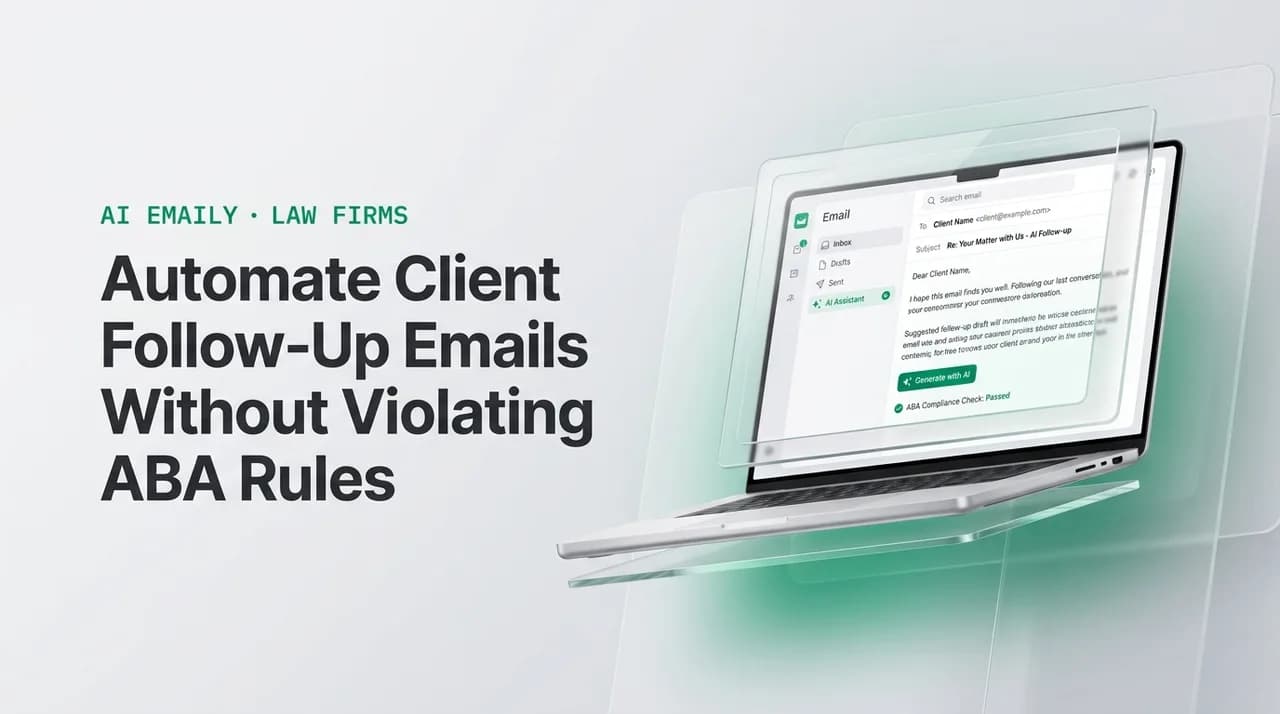
The short answer
Solo attorneys can automate client follow-up emails as long as a lawyer supervises the output — ABA Rule 5.3 treats AI tools like nonlawyer assistants, not a loophole around oversight. Intake acknowledgments, scheduling nudges, document requests, status updates, and billing reminders can run on rules with review. Settlement positions, legal advice, and strategy always need a human-authored reply before anything sends.
Yes, you can automate client follow-up emails at a law firm under ABA Rule 5.3 — here's what's safe to automate and what still needs a human.
On this page
- 01Can a solo attorney legally automate client follow-up emails?
- 02What does ABA Rule 5.3 actually require when AI sends email on your behalf?
- 03What can you safely automate versus what needs a human-authored reply?
- 04Why do client follow-ups fall through the cracks at solo and small firms?
- 05What does a compliant follow-up sequence look like end to end?
- 06What does a realistic first 30 days of rollout look like?
- 07How much attorney time does automating follow-up actually save?
- 08How do you word a follow-up so it never crosses into legal advice?
- 09What should never be automated, no matter how good the tool is?
- 10How does this play out across different practice areas?
- 11What happens if a firm gets automation and supervision wrong?
- 12How does Copilot-style approval satisfy the Rule 5.3 supervision requirement?
- 13How does AI Emaily help solo attorneys automate client follow-up emails?
The question comes up in almost every solo-attorney forum thread about AI: can you actually automate client follow-up emails at a law firm, or does that cross into the kind of unsupervised delegation the bar rules were written to prevent? The honest answer is that you can automate a meaningful share of the email traffic already eating your evenings — intake acknowledgments, scheduling nudges, document requests, status updates, billing reminders — as long as a lawyer stays in the supervision chain the way Rule 5.3 has required for paralegals and vendors for decades. What you cannot automate is the substance of the representation itself: legal advice, settlement positions, and case strategy still need a human to write and approve every word.
That distinction is the entire post. Not "is AI allowed," but "which emails are administrative enough to run on rules, and which ones require an attorney's judgment before they leave the building." Get that line right and automation becomes a genuine relief valve on an overloaded solo practice. Get it wrong — treat an AI tool as an unsupervised associate instead of what Rule 5.3 says it is, an assistant a lawyer remains responsible for — and you have built yourself a new source of malpractice exposure instead of removing an old one.
It also helps to say plainly what this post is not. It is not a claim that AI can practice law, draft a legal argument unsupervised, or replace the judgment a client is paying an attorney for. It is a narrower, more useful claim: a specific, well-defined slice of the email traffic that already exists in every solo practice — the acknowledgments, the nudges, the status pings, the reminders — can run on a system instead of on the attorney's memory, and doing so is not just permitted under the existing ethics rules, it is close to what those rules already assumed would happen when a firm delegates administrative work to a supervised assistant.
Solo and small-firm attorneys do not need to be convinced that follow-up is a problem. Every practice area has its version: the personal injury client who has not heard a status update in six weeks and calls the office in a panic; the family law client waiting on a document checklist that never got re-sent; the immigration client who does not know their filing was received; the estate client who is owed a billing reminder before the invoice becomes a collections problem. None of that is legal work in the sense the bar rules care about protecting. It is administrative communication that happens to touch a real legal matter, and it is exactly the kind of task that has always been delegable to a well-supervised nonlawyer assistant — a paralegal, a legal secretary, an answering service. The only thing that has changed is that the assistant can now be software, and the rules that governed the human version of this job still apply to the software version.
What is new is not the ethics question — solo attorneys have delegated administrative client contact to staff for as long as the profession has existed — but the scale at which one attorney can now run that delegation without hiring another person. A two-attorney firm cannot always afford a full-time intake coordinator or a dedicated billing clerk. What it can afford is a system that handles the same category of message a coordinator would have handled, reviewed by the attorney the same way that coordinator's drafts would have been reviewed. The compliance question and the staffing question turn out to be the same question, answered the same way: define what is administrative, template it, review it, and let it run.
This also explains why generic productivity advice — "set up email templates," "use a CRM," "block time for follow-up" — has never fully solved the problem for solo attorneys the way it might for a sales team. A template sitting in a drafts folder still has to be found, personalized, and sent by a person who is also in court that afternoon. The missing piece was never the wording; it was a system that watches for the trigger — a new inquiry, a stalled thread, a milestone reached — and gets the right template in front of the right person at the right moment, whether that moment is for the attorney to approve it in seconds or, for the narrowest cases, to send on its own within rules the attorney already reviewed.
Can a solo attorney legally automate client follow-up emails?#
Yes — with the same supervision obligation that has always applied to any nonlawyer who touches client communication. The ABA's ethics guidance does not treat AI as a special, ungoverned category. It treats it as an extension of Model Rule 5.3, Responsibilities Regarding Nonlawyer Assistance, which requires a supervising lawyer to make reasonable efforts to ensure that anyone — or anything — working on a matter acts compatibly with the lawyer's own professional obligations. The ABA Standing Committee on Ethics and Professional Responsibility made this explicit in Formal Opinion 512, issued July 29, 2024, the ABA's first formal ethics guidance on generative AI tools in law practice, which walks through competence, confidentiality, communication, fee, and supervision duties as they apply specifically to AI.
So the automation question resolves the same way a "can my paralegal send this" question always has: it depends on what the message says, not on whether a human or a tool typed it. A scheduling confirmation, a document reminder, or a status update that a supervising attorney has reviewed and approved the template and cadence for is squarely inside what a well-run firm has always delegated. A message that states a legal conclusion, commits to a settlement number, or gives advice about what the client should do next is not delegable regardless of who or what drafts it — that stays with the lawyer, every time, because that is the part of the job the client is actually paying for and the part the disciplinary rules exist to protect.
It is worth naming the ChatGPT-era version of this question too, because it is the one attorneys actually type into a search bar at 11 p.m.: "can I get in trouble for letting AI email my clients?" The honest answer is that you can get in trouble for letting anything — AI, a new paralegal, an outside answering service — communicate with clients without supervision, and you are protected the same way in every case: define what it is allowed to say, review a real sample of what it actually sends, and keep the substantive judgment calls for yourself. AI does not carry special risk the rules did not already anticipate; it carries the same risk unsupervised delegation always has, at a scale that makes the supervision step easy to skip if you are not deliberate about building it in.
What does ABA Rule 5.3 actually require when AI sends email on your behalf?#
Rule 5.3 was written for the era of legal secretaries, paralegals, and outside vendors, and its language is deliberately technology-neutral, which is exactly why it extends cleanly to AI. The rule has three working parts. A lawyer with managerial authority in the firm must put in place reasonable measures giving reasonable assurance that everyone in the firm — and anyone outside the firm working on firm matters — behaves compatibly with the lawyer's professional obligations. A lawyer with direct supervisory authority over a given person or process must make reasonable efforts to ensure that person's or process's conduct meets those same obligations. And a lawyer is personally responsible for conduct that would violate the rules if the lawyer had done it themselves, if the lawyer ordered it or ratified it knowing what it involved.
Translate that into an AI email workflow and the requirements become concrete rather than abstract. "Reasonable measures" means you defined what the tool is allowed to send on its own and what it must hold for review — you did not just turn it on and hope. "Reasonable efforts to ensure compatible conduct" means someone is actually reading a sample of what goes out, not assuming the software is infallible. "Personally responsible if you ratify it" means clicking approve on a message you did not actually read is not meaningfully different from writing it yourself — the rule does not have an exception for rubber-stamping. None of this bans automation. It bans automation without a lawyer in the loop, which is a much narrower and more workable standard.
Formal Opinion 512 layers a few more duties on top of the supervision question that are worth knowing even though they matter less for the narrow follow-up use case this post covers. It flags competence — a lawyer needs a working understanding of what the tool can and cannot reliably do, and has to keep that understanding current as the tool changes. It flags confidentiality — a lawyer has to know how the tool handles client data and make sure that handling is secure, which is exactly why a tool that trains on your mail to "learn" is a materially different privacy posture than one that works from rules and a profile you set yourself. And it flags client communication — in some circumstances, particularly where AI materially affects the substance of the representation, a lawyer should be prepared to explain its use to a client who asks. None of these duties change the follow-up analysis above; they are the reason "read Formal Opinion 512 once" is worth doing before building any AI workflow that touches client-facing communication.
Formal Opinion 512, in one sentence
What can you safely automate versus what needs a human-authored reply?#
This is the table every solo attorney actually needs, because the abstract rule is easy to agree with and hard to apply at 11 p.m. when a client email is sitting in the inbox. The dividing line is not "AI versus human" — it is "administrative versus substantive." Anything that moves the matter's logistics forward without characterizing the law, the facts, or the client's position can run on a template with light supervision. Anything that says what the law means, what the case is worth, or what the client should decide needs a lawyer's own words, every time.
| Safe to automate (with review) | Needs a human-authored reply, always |
|---|---|
| Intake acknowledgment when an inquiry lands | Any statement of legal advice or analysis |
| Scheduling and consultation confirmations | Settlement positions or authority to negotiate |
| Document and signature nudges ("we still need X") | Case strategy or next-move recommendations |
| Routine case-status updates ("filed," "pending," "scheduled") | Anything responding to a client's expressed anger or a threat to fire the firm |
| Billing and invoice reminders | Communications about a conflict, error, or potential malpractice issue |
| Past-client check-ins and referral requests after a matter closes | Any first substantive response to a new legal question mid-representation |
Notice what the left column has in common: every item is something a well-trained legal assistant has been trusted to send for decades, usually off a template the attorney already approved once. Notice what the right column has in common: every item is the part of the job a client is actually paying a licensed attorney for, and the part where getting the wording wrong creates real exposure — a misstated deadline, an implied guarantee, a comment a hostile party's counsel could later quote back in a fee dispute or a bar complaint. Automating the left column is what actually gets your evenings back. Trying to automate the right column is where firms get into trouble, and it is also where clients notice and start looking for a different lawyer.
The compliance line, stated plainly
Why do client follow-ups fall through the cracks at solo and small firms?#
It is worth being honest about why this problem exists before prescribing the fix, because the failure is structural, not a discipline problem. A solo or two-to-ten-attorney firm runs on the same number of hours as any other business, but the attorney is simultaneously the intake coordinator, the case manager, the biller, and the person actually doing legal work — often for several open matters at once. Follow-up email is the task that has no deadline attached to it in the way a filing does, so it is also the task that gets pushed to "later" when a hearing, a deposition, or a client emergency takes priority. Later becomes never for a meaningful share of routine updates, and the client experiences that as silence.
Industry research on legal intake consistently finds the same pattern: firms lose a disproportionate share of new business to slow response, and a meaningful share of online inquiries never get a reply at all. Clio's Legal Trends Report has tracked this for years — the firms that respond to online leads fastest sit far ahead of the industry median, while a large share of firms still do not respond to prospective-client emails at all. The same dynamic that costs firms new business also costs them existing clients: a case that goes quiet for weeks reads to the client as neglect, whether or not real work is happening behind the scenes.
The intake side of this gets most of the attention because it is easiest to measure — a lead either becomes a signed client or it does not. The existing-client side is quieter but arguably more consequential, because it is where trust erodes slowly and invisibly. A client does not usually fire an attorney over one missed update. They fire the attorney, or leave a pointed online review, or file a bar complaint, after a pattern of silence convinces them nobody is minding the file. By the time that pattern is visible to the attorney, it has usually already cost the relationship.
- Response speed decides which firm gets the client — the fastest reply usually wins the retention, not the best argument or the lowest fee
- Silence during an open matter is what erodes trust, even when the attorney is working hard on the file behind the scenes
- Every follow-up sent late or never is also a missed opportunity — a document that never gets collected, an invoice that ages into a write-off, a referral that never gets asked for
- The busiest attorneys — the ones with the most active matters — are structurally the ones with the least time to send routine updates, which is backwards from what clients need
None of this is a discipline failure on the attorney's part. It is what happens when the same finite hours have to cover legal work, business development, and client communication, and only one of those three has a hard deadline attached. The fix is not "try harder to remember" — it is building a system where the routine, administrative half of client communication runs on its own within rules a lawyer set and reviews, freeing the attorney's actual attention for the substantive half that has to be theirs.
What does a compliant follow-up sequence look like end to end?#
A follow-up sequence that respects the Rule 5.3 line has a consistent shape regardless of practice area: it acknowledges quickly, nudges on logistics on a predictable cadence, updates on status at real milestones, and always leaves an easy door open for the client to reach a human. Build it in these steps.
- 1
Map every matter stage that generates a routine message
Intake received, consultation scheduled, retainer signed, documents requested, filing submitted, hearing scheduled, case resolved, invoice due. Each stage has a predictable, non-substantive message attached to it — write that list down before automating anything.
- 2
Write one approved template per stage
Draft the acknowledgment, the scheduling confirmation, the document nudge, the status update, and the billing reminder once, in the firm's own voice, and have the supervising attorney sign off on the wording. This is the template review Rule 5.3 asks for — do it once, thoroughly, rather than skipping it under time pressure.
- 3
Set the cadence for nudges, not just the wording
A document request that goes unanswered should nudge again at a fixed interval — commonly day 3, day 7, and day 14 — rather than waiting for the attorney to remember to chase it. The cadence is what turns a one-time template into a system that actually recovers stalled matters.
- 4
Decide what triggers a status update automatically
Tie routine updates to objective events already in the file — a filing confirmation, a scheduled date, a document received — not to subjective judgments about how the case is going. Objective triggers are administrative; judgment calls about case strength are not.
- 5
Put a human review step before anything client-facing sends
Whether that review happens per-message or as a periodic sample audit of a running sequence, someone with a law license has to actually see what is going out. This is the step firms are tempted to skip once the system feels trustworthy — do not skip it; it is the whole compliance mechanism.
- 6
Build an exit ramp into every automated message
Every template should make it trivially easy for the client to say "I have a question" and get routed to a human, not to another automated reply. A client with a real legal question should never be stuck in a loop of routine nudges.
- 7
Keep a record of what sent and when
An audit trail of every automated message — what template, what trigger, what date — is both good practice management and your best evidence of a functioning supervision system if a bar complaint or malpractice claim ever asks how communication was handled.
What does a realistic first 30 days of rollout look like?#
Firms that try to automate everything at once usually stall, because they hit an edge case in week one — a message that should have been held for review but wasn't, or a client who replies with a real question the system routes badly — and lose confidence in the whole approach. It works better to widen the scope gradually, matching what runs on its own to how much attorney trust the system has actually earned so far, rather than deciding on day one how much to hand off.
| Phase | What runs on Copilot (drafted, attorney-approved) | What runs on Autopilot (sends on its own) |
|---|---|---|
| Week 1–2 | Everything: acknowledgments, nudges, status updates, billing reminders | Nothing yet — build trust in the drafts first |
| Week 3–4 | Anything touching a sensitive matter or a client who has expressed frustration | Intake acknowledgments and scheduling confirmations, once every draft has read clean for two weeks |
| Month 2 | Status updates on active litigation or negotiation-adjacent matters | Document nudges and routine, objective-trigger status updates on stable matters |
| Ongoing | Anything new, anything unusual, anything the attorney flags as sensitive | The narrow, proven set of routine messages — reviewed periodically, never expanded without a fresh look |
How much attorney time does automating follow-up actually save?#
It is tempting to reach for a precise number here, and worth resisting — the honest answer depends heavily on caseload, practice area, and how much follow-up the firm was already sending manually. What is true across practice types is the shape of the saving: the time is not concentrated in any single big block, so it rarely shows up as "free afternoon." It shows up as dozens of small interruptions removed from the day — the two minutes spent finding the right template, the mental note to chase a document that a system now chases on schedule, the Sunday-evening catch-up on status emails that a well-run cadence has already handled by Friday.
The more useful way to think about the saving is in terms of what it replaces, not hours reclaimed. It replaces the six-week silence that turns into a client's angry phone call, which itself costs far more attorney time to resolve than the two status emails that would have prevented it. It replaces the document request that gets asked once and forgotten, which later costs a scheduling delay or a missed deadline scramble. Framed that way, the value is less about raw hours and more about the number of small fires the attorney never has to put out, because the routine communication that would have prevented them happened on schedule instead of when there was finally a free moment.
There is a second-order benefit that solo attorneys tend to notice only after a few months running the system: fewer status-check phone calls. A client who reliably gets an update when a matter reaches a milestone has less reason to call the office to ask what is happening, and unscheduled status-check calls are among the more disruptive interruptions in a solo attorney's day, precisely because they arrive with no warning and pull focus off whatever filing or hearing prep was underway. Reducing the volume of those calls is not the headline benefit of automating follow-up, but it is often the one attorneys mention first when asked what actually changed.
How do you word a follow-up so it never crosses into legal advice?#
The wording difference between a compliant status update and a risky one is often a single clause. A status update that reports what happened is administrative. A status update that characterizes what it means for the client's chances, or predicts an outcome, has quietly become legal advice — and legal advice from a template, sent without a lawyer's specific review of that client's situation, is exactly the failure mode Rule 5.3 supervision exists to prevent.
The one-clause test
What should never be automated, no matter how good the tool is?#
Some categories of client communication are not close calls, and it is worth naming them plainly so there is no ambiguity when a busy week tempts you to let the system handle "just this once." The pattern behind all five items below is the same: they involve a judgment call specific to this client's facts, not a repeatable fact pattern a template can safely generalize across a caseload.
- Any first substantive answer to a new legal question — even a seemingly simple one — because a template cannot know what facts changed since the last conversation
- Settlement numbers, offers, or authority to negotiate, which are core representation decisions the client is trusting the attorney, specifically, to make
- A reply to a client who is angry, frightened, or threatening to leave — these moments need judgment and tone a template cannot supply, and mishandling them is a leading path to a bar complaint
- Anything touching a possible conflict of interest, a missed deadline, or an error on the firm's part — these require immediate, careful, human-drafted communication and often a conversation with malpractice counsel before anything is sent
- Case strategy, litigation posture, or advice about what the client should decide to do next
Failure to communicate is the leading source of malpractice claims
How does this play out across different practice areas?#
The safe-to-automate line holds steady across practice areas, but the specific messages that live on each side of it look different depending on what the matter actually involves. A quick pass through the highest-volume solo practice areas makes the pattern concrete.
In personal injury, the safe layer covers intake acknowledgment, medical-records-request nudges, treatment-status check-ins, and lien-related document reminders — all administrative, all recurring across a caseload. The moment a client asks "what is my case worth" or the file reaches a demand or settlement conversation, that reply is the attorney's alone, every time.
In family law, scheduling for mediation or hearings, financial-disclosure document nudges, and routine case-status updates run safely on templates. Anything touching custody recommendations, settlement terms, or how to respond to an ex-spouse's counsel needs the attorney's own words and judgment.
In immigration, filing-received confirmations, biometrics and interview scheduling, and document-checklist nudges are squarely administrative and often time-sensitive enough that automation is the only realistic way to keep every client current. Anything assessing a case's odds of approval, or advising on strategy around a specific filing category, stays with the attorney.
In criminal defense, court-date reminders, document requests, and status updates on filings are safe to automate. Anything touching plea strategy, likely sentencing outcomes, or advice about how to respond to a prosecutor's offer is never delegable, and the stakes of getting that wrong are the highest of any practice area on this list.
In estate planning and business law, signature and document nudges, drafting-status updates, and billing reminders automate cleanly across a large client roster. Advice on specific provisions, structuring, or how a document should read for a given client's situation stays with the attorney, because that is the actual work product the client is paying for.
The consistency across these five practice areas is the useful takeaway: the safe-to-automate category is never about the subject matter of the case, it is about whether the message reports a fact or renders a judgment. That means a firm handling several practice areas at once — a common solo-attorney reality — can apply one compliance framework across the whole caseload rather than reinventing the line for every matter type. The templates differ by practice area; the review discipline behind them does not.
What happens if a firm gets automation and supervision wrong?#
The two failure modes are opposite but land in the same place. Under-automating means clients experience the silence described earlier — the six-week status gap, the unanswered document request, the invoice nobody sent — and that silence is, by the malpractice data above, the single biggest driver of client-initiated complaints and claims in the profession. Over-automating without supervision means a template eventually says something it should not have: a status update that drifts into an outcome prediction, a nudge that reads as pressure on a settlement decision, a message sent to the wrong client on the wrong matter because a trigger fired incorrectly. Both failure modes are preventable with the same fix: automate the administrative layer deliberately, and keep a lawyer reviewing what actually goes out.
The reputational cost of getting this wrong compounds in a small-firm context in a way it might not at a large firm with a marketing department to manage the fallout. A solo attorney's referral network and online reviews are often the firm's entire growth engine, and "my lawyer never told me what was happening" is one of the most common complaints in client reviews of legal services. A system that keeps clients informed on the administrative side, reliably and on schedule, is not just a compliance safeguard — it is one of the more durable ways a small firm differentiates itself from competitors who are just as busy but less organized about it.
There is also a bar-discipline angle worth naming directly, because it is the one that keeps attorneys up at night more than a bad online review. Disciplinary complaints tied to communication failures rarely allege that the attorney gave bad legal advice — they allege that the client could not get an update, could not reach anyone, or felt abandoned mid-matter. A well-documented, consistently applied follow-up system is one of the more concrete things an attorney can point to if a complaint like that is ever filed: not just "I meant to stay in touch" but a record showing exactly when the client was updated, on what, and under what review process. That record is a byproduct of doing the automation properly, not an extra project layered on top of it. And meeting Rule 5.3's supervision requirement should be treated as a floor, not the goal — firms that build a real habit of attorney review around their automated messages, spot-checking a sample and reading every settlement-adjacent draft before it sends, tend to catch wording problems long before a client or a bar complaint would.
How does Copilot-style approval satisfy the Rule 5.3 supervision requirement?#
This is where the compliance framework and the practical tooling meet. Rule 5.3's supervision requirement is not satisfied by having a policy document that says "AI drafts are reviewed" if nothing in the actual workflow enforces that review. It is satisfied by a workflow where a human genuinely cannot send an automated message without seeing it first — or, for the narrow band of truly routine messages a firm chooses to autosend, where the firm has deliberately defined and reviewed the rules governing what goes out on its own.
AI Emaily is built around exactly that distinction, and it maps cleanly onto the safe-to-automate line described above. In Copilot mode, AI Emaily drafts the email — the intake acknowledgment, the document nudge, the status update, the billing reminder — but nothing sends until the attorney reviews and approves it. That one-click approval is the supervision Rule 5.3 asks for, made practical: the attorney sees every word before a client does, without having to compose the message from scratch. In Autopilot mode, a firm can let genuinely routine, rules-bound messages send on their own — a scheduling confirmation, a document received acknowledgment — within limits the attorney set in advance, with full undo and a complete audit trail of what sent, when, and under which rule. Both modes keep the lawyer in the position Rule 5.3 requires: responsible for, and actually aware of, what goes out under the firm's name.
The rules engine behind this is what turns "we have a policy" into something a bar investigator or a malpractice carrier could actually inspect. A firm defines, in plain terms, which message types are eligible for Autopilot and under what triggers — a scheduling confirmation fires only when a consultation is actually booked; a document-received acknowledgment fires only when a file attachment matches an expected type. Everything outside those narrow, explicit rules defaults to Copilot review. That default matters: the safer failure mode is a draft that waits an extra hour for approval, not a message that sends when it should not have.
How does AI Emaily help solo attorneys automate client follow-up emails?#
We build AI Emaily, and the honest pitch for a solo or small law firm is narrow and specific: it is an AI-native email client that connects to Gmail, Outlook/Microsoft 365, or standard IMAP — no migration off whatever the firm already uses — and it watches client threads the way a well-trained legal assistant would. When an inquiry lands, a document request goes unanswered for a few days, or a matter reaches a status-update milestone, AI Emaily drafts the message in the firm's own established tone, using a Context profile the attorney sets — the firm's phrasing, formality, and standard language for each message type — rather than any claim about learning from a client's confidential file contents.
The control model is the part that matters for compliance, not just convenience. Copilot holds every draft for the attorney's approval before anything reaches a client, which is the practical, checkable form of the Rule 5.3 supervision the ABA's guidance describes. Autopilot lets a firm autosend the narrowest, most rules-bound messages — a scheduling confirmation, a received-your-documents acknowledgment — within limits the attorney defines and can revise at any time, always with undo and a full audit log of exactly what sent and why. AI Emaily does not train on client email content, and every AI action is logged, which matters as much for a bar inquiry as it does for the firm's own confidence in the system.
None of this replaces judgment on the substantive side of the practice. It replaces the six weeks of silence, the forgotten document nudge, and the invoice reminder that never went out — the administrative half of client communication that has always been safe to delegate and that most solo attorneys simply do not have the hours to keep up with by hand. A Free plan covers a single connected account to try the workflow; Pro runs $12.42 a month on the annual plan for a solo attorney who wants Autopilot rules across a full caseload, and Team runs $14.92 per seat per month annual for firms with more than one attorney, with a 10% discount at five or more seats. Start at app.aiemaily.com/signup.
It is also fair to say what AI Emaily is not, in the spirit of naming trade-offs plainly rather than overselling. It is not a case-management platform — it will not replace matter tracking, billing software, or a document-management system a firm already runs; it is specifically the email layer, connected to whatever inbox the firm already has. It is not a substitute for legal judgment on anything substantive, and it is not designed to be — the entire architecture, Copilot approval as the default and Autopilot scoped narrowly, exists because the substantive line matters more than the convenience of skipping it. A firm evaluating any AI email tool for client communication should ask the same question of every vendor: does a lawyer see and approve what a client receives, or does the tool assume that step away? That answer is the real test of whether a tool fits inside Rule 5.3, not the vendor's marketing copy.
The rule that governs all of this has not actually changed with AI — Rule 5.3 has asked lawyers to supervise nonlawyer assistance for decades, and Formal Opinion 512 simply confirmed that AI tools fall inside that same framework rather than outside it. What has changed is the cost of doing the administrative half of client communication well. A solo attorney can now run an intake acknowledgment, a document-nudge cadence, a status-update system, and a billing-reminder schedule across an entire caseload without spending evenings writing each one by hand, as long as a lawyer stays genuinely in the review loop for anything that leaves the administrative lane. Get that line right, and automation becomes the thing that finally closes the gap between how responsive the firm wants to be and how responsive it actually has hours to be.
Frequently asked
See it in AI Emaily
Keep reading
Sources

Written by
Nafiul HasanNafiul Hasan is an entrepreneur and AI automation system builder with 10+ years of experience turning messy, manual workflows into reliable automated systems. He designs and ships AI enterprise solutions end-to-end — the agent logic, the data plumbing, and the product people actually use — and founded AI Emaily to give busy professionals their attention back. He writes here from the builder's seat: what works, what breaks, and how to put AI to work without giving up control.