Email Management for Solo Attorneys: The 2026 System That Keeps Clients Happy and Bar Complaints Away

The short answer
Email management for solo attorneys works when the inbox becomes a triaged queue, not a to-do list disguised as a mailbox: matters tagged, deadlines visible, routine replies drafted, and response times tracked against realistic SLAs. Most overload isn't a volume problem — it's a structure problem. Fix triage, automate the safe stuff, and keep a human reviewing anything substantive, and the bar-complaint risk drops with the stress.
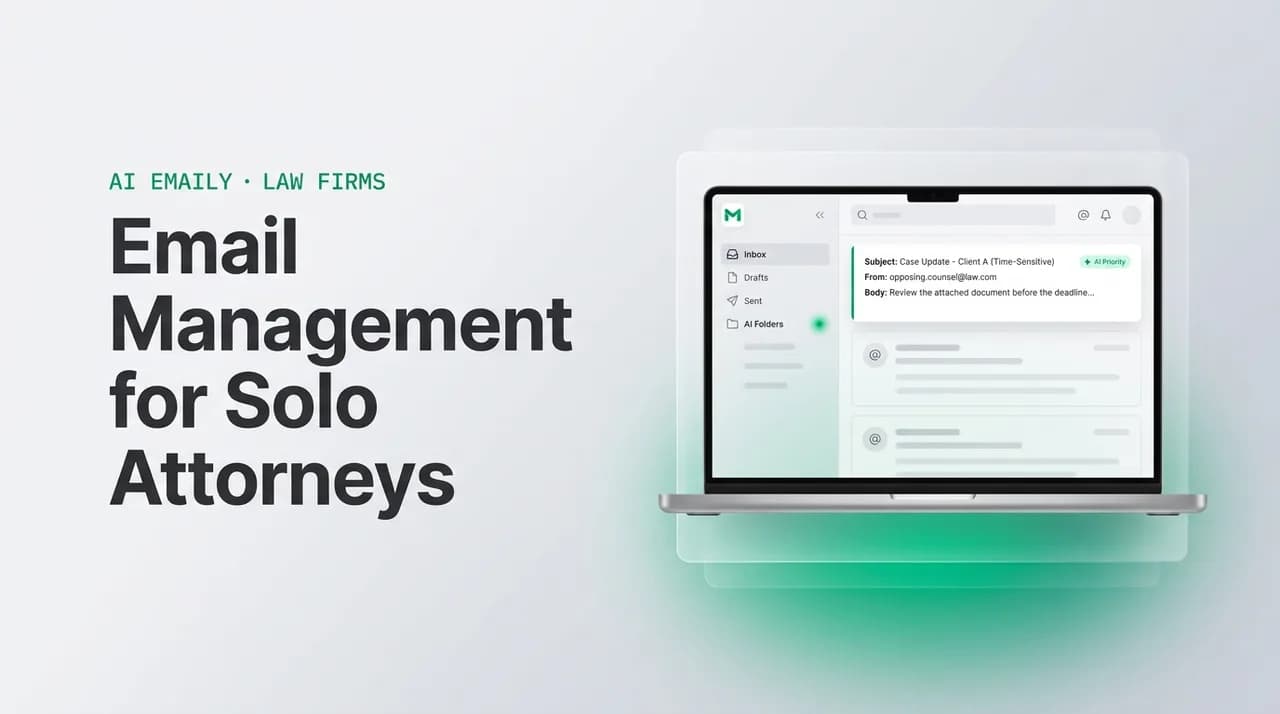
Email management for solo attorneys: the system that surfaces today's matters, drafts routine replies, and prevents the missed-communication complaints bar associations see most.
On this page
- 01Why does email overload hit solo attorneys harder than everyone else?
- 02What does an unmanaged inbox actually cost a solo practice?
- 03What does the failure-to-communicate complaint actually look like in practice?
- 04What does a "managed queue" mean instead of an inbox?
- 05How do you triage a law firm inbox without reading everything twice?
- 06How should you organize email by client matter?
- 07What are the warning signs your inbox system is already broken?
- 08What does a tiered document-request nudge actually look like?
- 09What should you automate — and what has to stay in your own hands?
- 10How do you set realistic response-time SLAs as a solo attorney?
- 11What does a realistic daily and weekly email routine look like?
- 12Can you reduce email volume in the first place, not just manage it better?
- 13What if you already have a paralegal or virtual assistant handling some of this?
- 14How do you handle email after hours and on vacation without losing client trust?
- 15How does AI Emaily help solo attorneys manage this without hiring staff?
- 16Is a dedicated email system worth it if you already use practice-management software?
- 17Where should a solo attorney start if this all sounds like a lot?
Email management for solo attorneys is not a filing exercise. It is risk management wearing a productivity costume. When you're the only lawyer in the practice, every email is simultaneously a client-service moment, a deadline tracker, a billing trigger, and — if it goes unanswered long enough — a potential bar complaint. There is no associate to triage for you, no paralegal to flag the urgent one buried in row 40 of an unsorted inbox, no office manager quietly making sure nothing falls through. It's you, your inbox, and whatever system (or lack of one) sits between the two.
That's why the standard inbox-zero advice — archive aggressively, unsubscribe from newsletters, check email twice a day — barely touches the actual problem for a solo practice. The issue was never volume of email in the abstract. It's that a solo attorney's inbox mixes new client inquiries, active-matter correspondence, opposing counsel, court notices, billing, and vendor spam into one undifferentiated stream, with no signal for which messages are time-sensitive until you've already read them all. By the time you notice the document request that's been sitting for eleven days, it's not a productivity miss. It's a client who's now telling their spouse, or a Google review, or their state bar, that their lawyer went dark.
Generic productivity advice also tends to assume you control your own schedule enough to "batch process" email at will. A solo attorney's calendar is set by courts, opposing counsel, and clients in crisis, none of whom coordinate with your inbox-processing plan. A system built for a knowledge worker with a predictable nine-to-five doesn't survive contact with a continuance that moves your entire afternoon, or a client who calls in genuine distress right when you'd planned to clear your inbox. The system that works has to assume disruption is the normal state, not the exception.
This guide is the system: how to restructure a solo or small-firm inbox so today's matters surface on their own, how to triage without reading every message twice, what to automate versus what has to stay in your own hands under ABA guidance, and how to track response times so "I'll get to it" becomes a measurable commitment instead of a hope. None of it requires hiring anyone or migrating your whole practice to new software. It requires changing what your inbox is for.
Why does email overload hit solo attorneys harder than everyone else?#
In a firm with associates and staff, email load gets distributed by role: the paralegal handles scheduling correspondence, the associate drafts the routine reply, the partner reviews the one email that actually needs a partner. A solo attorney is all four of those people, often while also being the one standing up in court at 9 a.m. There is no delegation layer — every email either gets your direct attention or it doesn't get attention at all.
The math compounds against you. A general estimate for knowledge workers puts time spent on email at around two and a half hours a day, with well over a hundred messages arriving daily — and for a lawyer, a meaningful share of that traffic is genuinely business-critical: a new intake inquiry, an opposing counsel deadline, a client who's anxious about their case. Unlike a marketing inbox where most of the volume is noise you can bulk-delete, a solo practice's inbox is dense with messages that each carry real consequences if missed. You can't apply the same triage instincts you'd use on a personal inbox, because the cost of misjudging one message is not an annoyed sender — it's a missed statute deadline or a client who feels abandoned.
The second compounding factor is that a solo attorney's calendar is adversarial to their inbox. Court appearances, depositions, client meetings, and document review all happen away from the desk, and email doesn't pause for any of it. A defense attorney in trial for three days comes back to seventy unread messages with no way to tell, at a glance, which three are actually urgent. Multiply that by every trial, every closing, every emergency filing across a career, and you get the recurring pattern behind the r/Lawyertalk threads on inbox overload: it's not that solo attorneys are bad at email, it's that the job structurally produces more inbox pressure than any triage-free system can absorb.
There's a third factor that compounds the first two: a solo practice can't smooth out demand the way a bigger firm can. When a multi-attorney firm gets a busy week, the load spreads across several inboxes and an intake coordinator. When a solo practice gets a busy week — three new intake calls, a discovery deadline, and a client going through a hard time who needs extra reassurance — it all lands in one inbox, belonging to one person, with the same twenty-four hours in the day as any slower week. The inbox doesn't know it's a busy week. It just keeps filling.
What does an unmanaged inbox actually cost a solo practice?#
It's tempting to file inbox chaos under "stressful but harmless" — a mess you live with, not a liability you're accumulating. That's the wrong read. An unmanaged inbox has direct costs, some financial and some that show up on your bar license, not just your stress levels.
- Missed deadlines: court notices, discovery cutoffs, and opposing-counsel correspondence can arrive by email and sit unread past a response window, turning an administrative miss into a substantive one.
- Client attrition: a prospective client who emails three firms and hears back from one gets three fewer choices to make — and it usually isn't the slowest one they hire.
- Malpractice exposure: failure to communicate with a client about their matter is one of the most common categories of bar complaints and malpractice claims against solo and small-firm attorneys — and most of those failures trace back to an email, not a phone call, that never got answered.
- Billing leakage: time spent drafting the same routine email six different ways, or re-reading a thread to remember what was already said, is time you can't bill and can't get back.
- Compounding backlog: an inbox with no triage doesn't stay flat. Every day you don't process it, the unread count grows, and the psychological weight of opening it grows with it — which is exactly how attorneys end up avoiding their own inbox for days at a time.
Avoidance is the real danger, not the message count
What does the failure-to-communicate complaint actually look like in practice?#
State bar disciplinary statistics consistently show failure to communicate as one of the top categories of client complaints against attorneys — and it rarely starts as a dramatic breach of duty. It starts small: a client emails asking for a status update, the attorney means to reply, a court date or a family emergency intervenes, and the reply never goes out. Three weeks later the client calls the bar, not because the case went badly, but because they had no idea what was happening and nobody told them.
This is the part that makes email management a genuine risk-management function for a solo attorney, not just a workflow nicety. The underlying legal work can be excellent and the case can still generate a complaint, purely because the communication layer broke down. And the communication layer, for most solo practices, runs almost entirely through email — texts and calls happen too, but email is where the paper trail lives, where the client's actual question is written down, and where a missed reply is most easily proven to have happened.
It's also worth naming what a complaint like this costs beyond the immediate discomfort of responding to a bar inquiry. Even a complaint that's ultimately dismissed takes time to respond to, can affect malpractice premiums, and — because state bar complaint outcomes are sometimes public — can follow a solo practitioner's reputation in a small legal community where referrals matter enormously. None of that is proportionate to the actual failure, which is usually nothing more than an email that should have gone out and didn't. That asymmetry — small operational lapse, outsized professional consequence — is exactly why this is worth treating as a system problem rather than a discipline problem.
The fix isn't heroic responsiveness at all hours. It's a system where every client-facing thread has a known status, a known next action, and a known owner — you — so nothing silently ages past the point where the client starts to worry. That system is what the rest of this guide builds.
What does a "managed queue" mean instead of an inbox?#
The mental shift that fixes most solo-attorney email overload is this: stop treating your inbox as a chronological list of messages, and start treating it as a queue of matters, each with a status. An inbox shows you everything in the order it arrived. A queue shows you what's actually waiting on you, grouped by what it's about and how urgent it is. The messages are the same; the organizing principle is completely different.
The table below contrasts the two models directly, because the difference is easiest to see side by side.
| Dimension | Unmanaged inbox | Managed queue |
|---|---|---|
| Primary sort | Chronological (newest on top) | By matter, then by urgency within matter |
| Urgent item visibility | Buried wherever it landed in the timeline | Surfaced regardless of when it arrived |
| Status of any thread | Unknown until you re-read it | Tagged: awaiting client, awaiting you, awaiting third party |
| Response-time tracking | None — you find out you were slow when the client complains | Visible SLA per matter type, checked before it breaches |
| Routine replies | Written from scratch every time | Drafted from a known pattern, reviewed, sent |
| What happens during trial week | Everything piles up untouched | Non-urgent items wait safely; urgent ones still surface |
Building a queue out of an inbox doesn't require new software, though the right tool makes it far less manual. It requires three structural changes: consistent matter tagging so every message can be grouped, a triage pass that separates urgent from routine before you start replying to anything, and a visible signal for how long something has been waiting. Get those three right and the volume of email stops feeling dangerous, because you can always answer "what's actually waiting on me right now" in under a minute.
It's worth being honest that this shift takes some upfront effort — tagging an existing backlog, deciding on your labeling scheme, setting your first response-time tiers. That's a real cost, and it's reasonable to want to defer it during a busy stretch. But the upfront effort is one-time; the payoff compounds every week after, because every new message arrives already sortable instead of adding to an undifferentiated pile. Attorneys who put this off tend to put it off indefinitely, because there's never a slow week to do it in — which is exactly the argument for doing the setup in small pieces (one matter at a time, one label at a time) rather than waiting for a clean slate that won't arrive.
How do you triage a law firm inbox without reading everything twice?#
Triage fails for most solo attorneys because it happens by accident — you open the inbox, start reading top to bottom, reply to whatever's in front of you, and call it "catching up." That's processing, not triage, and it means the most urgent message of the day gets exactly the same priority as a vendor newsletter, purely based on arrival time. Deliberate triage is a short, repeatable pass that sorts before you act.
- 1
Scan for sender and subject only — don't open anything yet
Run down the unread list reading only who it's from and what the subject says. This takes under two minutes for even a heavy inbox and tells you which messages are court/opposing-counsel (open first), which are clients (open second), and which are neither (open last, if ever).
- 2
Tag every open thread to a matter
Every client and case-related email should be identifiable by matter at a glance — a label, folder, or color, whatever your client works with. An email you can't place to a matter within a second is the one that gets lost.
- 3
Flag anything with a deadline, explicitly
Court notices, discovery responses, filing deadlines — anything with a date attached gets a distinct flag separate from ordinary priority. This is the category where a miss is most expensive, so it should never rely on you remembering it was in there.
- 4
Sort the rest into three buckets: reply now, draft and review, defer
Reply now = under two minutes, do it immediately. Draft and review = needs real thought, draft it (or have it drafted) and schedule a review slot. Defer = genuinely not time-sensitive; set a specific date to revisit, not "someday."
- 5
Clear the reply-now bucket completely before touching anything else
Small, fast replies compound into backlog if you let them sit next to bigger tasks. Knock these out first so the remaining queue is honestly just the substantive work, not substantive work plus fifteen two-line replies you kept skipping.
- 6
Batch the draft-and-review bucket into one sitting
Context-switching between matters is expensive. Set one block — thirty to sixty minutes — to work through everything that needs real drafting, rather than letting each one interrupt whatever else you're doing that day.
How should you organize email by client matter?#
Matter-based organization is the backbone of the whole system, because it's the difference between "I have 340 unread emails" (meaningless, paralyzing) and "the Ramirez matter has two open items and one is waiting on me" (specific, actionable). Most email clients and practice-management integrations support this natively; the discipline is in applying it consistently, not in finding the right software feature.
- One label or folder per matter, named consistently (client last name + short matter type beats a client-number-only scheme you'll never memorize).
- A standing label for intake/prospective clients, separate from active matters — these have their own urgency profile and shouldn't get lost among ongoing cases.
- A label for court and opposing-counsel correspondence across all matters, so deadline-bearing messages are visible as a group, not just buried inside each matter's own thread.
- A label for billing and administrative email (bar dues, CLE, vendors) that you can safely batch-process weekly instead of daily.
- A closed-matter archive that gets messages out of your active view entirely but keeps them searchable — closed doesn't mean deleted, since disciplinary and malpractice defense both depend on being able to reconstruct communication history.
Naming conventions matter more than they sound like they should, because you'll be scanning labels quickly under time pressure, not reading them carefully. "Ramirez — Custody" is scannable in a fraction of a second. "2026-0114-RAM-FAM" is precise but requires decoding every time, which adds friction exactly when you have the least patience for it. Pick a scheme you can read at a glance, six months from now, without having to remember what the codes mean — that's the only real test of whether a naming convention will survive daily use.
What are the warning signs your inbox system is already broken?#
Most solo attorneys don't decide their email system has failed — they notice the symptoms one at a time and explain each one away as a busy week. Seen together, the pattern is usually obvious. The table below maps the symptom to what it actually signals, and where in this guide the fix lives.
| Symptom you notice | What it actually means | Where the fix is |
|---|---|---|
| You can't say how many open matters are waiting on you right now | No matter tagging — the inbox is a pile, not a queue | Matter-based organization |
| A client calls asking "any update?" before you've followed up | No response-time standard, so nothing is visibly overdue until it's already a problem | Response-time SLAs |
| You dread opening your inbox after a court appearance or a few days off | Backlog with no triage layer — everything looks equally urgent, so it all feels heavy | Daily/weekly triage routine |
| You've sent the same explanation to three different clients this month, from scratch each time | No drafted patterns for routine replies — logistics are being handled at legal-judgment effort | Automate the logistics, review the substance |
| A document request from a client has been sitting unanswered for over two weeks with no follow-up sent | No tiered nudge cadence — follow-up depends on memory, which fails under load | Tiered document-request nudges |
What does a tiered document-request nudge actually look like?#
One of the most common threads to go silent in a solo practice is the one where the client owes you something — signed documents, financial records, a form you can't file without. It's not urgent in the way a court deadline is urgent, so it's easy to let slide, and clients genuinely forget once life gets busy. Left alone, this kind of thread doesn't resolve itself; it just ages until it becomes the reason a filing deadline gets missed.
A tiered nudge sequence fixes this without requiring you to remember to chase it manually. The cadence below is a starting point — the exact days matter less than having a fixed, repeatable cadence instead of an ad hoc one.
What should you automate — and what has to stay in your own hands?#
This is the question every solo attorney eventually asks once they start looking at email automation: how much of this can I actually hand off without creating a supervision problem? The ABA answered it directly. Formal Opinion 512 (July 2024) treats generative AI tools as functioning like a nonlawyer assistant under Model Rule 5.3 — meaning the supervising attorney is responsible for the work product and must review it before it goes out, the same way you'd be responsible for a paralegal's draft. Dozens of state bars have issued their own guidance echoing that position. The rule isn't "don't use AI for email" — it's "you're accountable for what leaves your name, so keep a human decision in the loop before anything substantive sends."
Put simply: automation is fine for the parts of email that are logistical, not legal. It becomes a problem the moment it starts making judgment calls that belong to you.
The practical test is simple to apply, even without memorizing rule numbers: would you be comfortable if a paralegal you trained drafted this exact message and sent it without asking you first? For a scheduling confirmation, almost certainly yes. For a message that answers "what are my chances" or "should I accept this offer," almost certainly not — and if a paralegal shouldn't send it unsupervised, neither should an AI tool. That single question sorts nearly every email a solo practice sends into the right bucket without needing a lawyer's memo to interpret it.
What's safe to automate vs. what needs your review
That split — logistics automated, substance reviewed — is also just good practice management independent of the ethics rules. A scheduling confirmation or a "we received your documents" acknowledgment doesn't benefit from your personal judgment; it benefits from arriving fast and consistently. A response about a settlement number benefits enormously from your judgment and should never leave without it. The goal isn't to automate less out of caution — it's to automate the right layer so your judgment is spent where it actually matters.
How do you set realistic response-time SLAs as a solo attorney?#
"I'll respond quickly" isn't a system — it's a hope, and it fails exactly when you're busiest, which is when clients are watching most closely. A response-time SLA (service-level agreement) sounds like corporate jargon, but for a solo practice it's just a specific, honest commitment per category of message, so you know when something has actually breached versus when it's still within a reasonable window.
SLAs don't need to be aggressive to be useful — they need to be consistent and visible. The point is knowing, at a glance, that the Thompson matter's document request is on day six of a promised three-day turnaround, rather than discovering it when the client calls annoyed.
Once these tiers exist, triage gets mechanical instead of instinctive: every incoming message gets matched to a tier, and the tier tells you whether it's a today problem or a this-week problem. That removes the guesswork that causes most solo attorneys to either over-respond (answering everything instantly, at the cost of focused work) or under-respond (letting things drift because nothing felt urgent enough in the moment).
SLAs are also what turn "I'm swamped this week" from an excuse into a plan. If you know a general client question can safely wait two business days, you don't need to feel guilty ignoring it on a trial day — the tier already accounted for that. What you can't do is let something inside a tighter tier — an urgent client matter, a court deadline — slide on the assumption that everything can wait, which is exactly the failure mode an unstructured inbox invites. The tiers exist precisely so the busy weeks don't quietly become the weeks something falls through.
What does a realistic daily and weekly email routine look like?#
A routine only works if it survives contact with an actual solo practice — meaning it has to account for court days, client meetings, and the days where you simply can't get to email until evening. The structure below is deliberately light: three touchpoints a day, one weekly cleanup, built to bend around your calendar rather than compete with it.
- 1
Morning triage (10-15 minutes, before anything else)
Run the scan-and-tag pass from earlier. Identify anything deadline-flagged or court-related. This sets your priority order for the day before the day has a chance to set it for you.
- 2
Midday reply-now sweep (10 minutes)
Clear whatever's accumulated in the two-minute-reply bucket since morning. Keeps the backlog from growing while you're in meetings or at the courthouse.
- 3
End-of-day close-out (15-20 minutes)
Process the draft-and-review bucket. Anything you don't finish gets an explicit next-touch date, not a mental note — an inbox item with no scheduled follow-up is how things get forgotten for weeks.
- 4
Weekly matter review (30 minutes, same day every week)
Walk every open matter label and ask: is anything waiting on me that's aged past its SLA? Anything waiting on a client past a reasonable point that needs a nudge? This is the safety net that catches what the daily routine misses.
None of these four touchpoints requires a full uninterrupted hour, which is the entire point, since a solo practice rarely has one to spare. The routine is designed to survive being compressed on a bad day — the morning triage alone, done in five rushed minutes between hearings, still catches anything deadline-flagged — and to catch up on itself on a better day, since the weekly review exists specifically to absorb whatever the daily steps missed during a stretch that didn't allow for them. A routine that only works when the week goes according to plan isn't really a routine for a solo law practice. It's a wish with steps attached.
Can you reduce email volume in the first place, not just manage it better?#
Everything so far assumes the email arrives and you handle it well. But a real share of solo-attorney inbox volume is avoidable — it exists because the intake process doesn't ask for the right information up front, so the client fills the gap with a stream of follow-up questions by email. A structured intake form that asks for the case type, key dates, opposing party, and prior representation before the first conversation answers half the questions a new client would otherwise email you about in the first week.
The same logic applies to a client portal or a simple shared document-upload link for an active matter: if a client can check a basic status or drop a file without emailing you to ask how, you've removed a whole category of "just checking in" messages before they're written. This isn't about being less responsive — it's about making the responsive path the client actually needs the low-effort one, instead of an inbox message you have to individually process. Reducing inbound volume and managing what arrives well aren't competing strategies; the better your intake, the less triage you need to do later.
What if you already have a paralegal or virtual assistant handling some of this?#
Not every one-attorney practice is truly a one-person operation — plenty of solos work with a part-time paralegal, a virtual assistant, or a shared receptionist service for scheduling. The system in this guide still applies, with one adjustment: matter tagging and SLA tiers become the shared language between you and whoever else touches the inbox, rather than something only in your head. A VA who knows the tiers can triage confidently without guessing what counts as urgent, and a paralegal who sees matter tags can draft the routine reply without you first explaining the whole case.
The risk with any second person touching client email is the same one Formal Opinion 512 addresses for AI: delegation of logistics is fine, delegation of legal judgment is not. A paralegal drafting a scheduling confirmation is standard practice. A paralegal — or an AI tool — drafting language that could be read as legal advice needs your review before it goes out, every time, regardless of how confident the draft looks.
How do you handle email after hours and on vacation without losing client trust?#
Solo attorneys often solve after-hours email one of two bad ways: answer everything, everywhere, at every hour — which is unsustainable and eventually resented — or go fully dark, which reads as unresponsive exactly when a client is most anxious (nights and weekends are when people have time to worry about their case). Neither is necessary. The fix is the same acknowledgment-versus-answer split that governs everything else in this guide: an honest, immediate acknowledgment that you've seen the message, followed by the real reply at a realistic time.
"I'm out of the office until Monday and will respond to your message then" is a perfectly acceptable answer to an after-hours email, as long as it goes out immediately and sets an honest expectation. What damages trust isn't the wait — it's the silence. A client who knows you saw their message and knows when you'll actually respond is a client who isn't drafting a complaint in their head at 11 p.m.
The same logic covers actual vacation, not just an ordinary evening. A pre-scheduled out-of-office message that names a specific return date, confirms who to contact for a true emergency, and states plainly that non-urgent matters will be handled on your return does more to prevent a frantic client email chain than any amount of pre-vacation catch-up work. Clients tolerate a lawyer being unavailable far better than they tolerate not knowing whether their lawyer is unavailable or simply ignoring them — the message removes the ambiguity, which is usually all the anxiety was ever about.
Set the expectation once, in writing, at intake
How does AI Emaily help solo attorneys manage this without hiring staff?#
Everything above is buildable by hand: manual tagging, a personal SLA tracker, a disciplined daily routine. Most solo attorneys who try it get real results — and also find that the manual version depends entirely on remembering to do it on the days when court runs long or a filing deadline eats the afternoon, which are exactly the days it matters most. That's the gap AI Emaily is built to close.
AI Emaily is an AI-native email client that connects to Gmail, Outlook, and standard IMAP — no migration off whatever you're already using. It reads your inbox the way the queue model above describes: matters surfaced by urgency and status rather than buried in arrival order, so the document request that's been sitting for a week doesn't just quietly age past its deadline. Routine replies — intake acknowledgments, scheduling confirmations, document nudges, status updates — get drafted automatically, in a voice shaped by the Context you set for your practice, not a generic template.
Control stays where it belongs. In Copilot mode, every AI-drafted message sits in a queue waiting for your explicit approval before it sends — the supervision Formal Opinion 512 describes, built into the workflow rather than bolted on afterward. In Autopilot mode, you can let the lowest-risk categories — a client-status confirmation, a document reminder — send on their own within rules you define, while anything touching a legal question, a strategy call, or a settlement position always routes to you for review. Every action, automatic or approved, is logged in a full audit trail with undo, so nothing about the system is a black box you have to trust blindly.
The practical effect is the managed queue this guide describes, minus the manual upkeep: matters stay visible, SLAs stay tracked, routine correspondence stops eating billable hours, and the substantive judgment — the part only you can make — is exactly where AI Emaily leaves it: with you, before send.
It's also worth being direct about the limits. AI Emaily doesn't know your case law, doesn't understand the specific facts of a client's dispute the way you do, and shouldn't be trusted to make a legal judgment call — that's not a shortcoming to work around, it's the entire design intent behind keeping Copilot approval in the loop. What it's built to remove is the operational drag around that judgment: the drafting from a blank page, the manually tracking whose turn it is to reply, the remembering to follow up on the document request from three weeks ago. Those are real hours back in a solo attorney's week, without asking you to hand over anything that requires your license to sign.
Is a dedicated email system worth it if you already use practice-management software?#
Most solo attorneys already run something like Clio, MyCase, or PracticePanther for matter and document management, and a reasonable question is whether an email-layer tool is redundant with that. It isn't, because practice-management software and email management solve different problems. Clio tracks your matters, your calendar, and your billing. It generally isn't built to sit inside your actual inbox, triage incoming messages by urgency, or draft the reply itself — some suites bolt on basic templates or a shared inbox view, but the AI drafting and triage layer is usually thin or bundled into a higher-tier add-on.
The inbox is still where the day-to-day communication risk lives — the missed reply, the buried deadline, the client who feels ignored — regardless of how well your matters are tracked elsewhere. A tool purpose-built for the inbox itself, one that understands urgency, drafts routine replies, and enforces the Copilot-style human review that the ethics rules require, complements a practice-management system rather than duplicating it. You keep Clio for matter and billing structure; you get an email layer that actually prevents the specific failure mode — failure to communicate — that shows up most often in bar complaints against solo practitioners.
Two capabilities worth checking for specifically, whatever tool you evaluate: rule-based automation that lets you define your own triage logic (a document from a known client goes to that matter automatically; anything from a court domain gets flagged regardless of subject line) rather than a fixed, one-size-fits-all inbox view, and search that actually finds the right thread across years of correspondence when a client calls asking about something from eighteen months ago. Both sound minor until the week you need them, and both are exactly the layer generic email clients and most practice-management add-ons treat as an afterthought.
Where should a solo attorney start if this all sounds like a lot?#
Every piece of this system compounds, but none of it needs to happen at once, and trying to implement all of it in a single weekend is a good way to abandon it by Wednesday. If you do nothing else this month, do these two things: pick a matter-tagging scheme and apply it to everything new arriving from today forward (leave the backlog alone for now), and write down your response-time tiers, even informally, so you have something to measure against instead of a vague sense of "I should be faster." Those two changes alone will make the next busy week noticeably less chaotic, because you'll know what's actually waiting on you instead of just feeling the weight of an unsorted inbox.
From there, add the daily triage habit once tagging feels automatic, then the tiered document-request nudges once you notice a stalled thread costing you a client relationship. Automation — whether hand-built templates or a tool like AI Emaily — is the last piece, not the first, because it works best once the underlying structure (matters tagged, tiers defined) already exists for it to plug into. Trying to automate a system that doesn't exist yet just produces automated chaos instead of manual chaos.
The system in this guide doesn't require abandoning anything you already use. It requires treating your inbox as infrastructure, not an afterthought: tag by matter, triage before you act, hold routine replies to a known SLA, automate the logistics, and keep every substantive decision in your own hands. Do that consistently and the volume of email stops being the threat. The threat was never the number of messages — it was never knowing which ones actually needed you.
That's ultimately the promise worth holding onto through the setup effort: a solo practice with a managed inbox looks the same from the outside as one without — same caseload, same hours in court, same client roster — but it feels entirely different from the inside. Nothing is quietly aging past a deadline. No client is wondering if their lawyer forgot about them. And the next bar complaint about failure to communicate, if it ever comes, won't be about you.
Frequently asked
See it in AI Emaily
Keep reading
Sources

Written by
Nafiul HasanNafiul Hasan is an entrepreneur and AI automation system builder with 10+ years of experience turning messy, manual workflows into reliable automated systems. He designs and ships AI enterprise solutions end-to-end — the agent logic, the data plumbing, and the product people actually use — and founded AI Emaily to give busy professionals their attention back. He writes here from the builder's seat: what works, what breaks, and how to put AI to work without giving up control.