Can AI Send Email for Me? What Autonomous Sending Actually Looks Like in 2026

The short answer
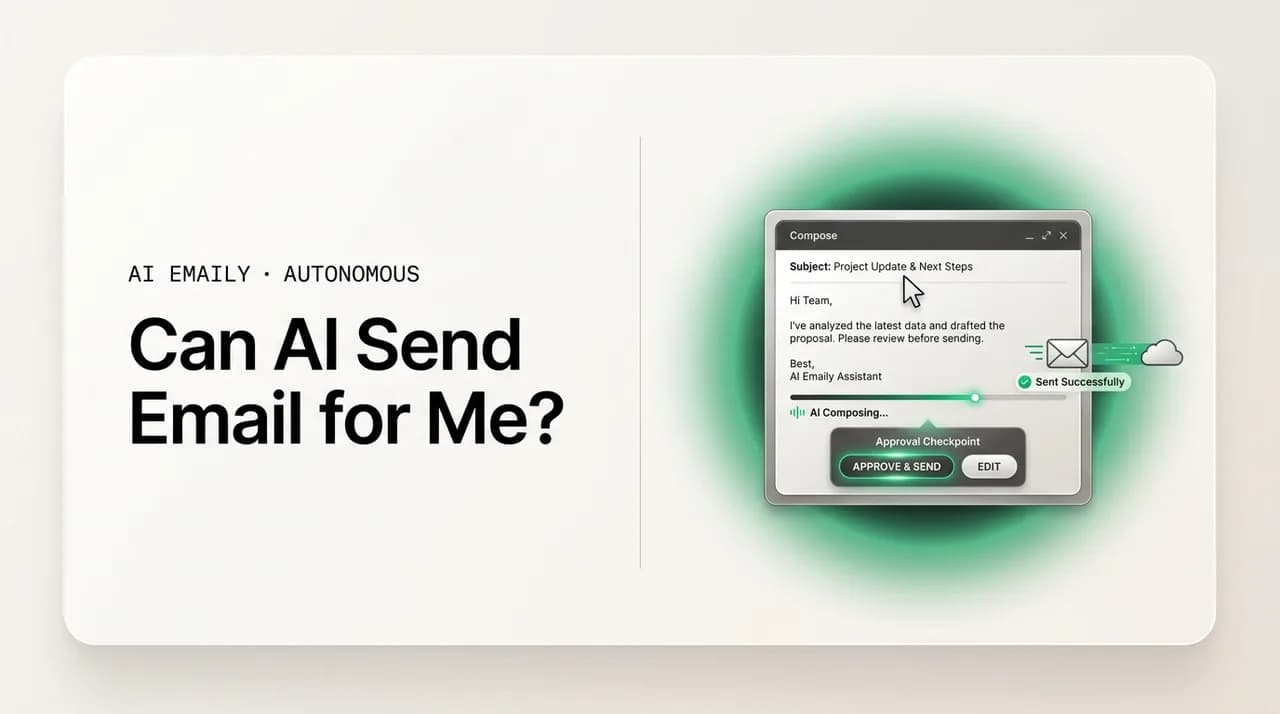
Can AI send email for you? Yes, two ways. It can draft a reply and hold it for your one-tap approval, or send on its own within limits you set: a confidence floor, allow-list, send delay, undo, and audit log. Draft-for-approval is the safe default; reserve autopilot for narrow, low-stakes mail.
Can AI send email for you? Yes — two ways: draft-for-approval or autopilot. The guardrails that make autonomous sending safe, and what to auto-send vs review.
On this page
- 01Can AI really send email for me, or just draft it?
- 02How does AI send email safely without me checking every one?
- 03What's safe to auto-send, and what should always be reviewed?
- 04How do I set up AI to send email on my behalf?
- 05What can go wrong when AI sends email — and how do guardrails catch it?
- 06How does AI Emaily send email for me — Copilot approval or Autopilot within limits?
- 07Conclusion: yes, AI can send your email — on terms you set
It's a simple question, and it deserves a straight answer before any marketing language gets near it: can AI actually send an email for you? Not draft one. Not suggest a phrase while you type. Not surface a snippet you then copy somewhere else. Can it take the question someone emailed you, write the answer, and put that answer in their inbox — with your name on it — without you pressing send?
The honest answer is yes. In 2026, software exists that will compose a reply from the actual thread and deliver it on your behalf, either after a single approval tap from you or entirely on its own. This is no longer a demo or a someday feature; it is a thing you can switch on this afternoon. But "yes" is the start of the real conversation, not the end of it, because the interesting part was never whether a machine can technically hit send. Of course it can — sending an email is one API call. The interesting part is whether it should, when, and under what controls, because the moment a system can send mail under your name, every email it sends is something you're accountable for.
That accountability is the whole reason this question feels different from "can AI summarize my inbox" or "can AI sort my mail." Summarizing is private; if it's wrong, only you see it. Sending is irreversible and public; if it's wrong, the recipient sees it, and you own the consequences. A wrong summary costs you a re-read. A wrong sent email costs you a correction, an apology, and sometimes a relationship. So the question "can AI send email for me?" is really two questions wearing one coat: can it (yes), and how do you let it without handing a stranger the keys to your reputation (the rest of this article).
Here's how we'll answer it. First, the honest version of "yes" — the two distinct ways AI sends mail, draft-for-approval and autopilot, which are not the same thing and shouldn't be confused. Then the guardrails that turn autonomous sending from reckless into responsible: a confidence floor, an allow-list, a send delay, undo, and an audit log. Then a clear-eyed split of what is genuinely safe to auto-send versus what should always pass under a human's eyes. We'll walk through setting it up the right way, name the failure modes plainly and show how each guardrail catches them, and finish with exactly how AI Emaily sends for you — Copilot's approval gate and Autopilot's gated automatic sending. By the end you'll know not just that AI can send your email, but how to let it do so on terms you'd be comfortable defending.
Can AI really send email for me, or just draft it?#
Let's settle the literal question first, because a lot of writing on this topic quietly dodges it. When people ask "can AI send email for me," some tools answer by showing you a draft and calling it done — which isn't sending, it's writing. Others answer by firing replies automatically and hoping nothing goes wrong — which is sending, but recklessly. The truthful answer sits between those, and it has two legitimate shapes.
The first shape is draft-for-approval, and it's the one most people actually want even when they ask for full automation. The AI reads the email you received, writes a complete reply grounded in the thread, and queues it for you. You glance, maybe tweak a word, and approve. The send itself is a single tap. From your side this feels almost like full automation — the hard part, deciding what to say, is done — but a human still authorizes every message that leaves your name. This is AI sending email for you in every sense that matters, with the one safeguard that you remain the final signature on the page.
The second shape is true autopilot: the AI reads, writes, and sends with no stop in between. No queue, no glance, no tap. For a defined set of mail, it simply handles the reply end to end. This is the literal "AI sends without me" that the question implies, and it's entirely real — but it only makes sense inside a cage of guardrails, and only for categories of mail where a mistake is cheap and rare. Turned on broadly, for everything, it's how people end up with a confidently wrong message sitting in a client's inbox. Turned on narrowly, for the right mail, it's a genuine relief.
The distinction matters because the two shapes carry completely different risk. Draft-for-approval has a human checkpoint on every send, so the worst case is a bad draft you catch and delete — a non-event. Autopilot removes that checkpoint, so the worst case is a bad message already delivered. Both are "AI sending email for you," but they are not interchangeable, and any tool that blurs them is hiding the part you most need to understand. The right mental model is a dial, not a switch: most of your mail sits at draft-for-approval, and a small, deliberately chosen slice graduates to autopilot once you've earned the confidence to let it run. This is the same spectrum people mean when they talk about an AI email autopilot — hands-free, but only inside guardrails.
So: can AI send email for you? Yes — either by drafting and waiting for your one tap, or by sending autonomously within limits you set. What separates a tool you can trust from one that will embarrass you isn't whether it can send. It's whether it sends with the guardrails that make autonomous sending safe. That's the next section, and it's the actual answer to the question underneath the question.
Two real meanings of "AI sends my email"
How does AI send email safely without me checking every one?#
If AI is going to send mail on your behalf — especially autonomously — it can't do so on vibes. Safe autonomous sending is a stack of specific, boring controls, each one closing a particular way things go wrong. None of them is glamorous, and that's the point: the glamour was the AI writing a good reply; the safety is the unglamorous machinery around the send. There are five controls worth insisting on, and together they're the difference between AI that sends responsibly and AI that's an incident waiting to happen.
The first is a confidence floor. A good agent doesn't just produce a reply; it produces a reply plus an internal estimate of how sure it is — how clear the request was, how well the thread supports the answer, whether anything looks ambiguous or risky. A confidence floor says: only send autonomously when that estimate is above a set bar; everything below it drops back to draft-for-approval for a human to handle. This single rule means the AI sends on its own exactly when the situation is easy and routes the hard or uncertain cases to you. It's the mechanism that lets autopilot be aggressive on the obvious and humble on the unclear, which is precisely the judgment you'd want from a careful assistant.
The second is an allow-list — an explicit definition of what autonomous sending is even permitted to do. Rather than "the AI can send anything," the allow-list says "the AI may send these kinds of replies, to these kinds of senders, in these situations, and nothing else." Acknowledgments, scheduling confirmations, a short set of stable FAQ answers — in; anything touching money, contracts, legal matters, or a sender not on the list — out, routed to a human by default. The allow-list flips the safety model from blocklist (try to enumerate everything dangerous, and miss something) to allow-list (enumerate the narrow set that's safe, and treat everything else as needing approval). That inversion is the single most important design choice in safe autonomous sending.
The third is a send delay — a short holding window between "the AI decided to send" and "the message actually leaves." Even when an action clears the confidence floor and the allow-list, parking it for thirty seconds or a couple of minutes gives both you and the system a beat to catch something wrong. You see "sending in 30s — cancel?" and can stop it; the system can run a final check. Most mistakes are obvious the instant you see them queued, and a send delay converts that instant of recognition into a save instead of a regret. It's the cheapest insurance in the stack and the one people miss most.
The fourth is undo. The send delay catches what you notice before delivery; undo catches what you notice just after. A reliable window to pull a message back the moment you realize it shouldn't have gone turns the scariest part of automation — the reply already sent — from a disaster into a near-miss. Undo and a send delay are complementary, not redundant: one guards the seconds before delivery, the other the seconds after, and together they cover the window where almost all catchable mistakes surface.
The fifth is the audit log — a complete, reviewable record of every message the AI drafted, sent, or chose not to send, with the reasoning and confidence attached. This is the control that makes autonomy trustworthy over time rather than just at setup. With a full log you can see what autopilot actually did while you weren't watching, spot drift before it becomes a pattern, prove what happened if a recipient queries a message, and yank a category back into approval mode the instant it looks off. Autonomy without an audit log is a black box you're trusting blindly; with one, it's a system you can genuinely supervise. The guardrail stack as a whole is the heart of any conversation about AI email agent safety — get these five right and autonomy becomes defensible.
These five work as a set. The confidence floor decides whether the AI should act alone. The allow-list bounds what acting alone can even mean. The send delay and undo give you reversal windows on both sides of delivery. The audit log makes the whole thing visible and accountable after the fact. Drop any one and you've opened a gap — no judgment about when to act, no bound on what it does, no way to stop it, no way to reverse it, or no way to see what happened. Insist on all five and AI can send your email without you reading each one, because the system, not your attention, is doing the catching.
| Guardrail | What it does | The failure it prevents |
|---|---|---|
| Confidence floor | Sends autonomously only above a set certainty bar; routes the rest to you | The AI acting alone on an ambiguous or risky message it half-understood |
| Allow-list | Permits autonomous sending only for named categories and senders | Autopilot wandering into money, legal, or sensitive mail it was never meant to touch |
| Send delay | Holds the message briefly before it actually leaves | An obviously wrong send you'd have caught the instant you saw it queued |
| Undo | A window to pull a message back right after it sends | A mistake becoming permanent the moment delivery happens |
| Audit log | Records every send, skip, and the reasoning behind it | Drift, disputes, and silent errors you can't see or reconstruct |
Allow-list, not blocklist
What's safe to auto-send, and what should always be reviewed?#
The single most useful skill in letting AI send your email is sorting your mail into "safe to auto-send" and "always review." Get this split right and autonomous sending is a quiet relief; get it wrong and it's a liability. The good news is the sorting rule is simple and consistent: how repetitive is this kind of message, how low are the stakes if it's slightly wrong, and how easily could the answer be verified later? Mail that scores well on all three is a candidate for autopilot. Mail that scores poorly on any of them belongs in draft-for-approval, where a human reads every word before it sends.
Safe-to-auto-send mail is high-volume, low-variation, and factual. Confirming you'll attend a meeting someone proposed. Sending your scheduling link. Acknowledging that a document arrived and is on your radar. Answering a question whose answer is fixed and known — your hours, your address, your turnaround time, where to find a resource. In each of these the answer barely changes with who's asking, the cost of a small error is minor, and a glance at the audit log later would catch anything off. These are the emails where automation feels like help, not gambling, and they're where you should start.
Always-review mail is the mirror image: high-stakes, high-variation, or relationship-sensitive. Anything involving money — pricing, refunds, contracts, a commitment to deliver by a date. Anything with conflict or negotiation, where tone is the whole message and one word lands wrong. Anything legal, HR, or regulated, where a casual misstatement carries real consequences. Anything to a person where the history matters more than the words — a major client, a tense colleague, a relationship you're carefully rebuilding. For all of these, the few seconds you spend reading the draft before it goes is the cheapest insurance you will ever buy, and the right setting is draft-for-approval, indefinitely.
There's a fourth category people don't anticipate until it bites: mail where the AI might not actually have the facts. An agent drafts from what it can see — the thread and whatever context the tool can reach. When the correct answer depends on information the AI doesn't have, it tends to produce a confident, fluent, wrong reply, because language models fill gaps rather than flag them. "Yes, that's included in your plan" reads beautifully and may be false. The rule is firm: if a correct answer depends on a fact the AI can't verify, that message needs a human who knows the fact. It is not a candidate for autonomous sending, no matter how routine the rest of it looks. This is exactly the situation a confidence floor is built to catch — uncertainty should drop the message to approval, not push it out the door.
The table below maps the common cases. Treat it as a starting point rather than scripture; your own inbox has its own safe and risky pockets, and the right way to discover them is to watch the AI work in draft mode before graduating anything. The principle, though, holds everywhere: auto-send the repetitive and harmless, keep a human on the consequential and the uncertain.
| Email type | Auto-send or review? | Why |
|---|---|---|
| Meeting confirmation ("yes, I'll be there") | Safe to auto-send | Repetitive, low-stakes, trivially verifiable |
| Sending your scheduling link | Safe to auto-send | Same answer every time; harmless if a touch early |
| Acknowledging a received document | Safe to auto-send | Pure receipt — nothing is committed |
| Stable FAQ (hours, address, turnaround) | Auto-send while the fact is fixed | Safe only as long as the answer doesn't change |
| Scheduling that picks real calendar time | Review | Depends on your actual week and constraints |
| Anything about price, refunds, or contracts | Always review | Money mistakes are costly and hard to retract |
| Negotiation, pushback, or conflict | Always review | Tone is everything; one wrong word does damage |
| Legal, HR, compliance, or regulated topics | Always review | A casual misstatement carries real consequences |
| Replies to key clients or sensitive ties | Always review | History the AI can't see matters more than the words |
| Any answer the AI can't verify from context | Always review | Confident-but-wrong is the most dangerous output |
Sort by category, not by mood
How do I set up AI to send email on my behalf?#
Setting this up well is less about flipping a switch and more about staging your trust so the routine mail eventually sends itself while the consequential mail keeps passing under your eyes — and getting there without a scary middle phase where the AI is sending things you haven't learned to trust. Here's the sequence that gets you there safely. It works with any capable tool, and it's the path AI Emaily is designed around.
- 1
1. Connect your inbox and start in draft-for-approval
Authorize the tool through your provider's standard sign-in (OAuth), granting only the access it needs — a good tool never asks for your password and lets you revoke access anytime from your account settings. Then begin with the AI drafting replies and holding them for you, with autonomous sending off. This first phase is your evaluation period: you're watching how the AI writes, which categories it nails, and where it's subtly off. Resist turning on automatic sending early — earned trust is the entire point, and you can't earn it without watching first.
- 2
2. Teach it your voice and your standing facts
A sent reply only sounds like you if the tool knows how you write, and it's only accurate if it knows your real constraints. Give it examples of your actual emails so it learns your greeting, rhythm, and sign-off, and the standing facts it should rely on — your hours, your booking link, your standard terms, what you never commit to without checking. The better it knows your voice and your truth, the less each draft needs editing and the more confidently you can eventually let a category send itself.
- 3
3. Define the allow-list before any autonomy
Decide, deliberately and in writing, which kinds of mail autonomous sending is permitted to handle and which must always route to you. Acknowledgments, scheduling confirmations, and a short list of stable FAQs go on the allow-list. Anything touching money, conflict, legal matters, key relationships, or facts the AI can't verify stays off it. Defining this up front — before you're tempted in a moment of enthusiasm — is what keeps autopilot from drifting into mail it had no business sending.
- 4
4. Set the confidence floor, send delay, and undo
Configure the controls that make autonomy safe: a confidence floor so the AI only sends alone when it's genuinely sure and routes uncertainty to you; a send delay so every autonomous message parks briefly before leaving, giving you a beat to cancel; and undo so anything that does send can be pulled back immediately. These aren't optional extras — they're the machinery that lets autonomous sending be aggressive on the easy mail and reversible on the rest.
- 5
5. Watch the drafts, then graduate only the proven categories
Spend a week or two reading every draft before it sends and pay attention: how often is it good as-is, where does it need edits, does it ever state something untrue? You're hunting for categories where the AI is consistently, boringly correct — those are your graduation candidates. Once you'd happily sign a category's drafts blind, move it onto the allow-list for autonomous sending. Keep it narrow; you can always promote more later, and you rarely regret promoting less.
- 6
6. Keep the audit log on and review it
However much you automate, keep a complete record of every message the AI drafted, sent, or skipped — and actually read it periodically. The audit log is how you see what autopilot did while you weren't watching, catch drift early, prove what happened if a recipient queries a reply, and pull a category back into approval the moment something looks off. It's also where the kill-switch lives in spirit: if anything feels wrong, you can pause autonomous sending entirely and drop everything back to draft-for-approval in one move.
Graduate categories like you'd delegate to a new hire
What can go wrong when AI sends email — and how do guardrails catch it?#
Honesty about the failure modes is what earns the right to recommend autonomous sending at all. AI sending email on your behalf can go wrong in specific, nameable ways — and the reason the guardrail stack is shaped the way it is, is that each control was designed to catch one of them. Walking through the failures with their countermeasures is the most convincing case for the guardrails, because it shows they're not theater; they're a direct response to how this actually breaks.
The first failure is the confident hallucination: the AI states something untrue with total fluency — a price, a policy, a commitment, a fact about your situation it simply invented to fill a gap. This is the most dangerous output because it's the hardest to spot; wrong information in polished prose reads as authoritative. The guardrails that catch it are the confidence floor (genuine uncertainty should keep the AI from sending alone) and, above all, the allow-list keeping anything fact-dependent or consequential in human review. The deeper fix is never to autonomously send mail whose correctness depends on facts the AI can't verify — route those to a person, always.
The second failure is tone misfire: the reply is factually fine but lands wrong for this person, on this thread, today. Too curt with someone who needed warmth, too breezy with someone who's upset, too familiar with someone senior. The AI can't see the history and the relationship the way you can, so it can't always judge how a message will land. The countermeasure is the allow-list keeping relationship-sensitive mail in draft-for-approval, where your judgment about tone is part of the send decision. Tone is exactly the kind of thing a human read catches and an automated send doesn't.
The third failure is the unauthorized commitment: the AI agrees to something you didn't sanction — a deadline you can't hit, a discount you didn't offer, a meeting that collides with something it couldn't see. The send delay and undo are the immediate catches (you spot it queued or just-sent and stop it), and the confidence floor plus allow-list are the structural ones (commitments are high-stakes and shouldn't clear autonomous sending in the first place). Anything that binds you to an obligation deserves a human signature.
The fourth failure is the wrong recipient or wrong thread — the reply that's perfect except it went to the wrong person, or replied-all when it should have replied to one. The send delay is the front-line catch here, because addressing errors are the kind you notice the instant you see the message queued. Undo backs it up for the ones that slip through the delay. A short holding window turns this common, embarrassing error into a non-event.
The fifth failure is the adversarial one, and it's specific to email: a message crafted to manipulate an automated system. Email is an open channel — anyone can send you anything, including text engineered to trick an AI into replying with something it shouldn't, leaking information, or taking an action on the strength of instructions buried in the message body. The defense is to treat all incoming email as untrusted input: an agent that sends autonomously must never take orders from the content of an email it received, and sensitive categories must stay in human approval. This is the failure mode most casual tools ignore, and it's the one that most justifies a strict allow-list and a hard line against autonomous sending of anything consequential.
Notice the pattern: every failure has a guardrail, and most have two — one structural (confidence floor, allow-list) that prevents the AI from acting alone in the wrong situation, and one reversal-based (send delay, undo) that catches what slips through, with the audit log making all of it visible after the fact. That layering is deliberate. No single control is perfect, so safe autonomous sending doesn't rely on any one of them; it relies on the stack, where a failure has to beat several independent checks to reach a recipient. That's why "can AI send email for me?" has a responsible yes attached: not because the AI never errs, but because the system is built to catch the errors before they cost you.
The risk lives in the send, not the draft
How does AI Emaily send email for me — Copilot approval or Autopilot within limits?#
Everything above describes the right shape for letting AI send your mail: two honest modes, a confidence floor, an allow-list, a send delay, undo, and an audit log, with draft-for-approval as the default and autonomous sending reserved for the proven, low-stakes slice. AI Emaily is built to that shape on purpose. It's an AI-native email client — not a chatbot you paste threads into and not a bolt-on widget — so the AI reads your real mailbox, drafts in-thread, and sends only under the controls you set. Here's exactly how it answers "can AI send email for me" in practice.
Copilot is the draft-for-approval mode, and it's the heart of the product. AI Emaily reads the message you're replying to and the history around it, writes a complete reply in your voice, and queues it — then waits. Nothing sends until you approve it. In v1, that human approval before send is mandatory: the AI does the writing, you make the send decision, every single time. This is the safe default this whole article argues for, built in as the way Copilot works rather than a setting you have to remember to keep on. You get the speed of a finished draft and keep the final signature on everything that leaves your name. For most people, this alone is the answer — yes, AI sends your email, and you tap to confirm.
Autopilot is the autonomous mode — fully automatic sending, gated and on your terms. For the narrow, repetitive, low-stakes categories you've decided you trust, AI Emaily can handle replies end to end without stopping for you. But it does so inside the exact guardrails this article describes: a confidence floor, so it only sends alone when it's genuinely sure and drops anything uncertain back to Copilot for your approval; an allow-list, so it acts only on the categories and senders you've permitted and treats everything else as needing a human; work-hours limits, so it isn't firing messages at 3 a.m.; a send delay, so every autonomous message parks briefly and can be cancelled; undo, so anything sent can be pulled back; and a full audit log of everything it does. There's a kill-switch, too — if anything feels off, you can pause autonomous sending entirely and drop the whole inbox back to approval in one move.
Voice and accuracy are handled the way they should be. AI Emaily learns how you actually write — your greetings, your rhythm, your sign-offs — so what goes out sounds like you, not like a generic model. Because it works in-thread on your real mailbox, drafts are grounded in the actual conversation and the context it can reach, not a snippet you remembered to paste. And because the safe default is Copilot, the consequential replies pass under your eyes before they send. Voice is automated; judgment is retained. This is the same draft-then-send model people are reaching for when they ask about AI that replies to email automatically — done with the human checkpoint kept where it counts.
Two more things that matter when you're trusting software to send under your name. AI Emaily is private by design: because the drafting happens inside a client built for your mail, your threads aren't pasted into a public chatbot or used to train a general model, and incoming email is treated as untrusted input so a sender can't manipulate the agent into acting on hidden instructions. And it works across every email provider, so you bring the Gmail, Outlook, or other inbox you already have rather than migrating. On pricing, the Free plan is $0; Pro is $12.42 per month billed annually for the agent and higher limits; and the Autopilot plan is $20.75 per month billed annually when you want fully automatic sending for the categories you've chosen to delegate. You can connect your inbox and have Copilot draft your next reply at app.aiemaily.com/signup.
Copilot to learn it, Autopilot for the proven slice
Conclusion: yes, AI can send your email — on terms you set#
So, can AI send email for you? Yes — really, literally, today. It can read the thread, write the answer, and deliver it under your name, either by drafting and waiting for your one-tap approval or by sending on its own for the mail you've chosen to delegate. The capability isn't the question anymore. The question is the one underneath it: how do you let a system send under your name without handing over your judgment and your reputation? And that question has a clear answer too.
You let it send safely by insisting on the guardrails that make autonomy responsible. A confidence floor, so the AI only acts alone when it's sure and routes uncertainty to you. An allow-list, so autonomous sending is bounded to the narrow set of mail that's genuinely safe, with everything else defaulting to a human. A send delay and undo, so the seconds before and after delivery are recoverable. And an audit log, so you can see what was sent on your behalf and supervise it over time. Those five aren't friction — they're what turn "the AI can hit send" into "the AI sends well."
The other half of the answer is the split between auto-send and review. Auto-send the repetitive, low-stakes, verifiable mail — acknowledgments, scheduling links, stable FAQs — once you've watched the AI handle it correctly. Keep money, conflict, legal matters, sensitive relationships, and anything the AI can't verify in draft-for-approval, indefinitely. The few seconds you spend reading a consequential draft is the cheapest insurance you'll ever buy, and the asymmetry between a small time saving and a costly public mistake is why draft-by-default is the honest recommendation.
That's the standard AI Emaily is built to. Copilot drafts every reply in your voice and waits for your approval — mandatory before any send in v1 — so the literal answer to "can AI send my email" is yes, with your tap. Autopilot handles the categories you've chosen to delegate, autonomously but within a confidence floor, an allow-list, work-hours limits, a send delay, undo, an audit log, and a kill-switch. It's private by design, treats incoming mail as untrusted, and works with every provider. If you want AI that sends your email the safe way — fast where it's harmless, checked where it counts, and reversible throughout — start free at app.aiemaily.com/signup and let Copilot draft your next reply in-thread.
Frequently asked
See it in AI Emaily
Keep reading

Written by
Nafiul HasanNafiul Hasan is an entrepreneur and AI automation system builder with 10+ years of experience turning messy, manual workflows into reliable automated systems. He designs and ships AI enterprise solutions end-to-end — the agent logic, the data plumbing, and the product people actually use — and founded AI Emaily to give busy professionals their attention back. He writes here from the builder's seat: what works, what breaks, and how to put AI to work without giving up control.