Email Management for Lawyers: A 2026 System for Matter-Safe Inboxes

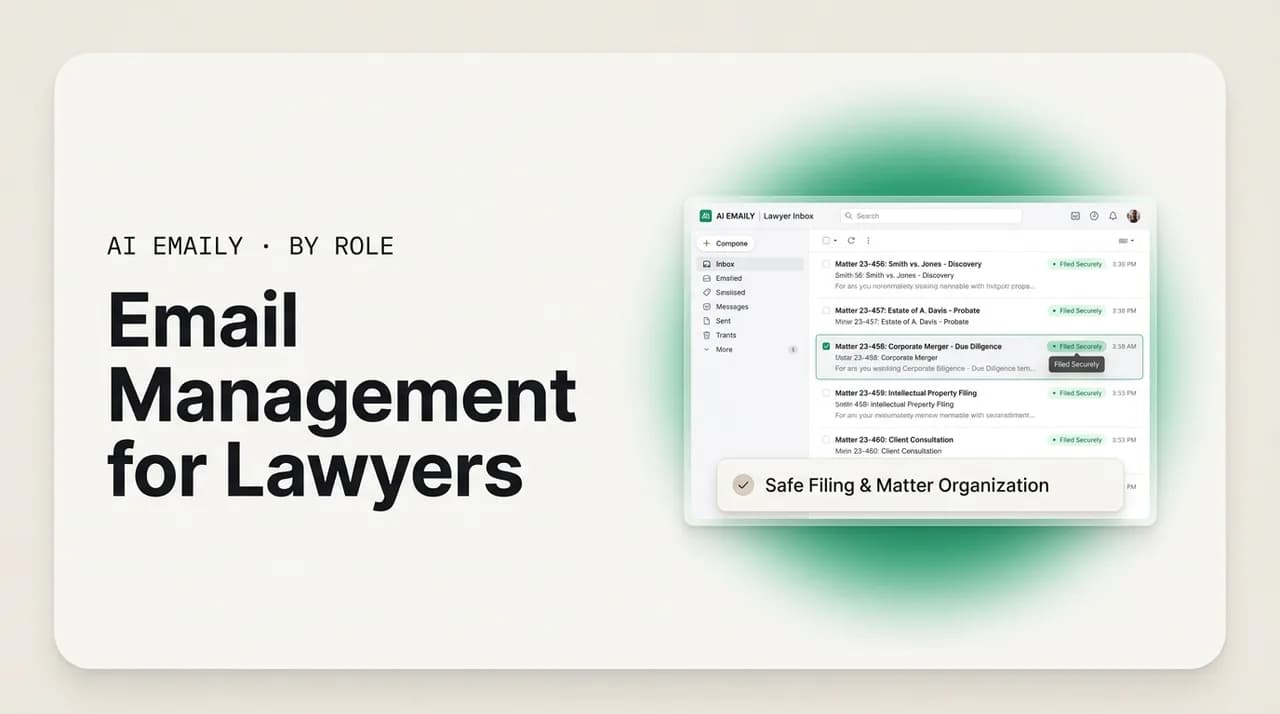
The short answer
Email management for lawyers means running client communication by matter, never missing a deadline, protecting confidentiality and privilege, capturing billable time, and keeping careful records — all from the inbox. The system that works in 2026 pairs matter-organized triage with deadline reminders and confidentiality-first habits, plus AI that drafts in your voice without training on client mail.
Email management for lawyers: a 2026 system to organize by matter, never miss a deadline, protect privilege and confidentiality, capture billing, and use AI safely.
On this page
- 01Why is email so hard for lawyers specifically?
- 02Where does a lawyer's email time and risk actually go?
- 03How should lawyers organize email by matter and client?
- 04How can lawyers never miss a deadline from the inbox?
- 05How do lawyers protect confidentiality and privilege over email?
- 06How should lawyers capture billing and keep careful records?
- 07AI and client confidentiality: what should lawyers demand?
- 08What does a safe legal email workflow look like end to end?
- 09How does AI Emaily fit a careful legal practice?
- 10The bottom line: a careful inbox is a safer practice
For a practicing lawyer, the inbox is not a place where work gets announced. It is where the work happens. The client's question arrives by email, the answer goes back by email, the opposing counsel's position lands by email, the court's notice forwards by email, and the engagement that started with a phone call lives, from that point on, almost entirely in a thread. Strip away the matters and the case files and the billing software, and a great deal of what an attorney does all day is read, judge, and answer messages — each one tied to a specific client, a specific matter, a specific deadline, and a specific duty.
That makes email management one of the quiet load-bearing skills of legal practice. It is not the part that gets taught in law school or argued in front of a judge, but it is the part that decides whether a limitations deadline gets calendared or missed, whether a privileged thread stays privileged or gets forwarded to the wrong recipient, whether the half hour you spent answering a client's question actually shows up on the invoice, and whether the file you hand to a successor counsel three years from now tells a clean, complete story. An attorney whose inbox is under control practices with a margin of safety. An attorney whose inbox is a four-figure unread pile is one forwarded message or one slipped date away from a problem that is expensive to fix and, in the worst cases, impossible to undo.
The stakes are unusually high here, and that is the whole point of treating legal email differently from everyone else's. A missed deadline is the single largest source of legal malpractice claims. A confidentiality slip can waive privilege or breach a duty owed under the rules of professional conduct. An unbilled hour is revenue that simply evaporates. A sloppy record is a gap in the file that a successor, an auditor, or a court may one day need. None of these are abstract risks. They are the everyday hazards of a job that runs on messages, and they are precisely why a lawyer needs a deliberate email system rather than the reactive scroll most professionals default to.
This guide lays out that system for 2026. We start with what makes legal email genuinely hard — the collision of client communication, deadlines, privilege, and recordkeeping in a single stream. Then we build the workflow piece by piece: organizing by matter and client, never missing a deadline, protecting confidentiality and privilege over email, capturing billing and keeping careful records, and — the part every lawyer is right to be cautious about — using AI on a legal inbox without violating the duties of confidentiality and competence. We close with how AI Emaily fits a careful legal practice: private, encrypted, approval-first, and built so that no client mail is ever used to train a model. One note before we begin: this is a guide to email workflow and tooling, not legal or ethics advice, and it is no substitute for your jurisdiction's rules of professional conduct or your own malpractice carrier's guidance.
A working definition for lawyers
Why is email so hard for lawyers specifically?#
Plenty of professionals get a lot of email. Lawyers are unusual because four hard problems stack on top of one another in the same inbox, at the same time, and each one carries professional consequences that most jobs never face. Most general inbox advice solves one of these and quietly worsens another. A legal email system has to hold all four at once: client communication, deadlines, confidentiality and privilege, and recordkeeping including billing.
The first problem is the sheer density of client communication. A single matter can generate hundreds of messages over its life — the intake, the engagement letter, the document requests, the negotiation, the status updates the client expects whether or not there is news. And an attorney is almost never working one matter at a time. A litigator may be juggling a dozen active cases; a transactional lawyer may have several deals closing at once; a solo or small-firm practitioner may be doing intake, the work, and the billing for all of them personally. The inbox does not arrive sorted by matter or by urgency. It arrives in reverse-chronological order, so a client's frantic question, a routine newsletter, and a notice that starts a clock all land with the same visual weight. Finding the messages that actually move a matter forward — or that start a deadline running — is half the daily battle, and it happens before a single word gets written.
The second problem is deadlines, and it is the one with the sharpest teeth. Legal deadlines are not soft. A statute of limitations is non-negotiable; miss it on a meritorious case and the claim is gone, the client is harmed, and the lawyer is exposed. Missed deadlines are, by a wide margin, the leading cause of malpractice claims against attorneys — and the cruel part is that they are among the most avoidable. The danger is rarely that a lawyer does not know the rule. It is that the triggering email — a court notice, an opposing counsel's response, a client's go-ahead — gets buried in the scroll and never makes it onto the calendar. The inbox is where deadlines are born, and an inbox without a reliable capture step is where they quietly die.
The third problem is confidentiality and privilege, which most professionals never have to think about and lawyers can never stop thinking about. Almost everything in a legal inbox is confidential client information, protected by the duty of confidentiality under the rules of professional conduct. Some of it is privileged, which is a separate and fragile protection that can be waived by a careless forward, a wrong autocomplete, an over-broad cc, or a reply-all that loops in someone outside the privilege. Email makes all of these one click away. A lawyer's inbox is a minefield of protected material, and the rules expect reasonable efforts to keep it from leaking — efforts that are partly habit and partly tooling.
The fourth problem is recordkeeping, which quietly underwrites everything else. The inbox is, in practice, a large part of the client file. It is also where billable time is earned and routinely lost — the six-minute email answered between meetings and never recorded. And it is the raw material for the careful records a lawyer may need years later: who said what, when a deadline was confirmed, whether the client gave consent. Email is ephemeral by feel and permanent by consequence, and treating it as disposable is how files end up with holes. What makes these four problems vicious together is that the obvious fix for one strains another — speed up to clear volume and you risk a misdirected confidential message; protect privilege by hand-handling everything and you drown; bill meticulously and you slow to a crawl. The lawyers who stay safe and sane do not pick one. They build a system where each problem has its own deliberate handling, so the four stop fighting each other.
This is the highest-stakes inbox in this series
Where does a lawyer's email time and risk actually go?#
Before building the system, it helps to be specific about where the hours and the risk actually concentrate, because the right fix depends on the cause. An attorney's relationship with the inbox breaks into a handful of recurring pressures, and naming them is the first step to handling each one deliberately instead of reacting to all of them at once.
The first is triage under volume. A working lawyer opens the inbox to a mix of client questions, opposing-counsel correspondence, court and filing notices, co-counsel threads, vendor and expert emails, calendar invites, and the usual flood of newsletters and administrative noise — none of it sorted by matter or urgency. The cognitive cost of repeatedly deciding what this is, which matter it belongs to, and whether it needs action today is enormous, and it is paid before any substantive work begins. Worse, it is the step where a deadline-bearing message can slip past unnoticed.
The second is drafting the same kinds of messages over and over. Acknowledgments of receipt, status updates to clients who want to know things are moving, scheduling notes, routine document-transmittal cover emails, standard responses to common client questions. These are not the lawyering — they are the connective tissue around it — and they consume a surprising share of the day. Many lawyers either retype them from scratch each time or paste a stale template that does not quite fit, and either way the routine correspondence crowds out the substantive work the client is actually paying for.
The third is deadline capture and tracking. Reading an email, recognizing that it starts or moves a deadline, computing the date, and getting it onto a calendar or docketing system reliably — across every active matter, every day, without exception — is genuinely hard administrative work. It is also the first thing to fall apart in a busy week, which is exactly where the risk lives. A missed capture is invisible until it is catastrophic.
The fourth is protecting confidentiality and privilege in motion. Every forward, every cc, every reply-all, every recipient the autocomplete suggests is a small decision with a potentially large consequence. The vigilance this requires is constant and tiring, and fatigue is precisely when mistakes happen — the wrong John in the To field, the privileged memo attached to the wrong thread.
The fifth is billing capture. Time spent reading and answering email is real work that delivers value to the client, and under the way most firms bill, even a short substantive email is properly recorded — commonly at a minimum increment of 0.1 hour, or six minutes. The problem is not the rate; it is the capture. Time recorded at the end of a busy day from memory is time lost, and email is where the most time leaks because each message feels too small to log. The sixth and last is recordkeeping and retention — keeping the inbox in a state that makes a clean, complete client file possible later, and disposing of material on a defensible schedule rather than hoarding everything forever or deleting on impulse. The table below maps these six pressures to the part of the system that handles each, which is the structure for the rest of this guide.
| Inbox pressure | What it looks like day to day | What it costs if unmanaged | Where the system handles it |
|---|---|---|---|
| Triage under volume | Unsorted mix of clients, courts, counsel, and noise | Important and deadline-bearing mail buried in the scroll | Organize by matter and client |
| Repetitive drafting | Acknowledgments, status updates, scheduling, transmittals | Hours spent retyping; routine crowds out substantive work | Drafting in your voice (with review) |
| Deadline capture | Notices and replies that start or move a clock | Missed limitations or filing dates — the top malpractice cause | Never miss a deadline (triage + reminders) |
| Confidentiality / privilege | Every forward, cc, and reply-all is a decision | Misdirected confidential mail; waived privilege | Confidentiality and privilege over email |
| Billing capture | Short substantive emails answered between tasks | Billable time that evaporates by end of day | Records, retention, and billing capture |
| Records / retention | The inbox as a large part of the client file | Gaps in the file; hoarding or impulsive deletion | Records, retention, and billing capture |
How should lawyers organize email by matter and client?#
The foundation of a legal email system is organization by matter. Everything else — deadline capture, privilege discipline, billing, records — gets easier when every message can be tied to the client and matter it belongs to, and harder when the inbox is one undifferentiated stream. The goal is not a beautiful folder tree for its own sake. It is to be able to answer, in seconds, three questions about any message: which matter is this, what is its status, and what does it need from me. A matter-organized inbox answers all three at a glance; a chronological pile answers none of them.
The first principle is one client, one matter, one place. Most disputes and transactions involve a defined client and a defined matter, and your inbox should reflect that structure rather than fight it. Whether you implement it as labels, folders, or saved searches depends on your provider and your practice-management software, but the logic is the same: every message lands somewhere that says which matter it belongs to, so that pulling up everything related to the Henderson acquisition or the Ruiz litigation is one action, not a frantic keyword search across a year of mail. This matters most under pressure — when a client calls with a question, when you are preparing for a hearing, when a successor or auditor needs the file — and those are exactly the moments a chronological inbox fails you.
The second principle is separate the matter mail from everything else. A legal inbox carries at least three distinct streams that deserve different handling: client-and-matter correspondence (high stakes, often privileged, must be filed to a matter), firm-and-administrative mail (internal, scheduling, operational), and external noise (newsletters, vendor pitches, marketing). Blending them is what makes a legal inbox feel unmanageable, because a privileged client thread and a software-renewal notice get the same attention. The fix is to route the noise out of the way so the matter mail stands alone — and crucially, to make matter mail visually and structurally distinct so a confidential thread is never treated as casually as a newsletter.
The third principle is status, not just subject. Knowing which matter a message belongs to is necessary but not sufficient; you also need to know where that matter stands — awaiting your action, awaiting the client, awaiting the court or opposing counsel, or resolved. The lawyers who stay ahead treat the inbox as a set of live matters with states, not a list of subject lines. A small, consistent set of statuses (for example: needs me, waiting on others, on a clock, done) layered over the matter organization turns the inbox from a backlog into a dashboard. The point is that you should be able to scan the inbox and immediately see the handful of matters that need you today, with the rest visibly parked.
A practical caution specific to legal practice: do not let the organizing system become a second filing system that competes with your official client file or document-management system. The inbox organization is for working — finding, triaging, and acting on live mail. The authoritative record of the matter should be wherever your firm keeps client files, and important emails should be saved or filed there per your firm's policy, not left to live only in a label inside your mail client. Organize the inbox so you can work; preserve the record where the record belongs. The two jobs are related but not the same, and conflating them is how firms end up with the real file scattered across individual lawyers' inboxes.
Make matter mail look different on sight
How can lawyers never miss a deadline from the inbox?#
If a legal email system does one thing well, it should be this. Missed deadlines are the leading cause of malpractice claims, and the overwhelming majority of legal deadlines are born in the inbox — a court notice, an order setting a schedule, an opposing counsel's response that starts a clock, a client's instruction that triggers an obligation. The failure mode is almost never ignorance of the rule. It is the triggering message slipping past in the daily scroll and never making it onto the calendar. The entire defense, therefore, is a reliable capture step between reading an email and trusting your memory.
The first rule is that the calendar, not the inbox, holds the deadline. An email is a notification, not a tracking system. The moment you read a message that starts or moves a deadline, the deadline must be transferred to wherever your firm tracks dates — a docketing system, a shared calendar, a practice-management tool. An unread or flagged email is not a calendared deadline; it is a hope. The discipline is to treat capture as a non-negotiable step that happens at the moment of reading, not at some later review that may never come on a busy day.
The second rule is calendar the buffer, not the cliff. Experienced litigators never put the actual court deadline in the calendar as the working date. They build in a buffer — several days for a routine filing, a week or more for a complex one — and treat that earlier internal date as the real deadline. A statute-of-limitations date in particular should be calendared well in advance, commonly thirty days or more ahead, with the genuine internal target set even earlier. The buffer absorbs the inevitable: the document that takes longer than expected, the client who goes quiet, the conflict that surfaces late. The deadline you work to should never be the deadline you cannot miss.
The third rule is redundancy. A single reminder on a single calendar is a single point of failure. The safest practices layer reminders — an early warning, a mid-point check, and a final alert as the internal date approaches — and, where the matter warrants, a second person who also holds the date. The principle is that no critical deadline should depend on one notification reaching one person on one device. Build the system so that for a date to be missed, several independent reminders would all have to fail at once.
Where AI helps here — carefully, and with a human always in the loop — is in catching the deadline-bearing message in the first place and in turning recognized dates and commitments into reminders you can confirm. An assistant that surfaces the messages most likely to carry a deadline or a client commitment, summarizes a long notice down to what it requires and by when, and proposes a calendar entry for you to verify, shortens the gap between a date arriving in your inbox and a date being safely captured. The non-negotiable framing: the AI proposes and surfaces; the lawyer reviews, verifies the computed date against the actual rule, and commits it. Software is a second set of eyes that never gets tired, not a substitute for the lawyer's own judgment about what the deadline actually is. Compute the date yourself; let the tool make sure you saw the message.
- 1
Capture the date the moment you read it
When a message starts or moves a deadline, transfer it to your docketing system or calendar immediately — before you reply, before you move on. A flagged email is not a calendared deadline. The capture step is the entire defense against the leading cause of malpractice; treat it as non-negotiable rather than something to do later in a review that a busy day may swallow.
- 2
Calendar an internal buffer, never the cliff
Set your working date earlier than the real one — days for routine filings, a week or more for complex ones — and calendar limitations dates thirty-plus days ahead with the internal target earlier still. The buffer absorbs delays, quiet clients, and late surprises. The date you work to should never be the date you cannot miss.
- 3
Layer redundant reminders and a second holder
No critical date should rely on one alert reaching one person. Set an early warning, a mid-point check, and a final alert, and where the stakes warrant, have a second person also hold the date. Build it so that several independent reminders would all have to fail for a deadline to slip.
- 4
Let AI surface the message, but compute the date yourself
Use an assistant to flag the messages most likely to carry a deadline or commitment, summarize long notices to what they require and by when, and propose a calendar entry. Then verify the computed date against the actual rule and commit it yourself. The tool is a tireless second set of eyes on the inbox, not a replacement for your judgment about what the deadline truly is.
- 5
Confirm understandings in a short email
When a conversation affects a deadline or a decision — you are not taking a matter, the client has authorized a step, a date was discussed — send a brief confirming email and file it. A one-line message turns a future he-said/she-said into a record. Many deadline and scope disputes are avoided by nothing more than a sentence in writing, time-stamped and saved to the matter.
AI assists capture; the lawyer owns the deadline
How do lawyers protect confidentiality and privilege over email?#
Confidentiality is the duty that defines legal email. Under the rules of professional conduct, a lawyer must protect information relating to the representation of a client, and that includes making reasonable efforts to prevent the inadvertent or unauthorized disclosure of, or unauthorized access to, that information. Email is where most of that information lives and most of that risk concentrates, so a legal email system is, in large part, a confidentiality system. This section is about the everyday habits and the tooling that keep protected material protected — and a careful note that none of it is a substitute for your jurisdiction's rules or your own professional judgment.
Begin with the distinction that trips people up: confidentiality and privilege are not the same thing. Confidentiality is the broad ethical duty you owe to keep client information private. Attorney-client privilege is a narrower evidentiary protection that shields certain communications from compelled disclosure — and it is fragile. A communication is generally only privileged if its primary or predominant purpose is to seek or give legal advice; a business email that happens to copy a lawyer is not privileged just because the lawyer is on it, and slapping a Privileged and Confidential label on a message does not create privilege where it would not otherwise exist. Privilege can be waived — by forwarding a privileged thread to someone outside the privilege, by an over-broad cc, by looping in a third party, or by a careless reply-all. The practical upshot is that privilege requires both that the communication qualify and that you handle it so as not to waive it. The label is a reminder and a signal, not a force field.
The most common way confidential email goes wrong is misdirection — the right message to the wrong recipient. Autocomplete suggests the wrong John; a reply-all reaches a distribution list; a forward carries a privileged memo down a thread it should never have entered. These are not exotic failures; they are the ordinary mistakes of a tired person moving fast, and they are exactly why the rules speak in terms of reasonable efforts rather than perfection. The defenses are partly habit — slow down on the recipient line, check before forwarding, never reply-all on a privileged thread without thinking — and partly structural, such as keeping matter mail visually distinct so its sensitivity is always front of mind, and being deliberate about who is on a thread from the start.
Encryption is the layer that protects mail in transit and at rest from outside eyes, and it has moved from optional to expected for sensitive legal communication. Standard email between major providers is typically encrypted in transit and at rest, which guards against outside eavesdroppers and disk theft — but, importantly, that does not mean the provider itself cannot access the content, because the provider holds the keys. For genuinely sensitive material, lawyers increasingly use stronger options: end-to-end encryption, secure client portals, or encrypted attachments, so that the content is unreadable to intermediaries. A reasonable, widely cited practice is also to avoid sending sensitive mail to a client's work email address — where an employer may have access — and to advise clients early not to use workplace systems for privileged communication. Match the protection to the sensitivity: not every message needs end-to-end encryption, but the ones that would do real damage if exposed do. For a deeper treatment of who can read your mail and what the encryption labels actually mean, see our guide to data privacy and email.
Finally, confidentiality is a firm-wide discipline, not a solo habit. The rules contemplate that lawyers supervise non-lawyer staff and that everyone who touches client mail understands the obligations — intentional and inadvertent disclosure alike. In practice that means a written confidentiality policy, training for everyone with inbox access, a consistent approach to privilege labeling in subject lines and signatures (as a signal and reminder, understanding it does not by itself confer privilege), and clarity about who may send on whose behalf. The strongest individual habits still leak if a colleague or assistant handles a privileged thread carelessly, so the system has to be shared. The callout below is the short version of the confidentiality posture this whole section argues for.
| Concept | What it protects | How it can be lost | Practical guard |
|---|---|---|---|
| Confidentiality (duty) | All information relating to the representation | Inadvertent or unauthorized disclosure or access | Reasonable efforts: careful recipients, distinct matter mail, trained staff |
| Attorney-client privilege | Communications for the purpose of legal advice | Forwarding outside the privilege, over-broad cc, reply-all, looping in third parties | Keep the purpose legal; control the recipients; do not waive by carelessness |
| The privilege label | Signals intent; reminds handlers to be careful | Relied on as if it created privilege (it does not) | Use as a reminder and signal, not a substitute for qualifying and protecting the communication |
| Encryption in transit / at rest | Content from outside eavesdroppers and disk theft | Provider still holds keys; not protection from the provider | Use for baseline security; understand its limits |
| End-to-end / portal | Content from intermediaries, including the provider | Inconsistent use; sending sensitive mail in the clear | Reserve for genuinely sensitive material; advise clients off work email |
The confidentiality posture, in one paragraph
How should lawyers capture billing and keep careful records?#
Two duties that lawyers tend to treat as afterthoughts actually live and die in the inbox: capturing billable time, and keeping records complete enough to rely on later. Both are unglamorous. Both leak constantly. And both are where a well-run email system quietly pays for itself — in revenue recovered and in risk avoided.
Start with billing capture, because it is the one with an immediate dollar value. Reading and answering client email is substantive legal work that delivers value, and under the prevailing billing conventions even a short email is properly recorded — commonly at a minimum increment of one tenth of an hour, or six minutes, when it advances the client's matter. The problem is almost never the rate; it is the capture. The six-minute email answered between a deposition and a call feels too small to log, so it does not get logged, and across a week and a roster of matters that adds up to real, unrecoverable revenue. Reconstructing time from memory at day's end loses the most, because email is precisely the work that is hardest to remember in detail. The fix is to capture contemporaneously: record the time as you handle the message, or use a workflow that makes logging a near-zero-effort step at the moment of the work rather than a chore at the end of the day. The point is to make the small, frequent, value-adding email impossible to forget to bill.
Recordkeeping is the slower-burning concern, and it matters because the inbox is, in practice, a large part of the client file. The communications, the confirmations, the consents, the instructions — much of the narrative of a matter exists as email and nowhere else. That has two implications. First, important email should be preserved into the authoritative client file or document-management system per your firm's policy, not left to live only as a label in an individual lawyer's mail client, where it can be lost to a departure, a deletion, or a forgotten account. Second, the records should be complete enough to tell a clean story later — to a successor counsel, an auditor, a court, or a malpractice carrier. A confirming email about a deadline, a scope, or a client decision is worth far more than its few seconds to write, precisely because it converts a future dispute into a contemporaneous record.
Retention is the other half of recordkeeping, and it cuts the opposite way from capture: the goal is not to keep everything forever, but to keep what you must for as long as you must, then dispose of it on a defensible schedule. General guidance points many firms toward retaining client materials for a period of years after a matter closes — a commonly cited baseline is on the order of five years, though the right period varies considerably by jurisdiction, practice area, and the nature of the file, and some materials must be kept far longer. The principle is a written retention policy applied consistently, rather than two failure modes lawyers fall into by default: hoarding every message forever (which multiplies confidentiality exposure and makes the file unsearchable) or deleting on impulse (which can destroy something you were obligated to keep). Set the policy with reference to your jurisdiction's rules and your carrier's guidance, then let it run — and treat anything under a litigation hold as outside the routine schedule entirely.
AI can lighten both jobs without taking them over. For billing, an assistant can summarize what a thread involved to make logging faster and remind you that an email may be billable, leaving the entry and the judgment to you. For records, it can help you draft the confirming email that becomes the record, summarize a long matter thread for a status note or a file memo, and surface mail that should be filed — again, with you reviewing and deciding. As everywhere in this guide, the framing is assist, not autopilot: the tool reduces the friction that causes capture and recordkeeping to leak, and the lawyer stays responsible for what gets billed, written, and kept.
Capture time at the message, not at midnight
AI and client confidentiality: what should lawyers demand?#
Every lawyer reading this is right to be cautious about pointing AI at a legal inbox, and that caution is not a reason to avoid the technology — it is the reason to choose it carefully. The duties do not bend for new tools. The American Bar Association addressed this directly in Formal Opinion 512, its first formal guidance on generative AI, issued in 2024. The opinion does not ban AI; it maps the existing duties onto it. The themes that matter most for an email tool are competence (you must understand the tool well enough to use it responsibly), confidentiality (you must protect client information), communication (you may owe the client an explanation in some circumstances), supervision (you remain responsible for what the tool produces and for staff who use it), and reasonable fees (you cannot bill for time the tool saved as if you spent it). This is the framework a careful practice should hold any AI email tool to. It is also, to be clear, our summary for context, not legal or ethics advice — read the opinion and your jurisdiction's guidance yourself.
The sharpest point in the guidance concerns confidentiality and a specific category of tool. The ABA opinion warns that a client's informed consent is generally required before a lawyer inputs the client's confidential information into a self-learning generative AI tool — one that may retain and learn from the inputs — and that informed consent means an actual explanation of the risk, not a boilerplate line buried in an engagement letter. State bars have echoed and sharpened this: lawyers must be cautious about feeding confidential material into AI systems that might store, expose, or learn from it. Read carefully, that guidance is really about a property of the tool. The danger it targets is an AI that retains your inputs and trains on them, turning confidential client material into data that improves a model other people will later query. The defense, therefore, is not to avoid AI — it is to demand AI that does not do that.
So here is what a careful legal practice should require of any AI email tool, stated as demands rather than hopes. First: no training on your mail. The tool, and any model it routes to, must not use your client communications to train AI models — full stop. This is the single most important property, because it is the one that turns the ABA's central confidentiality concern from a live risk into a non-issue. Second: zero-retention processing. When the tool sends your content to a model to draft or summarize, the model provider must be contractually bound not to retain that content after the request completes, so your client's information is not logged into someone else's systems or kept for their model improvement. Third: encryption of anything stored. Where the tool stores message content, it should be encrypted — ideally with a layered, envelope-encryption scheme — so that even at rest the data is not sitting exposed.
The demands continue. Fourth: minimum access. The tool should request the least access to your mailbox that it needs to do its job, not the sweeping read-send-delete-everything scope that many tools grab by default. Less access granted is less data exposed and less to revoke if you leave. Fifth: human approval before anything goes out. For a lawyer, this is not a nice-to-have; it is the core of the supervision duty. The AI should draft, summarize, propose, and organize — but a human must review and approve before any message is sent. Email content itself should be treated as untrusted input to the AI (a malicious message could try to manipulate an assistant), which is one more reason every outbound action passes through a person. Sixth: an audit trail and the ability to take or delete your data, so you can see what the tool did and retain control of the client information it touched. Hold a tool to all six and the ABA's framework is satisfied not by promises but by architecture.
Two honest qualifications, because precision is the whole point in this domain and overclaiming would be its own failure. First, no AI tool that helps with your inbox can have zero access to it — to draft a reply or summarize a thread, the assistant has to see the relevant mail, and any vendor that claims otherwise is not being straight with you. The right question is not whether a tool touches your mail (it must) but how little it keeps, how it is protected, how narrowly it is scoped, and whether it is ever used to train a model. Second, none of this removes the lawyer's own duties. A tool can be built to satisfy the confidentiality and supervision concerns, but you remain responsible for competence, for obtaining any consent your situation requires, for reviewing every output, and for the final work product. The best a tool can do is make the safe path the easy one. Choosing that tool — and still doing your job — is the standard the rest of this guide builds toward, and it is exactly what our explainer on whether AI email is safe and private goes into in more depth.
Six demands for AI on a legal inbox
What does a safe legal email workflow look like end to end?#
Pull the pieces together and the result is a repeatable daily and weekly rhythm — a workflow that handles volume, captures deadlines, protects confidentiality, records time, and keeps a clean file, with AI assisting at each step and a human deciding at each gate. The aim is not heroic willpower but a system steady enough to hold up on the worst day, because the worst day is exactly when the inbox does the most damage. What follows is a model you can adapt to your practice and your firm's tools, not a one-size prescription.
The daily rhythm starts with a deliberate triage pass rather than a reactive scroll. Open the inbox to a view where client and matter mail is already distinct from administrative mail and noise, and sweep for three things in order: anything that starts or moves a deadline (capture it to the calendar immediately, with a buffer), anything confidential or privileged that needs careful handling, and anything a client is waiting on. Triage is a sorting-and-capturing pass, not a doing pass — the goal is to make sure nothing dangerous is buried and every deadline is safely on the calendar before you start drafting. An assistant can accelerate this by surfacing likely deadline-bearing and high-priority messages and summarizing the long ones, but you decide what each message is and you own every captured date.
Then comes focused work, in batches, on the matters that need you. This is where drafting happens — replies to clients, status updates, transmittals, the confirming emails that double as records. Let AI draft in your voice to get past the blank page on the routine correspondence, then read every word and edit before anything goes out: the review gate is non-negotiable, both because email is untrusted input to the AI and because the supervision duty makes the lawyer responsible for every sent message. Capture billable time as you go, at the message, not at midnight. Working in batches by matter keeps you in context and makes the time and the records easier to keep accurately, because you are not constantly switching frames.
On a weekly cadence, step back from the stream and tend the system. Review every active matter for anything waiting on you or approaching an internal deadline, so nothing parked gets forgotten. Confirm that important mail from the week has been filed into the authoritative client file, not left as a stray label. Reconcile your time so the week's email work is fully billed. And glance at retention — anything closed that should move onto its disposition schedule, anything under a hold that must stay. The weekly pass is what keeps the daily rhythm from silently drifting, and it is short if the daily habits are sound. The table below lays out the cadence, what happens at each step, where AI assists, and where the human gate sits — note that the human gate is present at every step that touches a client, a deadline, or an outbound message.
- 1
Triage pass — sort and capture, do not yet do
Open to a view where matter mail is distinct from noise. Sweep in order for deadline-bearing messages (capture to the calendar with a buffer, immediately), confidential or privileged threads, and clients who are waiting. Let AI surface likely-urgent and deadline-bearing mail and summarize long notices, but decide what each message is and own every date yourself.
- 2
Focused work — draft, review, send, bill
Work in batches by matter. Let AI draft routine correspondence in your voice, then read and edit every word before sending — the review gate is mandatory because email is untrusted input and the supervision duty is yours. Capture billable time at the message, and send the confirming emails that become your record.
- 3
Protect at every outbound step
On each send, forward, cc, and reply-all, check the recipients and the sensitivity. Keep privileged threads tightly controlled, encrypt or use a portal for the most sensitive material, and avoid clients' work email. Confidentiality is enforced one message at a time; the system makes it easy, but you make the call.
- 4
Weekly system pass — review, file, reconcile, retain
Step back weekly: review every active matter for anything waiting or nearing an internal deadline; file the week's important mail into the authoritative client file; reconcile time so all email work is billed; and check retention — move closed matters onto their schedule, keep anything under a hold. This pass keeps the daily rhythm from drifting.
| Cadence | What you do | Where AI assists | Human gate |
|---|---|---|---|
| Daily — triage | Sweep for deadlines, privileged mail, waiting clients | Surfaces urgent and deadline-bearing mail; summarizes long notices | You decide what each message is and capture every date |
| Daily — work | Draft replies and updates in batches by matter | Drafts routine correspondence in your voice | You read, edit, and approve before every send |
| Daily — protect | Check recipients and sensitivity on every outbound action | Flags risky sends; keeps matter mail distinct | You confirm recipients and control privilege |
| Daily — bill | Record time at the message, not from memory later | Summarizes the thread; reminds that mail may be billable | You enter the time and exercise billing judgment |
| Weekly — system | Review matters, file to the client file, reconcile, retain | Summarizes matter threads; surfaces mail to file | You file, bill, and apply the retention policy |
The human is the gate, not the bottleneck
How does AI Emaily fit a careful legal practice?#
Everything above describes the system; this is where AI Emaily fits into it, judged against the same standard the rest of this guide sets — private, encrypted, approval-first, and built so that no client mail is ever used to train a model. We will be precise about what it does and equally precise about what it does not claim, because in a legal context overclaiming would itself be a failure. AI Emaily is an AI email client that works on top of the inbox you already use, with every major provider, so adopting it does not mean migrating a firm's mail or changing how clients reach you.
Start with the property that matters most for a legal inbox: AI Emaily does not train on your mail. Your client communications are not used to train AI models — not ours, and not anyone's. When the assistant drafts a reply, summarizes a thread, or helps you triage, that processing serves you in the moment and ends there; it does not become training data that improves a model other people later query. This is the single demand the ABA's confidentiality guidance presses hardest on, and it is the property that turns the central concern about self-learning AI tools from a live risk into a non-issue. The inference itself is routed through model providers under zero-retention terms, so your client's information is not retained by the model provider after a request completes either — it passes through to do its job and is not kept on either side of the exchange.
Where AI Emaily stores data, it is envelope-encrypted — message content lives in encrypted storage under a layered key scheme rather than as plain text waiting to be read, which is the architecture that makes a breach far less damaging because scrambled bytes leak nothing useful without keys an attacker does not have. It requests minimum OAuth scopes rather than blanket access to your mailbox, so the access you grant is proportionate to the work and there is less to expose and less to revoke. And for a practice that wants maximum control over where inbox data flows, AI Emaily supports bring-your-own-key (BYOK): you can run the AI on your own model-provider account, with your key decrypted only inside an isolated worker to make the call and never exposed client-side or written to logs. Those four properties — no training, zero-retention, encrypted storage, minimum scopes, with BYOK as the control option — are AI Emaily's answer to the confidentiality demands this guide laid out, satisfied by how the product is built rather than by a promise in a policy.
On the supervision and human-control side, AI Emaily is approval-first by design. It runs in modes that keep a human in the loop — the assistant can draft, summarize, organize, and propose, but a person reviews and approves before anything is sent, which is exactly the posture the supervision duty requires and the reason a careful practice can let it touch a legal inbox at all. Email content is treated as untrusted input to the AI, so a message that tries to manipulate the assistant does not get to act on its own; the human gate sits in front of every outbound action. And actions are auditable, so you can see what the assistant did — the kind of trail a careful practice, an auditor, or a malpractice carrier would expect. Practically, that means AI Emaily slots into the workflow from the previous section without breaking its safety model: it accelerates triage by surfacing the mail that matters and summarizing the long threads, it drafts the routine correspondence in your voice so you can edit rather than start from scratch, it helps turn recognized dates into reminders you verify, and it helps you draft the confirming emails that become your record — always proposing, never deciding.
The honest limits, stated plainly because this is a legal audience. AI Emaily is an email client and assistant, not a docketing system, a practice-management suite, or a substitute for your firm's authoritative client file — use it to work the inbox, and keep the record where your firm keeps records. It is not legal-deadline calculation software; it can surface a likely deadline-bearing message and propose an entry, but you verify and own the date. It does have to access the mail it helps with — no inbox assistant can avoid that — so the claim is not zero access but minimum access, no training, zero-retention, and encryption. And it does not relieve you of your own duties of competence, confidentiality, consent where your situation requires it, supervision, and reasonable fees; it is built to make the compliant path the easy one, not to take responsibility off the lawyer. On price, AI Emaily starts free at $0 so you can try it on your own workflow without commitment, and Pro runs $12.42 per month billed annually for higher limits and the full feature set; the privacy posture — no training, zero-retention, encrypted storage, minimum scopes, and data you can export or delete — is the same on either tier, and BYOK is available on the Autopilot and Team plans. You can start free at app.aiemaily.com/signup.
AI Emaily for legal, stated plainly
The bottom line: a careful inbox is a safer practice#
For a lawyer, the inbox is where the practice actually runs — and where its sharpest risks live. Client communication, deadlines, confidentiality and privilege, billing, and the client file all pass through the same stream of messages, which is why a deliberate email system is not a productivity luxury for an attorney but a margin of professional safety. The four hard problems do not have to fight each other. Organize by matter so nothing important is buried. Capture every deadline the moment it arrives, with a buffer and redundant reminders, because missed dates are the leading cause of malpractice and almost all of them are born in the inbox. Treat every client message as confidential, control your recipients, and encrypt what is sensitive. Bill the small emails contemporaneously and keep records complete enough to tell a clean story years later.
On AI, the right posture is neither avoidance nor blind adoption. The ABA's guidance does not forbid AI on a legal inbox; it insists you use it competently, protect confidentiality, supervise the output, and not overbill for the time it saves. That maps to a concrete checklist for any tool: no training on your mail, zero-retention processing, encryption of what is stored, minimum access, human approval before every send, and an audit trail. A tool that meets all six lets a careful practice get the genuine benefits — faster triage, less time lost to routine drafting, fewer buried deadlines, cleaner records — without trading away the duties that define the profession. The technology is not the risk; using the wrong tool, or using the right tool carelessly, is.
That is the standard AI Emaily is built to meet, and the standard we would ask you to hold it and every alternative to: hold as little of your data as possible, protect what you hold, scope access narrowly, never train on your client mail or monetize it, keep a human in front of every send, and give you the controls to take your data or erase it — across every provider you already use. A legal inbox this consequential deserves a tool that treats client communication as exactly what it is: confidential, high-stakes, and yours. If that is the inbox you want — private by design, intelligent without the surveillance, approval-first so you stay in control — you can start free at app.aiemaily.com/signup. The careful inbox is the safer practice, and the tooling finally exists to make careful the path of least resistance. (As throughout: this guide is workflow and product information, not legal or ethics advice — your jurisdiction's rules and your carrier's guidance govern.)
Frequently asked
See it in AI Emaily
Keep reading
Sources
- ABA — Formal Opinion 512: Generative Artificial Intelligence Tools (July 2024, PDF)
- American Bar Association — ABA issues first ethics guidance on a lawyer's use of AI tools
- ABA — Model Rule 1.6: Confidentiality of Information
- Lawyers Mutual Insurance NC — Missed Deadlines Continue to Plague Plaintiffs' Attorneys
- AttorneyReview — Attorney Deadline Management: How to Prevent Malpractice
- LeanLaw — Document Retention Policy Guide for Law Firms
- National Law Review — A Guide to Lawyer Time Tracking

Written by
Nafiul HasanNafiul Hasan is an entrepreneur and AI automation system builder with 10+ years of experience turning messy, manual workflows into reliable automated systems. He designs and ships AI enterprise solutions end-to-end — the agent logic, the data plumbing, and the product people actually use — and founded AI Emaily to give busy professionals their attention back. He writes here from the builder's seat: what works, what breaks, and how to put AI to work without giving up control.