Email Spoofing Explained: How Forged Senders Work and How to Stop Them

The short answer
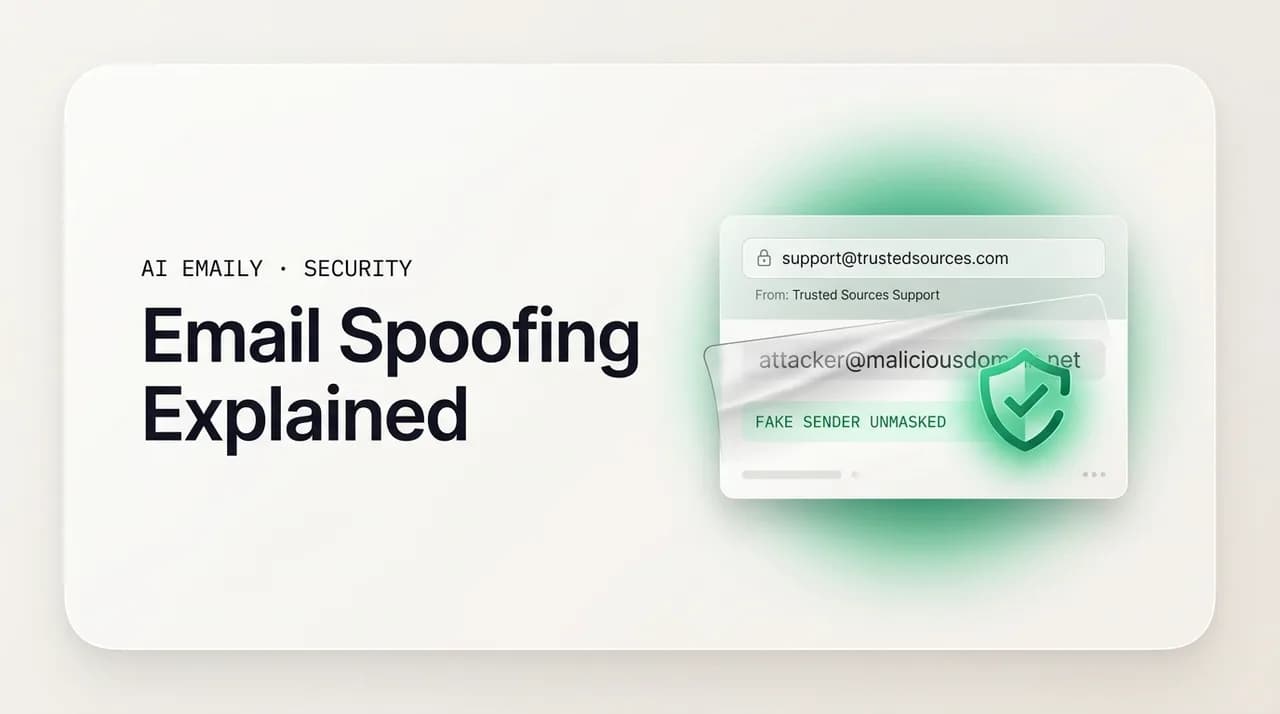
Email spoofing forges the From address so a message looks like it came from someone it did not. It works because SMTP, the protocol that moves mail, never verified who the sender was. SPF, DKIM, and DMARC fix that by letting a domain prove a message is genuinely its own, and a receiver reject the rest.
Email spoofing explained: how the From address is forged, why SMTP allows it, and how SPF, DKIM, and DMARC stop spoofed and fake senders.
On this page
- 01What if the From line is simply lying to you?
- 02So what exactly is email spoofing?
- 03Why does the email protocol let anyone forge the sender?
- 04What are the main types of email spoofing?
- 05How does SPF work, and what does it actually prove?
- 06How does DKIM work, and why does the signature matter?
- 07How does DMARC tie SPF and DKIM together?
- 08What is BIMI, and where is email authentication heading?
- 09How do you detect a spoofed email from its headers?
- 10What should you do if your own domain is being spoofed?
- 11How does AI Emaily flag spoofed and unauthenticated mail automatically?
- 12The bottom line on email spoofing
What if the From line is simply lying to you?#
Open any message in your inbox and the first thing your eye lands on is the sender: a name, maybe a familiar logo, an address that ends in a company you recognize. You read that line and your brain quietly files the whole email under trusted before you have read a single word of the body. That instinct is exactly what email spoofing exploits, because the From line you are trusting was never designed to be trustworthy. It is a label the sender writes themselves, and nothing in the way ordinary email works forces that label to be true.
This is not a bug in your email provider or a setting you forgot to turn on. It is a property of the protocol that has carried email since the early 1980s. When that protocol was designed, the internet was a small, collegial place where the handful of machines that exchanged mail effectively trusted one another, so the people who built it never added a way to verify that a sender was who they claimed to be. That design assumption is still baked into the system today, which means that by default, anyone who can connect to a mail server can stamp almost any name and address they like onto the front of a message. The recipient sees the stamp. They almost never see that it was forged.
The consequences are not theoretical. Spoofing is the engine underneath most of the email fraud you read about: it is how a phishing email arrives wearing your bank's name, how an invoice scam lands looking like it came from a supplier you actually use, and how a wire-transfer request appears to come straight from your own chief executive. According to the FBI's Internet Crime Complaint Center, losses across the three categories of crime that most directly exploit trust in email, business email compromise, phishing, and government impersonation, exceeded four billion dollars in 2025, up roughly 46 percent from the year before. Business email compromise alone accounted for more than three billion of that, at an average loss of around 123,000 dollars per reported incident. Behind a large share of those numbers is a forged From line that someone believed.
This guide explains email spoofing from the ground up, in plain language, without assuming you administer a mail server. We will start with what spoofing actually is and why the protocol allows it, then walk through the three forms you are most likely to meet: an exact-domain forgery, a display-name trick, and a lookalike domain that is not technically spoofing at all but fools people the same way. From there we will explain the three defenses that stop it, SPF, DKIM, and DMARC, one at a time and then together, because understanding how each works is the difference between blindly copying a DNS record and knowing whether you are protected. We will cover BIMI and where authentication is heading, show you how to read a message's headers to catch a spoof yourself, and lay out what to do if you discover your own domain is being used to send fraudulent mail. At the end, because we build one, we will show how AI Emaily reads those authentication results for you and flags spoofed and unauthenticated mail automatically, so you do not have to inspect headers by hand on every suspicious message.
The one idea to hold onto
So what exactly is email spoofing?#
Email spoofing is the practice of forging the sender information on an email so that the message appears to come from someone other than its true source. The attacker does not need to break into the account they are impersonating, guess a password, or compromise a server. They simply construct a message whose From field, and often the Reply-To and Return-Path fields as well, names a person or organization they want to impersonate, then send it. The recipient opens it, sees a trusted name, and reacts to the email as if it genuinely came from that name. The forgery lives entirely in the labeling, not in any break-in.
It helps to separate spoofing from the things it is often confused with. Spoofing is not the same as a hacked account: if a criminal steals your password and sends mail from your real mailbox, that mail is genuinely from your address and passes every authentication check because it is authentic, just sent by the wrong hands. Spoofing is the opposite, an address that is not really the sender's but dressed up to look like it is. Spoofing is also not quite the same as phishing, though the two travel together. Phishing is the goal, tricking you into clicking a link, handing over credentials, or moving money; spoofing is one of the techniques that makes phishing convincing, by making the fraudulent message wear a trusted identity. The most dangerous attacks combine them: a spoofed sender lending false authority to phishing.
The reason spoofing is so effective comes down to human attention. We process email fast, often on a phone, often while doing three other things, and we use the sender line as a shortcut for whether a message is safe. Attackers know this, which is why the sender line is the first thing they forge. A message that would be deleted on sight if it came from a random address gets read, trusted, and acted on the moment it appears to come from your boss, your bank, or a brand you do business with. The technical forgery is the easy part; the hard part is already done for them by the way people read email.
It is worth being precise about which piece of the email is forged, because it shapes every defense that follows. An email carries two sender identities that most people never see as separate: the address the mail servers use to route and bounce the message, known as the envelope sender or Return-Path, and the address shown to you in your mail client, known as the header From. These two need not match for a message to be delivered, and spoofing exploits exactly that gap, putting one address in the part servers act on and a different, trusted address in the part you actually read. Keep that split in mind; half the subtlety of email authentication is about which of those two addresses a given defense is checking.
- Spoofing forges the sender labels on a message; it does not require hacking the impersonated account.
- A hacked account sends authentic mail from a real address; a spoof sends fake mail wearing a borrowed address.
- Phishing is the goal, the click or the payment; spoofing is the disguise that makes the phishing message believable.
- An email has two sender identities: the envelope Return-Path that servers use, and the header From that you see. They need not match.
- Spoofing works because people read the sender line as a guarantee of safety and almost never look past it.
Why does the email protocol let anyone forge the sender?#
To understand spoofing you have to understand SMTP, the Simple Mail Transfer Protocol, which is the language mail servers speak to hand messages to one another. SMTP was specified in the early 1980s, when the internet connected a small number of mostly academic and government institutions that knew and trusted each other. Security was not a design goal because there was little to defend against; the network ran on trust rather than verification. As a result, the original protocol contained no mechanism whatsoever for a server to confirm that a sender was authorized to use the address they claimed. That omission was reasonable in 1982; it is the root cause of email spoofing in 2026.
Mechanically, sending an email over SMTP is a short, almost conversational exchange. The sending server connects to the receiving server and announces, in effect, here is who this mail is from, using a command called MAIL FROM, and here is who it is for, using RCPT TO. It then transmits the message itself, which carries its own separate From, To, and Subject lines. The critical detail is that the receiving server, by default, does not check whether the connecting machine has any right to send on behalf of the address in MAIL FROM, and does not require the message headers to match the envelope at all. Both the envelope sender and the header From are simply values the sender types. Nothing about the protocol forces either to be true.
Because of that, forging a sender does not require any special exploit or clever hacking. An attacker can write a few lines of script, connect directly to a mail server that does not require authentication, or run their own server, and set the From header to anything they want. Even ordinary libraries whose normal job is to send mail programmatically will, pointed at the wrong target, stamp a forged address on a message and send it. The barrier to spoofing a sender address is not technical skill; it is, at most, finding a server willing to relay the message, and the internet still offers plenty of those, alongside compromised servers and the attacker's own infrastructure.
This is why telling people to check the sender address is necessary but nowhere near sufficient advice. Yes, you should look at the full address rather than the display name, but because the address itself can be forged, checking it only catches the lazy attacks. The deeper problem, that the protocol carrying your mail never verified the sender, cannot be solved by individual vigilance. It can only be solved by adding verification on top of SMTP, which is exactly what SPF, DKIM, and DMARC were invented to do.
Why we cannot just fix SMTP
What are the main types of email spoofing?#
Spoofing is not one trick but a family of them, and they differ in how technically demanding they are, how convincing they look, and crucially, which defenses can catch them. Understanding the three you are most likely to encounter, exact-domain spoofing, display-name spoofing, and the lookalike domain, makes the rest of this guide concrete, because each defense we discuss later stops some of these and not others. Lumping them together is how people end up with a false sense of security, believing one configuration protects them from attacks it was never designed to touch.
The most technically pure form is exact-domain spoofing, sometimes called direct domain spoofing. Here the attacker forges the header From to use the genuine domain of the organization they are impersonating, for example a message that truly says it is from [email protected], character for character. This is the most alarming version because the address is not an imitation; it is the actual address. It is also, fortunately, the form that email authentication was built to defeat: a domain that has published SPF, DKIM, and an enforced DMARC policy makes exact-domain spoofing of its name fail at the receiving server, because the forged message cannot prove it came from an authorized source. The catch is that this protection only exists if the impersonated domain has done that work; an unprotected domain can still be spoofed exactly, which is why the defenses in this guide matter for senders and not just recipients.
Far more common in the wild is display-name spoofing, which is almost embarrassingly simple and yet extraordinarily effective. Every email carries a friendly display name, the human-readable label shown in front of the address, and that name can be set to literally anything. An attacker sends from a throwaway address they fully control, say a random Gmail account, but sets the display name to Your Bank Security Team or the actual name of your chief executive. On a desktop client you might catch it because the real address sits next to the name; on a phone you very often will not, because most mobile mail apps show only the display name and hide the address to save space. This is why display-name spoofing dominates: it is trivial, requires no forged domain, and lands most convincingly on the mobile screens where people read the bulk of their mail. It is also the form domain authentication does not stop, because the underlying address really does belong to the sender, so SPF, DKIM, and DMARC all pass.
The third form, the lookalike or cousin domain, is technically not spoofing at all, but it belongs here because it deceives people in exactly the same way and is increasingly favored by serious attackers. Instead of forging your real domain, the attacker registers a near-identical domain and sends genuine mail from it. They might swap a letter, paypa1.com with a number one instead of an L, or rnicrosoft.com where r and n masquerade as an m, add a plausible word, yourbank-security.com, or change the ending, yourcompany.co instead of .com. Because the attacker truly owns the lookalike, they can configure perfect SPF, DKIM, and DMARC for it, so the message passes every check and may even arrive with a green tick. Authentication confirms the message genuinely came from paypa1.com; it has no opinion on whether paypa1.com is impersonating PayPal. This is why detection still depends on a human or an intelligent client noticing that the domain, while authenticated, is subtly wrong.
| Type | What is forged | How hard | Stopped by SPF/DKIM/DMARC? | What still catches it |
|---|---|---|---|---|
| Exact-domain spoof | The real From domain itself (e.g. [email protected]) | Easy if the domain is unprotected | Yes, if the impersonated domain enforces DMARC | Enforced DMARC at the sender; header checks |
| Display-name spoof | Only the friendly name; real address is the attacker's | Trivial | No, the address is genuinely the sender's | Checking the actual address, not the name; behavior analysis |
| Lookalike / cousin domain | Nothing, attacker owns a near-identical domain | Easy, just register the domain | No, authentication passes for the real lookalike | Reading the domain carefully; brand-impersonation detection |
Authentication passing is not the same as safe
How does SPF work, and what does it actually prove?#
SPF, the Sender Policy Framework, is the oldest and simplest of the three defenses, and the easiest to misunderstand. At heart it answers one narrow question: is the server that is trying to deliver this mail allowed to send on behalf of the claimed domain? A domain owner publishes, in their public DNS, a special text record that lists every mail server and IP address authorized to send email for that domain. When a receiving server gets a message, it looks up that record, checks the IP address the message actually arrived from against the published list, and decides whether the sending server is on it. If the sender is authorized, SPF passes. If not, SPF fails, or returns a softer result depending on how strictly the domain owner wrote the record.
The mechanism is essentially a published guest list enforced at the door: you give the venue a list of everyone allowed to deliver packages in your name, and when a courier shows up claiming to deliver on your behalf, the venue checks the list. SPF is that list for mail servers, written into DNS where any receiving server in the world can read it. The strength of this approach is that it is cheap, universal, and requires no cryptography; the weakness is that it only verifies the sending server's address, not the contents of the message and not, by itself, the part of the email you actually see.
That last point is the one that trips everyone up, so it is worth stating bluntly. SPF checks the envelope sender, the Return-Path address that servers use for routing and bounces, not the header From address that your mail client displays to you. An attacker can pass SPF cleanly by using an envelope sender on a domain they legitimately control, while putting a completely different, spoofed address in the header From that you read. The message satisfies SPF and still shows you a forged sender. This is not a flaw in SPF so much as a limit on its scope: it was never meant to police the visible From line on its own. By itself, SPF does not stop the spoofing that matters most to a human reader, which is exactly why it is not the end of the story.
SPF has a second well-known limitation: it breaks when mail is forwarded. If you send a message that passes SPF and the recipient has set up automatic forwarding, the forwarding server relays your message from its own IP, which is not on your SPF list, so the forwarded copy fails SPF at its destination. This normal, legitimate scenario is one of the main reasons DKIM and DMARC exist alongside SPF rather than SPF being deemed sufficient. SPF is a useful first layer, but it is a layer, not a wall, and treating it as complete protection is a common and costly mistake.
Read the ending of an SPF record
How does DKIM work, and why does the signature matter?#
DKIM, DomainKeys Identified Mail, takes a fundamentally different approach from SPF. Rather than checking where a message came from, it cryptographically proves that the message genuinely originated from the claimed domain and was not altered in transit. It does this with public-key cryptography, the same family of math that secures website connections. The domain owner generates a pair of keys: a private key kept secret on their mail server, and a public key published in DNS for anyone to fetch. When the server sends a message, it uses the private key to compute a digital signature over the message, covering key headers and the body, and attaches that signature to the email in a header. The receiving server fetches the matching public key from the sender's DNS and uses it to verify the signature. If the signature checks out, two things are proven at once: the message really was signed by someone holding the domain's private key, and the signed content has not been tampered with since.
The intuition is a wax seal on a letter, but a mathematical one that cannot be forged. A sender once pressed a signet ring into wax, and anyone could see the seal was intact and recognize the crest. DKIM is the digital equivalent, except that recreating the seal requires the secret private key, which never leaves the sender's server, so an attacker cannot forge it the way they can forge a From line. And unlike a wax seal, the signature also guarantees integrity: if even a single character of the signed portion changes between sending and receipt, verification fails. This is what lets DKIM survive scenarios that defeat SPF, such as certain kinds of forwarding, because the signature travels with the message rather than depending on the connecting server's IP address.
Two limitations keep DKIM, like SPF, from being a complete solution on its own. The first is the same gap we keep returning to: a valid DKIM signature proves the signing domain vouches for the message, but it does not by itself require that the signing domain match the From address you see. An attacker could, in principle, send a message validly DKIM-signed by a domain they control while displaying a different domain in the From line, and DKIM alone would not object. The second is operational: DKIM is harder to set up than SPF, involving key generation, configuring the server to sign outbound mail, and publishing the public key correctly, and a misconfiguration silently breaks signing. The reward for that effort is a much stronger guarantee, but it is a guarantee about authenticity and integrity, not about whether the visible sender is honest.
So why bother with both SPF and DKIM if each has the same blind spot around the visible From address? Because they fail in different situations and prove different things, and together they cover far more ground than either does alone. SPF is simple and catches unauthorized servers; DKIM is stronger and survives forwarding while also proving the message was not altered. Neither, on its own, ties its check to the From line that humans read. What was missing for years was a standard that did exactly that, that demanded the domain proven by SPF or DKIM actually match the domain you see, and that told receivers what to do when it did not. That standard is DMARC, and it is what turns these two useful but incomplete tools into real protection against spoofing.
How does DMARC tie SPF and DKIM together?#
DMARC, Domain-based Message Authentication, Reporting and Conformance, is the keystone that turns SPF and DKIM from useful fragments into a coherent defense against spoofing. It does three things that neither of the others does. First, it introduces the concept of alignment, the requirement that the domain authenticated by SPF or DKIM actually match the domain in the visible From address, closing the exact gap that left both earlier standards unable to police the From line on their own. Second, it lets the domain owner publish a policy telling receiving servers what to do with mail that fails, ranging from take no action to quarantine it to outright reject it. Third, it provides reporting, sending the domain owner regular summaries of who is sending mail in their name and whether it is passing, which is how an organization actually discovers it is being spoofed.
Alignment is the crucial idea, so it is worth slowing down on. Recall that SPF checks the envelope Return-Path and DKIM checks its own signing domain, and that neither is required to match the From address you read. DMARC adds that requirement. A message passes DMARC only if it passes SPF or DKIM and the domain that passed is aligned with, meaning it matches, the From domain. So a spoofed message that forges yourbank.com in the From line will fail DMARC, because while it might pass SPF using some other domain the attacker controls, that domain does not align with yourbank.com, and the attacker cannot produce a valid DKIM signature for yourbank.com without yourbank's private key. This is the mechanism that finally makes exact-domain spoofing fail. Alignment comes in two modes, relaxed, where a subdomain is allowed to match its parent domain, and strict, where the match must be exact; relaxed is the common default and is sufficient for most organizations.
The policy is set with a single value in the DMARC record, and it is the part that determines whether you are actually protected or merely watching. A policy of p=none means monitor only: receivers report failures back to you but still deliver the mail, which is the right place to start so you can see your own traffic without breaking anything. A policy of p=quarantine tells receivers to treat failing mail as suspicious, typically routing it to spam. A policy of p=reject tells them to refuse failing mail outright, so a spoofed message never reaches the inbox at all. Only quarantine and reject provide real protection, and reject is the gold standard; p=none, despite being where everyone correctly begins, stops nothing on its own. A large share of domains that publish DMARC never advance past p=none, which means they get visibility into spoofing but no defense against it, an extremely common and dangerous halfway state.
The reporting function is the quietly indispensable part, and it is how the whole system becomes self-correcting. When you publish a DMARC record with a reporting address, receiving servers around the world send you aggregate reports, machine-readable summaries listing every source sending mail under your domain, how much, and whether it passed SPF, DKIM, and alignment. The first time most organizations look at these reports they are startled, both by the legitimate senders they had forgotten about, the marketing platform, the help-desk tool, the payroll provider, and by the illegitimate ones forging their name. Those reports are what let you move safely from p=none to enforcement: you watch until you are confident every legitimate sender is authenticating correctly, then tighten the policy knowing you will not accidentally block your own mail. Without them you would be tightening blind.
| Standard | What it checks | What it proves | Key limitation | DMARC role |
|---|---|---|---|---|
| SPF | Sending server's IP vs an authorized list in DNS | The server is allowed to send for the envelope domain | Checks the envelope, not the visible From; breaks on forwarding | One of two ways a message can pass |
| DKIM | A cryptographic signature against a public key in DNS | The message is genuinely signed by the domain and unaltered | Signing domain need not match the visible From | The other way a message can pass |
| DMARC | That SPF or DKIM passed AND aligns with the From domain | The visible sender is genuinely authorized | Does not stop display-name or lookalike-domain tricks | The policy and reporting layer that ties it together |
The honest limit of DMARC
What is BIMI, and where is email authentication heading?#
If SPF, DKIM, and DMARC are about keeping forged mail out, BIMI is about giving authenticated, legitimate mail a visible reward. BIMI, Brand Indicators for Message Identification, lets an organization display its registered logo next to its messages in supporting inboxes, the little brand icon you may have noticed beside some senders in Gmail. The point is twofold: it gives recipients a fast visual signal that a message is from a verified brand, and it gives organizations an incentive to finish the authentication work, because the logo only appears once everything underneath it is correctly configured.
What makes BIMI relevant to a discussion of spoofing is that it sits on top of DMARC and cannot exist without it. An organization can only publish a working BIMI record once its domain is at DMARC enforcement, meaning a policy of quarantine or reject covering its mail; no inbox provider will display a BIMI logo for a domain still sitting at p=none. For the strongest treatment, including the verified checkmark Gmail shows, the organization must also obtain a Verified Mark Certificate, a credential issued by an approved certificate authority that confirms the logo corresponds to a genuinely registered trademark the organization controls. In other words, the brand logo you see is not decoration; it is the visible tip of a stack that includes a registered trademark, a verified certificate, and an enforced DMARC policy underneath. Most providers also require the domain to hold enforcement steadily for a period, commonly around thirty days, before they will begin displaying the logo, and the certificates themselves expire and must be renewed periodically.
The broader direction of travel is unambiguous, and it has accelerated sharply in the last couple of years. As of 2024 and continuing through 2026, the major mailbox providers require bulk senders to authenticate their mail with SPF, DKIM, and DMARC or face throttling and rejection, which has pushed authentication from the security team's wish list onto the deliverability team's critical path. The practical effect for everyone is a slow tightening of the net: as more domains reach enforcement, exact-domain spoofing of well-run brands keeps getting harder, which is genuine progress.
It would be a mistake, though, to read this as the end of spoofing. As exact-domain forgery is squeezed out by enforced DMARC, attackers migrate to the forms authentication does not cover. Display-name spoofing and lookalike domains are rising precisely because they sail through SPF, DKIM, and DMARC, and the same period that saw authentication tighten also saw the FBI introduce AI-related fraud as a formal crime category for the first time, as attackers use generative tools to make their lures more convincing. The future of email defense is therefore not just better DNS records, important as those are, but better judgment at the point of reading: noticing that an authenticated message is nonetheless impersonating a brand, or that a display name does not match the address behind it. That is increasingly a job for intelligent software working alongside the authentication layer, not for the protocols alone.
BIMI is a reward, not a shield
How do you detect a spoofed email from its headers?#
Everything we have covered comes together in the email header, the technical metadata attached to every message that records where it came from, how it traveled, and how it fared against authentication. Your mail client hides this by default, showing you only the friendly summary, but it is always there, and learning to read the few lines that matter is the single most reliable way to catch a spoof by hand. You do not need to understand every line; you need to find three or four specific things. For a deeper, line-by-line walkthrough, see our companion guide on how to read email headers, but the steps below are enough to make a confident call on most suspicious messages.
The first thing to find is the Authentication-Results header, because it summarizes the verdict the receiving server reached. It will contain entries reading something like spf=pass, dkim=pass, and dmarc=pass, or the same with fail, softfail, neutral, or none in place of pass. For a message that genuinely comes from a major bank, brand, or government body, you should expect all three to pass; a dmarc=fail on a message claiming to be from an organization that you know enforces DMARC is strong technical evidence the message is forged. The second thing to find is the From and Return-Path addresses and compare them: a mismatch between the visible From domain and the Return-Path domain is a classic spoofing fingerprint, the signature of an attacker who set one address for servers and another for your eyes. The third is the chain of Received lines, which record each server the message passed through; read from the bottom up, they trace the message back toward its origin, and an unexpected originating server or country, far from where the supposed sender operates, is another red flag.
Two cautions keep this from giving you false confidence. First, as we have stressed throughout, authentication passing does not prove the sender is honest. A display-name spoof from a throwaway account and a lookalike-domain message both produce spf=pass, dkim=pass, dmarc=pass, because the attacker's own address authenticates perfectly. So after you confirm the authentication results, you must still read the actual From domain character by character and ask whether it is genuinely the organization it claims to be, or a near-miss like a swapped letter or an extra word. The headers tell you whether the domain is authentic; only your judgment tells you whether the domain is the right one. Second, header analysis is slow and easy to get wrong under pressure, which is exactly when phishing arrives, so it is a skill to have for the occasional careful check, not a sustainable habit for every message in a busy inbox.
That last point is where the manual approach hits its real limit. Reading headers works, but it does not scale; nobody inspects the Authentication-Results line on all hundred-plus emails they receive in a day, and attackers count on exactly that fatigue. The practical answer for most people is to have software read the headers on every message automatically, surface the verdict in plain language, and raise a clear warning when a message fails authentication or shows the signs of impersonation. That is the gap intelligent email clients are built to fill, and what we turn to after one more topic: what to do when the domain being spoofed is your own.
- 1
Open the full headers or original source
In your mail client, choose the option to show original, view source, or view message details. This reveals the raw headers your inbox normally hides.
- 2
Find Authentication-Results and read the verdict
Look for spf=, dkim=, and dmarc=. For mail from a known authenticating organization, all three should read pass. A dmarc=fail is strong evidence of a spoof.
- 3
Compare the From domain to the Return-Path
Locate the visible From address and the Return-Path (envelope) address. If their domains do not match, treat the message as suspicious, this split is a hallmark of spoofing.
- 4
Trace the Received lines from the bottom up
These record each server the message crossed. Read upward from the earliest to see where it originated; an origin far from the claimed sender is a red flag.
- 5
Read the actual domain character by character
Even if everything passes, inspect the From domain for swapped letters, extra words, or odd endings. Authentication confirms the domain is real, not that it is the right one.
When in doubt, verify out of band
What should you do if your own domain is being spoofed?#
Discovering that criminals are sending fraudulent email in your name, to your customers, your partners, or your own staff, is genuinely alarming, but the encouraging news is that for exact-domain spoofing you hold the cure. Because spoofing of your real domain is defeated by authentication you control, publishing SPF, DKIM, and an enforced DMARC policy is the direct, decisive remedy. You cannot stop an attacker from typing your domain into a From line, but you can make every receiving server in the world reject the result. The signs that prompt this are usually a wave of bounce-backs for messages you never sent, customers reporting strange emails from you, or your domain showing up on spam blocklists; all point to the same fix.
The order of operations matters, because rushing straight to the strongest setting can break your own legitimate mail. Begin by publishing an SPF record that lists every server and service that sends mail on your behalf, your mail provider, your marketing platform, your invoicing tool, and so on, ending it with a hard fail so unlisted servers are rejected. Next, enable DKIM signing on your outbound mail and publish the public key in DNS, so your genuine messages carry an unforgeable signature. Only once both are in place do you add DMARC, and you add it gently: start with a policy of p=none, which changes nothing about delivery but switches on the reporting that shows you every source sending under your name. This monitoring phase is not optional throat-clearing; it is how you discover the legitimate senders you forgot about before you start blocking things.
From there you tighten in stages, watching the reports at each step. Once the data confirms that all your legitimate mail is authenticating correctly, move the policy to p=quarantine, which sends failing mail to spam, and watch again. When you are confident nothing legitimate is being caught, advance to p=reject, the only policy that actually stops spoofed mail from reaching recipients at all. This staged journey, none to quarantine to reject, is the established path precisely because it protects you from the most common self-inflicted wound, accidentally blocking your own invoices or newsletters by enforcing before everything legitimate was aligned. Do not let the gradualness lull you into stopping early, though: a domain parked permanently at p=none has visibility into its spoofing problem and no protection from it, which is the worst of both worlds.
Two further moves complete the picture. First, if you own domains that never send email at all, an old brand, a parked variant, a marketing domain, lock them down explicitly with a restrictive SPF record and a DMARC policy of reject, because unused domains with no authentication are easy, attractive targets for spoofing and are frequently overlooked. Second, recognize the limit of all this: enforcing DMARC stops attackers from forging your exact domain, but it does nothing about lookalike domains that impersonate you, like a cousin domain with a swapped letter. For those, the defenses are different, monitoring for newly registered domains that resemble yours, pursuing takedowns of the malicious ones, and educating the people who receive your mail. If you handle money or sensitive instructions over email, pair your authentication work with the controls in our guide to business email compromise, because spoofing of your domain and impersonation around it are two halves of the same threat to your organization.
- Publish a complete SPF record listing every legitimate sender, ending in a hard fail (-all).
- Enable DKIM signing on outbound mail and publish the public key in DNS.
- Add DMARC at p=none first to switch on reporting without affecting delivery.
- Watch the reports, confirm legitimate mail aligns, then advance to p=quarantine and finally p=reject.
- Lock down non-sending domains with restrictive SPF and a reject policy so they cannot be spoofed either.
- Remember enforced DMARC stops exact-domain spoofing, not lookalike domains, which need monitoring and takedowns.
p=reject is the only policy that truly stops spoofing
How does AI Emaily flag spoofed and unauthenticated mail automatically?#
Everything above is true and useful, and almost nobody does it consistently. Reading the Authentication-Results header on every message, comparing From against Return-Path, and squinting at domains for swapped letters is real work, and it competes with the reason you opened your inbox in the first place. The result is that even people who know exactly how spoofing works still get caught, because vigilance does not scale to a hundred messages a day arriving on a phone. AI Emaily is built on the premise that the checking should be the software's job, not yours, so the protection is automatic and constant rather than dependent on you remembering to be careful at the worst possible moment.
Concretely, AI Emaily reads the authentication results, SPF, DKIM, and DMARC, on every message as it arrives, the same headers we walked through above, and surfaces the verdict in plain language instead of leaving it buried in raw metadata you would never open. When a message fails authentication or arrives unauthenticated from a domain that should be signing its mail, AI Emaily flags it with a clear warning rather than letting it sit in your inbox looking as trustworthy as everything else. Its phishing detection goes further than the protocols alone, because as this guide has stressed, a forged display name and a lookalike domain both pass authentication cleanly; the assistant weighs those human-fooling signals too, the mismatch between a display name and the address behind it, a domain that resembles a brand you know, the hallmarks of a credential-harvest or payment-redirect lure, and raises a suspicious-message warning when the pattern fits.
Two things about how it does this matter as much as the detection itself. The first is reach: AI Emaily works across every email provider you already use rather than asking you to migrate, so the same authentication checks and warnings apply whether your mail lives in one account or several. The second is privacy, which for a tool that reads your mail is not a footnote but the whole foundation. AI Emaily is built to be private and never trains its models on your email; analyzing a message to check its authentication and flag a spoof happens in service of protecting you, not of harvesting your correspondence.
If you want the protection without the homework, you can try AI Emaily free. The Free plan costs nothing and lets you experience automatic spoofing and phishing flags in your own inbox, which is a far better test than any description on a page. If it earns a place in your day, the Pro plan is 12.42 dollars a month billed annually and adds the fuller set of capabilities. You can create an account in a couple of minutes at app.aiemaily.com/signup and start seeing authentication verdicts and suspicious-sender warnings on the very next message that arrives, instead of resolving, again, to start reading headers more carefully.
Let the inbox do the checking
The bottom line on email spoofing#
Email spoofing endures for one stubborn reason: the protocol that carries the world's mail was built on trust and never learned to verify who a sender really is, so the From line you instinctively believe is, by default, just a claim the sender wrote. That single fact explains the phishing wearing your bank's name, the invoice scam in a supplier's clothing, and the wire-transfer request that seems to come from your own chief executive. It is not a flaw you can patch in your settings; it is the starting condition that all of email security is built to overcome.
The good news is that the overcoming is real and within reach. SPF publishes who may send for a domain, DKIM proves with cryptography that a message is genuinely from that domain and unaltered, and DMARC ties the two to the address you actually see and tells receivers to reject the rest. Enforced properly, that trio defeats exact-domain spoofing outright. What the protocols cannot do is judge the cases that pass them anyway, the forged display name, the lookalike domain a swapped letter away from the real one; those still demand a careful eye, or software that supplies one.
So the practical takeaway splits cleanly in two. If you run a domain, do the authentication work and finish it, publish SPF and DKIM, then walk DMARC from monitoring to p=reject in stages, so no one can forge your name to your own people. And whether you administer mail or merely read it, accept that catching the spoofs that slip past authentication is more than human vigilance can sustain across a real inbox. That is the job we built AI Emaily to do, reading the authentication results on every message, flagging the spoofed and the unauthenticated, and weighing the impersonation signals the protocols miss, privately and across every provider you use. You can try it free, on your own mail, and see the From line finally arrive with a verdict attached.
Frequently asked
See it in AI Emaily
Keep reading
Sources
- FBI IC3 2025 Internet Crime Report, email fraud over $4 billion (Red Sift summary)
- Cloudflare, What is email spoofing?
- Wikipedia, Email spoofing (SMTP envelope vs header, lack of authentication)
- PowerDMARC, Display Name Spoofing explained
- Red Sift, All you need to know about SPF, DKIM and DMARC
- PowerDMARC, DMARC alignment explained (strict vs relaxed)
- Google Workspace Help, Set up DMARC
- Sendmarc, How to read email headers
- BIMI Group, Verified Mark Certificates (VMC) and BIMI
- Cloudflare, How to protect domains that do not send email

Written by
Nafiul HasanNafiul Hasan is an entrepreneur and AI automation system builder with 10+ years of experience turning messy, manual workflows into reliable automated systems. He designs and ships AI enterprise solutions end-to-end — the agent logic, the data plumbing, and the product people actually use — and founded AI Emaily to give busy professionals their attention back. He writes here from the builder's seat: what works, what breaks, and how to put AI to work without giving up control.