How to Start an Email: Greetings and Opening Lines That Work in 2026

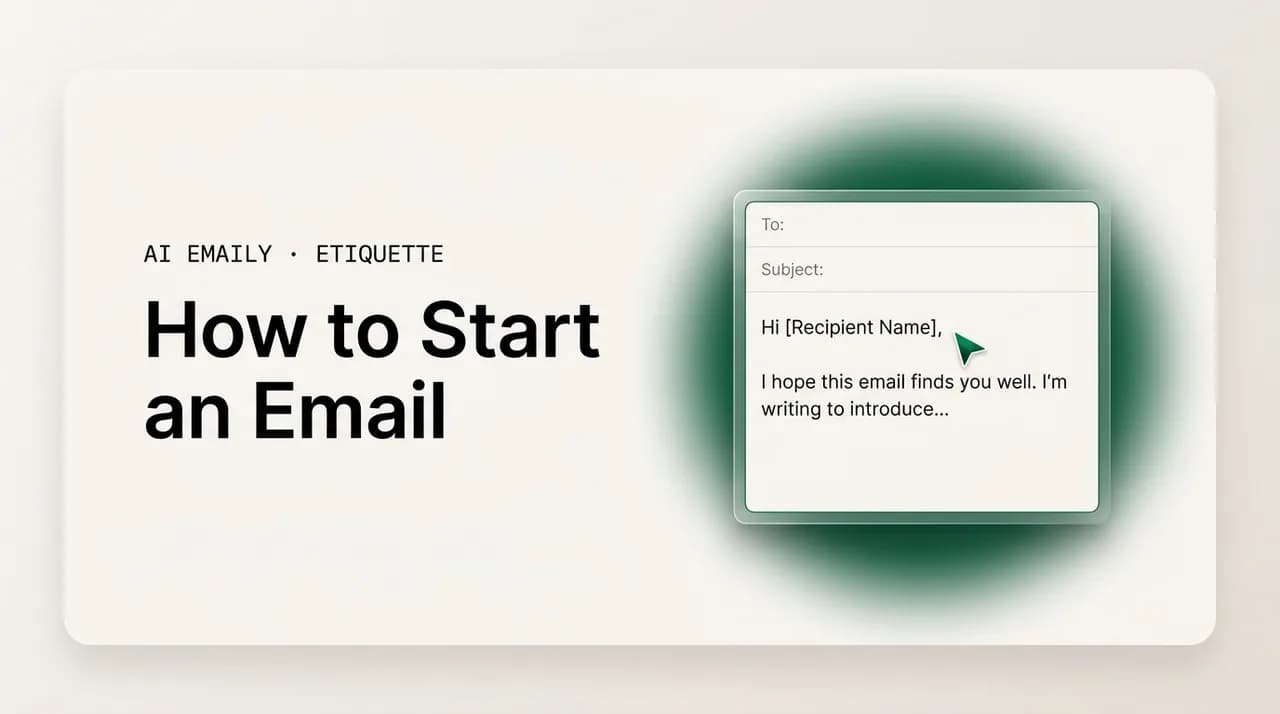
The short answer
To start an email, pair a greeting matched to your relationship — "Hi [Name]" for most, "Dear [Name]" for formal — with a first line that gets to the point. Skip "I hope this email finds you well." Lead with relevance, a reason, or a thank-you, and tell the reader why you're writing in one clear sentence.
How to start an email that gets read: the right greeting for every formality, strong opening lines by context, the clichés to cut, and examples you can adapt.
On this page
- 01Why does the way you start an email matter so much?
- 02What are the two parts of starting an email?
- 03How do you choose the right email greeting by formality?
- 04What makes a strong opening line?
- 05How do you start a cold outreach email?
- 06How do you start a follow-up email?
- 07How do you start a reply to an email?
- 08How do you start an introduction or first-contact email?
- 09How do you start an email to someone you already know?
- 10Which email openers should you avoid?
- 11How do you match your opener to your subject line?
- 12Do email openers change across cultures and contexts?
- 13How does AI Emaily write the right opener for any email in your voice?
- 14Putting it all together
Why does the way you start an email matter so much?#
The opening of an email does a disproportionate amount of work for how short it is. In the first line or two, the reader decides three things almost automatically: who you are to them, how seriously to take the message, and whether to keep reading now or come back to it later — which often means never. A weak or generic opener doesn't just waste a sentence; it sets the tone for everything that follows, and it competes for attention against an inbox that may hold dozens of unread messages. The way you start an email is the closest thing email has to a first impression, and like any first impression, it's hard to undo once it's landed.
There's a simple reason the opening carries this weight. Most people read email in a triage mode: they scan the sender, the subject line, and the first visible line — often the preview text in their inbox — before committing to open or reply. By the time they reach your greeting and first sentence, they're already half-deciding whether you're worth their time. A confident, relevant opener earns the next thirty seconds. A vague one ("Hope you're well, just reaching out about a few things…") quietly tells the reader this can wait, and in a busy inbox, "this can wait" is where replies go to die.
Starting an email well comes down to getting two small things right in sequence: the greeting and the opening line. The greeting — "Hi Sarah," "Dear Dr. Patel," "Hey team" — sets the register, signaling how formal the relationship is and how you see the person. The opening line — the first real sentence — sets the purpose, telling the reader why this email exists and why it's relevant to them. Get both right and the rest of the email almost writes itself, because you've established who you're talking to and what you're talking about. Get either wrong and the reader is doing extra work to figure out what you want, which is exactly the friction that pushes a message to the bottom of the pile.
This guide breaks the opening into those two parts and shows how to handle each. We'll cover greetings by formality, with a table you can use as a quick reference, then move to strong opening lines organized by the situations that come up most — cold outreach, follow-ups, replies, introductions, and emails to people you already know. We'll spend real time on the openers to avoid, including the single most overused line in professional email, and why cutting it actually improves your reply rate. Then we'll look at matching your opener to your subject line, the cultural and contextual notes that change the rules, and how an AI email client can write the right opener for any message in your own voice. The aim is that you never again stare at a blank email wondering how to begin.
The opening sets the tone in one line
What are the two parts of starting an email?#
Every email opening is really two distinct decisions, and treating them separately makes both easier. The first is the greeting: how you address the person. The second is the opening line: the first sentence of the body, which does the actual work of telling the reader why you're writing. People tend to obsess over the greeting and neglect the opening line, but it's the opening line that determines whether the email gets read — the greeting just sets the temperature for it.
The greeting answers a relationship question. Should it be "Dear," "Hi," "Hello," or "Hey"? First name or full name and title? The answer depends entirely on who the person is to you: a hiring manager you've never met, a client you've worked with for two years, a teammate you message daily, or a group of strangers on a distribution list. The greeting is a small signal, but it's a signal people read fluently — "Dear Mr. Okafor" and "Hey Dan" tell the reader two very different things about how you see the relationship before you've made a single point.
The opening line answers a purpose question: why am I getting this email, and why now? This is where most emails are won or lost. A strong opening line orients the reader instantly — it gives them the reason for the message, references something relevant to them, or expresses a genuine thank-you that earns goodwill. A weak opening line stalls: it fills the space with throat-clearing ("I hope this email finds you well, I wanted to reach out because…") and forces the reader to wade through filler before they learn what you actually want. The best openers respect the reader's time by getting to the point quickly without sounding curt.
The relationship between the two parts matters. A warm greeting paired with a sharp, purposeful opening line reads as friendly and competent — the combination most professional email should aim for. A formal greeting glued to a rambling opener reads as stiff and unsure. And a casual greeting on top of a vague opening line just reads as someone who isn't quite sure why they're emailing. When you think of starting an email as setting the register (greeting) and then setting the purpose (first line), the whole opening becomes a deliberate choice rather than a habit you fall into. The next section starts with the greeting, since it comes first on the page.
- The greeting sets the register — how formal the relationship is and how you address the person.
- The opening line sets the purpose — why you're writing and why it matters to the reader.
- Most emails are won or lost on the opening line, not the greeting; the greeting just sets the temperature.
- The strongest combination for everyday professional email is a warm greeting plus a sharp, purposeful first line.
- Treat them as two separate decisions and both get easier to make well.
How do you choose the right email greeting by formality?#
The greeting is the easiest part of the email to get reasonably right and surprisingly easy to get subtly wrong. The core decision is one of formality, and it runs along a spectrum from very formal ("Dear Dr. Reyes,") to very casual ("Hey,"). Where you land depends on the relationship, the context, and a bit of cultural awareness. The good news is that for the large majority of professional email in 2026, one greeting covers it: "Hi [First Name]," is warm without being casual, professional without being stiff, and appropriate for most colleagues, clients, and contacts you're on first-name terms with.
"Dear [Name]," remains the standard for genuinely formal situations: a first email to someone you don't know in a formal field, a job application, a letter to a senior official, legal or official correspondence, or a context where you know formality is expected. Pair it with a title and last name when you want to signal respect and distance — "Dear Dr. Patel," "Dear Ms. Okafor," "Dear Professor Lin,". Use a title and last name when you don't know the person, when they outrank you significantly, or when the culture or industry leans formal; move to first names once they've signed off with their first name or invited the informality.
"Hello [Name]," sits neatly between "Dear" and "Hi" — a touch more formal than "Hi" but warmer than "Dear," and it's the safest universal greeting when you're unsure, because it reads as polite and professional across almost every culture and context. "Hey [Name]," is genuinely casual and best reserved for people you have an established, relaxed relationship with — a close colleague, a friendly long-term client. It can read as too familiar with executives, new clients, or in formal situations, so it's the one to use deliberately rather than by default. For groups, "Hi everyone," "Hi team," and "Hello all," are clean and widely accepted, even when senior people are copied.
A few greetings deserve a flag. "To whom it may concern," is best avoided in nearly all cases — it reads as impersonal and dated, and it signals you didn't try to find out who you're writing to; "Dear Hiring Manager," or "Dear [Team] Team," is almost always better. "Dear Sir or Madam," has the same problem and the added risk of misgendering. And starting with no greeting at all (jumping straight into the message) reads as brusque in a first or formal email, though it can be fine in a fast back-and-forth thread where you've already exchanged several messages. The table below maps the common greetings to when each fits.
| Greeting | Formality | Best for | Watch out for |
|---|---|---|---|
| Dear Dr./Mr./Ms. [Last Name], | Very formal | Job applications, first contact in formal fields, officials, legal/official mail | Can feel stiff with peers; needs a known title and last name |
| Dear [First Name], | Formal–neutral | Formal but warmer first contact; senior contacts you're on first-name terms with | Slightly old-fashioned for casual teams |
| Hello [Name], | Neutral | The safe universal choice when unsure; cross-cultural first contact | None major — works almost everywhere |
| Hi [Name], | Neutral–warm | Most everyday professional email — colleagues, clients, known contacts | Slightly informal for the most formal first contacts |
| Hey [Name], | Casual | Close colleagues, friendly long-term contacts, internal chat-style threads | Too familiar for executives, new clients, or formal situations |
| Hi team, / Hi everyone, / Hello all, | Neutral | Group emails, team updates, distribution lists | Fine even with leaders copied; avoid for a single named recipient |
| To whom it may concern, | Very formal | Almost nothing in 2026 — last resort only | Reads impersonal and dated; find a name or use "Dear Hiring Manager," |
| (No greeting) | Varies | Fast existing threads where you've already exchanged messages | Reads brusque in a first or formal email |
When in doubt, "Hello [Name]," is the safe default
What makes a strong opening line?#
Once the greeting is set, the opening line does the real work, and the principle behind a strong one is simple: lead with relevance, not ritual. The reader doesn't need a warm-up; they need to know, fast, why this email is worth their attention. A strong opening line gives them that in a single sentence — by stating your reason for writing, referencing something specific to them, or opening with genuine thanks. A weak opening line delays that moment with filler, and every word of filler is a small invitation to stop reading.
Strong openers tend to fall into a few reliable patterns. The most common and useful is the reason-first opener, which simply states why you're writing: "I'm writing to follow up on the proposal I sent last week." It's not flashy, but it's clear, and clarity is what busy readers reward. A second pattern is the relevance opener, which references something specific to the recipient — a recent announcement, a shared connection, a piece of their work — and immediately signals the email isn't a generic blast: "Congratulations on the Series B — I saw the announcement this morning." A third is the gratitude opener, which leads with a specific thank-you and earns goodwill before you ask for anything: "Thank you for taking the time to walk me through the dashboard yesterday."
What these patterns share is that they're about the reader, not about you. The classic weak opener — "I hope you're doing well, I wanted to reach out because…" — spends its first words on a ritual that means nothing and then a wind-up that delays the point. Compare that to "Quick question about the Q3 timeline:" which gets the reader oriented in five words. You don't have to be abrupt to be direct; a strong opener can be perfectly warm. The skill is making the warmth specific (a real thank-you, a real reference) rather than generic (an empty pleasantry), so it adds something instead of stalling.
One more thing the best openers do: they match the rest of the email. If your email is a quick logistical question, the opener should be quick and logistical. If it's a sensitive request, the opener can take a beat to be warm and human first. If it's a cold pitch, the opener has to earn attention immediately because the reader has no prior reason to care. The opener isn't a fixed formula you bolt onto every email; it's calibrated to the purpose and the relationship. The next sections walk through the most common contexts and give you adaptable openers for each.
- Reason-first opener: state plainly why you're writing — "I'm writing to follow up on…"
- Relevance opener: reference something specific to the recipient — "I saw your post on…"
- Gratitude opener: lead with a genuine, specific thank-you — "Thanks for the quick turnaround on…"
- Make warmth specific, not generic: a real reference beats an empty pleasantry every time.
- Match the opener to the email — quick for logistics, warmer for sensitive asks, sharp for cold outreach.
How do you start a cold outreach email?#
A cold email is the hardest opener to get right, because the reader has no prior reason to care who you are. Everything has to be earned in the first line, and the worst thing you can do is spend it introducing yourself — your name is already in the From field and the signature. Lead with relevance to them, not with you. The strongest cold openers reference something specific and recent about the recipient or their company, name a result a similar company achieved, or surface a problem you understand well enough that the reader feels seen. Generic openers ("I'm reaching out because I think we could help your business") get deleted because they could have been sent to anyone.
Three patterns reliably earn a read in cold outreach. The first is observation plus relevance: you note something specific you've seen and connect it to why it matters to them. The second is problem plus question: you name a challenge teams like theirs face and ask, lightly, whether it's true for them — which invites a reply rather than a pitch. The third is trigger plus permission: you reference a recent event (a funding round, a new hire, a product launch) and ask permission to share a quick idea, which is low-pressure and respectful of their time. In all three, you're demonstrating that you did your homework, which is the single biggest differentiator in a cold inbox.
Keep the cold opener short and specific. Avoid flattery that's obviously generic ("I'm a huge fan of your amazing work") — it reads as a template and often as insincere. Avoid opening with a hard sell before you've earned a second of attention. And resist the temptation to lead with your company's credentials; the reader doesn't care about your achievements until they know why you're relevant to theirs. The examples below show the three patterns in action — adapt the specifics, because a cold opener that isn't genuinely specific to the recipient defeats its own purpose.
Never open a cold email by introducing yourself
How do you start a follow-up email?#
Follow-up openers have a specific tightrope to walk: you want to nudge without sounding pushy, and remind without sounding passive-aggressive. The reader either hasn't replied yet or you're continuing an earlier conversation, so the opener needs to re-establish context quickly and give them an easy, low-pressure way back in. The most common mistake is the guilt-tinged opener — "I haven't heard back from you…" — which puts the reader on the defensive. The fix is to keep it light, reference the prior thread plainly, and make replying feel easy rather than owed.
A good follow-up opener does one of a few things. It can gently surface the previous message — "Following up on my note from last week about the partnership" — which orients the reader without scolding them. It can add a reason to re-engage now, like new information or a soft deadline — "Wanted to share an update that might change the picture on this." Or it can offer an easy out, which paradoxically tends to get more replies — "If now isn't the right time, just let me know and I'll circle back later." Offering an out signals you respect their bandwidth, and people reply more readily to a request that doesn't corner them.
Tone is everything in a follow-up. Keep it short — a follow-up is rarely the place for a long re-explanation — and keep it warm. Avoid the accusatory framing ("As I mentioned in my last two emails…"), which reads as irritation even when you don't mean it that way. And vary your approach across follow-ups: a second nudge can lead with new value, a final one can offer the graceful out. The examples below give you openers for the common follow-up situations, from a first gentle nudge to a final check-in.
Offering an easy out gets more replies
How do you start a reply to an email?#
Replying is the most common email situation of all, and it has its own opener logic. Because the reader already wrote to you, the relationship and context are established — so the opener should acknowledge their message and move quickly to the substance. You usually don't need a fresh greeting if the thread is active (though one is fine and friendly); what you do need is to confirm you read what they sent and orient them to your response. The strongest reply openers acknowledge, then answer.
A few patterns work well. The acknowledgment opener confirms receipt and sets up your answer — "Thanks for sending this over — here's where I land on each point." The direct-answer opener leads straight with the response when the email asked a clear question — "Yes, Thursday at 2 works for me." — which is exactly what a sender hoping for a quick decision wants to see first. The gratitude opener is especially good when someone has done you a favor or sent you something useful — "Thanks so much for the detailed walkthrough; that clears up my main question." In every case, you're respecting the fact that the sender is waiting on you and getting them what they need without a wind-up.
A common failure in replies is burying the answer. If someone asked you three questions, opening with a paragraph of context before you address any of them makes them hunt for what they need. Lead with the answer or a clear acknowledgment, then expand. Another pitfall is the reflexive "Hope you're well" on a reply to someone you're actively corresponding with — it's redundant and slightly odd when you're mid-conversation. The examples below show openers for replying to a question, replying to a request, and replying to good news.
How do you start an introduction or first-contact email?#
When you're emailing someone for the first time and it isn't cold outreach — say, you've been referred, you're introducing yourself in a new role, or you're following up on a real-world meeting — the opener should establish the connection fast. Unlike a cold email, you usually have a legitimate reason to be in their inbox, so the job is to surface that reason in the first line. The classic move is to name the mutual connection or shared context up front, because it's the thing that makes the email welcome rather than intrusive.
If you were referred, lead with the referrer: "Maria Chen suggested I reach out — she thought our work on onboarding might overlap." The mutual name does the heavy lifting; it borrows trust and explains instantly why you're writing. If you met in person, reference the meeting: "It was great talking with you at the logistics summit last week." If you're new in a role and introducing yourself to a counterpart, say so plainly: "I've just stepped into the partnerships lead role at Beacon, and I wanted to introduce myself." In each case, the opener answers the reader's first unspoken question — who is this and why are they emailing me — before they have to ask it.
Keep an introduction opener warm and brief, and put the context before the ask. A common mistake is leading with what you want before establishing why the reader should care who you are. Another is a long autobiography — the reader doesn't need your full background in sentence one, just the relevant connection. The examples below cover a referral introduction, a follow-up to an in-person meeting, and a new-role introduction.
How do you start an email to someone you already know?#
Emailing a colleague, a long-term client, or anyone you correspond with regularly is the most forgiving opener situation, because the relationship is established and you can skip the formalities. The risk here isn't being too casual — it's being needlessly stiff. Opening a quick note to a teammate with "Dear Mr. Davies, I hope this email finds you well" reads as oddly formal, even sarcastic. With people you know, a warm, brief, get-to-the-point opener is exactly right, and a touch of genuine personality is welcome.
The best openers for known contacts are light and direct. A quick "Hi Dan — quick one:" before a logistical question is perfectly professional and respects the existing rapport. A specific personal touch lands well when it's real — "Hope the move went smoothly" to someone you know just relocated beats a generic "hope you're well" because it shows you remember something about them. And leading straight into the substance is fine: "Following up from our standup — here's the doc I promised." The closeness of the relationship is what lets you drop the ceremony; use it.
Two cautions even with familiar contacts. First, familiarity isn't a license to be terse to the point of curt — a one-word opener can read as cold even between colleagues, so keep at least a touch of warmth. Second, a personal reference only helps if it's accurate and welcome; don't fabricate a pleasantry or reference something the person might consider private. The examples below show openers for a quick internal note, a warm note to a long-term client, and a personal-touch opener to a close colleague.
With people you know, stiff is the bigger risk
Which email openers should you avoid?#
Some openers have been used so often that they've stopped meaning anything, and a few actively work against you. The most notorious is "I hope this email finds you well." It was once a polite touch; now it's a reflex that signals nothing and is so common that inboxes are flooded with it — a problem made worse by the fact that AI writing tools default to it constantly. It doesn't show genuine care, it delays your point, and at least one analysis found that removing it lifted reply rates noticeably. It's not offensive; it's just empty, and empty is expensive in a first line. If you want to express warmth, make it specific ("Hope your launch last week went smoothly") or cut it and get to the point.
The same problem afflicts a cluster of tired openers. "I hope you're doing well" and "I hope you had a great weekend" are softer cousins of the same empty ritual. "Just reaching out" and "I just wanted to touch base" hedge with "just," which shrinks your message and signals it's not important. "My name is X and I'm writing to you because…" wastes the opener on an introduction the signature already covers. "To whom it may concern" reads as impersonal and lazy. "Sorry to bother you" opens from a position of apology that undercuts your own request. None of these are catastrophic on their own, but together they're the difference between an email that sounds confident and one that sounds like it's apologizing for existing.
The fix is the same in every case: replace ritual with relevance. Instead of a generic pleasantry, lead with the reason, a specific reference, or a real thank-you. Instead of "just reaching out," name what you're reaching out about. Instead of "sorry to bother you," simply ask. The table below pairs the tired openers with stronger replacements, so you can see the upgrade rather than just being told to avoid the cliché. The goal isn't to be abrupt — it's to make your first sentence carry weight instead of filling space.
| Tired opener | Why it falls flat | Stronger replacement |
|---|---|---|
| I hope this email finds you well. | Empty, ubiquitous, AI-default; delays the point | Quick question about the Q3 timeline: |
| I hope you're doing well / had a great weekend. | Generic pleasantry that means nothing specific | Hope your product launch went smoothly last week — |
| Just reaching out… | "Just" shrinks your message and signals low priority | I'm writing to ask about… |
| I just wanted to touch base. | Vague; gives the reader no reason or topic | I wanted to share an update on the budget review. |
| My name is X and I work at Y… | Wastes the opener on info the signature already gives | I noticed your team just expanded into Austin — |
| To whom it may concern, | Impersonal and dated; reads as no effort made | Dear Hiring Manager, / Hi [Name], |
| Sorry to bother you, but… | Opens from apology and undercuts your request | I have a quick question I'm hoping you can help with: |
| I am writing this email to inform you that… | Stiff and wordy; buries the point in filler | A quick heads-up: the meeting moved to Friday. |
"I hope this email finds you well" is the one to cut first
How do you match your opener to your subject line?#
The subject line and the opening line are a pair, and they work best when they're coordinated rather than redundant. The subject line is what gets the email opened; the opening line is what keeps the reader going once they're in. The mistake is treating them as two unrelated chances to say the same thing — repeating your subject line word-for-word as your first sentence wastes the opener. Instead, the subject line should promise, and the opening line should deliver: the subject sets the expectation, and the first line immediately confirms and expands on it.
Think of it as a one-two. If your subject line is "Quick question about the Q3 timeline," your opener shouldn't be "I have a quick question about the Q3 timeline" — that's a wasted sentence. It should be the question's setup: "Are we still locked to the September 15 milestone, or has that shifted?" The reader opened on the promise of a quick question; the first line should be the question. Likewise, if the subject is "Following up on the partnership proposal," the opener should advance the conversation, not restate the subject: "Wanted to share one new detail that might tip the decision." Coordination, not repetition.
There's also a tone-matching dimension. A subject line and opener should share a register: a breezy subject ("Quick one for you") with a stiff formal opener ("Dear Sir, I am writing to inquire…") is jarring, and so is the reverse. The strongest emails feel of a piece from subject line through opener through body. When you draft, read the subject and the first line together as if you were the recipient seeing them in sequence in your inbox — subject first, then the preview of the body. If they flow, you've coordinated them. If the first line just echoes the subject, rewrite the opener to move the conversation forward instead.
- Subject line promises; opening line delivers — don't repeat the subject as your first sentence.
- If the subject poses a question, make the opener the question itself, not a restatement of it.
- Match the register: a casual subject and a formal opener (or vice versa) reads as jarring.
- Read the subject and first line together in inbox order to check they flow rather than echo.
Don't echo your subject line in the first sentence
Do email openers change across cultures and contexts?#
The advice to lead with relevance and skip the ritual is broadly sound, but formality norms vary meaningfully across cultures, and an opener that reads as efficient in one place can read as rude in another. In much of the US and many startup environments, a warm "Hi [First Name]" and a get-to-the-point opener is the norm. But German and Japanese business culture, among others, tend to maintain more formality and title use, even after several interactions — moving to first names too quickly can read as presumptuous. In some cultures, the formality of your greeting is itself a sign of respect, and dropping it can signal the opposite.
A few practical guideposts help when you're writing across cultures. Default to more formal when you're unsure, especially for first contact — it's easier to relax formality later than to recover from being too casual. Mirror the other person: if a counterpart writes "Dear Mr. Schmidt" and signs with their full name and title, match that register rather than jumping to "Hi Klaus." "Hello [Name]" is the safest cross-cultural greeting because it's polite almost everywhere. And be aware that in some contexts — parts of South Asia, the Middle East — greetings may carry markers of deference or blessing that are normal and welcome; you don't have to adopt them, but recognizing them helps you respond appropriately rather than reading them as overly formal.
Context shifts the rules as much as culture does. An internal Slack-adjacent email thread tolerates a near-instant, greeting-light opener that would be brusque in a first email to a client. A legal or official message warrants formality that would feel pompous in a note to a teammate. An apology or a sensitive request earns a warmer, slower opener than a logistics question. Industry matters too — finance, law, and government skew formal; tech, creative, and media skew casual. The throughline is awareness: there's no single correct opener for all emails, only the one that fits this recipient, this culture, and this situation. When you can't read the context, formality is the safer error.
When unsure across cultures, err formal and mirror
How does AI Emaily write the right opener for any email in your voice?#
Knowing the rules is one thing; applying them well across every email a week throws at you — the cold pitch, the follow-up, the reply, the introduction, the quick note to a teammate — is the harder part, especially when you're moving fast and a blank opener is staring back at you. That's the gap AI Emaily is built to close. AI Emaily is an autonomous AI email client that works with every provider — Gmail, Outlook, iCloud, Fastmail, Proton, and any IMAP inbox — so it fits the email you already use instead of asking you to switch. Getting the opening right, every time, in your own voice, is exactly the kind of small-but-constant judgment it's designed to take off your plate.
The part that helps most with openers is context-aware drafting. Because AI Emaily can see the thread you're replying to and the relationship behind it, it doesn't reach for a generic "I hope this email finds you well" — it writes an opener that fits the situation: a relevance-led first line for a cold email, an acknowledge-then-answer opener for a reply, a warm but brief opener for a teammate. From a short prompt — "follow up on the proposal, keep it light, give them an easy out" — it drafts the whole email with an opener calibrated to the context, in your voice rather than a flat default that screams template.
Tone control handles the register. If a draft opener reads as too stiff for a colleague or too casual for a first client contact, AI Emaily's tone tools let you adjust it in a click — warmer, more formal, more direct — so the greeting and first line match the relationship instead of fighting it. That's the exact calibration this guide is about: "Hello [Name]" versus "Hey," a reason-first opener versus a warm personal touch, formal versus relaxed. It also helps you avoid the tired openers automatically, because it's not defaulting to the clichés the way generic AI writing tends to.
Because email is sensitive, AI Emaily keeps you in control. It can draft the opener and the whole message, but in Copilot mode every email waits for your approval before it sends — you read it, tweak the first line, and send it yourself, with nothing going out behind your back. For routine correspondence you can let Autopilot handle more, with undo and a full audit trail on every action so you're never exposed. AI Emaily is private by design and free to start at $0, with a Pro plan at $12.42 per month billed annually for higher volume and the full tone and automation toolkit. If you tend to freeze on the first line, or your openers come out either too generic or slightly off in register, you can create an account at app.aiemaily.com/signup and try it on your next email in a few minutes.
Let context-aware drafting skip the blank-opener freeze
Putting it all together#
Starting an email well isn't about a magic phrase; it's about two small, deliberate choices made in sequence. The greeting sets the register — "Hi [Name]" for most professional email, "Dear [Name]" when formality is genuinely called for, "Hello [Name]" when you're unsure, and a group greeting like "Hi team" for the rest. The opening line sets the purpose — lead with relevance, a clear reason, or a specific thank-you, and tell the reader why you're writing in a single sentence that respects their time. Get both right and the email feels confident and easy to engage with before you've made your first real point.
Just as important is what to cut. "I hope this email finds you well" and its tired cousins fill space without adding meaning, and dropping them tends to help rather than hurt. Replace ritual with relevance: a real reference, a real reason, a real thank-you. Match your opener to your subject line so the two work as a pair rather than an echo, and to your context and culture so the register fits the reader — when in doubt, lean formal and mirror how the other person writes. Calibrate the opener to the situation: sharp and relevant for cold outreach, light and warm for follow-ups, acknowledge-then-answer for replies, connection-first for introductions, and brief but warm for people you know.
Once you internalize the two-part structure, the blank email gets a lot less intimidating, because you always know the next move: set the register, then set the purpose. Whether you write each opener by hand or lean on an AI email client to draft one matched to the context and your voice, the principle holds — the opening is your first impression, so make the greeting fit the relationship and make the first line earn the read. For more on the surrounding craft, see our guides on professional email greetings, email formatting best practices, and how to end an email, which pick up where the opener leaves off.
Frequently asked
See it in AI Emaily
Keep reading
Sources

Written by
Nafiul HasanNafiul Hasan is an entrepreneur and AI automation system builder with 10+ years of experience turning messy, manual workflows into reliable automated systems. He designs and ships AI enterprise solutions end-to-end — the agent logic, the data plumbing, and the product people actually use — and founded AI Emaily to give busy professionals their attention back. He writes here from the builder's seat: what works, what breaks, and how to put AI to work without giving up control.