Professional Email Greetings: How to Say Hello in Any Email (2026)

The short answer
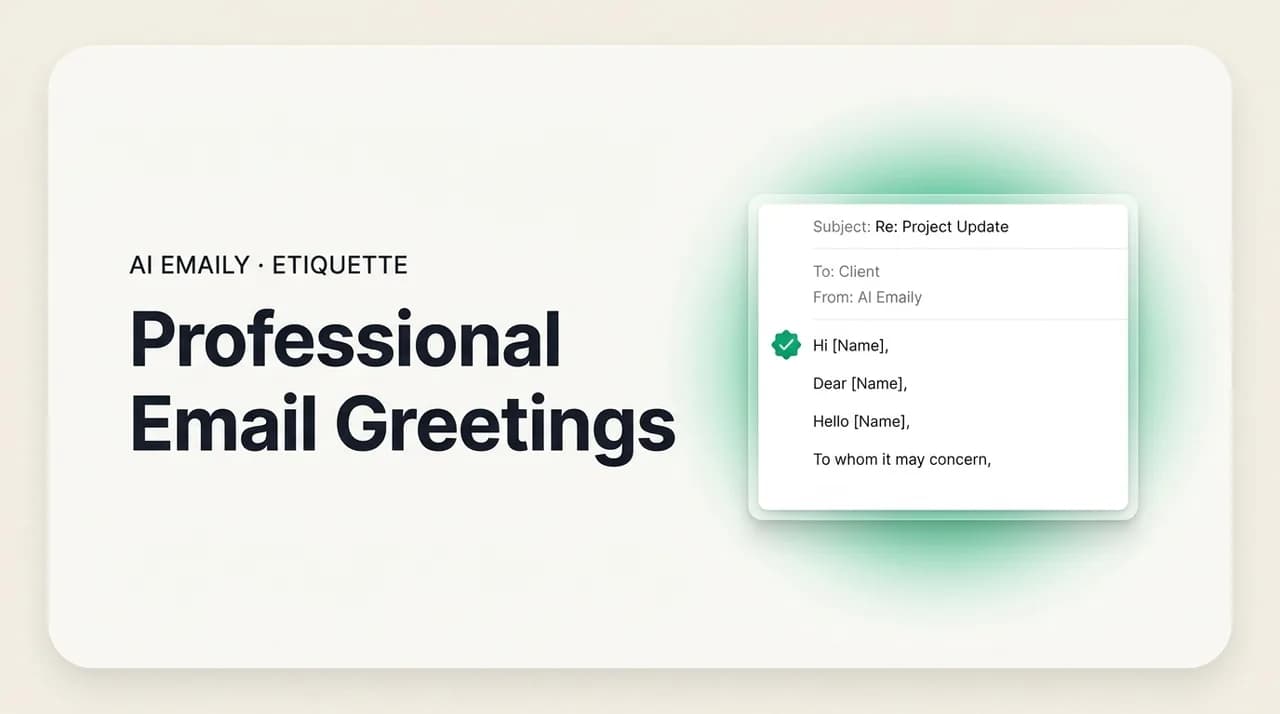
Email greetings set the formality of your message in the first three words. Use "Dear" for formal and first contacts, "Hello" as the safe professional default, "Hi" for everyday work email, and "Hey" only with people you know well. When you don't have a name, address a role or team — never "To Whom It May Concern."
Professional email greetings explained: Dear, Hello, Hi, and Hey by formality, what to use when you don't know the name, group greetings, titles, and punctuation.
On this page
- 01Why does the email greeting matter so much?
- 02What are the main email greetings, from formal to casual?
- 03When should I use "Dear" versus "Hi" or "Hello"?
- 04How do I greet someone when I know their name?
- 05What do I write when I don't know the recipient's name?
- 06How do I greet a group or a whole team?
- 07How do I handle titles and pronouns without assuming gender?
- 08Comma, colon, or nothing — how do I punctuate a greeting?
- 09Which email greetings should I avoid?
- 10How do I match the greeting to the channel and the moment?
- 11How does AI Emaily pick the right greeting for every recipient?
- 12Conclusion: the first three words do the most work
Before your reader takes in a single word of what you actually wrote, they have already read your greeting — and your greeting has already told them how to feel about the rest. "Dear Dr. Okafor:" and "hey!!" carry the same literal job, which is to say hello, but they set wildly different expectations for the message underneath. One signals careful, formal respect; the other signals a quick note between friends. The greeting is the fastest, cheapest tone decision in the whole email, and most people make it on autopilot.
That is a missed opportunity, because the greeting is doing more work than almost any other line. It establishes formality, signals how well you know the recipient, and frames whether what follows is a request, an update, a thank-you, or a complaint. Get it right and the reader settles in at exactly the register you intended. Get it wrong — too stiff for a teammate, too casual for a new client, gendered for someone whose gender you guessed — and you have spent your first impression before you said anything of substance.
This guide is a practical, complete reference for greeting anyone in any email. It covers the four greetings that carry almost all professional email — Dear, Hello, Hi, and Hey — and exactly where each one belongs. It covers the harder cases: when you have the recipient's name, when you have no name at all and need a better option than "To Whom It May Concern," how to greet a group or a whole team, and how to handle titles and pronouns without assuming anyone's gender. It settles the small punctuation question that quietly signals formality — comma, colon, or nothing. And it lists the greetings to retire.
The greeting is the opening move of the larger craft of starting an email well; if you want the full opening — greeting plus the first line that follows it — pair this with our guide to how to start an email. And because greetings get genuinely tricky the moment more than one person is on the To line, we cross-reference addressing multiple people throughout. By the end you will be able to pick the right hello for any recipient in a second, and we will show how an AI-native email client makes that choice for you, per recipient, without a rule chart in your head.
Why does the email greeting matter so much?#
It matters because it is read first and it is read fast. Email is skimmed, not studied, and the greeting sits at the top where the eye lands before anything else. In the half-second before your reader processes your request, your greeting has already set a frame: formal or casual, warm or distant, someone who knows them or a stranger. Every word that follows is interpreted through that frame. A perfectly reasonable request can read as cold because the greeting was clipped, and a routine update can read as oddly stiff because the greeting was three notches too formal for the relationship.
It also signals relationship and effort. "Dear Ms. Lin" tells a new contact you are treating the exchange with care; "Hi Sam" tells a colleague you are relaxed and on familiar terms; getting the name right at all tells anyone you took thirty seconds to find out who they are. The reverse is just as loud: a misspelled name, a wrong title, or a generic "Dear Sir or Madam" on an email that clearly could have been personalized all signal carelessness before the body gets a chance to argue otherwise.
And it sets your own footing for the rest of the message. The greeting you choose nudges the tone of everything after it — open with "Dear" and a colon and you will naturally write in complete, measured sentences; open with "Hey" and you will naturally loosen up. That is useful when it is deliberate and a problem when it is not. The point of this guide is to make the greeting a choice you control rather than a reflex, because controlling the first three words is the cheapest way to control how the whole email lands.
Consider how much the same message changes with just the greeting swapped. "Dear Mr. Okafor: I am writing to follow up on the proposal we discussed" reads as a formal, slightly distant business note — appropriate for a new external contact. "Hi James, just following up on that proposal" reads as a warm note between people who already work together. "Hey — did you get a chance to look at the proposal?" reads as a quick nudge to a friend. The body that follows could be word-for-word identical in intent; the greeting alone decides whether the reader hears a professional, a colleague, or a buddy. That is the leverage you are giving up when you pick a greeting on autopilot, and the leverage you gain back when you pick it on purpose.
The greeting is a tone setting, not a formality
What are the main email greetings, from formal to casual?#
Almost every professional email you will ever send opens with one of four greetings: Dear, Hello, Hi, or Hey. They form a clean ladder from most formal to most casual, and knowing where each rung sits is most of the battle. "Dear" is the formal end — traditional, respectful, the right call for first contacts, cover letters, and senior or external recipients. "Hello" is the professional middle — polished but not stiff, the safest default when you are unsure. "Hi" is the everyday workhorse — friendly and professional, fine for the large majority of internal and ongoing business email. "Hey" is the casual end — warm and informal, reserved for people you genuinely know.
The table below maps each greeting to its formality, the situations it fits, and a worked example. Read it as a starting point, not a cage: the right greeting depends on the relationship and your workplace culture more than on any fixed rule. A startup where everyone opens with "Hi" makes "Dear" feel oddly formal internally; a law firm or a government office where "Dear" is standard makes "Hey" feel out of place. When in doubt, default one notch more formal than you think you need — it is far easier to relax over the course of a thread than to recover from being too casual with the wrong person.
| Greeting | Formality | Best for | Example |
|---|---|---|---|
| Dear [Title] [Last name] | Formal | First contact, cover letters, senior or external recipients, formal or legal contexts | "Dear Ms. Adeyemi," |
| Hello [First name] | Professional / neutral | Safe default when unsure, business contacts, semi-formal email, most outreach | "Hello Priya," |
| Hi [First name] | Friendly-professional | Everyday work email, colleagues, ongoing threads, most internal messages | "Hi Marcus," |
| Hey [First name] | Casual | People you know well, close teammates, relaxed internal culture | "Hey Dana," |
A few notes on the ladder that the table cannot fully hold. "Hello" has quietly become the modern professional default, especially in technology and startup contexts where "Dear" can read as stiff and "Hey" can read as too loose — it sounds competent without sounding cold, which is why it is the smart hedge when you do not know the culture yet. "Hi" and "Hello" are close cousins; the difference is small, with "Hello" leaning slightly more formal. "Hey" is the one that gets people in trouble: it is perfectly fine with a close colleague and distinctly too familiar with a new client, an executive you have never met, or anyone in a formal context. When the relationship is new or senior, leave "Hey" in the drawer.
One more rule that sits above the whole ladder: read the room and then match it. Once a thread is going, the other person's greeting tells you where the register has settled. If a client who started with "Dear" switches to "Hi Jordan, thanks for this," you can meet them at "Hi." If a colleague opens with "Hey," you can answer with "Hey." Mirroring the established register is rarely wrong and saves you from guessing. The sections that follow take each situation in turn — name, no name, groups, titles, punctuation — so you can place any recipient on this ladder with confidence.
When should I use "Dear" versus "Hi" or "Hello"?#
This is the question behind most greeting anxiety, so here is the plain answer. Use "Dear" when the situation is formal or the relationship is new and you want to signal respect and care: a cover letter, a first email to a senior person or an external organization, anything legal or official, or a message where the stakes and the distance are both high. "Dear" is the safest choice when getting it slightly too formal costs you nothing and getting it too casual costs you credibility. It pairs with a title and last name in its most formal form — "Dear Professor Vance" — and reads as deliberate and polished.
Use "Hi" or "Hello" for the broad middle, which is where most professional email actually lives. "Hello" is the more formal of the two and the better default for a business contact you do not know well or a semi-formal note; "Hi" is a touch friendlier and is right for colleagues, ongoing threads, and the everyday internal email that makes up the bulk of most inboxes. Both are professional, both are warm enough, and both are safe with first names. If you can only remember one rule, remember this: "Hello" is the universal safe default — when you genuinely cannot tell how formal to be, open with "Hello" and recalibrate after the first reply.
The mistake to avoid is treating "Dear" as the only "professional" option and stamping it on everything. "Dear Hi" formality on a quick note to a teammate reads as oddly stiff, almost like a form letter, and can actually create distance where you wanted ease. Professional does not mean maximally formal; it means appropriately formal for the relationship. The chart below turns this into a quick decision you can run in a second.
How do I greet someone when I know their name?#
When you have the name, the greeting is mostly solved — the work is getting the details right. Spell the name correctly. This sounds trivial and it is the single most common greeting error: a misspelled name in the first line undoes whatever care the rest of the email shows, because it reads as carelessness about the one detail that is unmistakably about them. Check the signature block, the email address, or their LinkedIn before you guess. If a name has two common spellings — Sara or Sarah, Stephen or Steven — confirm rather than assume.
Match the formality to the relationship using the ladder above. For a formal first contact, "Dear" plus a title and last name — "Dear Ms. Okonkwo" — is the careful choice. For a business contact you are easing into, "Hello [First name]" is professional and warm. For colleagues and ongoing threads, "Hi [First name]" is right. The deciding factor is how they refer to themselves and how they have addressed you: if their signature says "Becca" rather than "Rebecca," use "Becca"; if they signed their last email "Hi, I'm Tom," then "Hi Tom" is exactly right.
A few mechanics worth getting right. The comma after the name belongs to a name with no nickname guesswork — "Hi Jordan," — and we cover the comma-versus-colon question in its own section below. Avoid the over-familiar move of shortening someone's name for them: do not turn "Michael" into "Mike" or "Katherine" into "Kate" unless they have signed that way. And resist stacking honorifics with first names — "Dear Mr. James" when James is the first name is a classic slip. The principle is simple: use the name the person uses for themselves, spelled the way they spell it, at the formality your relationship has earned.
There is also the question of which name to use at all when a person has more than one. Many people go by a middle name, a chosen name, or an anglicized version of a name from another language, and the cue is always what they use for themselves: the name in their signature, the name they introduced themselves with, the name on their last reply. If someone signs off "Best, Kit" but their email address reads "christopher.lee@," greet them as "Kit" — the signature is the stated preference and the address is just an artifact. When you have no signal at all and the context is formal, the full first name is the safe choice. The one thing never worth doing is inventing a familiarity you have not been offered, because a greeting that is too cozy too soon reads as presumptuous in exactly the way a misspelled name reads as careless.
Spell the name right, every time
What do I write when I don't know the recipient's name?#
This is where most people reach, by reflex, for "To Whom It May Concern" — and it is exactly the phrase to avoid. It is dated and impersonal, and worse, it actively signals that you either sent a mass email or could not be bothered to find out who you were writing to. Both are bad first impressions, particularly on a cover letter or an outreach email where the whole point is to seem deliberate. The same goes, to a lesser degree, for "Dear Sir or Madam," which carries an old-fashioned ring and assumes a gender binary the recipient may not fit. You can do far better with almost no extra effort.
The best fix is to stop not knowing the name. Spend two minutes looking: check the company's About or Team page, the LinkedIn of the department, the job posting itself, or simply call or email the front desk and ask who handles this. A message addressed to a real person beats any generic salutation, and the effort shows. When you genuinely cannot find a name — and sometimes you cannot — address the role, the team, or the department instead. This keeps the greeting specific and purposeful even without a name, which is the entire reason "To Whom It May Concern" fails.
The table below lays out the strong alternatives by situation. The pattern across all of them is the same: be as specific as the information allows. A named person is best; a specific role ("Dear Hiring Manager") is next; a team or department ("Hello Marketing Team") is fine; and a plain, warm "Hello" or "Greetings" beats the dated formulas when nothing else fits. "Greetings" in particular is a quietly useful catch-all — quick, neutral, and equally at home in formal and informal contexts.
| Situation | Use this | Avoid |
|---|---|---|
| Job application, recruiter unknown | "Dear Hiring Manager," or "Dear [Department] Hiring Team," | "To Whom It May Concern," |
| You know the role but not the name | "Dear Head of Marketing," / "Dear Customer Success Lead," | "Dear Sir or Madam," |
| Emailing a team or department | "Hello Support Team," / "Hi Finance Team," | "Dear all" (when a real team name is available) |
| General inquiry, no role available | "Hello," / "Greetings," | "To Whom It May Concern," |
| You can find the name with a little effort | "Dear [Name]," — go find it; it always wins | Any generic salutation |
A word on the times "To Whom It May Concern" is still defensible: genuinely impersonal, formal contexts where no recipient can be identified — a formal complaint to an organization, a letter of recommendation that will circulate, a legal notice to a department. Even then, "Dear [Department] Team" or "Dear Sir or Madam" usually reads slightly better. For anything that is meant to feel personal — outreach, applications, networking, sales — treat "To Whom It May Concern" as a signal you have not done the two minutes of homework that would let you do better.
Note also that addressing an unknown recipient overlaps with addressing more than one person, because "a team" is a group. If you are writing to a named set of people rather than a faceless role, the rules shift slightly — you weigh whether to name everyone, lead with seniority, or use a collective greeting. That is its own decision with its own trade-offs, which we cover next and in depth in our guide to addressing multiple people in an email.
How do I greet a group or a whole team?#
The moment your To line has more than one name, the greeting question changes shape. You now have three broad options, and the right one depends on how many people there are and how formal the message is. For a small group — two to four people — you can name everyone: "Hi Priya, Marcus, and Dana," which is warm and personal and works well when each person is an equal participant. List the names in a sensible order (alphabetical, or by seniority if that matters), and keep it to first names unless the context is formal. Beyond about four names, listing everyone gets unwieldy and you switch to a collective greeting.
For larger groups or teams, a collective greeting is cleaner and just as warm: "Hi everyone," "Hello team," "Hi all," or a named group like "Hello Marketing Team." These scale to any number of recipients and avoid the awkwardness of a long name list or the risk of leaving someone out. For more formal group messages — a committee, a board, external attendees — "Dear Colleagues," "Dear Committee Members," "Dear Team," or "Dear All," raise the register appropriately. The collective greeting is the default for anything bigger than a handful of people.
The one trap to sidestep is gendered group language. "Hi guys," "Hey ladies," or "Gentlemen," all assume the composition of the group and can quietly exclude or mislabel people. The neutral alternatives are easy and read perfectly naturally: "everyone," "team," "all," "folks," or the specific group name. They cost nothing and they include everyone, which is exactly what a group greeting should do.
Two refinements help in mixed groups. First, when seniority is uneven and the message is formal, you can lead with the most senior person if convention calls for it — but in most modern workplaces a collective "Hi all" reads as more inclusive than ranking people in the greeting. Second, be deliberate about who is actually on the To line versus the CC line; the greeting should address the people the message is for, not everyone copied for awareness. The mechanics of who goes where, and how the greeting follows from it, are exactly what the addressing multiple people guide is built to settle — this section is the greeting layer of that larger decision.
How do I handle titles and pronouns without assuming gender?#
Honorifics — Mr., Ms., Mrs., and the gender-neutral Mx. (pronounced "mix") — are useful in formal email, but they carry a real risk: to use Mr. or Ms. you have to assume someone's gender, and guessing wrong from a name is both common and awkward. The safest modern approach in most professional contexts is to skip the gendered honorific entirely and use the person's full name: "Dear Alex Chen," or "Dear Alex,". This is warm, correct, and impossible to get wrong on gender. It has quietly become the default for first contact when you cannot be sure how someone identifies.
When a formal title genuinely fits, prefer one that does not encode gender. A professional or academic title sidesteps the problem entirely: "Dear Dr. Jones," "Dear Professor Okafor," "Dear Counselor," all work regardless of gender and read as appropriately formal. Use "Mx." only when you know the person prefers it — it is the right honorific for someone who uses it, but it should not be applied as a default to anyone whose gender is simply unknown. The same caution applies to "Mrs." versus "Ms.": never assume marital status, and default to "Ms." if you must use a gendered title for a woman and have no other signal.
Pronouns increasingly help here. More people list their pronouns in email signatures and profiles precisely so others do not have to guess, which is especially useful for names that are gender-ambiguous to you or come from an unfamiliar naming tradition. If a signature says "they/them," honor it; if it shows a title or a clearly stated preference, follow that. When in doubt, the full-name greeting and the read-the-signature habit remove almost all of the risk. The guiding principle is respect through specificity: use the name and title the person uses for themselves, and never let your greeting assert something about their identity that you are only guessing.
When unsure, use the full name
Comma, colon, or nothing — how do I punctuate a greeting?#
The punctuation after your greeting is a small thing that sends a real signal, and the rule is simpler than it looks. In American English, a comma is the everyday default for most professional and personal email — "Hi Marcus," "Hello Priya," "Dear Sam,". It reads as warm and standard and is correct for the vast majority of messages you will send. If you remember only one option, remember the comma; it is rarely wrong.
A colon is the formal upgrade. In American business convention, the most formal way to close a salutation is with a colon — "Dear Ms. Adeyemi:" — and it is the traditional choice for cover letters, formal business letters, and any genuinely formal or high-stakes message. The colon signals seriousness and care. (Note the regional split: British style generally uses a comma even in formal letters, so "Dear Ms. Adeyemi," is standard there. This guide uses American conventions.) The semicolon, for the record, is never correct after a greeting.
The third option — no punctuation at all, or a dash — has emerged in very casual, conversational email: "Hi Dana" with no comma, or "Hey Sam —" running straight into the first line. This reads as relaxed and modern and is fine among close colleagues, but it looks careless in anything formal. The safe mapping: colon for formal, comma for everyday, dash or nothing only for genuinely casual notes. The table makes the choice quick.
| Punctuation | Register | Use it for | Example |
|---|---|---|---|
| Colon ( : ) | Formal | Cover letters, formal business letters, high-stakes or official email (US convention) | "Dear Ms. Adeyemi:" |
| Comma ( , ) | Standard / everyday | Most professional and personal email — the safe default | "Hi Marcus," |
| Dash or none | Casual | Relaxed notes to people you know well; modern, conversational tone | "Hey Dana —" / "Hi Sam" |
| Semicolon ( ; ) | Never | Not correct after any greeting — avoid entirely | — |
One detail that often gets missed: there is also a comma inside the greeting itself when you address someone directly. "Hi, Marcus," is technically the most correct punctuation — a comma after "Hi" because you are addressing Marcus directly — but in practice almost everyone drops that internal comma in email and writes "Hi Marcus,". The simplified form is universally accepted and reads cleaner, so use it; just know the formal version exists if you are writing something that will be closely scrutinized. For everyday email, one trailing comma is all you need.
Which email greetings should I avoid?#
Some greetings are reliably worse than the alternatives, and knowing the list saves you from the most common first-impression mistakes. "To Whom It May Concern" leads it — dated, impersonal, and a signal you did not look for a name; replace it with a role, a team, or a plain "Hello." "Dear Sir or Madam" is its slightly more formal cousin and carries the same problems plus a gender assumption. "Hey" or "Hey there" with someone you do not know reads as too familiar and can come across as a sales blast. And gendered group greetings — "Hi guys," "Hey ladies," "Gentlemen," — assume the room and exclude people.
A second tier is less wrong than simply weak. "Happy Monday!" and other day-of-the-week openers read as filler and can land as forced cheer, especially if the email that follows is not cheerful. "Greetings of the day" and similar phrasings sound stilted and non-native. Time-of-day greetings — "Good morning," "Good afternoon," "Good evening," — are fine in principle but risky in email, because you rarely know when the recipient will actually read it; "Good morning" landing at 9 p.m. their time is a small but avoidable miss. And no greeting at all — diving straight into the body — reads as abrupt and a little cold in a first or formal message, though it is acceptable in a fast-moving thread where you have already exchanged several replies.
The table below collects the greetings to retire and what to use instead. The throughline is the same principle that runs through this whole guide: be specific, be appropriately formal, and do not assume anything about the person you are writing to. Almost every "bad" greeting is bad because it is generic, presumptuous, or mismatched to the relationship — and almost every fix is to get more specific and better calibrated.
| Avoid | Why | Use instead |
|---|---|---|
| "To Whom It May Concern," | Dated and impersonal; signals you didn't look for a name | "Dear Hiring Manager," / a role, team, or "Hello," |
| "Dear Sir or Madam," | Old-fashioned; assumes a gender binary | Full name, role, or "Hello," |
| "Hey," / "Hey there," (to a stranger) | Too familiar for a first or formal contact | "Hello [Name]," / "Hi [Name]," |
| "Hi guys," / "Hey ladies," | Gendered; assumes the group's makeup | "Hi everyone," / "Hello team," / "Hi all," |
| "Happy Monday!" / "Greetings of the day," | Filler, forced, or stilted | A clean "Hi [Name]," or "Hello [Name]," |
| No greeting at all (first email) | Reads as abrupt and cold | Any appropriate greeting; skip only deep in a fast thread |
How do I match the greeting to the channel and the moment?#
The same recipient can warrant a different greeting depending on where you are in the conversation. A first email to someone deserves a full, deliberate greeting — name, appropriate formality, the works — because it is your first impression and you have no prior register to lean on. By the third or fourth reply in an active thread on the same day, a full greeting on every message starts to feel heavy; a quick "Hi Sam," or even a name-and-dash is natural, and dropping the greeting entirely is acceptable once the exchange has the rhythm of a conversation. Match the greeting to the stage: formal and complete at the start, lighter as the thread warms.
Channel and audience expectations matter too. An email to a client or an external partner generally runs one notch more formal than an internal note to the same-level colleague, because external email represents you and your organization. An email to your manager sits between the two — professional and clear, but not as formal as a cold outreach. And cultural context shifts the baseline: some industries and regions lean formal by default (finance, law, government, much of the email written in more formal-leaning business cultures), while others lean casual (startups, creative fields, internal tech teams). When you do not know the norm, the move is the one we keep coming back to: open one notch more formal with "Hello," watch how they reply, and recalibrate.
There is a real cognitive cost hiding in all of this. Every email asks you to run the same private calculation — who is this, how well do I know them, how formal should I be, do I have their name, what punctuation, is this a group, did I get the gender right — and you run it dozens of times a day, mostly without noticing. Most of the time you get it right on instinct. But the misses are expensive precisely because they happen at the top of the message, and the calculation never gets easier when your inbox is full and you are moving fast. That is the gap an AI-native email client is built to close.
How does AI Emaily pick the right greeting for every recipient?#
AI Emaily is an AI-native email client built around a simple idea: the greeting decision this guide walks through — formality, name, title, punctuation, group versus individual — is exactly the kind of fast, context-dependent call an assistant grounded in your real inbox can make for you. Instead of running the calculation yourself on every message, you draft, and the greeting comes out already calibrated to the person you are writing to.
It works because it has the two things a greeting decision actually needs: your voice and the context. AI Emaily learns how you greet people from your own sent mail — whether you default to "Hi," reach for "Hello" with new contacts, or sign in to "Hey" with your team — so the greeting it drafts sounds like you, not a template. And because it is inside your inbox and can see the thread, it knows whether this is a first contact or the fifth reply, whether the recipient is a senior external client or a daily teammate, and whether there is one person on the To line or a whole group. The formality ladder, the comma-versus-colon call, the collective greeting for a team — it applies them from context rather than asking you to remember them.
The harder cases this guide covers are where that context helps most. When you do not have a name, AI Emaily can pull the recipient's name from the thread or your prior correspondence rather than defaulting to a generic salutation, so you get "Hi Priya" instead of "To Whom It May Concern." When you are writing to several people, it can read who is on the To line and draft the right group greeting. And because it works across every email provider, that calibrated greeting happens wherever your mail already lives — not only in one walled garden.
Control stays with you throughout. AI Emaily runs in three modes: Manual, where you write and it stays out of the way; Copilot, where it drafts the email — greeting included — but every send waits for your explicit approval; and Autopilot, for routine email you have chosen to delegate. Every action has undo and a full audit trail, so a greeting you would not have chosen never goes out without you seeing it first. It is private by design — your mail is yours and is never used to train models. You can start free: the Free plan is $0, and Pro is $12.42 per month billed annually for the full agent and higher limits. Sign up at app.aiemaily.com/signup, connect your inbox, and let the right hello write itself. Keep this guide for when you want to choose by hand — but the calculation it teaches is the one AI Emaily is built to run for you.
The greeting is a context problem
Conclusion: the first three words do the most work#
Your greeting is the smallest part of an email and one of the most consequential, because it is read first and it sets the frame for everything after it. The system is not complicated once you can see it: "Dear" for formal and first contacts, "Hello" as the safe professional default, "Hi" for everyday work email, and "Hey" only for people you genuinely know. When you have the name, spell it right and match the formality to the relationship. When you do not, address a role or a team — never "To Whom It May Concern." For groups, name a small handful or use a warm collective like "Hi everyone." Skip gendered titles when you cannot be sure, default to the full name, and let the punctuation match the register: colon for formal, comma for everyday.
The deeper habit underneath all of it is to be specific and to be appropriately formal rather than maximally formal — to treat the greeting as a deliberate tone choice instead of a reflex. Get that habit and the first three words of every email start working for you: setting exactly the register you intend, signaling the right amount of warmth and respect, and getting your reader to the rest of the message already on your side. For the line that follows the greeting, our guide to how to start an email picks up where this one leaves off; for the harder multi-recipient cases, addressing multiple people goes deeper; and when you have decided how to say hello, email sign-offs covers how to say goodbye.
And when you would rather not run the greeting calculation by hand on every message, that is precisely the job an AI-native email client can take. AI Emaily learns how you greet people and reads who you are writing to, so the right hello comes out already calibrated — your voice, the right formality, the recipient's name, the correct punctuation — without a rule chart in your head. Master the system here for the emails you want to craft yourself. Then, when you want the right greeting every time without thinking about it, that is exactly what AI Emaily is built to do.
Frequently asked
See it in AI Emaily
Keep reading

Written by
Nafiul HasanNafiul Hasan is an entrepreneur and AI automation system builder with 10+ years of experience turning messy, manual workflows into reliable automated systems. He designs and ships AI enterprise solutions end-to-end — the agent logic, the data plumbing, and the product people actually use — and founded AI Emaily to give busy professionals their attention back. He writes here from the builder's seat: what works, what breaks, and how to put AI to work without giving up control.