Professional Email Format: Structure, Examples, and a 2026 Template

The short answer
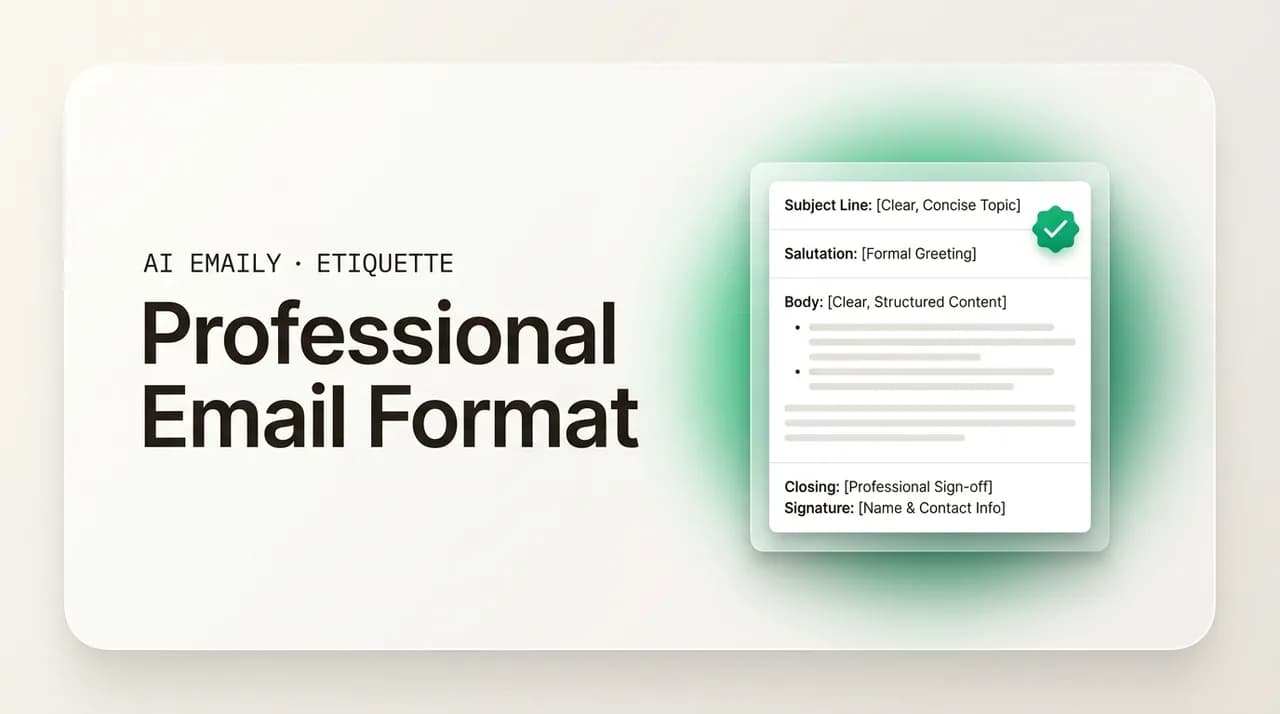
A professional email format has seven parts in a fixed order: subject line, greeting, opening line, body, call to action, closing line, and signature. Keep the body under about 150 words, write short paragraphs with white space between them, ask for one clear next step, and sign off with a complete signature. The same structure works for every message.
The professional email format explained part by part, with a reusable template, formatting rules for scannability, and examples you can copy in 2026.
On this page
- 01Why does a clear format make a clearer message?
- 02What are the seven parts of a professional email?
- 03How do you write the subject line?
- 04How do you write the greeting?
- 05How do you write the opening line?
- 06How do you write the body?
- 07How do you write the call to action?
- 08How do you write the closing line and sign-off?
- 09What goes in the email signature?
- 10What does a reusable professional email template look like?
- 11How should you format an email for scannability?
- 12How does the format change for different purposes?
- 13How do you format an email for mobile?
- 14What are the most common email format mistakes?
- 15How does AI Emaily draft perfectly formatted email in your voice?
- 16What should you remember about professional email format?
Why does a clear format make a clearer message?#
A professional email format is the predictable order that the parts of a message follow: subject line, greeting, opening, body, call to action, closing, and signature. It is not a style rule about fonts or colors. It is the skeleton underneath every good email, the reason a reader can open your message, find the point in two seconds, know what you want, and reply without rereading. When the format is right, the reader barely notices it. When it is wrong, they feel the friction immediately, even if they cannot name why.
The format matters because it does the reader's work for them. A person scanning a full inbox is not reading your email so much as triaging it. They glance at the subject to decide whether to open it, scan the first line to find the purpose, skim the body for anything that needs them to act, and look for the ask. A message that puts those things where the reader expects them gets understood on the first pass. A message that hides the request in the fourth paragraph, or opens with three lines of pleasantries before the point, forces the reader to dig, and busy readers do not dig. They skim, miss the ask, and move on.
There is a quieter benefit too. A consistent format makes you look organized and considerate, because it signals that you thought about the reader before you hit send. The same content, formatted well, reads as competent; formatted badly, it reads as a draft you fired off without care. Format is the difference between a message that respects the reader's time and one that spends it.
Consider how much a reader infers from format alone. Two people can send the identical request, the same facts, the same deadline, the same level of politeness, and get completely different responses, because one buried the ask in a paragraph of context and the other stated it plainly on its own line. The reader of the first email has to reconstruct what is wanted; the reader of the second already knows and can reply in one line. Multiply that small difference across the dozens of emails a busy person processes in a morning, and format becomes the single biggest lever you have over whether your messages get acted on quickly or quietly deferred to later, which often means never.
It is worth separating two things that often get tangled. Structure is the order and presence of the parts: did you include a subject, a greeting, a clear ask, a sign-off. Formatting is how the text sits on the screen: paragraph length, white space, bullets, the visual rhythm that makes a message easy to scan. You need both. A perfectly structured email crammed into one dense block is still hard to read, and a beautifully spaced email with no clear point is still a waste of the reader's time. This guide covers both, in that order.
We will walk through the seven parts of a professional email one at a time, with an example of each, then assemble them into a reusable template you can adapt to almost any situation. After that we cover the formatting and spacing rules that make an email scannable, how the format flexes for different purposes like a request, an update, or a follow-up, how to format for the phone where most email is now read, the format mistakes that quietly cost you replies, and how an AI email client can draft a perfectly formatted message in your own voice. By the end you will have a structure you can reuse for the rest of your career.
If you want to go deeper on any single part after this overview, our companion guides on how to start an email and how to end an email cover greetings, openings, closing lines, and sign-offs in far more detail, and the collection of professional email examples shows the finished format applied to twenty real situations.
What are the seven parts of a professional email?#
Almost every professional email, whatever its purpose, is built from the same seven parts in the same order. Learn them once and you stop thinking about structure and start thinking about content, which is where your attention should be. The parts are: the subject line, the greeting, the opening line, the body, the call to action, the closing line, and the signature. Some short messages compress a few of these into a sentence or two, but the order rarely changes, and the order is what makes the email easy to follow.
Here is the sequence at a glance before we take each one in turn.
- Subject line. The headline. Tells the reader what the email is about and whether to open it now.
- Greeting. The opening salutation that names the reader and sets the tone, formal or warm.
- Opening line. The first sentence of the body. States the purpose or gives a brief, genuine bridge.
- Body. The substance. One topic, the relevant detail, the context the reader needs to act.
- Call to action. The single, specific thing you want the reader to do, and by when.
- Closing line. A short courtesy line that hands off gracefully before your sign-off.
- Signature. Your sign-off word, your name, and a signature block with role and contact details.
How do you write the subject line?#
The subject line is the only part of your email the reader sees before deciding whether to open it, which makes it the most important nine words you will write. A good subject is specific, short, and front-loads the most important word. "Q3 budget approval needed by Friday" tells the reader the topic, the action, and the deadline before they open anything. "Quick question," "Following up," and the dreaded blank subject tell them nothing, and a reader who learns nothing from your subject either ignores the email or resents opening it.
Keep it to roughly forty to sixty characters so it does not get cut off, especially on a phone where the subject may show only the first few words. Put the load-bearing word first: "Invoice 4021 overdue" survives truncation in a way that "Just checking in about invoice 4021" does not. Match the subject to the email; nothing erodes trust faster than a subject that promises one thing and a body that delivers another. And never reuse an old thread for an unrelated topic, which buries your real subject under a stale one.
A simple way to test a subject line is to ask whether the reader could roughly guess the email's purpose, and how much it matters, from the subject alone. If they could, the subject is working. If they would have to open the email to find out anything at all, it is too vague. The most useful subjects often read almost like a one-line summary of the email: "Contract signed, returning it today," "Need your headcount numbers by Wednesday," "Reschedule: Thursday's review moved to Friday." Each tells the reader the topic and what, if anything, is required, before they have read a single word of the body. That is the whole job of a subject line, and most emails do it poorly.
How do you write the greeting?#
The greeting is the handshake. It names the reader and sets the register for everything after it, so the only real decision is how formal to be. For most business email, "Hi [First name]," is the safe, modern default: warm without being casual, professional without being stiff. "Hello [Name]," is a half-step more formal and works almost everywhere. "Dear [Name]," is reserved for genuinely formal contexts, a cover letter, a first note to a senior stranger, a legal or official message, where its formality reads as respect rather than distance.
Three rules carry most of the weight. First, use the person's name and spell it correctly; a misspelled name in the first line undoes everything that follows. Second, avoid "To whom it may concern" and "Dear Sir or Madam" unless you genuinely cannot find a name, because they signal that you did not try. Spend thirty seconds finding the name instead. Third, do not open with "Hey" in a formal or first-contact email; save it for colleagues you know. When you are writing to more than one person, "Hi both," "Hi team," or "Hi everyone," all work depending on the group's size.
Titles deserve a moment of thought in formal contexts. If you are writing to someone whose title you know matters, a professor, a doctor, a judge, use it: "Dear Dr. Okafor," reads as respectful where the bare first name might read as presumptuous. When you are unsure of someone's preferred title or gender, the cleanest solution is to use their full name without a title, "Dear Sam Rivera," which is correct in every case and never causes offense. Avoid guessing at "Mr." or "Ms." when you do not know, since getting it wrong is worse than omitting it. And once a relationship is established and the other person signs off informally, follow their lead and relax your greeting to match; clinging to formality after they have moved past it can read as cold.
Match the greeting to the relationship, not your mood
How do you write the opening line?#
The opening line is the first sentence of your body, and its job is to tell the reader why this email exists. The most common mistake in professional email is wasting it. "I hope this email finds you well" is not an opening line; it is a delay, and the reader has read it ten thousand times. Lead with the purpose instead: "I'm writing to confirm the details for Thursday's review," or "I have a quick question about the March invoice." When the reader knows the point by the end of the first sentence, the rest of the email reads faster and lands harder.
There are two good patterns. For most emails, state the purpose directly in the first line, as above. For emails where a little warmth helps, a relationship message, a thank-you, a note after a meeting, you can open with a short, genuine bridge first: "It was great meeting you at the conference last week." The key word is genuine; a specific bridge earns its place, a generic pleasantry does not. Either way, the purpose should arrive within the first two sentences, never later.
How do you write the body?#
The body is where the email earns its keep, and the single most useful rule is one email, one topic. If you have three unrelated things to discuss, you almost always serve the reader better with three short emails than one long one, because a single-topic email is easy to file, easy to reply to, and easy to find later. When you must cover related points in one message, give each its own short paragraph or, better, its own bullet, so the reader can see the shape of the message at a glance.
Keep the body tight. Most professional emails are at their best between about fifty and one hundred and fifty words, short enough to read on the first pass, long enough to carry the necessary detail. Front-load the important information; do not make the reader wade through background to reach the point. Cut throat-clearing phrases ("I just wanted to," "I was wondering if maybe"), hedging that adds words without meaning, and any sentence that does not move the email forward. If a paragraph runs past three or four lines on screen, break it; dense blocks are where readers give up.
There is a useful order to follow inside the body, sometimes called bottom line up front. State the conclusion or request first, then provide the supporting detail for the reader who wants it. This runs against the instinct many of us learned in school, where you build context toward a conclusion at the end. In email it is backwards: the reader is busy, may stop after the first line, and needs the point immediately. Give them the answer, the decision, or the ask up front, and treat the explanation as optional reading for anyone who needs more. A reader who agrees after the first sentence never has to read the rest, and a reader who wants the detail knows exactly where to find it.
- One topic per email wherever you can. Separate, unrelated asks belong in separate messages.
- Lead with the point, then supply the detail and context the reader needs to act on it.
- Short paragraphs, two to three sentences each, with a blank line between them.
- Use bullets for lists, options, or steps, so the reader can scan instead of parse.
- Bold sparingly, for the one fact or deadline that must not be missed, never whole sentences.
- Cut filler, hedging, and any sentence that does not earn its place.
How do you write the call to action?#
The call to action is the part most people get wrong, because they leave it implied. They describe a situation and hope the reader infers what to do. They do not. A professional email should end its body with a single, specific, easy request that names what you want and, where it matters, by when. "Could you approve the budget by end of day Thursday?" is a call to action. "Let me know your thoughts" is a wish. The clearer and smaller the ask, the faster the reply.
Three principles make calls to action work. Ask for one thing, not three; stacking requests ("Can you review this, and also send me the file, and maybe set up a call?") dilutes the ask and confuses the reader. Make the next step concrete: propose a specific time rather than "sometime next week," name the exact document, give the deadline as a date. And put the call to action on its own line near the end of the body, where the reader's eye lands, with nothing burying it afterward. One ask, clearly stated, in an obvious place.
The easier you make the action, the faster it happens, so it is worth thinking about the response you want and engineering the path to it. If you need a yes or no, ask a yes-or-no question rather than an open one. If you need a time, offer two specific slots instead of asking the reader to propose one, since choosing from options takes less effort than generating them. If you need approval, tell the reader exactly how to give it: "reply 'approved' and I'll handle the rest." Every bit of friction you remove from the ask is a bit more likely the reader acts now rather than setting your email aside to deal with when they have more time, a moment that frequently never arrives.
How do you write the closing line and sign-off?#
The end of an email has two small parts that people often blur together: the closing line and the sign-off. The closing line is a short courtesy sentence that hands off gracefully, "Thanks for your help with this," or "Looking forward to your reply," or "Happy to answer any questions." It softens the ask and signals that the email is ending. Keep it to one line; a long, effusive closing reads as filler after a clear request.
The sign-off is the word or short phrase right before your name: "Best," "Best regards," "Thanks," "Kind regards," "Sincerely." For most business email, "Best," and "Best regards," are the reliable defaults, friendly and professional. "Thanks," works well when you have actually asked for something. "Sincerely," suits formal letters and cover letters. Avoid the ones that misfire: "Cheers" can read as too casual in a first contact, "Yours faithfully" sounds dated, and no sign-off at all can read as curt. Capitalize only the first word, follow it with a comma, and put your name on the next line.
What goes in the email signature?#
The signature is the block under your name, and it does a quiet but real job: it tells the reader who you are, where you work, and how else to reach you, without your having to repeat any of it in the body. A complete professional signature includes your full name, your job title and company, and at least one alternative way to reach you, usually a phone number or a link. Many people add a single relevant link, a company website or a booking page, and that is plenty.
The most common signature mistake in 2026 is overload. A signature stuffed with multiple phone numbers, a mailing address, five social icons, a quote, a legal disclaimer, and a banner image becomes clutter that buries the one detail the reader actually needs. Surveys of business email find that a large share of signatures carry at least one error or excess that hurts rather than helps. Keep it to three or four lines, use one or at most a couple of links, and make sure every line still renders cleanly on a phone, because that is where most readers will see it.
A few specifics keep a signature working over time. Set it once as your default so every email carries it without your having to think about it, and update it the day your role or number changes, since an outdated signature quietly sends people to a dead phone line or a job title you no longer hold. Limit social icons to the one or two platforms that actually matter for your work; four is the practical ceiling, and most people need fewer. If you use a single image, such as a logo, keep it small and lightweight so it loads fast and does not trip spam filters, and never rely on an image to carry information, because some readers will see only the text. The goal is a signature the reader can take in at a glance and act on, not a billboard.
For replies within an ongoing thread, you can often trim the signature to just your first name, or drop it entirely, since the full block at the bottom of the conversation already established who you are. Repeating a four-line signature on every quick back-and-forth clutters the thread. Reserve the full signature for first contact and for emails that leave your organization, and keep internal replies light.
What does a reusable professional email template look like?#
Put the seven parts together and you have a template that works for almost any professional message. The brackets are the only thing that changes from email to email; the bones stay the same. Read it once as a whole, then keep it as the mental checklist you run through every time you write something that matters.
Notice how little there is. A specific subject, a named greeting, a purpose-first opening, a tight body, one clear ask, a courteous close, a complete signature. That is the entire format. Everything else is content poured into this shape.
Here is the same template filled in for a real, everyday situation, a request to a colleague, so you can see how the shape carries content without getting in its way.
How should you format an email for scannability?#
Structure decides what you say; formatting decides whether the reader can take it in. Most professional emails are skimmed, not read, so the goal of formatting is to make the message easy to scan: the reader should grasp the point and the ask in a few seconds, even if they never read every word. The tools are humble, white space, short paragraphs, bullets, and restraint, but they are the difference between an email that gets understood and one that gets postponed.
Start with white space. A blank line between the greeting and the opening, between paragraphs, and before the sign-off gives the reader's eye somewhere to rest and breaks the message into digestible chunks. A wall of text with no spacing is the most common formatting failure, and the easiest to fix. Keep paragraphs to two or three sentences; one idea per paragraph. When you have a list of items, options, or steps, turn it into bullets, because a scanning reader processes a short bulleted list far faster than the same content buried in prose.
- Leave a blank line between paragraphs and around the greeting and sign-off; let the email breathe.
- Keep paragraphs to two or three sentences, one idea each. Break anything longer.
- Use bullets for lists, options, and steps. Scanning readers absorb them far faster than prose.
- Bold one thing at most, a deadline or a key figure. Bold everywhere is the same as bold nowhere.
- Stick to a clean, default sans-serif font in a single color. Skip multiple colors and decorative type.
- Avoid ALL CAPS, which reads as shouting, and heavy formatting that can trip spam filters.
Font and color deserve a word. Use the client's default font or a standard sans-serif like Arial, Calibri, or Helvetica, which render reliably everywhere and stay legible on screens. Keep everything one color, the default near-black; colored text rarely helps and often looks unprofessional. Resist the urge to decorate. The most readable professional email looks almost plain, and that is the point: nothing competes with the message. As a rough spacing guide, give paragraphs a clear blank line between them rather than cramming lines together, and keep the whole thing short enough that the reader can take it in without scrolling much.
A useful test before sending: squint at your draft, or glance at it for two seconds, the way a busy reader will. Can you tell what it is about and what it wants from that glance alone? If the subject, the opening, and the ask jump out, the formatting is doing its job. If it reads as one gray block, add white space and break it up before you send.
Formatting is part of politeness
How does the format change for different purposes?#
The seven-part skeleton stays constant, but the emphasis shifts with the job the email is doing. A request leans hardest on a crisp call to action. An update leans on a scannable body the reader can skim for the one thing that affects them. A follow-up leans on a one-line reminder of context before it asks again. Knowing where the weight goes for each purpose lets you adapt the same structure without rebuilding it every time.
The table below maps the four most common purposes to where the format flexes. In every case the parts are the same; what changes is which part carries the message and how much room each one gets.
| Purpose | Subject focus | Where the weight goes | Typical length |
|---|---|---|---|
| Request / ask | Name the action and deadline | A single, specific call to action on its own line | Short (50–120 words) |
| Status update | Name the project and the headline | A scannable body, often bullets, with one clear takeaway | Short to medium |
| Follow-up | Reference the original thread or topic | A one-line context reminder, then a smaller, easier ask | Very short |
| Introduction / outreach | Borrow a name or reason if you can | A relevant opening and one tiny next step | Short (under 150 words) |
A few notes on the differences. A request email should make the ask impossible to miss, so it goes on its own line near the end with a date attached, and the body stays lean so nothing competes with it. A status update is read by people scanning for whether anything needs them, so lead with the headline ("on track," "slipping by a week," "need a decision") and use bullets for the detail; a reader should know the main message within seconds. A follow-up builds on something that already happened, so open by reminding the reader of the original message in one line, then make the next step even smaller than before, because most non-replies are buried emails, not refusals. An introduction earns its place on relevance, so the opening names why you are writing to this person in particular, and the ask is tiny, a brief reply or fifteen minutes, never an hour of a stranger's time.
The deeper point is that you are never reinventing the format; you are redistributing attention within it. That is what makes a single structure usable for your entire working life. Once the seven parts are second nature, adapting to a new purpose takes seconds, not a fresh blank page.
How do you format an email for mobile?#
Most professional email is now opened on a phone, at least the first time, which changes what good formatting means. A subject that looks fine on a wide monitor may be cut to its first few words on a phone, so front-loading the key word matters even more: "Invoice 4021 overdue" survives where "A quick note regarding your recent invoice number 4021" does not. The same goes for the opening line, which is often previewed in the inbox list before the email is even opened; make that first sentence carry the point so the preview itself tells the reader what they need.
On a small screen, paragraphs that look short on a laptop can become tall, dense blocks, so keep them genuinely brief, one or two sentences, and lean harder on white space and bullets. Signatures need special care: a multi-column signature or a wide banner image that looks sharp on desktop often collapses into an unreadable jumble on a phone. Keep the signature narrow, a few short lines, with no more than a couple of links and any image kept small and light. The reliable test is to send the draft to yourself and open it on your phone before it goes to anyone who matters.
Mobile also changes how forgiving the reader is. Someone reading on a phone is often between meetings, on a train, or half-distracted, and they have even less patience for an email that makes them scroll, pinch, or hunt for the point. The same message that a desktop reader might tolerate as slightly too long becomes genuinely annoying on a four-inch screen. This is the real reason brevity matters more than ever: it is not a style preference, it is a response to where and how your email is actually consumed. If you write every email as though it will be read on a phone, by someone with thirty seconds and one thumb, you will naturally arrive at the short, scannable, single-ask format that works everywhere else too.
Write for the preview pane
What are the most common email format mistakes?#
Most format problems come down to making the reader work too hard, and the same handful repeat across millions of emails. The good news is that each one has a one-line fix, and fixing them is what separates a message that gets a fast reply from one that gets postponed. Here are the mistakes to watch for, and what to do instead.
Run your draft against this list before you send anything important. Almost every weak professional email fails at least two of these, and almost every strong one passes all of them.
| Common mistake | Why it hurts | The fix |
|---|---|---|
| Vague or blank subject line | The reader cannot decide whether to open it, so they don't | Front-load the topic and action: "Q3 budget — approval needed Friday" |
| Opening with "I hope this finds you well" | Delays the point and reads as filler the reader has seen endlessly | Lead with the purpose in the first sentence |
| One giant paragraph | A wall of text is hard to scan, so the reader gives up | Break into short paragraphs with blank lines and bullets |
| No clear call to action | The reader doesn't know what to do, so they do nothing | End the body with one specific ask and a date |
| Multiple unrelated asks in one email | The reader answers the easy one and forgets the rest | One topic per email; split the rest into separate messages |
| Too long | A 400-word email gets skimmed and the key point is missed | Cut to the essentials, aim for under ~150 words |
| Cluttered or missing signature | The reader can't reach you, or drowns in icons and disclaimers | Three or four clean lines: name, role, one way to reach you |
| ALL CAPS or heavy formatting | Reads as shouting and can trip spam filters | Plain sans-serif, one color, bold one thing at most |
Two mistakes deserve a closer look because they are so common they have become invisible. The first is the missing call to action: people describe a situation in full and assume the reader will know what to do with it. They won't. If you want something, say so plainly, on its own line, with a deadline. The second is length. Almost no professional email is too short; a great many are too long. When in doubt, cut. The reader will thank you for the email they could read in fifteen seconds, and resent the one that cost them three minutes.
A final habit worth building: reread your draft once before sending, scanning specifically for the subject, the ask, and the white space. Is the subject specific? Is the ask obvious and on its own line? Can you take the whole thing in at a glance? Thirty seconds of rereading catches almost every format mistake on this list, and it is the cheapest quality control you will ever do.
A polished format can't rescue a buried ask
How does AI Emaily draft perfectly formatted email in your voice?#
Knowing the format is one thing; applying it cleanly to every message, on a busy day, from your phone, is another. This is where an AI-native email client earns its place. AI Emaily drafts complete, correctly formatted emails in your own voice, with a specific subject line, a named greeting, a purpose-first opening, a tight body, one clear call to action, a courteous close, and your signature already in place. You describe the situation, who you are writing to, what you need, and it produces a message that already follows the seven-part structure, so you are editing a clean draft instead of staring at a blank page.
Because it learns how you actually write, the drafts sound like you, not like a generic template, and it keeps the formatting tidy automatically: short paragraphs, white space between them, bullets where a list belongs, a signature that renders cleanly on a phone. It works across every provider, Gmail, Outlook, iCloud, Fastmail, Proton, and IMAP, from one place, so the same well-formatted output follows you wherever your mail lives. And it is private by design: your email is yours, never used to train shared models.
You stay in control. Review and approve every draft before it sends, or let AI Emaily handle routine, repetitive replies on its own with full undo and an audit trail of everything it did. The free plan is $0 and covers the everyday drafting most people need; Pro is $12.42 per month billed annually for heavier use and the more autonomous features. You can start free at app.aiemaily.com/signup and have your first perfectly formatted draft in a couple of minutes.
Let the format become automatic
What should you remember about professional email format?#
A professional email format is not a rulebook to memorize; it is a shape that makes you easy to read. Seven parts in a fixed order, subject, greeting, opening, body, call to action, closing, signature, carry almost every message you will ever send. Keep the body short, lead with the point, ask for one clear thing, and give the reader white space to scan. Format the email for the phone, because that is where it will be read, and run it past the short list of common mistakes before you send.
Do this consistently and two things happen. Your emails get answered faster, because readers can see the point and the ask at a glance. And you build a quiet reputation as someone who is clear and considerate to deal with, which compounds over a career in ways a single well-formatted email never reveals on its own. The format is the easy part; the discipline of applying it every time is what sets professionals apart.
If you want the structure handled for you, so every email arrives in the inbox already in the right shape and in your own voice, that is exactly what AI Emaily is built to do. Start free at app.aiemaily.com/signup, and pair this guide with our companion pieces on how to start an email, how to end an email, and twenty professional email examples to see the format applied end to end.
Frequently asked
See it in AI Emaily
Keep reading
Sources

Written by
Nafiul HasanNafiul Hasan is an entrepreneur and AI automation system builder with 10+ years of experience turning messy, manual workflows into reliable automated systems. He designs and ships AI enterprise solutions end-to-end — the agent logic, the data plumbing, and the product people actually use — and founded AI Emaily to give busy professionals their attention back. He writes here from the builder's seat: what works, what breaks, and how to put AI to work without giving up control.