How to write a reminder email (polite templates and examples)

The short answer
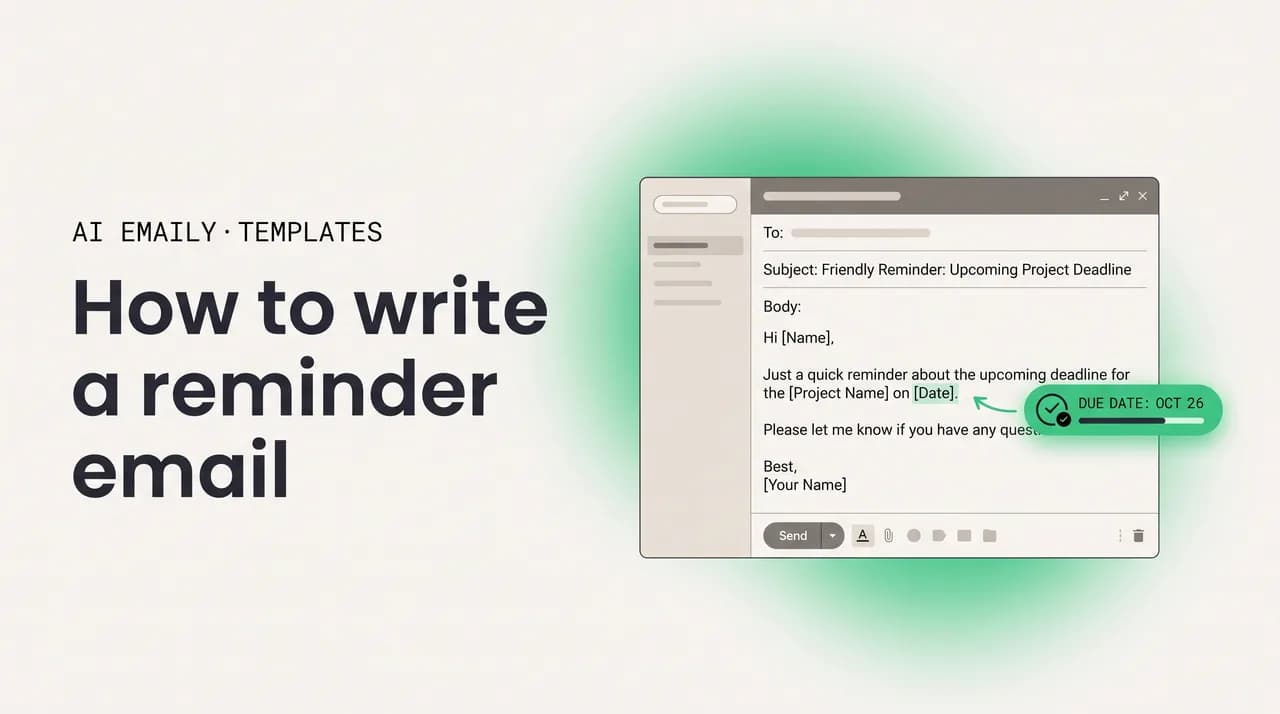
A reminder email works best when it is short, polite, and built around one clear action with a deadline attached. Keep it under about 120 words, assume the reader simply forgot, restate the request and the date, and end with one specific call to action. Send it mid-week, mid-morning, and firm up the tone only as the deadline nears.
How to write a reminder email that stays polite and gets a response: timing, structure, tone, subject lines, and 16 copy-paste templates.
On this page
- 01What is a reminder email and when do you actually need one?
- 02What is the difference between a reminder, a follow-up, and a nudge?
- 03When should you send a reminder email?
- 04What does a good reminder email actually contain?
- 05How do you keep a reminder firm but still polite?
- 06What are the best reminder email templates I can copy?
- 07Template 1 — The friendly deadline reminder
- 08Template 2 — The pre-due payment reminder
- 09Template 3 — The gentle overdue payment reminder
- 10Template 4 — The firm overdue payment reminder
- 11Template 5 — The meeting reminder
- 12Template 6 — The appointment reminder
- 13Template 7 — The event RSVP reminder
- 14Template 8 — The document request reminder
- 15Template 9 — The action request reminder to a coworker
- 16Template 10 — The reminder to your manager
- 17Template 11 — The sign-up or registration reminder
- 18Template 12 — The renewal or expiration reminder
- 19Template 13 — The genuinely friendly reminder
- 20Template 14 — The second reminder after no response
- 21Which subject lines get reminder emails opened?
- 22How do you write reminders for different relationships?
- 23What mistakes kill a reminder email?
- 24How do you make sure the right reminder goes out at the right time?
- 25Putting it all together
What is a reminder email and when do you actually need one?#
A reminder email is a short, intentional message that nudges someone toward an action they have already agreed to, been asked to take, or committed to a date for. It is the email you send when an invoice is creeping past due, a deadline is two days out, a meeting is tomorrow, an RSVP cutoff is approaching, or a requested document still has not arrived. Its entire job is to move one specific thing forward, gently, without making the recipient feel cornered or scolded.
It helps to be precise about what a reminder is not. It is not a follow-up after silence on a cold pitch, where you are trying to re-earn attention you never quite had, and it is not a complaint, an escalation, or a place to vent that someone has let you down. A reminder assumes a shared understanding already exists: there is a thing, there is a date, and you are simply pointing at both because busy people forget. That assumption of good faith is the single most important ingredient, and it shapes every word that follows.
You need a reminder email far more often than you probably send one. The average professional receives well over a hundred messages a day, and even a request someone fully intends to honor routinely loses to whatever is on fire that hour. The deadline you flagged a week ago is, from the other side, one of forty things competing for attention. Sending a reminder is not nagging; it is the small favor of floating the thread back to the top of an overloaded inbox so the recipient can act in the brief window they finally have.
Reminders also protect you. When a deadline slips, an invoice goes unpaid, or a no-show eats a calendar slot, the cost lands on you as much as on the other person. A well-timed reminder is cheap insurance: a thirty-second message that prevents a missed payment, a blown launch date, or an empty meeting room. The people who send reminders calmly are not the pushy ones; they are the ones whose projects ship on time and whose invoices get paid, because they close the small gaps everyone else leaves open. Learn the anatomy once and you can write any of them, from a deadline reminder to a payment nudge to an RSVP prompt, without staring at a blank message wondering how to ask without sounding like a pest.
What is the difference between a reminder, a follow-up, and a nudge?#
These three words get used interchangeably, and the blur causes real problems, because each calls for a different tone and structure. Getting them straight is the fastest way to make your reminders land correctly.
A reminder assumes prior agreement. The recipient already knows about the deadline, invoice, meeting, or request, and you are pointing at a date that is approaching or has passed. Because the commitment already exists, you can be direct about the action and timing without sounding presumptuous. "Just a reminder that the report is due Friday" is entirely fair when Friday was always the date.
A follow-up assumes you are chasing a reply that has not come, often with no firm agreement yet, just an email you sent into silence. It therefore leans harder on adding value or a fresh reason to respond, because you cannot lean on a commitment that was never made. Our companion guide on writing a follow-up email after no response covers that scenario; this article stays focused on situations where a commitment or a date already exists.
A nudge is the lightest of the three: a friendly bump with no new information and no real stakes. Nudges are fine between peers but weak in any situation that matters, because they give the reader nothing concrete to act on. The strongest reminders borrow nothing from the nudge except its warmth; they always carry a specific action and a specific date.
The practical upshot is that a reminder gets to be clearer and more direct than a follow-up, precisely because the groundwork is already laid. You are not persuading anyone that the thing matters; you are helping them remember to do something they already accepted. That permission to be direct, balanced against the warmth that keeps it polite, is the tightrope every reminder walks.
The one-sentence test
When should you send a reminder email?#
Timing is the question everyone asks first, and the windows are tighter and more knowable than most people assume. The two variables that matter are how far out the deadline is and how high the stakes are. A reminder that lands too early reads as anxious and trains the reader to tune you out; one that lands too late arrives after the moment has passed and the damage is done.
For a deadline someone agreed to, the sweet spot for a first reminder is roughly two to three days before it falls due, far enough out that the person can still act without scrambling and close enough that the deadline feels real. For a large task, a soft heads-up a week ahead plus a firmer reminder two days before beats a single late nudge.
Payment reminders run on a well-established cadence because money is involved and the stakes climb steadily. The recommended rhythm is a friendly heads-up a few days before the due date, a polite reminder on the due date itself, a gentle nudge around three days after if it is still unpaid, then progressively firmer follow-ups at roughly seven, fourteen, and thirty days overdue. Each step gets more direct, but none abandons professionalism, because you almost always want the relationship intact even while insisting on payment.
Meeting and appointment reminders prevent no-shows, so they hug the event closely. A reminder twenty-four to forty-eight hours ahead is standard, often with a shorter same-day nudge for high-value appointments. For routine meetings, a single day-before reminder is plenty.
Event RSVP reminders work backward from your logistics deadline; sending one about a week before the cutoff gives guests a last chance to respond while leaving you runway to finalize headcount. For document or action requests, time the reminder to whatever it unblocks: if you need the file by Friday to hit your own Monday deadline, remind on Wednesday, not Friday afternoon when it is too late to recover.
One nuance applies across every type: the day and hour you press send matters almost as much as the gap. Mid-week, mid-morning messages get read; Monday-morning sends drown in the weekend backlog, and Friday-afternoon sends arrive after the reader has clocked out. Aim for roughly Tuesday through Thursday, mid-morning to early afternoon in the recipient's time zone.
| Reminder type | First reminder | Then | Notes |
|---|---|---|---|
| Deadline / task due | 2-3 days before due | Morning of, if critical | Add a soft heads-up a week out for large tasks. |
| Payment / invoice | 3-5 days before due | Due date, +3, +7, +14, +30 | Tone firms up at each step; stay professional throughout. |
| Meeting / appointment | 24-48 hours before | 1 hour before, if high-value | One reminder is usually enough; more trains people to ignore. |
| Event RSVP | ~1 week before cutoff | 2-3 days before, final | Work backward from your logistics deadline, not the event date. |
| Document / action request | ~2 days before you need it | Morning of your deadline | Tie the timing to what the deliverable unblocks for you. |
| Friendly / no hard deadline | When it becomes relevant | Once more, then let it go | Lowest pressure; make it genuinely easy to deprioritize. |
Business days, and the recipient's clock
What does a good reminder email actually contain?#
Strip away the situation-specific details and nearly every effective reminder shares the same skeleton. Learn it once and you can adapt any of the templates below on the fly, without padding a reminder with backstory or apologies that bury the one thing you need. Walk through it in order and notice how little is about you and how much is about making the reader's next action obvious, small, and dated.
- 1
A subject line that states the thing and the date
Be specific and scannable. "Reminder: invoice 1042 due Sept 30" or "Tomorrow, 2 PM: project kickoff" beats "Reminder" because it tells the reader what is inside and when it matters before they open it.
- 2
A warm, brief opener that assumes good faith
Open like a human, not an auditor. "Hope your week's going well" or "Just a quick reminder" works. Never lead with "You still haven't," which blames the reader before the request has even landed.
- 3
One line of context to jog their memory
Assume they have forgotten the details. In a sentence, restate what this is about and when it was agreed: "Following up on the design draft we discussed Tuesday" or "Regarding invoice 1042, sent on the 12th." Do not re-paste the whole thread.
- 4
The specific action and the specific deadline
This is the core of the email and the part most reminders get fuzzy about. Name exactly what you need and when: "approve the draft by Thursday," "confirm your attendance by Friday," "settle the balance by the 30th." Vagueness here is why reminders fail.
- 5
A reason or a benefit, where one exists
A light nudge of why it matters helps without nagging. "So we stay on track for the launch" or "to lock in your seat before they fill" reframes the request as helpful rather than self-serving.
- 6
A single, low-friction call to action and a gracious close
Ask for exactly one thing and make replying easy: a yes-or-no, a click, a one-line confirmation. Then close warmly. "Let me know if anything's unclear" keeps the door open and the pressure low.
Keep it under about 120 words
How do you keep a reminder firm but still polite?#
Tone is where most reminders quietly succeed or fail: the same request can read as gracious or grating depending on a handful of words. The goal is to stay warm enough that the reader feels nudged rather than scolded, while being clear enough that they know precisely what to do and by when. Firmness and politeness are not opposites; the best reminders are both at once.
Three principles keep you on the right side of the line. First, never blame the reader for the delay; assume the request simply slipped past in a busy week, and let that show in your phrasing. "In case it slipped by" and "I know things get hectic" do this work in a few words. Second, anchor everything to the action and the date rather than to your feelings about being kept waiting. A reminder is about a task and a deadline, not about your patience. Third, escalate gradually: your first reminder is almost pure warmth, while a later one, especially for an overdue payment, can be more direct and businesslike without tipping into accusation or threat.
Watch the small words, because they carry more weight than the long ones. "You forgot" points a finger; "this may have slipped by" does not. "You need to" issues an order; "could you" extends a request. Sprinkling "just" and "sorry" through a reminder shrinks your authority and signals that even you think the request is an imposition. And "let me know your thoughts" makes the reader invent the next step, while "can you confirm by Thursday?" hands them an easy, dated choice. None of this is about being soft or pushy; it is about lowering the effort and the emotional cost of doing what you asked.
"So sorry to bug you again! I know you're crazy busy and I hate to be a pain. I was just wondering if you maybe had a tiny moment to possibly take a look at that thing whenever you get a chance? No rush at all, totally fine if not!!"
Why it fails: the pile of apologies and hedges signals that even you think the request does not matter, and there is no clear action and no date, so the reader files it under "later" and later never comes.
What are the best reminder email templates I can copy?#
Below are 14 copy-paste templates covering the reminders people actually send: a deadline reminder, the full payment sequence from pre-due to seriously overdue, meeting and appointment reminders, an event RSVP nudge, document and action requests, a sign-up reminder, a renewal reminder, a second reminder after no response, and a genuinely friendly reminder. Swap the bracketed placeholders, trim anything that does not apply, and keep each one short.
A note on use: match the template to where you are in the situation and how high the stakes have climbed. The payment templates in particular escalate in directness, so the pre-due note is your opener and the firm overdue reminder is for after the gentler ones have gone unanswered. Pick the one that fits the moment.
Template 1 — The friendly deadline reminder#
Your everyday workhorse, sent two to three days before something someone agreed to is due. It assumes good faith, restates the task and the date, and gives a light reason it matters. Use it for reports, drafts, approvals, and any task with a clear deadline.
Template 2 — The pre-due payment reminder#
The first message in a healthy payment cadence, sent a few days before the invoice is due. It is purely a courtesy heads-up that keeps cash flow predictable and gives the client time to process payment. Neutral and friendly, with no hint that anything is wrong.
Template 3 — The gentle overdue payment reminder#
Sent a few days after the due date when an invoice is still open. The framing is that it almost certainly slipped through, which keeps the relationship warm while making the ask clear. This is the message most overdue invoices need, and most of them get paid right here.
Template 4 — The firm overdue payment reminder#
For an invoice that is well past due after one or two gentle reminders have gone unanswered. The tone shifts to businesslike and direct while staying professional, because you almost always want the relationship intact. State the facts, name the date, and make the next step unambiguous.
Template 5 — The meeting reminder#
Sent the day before a scheduled meeting to cut no-shows and make sure everyone arrives prepared. Confirm the time, the place or link, and anything the other person should bring or review. Short and logistical; this is not the place for new agenda items.
Template 6 — The appointment reminder#
For a booked appointment with a client, patient, or customer, sent twenty-four to forty-eight hours ahead. Include the essentials, the date, time, and who it is with, and always offer an easy path to reschedule or cancel, which reduces no-shows more than the reminder alone.
Template 7 — The event RSVP reminder#
Sent about a week before your RSVP cutoff to the guests who have not yet responded. Keep it light and warm, acknowledge that the original invite may have been missed, and make confirming a single click. A touch of gentle urgency about limited spots can lift responses without nagging.
Template 8 — The document request reminder#
When you are waiting on a file, a form, or information you need to do your own job, time the reminder to whatever it unblocks. Make the specific item and the deadline crystal clear, and explain briefly why it matters so the recipient sees the request as helping the shared goal.
Template 9 — The action request reminder to a coworker#
With colleagues, drop the formality and get specific. Name exactly what you need and by when, and make the blocker visible so they understand why it matters. People help faster when they can see what your request unblocks for the team.
Template 10 — The reminder to your manager#
When the person you need a decision from is your boss, lead with respect for their bandwidth and make the decision tiny. Offer a sensible default you will proceed with unless they object, which removes work from their plate and keeps you unblocked either way.
Template 11 — The sign-up or registration reminder#
For nudging people to complete a registration, a webinar sign-up, or a form before a deadline. Reaffirm the value of acting, make the deadline concrete, and reduce the action to a single click. A light scarcity cue helps when it is genuinely true.
Template 12 — The renewal or expiration reminder#
For a subscription, contract, membership, or document that is about to lapse. Give the recipient enough lead time to act, state the exact expiration date, and make renewing or extending a single easy step. Frame it as protecting something they value rather than as a sales push.
Template 13 — The genuinely friendly reminder#
The lowest-pressure reminder in the set, for a peer, a friend, or a casual commitment with no real stakes. Warmth carries it; the action is light and the deadline is soft. Use it when nagging would be overkill but a small nudge is genuinely helpful.
Template 14 — The second reminder after no response#
When a first reminder has gone unanswered and the deadline is closing in, a second, slightly more direct message is fair. Acknowledge the earlier note without scolding, narrow the ask to a single yes-or-no, and make the consequence of inaction quietly clear.
Which subject lines get reminder emails opened?#
The subject line decides whether your reminder gets read in time or skimmed past until it is too late. The winning formula is unusually consistent: state the thing and the date. Because a reminder is about a known commitment, you do not need clever curiosity hooks; you need clarity that survives a crowded inbox and a phone screen.
Specificity beats vagueness every time. "Reminder: invoice 1042 due Sept 30" tells the reader what is inside and when it matters before they even open it, while a bare "Reminder" or "Quick note" forces a click just to find out whether it is urgent. A date or time anchors the message to action, and front-loading the most important words matters because most inboxes truncate after a handful of words on mobile. When replying to an existing thread, keeping the original subject with a short addition preserves context.
The table below pairs common scenarios with subject lines that work and the weak lines they should replace. Notice that the weak versions are vague, undated, or describe your activity rather than the reader's action and its deadline.
| Scenario | Subject line that works | Weak line to avoid |
|---|---|---|
| Deadline reminder | Reminder: Q2 report due Thursday | Reminder |
| Payment, before due | Reminder: invoice 1042 due Sept 30 | Your invoice |
| Payment, overdue | Action needed: invoice 1042 now 14 days overdue | Following up on payment |
| Meeting reminder | Reminder: kickoff call tomorrow at 2 PM | Quick note |
| Appointment reminder | Your appointment on Fri, June 19 at 10 AM | Upcoming appointment |
| Event RSVP | Still hoping to see you — RSVP by Friday? | Don't forget! |
| Document request | Reminder: signed form needed by Wednesday | Checking in |
| Renewal / expiration | Reminder: your plan renews on July 1 | Important notice |
Reply on the thread when context matters
How do you write reminders for different relationships?#
A reminder to your closest teammate and a reminder to a senior client are the same skeleton wearing very different clothes. Calibrating to the relationship keeps a reminder from reading as either stiff or overfamiliar, and it is mostly a matter of formality, directness, and how much context you assume.
With peers and close colleagues, you can be casual and blunt in the best sense: a quick "Hey, still need your numbers by Thursday to ship" is friendly and efficient, and over-formality reads as cold. Make the blocker visible and trust them to act. With a manager or senior stakeholder, lead with respect for their time, keep it brief, and shrink the decision as small as possible, often to a yes-or-no or a default you will proceed with unless told otherwise. Length itself signals respect: the busier the person, the shorter the reminder.
With clients and customers, the tone turns warm and service-minded. You are not chasing them; you are helping keep their project, booking, or account in good shape. Frame the reminder around their benefit, offer to make the action easier, and keep any firmness, especially on payments, scrupulously professional, because the relationship usually matters more than any single invoice. With vendors or external parties you do not know well, stay neutral and factual: state the agreement, the action, and the date.
One rule cuts across all of them: the higher the stakes and the more formal the relationship, the more you anchor to the agreed facts and the less you editorialize. A casual nudge to a friend can be all warmth and no structure; a reminder to a client about an overdue payment should be almost entirely structure, delivered politely.
What mistakes kill a reminder email?#
Most reminders that fail do not fail from bad luck. They repeat a handful of avoidable mistakes that either annoy the reader or leave them with nothing concrete to act on. Run your draft against this list before you send.
- Being vague about the action or the deadline, so the reader is not sure what to do or by when, which is the single most common reason reminders get parked and forgotten.
- Blaming the recipient with lines like "You still haven't" or "You forgot," which sours the tone before the request has even landed and breeds defensiveness instead of action.
- Sending too early or too often, which reads as anxious and trains the reader to ignore your reminders because they know more are coming anyway.
- Sending too late, after the deadline has effectively passed, so the reminder arrives when it is already too costly or impossible to act on.
- Writing a wall of text that buries the ask under backstory; the longer the reminder, the less likely it gets read, especially on a phone.
- Piling several requests into one reminder, which dilutes the single clear action and makes an already-busy reader less likely to act on any of them.
- Apologizing or hedging excessively with "just," "sorry to bother you," and "whenever you get a chance," which shrinks your authority and signals the request does not matter.
- Forgetting the easy-out or the next step, like a reschedule link on an appointment or a clear way to confirm, which adds friction exactly where you want it lowest.
- Losing track of who you have reminded and when, so people fall through the cracks, or worse, get the same reminder twice and start tuning you out.
The most expensive mistake is the reminder you never send
How do you make sure the right reminder goes out at the right time?#
Knowing how to write a great reminder is only half the job. The other half is remembering to send it at all, to the right person, at the right moment, without double-reminding someone who has already acted. For one or two open loops you can hold that in your head. Across dozens of deadlines, invoices, appointments, and pending requests, your memory becomes the bottleneck, and good reminders quietly fall through the cracks.
The manual workarounds are familiar and fragile. People star emails and forget the stars, snooze a message to the top of the inbox and dismiss it mid-meeting, or keep a spreadsheet of who owes them what and stop updating it within a week. Each depends on you remembering to do the bookkeeping, the kind of low-value, easy-to-skip task that loses to whatever is more urgent that hour.
This is the gap an AI email client is built to close. AI Emaily is an autonomous AI email client that watches your threads, notices which commitments and requests are coming due or have gone unanswered past your usual window, and surfaces them so nothing slips. Instead of scanning your sent folder wondering who still owes you a document or whether that invoice ever got paid, you get a clear picture: these reminders are due today, and these are now overdue.
From there it drafts the reminder in your voice, on the original thread, using the structure in this guide: a brief, good-faith opener, a line of context, the specific action and date, and one clear call to action. The follow-up autopilot can stage an entire sequence, a gentle first reminder, a firmer second, and a final note, each scheduled to send when the recipient is most likely to read it, then paused the instant they act, because a completed task or a reply resets the clock.
Crucially, you stay in control. AI Emaily runs in Manual, Copilot, or Autopilot, so you decide how much it does on its own. In Copilot it drafts every reminder and waits for your approval before anything goes out, the right default for messages to clients and your boss. In Autopilot it can send routine reminders, like the pre-due payment note or the day-before appointment confirmation, on the cadence you set, and every action is logged with full undo. The point is not to take you out of your relationships; it is to make sure the reminder you meant to send actually gets sent, on time, in your words.
It works across every email provider you already use, so you are not migrating to a new address to get well-timed reminders. The free plan is $0 to start, and Pro is $12.42 a month billed annually for the full autopilot and unlimited scheduled reminders. You can connect an inbox in minutes at app.aiemaily.com/signup.
Why this matters for reminders specifically
Putting it all together#
A reminder email is one of the highest-leverage messages you can send and one of the most consistently neglected, usually because people worry it will make them look pushy. The mechanics, though, are simple. Keep it short, under about 120 words. Assume the reader simply forgot. Restate the action and the date in plain language, give a light reason it matters, and end with a single, low-friction call to action. Then send it mid-week, mid-morning, far enough ahead that the person can still act.
Tone is the part that takes practice. Firm and polite are not opposites; the best reminders are both, anchoring to the agreed facts while assuming good faith and firming up only as a deadline nears or an invoice ages. Cut the apologies and hedges that shrink your authority, name exactly what you need, and offer help where you can. Done well, a reminder reads as a small favor to a busy person, not a complaint.
Start with the template that matches your situation, swap in the specifics, and send it. Then build a system so the next one does not depend on you remembering at the right moment. Whether that system is a disciplined calendar or an AI email client that tracks your open loops and schedules the nudges for you, the goal is the same: never lose a deadline, a payment, or a reply just because a reminder went unsent or arrived a day too late.
Frequently asked
See it in AI Emaily
Keep reading
Sources
- ManyReach — How to remind someone politely: 35+ email templates
- Saleshandy — How to write a polite reminder email: 19 templates
- Mailchimp — Boost cash flow with effective payment reminder emails
- Acuity Scheduling — Appointment reminder templates (text & email)
- Eventbrite — The perfect event RSVP email templates

Written by
Nafiul HasanNafiul Hasan is an entrepreneur and AI automation system builder with 10+ years of experience turning messy, manual workflows into reliable automated systems. He designs and ships AI enterprise solutions end-to-end — the agent logic, the data plumbing, and the product people actually use — and founded AI Emaily to give busy professionals their attention back. He writes here from the builder's seat: what works, what breaks, and how to put AI to work without giving up control.